Jobber leads field service job scheduling with a 4.6 out of 5 rating across 1,511 Capterra reviews and plans starting at $29 per month billed annually. Connecteam fits all-in-one mobile teams with a free tier for up to 10 users, while When I Work suits budget shift scheduling at $2.50 per user per month.
How we make this list: we compare pricing pages, product documentation and public user reviews, then re-check every price before each update. No product paid for a place. Disclosure.
Jobber holds a 4.6 out of 5 score on Capterra from 1,511 reviews and starts at $29 per month billed annually.
Connecteam offers a free plan for up to 10 users and paid tiers starting at $29 per month on Capterra.
Homebase provides a free Basic plan for one location up to 10 employees and paid plans starting at $24 per location per month billed annually.
When I Work starts at $2.50 per user per month with a 4.5 rating across 1,300 Capterra reviews.
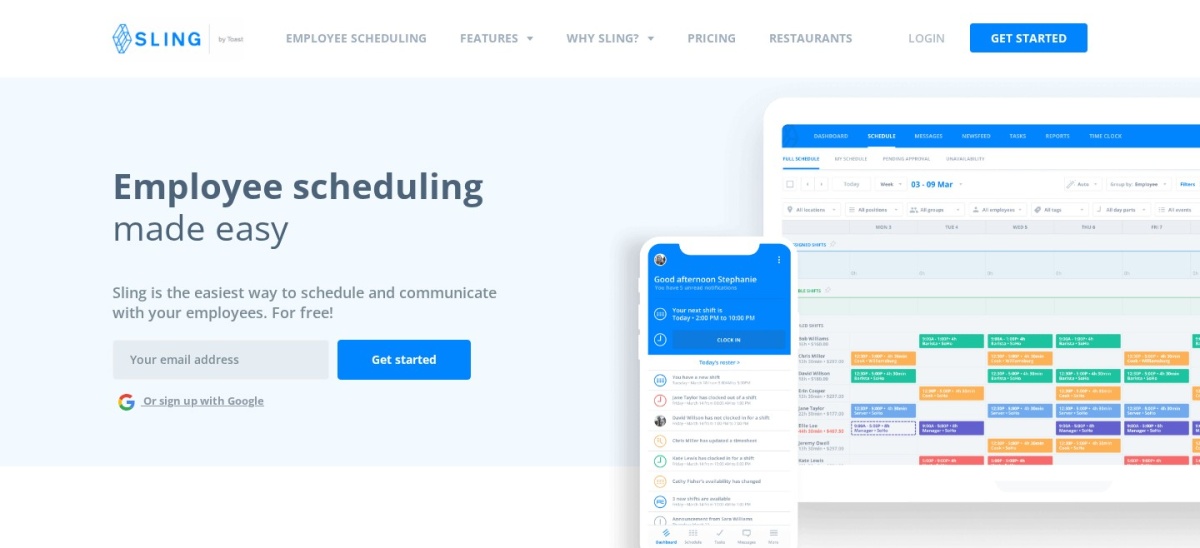
Sling includes a free plan for up to 30 users and paid plans starting at $2.00 per user per month on Capterra.
What to look for in a job scheduling app
Job scheduling spans two main workflows: dispatching field jobs, quotes, and invoices for service crews, and building recurring shift rosters for hourly staff. Picking the right app starts with matching the tool to how work gets assigned and completed.
Pricing structure matters as teams scale. Some platforms charge per user or per location, while others bundle time clocks, messaging, payroll, or client portals into higher tiers or paid add-ons.
Mobile usability, calendar sync, and overtime or conflict alerts keep daily operations moving when crews are on site or shifts change at short notice. Checking extra seat fees and integration limits early avoids surprise bills later.
For simple appointment booking and service reminders
$12/mo
Free plan
4.6/5
Price ladder: cheapest paid plan per year
List prices, USD, checked Nov 2026
SlingFREE$24
When I Work$30
CalendlyFREE$120
SetmoreFREE$144
HomebaseFREE$288
Jobber$348
ConnecteamFREE$348
The 7 best job scheduling apps
01
Jobber
4.6/5on Capterra (1,511 reviews, checked Nov 2026)
Starts at$29/mo
Best for field service jobs, quotes, and invoicing
Rating4.6 / 5 (1,511 reviews)
Entry price$29/mo billed annually
Free planNo (free trial available)
Core focusField jobs, quotes, invoices
getjobber.com
Jobber homepage, captured Nov 2026.
Jobber is a field service management platform used by more than 250,000 home service pros to schedule jobs, send quotes, and collect payments. Its plans start at $29 per month billed annually for solo operators and scale up to $529 per month billed annually for larger teams.
The trade off is that adding extra users, payment processing fees, or add-ons like Marketing Suite increases costs as your crew grows. It suits residential and commercial service teams that want quoting, job tracking, and client invoicing in one place.
What we like
Combines job scheduling, quoting, client hub access, and invoicing in one workflow
Strong mobile app support for crews working away from the office
Clear annual pricing tiers from $29 to $529 per month
Watch out for
No permanent free plan
Additional users and add-ons raise monthly spend as teams expand
Some reviewers note reporting and accounting sync limits on complex jobs
Higher tiers and add-ons expand team seats, automation, and marketing tools.Visit getjobber.com
02
Connecteam
4.6/5on Capterra (5,322 reviews, checked Nov 2026)
Paid from$29/mo
Best for all-in-one mobile team scheduling and operations
Rating4.6 / 5 (5,322 reviews)
Entry price$29/mo (Free plan available)
Free planYes (up to 10 users)
Core focusShifts, time clock, checklists
connecteam.com
Connecteam homepage, captured Nov 2026.
Connecteam is a mobile-first workforce app that pairs shift scheduling with GPS time tracking, forms, checklists, and team updates. It offers a free plan for small teams and paid plans starting at $29 per month on Capterra.
The trade off is that stacking multiple hubs or adding users past included limits makes the pricing structure more complex. It suits deskless and field teams that want scheduling, time clocks, and task checklists under one roof.
What we like
Free plan available for small teams up to 10 users
Combines scheduling with GPS clock-in, forms, and checklists
High review volume with a 4.6 out of 5 Capterra rating
Watch out for
Multi-hub and extra-user pricing can feel layered as teams scale
Advanced geofencing and automation sit on higher tiers
Paid plans unlock geofencing, recurring shift templates, and broader team controls.Visit connecteam.com
03
Homebase
4.6/5on Capterra (1,158 reviews, checked Nov 2026)
Paid from$24/mo
Best for per-location shift scheduling and time tracking
Rating4.6 / 5 (1,158 reviews)
Entry price$24/mo billed annually ($30 monthly)
Free planYes (1 location, up to 10 staff)
Core focusShift rosters, time clock, POS sync
joinhomebase.com
Homebase homepage, captured Nov 2026.
Homebase is an employee scheduling and time-tracking platform priced per location rather than per seat. Its free Basic plan covers one location and up to 10 employees, while Essentials starts at $24 per location per month billed annually or $30 monthly.
The trade off is that adding extra locations or optional add-ons like payroll, Tip Manager, or Task Manager raises the total monthly bill. It suits single-site service, retail, and hospitality teams with growing headcounts.
What we like
Free Basic plan for one location with up to 10 employees
Per-location pricing avoids per-employee charges on paid plans
Integrates with POS systems and optional payroll add-ons
Watch out for
Costs multiply when managing multiple locations
Payroll, tipping, and task add-ons cost extra on top of base tiers
Paid plans add unlimited employees per location, team messaging, and PTO controls.Visit joinhomebase.com
04
When I Work
4.5/5on Capterra (1,300 reviews, checked Nov 2026)
Starts at$2.50/mo
Best for straightforward per-user shift scheduling
Rating4.5 / 5 (1,300 reviews)
Entry price$2.50/user/mo
Free planNo (free trial available)
Core focusShift scheduling, time and attendance
wheniwork.com
When I Work homepage, captured Nov 2026.
When I Work is a shift scheduling and attendance tool built to organize weekly rosters, availability, and team messaging quickly. Its published starting rate is $2.50 per user per month for a single location or schedule.
The trade off is that per-user fees scale with headcount and multi-location plans cost more at $5 per user per month. It suits teams that want clean shift planning and time tracking without complex HR suites.
What we like
Low entry pricing starting at $2.50 per user per month
Includes schedule templates, availability rules, and team messaging
Straightforward setup for managers and shift staff
Watch out for
No free plan listed on its Capterra pricing profile
Multi-location setups and larger rosters increase per-user spend
Higher tiers expand support to multiple locations and broader scheduling rules.Visit wheniwork.com
05
Sling
4.6/5on Capterra (214 reviews, checked Nov 2026)
Paid from$2/mo
Best for free shift scheduling up to 30 users
Rating4.6 / 5 (214 reviews)
Entry price$2/user/mo (Free plan available)
Free planYes (up to 30 users)
Core focusShift rosters, time off, labor costs
getsling.com
Sling homepage, captured Nov 2026.
Sling is a workforce scheduling app that combines shift templates, time-off requests, and team messaging with labor tracking on paid tiers. It offers a free plan for up to 30 users and paid plans starting at $2 per user per month on Capterra.
The trade off is that time clock tracking and labor cost controls require upgrading from the free plan. It suits small and mid-sized teams that want a generous free starting tier before adding time tracking.
What we like
Free plan covers shift scheduling for up to 30 users
Low starting paid rate at $2 per user per month
Supports shift swaps, time-off requests, and messaging
Watch out for
Time tracking and labor cost tools are gated to paid plans
Fewer total Capterra reviews than larger competitors
Paid plans add mobile and kiosk time tracking, overtime alerts, and labor budgeting.Visit getsling.com
06
Calendly
4.7/5on Capterra (3,692 reviews, checked Nov 2026)
Paid from$10/mo
Best for self-serve client appointment and consultation booking
Rating4.7 / 5 (3,692 reviews)
Entry price$10/user/mo (Free plan available)
Free planYes (1 event type, 1 calendar)
Core focusAppointment booking and calendar sync
calendly.com
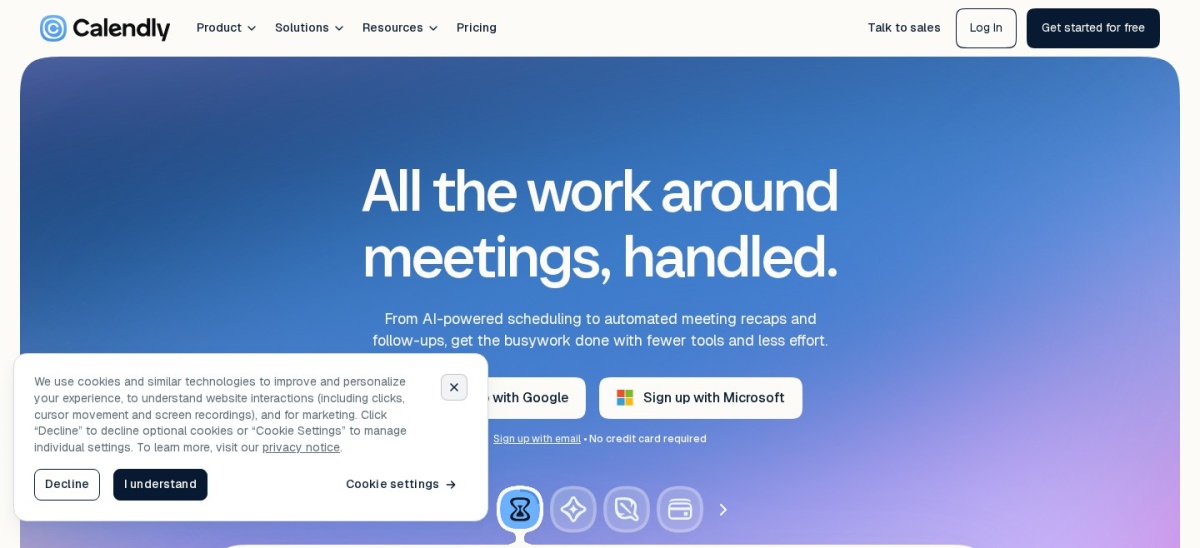
Calendly homepage, captured Nov 2026.
Calendly is an automated scheduling platform that lets clients pick open time slots based on real-time calendar availability. It offers a free plan and paid plans starting at $10 per user per month on Capterra.
The trade off is that it focuses on booking meetings and appointments rather than dispatching field crews or managing shift time clocks. It suits service providers, consultants, and teams booking client jobs by appointment.
What we like
High 4.7 out of 5 rating across 3,692 Capterra reviews
Free plan available for basic one-on-one booking
Reduces back-and-forth scheduling with automated reminders
Watch out for
Free plan limits event types and connected calendars
Not built for field dispatch, work orders, or shift time clocks
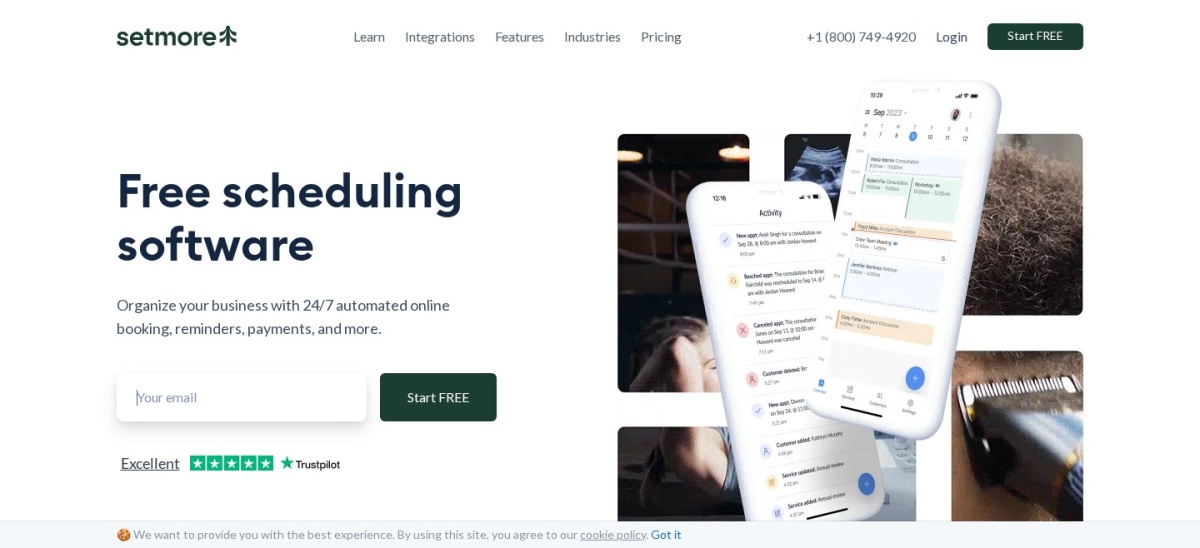
Setmore is an appointment scheduling tool that provides a shareable booking page, staff calendars, and automated reminders. It includes a free plan with unlimited appointments and a Pro plan starting at $12 per user per month on Capterra.
The trade off is that two-way calendar sync and recurring appointments sit on the paid Pro tier, and reviewers report occasional sync or notification quirks. It suits small service businesses booking scheduled customer visits.
What we like
Free plan supports unlimited appointments and a booking page
Includes email and SMS reminders to reduce missed bookings
Simple interface for small service teams
Watch out for
Two-way calendar sync and recurring bookings require Pro
Some reviewers note occasional calendar sync or notification issues
Pro adds two-way calendar sync, recurring appointments, and custom reminders.Visit setmore.com
How we chose
We built this shortlist by reviewing established scheduling and workforce platforms across field service management, shift rostering, and client booking on Capterra and vendor documentation.
Every rating, review count, and starting price was checked on 22 Nov 2026 from live pricing and review pages, using standard entry tiers rather than temporary promotions.
We excluded unverified or inactive tools and left out products without clear public pricing or sufficient review volume so every entry here is grounded in current data. No vendor paid for a place, and we do not claim testing for this list.
How to choose a job scheduling app
Follow four practical steps to narrow down the right scheduling app for your team.
Match the workflow to your jobs. Decide whether you need field service work orders and invoicing, recurring employee shifts, or self-serve client appointment slots.
Check how pricing scales. Compare per-user, per-location, and flat-rate plans against your current headcount and expected growth over the next year.
Test free tiers and trials first. Verify mobile clock-ins, calendar sync, and shift swaps with a small group before committing to an annual plan.
Watch add-on and processing costs. Factor in extra seats, payroll or SMS add-ons, and payment fees so your total monthly cost stays predictable.
FAQ
What is the best job scheduling app for field service businesses?
Jobber is a strong fit for field service businesses because it combines job scheduling with quotes, client communication, and invoicing. It holds a 4.6 out of 5 rating across 1,511 Capterra reviews and starts at $29 per month billed annually.
Are there free job scheduling apps for small teams?
Yes. Connecteam offers a free plan for up to 10 users, Homebase offers a free Basic plan for one location up to 10 employees, Sling offers a free plan up to 30 users, and Calendly and Setmore also provide free tiers.
How does per-location pricing differ from per-user pricing?
Per-location pricing charges based on how many sites or branches you run, which can keep costs steady when hiring more staff at one location. Per-user pricing charges for each active seat, which scales directly with headcount.
Do job scheduling apps include time clocks and payroll?
Many shift-focused tools like Connecteam, Homebase, and When I Work include time tracking or attendance features, though payroll is often an optional add-on or handled through third-party payroll integrations.
Should service businesses use shift software or booking links?
Use shift scheduling or field service software when dispatching crews, tracking hours, or managing work orders, and use booking links like Calendly or Setmore when clients self-schedule appointments onto open calendar slots.
Why do total monthly costs often exceed the starting price?
Starting prices usually reflect entry tiers, annual billing, or minimal seat counts. Adding team members, extra locations, SMS or payroll add-ons, or payment processing fees can raise the monthly total.
SaaS SEO and WordPress specialist with about 8 years of experience. Rakib compares WordPress plugins, themes, hosting and software using public pricing, documentation and user reviews. See how we rank.