Todoist is the best task management tool for most people, with a Pro plan at $5 a month billed yearly, 300 projects, and a 4.5 out of 5 G2 rating from 866 reviews. Pick ClickUp for team projects and TickTick for the cheapest full plan at $49.99 a year.
How we make this list: we compare pricing pages, product documentation and public user reviews, then re-check every price before each update. No product paid for a place. Disclosure.
Todoist Pro costs $5 a month billed yearly and adds 300 projects, calendar and table views, and custom reminders.
ClickUp's Core plan lists at $12 per user a month, with a $9 sale price showing on its pricing page in November 2026.
Monday.com Basic costs $9 per user a month but has a 3-seat minimum, so the smallest paid setup is $324 a year.
TickTick Premium lists at $49.99 a year, the cheapest paid plan here, and its site often shows a $35.99 offer.
All 8 tools have a free plan, and two of them cost under $60 a year for their cheapest paid plan.
What to look for in a task management tool
A task manager should make it easy to capture a task in seconds and find it again later. If adding a task takes more than a few taps, the list goes stale and work slips.
Views matter more than feature counts. List, board and calendar views cover most needs, while timeline and table views help teams plan ahead. Our guide on scheduling posts in WordPress shows the same idea: a calendar view turns a list into a plan.
Free plans are generous in this category. Every tool here has one, but caps on projects, collaborators and file uploads are where they differ.
Per-user pricing is the trap for teams. A $9 plan looks cheap until five seats cost $540 a year, so check the seat minimum before you commit.
Todoist is a personal to-do list app built around a Today view, projects, labels and filters. The free Beginner plan covers 5 personal projects, task reminders, list and board layouts, and 3 filter views, with apps for phone, desktop and web.
The trade off is team work. Todoist Business costs $8 per user a month billed yearly, and shared projects stay limited to 5 people on personal plans. It suits people who want a fast personal list first and light sharing second.
What we like
Fastest task capture with natural language dates
Clean Today view that works well on mobile
Free plan is usable for everyday personal lists
Syncs across phone, desktop, browser and watch
Watch out for
No timeline or workload view for teams
Shared projects are limited on personal plans
Calendar and table views need the Pro plan
Pro adds 300 projects, calendar views and custom remindersVisit todoist.com
02
ClickUp
4.6/5on G2 (12,526 reviews, checked Nov 2026)
Paid from$12/user/mo
Best all-in-one for teams
Free planYes, unlimited tasks
Paid planCore, $12/user/mo
Automations1K/mo on Core
StorageUnlimited on Core
clickup.com
ClickUp homepage, captured Nov 2026.
ClickUp is an all-in-one workspace for tasks, docs, goals, chat and time tracking. The Free Forever plan covers unlimited tasks and subtasks, kanban boards, calendar view, sprint management and collaborative docs, with 60 MB of storage.
The trade off is complexity. Core lists at $12 per user a month billed yearly, though the site showed a $9 sale price in November 2026, and the sheer number of features takes time to set up. It suits teams that want to replace several tools with one.
What we like
Most features of any tool in this list
Free plan covers unlimited tasks and boards
Docs, goals, chat and time tracking in one place
Highest G2 review count here, at 12,526 reviews
Watch out for
Takes time to set up well
Interface can feel busy for simple lists
Per-user price climbs fast for larger teams
Core adds unlimited storage, custom fields and Gantt chartsVisit clickup.com
03
Asana
4.4/5on G2 (13,660 reviews, checked Nov 2026)
Paid from$10.99/user/mo
Best for shared team projects
Free planYes, 2 users
Paid planStarter, $10.99/user/mo
Timeline and GanttStarter
AI featuresAI Teammates on Starter
asana.com
Asana homepage, captured Nov 2026.
Asana is a team work manager built around shared projects with list, board, calendar, timeline and Gantt views. The free Personal plan covers 2 users with unlimited tasks and projects, 100 MB file uploads and more than 100 free integrations.
The trade off is price. Starter costs $10.99 per user a month billed annually, and timeline views, custom fields and reporting all need a paid plan. It suits small teams that want a clear, shared view of who is doing what.
What we like
Clearest shared view of team workload
Timeline and Gantt views on the Starter plan
More than 100 free integrations
Unlimited tasks and projects even on the free plan
Watch out for
Free plan is limited to 2 users
Timeline and custom fields need a paid plan
Per-user price is high for larger teams
Starter adds timelines, dashboards and unlimited automationsVisit asana.com
04
monday.com
4.7/5on G2 (15,428 reviews, checked Nov 2026)
Paid from$9/user/mo
Best visual boards
Free planYes, 2 seats
Paid planBasic, $9/user/mo
Seat minimum3 seats
AI credits1,000/mo on Basic
monday.com
monday.com homepage, captured Nov 2026.
monday.com is a board-based work manager where tasks are rows and status, owner and date are columns. The free plan covers up to 2 seats with 3 boards and 3 docs, while Basic adds unlimited items, unlimited free viewers and 1,000 AI credits a month.
The trade off is the seat minimum. Basic costs $9 per user a month billed annually, but plans start at 3 seats, so the smallest paid setup is $324 a year. It suits teams that think in boards and want a visual overview.
Trello is a kanban board app where each task is a card you drag between lists. The free plan covers up to 10 collaborators per workspace with unlimited cards, checklists, assignees and due dates, plus built-in automation on every board.
The trade off is depth. Standard costs $5 per user a month billed annually and adds unlimited boards, card mirroring and advanced checklists, but there is no built-in time tracking or workload view. It suits small teams that want the simplest shared board.
What we like
Easiest board to learn in this list
Free plan covers 10 collaborators per workspace
Built-in automation on every plan
More than 200 app integrations through Power-Ups
Watch out for
No time tracking or workload view
Weak for complex projects with dependencies
Calendar and timeline views need Premium
Standard adds unlimited boards, card mirroring and checklistsVisit trello.com
06
Notion
4.7/5on Capterra (2,900 reviews, checked Nov 2026)
Paid from$10/user/mo
Best docs plus tasks workspace
Free planYes, limited blocks
Paid planPlus, $10/member/mo
Page history30 days on Plus
File uploads5 GB on Plus
notion.com
Notion homepage, captured Nov 2026.
Notion is a workspace that combines notes, docs, wikis and task databases in one place. The free plan covers limited block storage, 10 external guests, 7 days of page history and 5 MB file uploads, with subtasks, dependencies and multiple database views.
The trade off is setup time. Plus costs $10 per member a month billed annually and adds unlimited blocks, 30-day history and 5 GB uploads, but you build your own task system instead of getting one ready-made. It suits people who want docs and tasks together.
What we like
Notes, docs and tasks in a single workspace
Flexible databases with many views
Guests are free on every plan
Rated 4.7 out of 5 on Capterra from 2,900 reviews
Watch out for
No ready-made task system, you build your own
Offline use is limited
Full AI features need the Business plan
Plus adds unlimited blocks, 30-day history and bigger uploadsVisit notion.com
07
TickTick
4.5/5on G2 (113 reviews, checked Nov 2026)
Paid from$49.99/yr
Best value personal planner
Free planYes, 9 lists
Paid planPremium, $49.99/yr
CalendarFull sync on Premium
ExtrasHabits and Pomodoro
ticktick.com
TickTick homepage, captured Nov 2026.
TickTick is a personal planner that combines tasks, a calendar, a habit tracker and a Pomodoro timer in one app. The free plan covers 9 lists with 99 tasks per list, reminders and calendar views, with apps for phone, desktop and web.
The trade off is the price on show. Premium lists at $49.99 a year, though the site regularly offers it at $35.99, so the renewal price is worth checking. It suits people who want habits, calendar and tasks in a single app.
What we like
Cheapest paid plan in this list
Habit tracker and Pomodoro timer built in
Full calendar sync on Premium
One flat price, no per-user billing
Watch out for
No team plan or shared workspaces
Fewest G2 reviews here, at 113
List price and offer price differ
Premium adds unlimited lists, calendar sync and smart listsVisit ticktick.com
08
Any.do
4.2/5on G2 (207 reviews, checked Nov 2026)
Paid from$4.99/mo
Best simple reminders
Free planYes, Personal
Paid planPremium, $4.99/mo
Location remindersPremium
WhatsApp remindersPremium
any.do
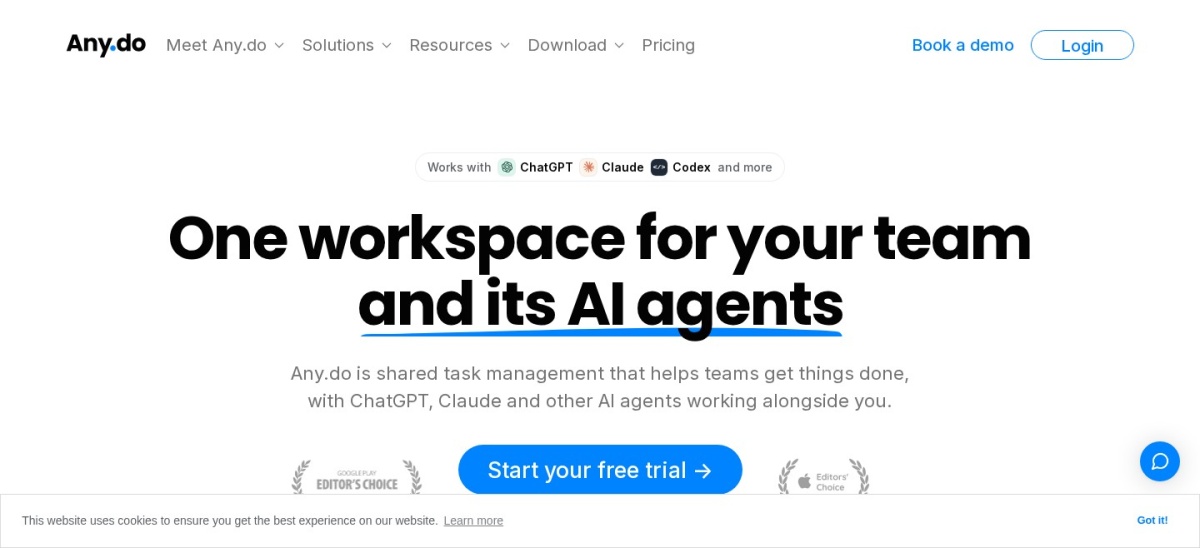
Any.do homepage, captured Nov 2026.
Any.do is a simple to-do list, calendar and daily planner that syncs across phone, desktop, browser and watch. The free Personal plan covers tasks and lists, reminders, a calendar, a daily planner and sync across devices.
The trade off is depth. Premium costs $4.99 a month billed annually and adds recurring tasks, location reminders, WhatsApp reminders and AI features, but there is no kanban board or timeline view. It suits people who want a plain list with strong reminders.
What we like
Simplest list in this roundup
Location and WhatsApp reminders on Premium
Daily planner built into the app
Syncs to phone, desktop, browser and watch
Watch out for
No kanban board or timeline view
Lowest G2 rating here at 4.2 out of 5
Premium feels pricey for a simple list
Premium adds recurring tasks, location reminders and AI featuresVisit any.do
Personal lists vs team boards
Personal tools such as Todoist, TickTick and Any.do are built around one person's day: a Today list, reminders and a calendar.
Team tools such as ClickUp, Asana, monday.com and Trello add shared boards, assignees, comments and workload views, and charge per user.
Notion sits between the two. It works as a personal task list, but its databases and shared workspaces suit small teams that also need docs.
Pick the personal side if you work alone, and the team side if more than two people share the same tasks.
How we chose
We started from the most widely used task managers on G2 and Capterra, then kept those with a free plan and a published price.
Prices come from each vendor's pricing page, checked on 25 November 2026. Ratings and review counts come from G2 on the same day, except Notion, which uses Capterra. Where a vendor shows a sale, the list shows the regular price.
We left out tools with no public rating and tools sold only by quote. No vendor paid for a place, and we do not claim to have used these tools ourselves.
How to choose a task management tool
Start with who uses it, then check the price per person, not per plan.
Decide who the list is for. A solo list needs reminders and a calendar. A shared list needs assignees, comments and a way to see who is overloaded.
Check the free plan caps. Count the projects, lists and collaborators you actually use. Todoist's free plan allows 5 projects, while TickTick allows 9 lists.
Work out the real yearly cost. Multiply the per-user price by your team size and by 12. Monday.com's 3-seat minimum means its Basic plan starts at $324 a year.
Try the free plan for a week. Add real tasks with real due dates. If capture feels slow or the mobile app lags, try the next tool on the list.
FAQ
What is the best task management tool?
Todoist is the best task management tool for most people. Its Pro plan costs $5 a month billed yearly, adds 300 projects with calendar and table views, and it holds a 4.5 out of 5 rating on G2 from 866 reviews.
Which task management tool is best for teams?
ClickUp is the best pick for teams that want one workspace for tasks, docs, goals and chat. Asana is the simpler choice for teams that mainly need shared projects with timelines, while monday.com suits teams that like visual boards.
Is there a completely free task management tool?
Yes, all 8 tools in this list have a free plan. Todoist, TickTick and Any.do are the most useful free for personal use, while Trello and ClickUp give small teams the most room before paying.
What is the cheapest task management tool?
TickTick Premium lists at $49.99 a year, the cheapest paid plan in this list, and its site often shows a $35.99 offer. Any.do Premium is next at $4.99 a month billed yearly, which works out to $59.88 a year.
Do task management tools work offline?
Most of these tools have mobile apps that let you view and add tasks offline, then sync when you reconnect. Todoist, TickTick and Any.do all support offline use on mobile, but shared boards and comments need a connection to update.
Can I switch task managers without losing my tasks?
Yes, most of these tools import tasks from a CSV file or directly from Todoist, Trello or Asana. TickTick and Any.do both import from other apps, and ClickUp and Asana offer guided imports for teams.
SaaS SEO and WordPress specialist with about 8 years of experience. Rakib compares WordPress plugins, themes, hosting and software using public pricing, documentation and user reviews. See how we rank.