Best Digital Asset Management Software for Photographers in 2026: 7 Tools Compared
WLWPLegible EditorsLast verified 22 Nov 2026How we rank6 min read
★ Short answer
Adobe Lightroom is the top pick for photographers who want catalog organization, RAW editing, and 1 TB of cloud storage starting at $11.99/mo billed annually. Photo Mechanic fits high-volume culling on deadline, while Filecamp suits teams sharing branded client portals with unlimited users.
How we make this list: we compare pricing pages, product documentation and public user reviews, then re-check every price before each update. No product paid for a place. Disclosure.
Adobe Lightroom starts at $11.99/mo (annual, billed monthly) with 1 TB of cloud storage and includes Lightroom Classic.
Photo Mechanic starts at $149/yr for an annual subscription or $299 one-time for rapid ingest and culling.
Filecamp starts at $29/mo ($348/yr) with unlimited users, 20 GB of storage, and free bandwidth.
digiKam is free and open-source with local face recognition and catalog management without a subscription.
Zoner Studio starts at $59.00/yr ($4.92/mo) with 20 GB of cloud storage and catalog tools.
What to look for in photographer DAM software
Photography asset management splits between local desktop catalogs that index RAW files on your own drives and cloud platforms built for team collaboration and client delivery. Before picking a tool, check whether you need fast shoot culling, non-destructive RAW editing, or external client portals.
Storage limits and seat pricing shape long-term costs. High-resolution RAW shoots and video clips fill cloud quotas quickly, while per-seat pricing adds up once you invite assistants, editors, or clients into a shared workspace.
Metadata standards such as IPTC, EXIF, and XMP sidecar files protect your labels and ratings if you switch tools later. Check how each app writes keywords and ratings so your organization stays portable across your archive.
The 7 best digital asset management software for photographers
01
Adobe Lightroom
4.6/5on G2 (3,395 reviews, checked Nov 2026)
Starts at$11.99/mo
Best for catalog organization plus RAW editing
Starting planUS$11.99/mo (annual, billed monthly)
Cloud storage1 TB included
Desktop appsLightroom & Lightroom Classic
Trial7-day free trial
adobe.com
Adobe Lightroom homepage, captured Nov 2026.
Adobe Lightroom is a photo cataloging and editing suite whose entry plan includes 1 TB of cloud storage, 250 monthly generative credits, and access to both Lightroom and Lightroom Classic. It lets photographers sort images with keywords, ratings, and collections while editing non-destructively.
The trade off is ongoing subscription cost at $11.99/mo billed annually ($143.88/yr), with higher tiers needed for Photoshop or larger storage. It suits photographers who want library management and RAW editing inside one workflow.
What we like
Combines catalog organization with non-destructive RAW editing
Includes 1 TB of cloud storage and Lightroom Classic on the base plan
Strong batch editing, presets, and keyword organization
Watch out for
Requires an ongoing subscription rather than a one-time license
Large catalogs can slow down on older hardware
Higher plans add Photoshop on desktop and mobile or expand Creative Cloud apps.Visit adobe.com
02
Photo Mechanic
4.8/5on G2 (29 reviews, checked Nov 2026)
Starts at$149/yr
Best for rapid ingest and culling on deadline
Annual plan$149/yr
Perpetual option$299 one-time
Trial30-day free trial
Core focusIngest, culling, IPTC metadata
home.camerabits.com
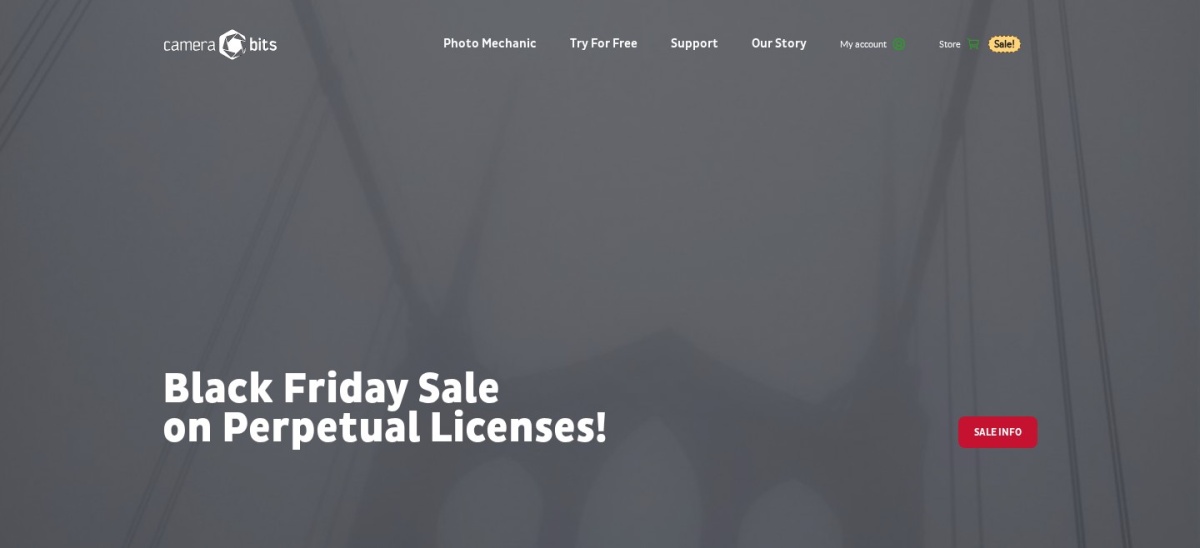
Photo Mechanic homepage, captured Nov 2026.
Photo Mechanic is a workflow tool built by Camera Bits for quickly browsing, rating, and tagging large batches of camera files without waiting for full RAW rendering. It focuses on fast ingest, captioning, and metadata entry before files move to an editor.
The trade off is that it acts as a culling and metadata accelerator rather than a full RAW editor or long-term cloud DAM, starting at $149/yr. It suits sports, event, and editorial photographers culling thousands of frames fast.
What we like
Fast previewing and culling across large shoots
Offers both an annual subscription and a $299 one-time license option
Detailed IPTC and metadata tools for deadline workflows
Watch out for
Not a full RAW photo editor or cloud collaboration hub
Interface favors speed and utility over visual polish
Photo Mechanic Plus adds catalog capabilities on top of standard culling tools.Visit home.camerabits.com
03
Filecamp
4.7/5on G2 (36 reviews, checked Nov 2026)
Starts at$29/mo
Best for branded client portals and teams
Basic plan$29/mo ($348/yr)
Storage20 GB included on Basic
Users & bandwidthUnlimited users, free bandwidth
Trial30-day free trial
filecamp.com
Filecamp homepage, captured Nov 2026.
Filecamp is a cloud digital asset management platform whose Basic plan starts at $29/mo ($348/yr) with 20 GB of storage, custom branding, and unlimited users. It helps studios and agencies organize graphics and media while sharing files with clients and teammates.
The trade off is a modest 20 GB entry storage allowance and no discount for annual billing over monthly billing ($348/yr vs. $29/mo). It suits small photo teams and agencies that need unlimited seats and branded client sharing.
What we like
Includes unlimited users and free bandwidth across plans
Supports custom branding and straightforward external file sharing
Transparent published pricing with a 30-day free trial
Watch out for
Entry storage starts at 20 GB, which fills quickly with large RAW or video files
Annual billing equals 12 times the monthly rate
Higher tiers add collections, custom-branded client portals, auto-tagging, and proofing up to 100 GB.Visit filecamp.com
04
Capture One
4.5/5on G2 (78 reviews, checked Nov 2026)
Starts at$18/mo
Best for tethered studio shoots and color control
Pro annual plan$18.00/mo billed annually
Perpetual license$349.00 one-time purchase
Workflow modesCatalogs and Sessions
TrialFree trial available
captureone.com
Capture One homepage, captured Nov 2026.
Capture One is a RAW photo editing and asset workflow application with Pro annual pricing starting at $18.00/mo ($216/yr) or a $349.00 one-time license. Photographers use its Sessions and Catalogs to organize shoots, edit RAW files, and shoot tethered.
The trade off is a steeper learning curve and higher cost than entry photo tools if you only want basic library browsing. It suits studio, commercial, and tethered photographers prioritizing color precision and session organization.
What we like
Strong tethered shooting support and color grading controls
Available as an annual subscription or a $349 one-time license
Watch out for
Higher price and steeper learning curve than basic photo organizers
Less focused on multi-user cloud DAM portals than dedicated team DAMs
All in One and Studio plans add mobile apps and expanded production or collaboration features.Visit captureone.com
05
ACDSee
4.4/5on G2 (283 reviews, checked Nov 2026)
Starts at$119.99 one-time
Best for local DAM plus editing on Windows
Regular price$119.99 USD one-time (Pro)
Sale note$99.95 USD Black Friday sale
PlatformWindows (Mac edition separate)
TrialFree trial available
acdsee.com
ACDSee homepage, captured Nov 2026.
ACDSee is a photo management and editing suite whose Photo Studio Professional regular one-time price is $119.99 USD (listed at $99.95 USD during a Black Friday promotion). It combines folder-based browsing, batch tagging, face and location organization, and RAW editing.
The trade off is limited cloud team collaboration and an interface that some users find cluttered at $119.99 for a one-time license. It suits Windows photographers who want local cataloging and editing without a monthly subscription.
What we like
Offers a one-time purchase option alongside subscription plans
Includes batch tagging, keywording, and face or location organization
Combines asset management with RAW and layered editing tools
Watch out for
Lacks built-in cloud team collaboration portals
Dense interface can feel cluttered for new users
Ultimate and 365 plans add expanded editing tools, cloud storage, and recurring AI credits.Visit acdsee.com
06
digiKam
4.4/5on G2 (70 reviews, checked Nov 2026)
PriceFree
Best free open-source desktop catalog
PriceFree and open-source
LicenseGPL-2.0-or-later
Catalog scaleHandles 100,000+ images locally
Cloud syncNone built-in (local-first)
digikam.org
digiKam homepage, captured Nov 2026.
digiKam is a free, open-source photo management application maintained by the KDE community for organizing large local image libraries. It supports RAW files, albums, tags, ratings, metadata writing, and local face recognition at no cost.
The trade off is no mobile app, no built-in cloud sync, and a utilitarian interface with no paid support tier. It suits budget-conscious photographers who want a free, private desktop catalog for large archives.
What we like
Completely free and open-source with no subscription fees
Handles large local libraries, RAW files, and metadata standards
Runs face recognition and tagging locally without cloud upload
Watch out for
No companion mobile app or built-in cloud sync
Interface looks dated and lacks commercial vendor support
All core cataloging, tagging, and local RAW management features are free with no paid edition.Visit digikam.org
07
Zoner Studio
3.8/5on G2 (18 reviews, checked Nov 2026)
Starts at$59/yr
Best budget all-in-one photo organizer
Individual planUS$59.00/yr
Monthly optionUS$5.99/mo
Cloud storage20 GB included
Trial7-day free trial
zoner.com
Zoner Studio homepage, captured Nov 2026.
Zoner Studio is a photo management and editing program whose individual plan costs US$59.00/yr and includes 20 GB of cloud storage. It organizes photos in a catalog with ratings and keywords while providing editing and printing tools.
The trade off is a lower G2 rating than top rivals and less appeal for users outside its primary workflow at $59.00/yr. It suits individual photographers wanting catalog organization and editing at a low annual price.
What we like
Low annual individual price at US$59.00/yr
Includes 20 GB of cloud storage and a 7-day free trial
Combines catalog organization with editing and print workflows
Watch out for
Lower review rating than competing photo managers on G2
Less suited to larger multi-user studio DAM workflows
Desktop catalog apps keep original RAW files on your internal or external drives, which avoids recurring cloud storage fees for multi-terabyte shoots. They excel at fast local browsing, sidecar metadata, and batch editing, though sharing large sets with clients usually requires a separate gallery or transfer tool.
Cloud DAM platforms store or index assets online so teams and clients can browse, comment, and download approved files from a browser. They simplify external access but carry ongoing subscription costs and storage caps that grow with your library.
How we chose
We built this shortlist from established photo management, RAW workflow, and digital asset management tools used by photographers and creative teams. Every tool had to offer active maintenance and publicly verifiable pricing.
Prices, ratings, and review counts were checked on 22 Nov 2026 from vendor pricing pages and third-party review listings. Where a vendor listed a promotional discount, we noted the regular price alongside it.
We excluded enterprise DAM platforms that require custom sales quotes with no published entry price, as well as tools lacking verified pricing details. No vendor paid for a place, and we do not claim testing for this list.
How to choose the right photo DAM
Follow these four steps to narrow down the right photo asset manager for your archive:
Decide between local library control and cloud sharing. List where your master files live today and whether clients or teammates need browser access to view or download assets.
Match editing depth to your daily workflow. Check whether you need full RAW development and tethering in one app or a dedicated culling and cataloging tool paired with another editor.
Calculate multi-year storage and seat costs. Compare annual storage allowances, overage options, and per-user versus unlimited-user rules against your expected shoot volume.
Verify metadata and catalog portability. Confirm how keywords, star ratings, color labels, and IPTC or XMP fields are stored so you can move libraries without losing work.
FAQ
What is digital asset management software for photographers?
It is software that helps photographers organize, search, rate, tag, and share large collections of photos and media files. Depending on the tool, it may also include RAW editing, tethered shooting, or branded client portals.
Do photographers need a cloud DAM or a desktop catalog?
Desktop catalogs fit solo shooters keeping large RAW libraries on local drives, while cloud DAMs fit teams or agencies sharing assets online. Many photographers use a desktop catalog or culling app for daily work and a cloud gallery or portal for delivery.
Is there a good free option for organizing photos?
digiKam is a free, open-source desktop photo organizer that handles large local libraries, RAW files, and face recognition without a subscription. Several commercial tools also offer free trials or lower-cost entry plans.
What is the difference between culling software and a DAM?
Culling tools focus on fast previewing, rating, and metadata entry right after a shoot so you can pick selects quickly. A DAM focuses on long-term cataloging, searchability, permissions, or asset distribution across ongoing projects.
Why do cloud photo plans get expensive over time?
High-resolution RAW photos and video files consume storage fast, and higher tiers charge more for extra terabytes, seats, or AI features. Reviewing annual storage growth helps prevent unexpected plan upgrades later.
Can I switch photo management tools later without losing tags?
Switching is easier when you embed IPTC metadata or write XMP sidecar files rather than relying solely on a proprietary database. Always test an export or sample folder before migrating an entire archive.