Best Deployment Software in 2026: 8 Tools Compared
WLWPLegible EditorsLast verified 22 Nov 2026How we rank10 min read
★ Short answer
GitHub leads our deployment software list with a 4.7/5 G2 rating across 2,440 reviews, 2,000 free monthly CI/CD minutes, and Team plans at $4/user/month. DeployHQ fits agencies pushing code to traditional VPS or shared hosts from $10/month, while Railway and Vercel simplify managed full-stack and frontend releases.
How we make this list: we compare pricing pages, product documentation and public user reviews, then re-check every price before each update. No product paid for a place. Disclosure.
GitHub tops the rankings at $4/user/month ($48/yr) for Team and includes 2,000 free CI/CD minutes monthly on its Free plan.
DeployHQ offers the lowest entry price for dedicated server deployments at $10/month ($120/yr) billed monthly, with 3 projects and unlimited deployments.
Railway starts at $5/month ($60/yr) in minimum usage credits for always-on full-stack containers and managed databases.
Vercel and Netlify both price Pro plans at $20/month ($240/yr), though Netlify adds a $9/month ($108/yr) Personal tier for solo builders.
Octopus Deploy targets complex multi-environment releases with a free 10-project tier and paid Professional Cloud plans starting at $4,330/year.
What to look for in deployment software
Deployment software bridges the gap between version control and live production infrastructure. Depending on your stack, you may need a continuous integration and delivery (CI/CD) runner attached to your Git host, a push-to-server tool for SSH/SFTP targets, or a managed cloud platform that builds and hosts containers automatically.
Pricing structures vary sharply across categories. Repository platforms like GitHub and GitLab charge per seat plus excess runner minutes, while frontend and full-stack platforms like Vercel, Netlify, and Railway combine base platform fees with usage credits for compute, bandwidth, and builds.
Before committing to a tool, check how it handles rollbacks, preview environments, and secrets management. Instant immutable rollbacks and pull-request previews prevent broken releases from reaching customers, while built-in environment variable scoping keeps API keys out of your codebase.
GitHub is a code hosting and software delivery platform that pairs version control with GitHub Actions for automated builds and deployments. Its Free plan includes unlimited public and private repositories, unlimited collaborators, 2,000 CI/CD minutes per month, 500MB of Packages storage, and Dependabot security updates.
The trade off is that GitHub Actions requires writing and maintaining YAML workflow files rather than offering a visual deployment wizard. Upgrading to the Team plan costs $4 per user per month ($48/yr) for 3,000 monthly Actions minutes and advanced collaboration controls. It suits engineering teams already hosting code on GitHub that want flexible, scriptable pipelines.
What we like
4.7/5 rating across 2,440 verified G2 reviews
Generous free tier with 2,000 monthly CI/CD minutes
Affordable $4/user/month Team entry pricing
Native pull request checks, secrets store, and Dependabot
Watch out for
Requires YAML configuration for deployment pipelines
Hosted runner overages and macOS minutes add up quickly
Team plan ($4/user/mo) increases private repo Actions minutes to 3,000/month and adds team access controls.Visit github.com
02
DeployHQ
4.5/5on G2 (66 reviews, checked Nov 2026)
Paid from$10/mo
Best for deploying to VPS and shared servers
Entry paid planSolo at $10/month ($9/mo annual)
Free tier1 project, 3 deploys/day
TargetsSSH, SFTP, S3, VPS, Static
Build pipelineIncluded with build cache
deployhq.com
DeployHQ homepage, captured Nov 2026.
DeployHQ is a dedicated deployment service that pushes code from GitHub, GitLab, or Bitbucket directly to traditional servers, cloud storage, or managed VPS instances. Its Free plan supports 1 project, up to 5 servers, 1 user, 30 build minutes, and 3 deployments per day with auto-deploy on push.
The trade off is that the free tier caps you at three deployments daily and excludes zero-downtime releases. The Solo plan costs $10 per month billed monthly ($9/month when billed annually) and unlocks unlimited deployments across 3 projects, 15+ servers, unlimited build minutes, and zero-downtime turbo deployments. It suits web agencies and freelancers shipping PHP, Laravel, Node.js, or static sites.
What we like
4.5/5 rating on G2 with 10K+ projects deployed
Flat project-based pricing instead of per-seat fees
Built-in zero-downtime and scheduled deployments on paid tiers
Runs build commands like NPM or Composer before file transfer
Watch out for
Free plan is limited to 3 deployments per day
Team management and SSO require higher tiers
Solo plan ($10/mo monthly) unlocks unlimited deployments, 3 projects, and zero-downtime releases.Visit deployhq.com
03
Railway
4.4/5on G2 (96 reviews, checked Nov 2026)
Paid from$5/mo
Best for full-stack apps and databases
Entry paid planHobby at $5/month minimum
Free tier$1 monthly credit, sleeps idle
DatabasesPostgres, Redis, MySQL, MongoDB
Billing modelPer-second resource usage
railway.com
Railway homepage, captured Nov 2026.
Railway is a cloud infrastructure platform that builds and deploys full-stack services, background workers, and databases directly from GitHub repositories. New accounts start with a 30-day trial containing $5 in credits, after which the permanent Free tier provides $1 in monthly credits for 1 project with up to 3 services.
The trade off is that Free plan services sleep after 5 to 10 minutes without outbound traffic, and usage above included credits bills per second. The Hobby plan starts at a $5 monthly minimum ($60/yr) including $5 of usage credits, always-on execution, and up to 48 vCPU and 48 GB RAM per service. It suits indie developers and startups deploying backend services alongside managed databases.
What we like
4.4/5 rating across 96 verified G2 reviews
One-click managed Postgres, Redis, MySQL, and MongoDB
Always-on containers starting at $5/month in included credits
Automatic stack detection from GitHub repositories
Watch out for
Variable usage billing can be harder to forecast at scale
Free tier services spin down when idle
Hobby plan ($5/mo) removes idle sleep and includes $5 in monthly compute and storage credits.Visit railway.com
04
Vercel
4.6/5on G2 (93 reviews, checked Nov 2026)
Paid from$20/mo
Best for Next.js and frontend frameworks
Entry paid planPro at $20/month
Free tierHobby ($0, non-commercial)
Included usage$20 usage credit on Pro
Core featuresPR previews, Edge CDN, WAF
vercel.com
Vercel homepage, captured Nov 2026.
Vercel is a frontend cloud platform built around Git-triggered deployments, global edge caching, and serverless compute for frameworks like Next.js. Its Hobby tier is free for personal, non-commercial projects and includes automatic CI/CD, DDoS mitigation, a Web Application Firewall, 1 million monthly CDN requests, and 1 million function invocations.
The trade off is that commercial projects require upgrading to the Pro plan at $20 per month ($240/yr), and heavy bandwidth or function usage beyond included allowances incurs metered overages. Pro includes $20 in monthly usage credit, flat-rate CDN traffic spike protection, cold start prevention, and free viewer seats. It suits frontend and React teams prioritizing fast preview links.
What we like
4.6/5 rating across 93 verified G2 reviews
Automatic preview URLs for every pull request
Native support for Next.js server components and edge functions
Built-in Web Application Firewall and DDoS mitigation on all plans
Watch out for
Hobby tier prohibits commercial applications
Usage spikes in cache writes or data transfer can raise monthly bills
Pro plan ($20/mo) permits commercial hosting and adds $20 in monthly usage credit plus team collaboration.Visit vercel.com
05
Netlify
4.4/5on G2 (83 reviews, checked Nov 2026)
Paid from$9/mo
Best for Jamstack and static web apps
Entry paid planPersonal at $9/month
Team planPro at $20/month (unlimited seats)
Free tier300 monthly credits, 1 member
DatabaseBuilt-in Postgres integration
netlify.com
Netlify homepage, captured Nov 2026.
Netlify is a web deployment platform that automates builds, Deploy Previews, and global CDN distribution directly from Git repositories. Its Free plan includes 300 monthly usage credits, unlimited deploy previews, custom domains, serverless functions, and basic Postgres database provisioning for 1 member.
The trade off is that exceeding monthly credit limits pauses sites unless you upgrade or configure credit top-ups. The Personal plan starts at $9 per month ($108/yr) for 1 member with 1,000 monthly credits and 3 concurrent agent runs, while Pro costs $20 per month for unlimited team members and 3,000 credits. It suits solo web developers and small teams shipping Jamstack sites.
What we like
4.4/5 rating across 83 verified G2 reviews
Low $9/month Personal entry tier with 1,000 monthly credits
Credit-based metering pauses free sites if limits are reached
SAML SSO and 99.99% uptime SLA require Enterprise pricing
Personal plan ($9/mo) expands monthly credits from 300 to 1,000 and adds password protection.Visit netlify.com
06
Render
4.7/5on G2 (85 reviews, checked Nov 2026)
Paid from$7/mo
Best for managed web services and workers
Entry paid compute$7/month web service (512 MB)
Workspace plansHobby $0/mo, Pro $25/mo + compute
Free tierStatic sites free; web services sleep
ComplianceSOC 2 Type 2 and ISO 27001
render.com
Render homepage, captured Nov 2026.
Render is a managed cloud platform that deploys static sites, web services, background workers, cron jobs, and PostgreSQL databases automatically from Git pushes. Its Hobby workspace is $0 per month and includes free static site hosting plus a free web service tier with 512 MB RAM.
The trade off is that free web services spin down after 15 minutes of inactivity, causing cold starts on incoming requests, and workspace fees sit separate from compute. Moving a web service to an always-on 0.5 CPU / 512 MB instance costs $7 per month ($84/yr), while team workspaces on Pro start at $25 per month plus compute. It suits teams migrating off Heroku.
What we like
4.7/5 rating across 85 verified G2 reviews
Always-on web services start at $7/month on the $0 Hobby workspace
Supports background workers, cron jobs, and private networking
SOC 2 Type 2 and ISO 27001 compliance built in
Watch out for
Free web services spin down after 15 minutes idle
Databases and Redis instances incur separate monthly compute fees
Paid $7/month compute instances eliminate 15-minute idle spin-downs for always-on web apps.Visit render.com
07
CircleCI
4.4/5on G2 (511 reviews, checked Nov 2026)
Paid from$15/mo
Best for customizable CI/CD build pipelines
Entry paid planPerformance from $15/month
Free tier30,000 credits/month
Linux rate10 credits/min ($0.006/min)
EnvironmentsDocker, Linux, Windows, macOS
circleci.com
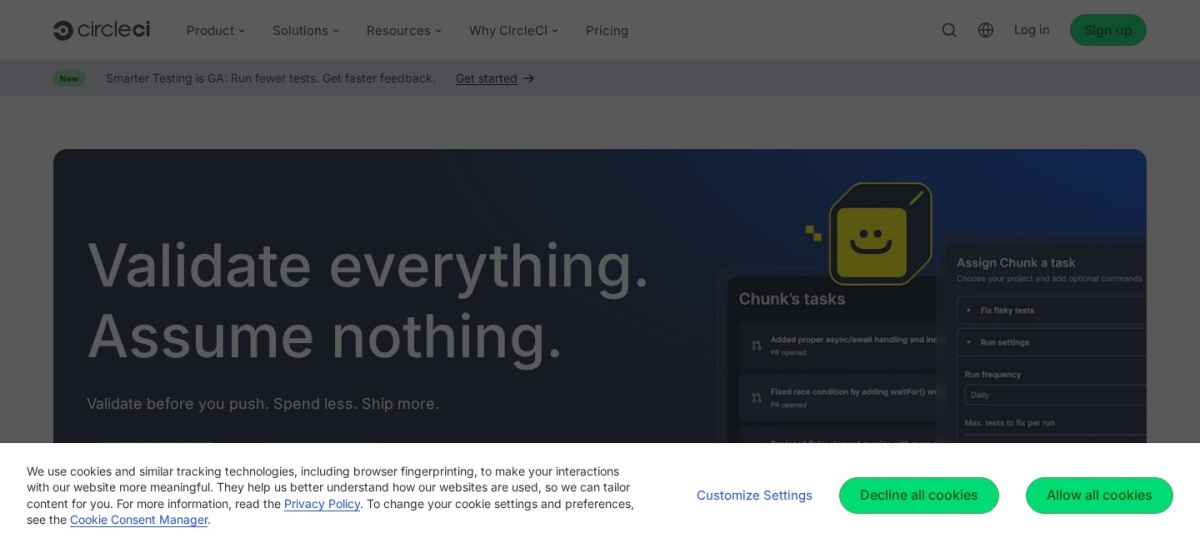
CircleCI homepage, captured Nov 2026.
CircleCI is a continuous integration and delivery platform that automates testing, container builds, and deployment pipelines across Linux, Docker, Windows, and macOS environments. Its Free plan includes 30,000 credits per month—enough for roughly 3,000 build minutes on a Medium Linux machine.
The trade off is its credit-based billing model, where larger resource classes, macOS runners, and Docker layer caching consume credits at higher rates. The Performance plan starts at $15 per month ($180/yr) with 30,000 included credits and lets teams buy additional blocks of 25,000 credits for $15 as usage scales. It suits development teams needing fast parallel test splitting.
What we like
4.4/5 rating across 511 verified G2 reviews
30,000 free monthly build credits on the starter tier
Supports Docker, Linux, Windows, and macOS build environments
Pay-as-you-go credit top-ups on the $15/month Performance plan
Watch out for
Credit consumption varies steeply by machine size and OS
Docker layer caching and static IP ranges consume extra credits
Performance plan ($15/mo) unlocks scalable credit top-ups ($15 per 25,000 credits) and higher concurrency.Visit circleci.com
08
GitLab
4.5/5on G2 (905 reviews, checked Nov 2026)
Paid from$29/mo
Best for all-in-one DevSecOps governance
Entry paid planPremium at $29/user/month (annual)
Free tierUp to 5 users, 400 CI/CD min/mo
Premium CI/CD10,000 CI/CD minutes/month
Hosting optionsSaaS or self-managed
gitlab.com
GitLab homepage, captured Nov 2026.
GitLab is an integrated DevSecOps platform combining source code repositories, GitLab CI/CD, container registries, issue tracking, and security scanning in a single application. Its Free tier supports up to 5 users per namespace with 400 monthly CI/CD minutes and 5 GB of storage.
The trade off is a steep price jump when outgrowing the free tier, as GitLab lacks an entry-level team plan between Free and Premium. GitLab Premium costs $29 per user per month billed annually ($348/yr per seat) and expands allowances to 10,000 CI/CD minutes, enterprise agile planning, and advanced release controls. It suits organizations consolidating multiple DevOps tools.
What we like
4.5/5 rating across 905 verified G2 reviews
Combines repos, CI/CD, container registry, and planning in one UI
Available as both cloud SaaS and self-managed software
Includes 10,000 monthly CI/CD minutes on Premium
Watch out for
No low-cost mid-tier plan below $29/user/month
Large interface creates a steeper learning curve for small teams
Premium ($29/user/mo billed annually) raises CI/CD limits to 10,000 minutes and adds release governance.Visit gitlab.com
CI/CD pipelines vs. managed hosting platforms
Deployment tools fall into two practical camps: pipeline runners (GitHub, GitLab, CircleCI, DeployHQ) that push code to servers you already own, and managed platforms (Railway, Vercel, Netlify, Render) that handle both deployment and runtime hosting.
If you already run AWS EC2 instances, DigitalOcean droplets, or cPanel servers, a pipeline tool or DeployHQ keeps infrastructure costs separate from deployment seats. If you want zero server patching, SSL certificates, and database hosting bundled together, a managed platform removes ops overhead.
How we chose
We evaluated established deployment platforms across repository-native CI/CD tools, dedicated server deployment utilities, and managed cloud application hosts. Every contender needed active product updates and verified user feedback on major software review directories.
All ratings, review counts, and entry-level paid pricing were verified on 22 Nov 2026 directly from official vendor pricing pages and G2 product profiles. Where vendors offer annual discounts, we noted the regular monthly rate and annualized cost consistently.
We excluded enterprise-only platforms without public entry pricing—such as Harness—as well as legacy tools with stagnant update cycles. No vendor paid for a place, and we do not claim testing for this list.
How to choose deployment software
Match your deployment tool to where your code runs and how your team bills.
Identify your target infrastructure. Choose DeployHQ if you push files over SSH or SFTP to existing VPS servers, or pick Railway, Render, Vercel, or Netlify if you want managed hosting included.
Compare per-seat vs. usage pricing. Per-user tools like GitHub ($4/user/mo) and GitLab ($29/user/mo) scale with headcount, while project- or credit-based tools like DeployHQ and Railway scale with active apps.
Check free tier sleep and rate limits. Verify whether free services spin down when idle—like Render and Railway—or enforce daily deployment caps like DeployHQ's 3-deploy limit.
Verify rollback and preview workflows. Ensure the platform supports instant immutable rollbacks and isolated staging or pull-request previews before promoting changes to production.
FAQ
What is the best free deployment software?
GitHub offers the most versatile free tier for general development, providing unlimited repositories and 2,000 monthly CI/CD minutes. For static sites and frontend apps, Vercel and Netlify both offer free tiers with global CDNs and automatic pull-request previews.
How much does deployment software cost?
Entry paid plans start between $4 and $10 per month for solo developers and small teams on GitHub ($4/user/mo), Railway ($5/mo), Render ($7/mo), Netlify ($9/mo), and DeployHQ ($10/mo). All-in-one suites like GitLab Premium cost $29 per user per month billed annually.
What is the difference between CI/CD tools and PaaS deployment platforms?
CI/CD tools like CircleCI and GitHub Actions run automated tests and scripts to push code onto your existing servers or cloud accounts. PaaS platforms like Railway, Render, and Vercel bundle deployment pipelines directly with managed hosting, SSL, and databases.
Which deployment tool is best for traditional VPS or shared hosting?
DeployHQ is built specifically for deploying Git repositories to traditional servers over SSH, SFTP, and S3. It runs build steps like Composer or NPM in the cloud before transferring only changed files to your server.
Can I deploy full-stack apps with databases without managing servers?
Yes, Railway and Render both deploy backend web services, background workers, and managed PostgreSQL or Redis databases directly from Git repositories. Railway starts at $5 per month in usage credits, while Render offers always-on web instances from $7 per month.