Best Construction Inventory Management Software in 2026: 7 Tools Compared
WLWPLegible EditorsLast verified 22 Nov 2026How we rank11 min read
★ Short answer
Sortly is the best construction inventory management software for most small and midsize contractors, with a 4.5/5 Capterra rating from 958 reviews and mobile inventory scanning. Choose ShareMyToolbox for dedicated construction tool tracking or GoCodes for QR-based equipment identification and asset accountability.
How we make this list: we compare pricing pages, product documentation and public user reviews, then re-check every price before each update. No product paid for a place. Disclosure.
Sortly Advanced costs $49/month at its regular monthly rate and supports 500 unique inventory items.
ShareMyToolbox earns 4.8/5 from 39 Capterra reviews and offers unlimited tool tracking starting at $100/month.
GoCodes Standard costs $550/year and covers 200 assets and 3 users.
EZO EAM supports unlimited locations and advertises an Essential plan at $81.41/month for 500 items.
inFlow Inventory earns 4.6/5 from 504 Capterra reviews and supports purchasing, receiving, and inventory control.
AssetTiger Basic costs $20/month and covers 500 assets with unlimited users.
What construction inventory management software should include
Construction inventory management software helps contractors monitor tools, equipment, building materials, spare parts, and consumable supplies across warehouses and active job sites. It replaces disconnected spreadsheets and manual records with a centralized inventory database.
Look for mobile barcode or QR code scanning that allows employees to record inventory movements directly from the field. Workers should be able to identify equipment, update quantities, and record transfers without returning to the office.
Distinguish between reusable assets and consumable inventory. A power drill needs an individual assignment and maintenance history, while fasteners, electrical fittings, and other materials require quantity tracking and replenishment controls.
Multi-location inventory management is especially important for contractors operating several projects simultaneously. Accurate location records help purchasing teams avoid duplicate orders and allow supervisors to identify available equipment before renting or buying replacements.
Review subscription limits carefully. Some providers charge according to the number of assets, while others restrict users, inventory records, locations, or advanced features. Include equipment labels, additional licenses, and integrations when estimating the complete cost.
The 7 best construction inventory management software tools
01
Sortly
4.5/5on Capterra (958 reviews, checked Nov 2026)
Paid from$49/mo
Best for small and midsize construction companies
Free inventory allowance100 unique items
Advanced item allowance500 unique items
Advanced user licenses2
Entry planAdvanced, $49/mo
sortly.com
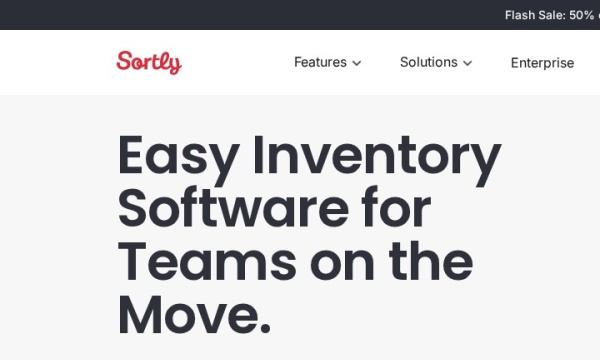
Sortly homepage, captured Nov 2026.
Sortly is a visual inventory management platform for tracking construction materials, tools, equipment, and supplies, rated 4.5/5 from 958 Capterra reviews. Its free plan supports 100 unique items, while Advanced accommodates 500 unique items and two user licenses for businesses managing larger inventories.
The trade off is that growing construction teams may quickly exceed the entry plan's item and user limits, with Advanced regularly costing $49 per month. The advertised $24 monthly equivalent is a first-year annual subscription promotion. It suits contractors who want accessible inventory tracking without implementing a dedicated construction ERP system.
What we like
Visual inventory records with item photographs
Mobile barcode and QR code scanning
Free plan for smaller inventories
Custom organization by warehouse or job site
Stock alerts and inventory activity reporting
Watch out for
Entry plan has limited user licenses
Purchase order features require higher plans
Not a dedicated construction accounting platform
Advanced increases inventory capacity and adds inventory management features.Visit sortly.com
02
ShareMyToolbox
4.8/5on Capterra (39 reviews, checked Nov 2026)
Paid from$100/mo
Best for construction tool accountability
Tool allowanceUnlimited on paid plan
Location allowanceUnlimited on paid plan
Additional employees$10/mo each, sold in blocks of 5
Entry planBase System, $100/mo
sharemytoolbox.com
ShareMyToolbox homepage, captured Nov 2026.
ShareMyToolbox is a construction-focused tool tracking application that helps contractors assign equipment to employees, monitor transfers, and establish responsibility for missing tools. Its $100/month paid system includes the first administrator, unlimited tool records, unlimited locations, mobile scanning, and location capture during scans.
The trade off is that additional employee accounts increase the regular $100 monthly subscription cost, with users added in blocks of five at $10 per employee. It suits construction companies whose main inventory problem involves misplaced equipment, unclear tool ownership, and transfers between field crews.
What we like
Designed specifically for construction tool tracking
Unlimited tools and locations on paid plans
Employee-based equipment accountability
Barcode and QR code scanning
Location capture during inventory scans
Watch out for
Additional employees increase subscription costs
Less suitable for complex material procurement
Scan-based location records are not continuous GPS tracking
The paid system adds centralized administration, reporting, and team tool management.Visit sharemytoolbox.com
03
GoCodes
4.4/5on Capterra (236 reviews, checked Nov 2026)
Starts at$550/yr
Best for QR-based construction equipment tracking
Standard asset allowance200 assets
Standard user allowance3 users
User roles5
Entry planStandard, $550/yr
gocodes.com
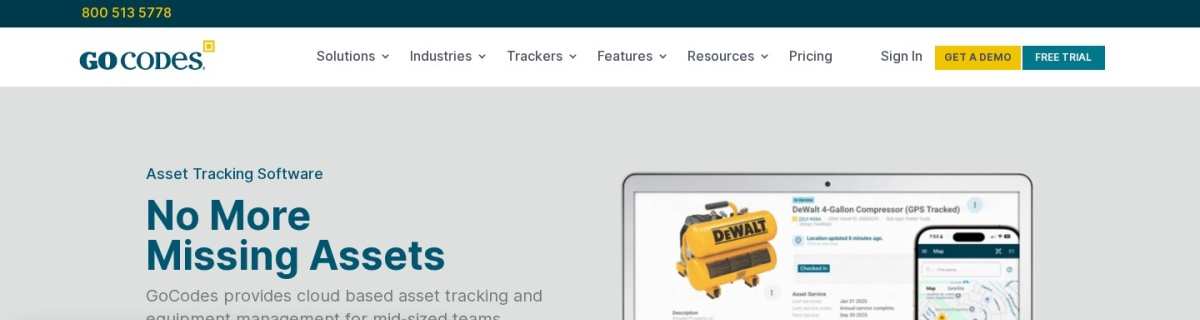
GoCodes homepage, captured Nov 2026.
GoCodes is an equipment and inventory tracking platform for construction companies, tradespeople, and field service businesses, rated 4.4/5 from 236 Capterra reviews. Its Standard plan supports 200 assets and three users, with mobile scanning, custom inventory fields, task management, and an inventory module.
The trade off is that Standard costs $550 per year and requires customers to print their own labels, while Premium costs $1,100 annually and includes 500 custom QR tags. It suits contractors who want individually identifiable equipment records, documented asset movements, and a straightforward mobile scanning process.
What we like
Individual equipment identification using QR codes
Supports both assets and inventory quantities
Custom data fields for equipment records
Mobile inventory scanning
Asset location and assignment history
Watch out for
Standard requires users to print labels
Entry plan supports only a small team
Higher asset allowances require more expensive subscriptions
Standard adds asset tracking, inventory records, and customizable equipment information.Visit gocodes.com
04
EZO EAM
4.6/5on Capterra (1,547 reviews, checked Nov 2026)
Starts at$81.41/mo
Best for multi-location equipment and inventory management
Advertised pricing basis500 items
LocationsUnlimited
Identification methodsBarcode and QR codes
Entry planEssential, $81.41/mo for 500 items
ezo.io
EZO EAM homepage, captured Nov 2026.
EZO EAM is an equipment and asset management platform that combines inventory records, equipment assignments, checkouts, and location tracking, rated 4.6/5 from 1,547 Capterra reviews. Its Essential plan advertises pricing of $81.41 per month based on 500 items and includes mobile access, asset labeling, and multi-location support.
The trade off is that subscription costs depend on tracked inventory volume, and the advertised $81.41 monthly price represents a particular asset configuration rather than a universal minimum. It suits construction businesses that need centralized equipment records across warehouses, storage facilities, project sites, and field teams.
What we like
Centralized asset and inventory management
Unlimited locations on the Essential plan
Equipment check-in and checkout workflows
Barcode and QR code labeling
Suitable for larger operational inventories
Watch out for
Pricing changes with tracked item volume
More setup required than simple inventory apps
Advanced operational features may require higher plans
Essential adds centralized asset records, mobile scanning, and multi-location checkouts.Visit ezo.io
05
inFlow Inventory
4.6/5on Capterra (504 reviews, checked Nov 2026)
Starts at$99/mo
Best for construction materials and purchasing
Inventory focusMaterials, supplies, and stock
PurchasingPurchase orders and receiving
Mobile scanningSupported
Entry planLite, $1,188/yr
inflowinventory.com
inFlow Inventory homepage, captured Nov 2026.
inFlow Inventory is an inventory and order management application for businesses that purchase, store, distribute, and consume physical materials, rated 4.6/5 from 504 Capterra reviews. Its Lite plan costs $1,188 with annual billing and provides inventory management, purchasing, receiving, and stock monitoring workflows.
The trade off is that the regular monthly billing option costs $129, and features such as serial number tracking and API access can involve additional charges. It suits construction companies, building material suppliers, and specialty contractors that prioritize purchasing accuracy and warehouse inventory over individual equipment custody.
What we like
Purchase order and supplier management
Inventory receiving and stock monitoring
Barcode generation and scanning
Useful for managing construction consumables
Centralized purchasing and inventory information
Watch out for
No permanent free plan
Additional features can increase subscription costs
Not specifically designed for construction tool lending
AssetTiger is a fixed asset management application for tracking equipment, assignments, maintenance information, and asset records, rated 4.6/5 from 272 Capterra reviews. Its Basic subscription costs $20 per month and supports 500 assets, with unlimited users available across paid plans.
The trade off is that its primary focus is fixed asset management rather than construction materials purchasing, although the regular $20 monthly subscription is comparatively affordable. Annual billing costs $220. It suits smaller contractors and equipment managers who need accessible asset records without paying separately for each employee.
Basic adds tracking for 500 assets, unlimited users, API access, and priority support.Visit assettiger.com
07
Asset Panda
4.6/5on Capterra (1,367 reviews, checked Nov 2026)
PricingCustom pricing
Best for customizable construction asset workflows
Asset recordsCustomizable
Equipment assignmentsSupported
Mobile identificationBarcode scanning
Entry pricingVendor quote
assetpanda.com
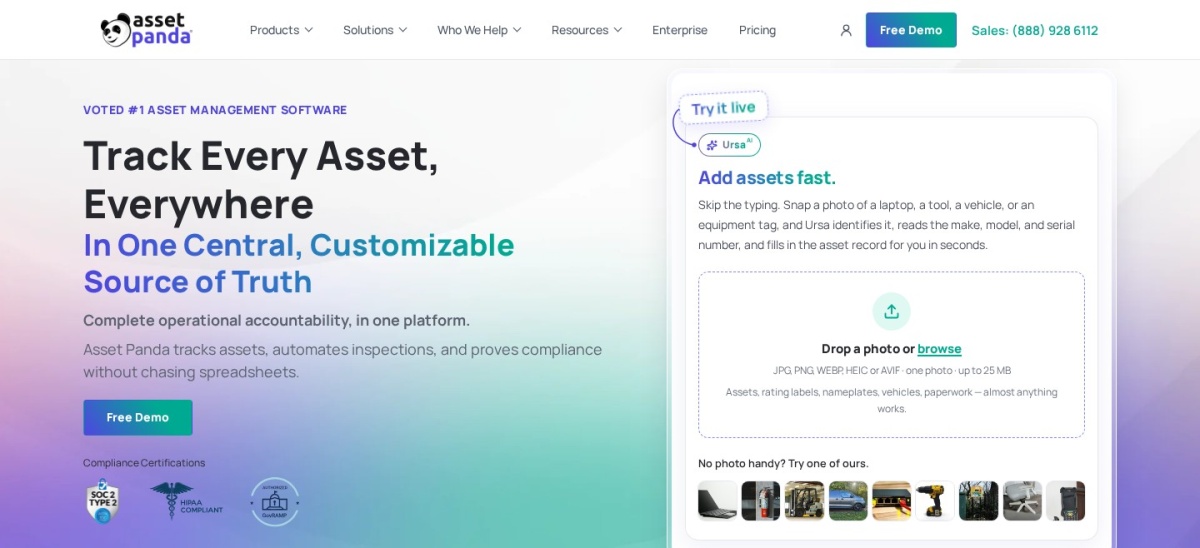
Asset Panda homepage, captured Nov 2026.
Asset Panda is a configurable asset management platform that allows construction businesses to organize equipment information, assign responsibility, and document asset movements. Its 4.6/5 Capterra rating reflects established adoption, while its commercial platform includes mobile barcode scanning and customizable equipment management workflows.
The trade off is pricing transparency and implementation complexity, since the vendor requires a custom quote rather than publishing a fixed entry subscription price. It suits established construction companies with specialized equipment categories, internal approval requirements, and asset management processes that standard inventory applications cannot easily accommodate.
What we like
Customizable asset fields and workflows
Mobile barcode scanning
Equipment assignment and custody records
Suitable for different asset categories
Centralized equipment lifecycle information
Watch out for
Public subscription pricing is unavailable
Initial configuration requires planning
Less focused on purchasing construction consumables
Paid subscriptions provide configurable asset management and equipment tracking workflows.Visit assetpanda.com
Construction equipment tracking vs. material inventory management
Equipment tracking focuses on reusable assets such as drills, generators, ladders, surveying instruments, and machinery. Each item needs an identifiable record showing its assigned employee, current location, maintenance condition, and movement history.
Material inventory management focuses on quantities of stock consumed during construction. Items such as pipes, fittings, fasteners, cables, and replacement parts require purchasing records, stock counts, location transfers, and replenishment processes.
ShareMyToolbox and GoCodes are particularly relevant when tool accountability is the main requirement. inFlow Inventory is more appropriate when purchasing and material availability are the primary concerns, while Sortly and EZO EAM can accommodate a mixture of equipment and inventory records.
How construction companies can reduce inventory loss
Assign durable identification labels to reusable equipment and record the employee or job site responsible for each item. Require staff to update equipment assignments whenever tools change hands or move between projects.
Set appropriate reorder points for frequently consumed construction materials. Review stock movement records and compare actual consumption against purchasing requirements to identify unnecessary orders, shortages, and unexplained discrepancies.
Conduct regular physical inventory checks and reconcile missing items against recorded transfers. Inventory software improves visibility, but its records remain dependent on employees consistently scanning equipment, recording material usage, and reporting exceptions.
For expensive equipment that requires independent location monitoring, consider dedicated tracking hardware. A QR code identifies an asset when someone scans it, but it does not continuously transmit the equipment's location.
How we chose
We selected established inventory and asset management applications relevant to construction contractors, equipment managers, warehouse supervisors, and purchasing teams. The comparison considers mobile scanning, equipment accountability, material tracking, location management, subscription limits, and publicly available customer ratings.
The editorial verification date is 22 Nov 2026, with official pricing pages and Capterra listings accessed on 24 Nov 2026. Prices use published regular subscription rates, and temporary promotions are identified separately. EZO EAM pricing reflects its displayed item configuration, while Asset Panda requires a vendor quote.
We excluded general construction management applications without meaningful inventory functionality, products without sufficient public review evidence, and tools with unclear pricing where suitable alternatives were available. No vendor paid for a place, and we do not claim testing for this list.
How to choose the best construction inventory management software
Identify your inventory categories, employee access requirements, and job site workflows before selecting a construction inventory platform.
Decide whether you primarily manage tools or consumable materials. Choose an equipment tracking application when individual assignments, custody records, and equipment history matter most. Select a material inventory platform when purchasing, stock availability, and replenishment are the primary requirements.
Calculate your expected inventory and user requirements. Estimate the number of equipment records, material categories, employees, warehouses, and project sites your business needs to manage. Compare these requirements against each subscription's allowances instead of relying solely on its advertised starting price.
Check mobile scanning and field accessibility. Confirm that workers can identify equipment, record transfers, and update material quantities from their phones. Review offline functionality and label durability if employees regularly work in locations with unreliable connectivity or demanding environmental conditions.
Evaluate reporting, integrations, and implementation costs. Identify the inventory reports required by purchasing managers, project supervisors, and accounting teams. Include subscriptions, equipment labels, employee training, tracking hardware, data migration, and integration costs in your purchasing decision.
FAQ
What is the best construction inventory management software?
Sortly is our top recommendation for most small and midsize construction companies because it supports visual inventory records, mobile scanning, materials, and equipment tracking. ShareMyToolbox is preferable when contractors primarily need to monitor tools assigned to field employees.
Is there free construction inventory management software?
Sortly provides a free inventory management plan that supports 100 unique items. This can be useful for independent contractors and smaller businesses, although teams with larger inventories or more employees will generally require a paid subscription.
What is the best software for tracking construction tools?
ShareMyToolbox specializes in construction tool tracking, employee assignments, and equipment transfers. GoCodes is another suitable option for contractors who want QR-based identification, individual equipment records, and mobile inventory scanning across job sites.
How do construction companies track materials across multiple job sites?
Construction companies assign inventory records to specific warehouses, storage areas, and project locations. Employees record incoming materials, transfers, and consumption through mobile applications or barcode scanners, allowing managers to monitor remaining stock and purchasing requirements.
Can construction inventory software track equipment maintenance?
Asset management applications such as EZO EAM, AssetTiger, and GoCodes can support equipment maintenance information and asset history. The available scheduling, notification, and maintenance management features vary by subscription, so verify the required functionality before purchasing.
Do QR codes provide real-time GPS tracking for construction equipment?
No. A standard QR code identifies equipment when scanned and may allow the application to record the scanning device's location. Continuous or periodic independent location monitoring requires compatible GPS hardware, Bluetooth tracking infrastructure, or another connected tracking technology.
How much does construction inventory management software cost?
Published prices in this comparison include $20 per month for AssetTiger Basic, $49 per month for Sortly Advanced, and $550 annually for GoCodes Standard. More specialized platforms may charge according to asset volume, employee access, and additional operational requirements.
What is the difference between construction inventory and construction management software?
Construction inventory software focuses on equipment, materials, stock quantities, purchasing, and asset movements. Construction management software typically covers broader project activities such as scheduling, budgeting, contracts, document administration, subcontractor coordination, and communication between project stakeholders.