Pulumi leads this list with a 4.8 rating on G2 across 25 reviews and an Essentials plan starting at $40/month. Docker Pro at $9/month per user and ManageEngine Network Configuration Manager at $595 for 10 devices suit container workflows and network hardware.
How we make this list: we compare pricing pages, product documentation and public user reviews, then re-check every price before each update. No product paid for a place. Disclosure.
Pulumi holds a 4.8/5 rating on G2 from 25 reviews, with a Free tier and Essentials starting at $40/month.
Docker holds a 4.6/5 rating on G2 from 303 reviews, with Docker Personal free and Pro starting at $9/month per user.
ManageEngine Network Configuration Manager holds a 4.5/5 rating on Capterra from 295 reviews, starting at $595 for 10 devices.
Progress Chef holds a 4.3/5 rating on G2 from 136 reviews, with commercial Business plans starting at $59/node/year.
Site24x7 holds a 4.6/5 rating on G2 from 486 reviews, with all-in-one monitoring starting at $9/month billed annually.
What to look for in configuration management software
Configuration management software keeps servers, cloud resources, containers, and network gear aligned with a defined state rather than drifting after manual edits. Teams use these tools to apply repeatable changes, audit settings, and roll back mistakes across environments.
Some platforms focus on cloud infrastructure provisioning and policy enforcement, while others target application delivery runbooks, container runtimes, or switch and router backups. Matching the tool to your actual targets avoids paying for unused orchestration layers.
Pricing models vary sharply across vendors. You will see free open-source or individual tiers, per-node annual licensing, per-user monthly seats, and hourly or monthly resource metering that grows with fleet size.
Before committing, check whether a platform requires persistent agents on target machines or connects over SSH, APIs, or cloud providers. Agentless tools reduce endpoint upkeep, while agent-based systems often track continuous drift and local remediation.
For agentless YAML automation across hybrid IT environments
Custom (no paid plan)
No free plan
4.6/5
Price ladder: cheapest paid plan per year
List prices, USD, checked Nov 2026
AnsibleCustom
ChefFREE$59
DockerFREE$108
Site24x7$108
OctopusFREE$360
PulumiFREE$480
ManageEngineFREE$595
The 7 best configuration management software
01
Pulumi
4.8/5on G2 (25 reviews, checked Nov 2026)
Paid from$40/mo
Best for infrastructure as code in familiar programming languages
Entry paid tier$40/mo (Essentials)
Free tierYes (1 user org)
LanguagesTypeScript, Python, Go, C#, Java, YAML
G2 rating4.8/5 (25 reviews)
pulumi.com
Pulumi homepage, captured Nov 2026.
Pulumi is an infrastructure as code platform that lets teams define cloud resources and configurations using general-purpose programming languages or YAML. Its Free edition supports one person with core state management, Pulumi Deployments, and basic Pulumi ESC with no managed-resource cap.
The trade off is that moving to team scale starts at $40/month on Essentials and adds per-resource, pipeline, or secret usage charges as your footprint grows. It suits engineering teams that want typed logic, testing, and multi-cloud workflows in standard code.
What we like
Lets developers write infrastructure and configuration logic in TypeScript, Python, Go, C#, Java, or YAML
Free tier available for individual use with no managed-resource limit
Includes Pulumi ESC for centralized secrets and OIDC credential generation
Supports multi-cloud deployments, drift visibility, and policy enforcement
Watch out for
Usage charges for extra resources, pipelines, and support plans can stack up at scale
Steeper initial setup for teams that prefer simple declarative YAML or CLI scripts
Essentials ($40/mo) adds multi-user collaboration, advisory policies, and up to 500 included managed resources.Visit pulumi.com
02
Docker
4.6/5on G2 (303 reviews, checked Nov 2026)
Paid from$9/mo
Best for consistent container environments across local and cloud hosts
Entry paid tier$9/user/mo (Pro)
Free tierYes (Personal)
Team tier$15/user/mo
G2 rating4.6/5 (303 reviews)
docker.com
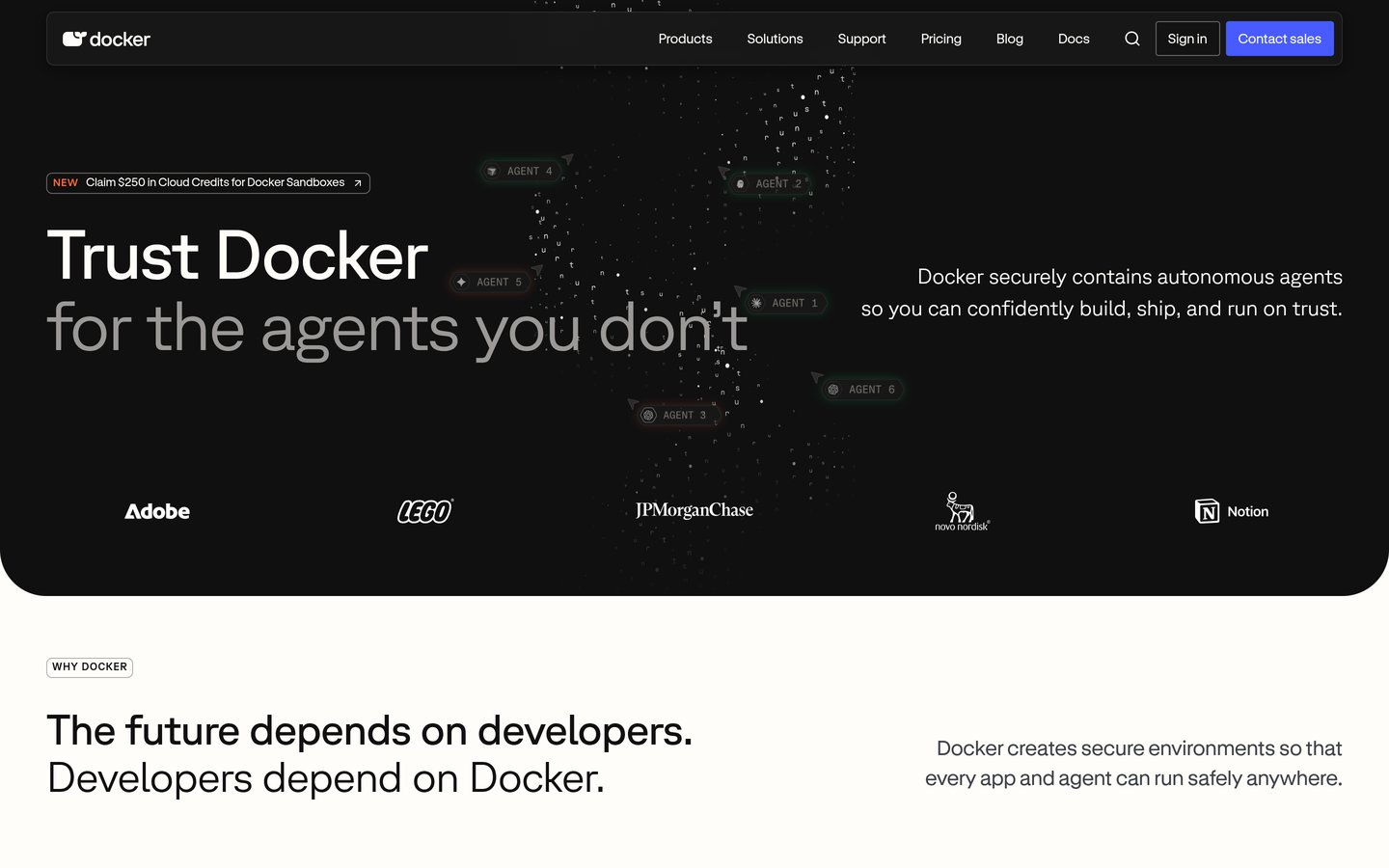
Docker homepage, captured Nov 2026.
Docker packages applications, runtime settings, and dependencies into portable containers so environments behave consistently from laptops to production servers. Its free Personal tier covers a single user with 100 Docker Hub pulls per hour and 1 private repository.
The trade off is that Docker Pro starts at $9/user/month and targets container packaging rather than bare-metal OS policy or multi-vendor network configuration. It suits development teams standardizing application environments with containers.
What we like
Eliminates environment drift between local development machines and production hosts
Free Personal plan available for individual developers
Integrates widely with CI/CD pipelines and container registries
Paid Pro plan includes 100 monthly cloud runtime minutes and unlimited private repos
Watch out for
Focused on containerized workloads rather than traditional OS or network device management
Commercial Docker Desktop requires a paid subscription for larger team governance needs
Pro ($9/user/mo) adds unlimited private repositories, commercial Docker Desktop use, and 100 cloud runtime minutes per month.Visit docker.com
03
Site24x7
4.6/5on G2 (486 reviews, checked Nov 2026)
Starts at$9/mo
Best for combined infrastructure monitoring and network config tracking
Entry paid tier$9/mo billed annually
Free tierNo (trial available)
ScopeServers, cloud, network devices, apps
G2 rating4.6/5 (486 reviews)
site24x7.com
Site24x7 homepage, captured Nov 2026.
Site24x7 is a cloud-hosted IT monitoring platform that tracks servers, cloud resources, applications, and network device configurations from one console. Its Lite all-in-one plan starts at $9/month when billed annually ($10/month billed monthly), with specialized network and server add-ons priced per resource.
The trade off is that there is no permanent free tier and combining multiple monitor types or log retention increases monthly spend. It suits IT teams that want configuration visibility alongside uptime, server, and network alerting.
What we like
Low entry price starting at $9/month billed annually on Lite
Covers servers, cloud services, applications, and network device configuration in one platform
Supports hourly billing options for variable cloud and server monitors
Watch out for
No free tier beyond trial evaluation
Multi-module pricing and add-ons can get complex as monitor counts grow
Higher tiers and add-ons expand monitor counts, log retention windows, and enterprise reporting.Visit site24x7.com
04
ManageEngine Network Configuration Manager
4.5/5on Capterra (295 reviews, checked Nov 2026)
Paid from$595 one-time
Best for backing up and auditing network device configurations
Entry paid tier$595 (10 devices)
Free editionYes (up to 2 devices)
Vendor support200+ network device vendors
Capterra rating4.5/5 (295 reviews)
manageengine.com
ManageEngine Network Configuration Manager homepage, captured Nov 2026.
ManageEngine Network Configuration Manager automates configuration backups, change alerts, rollbacks, and compliance audits across routers, switches, and firewalls. Its Free edition supports up to 2 devices, while Professional starts at $595 for 10 devices.
The trade off is that it centers on network hardware rather than general server or cloud application automation, and large device fleets require higher-tier packs. It suits network engineers managing multi-vendor switches, firewalls, and compliance policies.
What we like
Supports configuration backup, rollback, and compliance checks across 200+ device vendors
Free edition available for up to 2 network devices
Clear starting license price at $595 for 10 devices
Watch out for
Focused on network devices rather than server or cloud application provisioning
Professional ($595 for 10 devices) expands device limits up to 10,000 and includes 24x5 technical support.Visit manageengine.com
05
Octopus Deploy
4.4/5on G2 (58 reviews, checked Nov 2026)
Paid from$360/yr
Best for standardized deployment workflows and environment variables
Entry paid tier$360/yr (Starter)
Free tierYes (10 projects/targets)
Deployment modesCloud and self-hosted Server
G2 rating4.4/5 (58 reviews)
octopus.com
Octopus Deploy homepage, captured Nov 2026.
Octopus Deploy orchestrates software releases, environment configuration variables, and operational runbooks across cloud, hybrid, and on-premises targets. Its Free tier includes up to 10 projects, 10 tenants, 10 machines, and 10 users with core features.
The trade off is that Starter is priced at $360/year with the same 10-project/10-machine cap, while larger footprints jump to Professional starting from $4,170/year. It suits teams that want structured release pipelines and environment-specific configuration management.
What we like
Free tier with core features for up to 10 projects, 10 machines, and 10 users
Handles environment-specific configuration variables, releases, and runbooks cleanly
Available as both Octopus Cloud and self-hosted Octopus Server
Watch out for
Starter at $360/year keeps the same 10-project and 10-machine limit as the Free tier
Scaling beyond small limits into Professional requires a substantial annual jump
Starter ($360/yr) lifts the Free tier's 10-user and 1-space caps to unlimited users and spaces.Visit octopus.com
06
Progress Chef
4.3/5on G2 (136 reviews, checked Nov 2026)
Paid from$59/node/yr
Best for policy-driven server automation and compliance auditing
Entry paid tier$59/node/yr (Business)
Open sourceYes (Chef Infra Client)
Compliance toolingChef InSpec & audit skills
G2 rating4.3/5 (136 reviews)
chef.io
Progress Chef homepage, captured Nov 2026.
Progress Chef automates server configuration, drift remediation, and compliance enforcement using reusable cookbooks and policy-as-code workflows. Its open-source Chef Infra Client is free to use, while commercial Business plans start at $59 per node per year.
The trade off is that writing cookbooks and managing agent-driven infrastructure requires ongoing engineering skill and maintenance. It suits organizations enforcing strict server states and audit compliance across many nodes.
What we like
Open-source Chef Infra Client available alongside commercial support and orchestration
Strong policy-as-code and compliance auditing capabilities via Chef InSpec
Clear per-node annual starting rate at $59/node/year on Business
Watch out for
Steeper learning curve for teams new to Chef recipes, cookbooks, and node management
Per-node annual pricing scales directly with the number of managed servers
Business ($59/node/yr) adds commercial support, orchestration skills, and pooled monthly job runs.Visit chef.io
07
Red Hat Ansible Automation Platform
4.6/5on G2 (378 reviews, checked Nov 2026)
PricingCustom (no paid plan)
Best for agentless YAML automation across hybrid IT environments
Pricing modelCustom / quote-based
ArchitectureAgentless over SSH / APIs
SyntaxYAML playbooks
G2 rating4.6/5 (378 reviews)
redhat.com
Red Hat Ansible Automation Platform homepage, captured Nov 2026.
Red Hat Ansible Automation Platform automates server configuration, application deployment, and workflow orchestration across hybrid and multi-cloud environments. It uses human-readable YAML playbooks and manages targets without requiring agents on every host.
The trade off is that subscription pricing requires a custom quote rather than a fixed self-serve checkout price. It suits enterprise and IT operations teams that want agentless automation and vendor-supported SLAs.
What we like
Agentless execution over SSH and APIs reduces endpoint maintenance overhead
Human-readable YAML playbooks are straightforward to review in version control
High user satisfaction with 4.6/5 across 378 G2 reviews
Watch out for
Commercial platform pricing is quote-based rather than publicly fixed
Large multi-team automation topologies still require thoughtful playbook and inventory design
Commercial subscriptions add Red Hat support SLAs, execution environments, and centralized automation governance.Visit redhat.com
How we chose
We built this shortlist by reviewing established configuration management, infrastructure-as-code, deployment, and network configuration tools that actively serve IT and DevOps teams.
Every rating, review count, and pricing figure on this page was checked on 22 Nov 2026 from vendor pricing pages and third-party review directories (G2 and Capterra).
We excluded tools that lacked verifiable public pricing or review data on the pages we checked today, as well as unmaintained software. No vendor paid for a place, and we do not claim testing for this list.
How to choose the right tool
Follow four practical steps to narrow down configuration management software without overbuying features.
Start with the targets you manage most. Separate cloud infrastructure provisioning, Linux and Windows server state, container runtimes, and network switches or firewalls so the tool matches your actual environment.
Decide between agent-based and agentless workflows. Agentless tools connect over SSH or APIs with less host upkeep, while agent-based tools often monitor and correct drift continuously on each node.
Model your true cost at team and fleet size. Compare per-node annual fees, per-user monthly seats, and usage or resource meters against how many servers, engineers, or devices you will run next year.
Check compliance and rollback needs. If audits or frequent changes are part of your workflow, prioritize tools with drift detection, change history, and clear rollback or remediation steps.
FAQ
What is configuration management software used for?
Configuration management software keeps servers, cloud resources, applications, and network devices in a defined, consistent state. It automates repetitive setup changes, detects configuration drift, and helps teams track or revert changes safely.
What is the difference between configuration management and infrastructure as code?
Infrastructure as code often focuses on provisioning and lifecycle management of cloud resources such as networks, compute instances, and storage. Configuration management frequently focuses on configuring operating systems, software packages, runtime settings, or network devices.
Do configuration management tools require installing agents on servers?
Not all of them do. Some tools operate without agents using SSH or APIs, while others run an agent or client on managed nodes to enforce desired states and report drift continuously.
Can you start with a free tier or open-source edition?
Yes, several tools on this list offer free tiers or open-source editions for individuals, small setups, or limited device counts. Paid plans typically add team collaboration, enterprise support SLAs, higher limits, or compliance reporting.
How should I compare per-node pricing against per-user pricing?
Per-node pricing scales with the number of managed servers or endpoints, which favors teams with few nodes and many operators. Per-user pricing scales with seat count, which favors smaller teams managing larger fleets.
Which tool works best for network switches and firewalls?
Dedicated network configuration tools like ManageEngine Network Configuration Manager are built specifically to back up, compare, and audit device configs across network hardware vendors.
SaaS SEO and WordPress specialist with about 8 years of experience. Rakib compares WordPress plugins, themes, hosting and software using public pricing, documentation and user reviews. See how we rank.