Best Communication Software for Small Business in 2026: 7 Tools Compared
WLWPLegible EditorsLast verified 22 Nov 2026How we rank12 min read
★ Short answer
Slack is the best communication software for small businesses that rely on team messaging, with a free plan and Pro starting at $7.25 per user monthly when billed annually. Microsoft Teams is better for meetings and Microsoft integration, while Google Workspace combines business email, chat, meetings and shared files.
How we make this list: we compare pricing pages, product documentation and public user reviews, then re-check every price before each update. No product paid for a place. Disclosure.
Slack leads for team messaging, with a 4.5/5 G2 rating from 40,598 reviews and Pro at $7.25 per user monthly, billed annually.
Microsoft Teams Essentials costs $4 per user monthly with annual billing, including meetings lasting up to 30 hours and 300 participants.
Google Workspace Business Starter costs $7 per user monthly with annual commitment and includes custom email and 30 GB pooled storage per user.
Pumble has a free plan with unlimited users and chat history, while Pro starts at $2.49 per seat monthly with annual billing.
Zoom Workplace Pro costs $14.16 per user monthly when billed annually and supports meetings lasting up to 30 hours.
RingCentral RingEX Core starts at $20 per user monthly with annual billing, combining business calling, messaging and meetings.
What small business communication software should cover
Small businesses need communication tools that keep conversations organized without creating extra administrative work. The right platform depends on whether employees primarily exchange messages, hold video meetings, manage customer calls or collaborate through email.
Team chat applications such as Slack and Pumble organize conversations into channels. Meeting-focused platforms such as Zoom handle video collaboration, while Google Workspace and Microsoft Teams connect communication with everyday productivity tools.
Business phone systems solve a different problem. RingCentral provides telephone numbers, call handling and business messaging that ordinary team chat applications do not replace.
Compare the total cost per employee, not just the advertised starting price. Annual commitments, paid user seats, guest access, storage allowances, external integrations and telephone services can change the final bill.
Before choosing, decide which communication channels your business actually uses. A small remote team may need chat and video meetings, while a customer-facing business may place greater value on reliable phone calls and call management.
The 7 best communication software for small business
01
Slack
4.5/5on G2 (40,598 reviews, checked Nov 2026)
Paid from$7.25/mo
Best for everyday team messaging
Free message history90 days
Free integrationsUp to 10 apps
Pro monthly rate$7.25, billed annually
Pro meeting capacityUp to 50 people
slack.com
Slack homepage, captured Nov 2026.
Slack is a team communication platform built around channels, direct messages, file sharing and searchable conversations. Its free plan includes 90 days of message history, up to 10 app integrations and one-to-one audio and video huddles. Teams can organize conversations by project, department or customer without relying on long email threads.
The trade off is that full message history, unlimited integrations and group huddles require Pro at $7.25 per user monthly with annual billing, or $8.75 monthly at the regular rate. A temporary promotion may reduce the initial cost. It suits small businesses that need structured internal communication and use several connected applications.
What we like
Channels keep different projects and departments organized
Free plan supports essential messaging
Large directory of business integrations
Searchable conversations and file sharing
Paid plans support group huddles and external collaboration
Watch out for
Free message history is limited to 90 days
Subscription costs increase with team size
Not a complete business telephone system
Busy workspaces can generate excessive notifications
Pro adds unlimited message history, integrations, group huddles and expanded collaboration.Visit slack.com
02
Microsoft Teams
4.4/5on G2 (19,480 reviews, checked Nov 2026)
Paid from$4/mo
Best for meetings and Microsoft collaboration
Entry business planTeams Essentials
Meeting capacity300 participants
Meeting durationUp to 30 hours
Cloud storage10 GB per user
microsoft.com
Microsoft Teams homepage, captured Nov 2026.
Microsoft Teams is a business communication platform for messaging, video meetings, file sharing and collaborative workspaces. Teams Essentials costs $4 per user monthly with annual billing and supports meetings lasting up to 30 hours with as many as 300 participants. The plan includes 10 GB cloud storage per user, meeting recordings, transcripts and live captions.
The trade off is that business email and the wider Microsoft productivity suite require a separate or higher subscription. Microsoft 365 Business Basic costs $7 per user monthly with annual billing and includes additional applications and storage. It suits businesses already using Outlook, Word, Excel or other Microsoft services.
What we like
Long group meetings on the entry business plan
Connects with Microsoft productivity applications
Chat, calls, meetings and file sharing in one interface
Meeting recordings and transcripts included
Useful collaboration controls for business teams
Watch out for
Business email is not included in Teams Essentials
Some advanced features require higher subscriptions
Administration can be complicated for small teams
Full Microsoft integration may require additional licenses
Teams Essentials adds extended meetings, business collaboration features and cloud storage.Visit microsoft.com
03
Google Workspace
4.6/5on G2 (48,324 reviews, checked Nov 2026)
Starts at$7/mo
Best for email and document collaboration
Entry planBusiness Starter
Business emailCustom domain
Cloud storage30 GB per user
Regular annual rate$7/user/month
workspace.google.com
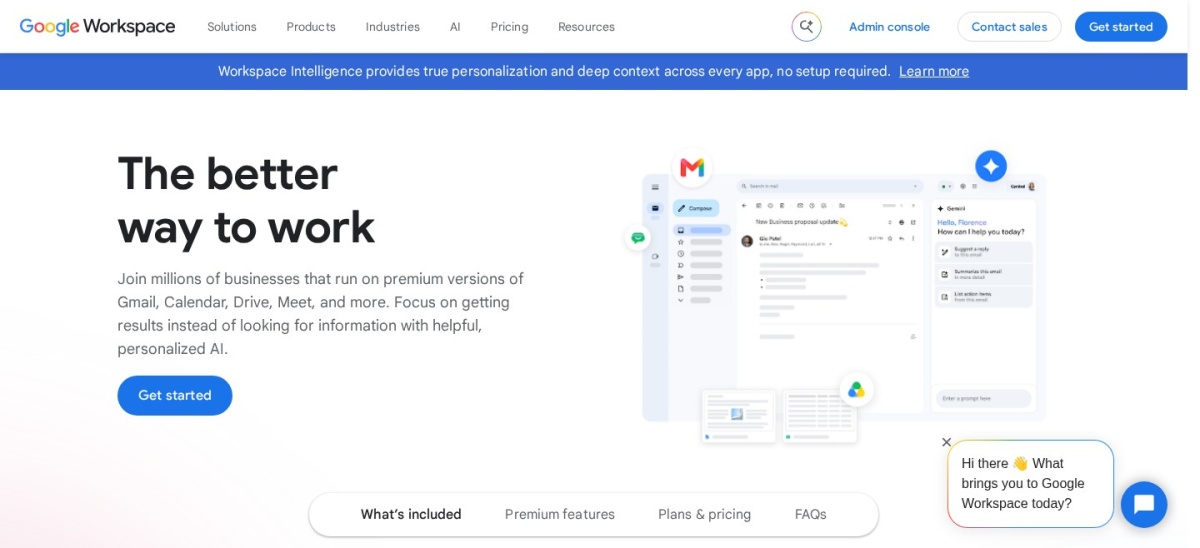
Google Workspace homepage, captured Nov 2026.
Google Workspace is a business productivity and communication suite combining Gmail, Google Meet, Chat, Drive and collaborative documents. Business Starter costs $7 per user monthly with an annual commitment and provides custom-domain email, 30 GB pooled storage per user and access to Google's communication applications. Gemini assistance is included in Gmail.
The trade off is that a business subscription is required even if employees already use free personal Google accounts. Business Standard costs $14 per user monthly with annual commitment and increases storage to 2 TB per user. It suits businesses that want professional email, meetings and shared documents under one subscription.
What we like
Custom-domain business email
Gmail, Meet, Chat and Drive in one subscription
Real-time document collaboration
Works through browsers and mobile applications
Built-in spam protection and administration tools
Watch out for
No permanent free business subscription
Entry plan has a smaller storage allowance
Traditional business phone service is separate
Additional storage and advanced administration require upgrades
Business Standard adds 2 TB storage per user and expanded meeting and collaboration features.Visit workspace.google.com
04
Zoom Workplace
4.5/5on G2 (56,489 reviews, checked Nov 2026)
Paid from$14.16/mo
Best for client meetings and video calls
Free meeting limit40 minutes
Free meeting capacity100 participants
Pro meeting durationUp to 30 hours
Pro storage10 GB per user
zoom.com
Zoom Workplace homepage, captured Nov 2026.
Zoom Workplace is a communication platform centered on video meetings, team chat and collaborative tools. Its free Basic plan supports meetings of up to 40 minutes with 100 participants, along with limited AI meeting summaries, whiteboards and video clips. Zoom Workplace Pro extends meetings to 30 hours and includes 10 GB cloud storage per user.
The trade off is that longer meetings and expanded recording features require Pro, priced at $14.16 per user monthly with annual billing or $16.99 with monthly billing. A dedicated business phone system also requires additional services. It suits businesses that regularly meet customers, conduct interviews or collaborate over video.
What we like
Free video meetings with screen sharing
Familiar meeting interface for external participants
Team chat and collaborative whiteboards
AI-assisted meeting summaries
Paid plans support extended meeting durations
Watch out for
Free meetings have a 40-minute limit
Cloud recording and storage depend on the plan
Full business telephone functionality costs extra
More advanced administration requires higher plans
Pro adds extended meetings, expanded AI features, unlimited clips and cloud storage.Visit zoom.com
05
Pumble
4.5/5on G2 (40 reviews, checked Nov 2026)
Paid from$2.49/mo
Best for affordable team chat
Free team membersUnlimited
Free message historyUnlimited
Pro monthly rate$2.49, billed annually
Pro storage10 GB per seat
pumble.com
Pumble homepage, captured Nov 2026.
Pumble is a team messaging application offering channels, direct messages, file sharing and searchable communication. Its free plan supports unlimited users and unlimited chat history, making it practical for businesses that want to preserve conversations without a subscription. The paid Pro plan adds group meetings, screen sharing and 10 GB storage per seat.
The trade off is that group video meetings, advanced workspace analytics and additional collaboration controls require upgrades. Pro costs $2.49 per seat monthly with annual billing or $2.99 billed monthly. It suits price-conscious small businesses that prioritize internal chat over sophisticated enterprise administration.
What we like
Unlimited users on the free plan
Unlimited message history without paying
Low-cost paid subscriptions
Channels, threads and direct messaging
Paid group meetings and screen sharing
Watch out for
Smaller third-party integration ecosystem than Slack
Free plan has fewer conferencing capabilities
Advanced permissions require higher plans
Not intended to replace a business telephone provider
Pro adds group meetings, screen sharing, advanced analytics and 10 GB storage per seat.Visit pumble.com
06
RingCentral
4.2/5on G2 (1,556 reviews, checked Nov 2026)
Starts at$20/mo
Best for business phone communication
Entry productRingEX Core
Annual plan rate$20/user/month
Meeting capacity300 participants
Toll-free allowance100 minutes
ringcentral.com
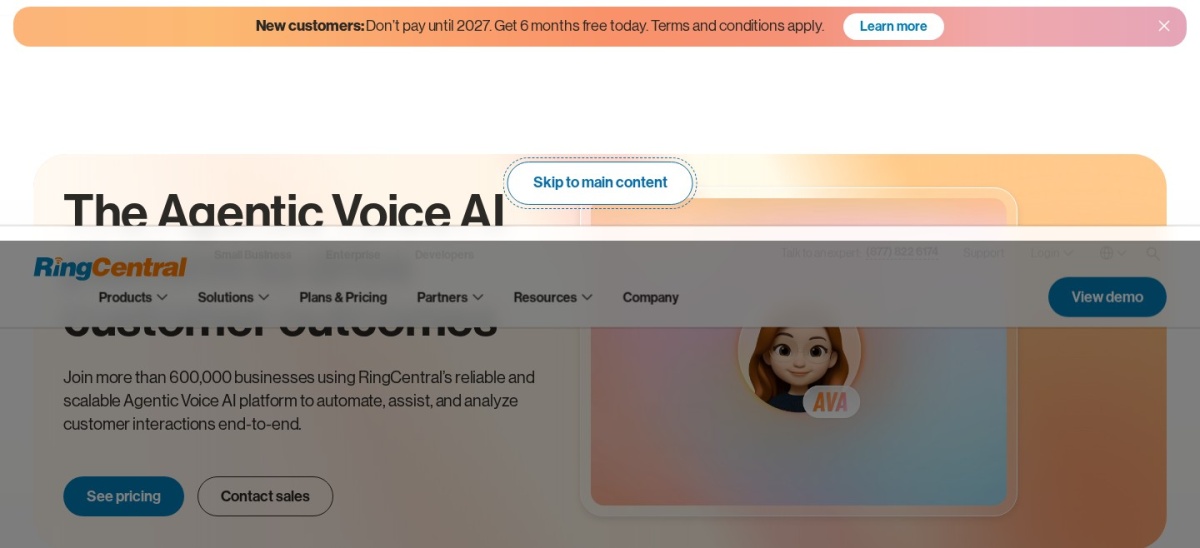
RingCentral homepage, captured Nov 2026.
RingCentral is a business communication provider combining telephone calling, messaging and video meetings through its RingEX service. Core starts at $20 per user monthly with annual billing and includes business calling, on-demand recording, 100 toll-free minutes and meetings supporting 300 participants. Its mobile and desktop applications help employees handle business conversations outside a traditional office.
The trade off is that the monthly billing price is higher, listed at $30 per user, while additional numbers, calling services and certain features can increase costs. Advanced starts at $25 per user monthly with annual billing and expands integrations and reporting. It suits customer-facing businesses that need a professional telephone system alongside internal communication.
What we like
Business phone calling and team messaging
Desktop and mobile communication applications
Video meetings included
Call recording and business-number features
Higher plans add CRM integrations
Watch out for
More expensive than basic team chat platforms
Additional communication services may cost extra
Advanced integrations require higher plans
Monthly billing is more expensive than annual commitment
Advanced adds CRM integrations, expanded reporting and larger communication allowances.Visit ringcentral.com
07
Zoho Cliq
4.4/5on G2 (269 reviews, checked Nov 2026)
Paid from$16.20/mo
Best for affordable business team collaboration
Free planAvailable
Standard planUp to 25 users
Annual-billing rate$16.20/month
Monthly-billing rate$18/month
zoho.com
Zoho Cliq homepage, captured Nov 2026.
Zoho Cliq is a team communication platform with channels, direct messaging, meetings, file sharing and remote-work features. Its free version covers essential messaging and collaboration, while Standard costs $16.20 monthly for up to 25 users with annual billing. Standard adds external channels, call recording, custom domain options and basic usage reports.
The trade off is that advanced team management, permissions and task-management capabilities require Professional, with a minimum of 10 users. Standard costs $18 monthly without annual billing, so the flat group rate needs comparison against per-seat competitors. It suits small businesses seeking chat and meetings, especially teams already using Zoho applications.
What we like
Free team messaging and meetings
Flat Standard pricing covers up to 25 users
Integrates with other Zoho business applications
External channels available on Standard
Paid options for team management and administration
Watch out for
Advanced features require Professional or Enterprise
Professional has a minimum user requirement
Some external collaboration features are paid
Pricing structure differs from typical per-seat subscriptions
Standard adds external channels, recording and reporting; Professional adds team management.Visit zoho.com
Team chat, video meetings and business phone systems
Communication software covers several different needs. Team chat platforms organize internal discussions, while video meeting applications support live conversations with employees, clients and partners.
Slack, Pumble and Zoho Cliq are primarily messaging platforms. They are useful when employees need quick responses, organized channels and searchable project discussions.
Zoom Workplace specializes in video collaboration. Microsoft Teams combines messaging and meetings with Microsoft applications, while Google Workspace connects Gmail, Meet and Chat with shared documents.
RingCentral addresses external business communication through phone calling, messaging and meetings. Its services are more relevant when customers regularly call the business or employees need professionally managed telephone numbers.
What does small business communication software cost?
Most business communication platforms use recurring subscriptions, commonly charged per employee or licensed user. The total depends on how many accounts need paid access and whether billing is monthly or annual.
A free team chat plan may be sufficient when employees primarily exchange short messages. Paid upgrades usually expand message retention, group calling, storage, security controls or integrations.
Subscription prices are not directly comparable without checking their billing units. Zoho Cliq Standard uses a group allowance, while Slack and Pumble list per-seat prices. Business phone platforms can add calling-related fees beyond the base subscription.
Use the price ladder as a starting point rather than a final company-wide quote. Calculate the annual cost for your actual workforce, then include required add-ons and services.
How we chose
We shortlisted established communication products covering internal messaging, online meetings, business email and business telephone systems. We prioritized recognizable providers with published pricing, relevant small business capabilities and public customer reviews on G2.
Official pricing pages and G2 review profiles were checked on 22 Nov 2026. Ratings and review counts reflect the public listings available during research. Prices use published regular plan rates, excluding temporary promotions, and annualized costs generally reflect the entry paid plan's advertised annual-billing rate per user or the specified group allowance.
We excluded products without sufficiently clear public entry pricing, services focused primarily on unrelated business functions, and options lacking a relevant public review profile. Country-dependent charges, taxes and optional extras are not included in base subscription comparisons. No vendor paid for a place, and we do not claim testing for this list.
How to choose communication software for a small business
Identify your team's primary communication needs, then compare pricing, collaboration features, integrations and administration requirements.
Choose the communication channels you actually need. Decide whether your business mainly uses instant messaging, client video calls, professional email or telephone conversations. A dedicated chat application may be enough for an internal team, while customer-facing employees may need business calling.
Calculate the full subscription cost. Multiply per-user pricing by the number of paid seats, or account for any flat group subscription. Compare annual and monthly billing, guest access and add-on costs before choosing a plan.
Check integration with your existing applications. Review compatibility with your email provider, calendar, file storage, CRM and task-management tools. Microsoft Teams and Google Workspace may provide more value when your business already relies on their surrounding productivity applications.
Review usability, security and future growth. Compare guest permissions, account management, access controls, message retention and support options. Consider how easily new employees can join and whether the platform can accommodate larger teams without requiring a disruptive migration.
FAQ
What is the best communication software for a small business?
Slack is our leading recommendation for businesses prioritizing internal team messaging, project channels and integrations. Microsoft Teams is suitable for organizations that regularly hold meetings and use Microsoft applications. Google Workspace is a strong choice when professional email and document collaboration are equally important.
Is there free communication software for small businesses?
Yes. Slack, Microsoft Teams, Zoom Workplace, Pumble and Zoho Cliq offer free options with different limitations. Pumble provides unlimited users and message history on its free plan, while Slack limits searchable free history to 90 days. Review each product's meeting, storage and administration limits before choosing.
Is Slack or Microsoft Teams better for a small business?
Slack is particularly suitable for channel-based messaging and integrations with different business applications. Microsoft Teams offers close integration with Microsoft's productivity services and includes extended group meetings in Teams Essentials. The better choice depends on whether employees prioritize messaging or Microsoft-centered collaboration.
Can small businesses use Zoom for internal communication?
Yes. Zoom Workplace includes team chat alongside video meetings and other collaboration features. Its free Basic plan supports meetings with 100 participants for up to 40 minutes, while paid Pro extends meeting duration. Businesses can use it for employee meetings, customer consultations and scheduled discussions.
What is the cheapest communication software for small teams?
Pumble is among the lowest-cost options in this comparison, with a free plan and Pro starting at $2.49 per seat monthly when billed annually. Microsoft Teams Essentials costs $4 per user monthly with annual billing. Zoho Cliq Standard offers flat group pricing that can be attractive for larger small teams.
Does Google Workspace include team communication tools?
Yes. Google Workspace combines business Gmail, Google Chat, Google Meet and shared Google Drive storage with collaborative productivity applications. Business Starter includes 30 GB pooled storage per user and custom-domain email. Its main appeal is having email, meetings and documents within the same subscription.
Do small businesses need a dedicated business phone system?
A dedicated phone system is useful when employees regularly handle customer calls, need business numbers or require call recording and routing. RingCentral provides these capabilities alongside messaging and video meetings. Teams that rarely use telephone calling may find a messaging and meeting platform sufficient.
How much should a small business spend on communication software?
Costs depend on the number of licensed employees and the features required. Free plans can handle basic messaging, while paid subscriptions add history, meetings, storage and administration. Calculate the total annual subscription and include required add-ons rather than comparing advertised per-user prices alone.