Best Commodity Trading Platforms in 2026: 7 Tools Compared
WLWPLegible EditorsLast verified 22 Nov 2026How we rank13 min read
★ Short answer
NinjaTrader is the best commodity trading platform for active futures traders, offering a free account plan with micro futures commissions of $0.39 per side and a $99 monthly upgrade for lower rates. Choose Quantower for multi-broker analysis or Bookmap for visualizing order-book liquidity.
How we make this list: we compare pricing pages, product documentation and public user reviews, then re-check every price before each update. No product paid for a place. Disclosure.
NinjaTrader charges $0.39 per side for micro futures on its Free plan, dropping to $0.29 with its $99 monthly plan.
Quantower has a free limited terminal and an All-in-One license listed at $70 per month, excluding third-party market data.
Bookmap's Global plan costs $49 monthly and provides futures-focused order-flow visualization; live exchange data costs extra.
MotiveWave offers a free Community edition with more than 280 built-in studies and a Standard lease at $24 monthly.
Sierra Chart starts at $26 monthly for Base Standard, while an Integrated Standard package costs $36 monthly before applicable data fees.
Tradovate has no monthly plan charge on Free, but its Trustpilot rating of 1.5/5 across 1,913 reviews warrants careful consideration.
What matters when choosing a commodity trading platform
Commodity trading platforms let traders analyze or trade markets such as crude oil, gold, natural gas, agricultural products and other futures contracts. Some are brokerages that execute trades and hold customer accounts. Others provide charting, order-flow analysis and broker connections.
The most important distinction is between platform fees and trading costs. A platform may offer free software while charging commissions on every futures contract. Another may charge a monthly subscription before adding broker commissions, clearing fees and exchange market-data charges.
Check whether the platform supports the specific commodity contract you intend to trade. Futures availability depends on the broker connection, exchange access, account permissions and the type of contract.
Order types and risk controls matter as much as charting. Look for bracket orders, stop-loss functionality, position monitoring, margin visibility and a simulated trading environment before committing real capital.
Futures are leveraged instruments. Small price movements can produce substantial losses, and a platform's low intraday margin requirement should not be confused with the maximum amount you could lose.
3.8/5on Trustpilot (1,270 reviews, checked Nov 2026)
Paid from$99/mo
Best for active commodity futures traders
Free planYes, commission-based
Micro commission$0.39/side on Free
Paid subscription$99/month
Trading environmentDesktop, web and mobile
ninjatrader.com
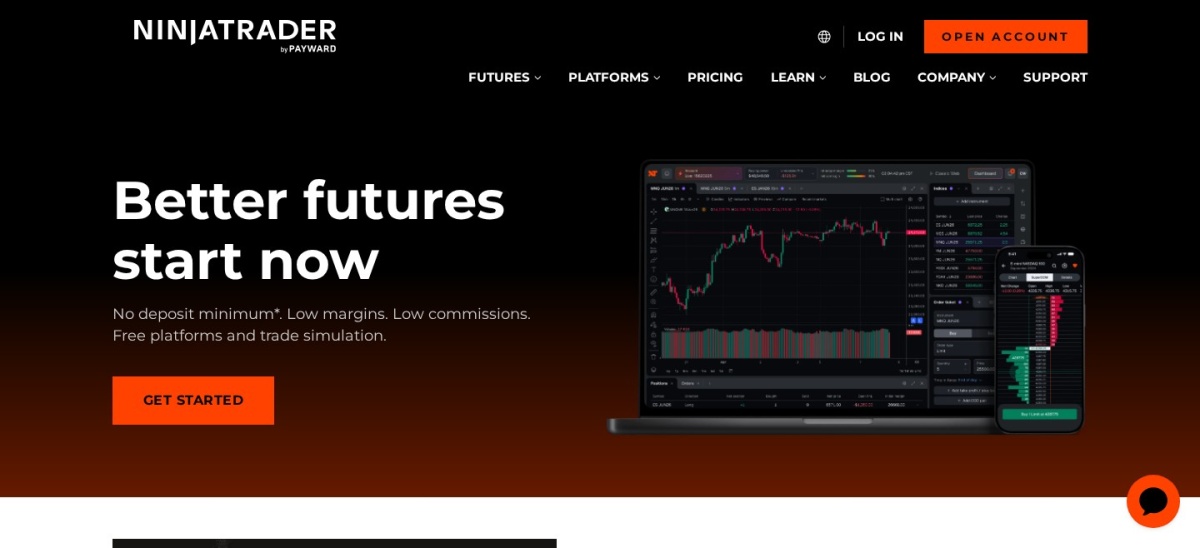
NinjaTrader homepage, captured Nov 2026.
NinjaTrader is a dedicated futures brokerage and trading platform with desktop, web and mobile access. Its Free account plan has no monthly charge, with commissions of $0.39 per side for micro futures and $1.29 for standard futures, plus applicable fees. Charting, backtesting and simulated trading are also available without a paid subscription.
The trade off is that lower commissions require its $99 monthly plan or a $1,499 one-time Lifetime payment. The monthly plan reduces commissions to $0.29 per micro and $0.99 per standard contract, before additional fees. It suits active futures traders who want an integrated brokerage and trading environment.
What we like
Free platform access for charting and simulation
Dedicated futures trading and order-management tools
Reduced commissions through paid account plans
Desktop, browser and mobile access
Strategy backtesting and simulated trading
Watch out for
Exchange, clearing and regulatory charges add to commissions
Monthly adds lower commissions; Lifetime adds the lowest published rates and premium features.Visit ninjatrader.com
02
Quantower
4.6/5on Trustpilot (368 reviews, checked Nov 2026)
Paid from$70/mo
Best for multi-broker market analysis
Free versionLimited functionality
Full licenseAll-in-One
Regular monthly rate$70
Market dataPurchased separately
quantower.com
Quantower homepage, captured Nov 2026.
Quantower is a multi-asset trading terminal that connects to supported brokers and market-data providers. Its free limited version requires no registration, while the All-in-One license offers the complete available feature set. The platform includes advanced charts, market-depth tools, order-flow analysis and trading interfaces for supported connections.
The trade off is that the full license costs $70 monthly, and third-party market data is not included. Longer subscriptions receive advertised discounts, while individual extensions may offer a cheaper route for specific functions. It suits traders who use multiple market connections and want extensive technical analysis.
What we like
Limited free terminal available
Multiple supported trading connections
Advanced order-flow and market-depth interfaces
Full-feature trial available
Optional individual paid extensions
Watch out for
Third-party market data costs extra
Broker compatibility varies by feature
Full license is relatively expensive for occasional traders
All-in-One adds the complete collection of available features, connections and updates.Visit quantower.com
03
Bookmap
4.2/5on Trustpilot (608 reviews, checked Nov 2026)
Paid from$49/mo
Best for visual order-flow analysis
Free tierDigital
Futures-oriented paid tierGlobal
Global monthly rate$49
Live futures dataAdditional charges
bookmap.com
Bookmap homepage, captured Nov 2026.
Bookmap is a market-visualization platform that displays liquidity, trading volume and price activity through heatmaps and order-flow tools. Its free Digital offering provides an introduction to the interface, while Global is a paid tier suitable for stock and futures market connections. Supported connections include futures market-data providers.
The trade off is cost beyond the software subscription. Global costs $49 monthly, while the vendor lists BookmapData futures access starting at $34 monthly per exchange, with other charges possible. It suits experienced commodity futures traders who analyze liquidity and order flow rather than relying solely on standard price charts.
What we like
Visual representation of order-book liquidity
Order-flow and volume analysis tools
Multiple supported futures data connections
Free entry-level software offering
Additional indicators and extensions available
Watch out for
Real-time futures data is billed separately
Requires learning order-flow concepts
Some specialized features require higher tiers or add-ons
Displayed liquidity does not guarantee execution
Global adds broader stock and futures connectivity; higher tiers expand indicators and trading tools.Visit bookmap.com
04
MotiveWave
4.2/5on Trustpilot (168 reviews, checked Nov 2026)
Paid from$24/mo
Best for detailed technical charting
Free editionCommunity
Built-in studies280+ in Community
Standard lease$24/month
Broker/data connections30+ supported providers
motivewave.com
MotiveWave homepage, captured Nov 2026.
MotiveWave is a charting and trading platform with technical studies, broker connections and market replay. Its free Community edition includes more than 280 built-in studies and indicators, chart tools and a replay mode. The Standard edition adds live trading functionality, additional chart types, cloud workspaces and enhanced replay features.
The trade off is that Standard costs $24 monthly and market data is not included. More specialized order-flow, strategy and Elliott Wave capabilities belong to higher editions. It suits technical traders who want a dedicated charting environment with the option to connect supported futures brokers.
What we like
Free Community edition
More than 280 built-in indicators in Community
Extensive broker and data-feed compatibility
Dedicated technical-analysis features
Paid Standard edition supports live trading
Watch out for
Market data requires an external source
Advanced features require higher editions
Free edition lacks the full live-trading feature set
Standard adds live trading, enhanced replay, additional chart types and cloud workspaces.Visit motivewave.com
05
Sierra Chart
3.7/5on Trustpilot (25 reviews, checked Nov 2026)
Starts at$26/mo
Best for configurable professional charts
Entry packageBase Standard
Entry monthly cost$26
Integrated Standard$36/month
Real-time exchange dataAdditional fees
sierrachart.com
Sierra Chart homepage, captured Nov 2026.
Sierra Chart is a technical charting and trading application with configurable studies, historical market analysis and support for external data and trading services. Its Base Standard package costs $26 monthly, while the Integrated Standard package costs $36 monthly. Integrated packages support the connectivity needed for external trading services and the Denali data feed.
The trade off is a more technical setup and a fee structure that depends on the selected package and data connection. Real-time futures exchange fees are additional, even with an Integrated subscription. It suits experienced traders who prioritize configurable charts and specialized analytical workflows.
What we like
Detailed historical and technical charting
Extensive customization options
Integrated packages support trading-service connections
Multiple subscription durations available
Specialized futures-data integration
Watch out for
Technical interface can be difficult for beginners
Entry package does not provide every trading connection
Exchange data fees increase total cost
Higher packages add integrated connectivity and more advanced analytical capabilities.Visit sierrachart.com
06
Barchart
4.1/5on Trustpilot (51 reviews, checked Nov 2026)
Paid from$29.95/mo
Best for commodity market research
Free accessBasic market information
Verified Premier price$29.95/month
Premier annual option$199.95/year
Primary functionMarket research and analysis
barchart.com
Barchart homepage, captured Nov 2026.
Barchart is a financial market-information platform covering futures, commodities, equities and other instruments. Its free website provides access to market information, while paid membership expands research, screening and alert capabilities. Barchart Premier has a published monthly subscription price of $29.95.
The trade off is that Barchart is primarily a research and analysis service rather than a replacement for a full futures brokerage. Premier is also offered at $199.95 annually, and its published pricing does not establish that it is the cheapest available paid membership. It suits traders researching commodity trends before executing orders elsewhere.
What we like
Commodity and futures market information
Free market-research access
Screening and alert features
Paid research and customization tools
Monthly and annual Premier billing options
Watch out for
Not a complete substitute for futures execution software
Some research and alert features require membership
Real-time data availability depends on the service
Premier adds expanded screening, advanced alerts and additional market-research capabilities.Visit barchart.com
07
Tradovate
1.5/5on Trustpilot (1,913 reviews, checked Nov 2026)
Paid from$99/mo
Best for browser-based futures trading
Free planNo monthly fee
Micro commission$0.39/side on Free
Monthly membership$99
Lifetime membership$1,499 one-time
tradovate.com
Tradovate homepage, captured Nov 2026.
Tradovate is a cloud-based futures brokerage and trading platform with browser access, simulated trading and market replay. Its Free membership has no monthly subscription charge and lists commissions of $0.39 per micro and $1.29 per standard futures contract per side, excluding applicable fees. Its account plans also include access to NinjaTrader platforms.
The trade off is both expense and customer feedback. Monthly membership costs $99 and reduces micro commissions to $0.29 per side, but Trustpilot shows a 1.5/5 rating across 1,913 reviews, including complaints about reliability and support. It suits traders who value browser-based futures workflows but are prepared to assess these concerns carefully.
What we like
No monthly fee on Free membership
Web-based futures trading interface
Market replay and simulated trading
Optional commission-reduction plans
NinjaTrader platform access included
Watch out for
Low Trustpilot customer rating
Reports of platform reliability and support problems
Exchange, clearing and regulatory charges apply
Paid membership adds a significant fixed cost
Monthly reduces per-contract commissions; Lifetime offers the lowest published commission tier.Visit tradovate.com
Understand the full cost of commodity futures trading
A platform's displayed subscription is only one part of the cost. Futures traders may also pay broker commissions, exchange fees, clearing charges, regulatory fees, market-data subscriptions and other service charges.
Per-side commissions apply separately when opening and closing a futures position. NinjaTrader's Free plan, for example, lists a $0.39 commission per micro contract per side before other transaction fees.
A lower advertised margin requirement is not a fee discount. Margin represents the funds required to maintain a position under specified conditions. Actual losses can exceed the amount initially committed to a leveraged trade.
Software subscriptions, data feeds and broker commissions should therefore be compared separately. For research-only platforms, a subscription might cover analysis but not the ability to execute futures trades.
Commodity brokers versus analysis platforms
NinjaTrader and Tradovate provide futures brokerage services alongside trading software. Users can open supported brokerage accounts, obtain trading permissions and execute eligible futures contracts through their platforms.
Quantower, MotiveWave, Sierra Chart and Bookmap focus on trading software and analytics. Executing actual futures trades generally requires a compatible brokerage connection, permissions and relevant data services.
Barchart is better classified as a market-information and research service. It can support contract research, screening and market monitoring, but its membership should not be mistaken for a futures brokerage account.
The right platform type depends on whether you need execution, advanced charting, order-flow analysis or market research. Many traders combine a brokerage with separate analytical software.
How we chose
We selected established futures brokerages and trading-software providers with identifiable official websites, published product information and public customer reviews. The comparison covers futures execution, technical analysis, order-flow visualization and commodity market research rather than treating every platform as an identical brokerage service.
Official pricing information and review profiles were checked on 22 Nov 2026 for this comparison, with source pages reopened for verification. Published subscription fees are separated from transaction commissions, exchange fees and third-party market-data charges. Review ratings come from Trustpilot, and annualized software prices generally represent 12 months at the displayed regular monthly rate rather than a discounted annual contract.
We excluded services without accessible and sufficiently clear public pricing, products without identifiable ongoing operations, and options where the available information could not support a defensible comparison. Some platforms have free versions that charge per trade, and the verified Barchart Premier price should not be interpreted as confirmation of the vendor's lowest paid tier. No vendor paid for a place, and we do not claim testing for this list.
How to choose a commodity trading platform
Start with the commodity markets you intend to follow, then compare execution access, analytical features, recurring costs and risk-management tools.
Identify the contracts you need. Determine whether you intend to trade energy, metals, agriculture or other commodity futures. Verify that the broker supports your specific contracts, exchange access requirements and account permissions before choosing a platform.
Calculate the complete trading cost. Compare subscription fees, per-side commissions, clearing charges, regulatory fees and real-time market-data costs. Estimate expenses using your expected trading frequency instead of selecting a platform based only on its cheapest advertised commission.
Match the analysis tools to your strategy. Basic trend analysis may require standard charts and alerts. More specialized workflows might benefit from volume profiles, market-depth displays, footprint charts, automated studies or liquidity heatmaps.
Review reliability and risk controls. Check customer-review patterns, support options, simulation access and order-management features. Understand margin requirements, stop-order limitations, contract expirations and potential losses before executing live commodity futures trades.
FAQ
What is the best commodity trading platform in 2026?
NinjaTrader is our leading option for active commodity futures traders because it combines futures brokerage access, free charting and simulation with published commission-based account plans. Quantower is an alternative for multi-broker analysis, while Bookmap focuses on liquidity visualization and order-flow research.
Can I trade commodities for free?
Some commodity trading platforms provide free software or accounts without monthly subscription fees. That does not mean live futures trading is free. Brokerage commissions, exchange charges, regulatory fees, spreads and market-data costs may still apply whenever you trade or access specific services.
What is the difference between commodity futures and commodity CFDs?
Commodity futures are standardized contracts traded through futures exchanges, with contract specifications and expiry dates. Commodity CFDs are typically agreements with a provider that track price movements without transferring an exchange-traded futures contract. They have different pricing, regulatory arrangements, counterparty risks and trading conditions.
Is NinjaTrader suitable for beginners?
NinjaTrader offers free charting, educational resources, backtesting and simulated trading that can help newcomers learn its interface. However, futures trading involves leverage and substantial risk. Beginners should understand contract specifications, margin requirements and order types before moving from simulation to live trading.
Which commodity trading platform has the best charting tools?
Sierra Chart, MotiveWave and Quantower are worth comparing for configurable technical analysis. Bookmap specializes in liquidity and order-flow displays. The strongest choice depends on whether you need historical analysis, custom indicators, market-depth visualization or integration with a particular broker.
Does Bookmap support commodity futures?
Bookmap supports futures-related market-data connections and trading integrations, depending on the subscribed package and provider. Its Global subscription is listed at $49 monthly, but access to live futures data requires separate charges. Available contract coverage should be verified with the chosen feed and brokerage.
Do commodity trading platforms charge monthly fees?
Some do and others offer commission-based plans without a monthly software charge. NinjaTrader and Tradovate list free account plans alongside $99 monthly subscriptions. Quantower, Sierra Chart and Bookmap publish paid software packages, while external market-data subscriptions may increase the total recurring cost.
Can I trade gold, oil and agricultural commodities on one platform?
Potentially, provided your brokerage supports the required futures exchanges and contracts. Charting platforms may display these markets using compatible data feeds, but actual trading also requires the appropriate account permissions. Always confirm instrument coverage rather than assuming that all commodities are supported.
What should I check before opening a commodity futures account?
Review the broker's regulatory status, contract availability, commission schedule, market-data charges, margin policies and withdrawal terms. Assess trading-platform reliability and support, and understand how leveraged losses, overnight margin changes and contract expiration could affect your account.