Best Cheap Payroll Software in 2026: 7 Tools Compared
WLWPLegible EditorsLast verified 22 Nov 2026How we rank14 min read
★ Short answer
Patriot Payroll is the best cheap payroll software for businesses that want low monthly costs, starting at $17 per month plus $4 per worker for Basic Payroll. SurePayroll is a strong alternative for affordable managed tax filing, while Square Payroll is particularly useful for businesses already using Square's payment and time-tracking tools.
How we make this list: we compare pricing pages, product documentation and public user reviews, then re-check every price before each update. No product paid for a place. Disclosure.
Patriot Payroll has the lowest standard base price in this comparison at $17/month plus $4 per worker, but Basic Payroll requires you to handle tax filings.
SurePayroll offers full-service payroll from $29/month plus $7 per employee, including automatic payroll tax filing.
Square Payroll costs $35/month plus $6 per person for full-service payroll, with a separate contractor-only option at $6 per contractor.
Wave Payroll costs $40/month plus $6 per active employee or contractor and connects payroll with Wave bookkeeping.
Gusto and OnPay both start at $49/month plus $6 per person, although their included HR capabilities and payroll features differ.
Homebase offers free basic scheduling for one location with up to 10 employees, while its standard payroll add-on costs $49/month plus $6 per employee.
What to look for in affordable payroll software
Cheap payroll software should reduce administrative costs without creating extra work every payday. A low subscription fee is useful, but tax filing, direct deposit, employee records, and ongoing support determine whether a service is genuinely affordable.
Most payroll providers charge a monthly base fee plus an additional amount for every employee or contractor paid. Compare your total monthly bill rather than choosing software solely because it advertises a low starting price.
Pay particular attention to tax filing. Some inexpensive plans calculate payroll taxes but leave filing and payment to the business owner. A more expensive full-service plan may provide better value if it eliminates recurring manual tasks.
Also consider employee self-service, payroll frequency, direct deposit timing, accounting integrations, and time tracking. These features can reduce administrative work, especially for businesses with hourly employees or changing schedules.
The annual prices in this comparison represent the standard base subscription before variable employee charges. To estimate your actual annual cost, add the provider's published per-worker fees and any required extras.
4.8/5on Capterra (3,967 reviews, checked Nov 2026)
Starts at$17/mo
Best cheap payroll software overall
Basic Payroll$17/mo + $4/worker
Full Service Payroll$37/mo + $5/worker
Payroll runsUnlimited
Tax filingFull Service only
patriotsoftware.com
Patriot Payroll homepage, captured Nov 2026.
Patriot Payroll is an affordable payroll platform designed for small businesses that want straightforward payroll processing. Basic Payroll costs $17 per month plus $4 per worker and includes unlimited payroll runs, direct deposit, an employee portal, automated payroll, and payroll reports.
The trade off is tax responsibility. The $17 plan requires businesses to handle payroll tax filing and deposits themselves, while Full Service Payroll costs $37 per month plus $5 per worker and adds automatic tax filings. It suits cost-conscious employers comfortable managing their own tax obligations or upgrading when needed.
What we like
Lowest standard base subscription in this comparison
Unlimited payroll runs on the entry plan
Direct deposit and employee portal included
Full-service tax filing available as an upgrade
Highly rated on Capterra with 3,967 reviews
Watch out for
Basic Payroll does not include automatic tax filing
Additional state coverage can increase full-service costs
Time tracking and HR tools cost extra
Full Service adds automatic tax filings and deposits for $37/month plus $5 per worker.Visit patriotsoftware.com
02
SurePayroll
4.2/5on Capterra (311 reviews, checked Nov 2026)
Starts at$29/mo
Best affordable payroll with automatic tax filing
Full Service base$29/mo
Employee fee$7/employee/mo
Direct deposit2-day
Tax filingAutomatic
surepayroll.com
SurePayroll homepage, captured Nov 2026.
SurePayroll is an online payroll service for small businesses that need employee payments and payroll taxes handled together. Its Full Service plan costs $29 per month plus $7 per employee and includes unlimited payroll runs, automatic tax deposits and filings, online paystubs, direct deposit, and customer support.
The trade off is its relatively higher per-employee charge and possible additional fees for complex payroll requirements. Its standard full-service base price is $29 per month, and the provider currently advertises a promotional free period. It suits smaller teams that want tax filing included without paying for a broad HR platform.
What we like
Automatic payroll tax filing at an affordable base price
Unlimited payroll runs
Direct deposit and online paystub access
Supports employees and independent contractors
Phone and chat support available
Watch out for
Per-employee fees increase the total subscription cost
Additional payroll jurisdictions can introduce fees
Advanced HR services require another plan
The Full Service plan includes tax filing; higher plans add HR assistance.Visit surepayroll.com
03
Square Payroll
4.7/5on Capterra (622 reviews, checked Nov 2026)
Starts at$6/mo
Best for retail and service businesses
Contractor-only$6/contractor/mo
Full-service base$35/mo
Full-service worker fee$6/person/mo
Payroll runsUnlimited
squareup.com
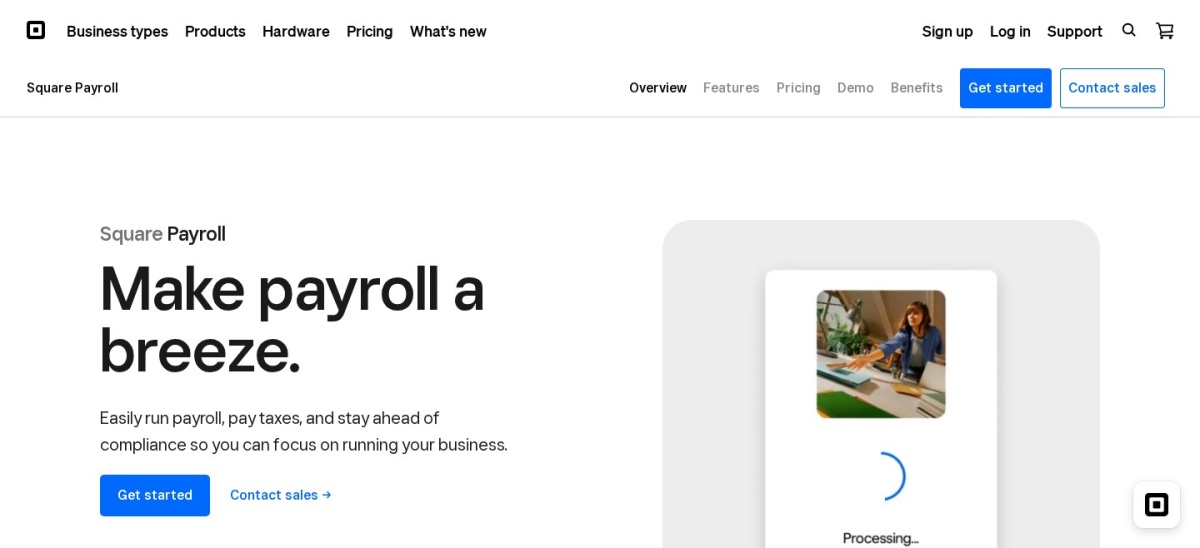
Square Payroll homepage, captured Nov 2026.
Square Payroll is a payroll service connected to Square's business management and payment ecosystem. Contractor-only payroll costs $6 per contractor paid monthly without a separate base fee, while full-service employee payroll costs $35 per month plus $6 per person and includes automated tax filing, direct deposit, and unlimited pay runs.
The trade off is that its cheapest option only supports contractor payments, not standard employee payroll. Full-service payroll starts at $35 per month plus employee charges, making it more expensive than the contractor-only option. It suits retail stores, restaurants, and other businesses already managing hours and payments with Square.
What we like
Low-cost contractor-only payroll option
Integrates with Square point-of-sale and time-tracking tools
Unlimited payroll runs
Automated payroll tax filing in the full-service plan
Supports tip tracking and hourly workers
Watch out for
Contractor-only pricing does not cover employee payroll
Some integrated management features depend on other Square services
Businesses outside the Square ecosystem may gain less integration value
4.4/5on Capterra (1,727 reviews, checked Nov 2026)
Starts at$40/mo
Best for payroll connected to bookkeeping
Base subscription$40/mo
Employee fee$6/active employee/mo
Contractor fee$6/contractor paid
Accounting connectionAutomatic journal entries
waveapps.com
Wave Payroll homepage, captured Nov 2026.
Wave Payroll is a payroll service integrated with Wave's accounting and invoicing software. It costs $40 per month plus $6 per active employee or contractor paid and includes direct deposit, employee access to pay information, payroll tax services, and automatic payroll journal entries in Wave accounting.
The trade off is that its base subscription costs more than several dedicated payroll alternatives, and its strongest advantage depends on using Wave's financial tools. At $40 per month plus worker charges, it suits small businesses already handling invoices, expenses, and bookkeeping in Wave.
What we like
Automatic payroll journal entries
Connects payroll with invoicing and bookkeeping
Supports employee and contractor payments
Employee self-service access to payroll information
Automatic payroll tax services
Watch out for
Higher base price than Patriot and SurePayroll
Less compelling for businesses using another accounting platform
Additional employee and contractor charges apply
The paid payroll subscription adds payroll processing, tax services, direct deposit, and accounting synchronization.Visit waveapps.com
05
Gusto
4.6/5on Capterra (4,458 reviews, checked Nov 2026)
Starts at$49/mo
Best for affordable payroll with employee benefits
Simple base$49/mo
Worker fee$6/person/mo
Payroll runsUnlimited
Tax filingIncluded
gusto.com
Gusto homepage, captured Nov 2026.
Gusto is a payroll and HR platform that combines employee payments, payroll tax administration, benefits, and employee management. Its Simple plan costs $49 per month plus $6 per person and includes unlimited payroll runs, tax filings and payments, basic paid-time-off policies, and holiday pay.
The trade off is that its entry plan limits more advanced workforce features, including broader payroll coverage, scheduling, and time tracking. These features are available in Plus at $80 per month plus $12 per person. It suits growing businesses willing to pay more for payroll and benefits management in one service.
What we like
Payroll and employee benefits in one platform
Unlimited payroll runs in the entry plan
Automatic payroll tax filings and payments
Employee management and paid-time-off features
Large Capterra review base
Watch out for
Higher starting price than basic payroll services
Time tracking and scheduling require a higher plan
Per-person fees increase as the team expands
Plus adds time tracking, scheduling, and broader payroll capabilities.Visit gusto.com
06
OnPay
4.8/5on Capterra (471 reviews, checked Nov 2026)
Starts at$49/mo
Best for straightforward full-service payroll
Payroll Essentials$49/mo
Worker fee$6/worker/mo
Payroll runsUnlimited
Tax filingIncluded
onpay.com
OnPay homepage, captured Nov 2026.
OnPay is a full-service payroll platform focused on small businesses and their payroll administration needs. Payroll Essentials costs $49 per month plus $6 per worker and includes unlimited payroll runs, federal and local payroll tax filings, year-end forms, payroll schedules, and support through phone, chat, and email.
The trade off is that its $49 base price is higher than budget-first competitors, while additional HR and time-tracking services have separate charges. It suits businesses that value predictable payroll pricing, tax administration, and support rather than choosing the absolute lowest subscription.
4.6/5on Capterra (1,164 reviews, checked Nov 2026)
Paid from$49/mo
Best for hourly employees and shift-based teams
Free scheduling1 location, up to 10 employees
Standard payroll base$49/mo
Payroll worker fee$6/employee/mo
Tax filingAutomatic
joinhomebase.com
Homebase homepage, captured Nov 2026.
Homebase is a workforce management platform combining employee scheduling, time tracking, and optional payroll processing. Its free Basic plan supports scheduling and time tracking for one location with up to 10 employees, while the standard payroll add-on costs $49 per month plus $6 per employee and includes automated tax filing and employee onboarding.
The trade off is that free scheduling does not mean free payroll, and advanced workforce management features require separate subscriptions. Homebase advertises a limited introductory payroll offer, but its published standard payroll rate is $49 per month plus worker fees. It suits restaurants, retail businesses, and other hourly teams that need scheduling and payroll connected.
What we like
Free basic scheduling and time tracking
Integrated payroll and employee onboarding
Automatic tax filing
Useful for hourly workers and changing schedules
Works with paid workforce management plans
Watch out for
Payroll is a paid add-on
Advanced scheduling and HR features cost extra
Standard payroll pricing is higher than several competitors
Free scheduling has employee and location limits
The payroll add-on enables direct payments, onboarding, wage calculations, and automatic tax filing.Visit joinhomebase.com
How much does cheap payroll software actually cost?
The advertised monthly base fee is only part of a payroll subscription. Many providers add a charge for each employee or contractor paid, while optional HR, scheduling, and tax services may increase the final amount.
For example, Patriot Basic Payroll charges $17 per month plus $4 per worker. A business paying five workers would spend $37 per month before optional services. Patriot Full Service would cost $62 per month for the same team and includes automatic tax filing.
SurePayroll Full Service costs $29 per month plus $7 per employee, making the equivalent five-employee subscription $64 monthly. Square's full-service plan would cost $65 monthly, based on its $35 base fee and $6 per-person charge.
The cheapest provider therefore depends on workforce size, whether tax filing is required, and which existing business tools you use. Compare recurring costs at your expected headcount rather than focusing on the introductory promotion.
Should you choose basic or full-service payroll?
Basic payroll software generally calculates wages, deductions, and payroll taxes while allowing businesses to run payments and produce payroll reports. The lowest-priced plans may leave tax deposits and filings to the employer.
Full-service payroll adds automatic tax payments and filings, reducing manual administration. SurePayroll, Square Payroll, Wave Payroll, Gusto, and OnPay include tax administration in their relevant full-service subscriptions.
Patriot provides a clear illustration of the difference. Basic Payroll starts at $17 per month plus $4 per worker, while Full Service starts at $37 per month plus $5 per worker.
If you already have reliable bookkeeping support, basic payroll may be sufficient. If you prefer to delegate tax administration, paying for a full-service plan can reduce recurring work and the risk of missing administrative deadlines.
How we chose
We selected established payroll platforms with publicly available product information, published subscription prices, and meaningful customer review histories. We prioritized services offering straightforward payroll administration, affordable entry plans, automatic tax filing options, and features relevant to small teams.
Pricing pages and public review listings were checked on 22 Nov 2026 for this comparison's stated verification date. Standard subscription rates are shown instead of introductory discounts, with per-worker fees identified separately. Ratings and review counts are attributed to Capterra, and the comparison uses publicly available documentation rather than product testing.
We excluded providers without sufficiently transparent entry pricing, products with limited review evidence, and services whose available pricing could not be confirmed from official pages. We also distinguished contractor-only payroll from full employee payroll to avoid misleading price comparisons. No vendor paid for a place, and we do not claim testing for this list.
How to choose the best cheap payroll software
Compare your workforce size, tax responsibilities, and existing business tools before selecting a payroll subscription. The following steps help you identify the lowest practical cost without sacrificing essential features.
Calculate your full monthly cost. Add the base subscription to all employee and contractor charges. Include any required HR, time-tracking, tax filing, or additional payroll services rather than comparing only the advertised starting prices.
Decide who will handle payroll taxes. Choose basic payroll if you have the resources to prepare and submit filings yourself. Consider full-service payroll if automatic tax deposits and filings would reduce administrative work and simplify recurring obligations.
Check your existing software integrations. Businesses already using Square for payments or Wave for accounting may benefit from their connected payroll products. Hourly teams using Homebase scheduling should compare the convenience of its integrated payroll option.
Review support and growth requirements. Consider payroll frequency, payment timing, employee self-service, benefits, accounting exports, and the availability of customer support. Choose a platform that can handle a larger workforce without forcing an expensive migration.
FAQ
What is the cheapest payroll software for small businesses?
Patriot Payroll has the lowest standard base fee among the products compared here. Its Basic Payroll plan costs $17 per month plus $4 per worker. However, it does not automatically file payroll taxes. Businesses needing full-service payroll should compare SurePayroll, Patriot Full Service, and Square Payroll.
Is there any completely free payroll software?
Some workforce management platforms offer free scheduling or time tracking, but that does not necessarily include payroll processing. Homebase provides free basic scheduling for qualifying small teams, while payroll requires a paid add-on. Businesses should verify whether any advertised free product actually processes wages and handles tax obligations.
How much does payroll software cost per month?
The providers in this comparison advertise standard base fees starting at $17 per month for basic employee payroll. Full-service subscriptions commonly combine a base fee with an additional monthly worker charge. Your total cost depends on how many people you pay and whether you need optional management features.
Does cheap payroll software automatically file payroll taxes?
Some affordable plans include automatic tax filings, while others only calculate payroll obligations. Patriot Basic requires businesses to handle filings themselves. SurePayroll Full Service, Square Full-Service Payroll, Wave Payroll, Gusto Simple, and OnPay include payroll tax services in their published offerings.
Which affordable payroll software is best for a small retail business?
Square Payroll is a practical option for businesses already using Square payment and workforce management tools. Its full-service plan connects payroll with time information and tip management. Homebase is another option for retailers that prioritize scheduling, shift changes, and hourly employee management.
Is Patriot Payroll cheaper than Gusto?
Patriot has a lower starting subscription. Its Basic plan costs $17 per month plus $4 per worker, while Gusto Simple costs $49 per month plus $6 per person. The comparison changes when tax filing is considered because Patriot Basic requires manual tax administration, whereas Gusto includes payroll tax services.
Which payroll software is best for paying contractors?
Square Payroll offers a contractor-only option costing $6 per contractor paid each month without the standard full-service payroll base fee. Patriot, SurePayroll, Wave, and OnPay also support contractor payments. The better choice depends on whether you pay only contractors or also have regular employees.
Can payroll software integrate with accounting software?
Yes. Several payroll services connect with accounting platforms or provide payroll reports for bookkeeping. Wave Payroll automatically creates payroll journal entries within Wave accounting, while other providers support accounting integrations. Check compatibility with your existing accounting system before subscribing.
Is paying annually cheaper than monthly payroll subscriptions?
Payroll services often publish monthly base fees plus monthly worker charges rather than offering a single annual subscription. Annual comparison figures are therefore useful for budgeting but do not always represent a prepaid annual contract. Check billing terms, promotional periods, cancellation policies, and any employee-based charges before purchasing.