Best Collage Maker Software in 2026: 8 Tools Compared
WLWPLegible EditorsLast verified 24 Nov 2026How we rank7 min read
★ Short answer
Canva is the best collage maker software, with the largest template library, a free plan and Pro from $144 a year, plus the highest G2 rating in this list, while FotoJet is the best free option with no sign-up and Google Photos is the fastest free grid maker.
How we make this list: we compare pricing pages, product documentation and public user reviews, then re-check every price before each update. No product paid for a place. Disclosure.
Canva holds the highest G2 rating here at 4.7 out of 5 from 7,678 reviews, with a free plan and Pro from $144 a year.
FotoJet needs no sign-up and exports clean collages for free, with Plus at $6.99 a month or $39.99 a year.
Google Photos is the fastest free option for simple grids, with a 4.5 out of 5 rating on G2 from 814 reviews.
BeFunky is the cheapest paid option at $4.99 a month billed annually, and its free plan exports without a watermark.
PicMonkey is the only tool here with no free plan, starting at $7.99 a month for Basic after a 7-day trial.
What a collage maker should cover
A collage maker combines photos into layouts: grids, freestyle arrangements, mood boards and social posts, with text, stickers and filters on top.
Free plans differ on exports. Fotor watermarks free exports, while BeFunky, FotoJet and Google Photos export clean collages without paying.
Most tools are browser-based with a mobile app. Canva, Picsart and Google Photos work well on phones, while FotoJet and BeFunky are strongest in the browser.
Paid plans run from $4.99 to $18 a month. The extra money buys templates, stock photos, background removal and higher-resolution exports.
Canva is a design platform with the largest collage template library in this list, covering grids, mood boards, photo books and social posts. The free plan includes 250,000-plus templates and 5 GB of storage, and Pro costs $144 a year with 610,000-plus templates and 1 TB of storage.
The trade off is price confusion. Sources cite $120, $144 and $180 a year for Pro, so confirm the current figure on the pricing page. It suits anyone who wants collages inside a full design tool.
Adobe Express is Adobe's browser-based design tool with collage templates, photo editing and brand kits. The free plan covers the core tools, and Premium costs $9.99 a month with 25,000-plus licensed Adobe Stock photos and 100 GB of storage.
The trade off is template depth. It has fewer collage-specific layouts than Canva, and the best stock assets sit behind Premium. It suits Adobe users who want collages inside the Adobe ecosystem.
Fotor is a photo editor and collage maker with templates, filters and AI tools in the browser and on mobile. The free plan covers the basics with watermarked exports, and Pro costs $8.99 a month or $39.99 a year with no watermark and more templates.
The trade off is the watermark. Free exports carry a watermark, so the free plan suits drafts rather than finished work. It suits users who want photo editing and collages in one tool.
Picsart is a creative photo editor with collage tools, stickers, filters and AI features, popular on mobile. The free plan covers the core tools, and Pro costs $15 a month or $126 a year with premium content, fonts and AI tools.
The trade off is mobile focus. The browser version is thinner than the app, and the best content needs Pro. It suits social creators who make collages on their phone.
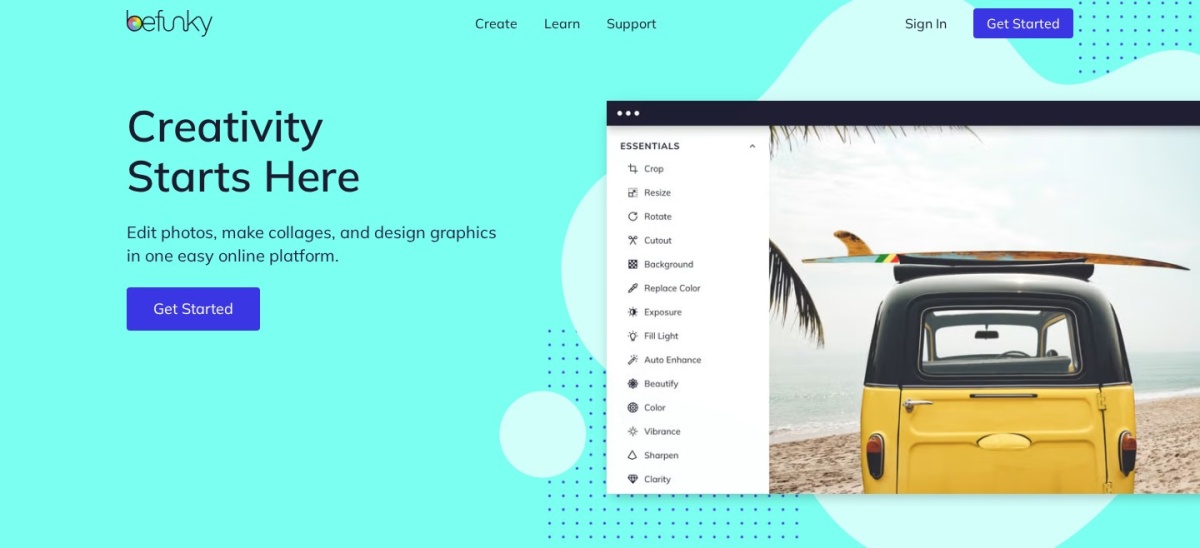
BeFunky is a browser-based photo editor and collage maker with layouts, filters and text tools. The free plan exports without a watermark, and Plus costs from $4.99 a month billed annually with more templates and no ads.
The trade off is the small review base. Its 4.2 out of 5 rating on G2 rests on only 108 reviews, and the template library is smaller than Canva's. It suits users who want a cheap, clean free export.
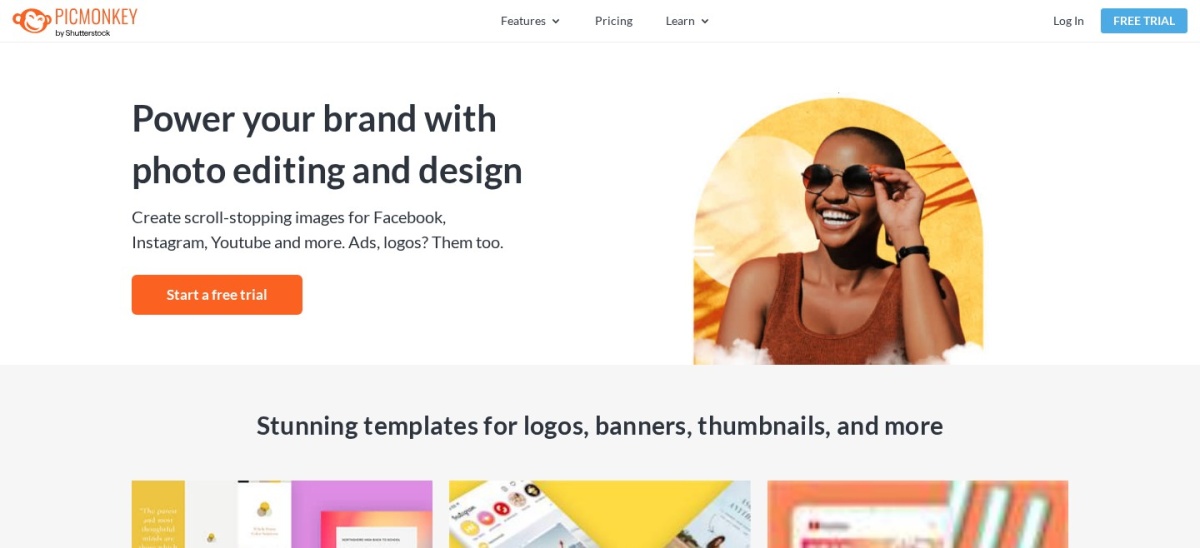
PicMonkey is a browser-based photo editor and design tool for making collages, social posts and marketing graphics. Basic starts at $7.99 a month, and Pro at $12.99 a month adds more templates, stock photos and storage, with a 7-day free trial and no free plan.
The trade off is the missing free plan. It is the only tool here that charges from the start, though the trial lets you test it. It suits small businesses that want collages and marketing graphics in one place.
FotoJet is a browser collage maker with more than 800 layouts that needs no sign-up to start. The free plan exports clean collages, and Plus costs $6.99 a month or $39.99 a year with more templates and no ads.
The trade off is the thin review base. Its 4.3 out of 5 rating on G2 rests on only 73 reviews, and it lacks the photo editing depth of Canva or Fotor. It suits users who want a fast collage with no account.
Google Photos is a photo library that makes collages automatically from your existing photos, with grids of up to six on mobile and nine on the web. It is free with a Google account, and it is the fastest option for simple collages from photos you already have.
The trade off is control. You cannot design freestyle layouts or add text and stickers the way Canva or Picsart allow. It suits users who want quick grids from their own photo library.
BeFunky, FotoJet and Google Photos export clean collages for free, with no watermark and no payment. Canva and Adobe Express also export free collages, though at lower resolution or with fewer templates.
Fotor watermarks free exports, so the free plan suits drafts rather than finished work. Picsart limits premium content and AI tools to Pro.
PicMonkey is the only tool here with no free plan at all, starting at $7.99 a month after a 7-day trial.
If the watermark matters, start with BeFunky or FotoJet. If templates matter more, Canva's free plan covers 250,000 of them.
How we chose
We started from the collage makers that appear in 2026 comparisons, then kept those with a verifiable rating on G2 and a published price or clear free plan.
Ratings and review counts come from G2 on 24 November 2026. Prices come from each vendor's pricing page or G2 pricing data supplied by the vendor. Where a vendor charges monthly or yearly, the list says so.
We left out tools with no verifiable rating on G2, Capterra or Trustpilot. PicCollage was dropped because its 4.9-star figure is an app-store rating, not a G2, Capterra or Trustpilot rating. No vendor paid for a place, and we do not claim hands-on testing for this list.
How to choose collage maker software
Start with where your photos live, then check the export watermark.
Check the export watermark first. Fotor watermarks free exports, while BeFunky, FotoJet and Google Photos do not. Test an export before you commit.
Count the layouts you need. FotoJet offers 800-plus layouts, Canva 250,000-plus templates on free. Pick the library that matches your style.
Decide if you need a mobile app. Canva, Picsart and Google Photos work well on phones. FotoJet and BeFunky are strongest in the browser.
Try the free plan for a week. Make five collages on the free plan and check the export quality, then decide if the paid plan is worth it.
FAQ
What is the best collage maker software?
Canva is the best collage maker software, with the largest template library, a free plan and Pro from $144 a year, plus the highest G2 rating in this list at 4.7 out of 5.
Is there a free collage maker?
Yes, FotoJet, BeFunky and Google Photos all export clean collages for free with no watermark. Canva and Adobe Express also offer free plans with large template libraries.
How much does Canva Pro cost?
Canva Pro costs $144 a year according to recent pricing roundups, though some sources cite $120 or $180 a year. Confirm the current figure on Canva's pricing page before you buy.
What is the best collage maker for phone?
Picsart is the best collage maker for phones, with stickers, filters and AI tools in a strong mobile app. Canva and Google Photos also work well on mobile.
Does Fotor watermark free collages?
Yes, Fotor watermarks free exports, so the free plan suits drafts rather than finished work. Pro at $8.99 a month or $39.99 a year removes the watermark and adds more templates and AI tools.
What is the cheapest collage maker?
BeFunky is the cheapest paid collage maker at $4.99 a month billed annually, and its free plan exports without a watermark. FotoJet Plus costs $6.99 a month.