Best Collaborative Video Editing Software in 2026: 7 Tools Compared
WLWPLegible EditorsLast verified 22 Nov 2026How we rank11 min read
★ Short answer
Kapwing is the best collaborative video editing software for browser-based teams, offering shared workspaces, version history and real-time editing with a free tier and a 4.4/5 rating on Capterra. Pick Adobe Premiere Pro for heavy timeline production with Frame.io review and Descript for transcript-based team edits.
How we make this list: we compare pricing pages, product documentation and public user reviews, then re-check every price before each update. No product paid for a place. Disclosure.
Kapwing gives browser teams shared folders, version history and real-time editing, starting with a free plan and Pro at $16/mo.
Adobe Premiere Pro pairs desktop and mobile editing with Frame.io review tools starting at $22.99/mo on an annual plan.
Descript lets teams edit video through text transcripts with live collaboration, with paid plans starting at $16/mo billed annually.
Frame.io focuses on frame-accurate review, version stacks and approvals, with a free tier for up to 2 members and Pro at $15/member/mo.
DaVinci Resolve includes a free version with multi-user collaboration, while Studio is a $295 one-time license per seat.
What to look for in collaborative video software
Video collaboration splits into two main workflows: co-editing the timeline or script together, and sharing cuts for timestamped comments and approvals.
Browser editors let teammates open a link without installing heavy apps or moving large raw files across drives. Desktop editors handle complex multi-track timelines, color and high-bitrate codecs better, but often need shared storage or review tools alongside them.
Check how a vendor charges for extra people before signing up. Some charge per editor seat or per workspace member, while external reviewers on a share link may be free.
Kapwing is a browser-based video editor built for social, marketing and training teams that want shared folders, commenting and real-time project editing. The free plan includes 5 GB of storage, 10 AI credits and 720p exports up to 4 minutes long with a watermark.
The trade off is browser limits and credit caps. Pro starts at $16 a month on annual billing for 4K exports, watermark-free video and 1,000 monthly credits, though large browser projects can feel slow. It suits marketing and content teams making short to mid-length videos in the cloud.
What we like
Runs in the browser with shared workspace folders and version history
Free plan available with no time limit to test the editor
Includes auto-subtitling, resizing and Brand Kit tools
Watch out for
Free exports cap at 720p and include a watermark
AI features draw from a monthly credit allowance
Heavy browser timelines can lag on long videos
Pro removes watermarks, unlocks 4K exports and adds 200 GB storageVisit kapwing.com
02
Adobe Premiere Pro
4.7/5on Capterra (614 reviews, checked Nov 2026)
Starts at$22.99/mo
Best professional timeline with Frame.io review
Free planNo, 7-day trial
Entry paid planPremiere, $22.99/mo annual
CollaborationFrame.io & shared projects
Cloud storage100 GB on entry plan
adobe.com
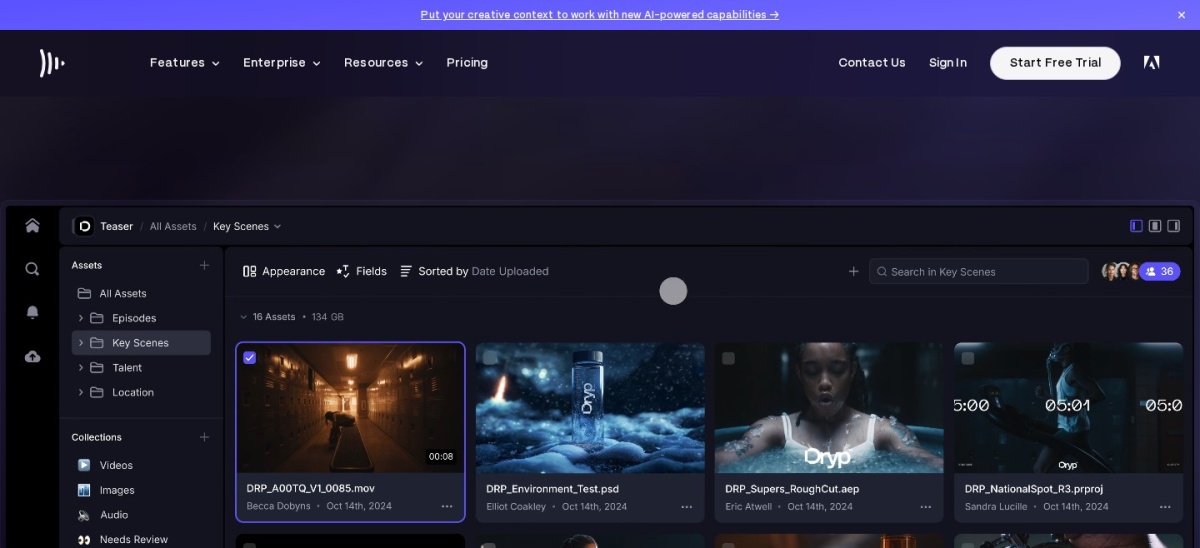
Adobe Premiere Pro homepage, captured Nov 2026.
Adobe Premiere Pro is a desktop and mobile video editor widely used for broadcast, agency and commercial production, paired with Frame.io for review and approvals. The individual Premiere plan starts at $22.99 a month on an annual plan billed monthly and includes 100 GB of cloud storage.
The trade off is ongoing subscription cost and hardware load. There is no free tier beyond a 7-day trial, and early cancellation on an annual plan can carry a fee. It suits professional editors and production teams that rely on deep timeline tools and Adobe apps.
What we like
Industry-standard multi-track timeline for complex edits
Includes Frame.io tools for video review and approval
Connects directly with After Effects, Photoshop and Audition
Watch out for
No permanent free version, only a 7-day trial
Recurring monthly or annual subscription cost
Demands solid CPU, GPU and memory on larger projects
Premiere for teams adds 1 TB storage, admin controls and version historyVisit adobe.com
03
Descript
4.6/5on G2 (938 reviews, checked Nov 2026)
Paid from$16/mo
Best for transcript-based team editing
Free planYes, 1 media hr/mo
Entry paid planHobbyist, $16/mo annual
CollaborationLive co-editing & comments
Max export4K on Creator and Business
descript.com
Descript homepage, captured Nov 2026.
Descript transcribes audio and video so teams can cut clips, remove filler words and collaborate by editing text alongside a timeline. The free plan includes 1 media hour per month, 5 GB of storage and 720p exports with a watermark.
The trade off is usage caps and AI credit limits. Hobbyist starts at $16 a month billed annually for 10 media hours and 400 AI credits a month for one person, while multi-editor seats cost more. It suits podcast, interview and tutorial teams that work around spoken scripts.
What we like
Fast text-based editing for interviews, podcasts and demos
Supports live collaboration, commenting and shareable web pages
Free plan lets you test transcription and text cuts first
Watch out for
Free exports are capped at 720p with a watermark
Media hours and AI credits reset monthly without rollover
Hobbyist covers 1 person and caps exports at 1080p
Creator and Business unlock 4K exports, higher hours and multi-seat scalingVisit descript.com
04
Frame.io
4.5/5on G2 (273 reviews, checked Nov 2026)
Paid from$15/mo
Best for frame-accurate review and approvals
Free planYes, 2 members & 2 GB
Entry paid planPro, $15/member/mo
CollaborationFrame comments & versions
IntegrationsPremiere Pro & Final Cut Pro
frame.io
Frame.io homepage, captured Nov 2026.
Frame.io centers on video review, version stacking and frame-accurate feedback with editors, clients and stakeholders. Its free plan supports up to 2 members, 2 projects and 2 GB of storage with free reviewers on share links.
The trade off is per-member pricing and storage limits. Pro starts at $15 per member per month and adds unlimited projects, 2 TB of storage and passphrase-protected shares. It suits creative teams and agencies that need tight client sign-off rather than browser timeline assembly.
What we like
Clear frame-accurate comments, annotations and version stacks
Reviewers on share links do not require paid member seats
Integrates with Premiere Pro, After Effects and Final Cut Pro
Watch out for
Free plan limits you to 2 members, 2 projects and 2 GB
Per-member pricing adds up as full workspace seats grow
Focused on review and workflow rather than full timeline editing
Pro and Team add unlimited projects, higher storage and share controlsVisit frame.io
05
WeVideo
4.6/5on Capterra (191 reviews, checked Nov 2026)
Paid from$4.99/mo
Best for classroom and training video projects
Free planYes, 5 min/mo & 480p
Entry paid planPower, $4.99/mo annual
CollaborationReal-time on Business & Edu
Max export4K on Unlimited and up
wevideo.com
WeVideo homepage, captured Nov 2026.
WeVideo is a cloud video editor used across creators, businesses, schools and training programs. The free tier includes 1 GB of storage and up to 5 minutes of published video per month at 480p with a watermark.
The trade off is feature gating across plans. The Power plan lists at $4.99 a month billed annually for 30 minutes of publishing at 720p, while real-time team collaboration sits on Business and education plans. It suits educators, trainers and small teams wanting browser access.
What we like
Low entry price on annual billing with a free tier
Dedicated plans for teachers, classrooms and organizations
Includes screen and webcam recording plus stock media
Watch out for
Free plan caps publishing at 5 minutes per month and 480p
Entry Power plan stays at 720p with 30 minutes per month
Real-time team collaboration requires higher-tier plans
Higher plans unlock 4K exports, unlimited publishing and team spacesVisit wevideo.com
06
DaVinci Resolve
4.8/5on Capterra (273 reviews, checked Nov 2026)
Paid from$295 one-time
Best one-time studio tool with multi-user editing
Free planYes, up to 4K 60fps
Paid licenseStudio, $295 one-time
CollaborationMulti-user & Blackmagic Cloud
Max export4K 60fps free; 32K 120fps Studio
blackmagicdesign.com
DaVinci Resolve homepage, captured Nov 2026.
DaVinci Resolve combines timeline editing, color grading, Fairlight audio and Fusion VFX in one desktop app with multi-user collaboration. The free version supports editing and finishing up to 4K at 60fps and includes multi-user project collaboration.
The trade off is a steeper learning curve and heavy hardware requirements. Studio is a $295 one-time license per seat that adds neural AI tools, higher frame rates and extra effects, and Blackmagic lists a temporary special price on its site. It suits post-production editors and colorists who want to avoid subscriptions.
What we like
Generous free version with multi-user collaboration included
One-time $295 Studio license rather than a recurring subscription
Strong color grading, audio mixing and visual effects in one app
Watch out for
Steeper learning curve than browser or text-based editors
Needs strong GPU and RAM for smooth high-resolution playback
Studio is licensed per seat for advanced AI and 32K output
VEED is an online video editor focused on fast social cuts, automatic subtitles, translation and team spaces with timestamped comments. Its free plan lets you try browser editing and export 720p videos with a watermark.
The trade off is per-seat scaling and AI credit rules. Creator starts at $12 a month billed annually for watermark-free 1080p exports, while higher tiers and extra seats increase team costs. It suits marketing and social teams that prioritize captions and quick turnaround.
What we like
Quick browser workflow with auto-subtitles and translation tools
Timestamped comments and shared team spaces for feedback
Free plan available for basic testing before upgrading
Watch out for
Free exports carry a watermark and cap at 720p
Plans scale per editor seat as your team grows
Less suited to heavy multi-track post-production than desktop NLEs
Higher plans unlock 4K exports, Brand Kits and larger AI allowancesVisit veed.io
Co-editing vs review: pick the right model
Many teams buy a video editor when their real bottleneck is review and sign-off. A tool like Frame.io helps stakeholders leave frame-accurate notes without giving everyone full editing access.
Browser editors such as Kapwing and VEED keep editing, subtitles and comments in one place for fast social and marketing work.
Desktop suites like Adobe Premiere Pro and DaVinci Resolve give you deeper control over footage, color and audio, but require more setup and hardware.
How we chose
We selected established video editing and collaboration tools that support team workflows, shared workspaces, transcript editing or timestamped review.
Prices come from each vendor's pricing page, and public ratings come from Capterra or G2, checked on 22 November 2026. Where a vendor shows a promotional discount, the ladder and specs use the regular listed price.
We excluded discontinued tools and products without clear public pricing or team collaboration features. No vendor paid for a place, and we do not claim testing for this list.
How to choose collaborative video editing software
Match the tool to how your team edits, reviews and bills seats.
Decide who edits versus who only reviews. If clients or managers only leave notes, a review workflow like Frame.io avoids paying for full editing seats.
Check browser speed against desktop power. Browser tools like Kapwing and VEED work from any laptop, while Premiere Pro and DaVinci Resolve handle heavier timelines.
Calculate per-seat costs at your full team size. Check how monthly, annual or one-time pricing changes when you add a second, third or fifth editor.
Test exports and limits on a real project. Check resolution caps, watermarks, storage quotas and AI credit rules before committing a team.
FAQ
What is the best collaborative video editing software?
Kapwing is a strong choice for browser teams needing shared folders, version history and real-time editing. Adobe Premiere Pro fits professional timeline teams, and Frame.io is built for frame-accurate review and approvals.
Can two people edit the same video at once?
Yes, depending on the tool. Kapwing and Descript support live collaborative editing, and DaVinci Resolve supports multi-user collaboration, while some review tools focus on comments and version stacks.
Do external clients need a paid seat to leave feedback?
Not always. Frame.io allows free reviewers on share links, and browser editors let you control link access and comments, though full workspace editors usually require a paid seat.
Is browser video editing good enough for business teams?
For social videos, ads, tutorials and marketing clips, browser editors like Kapwing and VEED are often fast and easy to share. Complex multi-cam or heavy color work usually favors desktop software.
How does one-time pricing compare to a subscription?
A one-time license such as DaVinci Resolve Studio at $295 avoids ongoing monthly fees, while subscriptions like Premiere Pro or Kapwing spread costs over time and include cloud services or ongoing updates.
What should we check on a pricing page before buying?
Check whether the price is per person or per workspace, whether it requires annual billing, and what limits apply to storage, export resolution and AI credits.