WLWPLegible EditorsLast verified 22 Nov 2026How we rank10 min read
★ Short answer
Adobe After Effects is the best animator software for professional motion graphics and visual effects, earning 4.7/5 from 450 Capterra reviews. Choose CreateStudio for approachable character animation or Vyond for business explainers and employee training videos.
How we make this list: we compare pricing pages, product documentation and public user reviews, then re-check every price before each update. No product paid for a place. Disclosure.
Adobe After Effects costs $22.99 per month with an annual commitment and scores 4.7/5 on Capterra.
CreateStudio offers its Standard subscription for $199 per year and has a 4.8/5 Capterra rating.
Vyond Starter costs $699 per year and includes 10,000 monthly credits.
Mango Animation Maker offers a $99 perpetual license for its Professional edition.
Powtoon Lite includes 5 premium exports per month and supports videos up to 10 minutes long.
What to look for in animator software
Animation software ranges from professional motion graphics editors to template-based video makers. The right choice depends on whether you want to animate original artwork, build characters, produce cartoons or create business explainers.
Professional animators should prioritize keyframe controls, motion paths, layer management and compositing. These features provide greater control over movement, timing and the appearance of individual objects.
Beginners and marketing teams may benefit more from ready-made characters, reusable scenes, voiceover tools and preset animations. These features reduce the time needed to produce videos without requiring drawing or advanced editing skills.
Check export resolution, watermarks, commercial usage rights and subscription limits before purchasing. An inexpensive animation editor may require upgrades to deliver the video quality or licensing terms your projects need.
Best for professional motion graphics and animation
PlatformDesktop
Keyframe animationIncluded
Visual effectsIncluded
BillingAnnual commitment, billed monthly
adobe.com
Adobe After Effects homepage, captured Nov 2026.
Adobe After Effects is a professional motion graphics, compositing and animation application available for $22.99 per month with an annual commitment. It supports animated typography, character movement, motion tracking and layered visual effects for video projects.
The trade off is a demanding learning curve and an ongoing subscription costing $22.99 per month. Complex compositions can also require substantial computing resources. It suits motion designers, video editors and professional animators who need detailed creative control.
What we like
Precise keyframe and movement controls
Advanced compositing and visual effects
Integration with Adobe creative applications
Supports custom motion graphics and character animation
Watch out for
No permanent free plan
Steep learning curve for beginners
Complex projects can require capable hardware
The single-app subscription includes the full motion graphics editor.Visit adobe.com
02
CreateStudio
4.8/5on Capterra (580 reviews, checked Nov 2026)
Starts at$199/yr
Best for beginner-friendly character animation
PlatformDesktop
Entry planStandard
Monthly alternative$27/mo
Animation approachCharacters, presets and timelines
createstudio.com
CreateStudio homepage, captured Nov 2026.
CreateStudio is a video animation editor combining customizable characters, motion presets and timeline editing. Its Standard subscription costs $199 per year or $27 per month, providing an accessible starting point for animated explainers and promotional videos.
The trade off is that broader access to premium resources requires higher subscription tiers, while the $199 annual Standard plan requires an active subscription. It suits freelancers, content creators and small businesses producing character-driven videos without building every asset manually.
What we like
Approachable character animation workflow
Reusable motion presets
Supports custom animation and timeline editing
Suitable for explainers and promotional content
Watch out for
Premium resources vary by subscription tier
Less suited to advanced compositing than After Effects
Requires an active subscription under standard pricing
Standard provides the animation editor, with broader resources on higher plans.Visit createstudio.com
03
Vyond
4.7/5on Capterra (267 reviews, checked Nov 2026)
Starts at$699/yr
Best for business animation and training videos
PlatformWeb browser
Monthly credits10,000
Video export1080p
Monthly alternative$99/mo
vyond.com
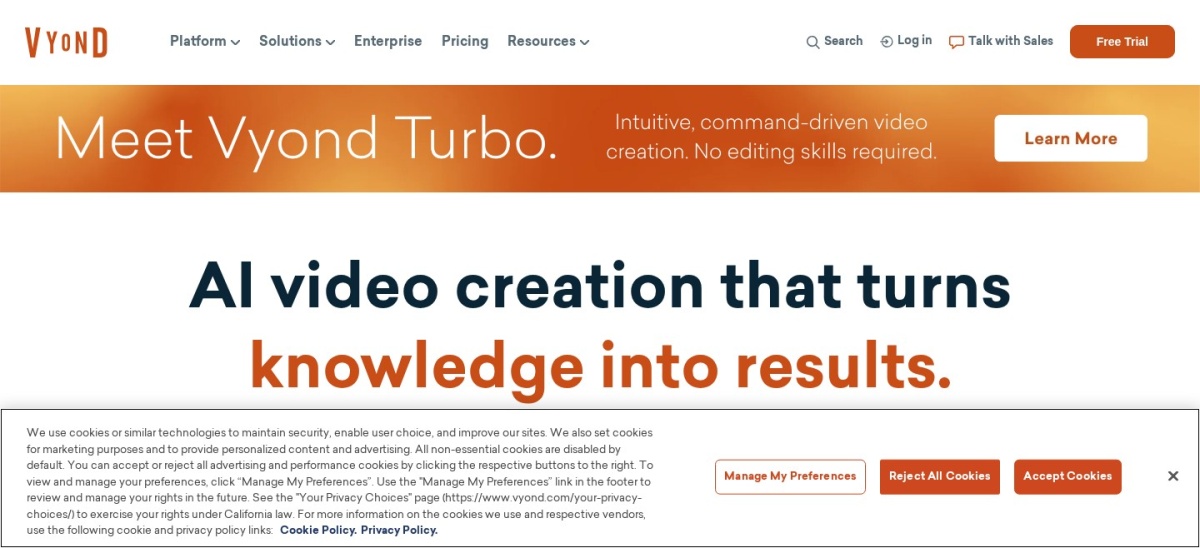
Vyond homepage, captured Nov 2026.
Vyond is an online animation platform for business explainers, training materials and internal communications. Its $699 annual Starter subscription includes character-based video creation, AI-assisted production, voice generation and 10,000 monthly credits.
The trade off is the relatively high entry price of $699 per year, with collaboration and additional stock resources reserved for more expensive plans. It suits corporate training departments and business content teams producing animated videos regularly.
What we like
Customizable animated business characters
Browser-based production workflow
Built-in voice generation
Full HD video exports on the entry plan
Watch out for
Expensive for occasional animation projects
Team collaboration requires a higher plan
AI usage is subject to credit limits
Starter includes animated scenes, voice tools and monthly generation credits.Visit vyond.com
04
Animaker
4.2/5on Capterra (236 reviews, checked Nov 2026)
Paid from$15/mo
Best for animated social media videos
PlatformWeb browser
Entry planBasic
Free exportsWatermarked
Paid exportsWithout watermark
animaker.com
Animaker homepage, captured Nov 2026.
Animaker is a browser-based animation platform for cartoons, explainer videos and social media content. Its official pricing FAQ identifies Basic at $15 per month as the cheapest paid subscription, allowing users to export animations without the Animaker watermark.
The trade off is that download allowances, asset access and advanced production features depend on your subscription tier. The $15 Basic plan removes branding, but demanding projects may require an upgrade. It suits social media creators and small marketing teams producing short animated videos.
What we like
Accessible browser-based animation editor
Customizable characters and video templates
Permanent free plan available
Supports animated and live-action content
Watch out for
Free exports contain branding
Premium downloads are subject to plan limits
Advanced production features require higher subscriptions
Best for animated presentations and educational videos
PlatformWeb browser
Premium exports5/mo on Lite
Maximum video length10 minutes on Lite
Video formatMP4
powtoon.com
Powtoon homepage, captured Nov 2026.
Powtoon is an online animation and presentation maker for educational content, business communications and visual storytelling. Its Lite subscription costs $240 per year and includes 5 monthly premium exports, MP4 downloads and videos up to 10 minutes long without Powtoon branding.
The trade off is the export allowance and restricted access to premium resources on the $240 annual Lite plan. Frequent video production or longer presentations may require a higher subscription. It suits educators, trainers and presenters who want animated content without traditional animation workflows.
What we like
Templates for presentations and educational content
Accessible online editing interface
Supports animated characters and visual storytelling
Free plan for exploring the editor
Watch out for
Limited premium exports on Lite
Entry subscription restricts video duration
Less control than professional timeline-based editors
Lite adds unbranded exports and downloadable MP4 videos.Visit powtoon.com
06
Mango Animation Maker
4.8/5on Capterra (28 reviews, checked Nov 2026)
Paid from$99 one-time
Best for animation without recurring subscription fees
PlatformWindows and macOS
Entry licenseProfessional
Professional resolution720p
Professional cloud storage50 GB
mangoanimate.com
Mango Animation Maker homepage, captured Nov 2026.
Mango Animation Maker is a desktop animation application for cartoons, explainers, promotional videos and animated GIFs. Its Professional perpetual license costs $99 and includes watermark removal, 720p video output and 50 GB of cloud storage.
The trade off is that the $99 Professional license limits video resolution compared with the $299 Enterprise edition, which supports higher-quality exports. Its independent review base is also smaller than competing products. It suits budget-conscious creators who prefer a perpetual software license.
What we like
Perpetual license available
Permanent free edition
Ready-made animated characters and templates
Supports video and animated GIF creation
Watch out for
Professional edition limits output to 720p
Higher-resolution exports require Enterprise
Relatively small independent review base
Professional removes branding and increases export quality and storage.Visit mangoanimate.com
07
Adobe Animate
4.5/5on Capterra (43 reviews, checked Nov 2026)
Starts at$22.99/mo
Best for traditional vector animation workflows
PlatformDesktop
Animation styleVector and frame-by-frame
Interactive animationSupported
Development statusMaintenance mode
adobe.com
Adobe Animate homepage, captured Nov 2026.
Adobe Animate is a vector animation application for cartoons, interactive content and traditional frame-by-frame animation. Its individual subscription costs $22.99 per month with an annual commitment, providing drawing, timeline and interactive animation capabilities.
The trade off is that Adobe Animate entered maintenance mode in 2026, limiting future feature development despite continued maintenance. The subscription still costs $22.99 per month. It suits existing Animate users and illustrators with established vector animation workflows rather than buyers prioritizing new feature development.
What we like
Dedicated vector drawing and animation tools
Frame-by-frame animation capabilities
Supports interactive web animations
Established workflows for cartoon production
Watch out for
Product is in maintenance mode
No permanent free edition
Limited prospects for major new features
The paid subscription provides access to the maintained vector animation application.Visit adobe.com
Different types of animator software explained
Professional motion graphics software gives animators detailed control over individual objects, layers, visual effects and movement. Adobe After Effects fits this category and is particularly useful for animated typography, advertisements and compositing.
Traditional vector animation software focuses on drawing, character movement and frame-by-frame storytelling. Adobe Animate supports these workflows, although its maintenance status makes future product development an important purchasing consideration.
Template-based animation platforms such as Vyond, Animaker and Powtoon simplify production through reusable characters, backgrounds and animation presets. They are generally better suited to business communication and educational content than advanced animated films.
Desktop editors such as CreateStudio and Mango Animation Maker offer a middle ground between traditional animation applications and browser-based video makers. They combine reusable resources with editing tools that give creators more control over individual scenes.
How much does animator software cost?
The products compared here range from a $99 perpetual license for Mango Animation Maker to a $699 annual Starter subscription for Vyond. These prices reflect different production capabilities, licensing structures and intended audiences.
Adobe After Effects and Adobe Animate each cost $275.88 per year based on their advertised monthly prices with annual commitments. CreateStudio Standard costs $199 per year when purchased annually.
The price ladder represents the regular entry-level cost, with perpetual licenses shown at their initial purchase price. Standard annual billing discounts are included, but temporary promotional discounts are excluded.
Before purchasing, check whether the entry plan provides suitable export quality, sufficient downloads and commercial usage rights. These restrictions can affect your production budget more than the advertised starting price.
How we chose
We shortlisted established animation applications using Capterra product listings, official pricing pages and vendor documentation. The comparison considers animation capabilities, editing flexibility, export restrictions, learning requirements, pricing and suitability for different creative workflows.
Prices and ratings were checked on 24 Nov 2026 against official vendor information and Capterra review data. The publication fields retain the requested editorial date of 22 Nov 2026. Annual subscription costs use regular published prices, while perpetual licenses show their initial purchase cost.
We excluded products without confirmable official pricing, insufficient qualifying reviews or relevant animation capabilities. Adobe Animate remains included because it receives maintenance updates, but its maintenance status is disclosed. No vendor paid for a place, and we do not claim testing for this list.
How to choose the best animator software
Start by identifying the animation style, production requirements and budget that match your creative projects.
Choose software that matches your animation style. Select a professional motion graphics editor for detailed movement and visual effects. Choose a template-based platform for business explainers, animated presentations or social media videos.
Match editing complexity to your experience. Beginners may benefit from reusable characters and motion presets. Experienced animators should evaluate timeline controls, keyframe editing, compositing and the flexibility to create original movement.
Calculate the complete annual production cost. Compare regular subscription prices, perpetual licenses and additional charges for premium resources. Check whether video export limits, AI credits or commercial licensing restrictions could increase your expenses.
Review export options and long-term product support. Confirm that the software supports your preferred video resolution, file format and aspect ratio. Review current maintenance policies and update availability before committing to a long-term animation workflow.
FAQ
What is the best animator software in 2026?
Adobe After Effects is our top pick for professional animation, motion graphics and visual effects. It costs $22.99 per month with an annual commitment. CreateStudio is a more approachable alternative for beginners producing character animations and explainer videos.
What is the easiest animation software for beginners?
CreateStudio, Animaker and Powtoon are suitable starting points for beginners because they provide reusable characters, templates and animation presets. These features reduce the need for drawing skills or extensive knowledge of traditional animation techniques.
Is there free animator software without a subscription?
Animaker, Powtoon and Mango Animation Maker offer permanent free editions, although their free plans include limitations such as branded exports. Mango Animation Maker also provides a $99 perpetual Professional license for users who want to avoid recurring subscription payments.
Which animation software is best for business explainer videos?
Vyond is particularly suitable for business explainers and employee training videos. Its Starter subscription costs $699 annually and includes customizable animation resources, voice generation and full HD exports. CreateStudio offers a lower-priced alternative for smaller production budgets.
Can I create animations without knowing how to draw?
Yes. Template-based animation platforms provide reusable characters, backgrounds, props and preset movements. Animaker, Vyond, Powtoon and CreateStudio allow creators to build animated scenes without manually drawing every character or individual animation frame.
Is Adobe Animate still supported in 2026?
Adobe Animate remains available but is in maintenance mode. Adobe continues to maintain the application without pursuing its previous feature development roadmap. Existing users can continue established workflows, although new buyers should consider the implications for future capabilities.
What animation software offers a perpetual license?
Mango Animation Maker offers its Professional edition for a one-time payment of $99. The license provides an alternative to recurring subscriptions, although buyers needing higher-resolution video output should evaluate the more expensive Enterprise edition.
What is the difference between animation software and video editing software?
Animation software focuses on creating movement through characters, drawings, objects and visual elements. Video editing software primarily arranges and modifies existing footage. Some applications combine both functions, allowing creators to incorporate original animations into finished video projects.