Best Capture Card Software in 2026: 7 Tools Compared
WLWPLegible EditorsLast verified 22 Nov 2026How we rank11 min read
★ Short answer
OBS Studio is the best capture card software for most setups, giving you free, watermark-free 4K recording and live streaming with any HDMI or PCIe capture device. Streamlabs Desktop adds built-in alerts and overlays for solo streamers, while vMix handles multi-camera live switching starting at $60 one-time.
How we make this list: we compare pricing pages, product documentation and public user reviews, then re-check every price before each update. No product paid for a place. Disclosure.
OBS Studio leads the list at $0 forever with zero watermarks, unlimited scenes, and a 4.6/5 rating across 138 G2 reviews.
vMix offers the lowest-cost perpetual pro switcher license at $60 one-time for Basic HD, scaling up to $1,200 one-time for Pro.
XSplit Broadcaster starts at $59.99/yr (or $199.99 lifetime) to remove its 720p and 30 fps free-plan watermarks.
Bandicam costs $36.95/yr regular ($33.26/yr on sale) for lightweight local device recording without a 10-minute cap.
Browser-based studios like Restream ($190/yr billed yearly) and StreamYard ($431.88/yr billed yearly) take capture card feeds via webcam mode without local encoding load.
What to look for in capture card software
A capture card turns an HDMI or SDI signal from a console, camera, or second PC into a UVC video feed, while capture software decides how that feed is encoded, mixed, and saved. Good capture software detects standard UVC devices automatically, matches your input frame rate up to 60 fps or 144 fps, and lets you monitor audio without noticeable lip-sync drift.
Your first fork is local desktop software versus a browser-based studio. Desktop apps like OBS Studio and vMix encode directly on your GPU using NVENC, AMF, or Apple VideoToolbox, giving you full bitrate control and lossless local files. Browser studios such as StreamYard and Restream treat your capture card like a standard webcam, trading high-bitrate local control for easy remote guest links.
Pay attention to hardware encoder support and recording containers. Long console sessions or multi-camera shoots can lose hours of footage if an app crashes mid-write, so look for fragmented MP4 or MKV recording alongside hardware HEVC or AV1 encoding. Also check whether the free tier imposes resolution caps, time limits, or on-screen watermarks before you commit to a workflow.
OBS Studio is a free, open-source desktop studio that captures, mixes, and streams video from virtually any USB or PCIe capture card on Windows, macOS, and Linux. Every feature is unlocked at $0 with no watermarks, no time limits, unlimited scenes, multi-track audio recording, and native support for NVENC, AMD AMF, Apple Silicon, and AV1 hardware encoders.
The trade off is a steeper initial setup because OBS Studio leaves encoder bitrates, audio routing, and scene layouts for you to configure manually, with no built-in alert widgets or cloud multistreaming out of the box. It suits gamers, podcasters, and educators who want full control over capture quality without recurring fees.
What we like
Completely free with zero watermarks, resolution locks, or paid tiers
Works with any UVC, HDMI, or PCIe capture card across Windows, Mac, and Linux
Supports multi-track audio, fragmented MP4/MKV, and AV1/HEVC hardware encoding
Huge library of community plugins, Lua/Python scripts, and NDI integrations
Watch out for
No guided onboarding or built-in stream alerts without third-party add-ons
Requires manual audio delay tuning for some external USB capture cards
No paid plan exists; all recording, mixing, and plugin capabilities are permanently free.Visit obsproject.com
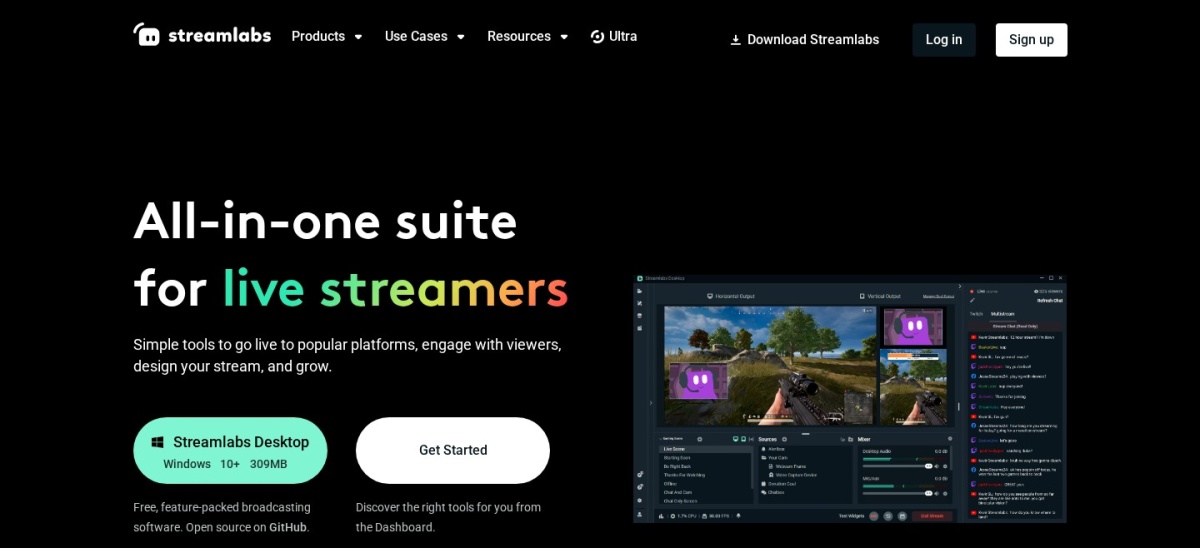
Streamlabs Desktop is a creator-focused broadcasting app built on the OBS engine that turns capture card feeds into ready-to-air streams with integrated alerts, chat boxes, and overlays. The free Starter plan includes 1080p capture, dual-output streaming to one horizontal and one vertical platform, no-cut tipping, basic Cloudbot moderation, and 1 GB of cloud storage.
The trade off is higher CPU and RAM usage than stock OBS Studio plus a $189/yr Ultra subscription ($27/mo billed monthly) if you want to multistream to three or more destinations or unlock the full overlay library. It suits solo streamers who prefer a single dashboard over wiring separate alert services.
Built-in alerts, chat overlay, Cloudbot, and zero-fee tipping on the free plan
Ultra subscription bundles Talk Studio Pro, Cross Clip Pro, and thousands of themes
Watch out for
Heavier system footprint than standard OBS Studio during high-bitrate capture
Multistreaming beyond two destinations requires the $189/yr Ultra plan
Streamlabs Ultra ($189/yr billed annually) unlocks unlimited multistreaming, full theme access, and 10 GB storage.Visit streamlabs.com
03
vMix
4.3/5on G2 (32 reviews, checked Nov 2026)
Starts at$60 one-time
Best for multi-camera live switching
PlatformWindows only
Entry resolution1080p (Basic HD)
Trial60-day unwatermarked free trial
Pro featuresNDI, instant replay, vMix Call
vmix.com
vMix homepage, captured Nov 2026.
vMix is a Windows live production and vision-mixing application that treats multiple HDMI, SDI, and NDI capture card inputs like a broadcast studio switcher. There is no permanent free tier, though a 60-day unwatermarked trial lets you test every feature before buying the entry Basic HD perpetual license for $60 one-time.
The trade off is that Basic HD caps inputs at 1080p with a single overlay channel, while 4K production jumps to $700 one-time and major version updates after 12 months cost $60/yr. It suits churches, event producers, and multi-camera studios running dedicated Windows production rigs.
What we like
Perpetual one-time licensing starts at $60 with no mandatory monthly fee
Handles multiple simultaneous capture cards, NDI sources, and live transitions
Generous 60-day watermark-free trial unlocks full Pro tools for testing
Watch out for
Windows only with no native macOS or Linux release
4K capture and instant replay require expensive $700 to $1,200 editions
Upgrading from Basic HD ($60) to HD ($350), 4K ($700), or Pro ($1,200) adds higher resolutions, 8 overlay channels, and MultiCorder.Visit vmix.com
04
XSplit Broadcaster
3.9/5on G2 (23 reviews, checked Nov 2026)
Paid from$59.99/yr
Best for beginner-friendly Windows setups
PlatformWindows only
Free limits4 scenes, 720p/30fps watermark-free
Paid max FPSUp to 240 fps
Lifetime price$199.99 one-time
xsplit.com
XSplit Broadcaster homepage, captured Nov 2026.
XSplit Broadcaster is a Windows live streaming and recording studio designed for quick drag-and-drop scene building with capture cards, webcams, and browser sources. Its free plan includes watermark-free streaming and recording up to 720p at 30 fps across four scenes, with native login integrations for YouTube, Twitch, and Facebook.
The trade off is an automatic XSplit watermark the moment you push a capture card above 720p or 30 fps, requiring the $59.99/yr Premium plan ($14.99/mo monthly or $199.99 lifetime). It suits Windows presenters and streamers who want a polished interface without OBS's plugin hunting.
What we like
Clean drag-and-drop canvas with built-in transitions and audio/video filters
Flexible billing includes $59.99/yr or a $199.99 one-time lifetime license
Direct OAuth login to major platforms avoids manual stream key setup
Watch out for
Free version watermarks any capture above 720p or 30 fps
Available only on Windows with no macOS support
Premium ($59.99/yr) removes watermarks above 720p/30fps and unlocks unlimited scenes, 240 fps capture, and multistreaming.Visit xsplit.com
05
Bandicam
4.4/5on G2 (42 reviews, checked Nov 2026)
Paid from$36.95/yr
Best for lightweight local device recording
PlatformWindows only
Max capture4K UHD up to 480 fps
Free limits10-minute cap + top watermark
Perpetual option$77.00 regular ($53.90 sale)
bandicam.com
Bandicam homepage, captured Nov 2026.
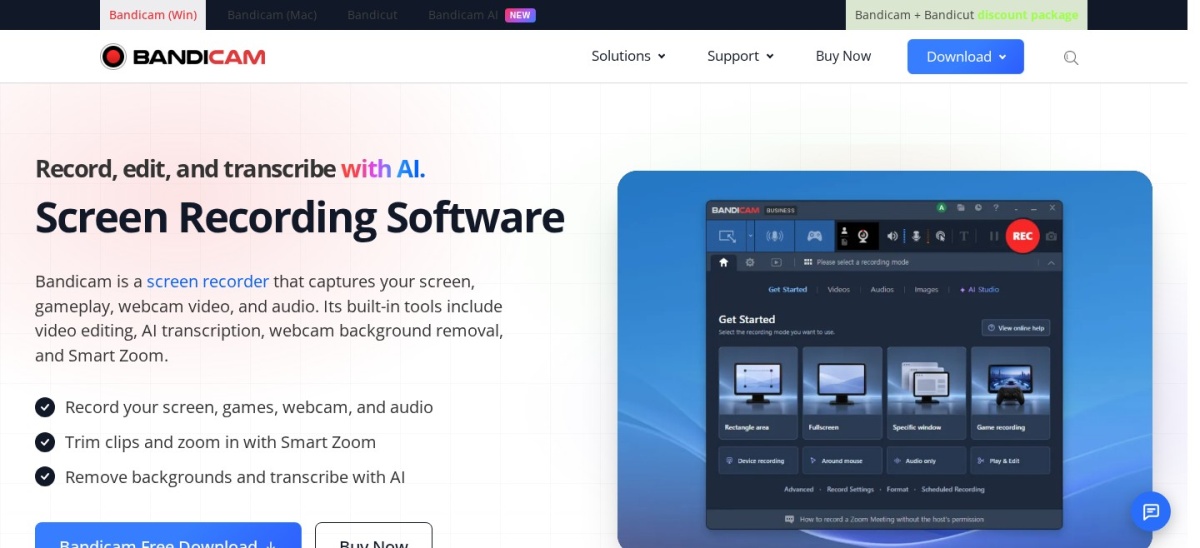
Bandicam is a lightweight Windows screen and external device recorder built specifically for capturing HDMI capture cards, consoles, and PC gameplay straight to compressed local MP4 or AVI files. The free version supports Device Recording Mode for external capture cards, hardware-accelerated H.264/HEVC encoding, and real-time screen drawing.
The trade off is a strict 10-minute recording limit and a permanent top watermark on free captures, which costs $36.95/yr regular ($33.26/yr on sale) or $77.00 one-time ($53.90 on sale) to remove. It suits Windows archivists who only want local files without streaming bloat.
What we like
Dedicated Device Recording Mode captures consoles and cameras with minimal CPU load
Supports 4K UHD capture, separate WAV audio tracks, and automatic file naming
Low entry cost with both annual and one-time personal license choices
Watch out for
No live streaming features or multi-scene broadcast mixing
Free edition caps clips at 10 minutes and embeds a prominent watermark
A Personal Annual license ($36.95/yr regular) removes the 10-minute recording cap and watermark on one Windows PC.Visit bandicam.com
06
Restream
4.5/5on G2 (85 reviews, checked Nov 2026)
Paid from$190/yr
Best for cloud multistreaming
PlatformsWeb browser + OBS/vMix RTMP
Free channels2 simultaneous destinations
Studio quality720p free/Standard, 1080p Pro
GuestsUp to 5 free, 9 on Standard
restream.io
Restream homepage, captured Nov 2026.
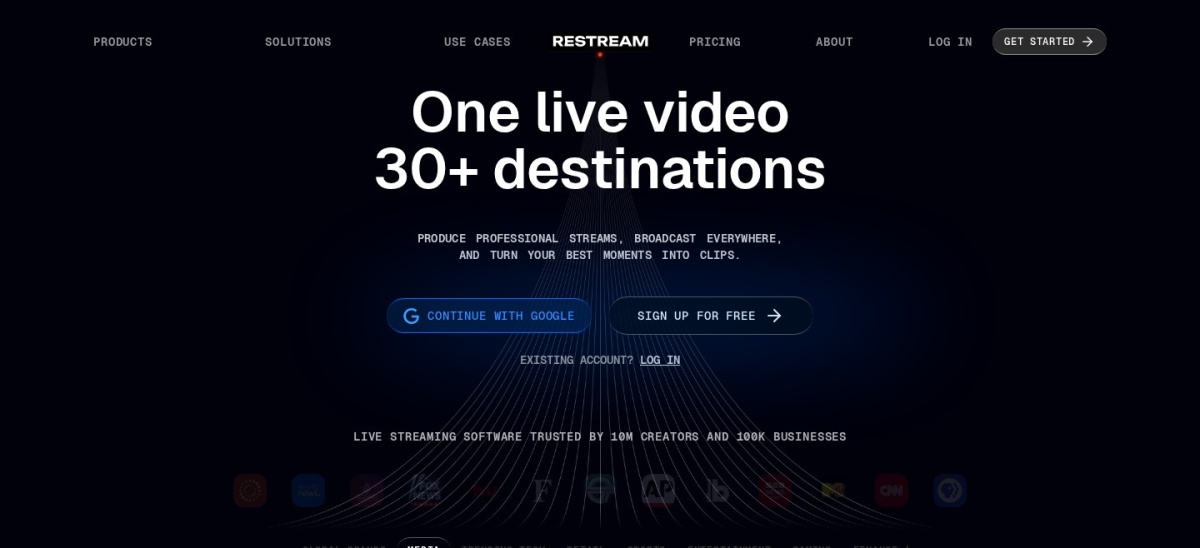
Restream is a browser-based live studio and cloud multistreaming relay that accepts a USB capture card directly as a camera input or ingests an RTMP feed from OBS Studio. The forever-free plan lets you broadcast simultaneously to two platforms, invite up to five on-screen guests, and unify chat across channels.
The trade off is a Restream watermark and 720p cap in the browser studio until you upgrade to Standard at $190/yr billed yearly ($19/mo monthly), while 1080p studio output requires Professional at $470/yr. It suits creators with limited upload bandwidth who want cloud-based multistreaming.
What we like
Offloads multi-platform stream encoding to the cloud so your local PC stays cool
Accepts capture cards directly in Chrome or relays high-bitrate feeds from OBS
Unified cross-platform chat and simple browser guest links included on free plan
Watch out for
Browser studio is capped at 720p until the $470/yr Professional plan
No local multi-track recording control comparable to native desktop encoders
Restream Standard ($190/yr billed annually) removes the Studio watermark, enables custom RTMP, and unlocks 3 channels.Visit restream.io
07
StreamYard
4.8/5on G2 (299 reviews, checked Nov 2026)
Paid from$431.88/yr
Best for browser-based guest shows
PlatformsWeb browser (Windows, Mac)
Free recording2 hours/mo local recording
Participants6 on-screen free, 10 on Core
Paid resolution1080p Core, 4K local Advanced
streamyard.com
StreamYard homepage, captured Nov 2026.
StreamYard is a browser-based live production studio that pulls in any UVC capture card as a camera source alongside up to six remote guests on its free tier. The free plan includes branded overlays, screen sharing, and two hours of local recording per month with no software installation.
The trade off is a visible StreamYard logo on free broadcasts and a steep jump to $431.88/yr billed annually ($44.99/mo monthly) for the Core plan to remove branding and unlock 1080p multistreaming. It suits interview hosts and podcasters who prioritize guest reliability over raw capture settings.
What we like
Highest G2 user rating on this list at 4.8/5 across 299 reviews
Capture card inputs work plug-and-play inside the browser with zero driver setup
On-screen comment overlays, banners, and guest links make live shows easy to run
Watch out for
Expensive entry paid tier at $431.88/yr just to remove the StreamYard watermark
4K local recording requires the $827.88/yr Advanced plan
StreamYard Core ($431.88/yr billed annually) removes branding, unlocks 1080p streaming, and expands to 3 destinations.Visit streamyard.com
What about free Elgato and AVerMedia companion apps?
Every major capture card brand bundles a free first-party recorder—such as Elgato Studio, Elgato 4K Capture Utility, and AVerMedia Streaming Center. These utilities are useful for updating card firmware, toggling HDR tone mapping, and saving quick Flashback clips without configuring scenes.
However, vendor utilities lock you to a single hardware brand and lack the cross-device flexibility, third-party plugin ecosystems, and broadcast mixing found in universal tools like OBS Studio or vMix. Use the manufacturer app for firmware and hardware settings, then route the card into one of the seven universal apps above for daily recording or streaming.
How we chose
We evaluated desktop and browser-based capture applications that accept standard UVC, HDMI, and PCIe capture cards across gaming, podcasting, and multi-camera live production workflows.
All user ratings, review counts, and regular subscription or perpetual license prices were verified on 22 Nov 2026 directly from official vendor pricing pages and G2 product profiles.
We excluded hardware-locked companion utilities that only recognize a single brand's capture cards, discontinued tools, and apps without verified public review histories. No vendor paid for a place, and we do not claim testing for this list.
How to choose capture card software
Match your capture card software to your operating system, encoder hardware, and whether you stream live or record locally.
Confirm OS and hardware encoder compatibility. Check that the app supports your operating system and your GPU's hardware encoder—such as NVIDIA NVENC, AMD AMF, or Apple VideoToolbox—so 4K or 60 fps capture does not overload your CPU.
Decide between local recording and live streaming. If you only archive console footage for editing, a lightweight local recorder like Bandicam or OBS Studio avoids cloud subscription costs. If you host remote guests or multistream, look at Streamlabs, Restream, or StreamYard.
Check free-tier resolution and watermark limits. Some free plans cap output at 720p/30fps or place a logo on higher-resolution feeds. Verify that your target capture resolution and frame rate are unwatermarked before building scenes.
Test audio sync and crash-safe recording formats. External USB capture cards often introduce 50 ms to 150 ms of audio delay. Choose software that offers per-source audio sync offsets and saves to fragmented MP4 or MKV so sudden power loss never corrupts a long recording.
FAQ
What is the best free capture card software?
OBS Studio is the best free capture card software because it is completely open source with no watermarks, time limits, or resolution caps. It works with almost any USB or PCIe capture card on Windows, macOS, and Linux and supports hardware AV1 and HEVC encoding.
Do I have to use Elgato or AVerMedia's own software with their capture cards?
No. Modern Elgato, AVerMedia, and generic HDMI capture cards use the standard UVC protocol, meaning Windows and macOS recognize them like a webcam. You only need the manufacturer's app for firmware updates or hardware-level HDR tone-mapping toggles.
Why does my capture card audio lag behind the video in capture software?
USB capture cards take a fraction of a second to convert HDMI signals into USB video packets, which can put video slightly behind your microphone. In apps like OBS Studio or vMix, open the advanced audio mixer and add a sync offset of 50 ms to 150 ms.
Can I run two capture card apps at the same time?
No, Windows and macOS typically grant exclusive access to a UVC capture device to the first app that opens it. If your preview screen stays black in OBS Studio, close Elgato Studio, AVerMedia Streaming Center, or browser tabs using the device.
Is desktop software better than browser-based capture studios?
Desktop software like OBS Studio and vMix gives you higher recording bitrates, multi-track audio, and zero recurring fees by encoding on your local GPU. Browser studios like StreamYard and Restream are easier for inviting remote guests and multistreaming on slower PCs.