Best Background Eraser Tool in 2026: 7 Tools Compared
WLWPLegible EditorsLast verified 22 Nov 2026How we rank8 min read
★ Short answer
Adobe Express is the best background eraser tool for everyday editing, offering free image background removal and a Premium subscription at $9.99 per month. Photoroom is better suited to ecommerce product photography, while Canva is ideal for incorporating transparent images into marketing designs.
How we make this list: we compare pricing pages, product documentation and public user reviews, then re-check every price before each update. No product paid for a place. Disclosure.
Adobe Express provides free image background removal and earns 4.4/5 from 1,109 G2 reviews.
Photoroom Pro costs $90 per year and includes 1,000 monthly exports and 8,000 monthly AI credits.
Canva earns 4.7/5 from 7,924 G2 reviews, with Pro priced at $120 per year.
Pixlr Plus starts at $23.88 per year and includes 80 monthly AI credits on monthly billing.
Picsart Pro costs $126 per year and supports batch editing of up to 50 images.
Pixelcut Pro costs $96 per year and includes unlimited background removal, although its Trustpilot rating is only 1.7/5.
What to look for in a background eraser tool
Background eraser tools isolate the main subject of a photograph and remove surrounding visual elements. They are useful for product listings, portraits, marketing graphics, presentations and other designs requiring clean image cutouts.
Look for transparent PNG exports if you need to place an isolated subject over different backgrounds. JPEG files do not support transparency, so downloading an image in that format can replace the erased background with a solid color.
Automatic background removal works well for clearly defined subjects, but complicated edges around hair, fur, glass and overlapping objects may require manual adjustments. Choose software with refinement controls if precision matters.
Businesses processing large image collections should consider batch editing, export allowances and consistent background replacement. These features can reduce repetitive editing work when preparing product catalogs.
Check whether the free plan allows high-resolution downloads without watermarks. Some platforms provide free previews but charge for usable exports, while others restrict background removal through shared AI credits.
Adobe Express is a browser-based and mobile design application with automatic background removal, image editing and creative templates. Its free edition includes image background removal, while Premium provides 250 monthly generative credits and expanded design capabilities.
The trade off is that Premium costs $9.99 per month and is required for additional features such as video background removal, advanced resizing and brand management. It suits individuals and marketing teams that need straightforward image cutouts alongside general design tools.
What we like
Free automatic image background removal
No specialist editing knowledge required
Integrated design templates and image editing
Browser and mobile accessibility
Transparent image export options
Watch out for
Video background removal requires Premium
Less manual edge control than Photoshop
Some creative assets require a paid subscription
Premium adds video background removal, additional creative assets and advanced editing.Visit adobe.com
02
Photoroom
2.2/5on Trustpilot (279 reviews, checked Nov 2026)
Paid from$7.50/mo
Best for ecommerce product photography
Pro monthly exports1,000
Pro monthly AI credits8,000
Batch processingSupported
Paid planPro, annual billing
photoroom.com
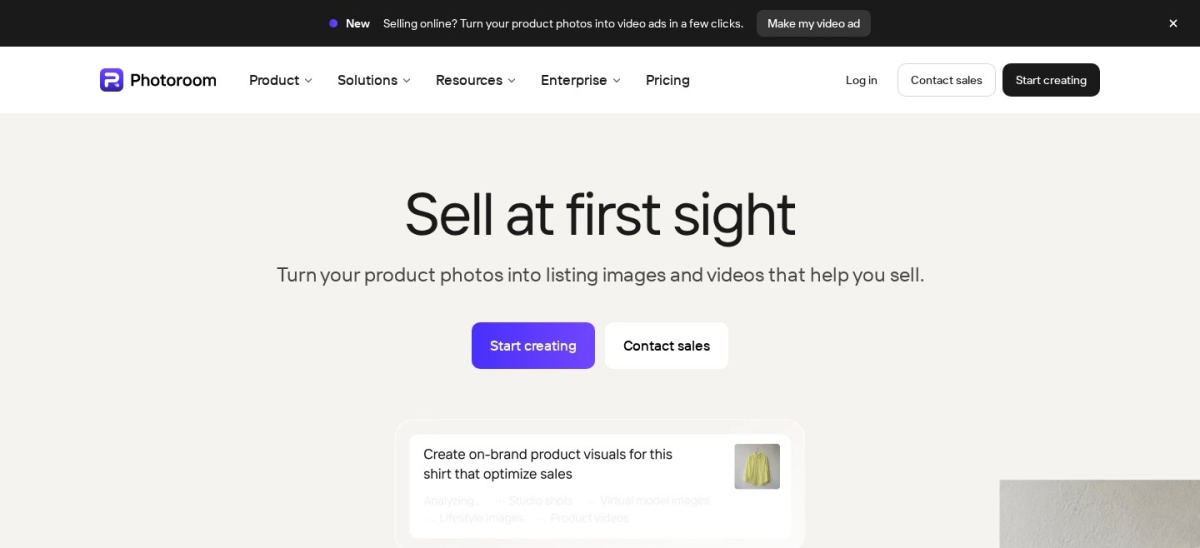
Photoroom homepage, captured Nov 2026.
Photoroom is an image editing platform designed around ecommerce photography, automatic subject isolation and product presentation. Its Pro subscription includes 1,000 monthly exports, 8,000 monthly AI credits, background removal, image retouching and tools for producing consistent product images.
The trade off is that Pro costs $7.50 per month with annual billing, and export allowances limit higher-volume workflows. Its low Trustpilot rating also warrants caution regarding subscription management and customer support. It suits online sellers who prioritize product photography and batch editing.
What we like
Designed specifically for product photography
Batch image processing
Automatic background replacement
Product shadows and retouching tools
Affordable annual entry subscription
Watch out for
Low Trustpilot customer satisfaction rating
Paid subscriptions have export allowances
Some complex subjects require manual corrections
Generative editing consumes AI credits
Pro expands export capacity and provides additional AI product photography tools.Visit photoroom.com
03
Canva
4.7/5on G2 (7,924 reviews, checked Nov 2026)
Paid from$120/yr
Best for marketing graphics and social media designs
Free background removalLimited
Design templatesIncluded
Transparent PNG exportSupported
Paid planPro
canva.com
Canva homepage, captured Nov 2026.
Canva is a visual design platform that combines background removal with templates, photo editing and marketing content creation. Its free edition provides limited access to background removal, and the platform holds a 4.7/5 G2 rating from 7,924 reviews.
The trade off is that regular access to advanced background editing and premium design features requires Pro at $120 per year. Temporary subscription promotions may reduce the initial cost. It suits content creators who want to erase backgrounds and immediately incorporate cutouts into finished designs.
What we like
Background removal within an integrated design editor
Extensive template selection
Strong public review rating
Easy reuse of edited images across projects
Suitable for social media and marketing content
Watch out for
Free background removal access is limited
Less precise selection control than Photoshop
May be excessive for users needing only image cutouts
Pro expands background removal access, creative assets and brand management tools.Visit canva.com
04
Pixlr
4.4/5on G2 (750 reviews, checked Nov 2026)
Paid from$1.99/mo
Best for affordable browser-based photo editing
Browser-based editingYes
Plus monthly AI credits80
Paid image savesUnlimited
Paid planPlus, annual billing
pixlr.com
Pixlr homepage, captured Nov 2026.
Pixlr is an online photo editor that combines automatic background removal with conventional image editing and creative AI features. Its Plus subscription includes unlimited saves, advertisement-free editing and 80 monthly AI credits when subscribed through monthly billing.
The trade off is that Plus costs $1.99 per month with annual billing or $2.49 with monthly billing, while access to the complete premium feature collection requires a higher subscription. It suits budget-conscious creators who need background removal alongside general photo editing.
What we like
Low annual subscription cost
Runs directly in a browser
Automatic background removal
Layer-based image editing
Paid plan removes advertisements
Watch out for
Entry subscription limits AI usage
Advanced creative features require Premium
Free editing experience includes advertisements
Plus adds unlimited saves, advertisement-free editing and an AI credit allowance.Visit pixlr.com
05
Picsart
4.5/5on G2 (800 reviews, checked Nov 2026)
Paid from$10.50/mo
Best for creative background replacement
Advanced background removalPro
Pro batch editingUp to 50 images
Pro cloud storage100GB
Paid planPro, annual billing
picsart.com
Picsart homepage, captured Nov 2026.
Picsart is a creative editing platform that combines background removal, object erasing, photo effects and graphic design. Its Pro subscription supports bulk editing of up to 50 images, includes 100GB of cloud storage and provides access to advanced background and object removal.
The trade off is that Pro costs $10.50 per month with annual billing or $15 with monthly billing, and generative features operate within subscription-specific allowances. It suits social media creators and small businesses that frequently replace backgrounds or combine cutouts with creative effects.
What we like
Background and object removal in one editor
Batch editing on Pro
Extensive creative effects and templates
Suitable for mobile content creation
Integrated cloud storage
Watch out for
Advanced removal features require Pro
AI usage is subject to subscription allowances
Creative interface may distract from simple editing tasks
Pro adds advanced background removal, bulk editing and expanded creative resources.Visit picsart.com
06
Adobe Photoshop
4.6/5on G2 (13,456 reviews, checked Nov 2026)
Starts at$19.99/mo
Best for precise professional background removal
Automatic subject selectionSupported
Manual edge refinementSupported
Layer masksSupported
Paid planPhotography, annual commitment
adobe.com
Adobe Photoshop homepage, captured Nov 2026.
Adobe Photoshop is a professional image editor that combines automatic subject detection with manual selections, layer masks and detailed edge refinement. Its extensive editing functionality earns a 4.6/5 G2 rating from 13,456 reviews, making it an established option for demanding photography workflows.
The trade off is that the Photography subscription costs $19.99 per month with an annual commitment, and advanced masking requires more editing knowledge than automatic browser tools. It suits photographers, retouchers and designers who need control over complicated edges, fine hair and partially transparent subjects.
What we like
Detailed manual background removal controls
Non-destructive editing through layer masks
Suitable for complicated image selections
Comprehensive professional photo editing
Large public review base
Watch out for
Higher subscription cost than simpler alternatives
No permanent free desktop edition
Requires more editing knowledge
The Photography subscription includes Photoshop, Lightroom and Lightroom Classic.Visit adobe.com
07
Pixelcut
1.7/5on Trustpilot (70 reviews, checked Nov 2026)
Paid from$8/mo
Best for high-volume background removal on a budget
Pro background removalUnlimited
Pro monthly AI credits600
Pro monthly batch exports1,000
Paid planPro, annual billing
pixelcut.ai
Pixelcut homepage, captured Nov 2026.
Pixelcut is an AI image editing platform focused on product photography, automatic background removal and image enhancement. Its Pro subscription includes unlimited background removal, 600 monthly AI credits, 1,000 monthly batch exports and access for a team of 3 people.
The trade off is that Pro costs $8 per month with annual billing or $10 with monthly billing, while its 1.7/5 Trustpilot rating indicates significant customer dissatisfaction. It suits sellers evaluating inexpensive batch editing, provided they carefully review subscription terms and try the free functionality before paying.
What we like
Unlimited background removal on Pro
Affordable annual subscription
Free watermark-free export option
Batch processing for product images
Includes a small team allowance
Watch out for
Very low Trustpilot customer satisfaction rating
Public complaints about billing and cancellation
Generative editing has a separate credit allowance
Free background removal is limited
Pro adds unlimited background removal, batch exports and commercial licensing.Visit pixelcut.ai
Automatic vs. manual background removal
Automatic background removal identifies a subject using image recognition and separates it from surrounding elements. This approach works well for straightforward product images, portraits and photographs with clearly defined foreground subjects.
Manual background removal gives editors greater control over selection boundaries. Layer masks, selection brushes and edge refinement tools are particularly useful when editing photographs containing fine hair, fur, transparent objects or complicated shadows.
Adobe Express, Canva and Photoroom emphasize accessible automatic removal. Photoshop provides additional manual controls for correcting selections, while Pixlr offers a lower-cost browser-based editing environment.
Choose automatic removal for routine images and high-volume catalog work. Use manual refinement when an image requires precise edges or when automated results remove important details from the subject.
How much does a background eraser tool cost?
Pixlr has the lowest published annualized paid entry price in this comparison at $23.88. Photoroom Pro costs $90 per year, while Pixelcut Pro costs $96 per year with annual billing.
Adobe Express Premium costs $119.88 per year when its monthly subscription is annualized. Canva Pro costs $120 per year, and Picsart Pro costs $126 per year with annual billing.
Photoshop is available through the Photography subscription at $239.88 per year, with an annual commitment billed monthly. Its additional cost reflects the broader professional editing functionality rather than background removal alone.
Consider export restrictions, AI credit allowances and watermark policies before purchasing. A low subscription price does not necessarily mean unlimited high-resolution background removal or unrestricted commercial image processing.
How we chose
We selected established background eraser tools using G2 photo editing software listings, Trustpilot customer reviews and official vendor documentation. The comparison considers automatic removal, manual refinement, transparent exports, batch processing and suitability for different creative workflows.
The requested editorial date is 22 Nov 2026. Vendor pricing and public rating information were checked on 24 Nov 2026 using accessible official pages and review profiles. Published regular subscription prices and standard annual billing rates are used rather than temporary introductory discounts.
We excluded products with unavailable pricing, insufficient public review information or uncertain continued availability. Rankings prioritize background removal functionality, affordability and intended use, while identifying customer satisfaction concerns where relevant. No vendor paid for a place, and we do not claim testing for this list.
How to choose the best background eraser tool
Identify the types of images you edit, your required export quality and your monthly editing volume before selecting a background eraser.
Determine how much editing control you need. Choose automatic background removal for straightforward product images and social media graphics. If you frequently work with complicated edges, hair or transparent objects, prioritize software with manual selections and non-destructive masking.
Check image export quality and transparency. Confirm that the software supports transparent PNG downloads at your required resolution. Review watermark restrictions, compression settings and commercial licensing before using edited photographs in customer-facing content or product listings.
Calculate your expected monthly editing volume. Compare subscription allowances, batch export limits and AI credit usage. Businesses editing large product catalogs should prioritize predictable processing costs, while occasional users may find free background removal sufficient.
Review customer feedback and subscription terms. Consider recent public reviews alongside product functionality. Check cancellation policies, renewal prices and refund conditions, particularly when a platform has recurring complaints about billing or customer support.
FAQ
What is the best background eraser tool?
Adobe Express is our top pick because it offers accessible image background removal alongside general creative editing. Photoroom is suitable for ecommerce product photography, while Canva works well for users who want to incorporate image cutouts into marketing designs.
What is the best free background eraser tool?
Adobe Express provides free automatic image background removal and is a good starting point for occasional editing. Canva, Pixlr and Pixelcut also offer free access, although their usage allowances, editing features and export restrictions differ.
Can a background eraser remove backgrounds without losing image quality?
Background removal can preserve the original subject when the software supports high-resolution exports and accurate edge selection. However, output quality depends on the original photograph, subject complexity, export settings and whether the selected subscription restricts image resolution.
Which background eraser tool is best for product photography?
Photoroom is particularly suitable for product photography because it combines automatic cutouts, batch processing, background replacement and product presentation tools. Pixelcut offers similar functionality at an affordable price, but its low Trustpilot rating warrants additional caution.
Can background eraser tools remove backgrounds around hair?
Yes, but fine hair and overlapping details are challenging for automatic background removal. Photoshop provides manual masking and edge refinement for difficult selections. Simpler automatic tools may also work well when the subject is clearly separated from the background.
What image format should I use after removing a background?
PNG is generally the appropriate format when you need a transparent background. JPEG does not support transparency and normally replaces transparent areas with a solid color. Check the export settings to ensure the removed background remains transparent.
Which background removal tools support batch editing?
Photoroom, Picsart and Pixelcut support batch editing or batch exports through paid subscriptions. These features are useful for ecommerce businesses preparing large product collections, provided the selected subscription includes sufficient export allowances and the necessary editing functionality.
Is Photoshop better than automatic background eraser tools?
Photoshop offers greater control over complex selections, layer masks and detailed edge refinement. However, automatic tools such as Adobe Express and Photoroom require less editing knowledge and can be more convenient for straightforward image cutouts and repetitive tasks.
Is it safe to upload private photographs to online background removers?
Privacy practices vary between providers. Review each platform's policies covering image retention, processing, deletion and AI training before uploading sensitive photographs. For confidential material, consider an editing workflow that keeps image processing local whenever possible.