Best Collaborative Software Development Tools in 2026: 7 Tools Compared
WLWPLegible EditorsLast verified 22 Nov 2026How we rank10 min read
★ Short answer
GitHub is the best collaborative software development tool for most engineering teams, earning 4.7/5 from 2,440 G2 reviews and offering unlimited private repositories. GitLab suits teams seeking integrated DevSecOps capabilities, while Bitbucket is a practical alternative for developers working within the Atlassian ecosystem.
How we make this list: we compare pricing pages, product documentation and public user reviews, then re-check every price before each update. No product paid for a place. Disclosure.
GitHub scores 4.7/5 from 2,440 G2 reviews, with Team pricing at $4 per user monthly.
GitLab Premium costs $29 per user monthly with annual billing and includes 10,000 monthly compute minutes.
Bitbucket Standard costs $3.65 per user monthly, and its free plan supports up to 5 users.
Linear offers 250 issues on its free subscription and scores 4.6/5 from 128 G2 reviews.
ClickUp earns 4.6/5 from 15,883 G2 reviews and provides unlimited tasks on its free plan.
What to look for in collaborative software development tools
Collaborative software development tools help engineering teams coordinate code changes, review contributions, track defects and deliver software releases. They provide shared environments where developers, product managers and other stakeholders can follow project progress.
Version control and code review are essential for teams working on shared codebases. Look for branching, pull requests, approval workflows and repository permissions that reduce the risk of conflicting or unauthorized changes.
Continuous integration and continuous delivery capabilities help developers automate software builds, quality checks and deployments. Integrated pipelines can reduce the need to maintain separate infrastructure for routine development processes.
Project planning features are equally important for coordinating technical work. Issue tracking, sprint management, product roadmaps and shared documentation help teams prioritize tasks and communicate requirements.
Compare subscription fees alongside usage allowances, storage limits and security capabilities. A low per-user price may become less attractive if your team needs additional build minutes, enterprise authentication or advanced repository controls.
For collaboration across engineering and business teams
$12/mo
Free plan
4.6/5
Price ladder: cheapest paid plan per year
List prices, USD, checked Nov 2026
BitbucketFREE$44
GitHubFREE$48
Azure BoardsFREE$72
ShortcutFREE$102
LinearFREE$120
ClickUpFREE$144
GitLabFREE$348
The 7 best collaborative software development tools
01
GitHub
4.7/5on G2 (2,440 reviews, checked Nov 2026)
Paid from$4/mo
Best for overall software development collaboration
Private repositoriesUnlimited
Free CI/CD allowance2,000 minutes/mo
Team CI/CD allowance3,000 minutes/mo
Free package storage500 MB
github.com
GitHub homepage, captured Nov 2026.
GitHub is a software development collaboration platform combining Git repositories, code reviews, issue tracking and workflow automation. Its free organizational subscription includes unrestricted repository creation, 2,000 monthly CI/CD minutes and 500 MB of package storage.
The trade off is that advanced private repository controls and additional automation capacity require paid access, starting at $4 per user monthly. It suits development teams looking for a widely adopted environment for reviewing, maintaining and releasing software.
What we like
Unlimited public and private repositories
Established pull request workflows
Integrated development automation
Built-in issue and project tracking
Affordable entry subscription
Watch out for
Additional automation consumption can incur charges
Advanced security capabilities may require add-ons
Some repository controls require paid access
Team adds required approvals, code ownership controls and increased CI/CD allowances.Visit github.com
02
GitLab
4.5/5on G2 (905 reviews, checked Nov 2026)
Paid from$29/mo
Best for integrated DevSecOps collaboration
Free cloud group limit5 users
Free compute allowance400 minutes/mo
Premium compute allowance10,000 minutes/mo
DeploymentCloud or self-managed
gitlab.com
GitLab homepage, captured Nov 2026.
GitLab is an integrated development platform covering source management, automated delivery, security and project coordination. Its free hosted subscription supports 5 users per top-level group and includes 400 monthly compute minutes alongside repository management and basic security scanning.
The trade off is the $29 monthly per-user Premium subscription, billed annually, and the complexity of configuring advanced development processes. It suits engineering organizations consolidating software development, security and deployment activities within a shared environment.
What we like
Integrated development and deployment capabilities
Cloud and self-managed deployment options
Built-in security analysis
Shared engineering project management
Configurable delivery pipelines
Watch out for
Higher entry price than competing repository platforms
Restricted free hosted group membership
Advanced governance requires a higher subscription
Premium expands build capacity and adds advanced delivery, project management and support features.Visit gitlab.com
03
Bitbucket
4.4/5on G2 (1,017 reviews, checked Nov 2026)
Paid from$3.65/mo
Best for development teams using Atlassian products
Free team size5 users
Version controlGit
Entry paid planStandard
Premium subscription$8/user/mo
atlassian.com
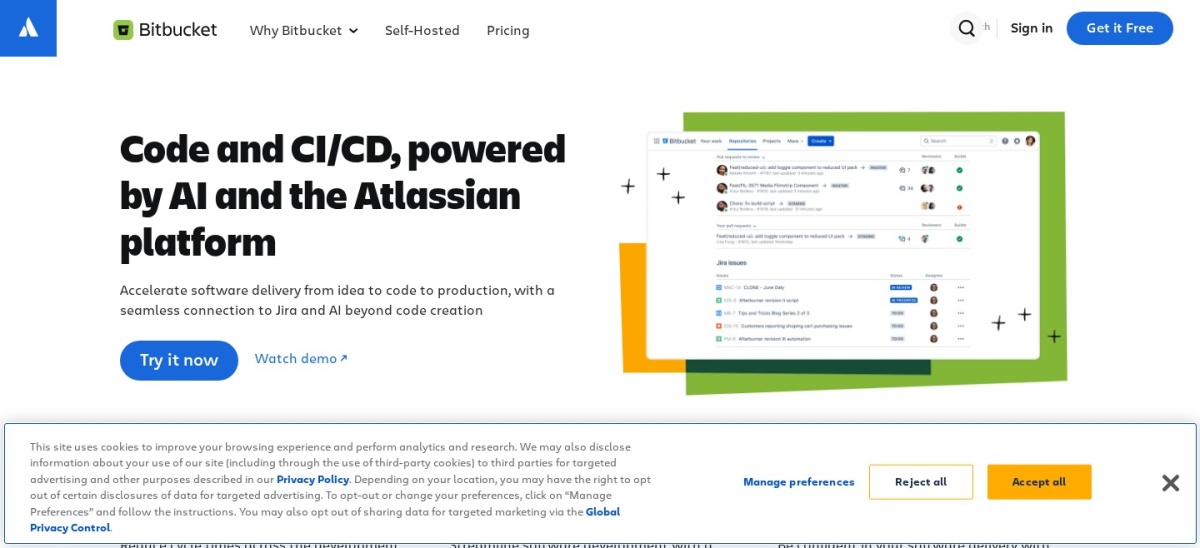
Bitbucket homepage, captured Nov 2026.
Bitbucket is a Git-based development collaboration platform supporting repository hosting, pull requests and automated software delivery. Its free cloud subscription accommodates teams of up to 5 users, making it suitable for smaller development groups that use Atlassian products.
The trade off is that its collaboration experience is particularly oriented toward the Atlassian ecosystem, with Standard costing $3.65 per user monthly. It suits engineering teams that already manage software requirements and development tasks through Jira.
What we like
Direct integration with Jira
Affordable Standard subscription
Integrated software delivery pipelines
Collaborative pull request reviews
Permanent free subscription for small teams
Watch out for
Free subscription limits team membership
Less attractive outside the Atlassian ecosystem
Advanced controls require Premium
Standard expands collaboration beyond the free team limit and provides additional development resources.Visit atlassian.com
04
Azure Boards
4.4/5on G2 (140 reviews, checked Nov 2026)
Paid from$6/mo
Best for Microsoft-based development teams
Free Basic users5
Private Git repositoriesUnlimited with Azure Repos
Hosted pipeline allowance1,800 minutes/mo
Free artifact storage2 GiB
azure.microsoft.com
Azure Boards homepage, captured Nov 2026.
Azure Boards is an agile development planning tool available through Azure DevOps Services. The Basic subscription is free for the first 5 users and combines development planning with repository access, automated pipelines and 2 GiB of artifact storage through companion services.
The trade off is that additional Basic users cost $6 per month, while dedicated testing capabilities require a more expensive subscription. It suits development organizations already using Microsoft infrastructure and looking to connect engineering tasks with source code and release workflows.
What we like
Integrated development planning
Connects with Azure Repos and Azure Pipelines
Free Basic access for small teams
Supports customizable work item tracking
Useful for enterprise engineering environments
Watch out for
Advanced testing requires a higher subscription
Configuration can be complex for beginners
Additional pipeline capacity costs extra
Paid Basic access extends the integrated development environment beyond the free user allowance.Visit azure.microsoft.com
05
Linear
4.6/5on G2 (128 reviews, checked Nov 2026)
Paid from$10/mo
Best for focused engineering project management
Free membersUnlimited
Free teams2
Free issue allowance250
Basic issue allowanceUnlimited
linear.app
Linear homepage, captured Nov 2026.
Linear is a product development management platform designed for coordinating engineering tasks, issues and project requirements. Its free subscription accommodates unlimited members across 2 teams with a maximum of 250 issues, making it accessible to smaller development organizations.
The trade off is that expanding issue capacity and administrative controls requires Basic at $10 per user monthly with annual billing. It suits product engineering teams that want focused issue tracking and project coordination alongside an existing source code management platform.
What we like
Developer-oriented issue management
Unlimited members on the free subscription
Supports product planning and prioritization
Connects engineering tasks with development workflows
Published subscription prices
Watch out for
Free subscription restricts issue capacity
Does not replace Git repository hosting
Private teams require a higher subscription
Basic adds unlimited issues, unlimited uploads and administrative roles.Visit linear.app
06
Shortcut
4.4/5on G2 (177 reviews, checked Nov 2026)
Paid from$8.50/mo
Best for agile software delivery planning
Free user limit10
Free team allowance1
Paid team allowanceUp to 5 teams
Planning toolsStories, iterations and roadmaps
shortcut.com
Shortcut homepage, captured Nov 2026.
Shortcut is an agile project management platform built around software development stories, iterations and shared product plans. Its free subscription supports 10 users within a single team and includes development boards, documentation, basic reporting and connections with GitHub.
The trade off is that additional team structures, configurable workflows and expanded reporting require the Team subscription at $8.50 per user monthly with annual billing. It suits software teams looking for engineering-specific project management without adopting a complete repository hosting platform.
What we like
Designed for software engineering workflows
Includes sprint and roadmap planning
Permanent free subscription
Connects with established development applications
Shared documentation and reporting
Watch out for
Free subscription supports only a single team
Requires separate source code hosting
Advanced reporting requires Business
Team adds workflow customization, automation, expanded reporting and additional teams.Visit shortcut.com
07
ClickUp
4.6/5on G2 (15,883 reviews, checked Nov 2026)
Paid from$12/mo
Best for collaboration across engineering and business teams
Free storage60 MB
Free tasksUnlimited
Free membersUnlimited
Entry paid planCore
clickup.com
ClickUp homepage, captured Nov 2026.
ClickUp is a collaborative work management platform combining development planning, shared documentation and broader business workflows. Its Free Forever subscription includes unlimited tasks and members, 60 MB of storage, sprint management, time tracking and Kanban boards.
The trade off is that broader customization and storage capacity require Core, which has a listed regular price of $12 per user monthly and an advertised $9 yearly-billed rate. It suits organizations coordinating engineering projects with marketing, design, operations and product management teams.
What we like
Unlimited tasks and free members
Integrated sprint management
Shared documents and project communication
Flexible task organization
Suitable for cross-functional collaboration
Watch out for
Limited free file storage
Does not provide native Git repository hosting
Extensive customization can complicate initial setup
Source code collaboration platforms provide shared repositories, version control and structured review processes. GitHub, GitLab and Bitbucket belong to this category and help developers manage changes without overwriting one another's work.
Development planning platforms organize engineering requirements, defects, iterations and delivery milestones. Linear and Shortcut focus on this category, giving engineering teams visibility into priorities and upcoming work.
Integrated DevOps environments connect software planning with source management, automated builds and deployment processes. GitLab and Azure DevOps provide these capabilities through connected development services.
Cross-functional workspaces extend collaboration beyond engineering departments. ClickUp supports organizations that need developers, designers, product managers and business stakeholders to coordinate projects through shared tasks and documents.
How much do collaborative software development tools cost?
Repository-focused collaboration tools can be relatively inexpensive for small teams. Bitbucket Standard costs $43.80 per user annually, while GitHub Team costs $48 per user annually based on their published monthly subscription prices.
Integrated development platforms may have higher subscription expenses. GitLab Premium costs $348 per user annually but combines additional delivery resources, project coordination and advanced development capabilities.
Engineering planning subscriptions occupy a different pricing category. Shortcut Team costs $102 per user annually, while Linear Basic costs $120 per user annually under their published yearly billing arrangements.
The annual prices in this comparison represent individual user licenses rather than complete team subscriptions. Additional build capacity, storage, security tools, AI consumption and implementation services can increase total expenses.
How we chose
We selected established development collaboration platforms from G2's source code management, development and DevOps software categories. Products were compared on repository collaboration, development planning, automation, deployment flexibility, subscription pricing and public user reviews.
The editorial verification date is 22 Nov 2026. Official pricing pages and G2 review listings were accessed on 24 Nov 2026. Monthly subscription rates were converted into annual per-user costs, and explicitly marked promotional prices were excluded from the price ladder.
We excluded products with insufficient public review evidence, unconfirmed regular pricing or limited relevance to collaborative development workflows. Temporary trials were not treated as permanent free subscriptions. No vendor paid for a place, and we do not claim testing for this list.
How to choose the right collaborative software development tool
Evaluate your development workflows, existing infrastructure, collaboration requirements and subscription budget before choosing software for your engineering team.
**Identify your primary collaboration requirements.** Determine whether your team needs repository hosting, code reviews, project planning, deployment automation or cross-functional communication. Select tools that address the most important gaps in your current development environment.
**Check compatibility with your existing technology stack.** Review integrations with code repositories, development environments, communication applications and deployment infrastructure. Native integrations can reduce administrative work and improve visibility across engineering processes.
**Calculate the complete subscription expense.** Multiply the individual subscription price by your expected paid user count. Include additional build minutes, storage consumption, security capabilities and separate project management subscriptions when comparing costs.
**Review governance and development security requirements.** Check repository permissions, required code approvals, authentication controls, audit capabilities and deployment restrictions. Ensure that your selected subscription supports the security and compliance policies your organization needs.
FAQ
What is the best collaborative software development tool?
GitHub is our top overall choice because it combines shared code repositories, pull request reviews, issue management and development automation. It earns 4.7/5 from 2,440 G2 reviews and provides a permanent free subscription.
What are collaborative software development tools?
Collaborative software development tools are applications that help developers work together on shared software projects. They support activities such as source code management, peer reviews, issue tracking, sprint planning, documentation and automated software delivery.
What is the best free software development collaboration tool?
GitHub is a practical free choice for teams that need unlimited public and private repositories, issue tracking and automated development workflows. GitLab and Bitbucket also offer free subscriptions, although their hosted entry plans restrict team membership.
Is GitHub or GitLab better for development collaboration?
GitHub is generally suitable for teams prioritizing repository collaboration and an established development ecosystem. GitLab is better suited to organizations seeking integrated development, security and deployment workflows, particularly when consolidating multiple engineering tools into a shared platform.
Which collaborative software development tool is best for agile teams?
Linear and Shortcut are suitable choices for agile engineering teams that need issue tracking, development planning and coordinated product delivery. Azure Boards is another practical option for organizations using Microsoft's integrated development services.
How much does collaborative software development software cost?
Entry prices vary according to functionality and billing arrangements. Bitbucket Standard costs $3.65 per user monthly, GitHub Team costs $4, and GitLab Premium costs $29 with annual billing. Additional infrastructure and security services can increase total costs.
Do software development teams need separate project management tools?
Not always. Platforms such as GitHub and GitLab include development planning features alongside source code management. However, teams with complex roadmaps, cross-functional requirements or specialized agile workflows may benefit from dedicated tools such as Linear, Shortcut or ClickUp.
Which software development collaboration tools support CI/CD?
GitHub, GitLab and Bitbucket provide integrated capabilities for automating software builds and deployments. Azure Pipelines provides similar functionality within Azure DevOps. Compare included execution allowances, supported deployment environments and additional consumption charges before choosing a platform.
Which development collaboration tool is best for remote teams?
GitHub works well for distributed engineering teams coordinating code changes and technical reviews asynchronously. ClickUp is a useful complementary option when remote developers also need shared documentation, project updates and communication with nontechnical stakeholders.