Best Bookkeeping Software Free in 2026: 8 Tools Compared
WLWPLegible EditorsLast verified 24 Nov 2026How we rank12 min read
★ Short answer
Wave is the best free bookkeeping software for freelancers, with unlimited invoices and bookkeeping records at no cost. Zoho Books is the best free pick for micro businesses that expect to grow, with bank reconciliation and 50-plus reports on its free plan.
How we make this list: we compare pricing pages, product documentation and public user reviews, then re-check every price before each update. No product paid for a place. Disclosure.
Wave is the best free cloud pick for freelancers, with unlimited invoices, estimates, bills and bookkeeping records.
Zoho Books has the fullest free tier, with bank reconciliation, receipt autoscans and 50-plus reports for one user.
GnuCash and Akaunting cost nothing at all: GnuCash is open source desktop software, Akaunting is open source self-hosted.
ZipBooks is the highest rated cloud tool here at 4.7 from 86 G2 reviews, with one bank connection on its free plan.
Every free plan has a limit, usually users, revenue or automation, so check the limit that matters to you before committing your books.
What free bookkeeping should cover
Free bookkeeping software keeps the books without paying: recording transactions, reconciling a bank account and producing a profit-and-loss statement. The free plan has to cover the work you actually do each month, or the tool is free in name only.
The limits that matter most are users, revenue, invoices and automation. Zoho Books caps its free plan at one user plus one accountant and about $50,000 revenue, Wave withholds bank feeds and receipt capture for its paid Pro plan, and Manager.io's free desktop edition is single-user only.
Cloud, desktop and self-hosted are three different commitments. Cloud tools need no install but hold your data, desktop tools keep it local, and self-hosted tools give full control at the cost of setup and maintenance.
If you outgrow free, the cheapest paid steps here are Zoho Books Standard at $15 a month and Wave Pro. Our guide to the best accounting software covers the paid accounting suites these free tools grow into.
Wave is the default free pick for very small businesses. Its pitch is clear books and confident decisions, with accounting, invoicing and payments in one unified system, and the free Starter plan includes unlimited invoices, estimates, bills and bookkeeping records, plus mobile invoicing and a cash flow and customer dashboard.
The trade off is automation. Automatic bank imports, auto-categorization, receipt capture and late payment reminders moved to the paid Pro plan, so free users enter bank transactions by hand or import statements. It suits freelancers, contractors and consultants who send invoices and want tidy books for tax time.
What we like
Free Starter plan with unlimited invoices, estimates, bills and bookkeeping records
Web-based with a mobile app
Built for owners, not accountants
350,000-plus small businesses use it
Watch out for
Automatic bank imports and receipt scanning sit in the paid Pro plan
Zoho Books is a forever free plan for businesses starting with online accounting, and it is one of the most complete free tiers available. The free plan covers invoices, quotes, expenses and journals, receipt autoscans, online payments through Stripe and PayPal, a self-service customer portal, automated payment reminders, bank reconciliation, recurring invoices, and profit and loss, balance sheet and 50-plus reports.
The trade off is the cap. The free plan allows 1 user plus 1 accountant, with a revenue cap near $50,000 a year and about 1,000 invoices a year, and bank feeds arrive on the paid Standard plan. It suits solopreneurs who expect to grow, since the upgrade path keeps your data in place.
What we like
Forever free plan with invoices, expenses, journals and 50-plus reports
1 user plus 1 accountant
Standard plan from $15 a month when you outgrow free
Clear upgrade path inside one system
Watch out for
Free plan caps at 1 user plus 1 accountant
Bank feeds arrive on the paid Standard plan
Revenue cap near $50,000 a year
Standard $15/mo adds bank feeds; Professional $25/mo adds inventoryVisit zoho.com
03
Akaunting
1.8/5on G2 (12 reviews, checked Nov 2026)
PriceFree
Best open source self-hosted
InvoicesNo limits
HostingSelf-hosted
Languages50+
Users300K+ in 100+ countries
akaunting.com
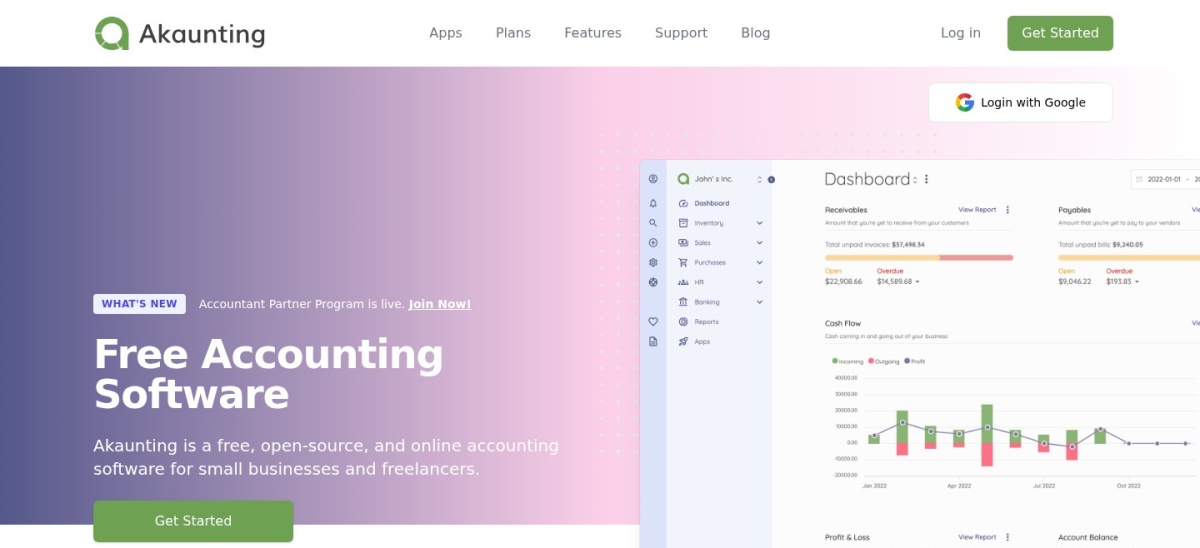
Akaunting homepage, captured Nov 2026.
Akaunting is free accounting software for small businesses, built as open source. Its homepage states the position plainly: the Standard plan of the on-premise, self-hosted version is free in price and freedom, with source code available. Features cover invoicing, expense tracking, cash flow, transaction categories and payments in one place with zero fees.
The trade off is setup and satisfaction. You need hosting and basic technical skill, or you pay for the cloud version, and its G2 rating of 1.8 from 12 reviews is the lowest here by a wide margin. It suits freelancers and small firms with technical confidence who want full control.
What we like
Self-hosted version is completely free with source code available
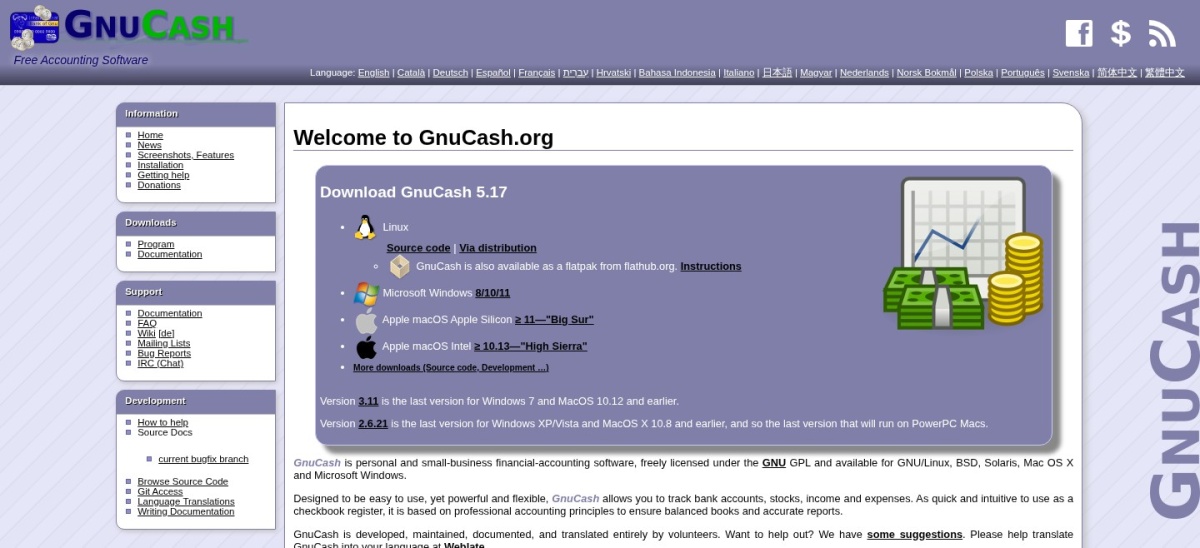
GnuCash is personal and small-business financial accounting software, freely licensed under the GNU GPL and available for GNU Linux, BSD, Solaris, Mac OS X and Microsoft Windows. It is designed to be as quick and intuitive as a checkbook register while resting on professional accounting principles, so books stay balanced and reports stay accurate.
The trade off is the learning curve. It is desktop only with no official mobile app, and it suits owners who are comfortable with accounting concepts and want full ledgers offline, with no vendor, no subscription and no data lock-in.
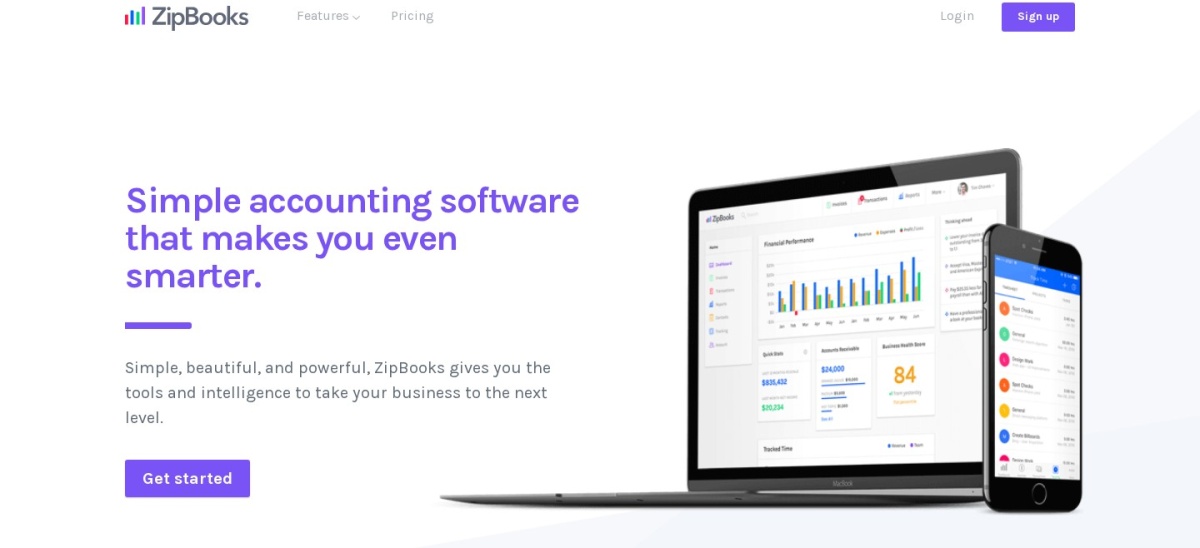
ZipBooks is a bookkeeping tool that promises simple, beautiful and powerful bookkeeping, with tools and intelligence to take a business further. You can create and send invoices and estimates in seconds, accept credit cards with one click, and automate billing with recurring auto-bills, while Bank Connect pulls transactions and balances daily for reconciliation.
The trade off is the free plan's opacity. The homepage does not spell out free plan limits, so confirm them on the pricing page before moving your books, and advanced features sit in paid tiers. It suits service businesses that bill by project or hour and want a friendly interface.
What we like
Beautiful invoices and estimates in seconds with online card payments
Auto-categorization and a single transactions view
Time tracking and smart tagging
Highest G2 rating here at 4.7
Watch out for
Free plan limits are not spelled out on the homepage
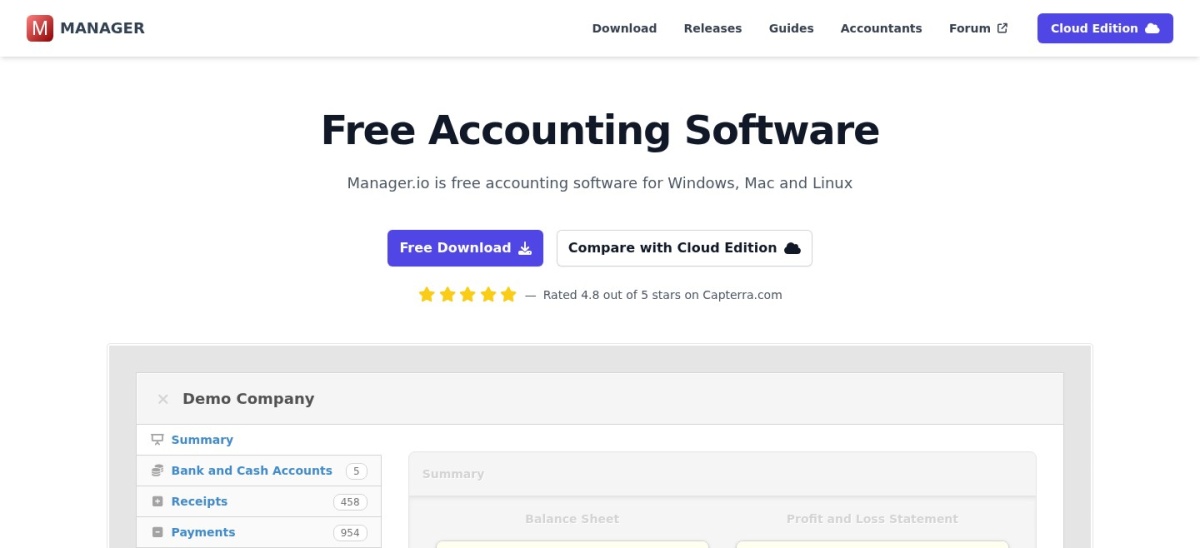
Manager.io is an accounting tool that splits into two editions: a desktop edition you download for Windows, Mac or Linux, and a paid cloud edition. The desktop edition is free with no time limit, which makes it one of the most capable free options for a single user, covering the full accounting cycle including inventory, which many free tools leave out.
The trade off is single-user desktop. Teams that need simultaneous access should look at the cloud edition or a cloud tool like Zoho Books, and support is guides, release notes and a user forum rather than phone or chat help. It suits a small business owner who works on one computer and wants inventory.
What we like
Desktop edition is free with no time limit
Full accounting features including inventory
Guides, forum and accountant resources
Works on Windows, Mac and Linux
Watch out for
Desktop edition is single-user
Cloud edition is paid
Homepage gives little detail, so features need a look at the guides
Cloud edition is paid; desktop edition is free foreverVisit manager.io
07
Odoo Accounting
4.3/5on G2 (77 reviews, checked Nov 2026)
PriceFree
Best accounting inside a suite
EditionCommunity, free
Apps40,000+ community
DatabasePostgreSQL
Users28M reported
odoo.com
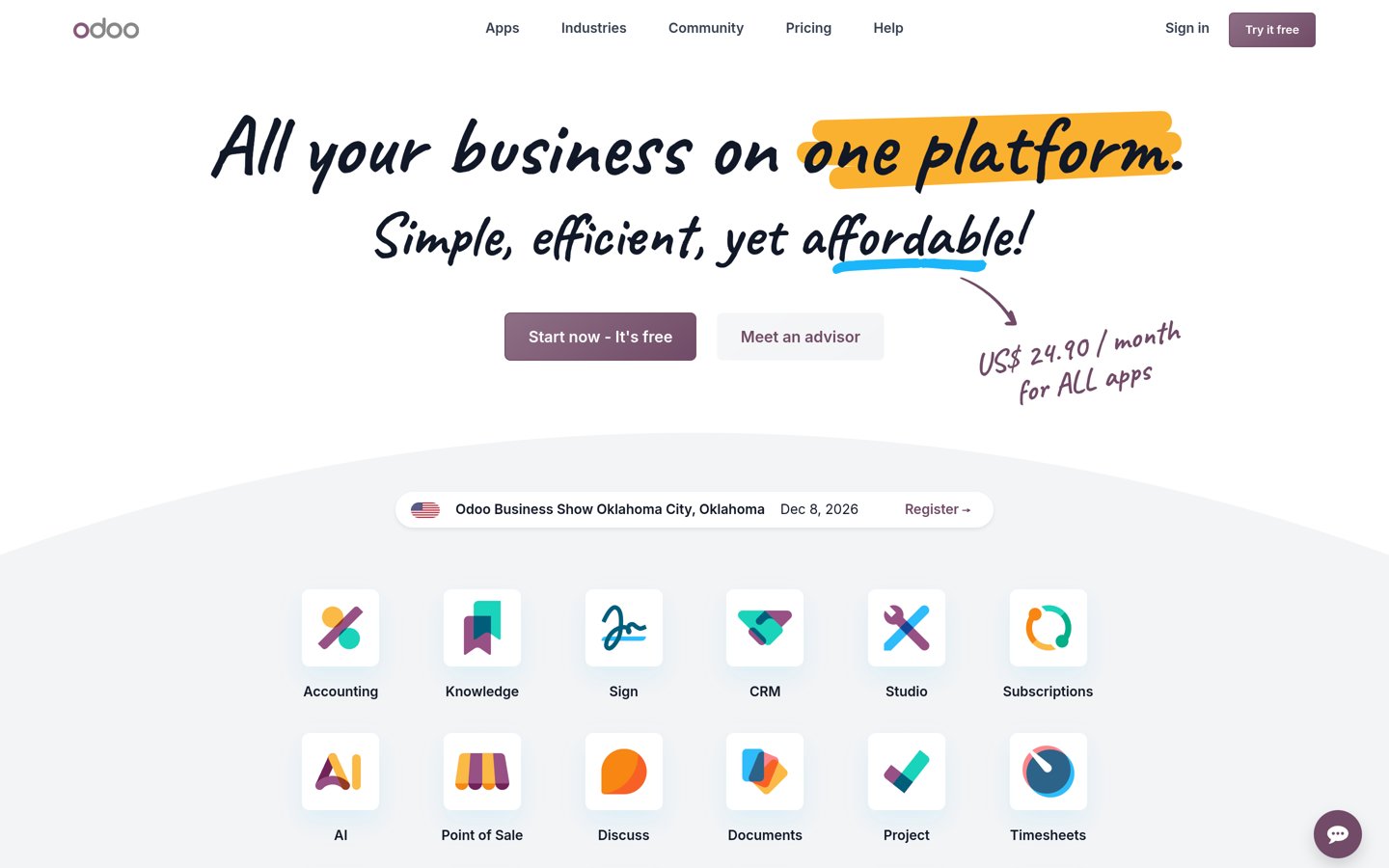
Odoo Accounting homepage, captured Nov 2026.
Odoo Accounting is one app inside Odoo, a suite of open source business apps covering CRM, ecommerce, accounting, inventory, point of sale, project management and more. Its homepage states the editions clearly: Community is open source and 100 percent free, while Enterprise adds extra apps, infrastructure and professional services.
The trade off is scope. Accounting is one app among many, so setup takes longer than a single-purpose tool, and Enterprise features and hosting cost extra. It suits businesses that will use several apps, not just accounting, and that want room to grow without switching systems later.
What we like
Community edition is open source and 100 percent free
No vendor lock-in with source code and PostgreSQL data
40,000-plus community apps
Invoicing, inventory, sales and accounting share one database
Watch out for
Accounting is one app among many, so setup takes longer
3.9/5on Capterra (under 10 reviews, checked Nov 2026)
PriceFree
Best for tiny desktop teams
Free limitUnder 5 employees
PlatformsWindows, Mac
ReportsP&L, cash flow, tax
CloudNo
nchsoftware.com
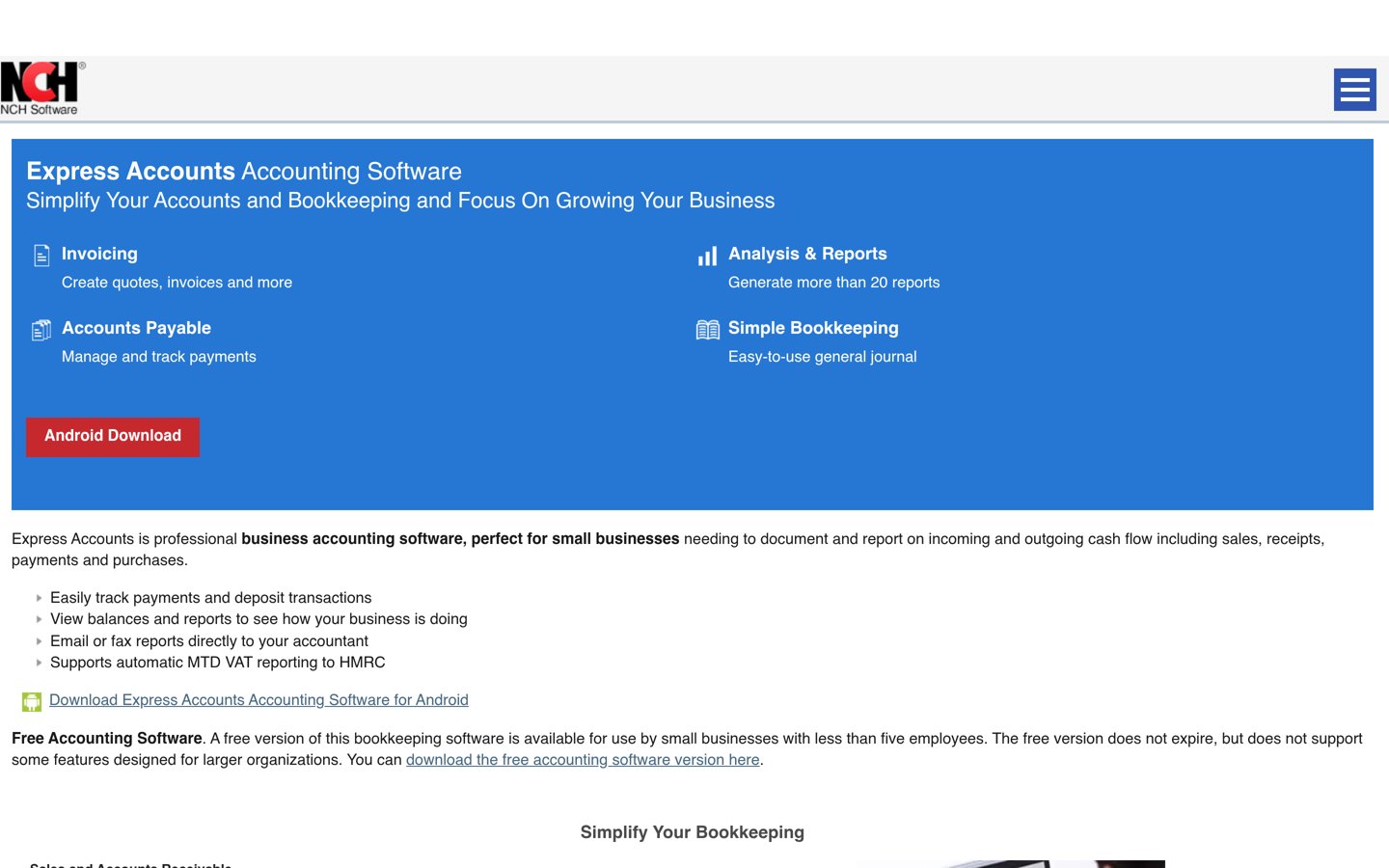
NCH Express Accounts homepage, captured Nov 2026.
NCH Express Accounts is professional business accounting software from NCH Software, built for small businesses that need to document and report cash flow including sales, receipts, payments and purchases. Features cover tracking payments and deposits, viewing balances and reports, emailing or faxing reports to an accountant, recurring invoices and expense categorization.
The trade off is evidence and scope. Its Capterra rating of 3.9 rests on fewer than 10 reviews, the free version is available for small businesses with fewer than five employees and leaves out features built for larger organizations, and it is desktop only with no cloud edition. It suits a tiny team that wants a simple desktop ledger without a subscription.
What we like
Free version for businesses with fewer than five employees that does not expire
Reports include profit and loss, cash flow, trial balance and sales tax
Recurring invoices and expense categorization
Runs on Windows and Mac
Watch out for
Capterra rating rests on fewer than 10 reviews
Free version leaves out features built for larger organizations
Zoho Books Free caps at one user plus one accountant, about $50,000 revenue and about 1,000 invoices a year, but includes bank reconciliation and 50 receipt autoscans a month. Wave Starter is unlimited on records and invoices but withholds bank feeds and receipt capture for Pro.
ZipBooks Free includes one bank connection and basic reports, while Manager.io's free desktop edition is single-user with inventory included. GnuCash and Akaunting have no subscription limits at all, only the limits of desktop and self-hosted software.
The upgrade trigger is usually automation: bank feeds, receipt scanning and auto-categorization are the features free plans withhold first. If you reconcile by hand and invoice a lot, Wave is the strongest free pick.
If several people share the books with no budget, the hosted free plans cap users fast, so look at GnuCash or Akaunting instead, or pay for Zoho Books Standard at $15 a month.
How we chose
We started from every bookkeeping tool with a genuine free option, not just a trial: a free plan, a free desktop edition or a free open source edition, then kept those with a verifiable G2 or Capterra rating.
Prices come from vendor pricing pages and vendor-page reads, checked on 24 November 2026. All eight tools are free at the point of use, so the list shows $0 with the cheapest paid step in each tool's foot. Ratings and review counts come from G2 or Capterra on the same day.
We left out tools with no verifiable rating, including Brightbook and QuickBooks Free, whose G2 rating covers QuickBooks Online rather than the free tier. No vendor paid for a place, and we do not claim hands-on testing for this list.
How to choose free bookkeeping software
Start with the limit that will push you to paid, then pick the free plan that avoids it longest.
Count your users first. Zoho Books Free allows one user plus one accountant; Manager.io's free desktop is single-user. Teams need Wave, GnuCash or Akaunting.
Check bank feeds and receipts. If you need automatic bank imports or receipt scanning free, Zoho Books is the only free tier here with built-in capture.
Decide cloud versus desktop. Cloud tools need no install but hold your data; desktop tools keep it local; self-hosted tools give full control at setup cost.
Confirm the free plan limits on the pricing page. Free plan limits are not always spelled out on homepages, so read the pricing page before moving your books.
FAQ
What is the best free bookkeeping software?
Wave is the best free bookkeeping software for freelancers, with unlimited invoices and bookkeeping records at no cost. Zoho Books is the best free pick for micro businesses that expect to grow.
Is Wave really free?
Yes, for core accounting. Wave Starter is free for unlimited invoices, estimates, bills and bookkeeping records. Automatic bank imports, receipt capture and late payment reminders are paid Pro features, and payroll is a paid add-on.
What is the best free bookkeeping software for a small business?
Zoho Books is the best free pick for a micro business that expects to grow, with bank reconciliation and 50-plus reports. Wave suits freelancers who invoice a lot, and Manager.io suits a single owner who wants inventory.
Is GnuCash really free?
Yes. GnuCash is freely licensed under the GNU GPL with no limits, no subscription and no data lock-in. It is desktop only, so you import statements by file and there is no official mobile app.
Can I do my taxes with free bookkeeping software?
The tools here produce profit-and-loss statements, balance sheets and sales tax reports your accountant can work from, but none of them files taxes for you. Export your reports and hand them to your accountant, or pair the books with tax software.
What happens when I outgrow the free plan?
Zoho Books Standard costs $15 a month and adds bank feeds, custom fields and API access, while Professional at $25 a month adds inventory and multi-currency. Wave Pro adds bank feeds and receipt capture. Your data stays in place on the upgrade.