Best Beginner Video Editing Software in 2026: 9 Tools Compared
WLWPLegible EditorsLast verified 24 Nov 2026How we rank12 min read
★ Short answer
Filmora is the best beginner video editing software for most people, with drag-and-drop editing, AI captions and templates for about fifty dollars a year. Start free with iMovie on Apple devices or DaVinci Resolve on any computer, and pick Movavi if you want the simplest paid timeline.
How we make this list: we compare pricing pages, product documentation and public user reviews, then re-check every price before each update. No product paid for a place. Disclosure.
Filmora is the friendliest full editor, with AI captions and templates from $49.99 a year.
Movavi has the highest Capterra rating here at 4.8 from 1,135 reviews, and a free trial with a watermark.
DaVinci Resolve is free with no watermark and no time limit, and Studio costs $295 once.
iMovie and OpenShot cost nothing at all, and Clipchamp exports 1080p free with no watermark.
Canva Pro at $10 a month suits creators who already design slides and social graphics in Canva.
What a beginner video editor should cover
A first editor should let you cut clips, add titles and music, and export a finished video in an evening. If the timeline needs a manual to understand, it is the wrong tool for a beginner.
Free-plan limits decide the real cost. Some free versions watermark every export, some cap exports at 60 seconds, and a few, like DaVinci Resolve and iMovie, export clean video with no watermark at all.
AI tools now do the jobs beginners find hardest: auto-captions, silence removal, background removal and reframing for vertical video. Filmora, Movavi and Descript all include them on paid plans.
Check your computer before you buy. DaVinci Resolve needs a strong machine, while browser editors such as Clipchamp and Canva run on almost anything. Our guide to the best screen recording software covers capturing footage to edit.
Filmora is a desktop video editor from Wondershare for Windows and Mac, with mobile apps as well. It pairs a drag-and-drop timeline with templates, effects and AI tools for captions, silence removal, background removal and text-to-video, and the Basic plan costs $49.99 a year.
The trade off is the free version. Exports from the free version carry a Filmora watermark, and AI tools run on credits, with Advanced at $59.99 a year adding 1,000 AI credits a month. It suits bloggers and creators who post often and want AI help without learning a pro editor.
4.8/5on Capterra (1,135 reviews, checked Nov 2026)
Starts at$19.95/mo
Best for the simplest paid timeline
Free version7-day trial
AI captionsYes
TemplatesYes, block-based
PlatformsWindows, Mac
movavi.com
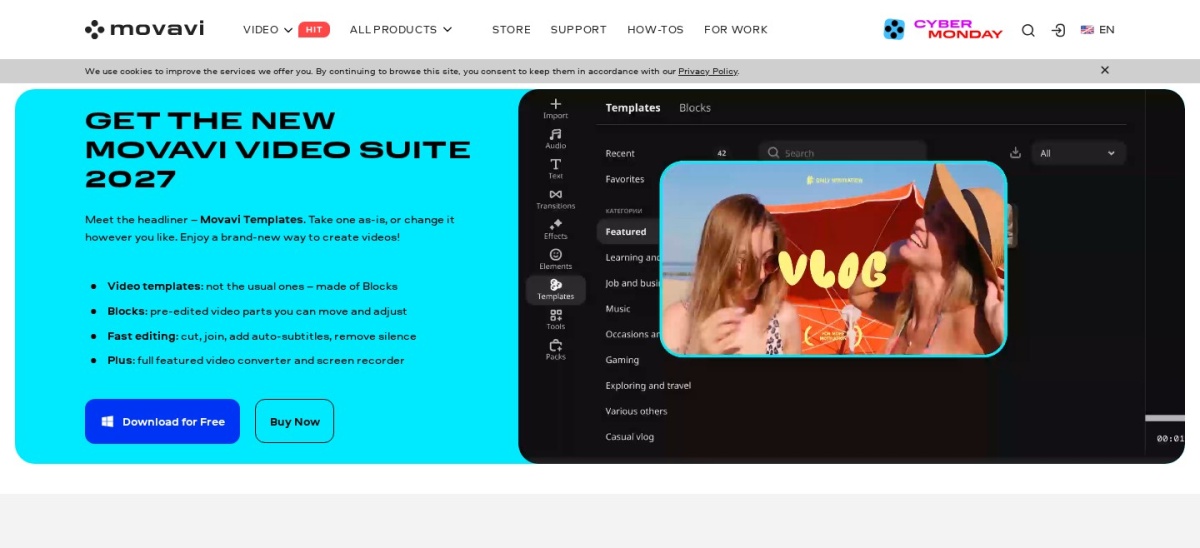
Movavi Video Editor homepage, captured Nov 2026.
Movavi Video Editor is a template-led desktop editor for Windows and Mac, rated 4.8 out of 5 on Capterra from 1,135 reviews. It opens with pre-edited template blocks for vlogs, family videos and promos, then adds one-click AI captions, silence removal, motion tracking and hundreds of effects.
The trade off is price structure. The monthly price is $19.95, and the free version is a 7-day trial that watermarks exports and caps videos at 60 seconds. It suits vloggers and small businesses that want a finished-looking video fast without learning a pro timeline.
What we like
Highest Capterra rating in this list
Template blocks make first videos fast
AI captions and silence removal included
70M+ users, so help is easy to find
Watch out for
Monthly price is the highest here
Free version is a 7-day trial only
Trial exports are watermarked and capped
Annual and lifetime licences cost less than monthly billingVisit movavi.com
03
DaVinci Resolve
4.8/5on Capterra (273 reviews, checked Nov 2026)
Paid from$295 (one-time)
Best free pro-grade editor
Free versionYes, no watermark
Colour gradingHollywood-grade
AI toolsStudio only
PlatformsWindows, Mac, Linux
blackmagicdesign.com
DaVinci Resolve homepage, captured Nov 2026.
DaVinci Resolve is a professional editor from Blackmagic Design that bundles editing, colour grading, visual effects and audio in one free app. The free version has no watermark and no time limit, and it covers the full timeline, Fusion effects and Fairlight audio.
The trade off is the learning curve. It is the steepest climb in this list, and it needs a strong computer with a good graphics card to run smoothly. Studio costs $295 once and adds AI tools. It suits beginners who want to keep learning without ever hitting a paywall.
iMovie is Apple's free video editor, preinstalled on every Mac, iPhone and iPad. It offers a simple timeline, storyboards that build a video step by step, trailers, titles and 4K export, with no watermark and no cost at all.
The trade off is depth. It has no AI captions, no motion tracking and no Windows version, and a creator who outgrows it must move to Final Cut Pro at $299.99 once. It suits first videos, family movies and school projects on Apple hardware.
What we like
Free with no watermark and no cost
Preinstalled, so there is nothing to set up
Storyboards guide a first edit
4K export included
Watch out for
Apple devices only
No AI captions or advanced tools
Moving up means Final Cut Pro at $299.99
Apple's paid step up is Final Cut Pro, $299.99 onceVisit apple.com
05
Clipchamp
4.3/5on Capterra (101 reviews, checked Nov 2026)
Paid from$11.99/mo
Best free browser editor
Free versionYes, 1080p
WatermarkNone on free
4K exportPremium only
PlatformsBrowser, Windows
clipchamp.com
Clipchamp homepage, captured Nov 2026.
Clipchamp is Microsoft's browser-based video editor, built into Windows 11. The free version exports at 1080p with no watermark, and it includes templates, auto-captions, screen recording and a stock library, with nothing to install.
The trade off is 4K and premium stock. 4K export, premium filters and the full stock library need Premium at $11.99 a month, or a Microsoft 365 subscription. It suits school projects, screen recordings and quick social videos on Windows.
Canva is a design platform with a video editor built in, rated 4.7 out of 5 on G2 from 7,869 reviews. It suits creators who already build slides and social graphics in Canva: pick a video template, drop in clips, add text and music, and export for TikTok, Reels or YouTube.
The trade off is control. It is a template editor, not a full timeline, so precise cuts, colour grading and audio mixing are limited. Pro costs $10 a month billed yearly and unlocks premium templates and Magic Studio AI tools. It suits social posts with video inserts.
Descript is a video and audio editor that works from a transcript: delete a word in the text and the video cut follows. It adds studio-quality voice tools, automatic captions, screen recording and AI clips, and the Hobbyist plan costs $16 a month billed yearly.
The trade off is the free plan. It exports with a watermark and caps transcription time, so regular publishing needs the paid plan. It suits podcasters, course creators and talking-head videos where the words matter more than the visuals.
What we like
Edit video by editing the transcript
Strong AI captions and voice tools
Screen recording built in
Great for podcasts and tutorials
Watch out for
Free plan exports with a watermark
Not built for cinematic or effects-heavy edits
Transcription time is capped on free
Hobbyist adds watermark-free export and more transcriptionVisit descript.com
08
PowerDirector
4.4/5on G2 (57 reviews, checked Nov 2026)
Paid from$54.99/yr
Best for fast rendering on Windows
Free versionYes, watermarked
AI toolsYes, 365 plan
4K exportYes
PlatformsWindows, Mac, mobile
cyberlink.com
PowerDirector homepage, captured Nov 2026.
PowerDirector is CyberLink's all-in-one video editor for Windows, Mac and mobile, rated 4.4 out of 5 on G2 from 57 reviews. It combines a full timeline with AI tools, keyframe effects, motion tracking and fast rendering, and the 365 subscription costs $54.99 a year.
The trade off is the free tier. The free Essential version watermarks exports and holds back the newest AI features, which sit in the 365 plan. It suits Windows creators who want a fast all-rounder with a perpetual licence option as well.
What we like
Fast rendering on Windows
Full timeline with keyframes and AI tools
Perpetual licence option exists
Mobile app included
Watch out for
Free version watermarks exports
Newest AI tools need the 365 plan
Smaller review base than Filmora or Movavi
365 adds AI tools and premium content; perpetual licence availableVisit cyberlink.com
09
OpenShot
4.5/5on G2 (32 reviews, checked Nov 2026)
PriceFree
Best free open-source editor
PriceFree, open source
WatermarkNone
AI toolsNo
PlatformsWindows, Mac, Linux
openshot.org
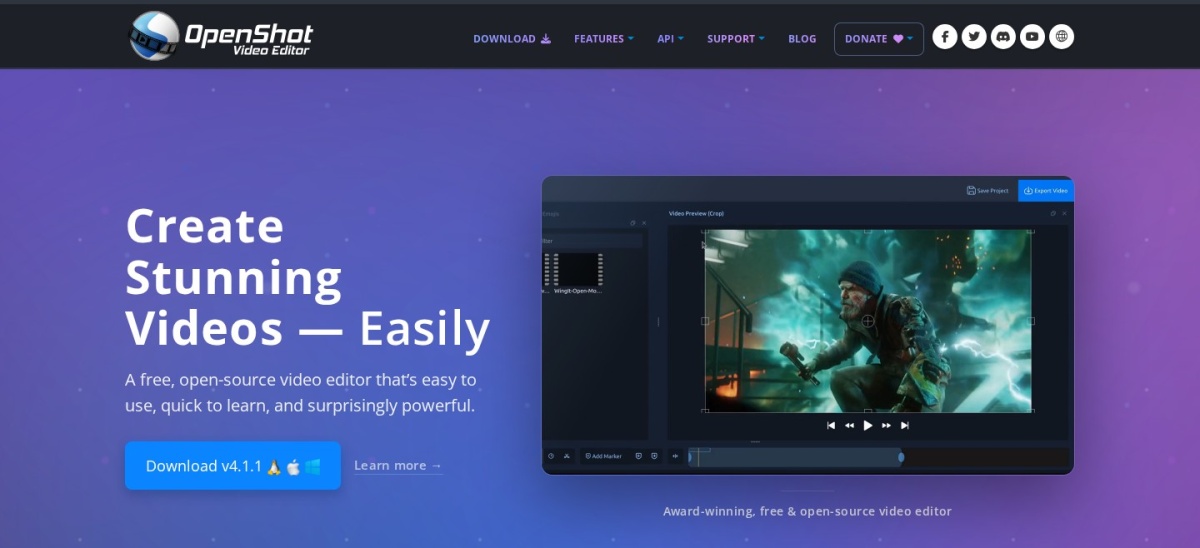
OpenShot homepage, captured Nov 2026.
OpenShot is a free, open-source video editor for Windows, Mac and Linux, rated 4.5 out of 5 on G2 from 32 reviews. It offers a simple timeline with drag-and-drop clips, transitions, titles and 3D animations, and every export is free with no watermark.
The trade off is polish and support. It has no AI tools, no template library and no paid support team, and large projects can run slowly on older machines. It suits budget-first school projects and anyone who wants a free editor with no strings attached.
Free plans cover a first video well. iMovie, DaVinci Resolve and OpenShot export clean video with no watermark, and Clipchamp exports 1080p free.
Paid plans mostly remove watermarks and add AI tools. Filmora, Movavi and Descript all keep their best AI features behind a subscription.
A one-time purchase suits buyers who dislike subscriptions. DaVinci Resolve Studio costs $295 once, Filmora Perpetual costs $79.99 once, and PowerDirector sells a perpetual licence too.
Start free, then pay for the limit you hit. If the watermark is the problem, Filmora Basic at $49.99 a year is the cheapest fix in this list.
How we chose
We started from every established video editor aimed at beginners, then kept those with a verifiable G2 or Capterra rating and a free version or trial.
Prices come from vendor pricing pages and vendor-page reads, checked on 24 November 2026. Ratings and review counts come from G2 and Capterra on the same day. Where a vendor shows a sale, the list shows the regular price.
We left out CapCut, whose G2 listing has almost no reviews and whose Trustpilot score reflects billing complaints rather than editing quality. No vendor paid for a place, and we do not claim hands-on testing for this list.
How to choose beginner video editing software
Start with the device you already own, then match the editor to the video you make.
Pick by platform first. On a Mac or iPhone, start with free iMovie. On Windows, start with free Clipchamp. On any computer, DaVinci Resolve is free and has no watermark.
Check the free-plan export rules. Filmora and PowerDirector watermark free exports, while iMovie, DaVinci Resolve and OpenShot do not. Export one test video before you commit.
Match the editor to the video type. Social clips suit Canva or Descript, vlogs suit Movavi or Filmora, and colour-heavy work suits DaVinci Resolve.
Pay only for the limit you hit. If the watermark is the problem, Filmora Basic at $49.99 a year is the cheapest fix. If you need AI captions daily, compare Filmora Advanced and Descript first.
FAQ
What is the best beginner video editing software?
Filmora is the best beginner video editing software for most people. It has a drag-and-drop timeline, AI captions and templates, and costs $49.99 a year, with a free version that exports with a watermark.
What is the best free video editing software for beginners?
DaVinci Resolve is the best free option, with a full pro editor, no watermark and no time limit. iMovie is the best free start on Apple devices, and OpenShot is the best free open-source choice.
Is Filmora good for beginners?
Yes. Filmora is built for beginners, with templates, drag-and-drop editing and AI tools for captions and cutouts. The Basic plan costs $49.99 a year, and a perpetual licence costs $79.99 once.
Does DaVinci Resolve have a free version?
Yes. DaVinci Resolve is free with no watermark and no time limit, including editing, colour grading, effects and audio. The Studio upgrade costs $295 once and adds AI tools.
Can I edit videos for free without a watermark?
Yes. DaVinci Resolve, iMovie, OpenShot and Clipchamp all export without a watermark on their free plans, so your first videos cost nothing. Filmora, PowerDirector and Descript watermark free exports, and charge to remove the mark.
Is CapCut good for beginners?
CapCut is popular for short social videos, but it is not in this list because its G2 listing has almost no reviews and its Trustpilot score reflects billing complaints. Filmora and Clipchamp are stronger rated alternatives here.