Best API Mocking Software in 2026: 7 Tools Compared
WLWPLegible EditorsLast verified 22 Nov 2026How we rank6 min read
★ Short answer
Apidog leads for teams wanting mock servers synced with API specs, holding a 4.8 out of 5 rating across 236 G2 reviews with paid plans from $9/user/month billed annually. For offline local mocks, Mockoon fits desktop workflows, while Beeceptor suits instant browser endpoints.
How we make this list: we compare pricing pages, product documentation and public user reviews, then re-check every price before each update. No product paid for a place. Disclosure.
Apidog holds a 4.8/5 rating across 236 G2 reviews and starts at $9/user/month billed annually ($108/yr).
Mockoon offers an open-source desktop app with paid team licenses at €10/license/month billed annually (€120/yr).
Beeceptor starts at $10/month with a free tier that allows up to 3 mock rules and 50 requests/day.
Hoverfly Cloud starts at $10/month for its Developer tier with 2 simulation instances and a 14-day free trial.
Postman holds a 4.6/5 rating across 1,802 G2 reviews, with Solo starting at $9/month billed annually ($108/yr).
ReadyAPI and Parasoft Virtualize target enterprise virtualization, starting at $1,069/yr and $99/month billed annually ($1,188/yr).
What to look for in API mocking software
API mocking tools simulate HTTP, REST, GraphQL, WebSocket, or gRPC endpoints so frontend, mobile, and QA teams can build and test without waiting on live backends or third-party sandboxes. Depending on your workflow, a mock server can run locally on a developer laptop, in a CI pipeline, or as a shared cloud URL accessible to remote teammates.
Contract synchronization is one of the biggest practical differences across tools. Spec-driven platforms generate mock responses directly from OpenAPI definitions so mocks stay aligned with schemas, whereas rule-based or capture-and-replay tools excel at simulating edge cases, latency, and error responses on demand.
Teams also need to weigh local privacy against shared collaboration. Desktop apps keep traffic on your machine without account friction, while hosted mock servers make sharing endpoints with QA or stakeholders straightforward but introduce request quotas, per-seat pricing, and data-governance rules.
Finally, check whether you need simple endpoint stubs or multi-step service virtualization. Lightweight tools handle standard status codes and dynamic fields easily, while enterprise virtualization suites add stateful flows, legacy protocols, and heavy test-data management at higher license costs.
For complex enterprise service virtualization and data mocks
$99/mo
Free plan
4.9/5
Price ladder: cheapest paid plan per year
List prices, USD, checked Nov 2026
ApidogFREE$108
PostmanFREE$108
MockoonFREE$120
BeeceptorFREE$120
HoverflyFREE$120
ReadyAPI$1,069
Parasoft Virt.FREE$1,188
The 7 best api mocking software
01
Apidog
4.8/5on G2 (236 reviews, checked Nov 2026)
Paid from$9/mo
Best for spec-synced API mocking and testing
G2 rating4.8/5 (236)
Entry paid plan$9/user/mo (annual)
ProtocolsREST, GraphQL, gRPC, WS
Free tierAvailable (up to 4 users)
apidog.com
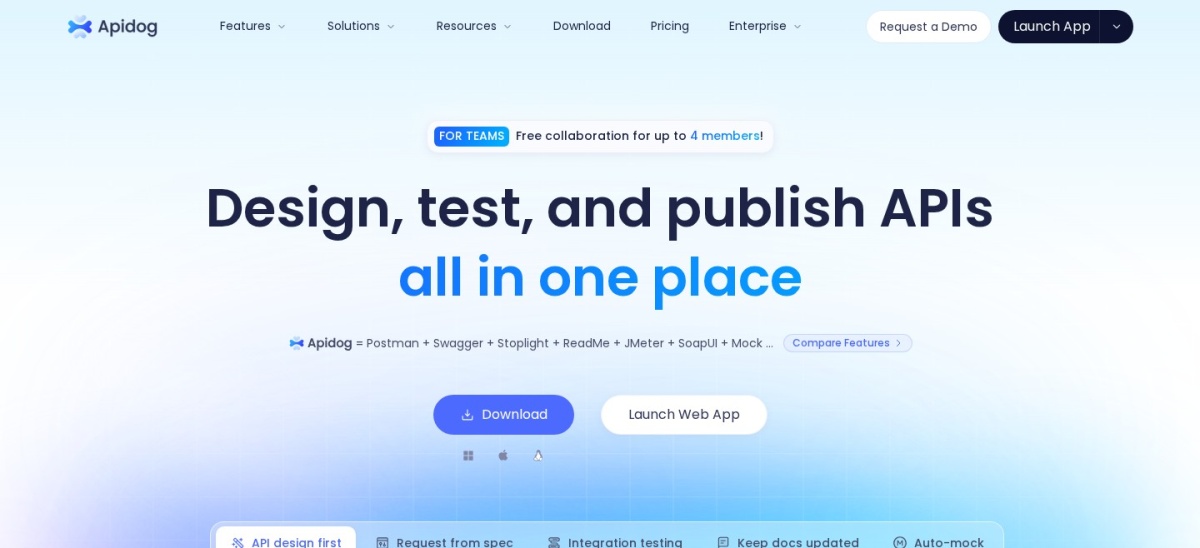
Apidog homepage, captured Nov 2026.
Apidog is an all-in-one API design, testing, documentation, and mocking platform with a free plan supporting up to four users and multi-protocol mock servers. It generates mock data from schemas across REST, GraphQL, WebSocket, and gRPC endpoints while keeping mocks synchronized with API specifications.
The trade off is that moving past free collaboration limits requires a paid subscription starting at $9 per user per month billed annually ($108/yr). It suits frontend, backend, and QA teams wanting API mocking tied directly to specs and automated tests.
What we like
Keeps mock responses aligned with API specifications without manual stub duplication
Supports REST, GraphQL, WebSocket, and gRPC mocking in one workspace
Generates realistic field values automatically from schema types
Offers a free tier for small teams up to four users
Watch out for
Per-user subscription pricing adds up as larger teams expand
Cloud-connected lifecycle model may not fit strictly offline-only workflows
Paid plans start at $9/user/month billed annually for expanded workspace and collaboration features.Visit apidog.com
02
Mockoon
4.5/5on G2 (17 reviews, checked Nov 2026)
Paid from$120/yr
Best for offline local mock servers with a GUI
G2 rating4.5/5 (17)
Entry paid plan€10/license/mo (annual)
DeploymentDesktop, CLI, Docker
Free tierFree open-source app
mockoon.com
Mockoon homepage, captured Nov 2026.
Mockoon is a local-first open-source API mocking desktop application and CLI with a free open-source edition and no account required to start. It supports OpenAPI imports, conditional response rules, latency settings, proxy recording, and stateful CRUD routes.
The trade off is that real-time team collaboration, shared deployments, and license management sit behind paid plans starting at €10 per license per month billed annually (€120/yr, minimum five licenses). It suits individual developers and local-first teams building mock APIs without cloud dependencies.
What we like
Free open-source desktop app runs locally with fast setup and no login gate
Includes a visual route builder plus CLI and Docker options for automation
Supports OpenAPI import/export, response rules, and stateful CRUD mocks
Watch out for
Local-first model lacks built-in cloud team collaboration on the free edition
Self-hosted Pro requires an annual commitment starting with five license slots
Mockoon Pro starts at €10/license/month billed annually with a five-license minimum for team collaboration and deployments.Visit mockoon.com
03
Beeceptor
4.8/5on G2 (78 reviews, checked Nov 2026)
Paid from$10/mo
Best for instant browser mock endpoints and traffic inspection
G2 rating4.8/5 (78)
Entry paid plan$10/mo
Free limits50 req/day, 3 mock rules
Free tierAvailable
beeceptor.com
Beeceptor homepage, captured Nov 2026.
Beeceptor is a hosted mock API and HTTP request inspection service offering a free plan with up to 50 requests per day, 3 mock rules, and public endpoints. It provides dynamic responses, latency injection, traffic recording, and real-time request inspection in the browser.
The trade off is that free endpoints are public with daily request caps, while upgrading to the Individual plan costs $10 per month ($120/yr). It suits developers and QA testers who want shareable mock URLs and live payload inspection without local setup.
What we like
Spins up hosted mock endpoints quickly with live request inspection
Supports dynamic rules, stateful behavior, and fault or latency injection
Offers a no-signup free tier for quick prototyping and testing
Watch out for
Free plan restricts traffic to 50 requests per day and public endpoints
Lower monthly request allowances on entry tiers than self-hosted tools
Paid plans start at $10/month for private endpoints, 15,000 requests/month per endpoint, and up to 50 mock rules.Visit beeceptor.com
04
Hoverfly
4.5/5on G2 (1 reviews, checked Nov 2026)
Paid from$10/mo
Best for lightweight capture-and-replay API simulation
G2 rating4.5/5 (1)
Entry paid plan$10/mo (Developer)
Core workflowCapture, simulate, replay
Free tierOpen-source + 14-day trial
hoverfly.io
Hoverfly homepage, captured Nov 2026.
Hoverfly is a lightweight API simulation tool pairing an Apache 2.0 open-source proxy binary with Hoverfly Cloud, which offers a 14-day free trial. It captures real HTTP traffic into portable JSON simulations and replays responses with configurable latency and failure modes.
The trade off is that HTTPS interception requires certificate trust setup, while Hoverfly Cloud starts at $10 per month ($120/yr) on the Developer plan. It suits engineers running capture-and-replay service simulations in CI or local test environments.
What we like
Captures live API traffic into reusable JSON simulation files for replay
Lightweight single-binary open-source option alongside a hosted cloud tier
Simulates network latency and failures to test client resilience
Watch out for
Smaller community and review footprint than broader API platforms
HTTPS proxy capture involves extra local certificate configuration
Hoverfly Cloud Developer starts at $10/month with 2 simulation instances and up to 20 requests per second per instance.Visit hoverfly.io
05
Postman
4.6/5on G2 (1,802 reviews, checked Nov 2026)
Paid from$9/mo
Best for teams already managing APIs in Postman collections
G2 rating4.6/5 (1,802)
Entry paid plan$9/mo (Solo, annual)
Mock sourcePostman collections
Free tierAvailable
postman.com
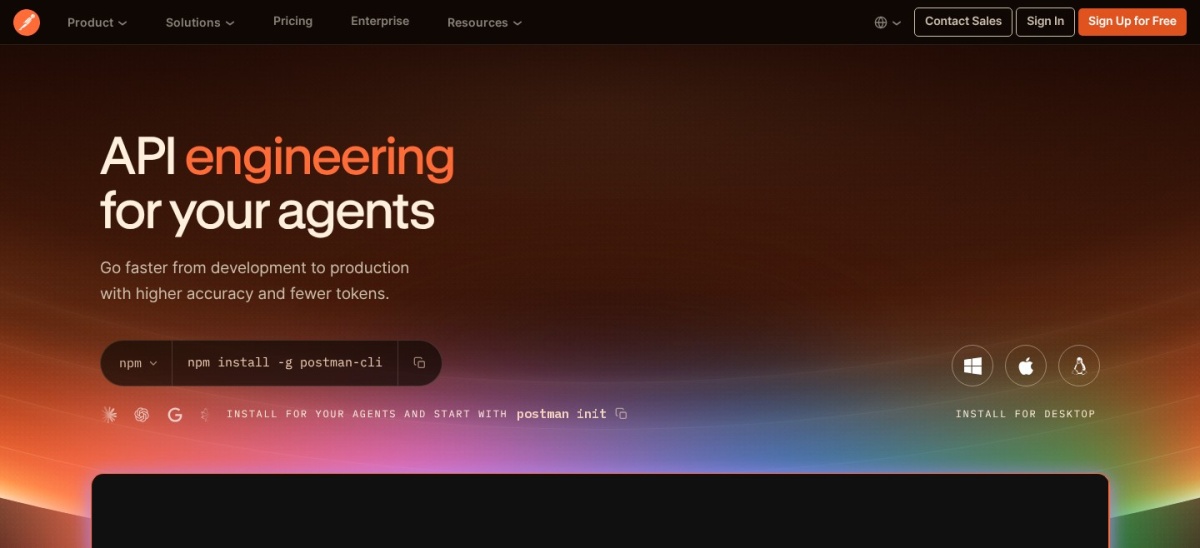
Postman homepage, captured Nov 2026.
Postman is a widely used API platform that includes mock servers built directly from saved collections and example responses, with a free tier available. Teams can spin up mock endpoints from existing requests without adopting a separate mocking app.
The trade off is that mocks remain tied to Postman collections and paid plans start at $9 per month billed annually ($108/yr) for Solo. It suits teams whose API workflows and shared collections already live inside Postman.
What we like
Large review base (1,802 G2 reviews) and familiar workspace for API teams
Creates mock servers directly from existing collection examples and environments
Includes a free entry option before upgrading
Watch out for
Mock definitions are coupled to Postman's collection structure
Less specialized for complex stateful virtualization than dedicated simulators
Paid plans start with Solo at $9/month billed annually and Team at $19/user/month billed annually.Visit postman.com
06
ReadyAPI
4.4/5on G2 (74 reviews, checked Nov 2026)
Starts at$1,069/yr
Best for enterprise QA teams combining API testing and virtualization
G2 rating4.4/5 (74)
Entry paid plan$1,069/yr
Free tierNo (14-day trial)
FocusFunctional, security, virt.
smartbear.com
ReadyAPI homepage, captured Nov 2026.
ReadyAPI is a commercial API testing and service virtualization suite from SmartBear offering a 14-day free trial rather than a free tier. It supports REST, SOAP, and GraphQL workflows alongside virtual service mocking and CI/CD integrations.
The trade off is a steep annual starting price of $1,069 for a one-year license, with virtualization and floating seats costing more. It suits enterprise QA teams centralizing functional API tests and service virtualization under one vendor.
What we like
Combines functional API testing, security checks, and service virtualization
Established enterprise footprint with 74 G2 reviews and CI/CD support
Supports REST, SOAP, and GraphQL testing workflows
Watch out for
High annual license cost compared with lightweight or open-source mocking tools
No permanent free plan, only a 14-day trial
Licensing rules can add cost for CI/CD or virtual service add-ons
Annual licenses start at $1,069/year, with API and Service Virtualization starting at $1,415/year.Visit smartbear.com
07
Parasoft Virtualize
4.9/5on G2 (14 reviews, checked Nov 2026)
Paid from$99/mo
Best for complex enterprise service virtualization and data mocks
G2 rating4.9/5 (14)
Entry paid plan$99/mo (annual)
Free tierFree Edition available
FocusAPIs, DBs & enterprise apps
parasoft.com
Parasoft Virtualize homepage, captured Nov 2026.
Parasoft Virtualize is an enterprise service virtualization platform offering a Free Edition for local virtual services alongside commercial editions. It simulates APIs, databases, and enterprise dependencies using record-and-playback and data-driven virtual assets.
The trade off is a heavier enterprise setup and a Professional Desktop starting price of $99 per month billed annually ($1,188/yr). It suits larger engineering and QA teams simulating complex backend dependencies and test data.
What we like
High 4.9/5 rating across 14 G2 reviews for complex virtualization
Simulates APIs alongside databases and enterprise systems
Includes a Free Edition to start with local virtual services
Watch out for
Steeper learning curve and setup overhead than lightweight mock servers
Commercial annual pricing starts at $99/month billed annually
Professional Desktop starts at $99/month billed annually for expanded workflows and team capabilities.Visit parasoft.com
Local vs. cloud mock servers
Local mock servers run on your workstation or inside CI runners, giving you fast feedback loops, offline work, and full control over sensitive payloads without sharing a public URL. Tools like Mockoon and Hoverfly fit this pattern well when developers want mocks stored alongside code or triggered in automated builds.
Cloud-hosted mock servers give distributed teammates, QA engineers, and mobile testers a reachable endpoint immediately. That convenience comes with trade-offs around daily or monthly request limits, endpoint privacy rules, and subscription costs once traffic or seat counts grow.
How we chose
This list starts from established API mocking and service virtualization platforms used for frontend development, API testing, and dependency simulation, focusing on tools with public pricing and active review records.
All G2 ratings, review counts, and starting paid prices were checked on 22 Nov 2026 from vendor pricing pages and G2 listings, converting regular monthly or annual rates into yearly figures where applicable.
Tools without clear public paid pricing on their pricing pages or with minimal review coverage were excluded so every entry reflects verifiable figures. No vendor paid for a place, and we do not claim testing for this list.
How to choose the right API mocking tool
Follow four practical steps to match a mock server to your team's workflow.
Identify your source of truth. Decide whether mocks should generate from OpenAPI specifications, Postman collections, recorded traffic, or manual rules so mocks stay accurate as endpoints evolve.
Pick local or hosted execution. Choose a local desktop or CLI tool for fast offline work and CI pipelines, or a hosted endpoint when remote teammates and QA need a shared URL.
Check edge-case and protocol needs. Verify support for custom status codes, latency injection, stateful responses, and non-REST protocols like GraphQL, gRPC, WebSocket, or SOAP if your system relies on them.
Model yearly costs at realistic usage. Compare free tier quotas against annual seat or license pricing so request caps or team growth do not surprise your budget.
FAQ
What is API mocking software used for?
API mocking software simulates API endpoints and responses so frontend, mobile, and QA teams can build and test features before real backends are ready or when external services are slow or unavailable.
How does API mocking differ from service virtualization?
Basic API mocking focuses on endpoint request-response stubs, while service virtualization extends simulation to multi-step stateful behavior, databases, queues, or legacy protocols across larger systems.
Are free API mocking tools enough for small teams?
Free plans or open-source builds work well for individual developers and small teams with modest traffic, though shared cloud URLs, higher request limits, and team collaboration often require a paid tier.
Should we generate mocks from an OpenAPI spec or write rules manually?
Spec-driven mocks help keep simulated responses aligned with your documented schema, while manual rules and traffic capture are useful for testing specific error states, delays, and real-world edge cases.
Can mock servers simulate errors and slow network responses?
Yes, many mocking tools let you configure custom HTTP status codes, response delays, and failure modes so you can verify how client apps handle timeouts and server errors.
When should a team choose a local desktop tool over a hosted mock service?
A local tool fits when you want zero account setup, offline development, or mocks kept inside your repository and CI pipeline without exposing endpoints on a hosted cloud.