Best AI Tools to Animate Photos to Video in 2026: 7 Tools Compared
WLWPLegible EditorsLast verified 22 Nov 2026How we rank9 min read
★ Short answer
Leonardo AI is the best AI tool for animating photos into videos for most creators, with its Essential plan offering 8,500 monthly tokens. HeyGen is better for speaking portraits and presenter videos, while Krea is an affordable alternative for experimenting with different animation models.
How we make this list: we compare pricing pages, product documentation and public user reviews, then re-check every price before each update. No product paid for a place. Disclosure.
Leonardo AI offers 150 daily tokens on its free plan and has a 4.7/5 Trustpilot rating from 1,606 reviews.
HeyGen Creator costs $29 per month and includes 600 credits, image-to-video generation and 1080p exports.
Krea Basic includes 5,000 monthly compute units, with the regular rate displayed at $9 per month.
Runway Standard costs $15 per month and includes 625 credits, equivalent to approximately 52 seconds of Gen-4.5 video.
OpenArt Starter includes 4,000 monthly credits and access to more than 100 creative AI models.
Pika Starter costs $10 per month and can generate approximately 30 five-second Pika 2.5 videos using its monthly credit allowance.
What to look for in AI photo-to-video animation tools
AI photo-to-video tools generate movement from still images using video generation models. Depending on the platform, they can animate facial expressions, introduce camera movement, simulate environmental changes or create entirely new actions from an uploaded photograph.
Look for tools that preserve the appearance of the original image. Subject consistency is particularly important when animating portraits, product photographs and branded visuals because unwanted changes can make the resulting video unsuitable.
Motion controls are another important consideration. Some platforms accept written instructions describing camera movement and subject behavior, while others provide specialized animation models, motion transfer features or preset visual effects.
Compare generation credits rather than subscription prices alone. Video duration, resolution and model selection affect credit consumption. An inexpensive subscription may provide relatively little usable footage when generating demanding videos.
Finally, review commercial usage rights, watermark restrictions and image privacy settings. These requirements matter when creating customer projects, product advertisements or animations featuring identifiable people.
4.7/5on Trustpilot (1,606 reviews, checked Nov 2026)
Paid from$12/mo
Best for creative photo-to-video animation
Free daily tokens150
Essential monthly tokens8,500
Paid model selection80+
Private creationsEssential and above
leonardo.ai
Leonardo AI homepage, captured Nov 2026.
Leonardo AI is a creative generation platform that combines image creation, visual editing and video animation. Its free subscription provides 150 daily tokens with automatic model selection, while Essential expands access to creative models and provides private generation capabilities.
The trade off is that free creations are public, and different video models consume tokens at different rates. Essential starts at the advertised $12 monthly rate. It suits designers, content creators and marketers who want to prepare photographs and animate them within the same platform.
What we like
Daily free token allowance
Combines image preparation and animation
Private creations on paid subscriptions
Extensive creative model selection
Strong public customer rating
Watch out for
Free creations are publicly accessible
Video generation can consume tokens quickly
Free model selection is restricted
Essential adds 8,500 monthly tokens, private generations and broader model access.Visit leonardo.ai
02
HeyGen
4.8/5on G2 (1,978 reviews, checked Nov 2026)
Paid from$29/mo
Best for animating portraits into speaking videos
Free monthly videos3
Free video durationUp to 1 minute
Creator credits600
Creator export resolution1080p
heygen.com
HeyGen homepage, captured Nov 2026.
HeyGen is an AI video platform that turns portraits, scripts and reference images into generated videos. Its free subscription allows users to create 3 watermarked videos per month, while Creator includes image-to-video generation through its HeyGen Video 1 model.
The trade off is that free videos have branding and restricted duration, while Creator costs $29 per month. Higher-resolution exports and some advanced video models require Pro. It suits businesses creating educational presenters, product demonstrations, personalized messages and speaking portrait animations.
What we like
Specialized facial animation and lip synchronization
Free monthly video allowance
Supports image-to-video generation
High G2 customer rating
Watermark removal on Creator
Watch out for
Free exports include branding
Advanced video models require higher subscriptions
Less focused on artistic animation workflows
Creator adds 600 credits, 1080p exports, additional avatar features and branding removal.Visit heygen.com
03
Krea
3.6/5on Trustpilot (185 reviews, checked Nov 2026)
Paid from$9/mo
Best for affordable creative animation experiments
Free daily compute units100
Basic monthly compute units5,000
Basic video model accessSelected models
Motion transferAvailable
krea.ai
Krea homepage, captured Nov 2026.
Krea is an AI creative workspace for generating images, animating photographs and editing visual content. Its free subscription includes 100 daily compute units, while Basic provides 5,000 monthly units and access to selected video generation models.
The trade off is that video generation can consume the available compute units rapidly, and Basic does not unlock every video model. Its regular displayed rate is $9 per month, with a temporary $5 promotional rate. It suits creators experimenting with different animation styles on a limited budget.
What we like
Affordable entry subscription
Daily free compute allowance
Dedicated image-to-video functionality
Motion transfer capabilities
Image and video enhancement tools
Watch out for
Basic restricts video model selection
Compute consumption varies by generation settings
Mixed customer feedback on Trustpilot
Basic expands compute allowances, model access and creative editing capabilities.Visit krea.ai
04
Runway
1.1/5on Trustpilot (411 reviews, checked Nov 2026)
Paid from$15/mo
Best for cinematic photo animation
Free credits125 one-time
Standard monthly credits625
Gen-4.5 video allowance52 seconds
Free asset storage5GB
runway.com
Runway homepage, captured Nov 2026.
Runway is a generative video platform designed for creative filmmaking, image animation and visual production. Its free subscription provides 125 one-time credits and 5GB of asset storage, allowing creators to explore selected generation models before subscribing.
The trade off is that Standard costs $15 per month, and its credit allowance can be consumed quickly by repeated generations. Runway also has a low 1.1/5 Trustpilot rating from 411 reviews, warranting caution. It suits experienced creators who prioritize cinematic generation capabilities and can evaluate the free version first.
What we like
Advanced image and video generation models
Suitable for cinematic visual projects
Free introductory generation credits
Supports multiple creative workflows
Regular annual billing discount
Watch out for
Very low Trustpilot customer rating
Free credits do not refresh
Repeated video generation increases credit consumption
Higher-volume production requires additional spending
Standard adds 625 monthly credits, broader model access and additional creative tools.Visit runway.com
05
OpenArt
3.4/5on Trustpilot (1,812 reviews, checked Nov 2026)
Paid from$168/yr
Best for character-focused photo animation
Starter monthly credits4,000
Estimated monthly videosUp to approximately 50
Creative models100+
Parallel generations8
openart.ai
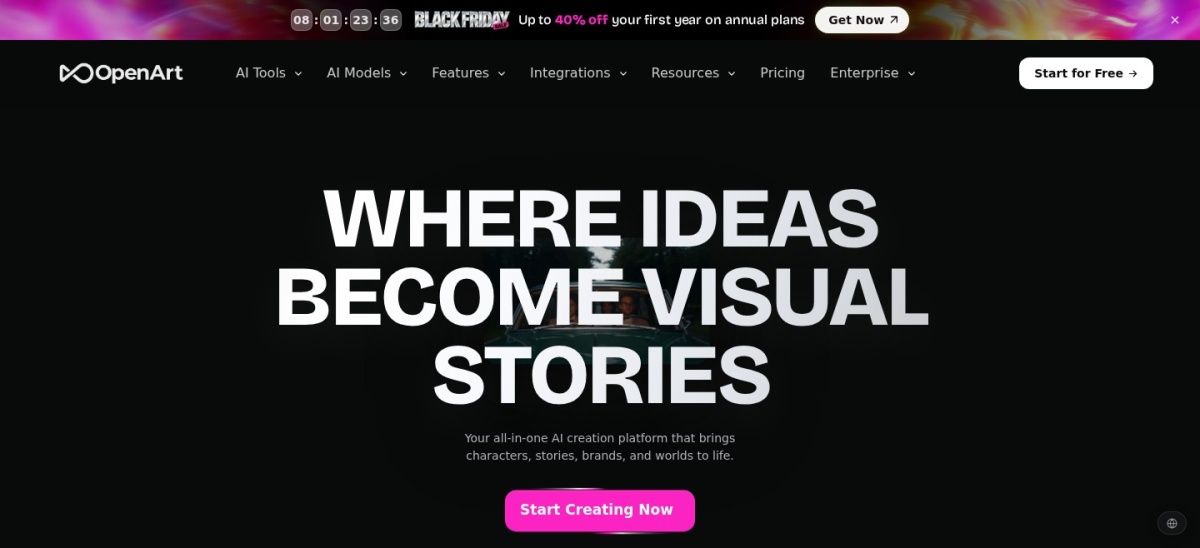
OpenArt homepage, captured Nov 2026.
OpenArt is an AI creative studio that supports image generation, character development and video production. Its Starter subscription includes 4,000 monthly credits, access to more than 100 creative models and tools for maintaining consistent characters across generated content.
The trade off is that its regular displayed annual-billed rate is $14 per month, equivalent to $168 annually, while commercial usage rights are listed on higher plans. A temporary promotion reduces the advertised rate to $11 per month. It suits creators developing animated stories and recurring visual characters.
What we like
Extensive selection of creative AI models
Character consistency capabilities
Supports image and video workflows
Watermark-free paid generations
Multiple simultaneous generations
Watch out for
Starter commercial usage rights require clarification
Video generation costs vary by model
Mixed Trustpilot customer feedback
Starter adds 4,000 monthly credits, expanded model access and watermark-free generations.Visit openart.ai
06
Pika
2.3/5on Trustpilot (81 reviews, checked Nov 2026)
Paid from$10/mo
Best for short creative animations and visual effects
Starter monthly credits600
Pika 2.5 video cost20 credits per 5 seconds
Parallel video generations2
Commercial licenseStarter and above
pika.art
Pika homepage, captured Nov 2026.
Pika is a creative AI platform for generating videos, transforming photographs and applying visual effects. Its free account supports model access through separately purchased credits, while Starter includes 600 monthly credits and commercial usage rights.
The trade off is that the free subscription includes no recurring generation credits, and unused subscription credits do not roll over. Starter costs $10 per month or $96 annually. It suits social media creators producing short visual effects, although its 2.3/5 Trustpilot rating warrants caution before subscribing.
What we like
Supports several video generation models
Specialized creative animation effects
Watermark-free exports
Commercial usage rights on Starter
Separate credit purchases available
Watch out for
Free plan includes no monthly generation credits
Low Trustpilot customer rating
Unused subscription credits expire
Subscription payments are non-refundable
Starter adds 600 recurring monthly credits and a commercial usage license.Visit pika.art
07
Luma AI
1.4/5on Trustpilot (72 reviews, checked Nov 2026)
Starts at$30/mo
Best for collaborative AI video production
Entry subscriptionPlus
Plus monthly credits10,000
Commercial usageIncluded
Guest collaborationIncluded
lumalabs.ai
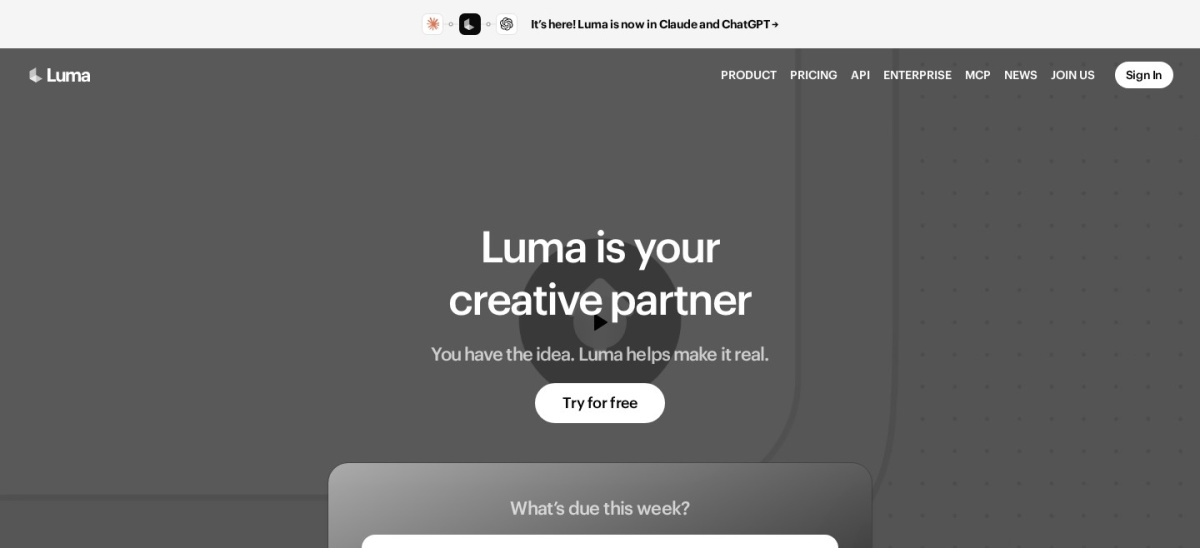
Luma AI homepage, captured Nov 2026.
Luma AI is a creative production platform that supports image generation, video creation and visual collaboration. Its Plus subscription includes 10,000 credits, access to Luma and third-party generation models, commercial usage rights and editing access for guest collaborators.
The trade off is that Plus costs $30 per month or $300 annually, with no permanent free plan listed on its current pricing page. Its 1.4/5 Trustpilot rating also indicates significant customer dissatisfaction. It suits professional creators who specifically require its generation models and collaborative production features.
What we like
Supports image and video generation
Access to proprietary and third-party models
Commercial usage included
Guest editing and collaboration
Published credit-based subscription structure
Watch out for
Very low Trustpilot customer rating
No permanent free plan listed
Higher starting price than several competitors
Generation expenses depend on model selection
Plus includes 10,000 credits, commercial usage and guest collaboration.Visit lumalabs.ai
What types of photo animation can AI generate?
Cinematic animation introduces movement into an existing photograph. Creators can describe camera movements, changes in lighting, environmental effects or subject actions. Leonardo AI, Runway and Luma AI support creative video generation workflows.
Talking portrait animation focuses on facial expressions, lip synchronization and speech. HeyGen is particularly relevant for this use case because its platform supports generated presenters, voice features and image-based video creation.
Character animation helps creators transform illustrations or photographs into moving scenes while attempting to preserve the appearance of a recurring subject. OpenArt provides character-focused tools that can support this type of visual storytelling.
Creative visual effects introduce unusual transformations or stylized movement. Pika and Krea provide multiple generation options for experimenting with short social media videos and artistic animations.
How much does AI photo-to-video animation cost?
AI animation subscriptions in this comparison start at $9 per month for Krea at its displayed regular rate. Pika Starter costs $10 per month, while Runway Standard costs $15 per month. The actual amount of generated footage varies considerably between platforms.
Pika provides a useful example of how model selection affects generation expenses. A five-second Pika 2.5 clip at 720p consumes 20 credits, while a five-second Seedance 2.5 clip at the same resolution consumes 122 credits.
Repeated attempts also increase production expenses. A generated clip may introduce unwanted movement, alter the original subject or produce an unsuitable camera angle. Budget for revisions rather than assuming every generated clip will be usable.
The annual price ladder compares published subscription rates, not equivalent video output. Credit systems differ between vendors, so comparing the number of credits directly does not establish which platform produces the least expensive footage.
How we chose
We shortlisted established AI video generation platforms with photo animation, image-to-video creation or portrait animation capabilities. Our comparison considers available generation models, published subscription prices, credit allowances, commercial usage conditions and independent customer ratings.
Official pricing pages and G2 or Trustpilot review profiles were opened on 24 Nov 2026 for the assigned editorial date of 22 Nov 2026. Annual figures use regular monthly rates multiplied by twelve or published annual subscription costs where applicable. Temporary promotions are identified separately.
We excluded products without confirmable public subscription prices or sufficient customer review evidence. Products with low customer ratings remain included for their specialized generation capabilities, with explicit warnings about customer dissatisfaction. No vendor paid for a place, and we do not claim testing for this list.
How to choose the best AI tool to animate photos to video
Identify your desired animation style, generation requirements, commercial usage needs and available budget before choosing an AI video platform.
**Choose the type of animation you need.** Determine whether you want cinematic movement, talking portraits, character animation or short visual effects. Select a platform whose models and editing tools directly support your intended output rather than purchasing software based solely on its overall feature count.
**Evaluate subject consistency and motion controls.** Look for tools that accept reference images and detailed movement instructions. Check whether the platform can preserve important facial features, product details and visual characteristics while generating the desired motion.
**Calculate your expected credit consumption.** Review the credit cost of your preferred model, resolution and video duration. Include additional generations needed for revisions. Compare the estimated amount of usable footage rather than choosing a subscription simply because it provides more credits.
**Review usage rights, privacy and customer feedback.** Confirm that your subscription permits the intended commercial use and provides suitable privacy settings. Review cancellation terms, refund policies and recent customer feedback before purchasing, especially when considering platforms with low public ratings.
FAQ
What is the best AI tool to animate a photo into a video?
Leonardo AI is our top overall pick because it combines image creation, editing and animation with accessible subscription options. HeyGen is better for speaking portraits, while Krea offers an affordable starting point for creative image animation experiments.
What is the best free AI photo-to-video generator?
Leonardo AI provides 150 daily tokens on its free subscription, while Runway includes 125 one-time introductory credits. Krea offers a daily compute allowance, and HeyGen supports 3 free videos per month with watermarked exports.
Can AI animate old family photographs?
Yes. Image-to-video platforms can introduce facial expressions, subtle head movements and environmental motion into old photographs. However, generated movement is synthetic and may alter facial features or other details. Preserve the original photograph separately from the animated version.
Which AI tool can make a photograph talk?
HeyGen is particularly suitable for converting portraits into speaking videos because it provides AI avatars, speech generation and lip synchronization features. Users should obtain appropriate permission before creating or publishing speaking animations that represent another identifiable person.
How much does it cost to animate photos using AI?
Krea displays a regular Basic rate of $9 per month, while Pika Starter costs $10 and Runway Standard costs $15 per month. Actual production expenses depend on the selected generation model, video resolution, duration and number of revisions.
Can I create AI photo animations without watermarks?
Yes. Paid plans from HeyGen and OpenArt provide exports without vendor branding, while Pika advertises watermark-free exports across its plans. However, watermark removal and commercial usage rights are separate conditions, so review both before publishing generated content.
How long can AI-generated photo animations be?
Video duration depends on the selected platform, model and subscription. Many generative models specialize in short clips that creators can combine into longer productions. Some platforms also provide video extension features, although extending footage generally consumes additional credits.
Can I use AI-animated photographs commercially?
Commercial use depends on your subscription license and the rights associated with the original image. Pika Starter and Luma Plus include commercial usage rights. You must also obtain appropriate authorization for copyrighted photographs, recognizable individuals and other protected material.
Why do AI-generated photo animations sometimes distort faces?
Video generation models predict how visual elements should move across successive frames. They can introduce inconsistencies when the original photograph lacks detail or when requested movements are complex. Clear reference images, restrained movement instructions and careful output review can help.