Best AI Tools for Work Productivity in 2026: 7 Tools Compared
WLWPLegible EditorsLast verified 22 Nov 2026How we rank9 min read
★ Short answer
ChatGPT is the best AI tool for work productivity for most professionals, combining writing, research and document analysis with paid plans starting at $8 per month. Claude is better for complex document-based work, while Zapier specializes in automating repetitive tasks across business applications.
How we make this list: we compare pricing pages, product documentation and public user reviews, then re-check every price before each update. No product paid for a place. Disclosure.
ChatGPT Go starts at $8 per month and expands messaging, file uploads and image generation allowances.
Claude Pro costs $20 per month or $200 per year and includes Projects and task delegation.
Zapier connects 9,000+ applications and includes 100 monthly tasks on its free plan.
Notion has a 4.6/5 G2 rating from 14,021 reviews, with paid workspace plans starting at $10 per member per month.
Otter provides 300 free monthly transcription minutes for recording and reviewing meetings.
Grammarly offers 100 monthly AI prompts for free and 2,000 monthly prompts per member on Pro.
What to look for in AI productivity tools for work
AI productivity tools help professionals complete routine tasks, manage information, communicate clearly and automate repetitive processes. They range from general-purpose assistants to specialized applications for meetings, documents, research and workflow management.
Start by identifying the activities that consume the most time during your working day. An AI writing assistant may help with communication, while workflow automation software can reduce repetitive data entry and administrative work.
Integration capabilities are particularly important for teams. Look for tools that work with your existing email applications, document editors, project management platforms and communication systems rather than introducing unnecessary steps.
Evaluate the difference between AI assistance and automation. An assistant helps you complete individual tasks, while automation software executes predefined workflows. Businesses may benefit from combining both approaches.
Consider subscription limits, employee access and data privacy before purchasing. Some affordable entry plans restrict advanced AI capabilities, while team subscriptions may charge separately for each employee.
For professional research and information discovery
$20/mo
Free plan
4.4/5
Price ladder: cheapest paid plan per year
List prices, USD, checked Nov 2026
ChatGPTFREE$96
NotionFREE$120
OtterFREE$204
ZapierFREE$240
ClaudeFREE$240
PerplexityFREE$240
GrammarlyFREE$360
The 7 best AI tools for work productivity
01
ChatGPT
4.6/5on G2 (5,459 reviews, checked Nov 2026)
Paid from$8/mo
Best for everyday professional productivity
Entry paid planGo
Free data analysisLimited
Go Instant context54K
Advanced work featuresPlus
chatgpt.com
ChatGPT homepage, captured Nov 2026.
ChatGPT is a general-purpose AI assistant that helps professionals draft emails, analyze documents, brainstorm solutions and organize information. Its free subscription supports web search and limited data analysis, while Go expands usage allowances and provides a 54K Instant context window.
The trade off is that advanced research and more demanding professional workflows benefit from higher subscription tiers. Go costs $8 per month, while Plus costs $20 per month. It suits professionals who want flexible AI assistance across communication, planning, analysis and document preparation.
What we like
Supports diverse professional tasks
Can analyze uploaded files and spreadsheets
Free subscription for everyday assistance
Affordable entry paid plan
Supports connections to external applications
Watch out for
Generated information requires verification
Advanced capabilities depend on subscription tier
Go may include advertising
Go expands messaging, file uploads, memory and image generation allowances.Visit chatgpt.com
02
Claude
4.7/5on G2 (2,240 reviews, checked Nov 2026)
Paid from$20/mo
Best for complex documents and analytical work
Free usage window5 hours and weekly
Document creationAvailable
ProjectsPro
Annual Pro subscription$200
claude.ai
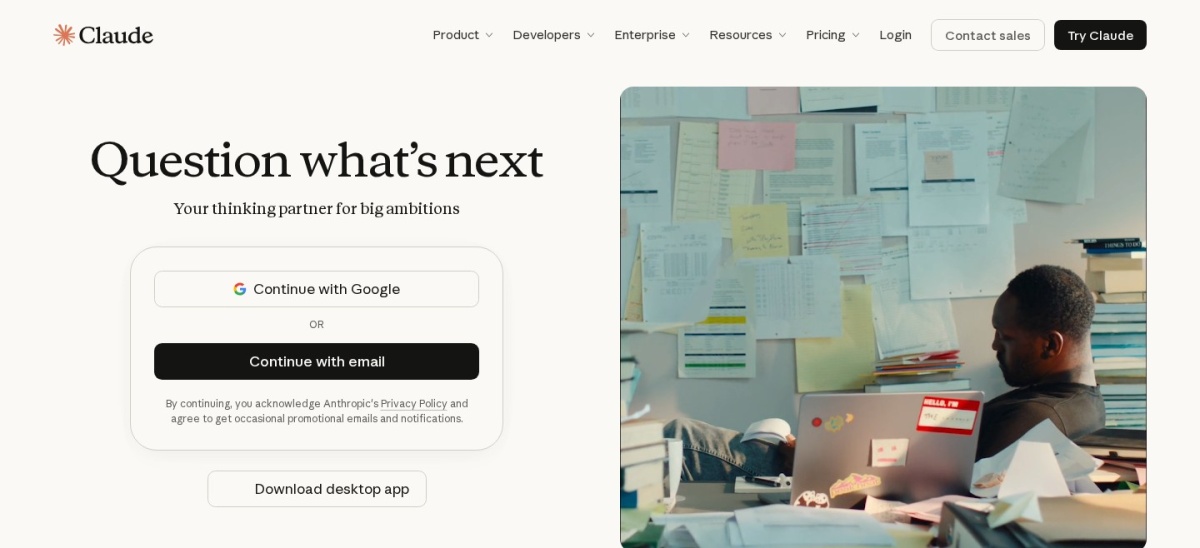
Claude homepage, captured Nov 2026.
Claude is an AI assistant designed to support writing, analytical thinking, coding and document-based work. Its free subscription includes web research, file creation and code execution, with usage allowances measured across 5-hour and weekly periods.
The trade off is that usage restrictions can interrupt longer working sessions, particularly when processing extensive documents. Pro costs $20 per month or $200 annually and expands available work features. It suits analysts, writers, developers and consultants managing detailed professional assignments.
What we like
Supports extensive document-based discussions
Can assist with code and analytical tasks
Project organization on Pro
Task delegation and scheduling
Discounted annual subscription available
Watch out for
Usage restrictions apply to paid subscriptions
Generated analysis requires human review
Some advanced capabilities incur additional usage charges
Pro adds higher usage allowances, Projects, scheduled work and expanded model access.Visit claude.ai
03
Zapier
4.5/5on G2 (2,170 reviews, checked Nov 2026)
Paid from$19.99/mo
Best for automating repetitive business workflows
App integrations9,000+
Free monthly tasks100
Free workflow steps2
Paid entry planProfessional
zapier.com
Zapier homepage, captured Nov 2026.
Zapier is a workflow automation platform that connects business applications and incorporates AI into recurring processes. Its free subscription includes 100 monthly tasks, basic workflows and AI-assisted automation creation, with support for connections across more than 9,000 applications.
The trade off is that complex workflows require Professional, which starts at an advertised $19.99 per month, and higher activity can increase costs. It suits operations, marketing and sales professionals who want to automate notifications, lead management, record updates and other repetitive administrative activities.
What we like
Extensive business application compatibility
AI-assisted workflow configuration
Free automation allowance
Supports multi-step workflows on paid plans
Includes forms and structured data tables
Watch out for
Task-based expenses increase with usage
Free workflows have limited complexity
Separate AI products may require additional subscriptions
Professional adds multi-step automation, premium app connections, webhooks and AI fields.Visit zapier.com
04
Notion
4.6/5on G2 (14,021 reviews, checked Nov 2026)
Paid from$10/mo
Best for organizing workplace knowledge and projects
Free workspaceAvailable
Entry paid planPlus
Full AI workspace planBusiness
Business starting rate$20/member/month
notion.com
Notion homepage, captured Nov 2026.
Notion is a collaborative workspace for documents, company knowledge, databases and project management. Its free subscription includes personal organization features and trial access to AI functionality, while Plus starts at an advertised $10 per member per month.
The trade off is that Plus provides only trial AI access rather than the full AI workspace experience. Business starts at $20 per member per month and includes AI agents, meeting notes and connected application search. It suits teams consolidating project information and internal documentation.
What we like
Combines documents, databases and project tracking
Customizable workspace organization
Free personal workspace
AI-assisted knowledge retrieval on Business
Supports collaborative documentation
Watch out for
Full AI functionality requires Business
Workspace configuration can take time
Per-member pricing increases with team size
Plus adds collaboration and customization features; Business unlocks expanded AI capabilities.Visit notion.com
05
Otter
4.4/5on G2 (554 reviews, checked Nov 2026)
Paid from$16.99/mo
Best for meeting transcription and follow-up tasks
Free transcription300 minutes/month
Pro recording allowance1,200 minutes
Pro meeting duration90 minutes
Pro file imports10 per month
otter.ai
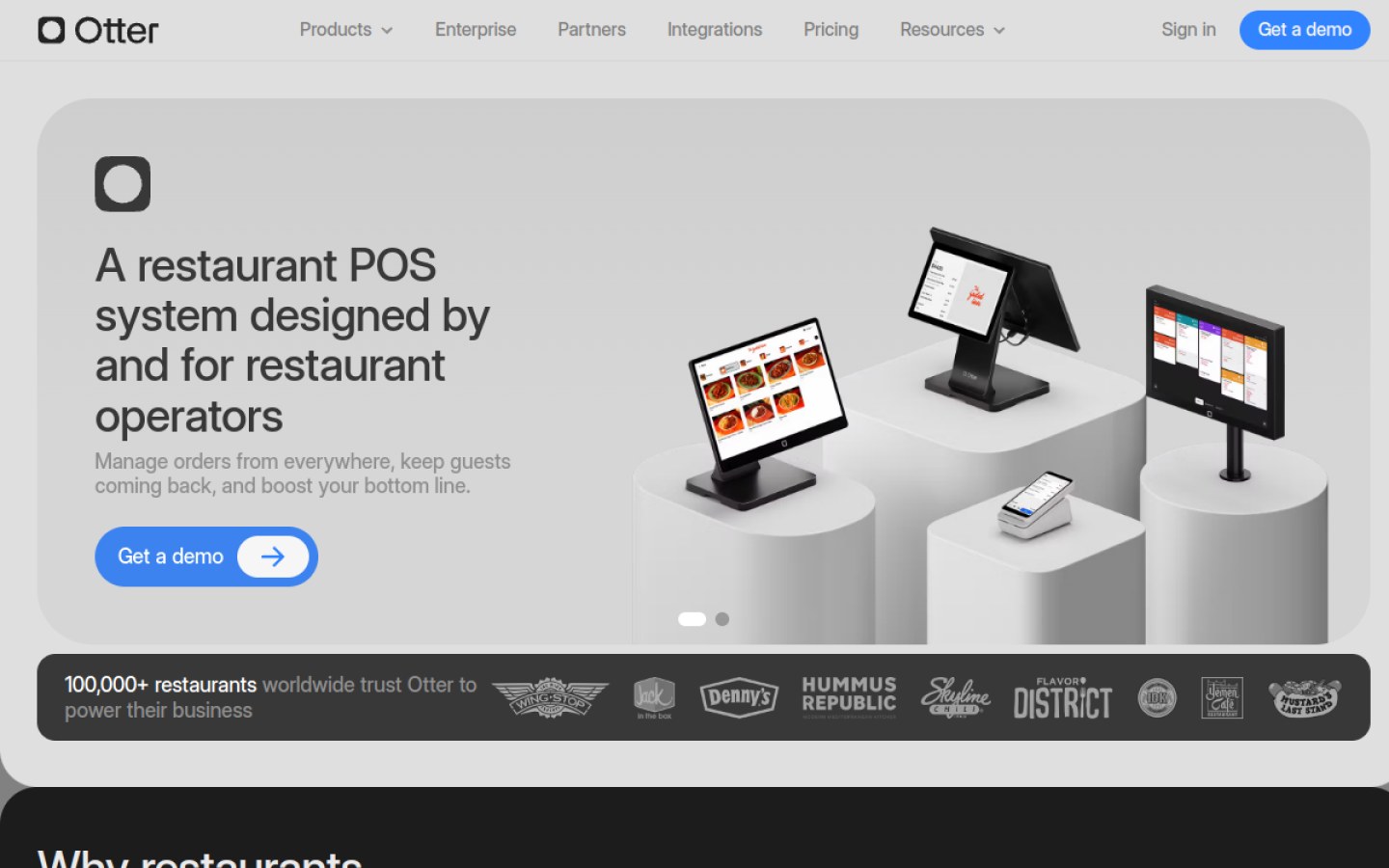
Otter homepage, captured Nov 2026.
Otter is an AI meeting assistant that converts workplace conversations into searchable transcripts and helps users review discussions. Its free Basic subscription includes 300 monthly transcription minutes, speaker identification, recording playback and conversational access to meeting information.
The trade off is that recording allowances, meeting duration and transcription accuracy can limit usefulness for busy teams. Pro costs $16.99 per user per month and supports meetings lasting up to 90 minutes. It suits professionals who frequently attend meetings and need organized discussion records.
Pro increases recording allowances and adds advanced meeting workflows, search and export features.Visit otter.ai
06
Grammarly
4.7/5on G2 (14,155 reviews, checked Nov 2026)
Paid from$30/mo
Best for professional writing and communication
Free monthly AI prompts100
Pro monthly AI prompts2,000/member
Annual Pro subscription$144/member
Writing tone feedbackAvailable
grammarly.com
Grammarly homepage, captured Nov 2026.
Grammarly is an AI writing assistant that helps professionals improve emails, reports and other workplace communications. Its free subscription includes grammar corrections, tone feedback and 100 monthly AI prompts, while Pro increases the allowance to 2,000 prompts per member.
The trade off is that advanced rewriting and tone adjustment require Pro at $30 per member per month, or $144 per member annually. Suggested edits can also change the intended meaning of specialized content. It suits professionals who spend considerable time writing and reviewing workplace communications.
What we like
Real-time writing feedback
Works across common writing environments
Free generative AI allowance
Professional tone adjustment on Pro
Largest G2 review sample in this comparison
Watch out for
Advanced suggestions require payment
Technical terminology may need manual correction
Team subscriptions charge per member
Pro adds sentence rewriting, advanced tone adjustments and expanded AI writing allowances.Visit grammarly.com
07
Perplexity
4.4/5on G2 (378 reviews, checked Nov 2026)
Paid from$20/mo
Best for professional research and information discovery
Free Pro searches3 per day
Free Research queries1 per month
Source citationsIncluded
Annual Pro subscription$200
perplexity.ai
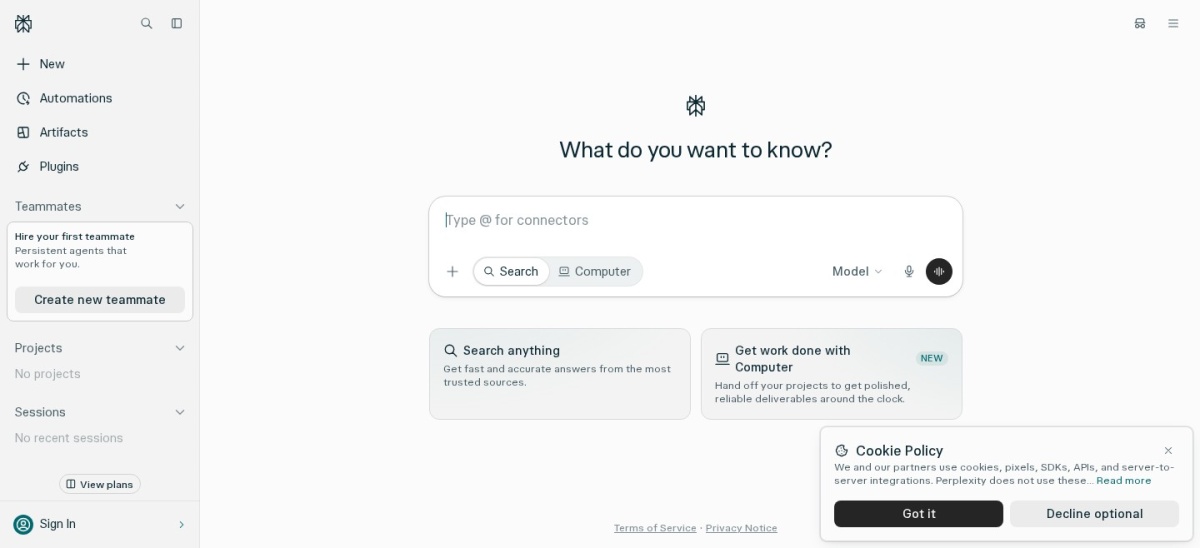
Perplexity homepage, captured Nov 2026.
Perplexity is an AI research assistant that helps professionals discover information, investigate competitors and prepare source-backed reports. Its free subscription includes basic searches, 3 daily Pro searches and 1 monthly Research query, with citations that allow users to investigate original sources.
The trade off is that advanced research, model selection and expanded file analysis require Pro, which costs $20 per month or $200 annually. Research findings still require independent verification. It suits professionals who regularly investigate industry developments, business opportunities and unfamiliar technical topics.
What we like
Provides citations for research findings
Supports conversational follow-up questions
Free access to basic research
Advanced AI model selection on Pro
Useful for competitor and industry research
Watch out for
Source quality varies between searches
Advanced research has usage restrictions
Less specialized for project and task management
Pro expands research allowances, file analysis, model selection and document creation.Visit perplexity.ai
How to use AI tools to improve work productivity
Start with repetitive activities that have clear requirements and predictable outcomes. Common examples include drafting customer responses, summarizing meeting discussions, preparing weekly reports and transferring information between business applications.
Use ChatGPT or Claude to prepare initial documents and analyze information. Provide relevant background, specify the desired output and review the results before sharing them with customers or colleagues.
Use Otter to document meetings and Notion to organize approved discussion summaries, project decisions and assigned responsibilities. Keeping information accessible reduces the need to repeatedly search through previous conversations.
Use Zapier to automate predictable administrative processes. Begin with low-risk workflows, such as internal notifications or spreadsheet updates, before automating activities that affect customer records or financial information.
Measure whether each tool actually reduces the time spent completing work. Include configuration, reviewing AI-generated outputs and correcting mistakes when evaluating the overall productivity benefit.
How much do AI productivity tools cost?
Individual subscriptions can be relatively affordable. ChatGPT Go costs $8 per month, Claude Pro costs $20 per month, and Otter Pro costs $16.99 per user per month. Each platform also provides a free starting option.
Annual billing can reduce subscription expenses. Claude Pro costs $200 annually instead of $240 through regular monthly billing. Grammarly Pro costs $144 annually compared with $360 when paying its regular monthly rate throughout the year.
Team subscriptions require additional consideration because expenses increase with employee numbers. Notion charges per workspace member, while Zapier's automation costs depend partly on task volume and the subscription selected.
The price ladder compares advertised entry subscription rates annualized for reference. It does not include additional usage charges, taxes, optional products or higher-tier AI features. Check the selected billing period before purchasing.
How we chose
We selected established AI productivity applications covering general assistance, document analysis, workflow automation, knowledge management, meeting transcription, professional writing and research. We compared available features, free access, published subscription rates and independent customer review profiles.
The official vendor pricing pages and G2 ratings were checked on 24 Nov 2026 for the assigned editorial date of 22 Nov 2026. Annual cost estimates use published monthly entry rates multiplied by twelve, with annual billing alternatives identified where available. Per-user pricing and feature restrictions are noted separately.
We excluded products without confirmable public pricing, insufficient customer review histories or clear workplace productivity applications. Rankings reflect practical use cases and subscription accessibility rather than customer ratings alone. No vendor paid for a place, and we do not claim testing for this list.
How to choose the best AI tools for work productivity
Evaluate your daily responsibilities, existing software, subscription budget and workplace security requirements before selecting AI productivity tools.
**Identify your biggest productivity bottleneck.** Determine which recurring activities consume unnecessary time. Choose a general AI assistant for varied responsibilities, automation software for repetitive processes or a specialized application for meeting documentation, writing or research.
**Check compatibility with your existing applications.** Review whether the AI platform connects with your document editors, communication tools, project management software and other business systems. Prefer applications that reduce manual transfers and fit established team workflows.
**Compare actual subscription requirements.** Check whether the entry plan includes the AI capabilities you need. Account for employee licenses, workflow executions, recording allowances, annual commitments and additional usage charges before estimating total operating expenses.
**Establish security and quality control procedures.** Review vendor privacy policies and company requirements before uploading sensitive information. Define which activities AI can perform independently and which outputs require human approval, particularly for external communication and important business decisions.
FAQ
What is the best AI tool for work productivity in 2026?
ChatGPT is our top recommendation for general workplace productivity because it supports writing, research, document analysis and planning. Claude is better suited to complex document-based assignments, while Zapier specializes in automating recurring processes across connected business applications.
What are the best free AI tools for work productivity?
ChatGPT and Claude provide free general-purpose AI assistance. Zapier includes 100 monthly automation tasks, Otter offers 300 monthly transcription minutes, and Grammarly provides basic writing feedback with 100 monthly AI prompts. Notion and Perplexity also offer free access.
Which AI tool is best for automating repetitive work?
Zapier is a strong choice for automating repetitive workplace activities because it connects more than 9,000 applications. It can help teams automate notifications, information transfers and administrative workflows, while AI-assisted configuration reduces the need for custom development.
How much do AI productivity tools cost?
Published entry prices include $8 per month for ChatGPT Go, $20 per month for Claude Pro and $16.99 per month for Otter Pro. Team subscriptions, additional automation tasks and higher-tier AI features can increase the total expense.
Which AI productivity tool is best for small businesses?
ChatGPT offers flexible assistance across common small business responsibilities without requiring separate software for each task. Zapier is useful for automating administrative processes, while Notion helps small teams organize project information and maintain shared internal documentation.
Can AI productivity tools replace employees?
AI productivity tools can automate repetitive work and assist employees with writing, research and information processing. However, they still require oversight for accuracy, judgment, customer relationships and complex business decisions. Their suitability depends on the responsibilities involved.
Which AI tool is best for meeting productivity?
Otter specializes in meeting transcription, searchable conversation records and AI-assisted meeting review. Its free subscription includes 300 monthly transcription minutes. Notion Business is another option for teams that want meeting notes integrated into a shared knowledge workspace.
Are AI productivity tools safe for confidential business information?
Safety depends on the vendor's privacy policies, subscription tier, administrative settings and your company's security requirements. Organizations should review data retention and model training policies, restrict access appropriately and avoid uploading confidential information to unapproved AI applications.
How can businesses measure productivity improvements from AI?
Measure the time required to complete recurring activities before and after introducing an AI tool. Include the time spent reviewing generated content, correcting mistakes and maintaining workflows. Compare these savings with subscription expenses and implementation effort.