Best AI Tools for Studying in 2026: 7 Tools Compared
WLWPLegible EditorsLast verified 22 Nov 2026How we rank10 min read
★ Short answer
ChatGPT is the best AI study tool for most students because its free plan includes Study Mode, while paid access starts at $8 per month. Claude is better for discussing complex reading materials, and Perplexity is a strong alternative for academic research with source citations.
How we make this list: we compare pricing pages, product documentation and public user reviews, then re-check every price before each update. No product paid for a place. Disclosure.
ChatGPT includes free Study Mode and offers its Go subscription for $8 per month.
Claude Pro costs $20 per month and has a 4.7/5 G2 rating from 2,240 reviews.
Grammarly has a 4.7/5 G2 rating from 14,155 reviews, the largest review sample in this comparison.
Otter provides 300 free transcription minutes per month for recording and reviewing lectures.
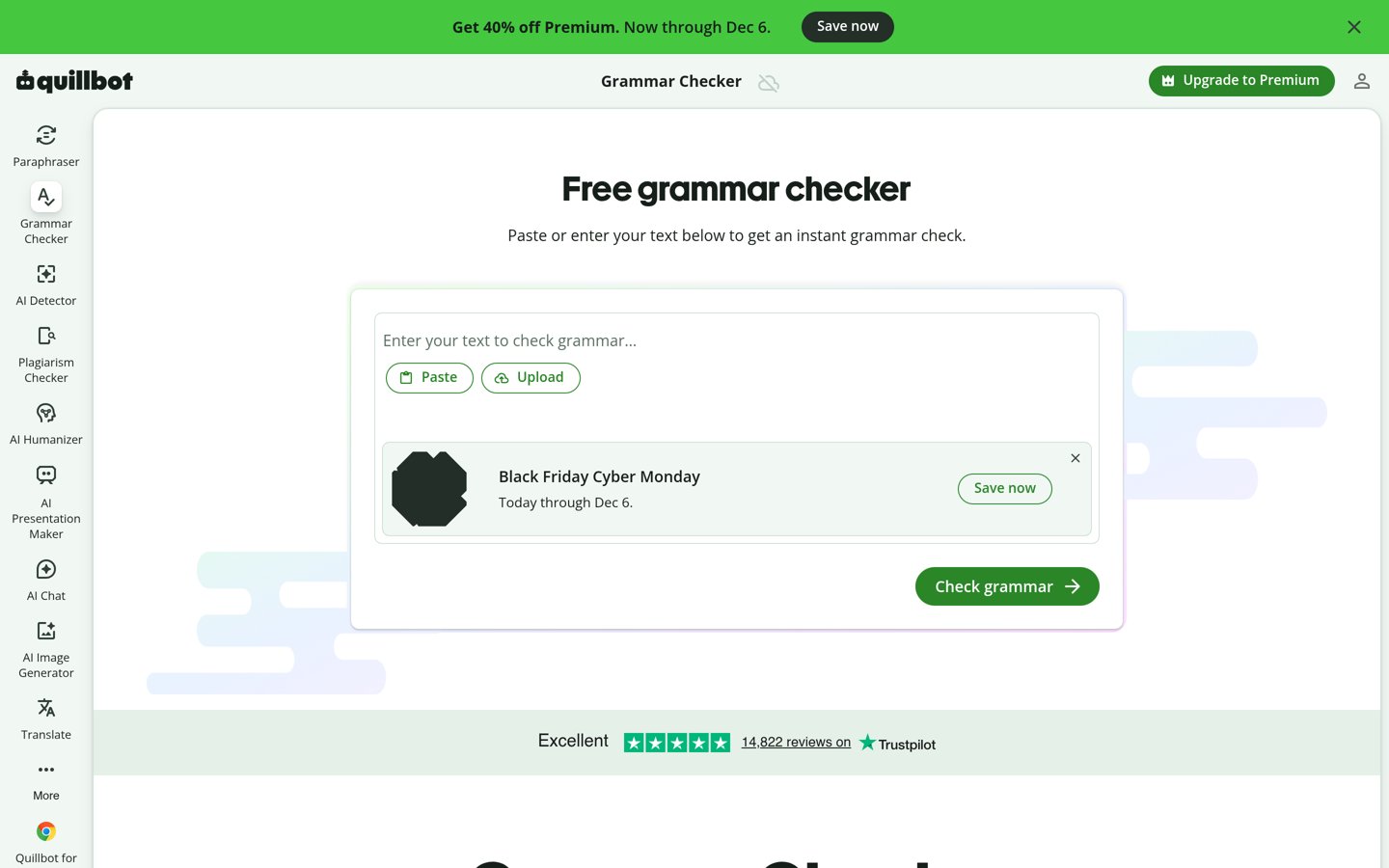
QuillBot allows free paraphrasing of up to 125 words at a time across 2 writing modes.
Knowt Ultra costs $95.99 per year and includes AI study summaries, podcast generation and voice tutoring.
What to look for in AI study tools for students
AI study tools help students understand difficult concepts, organize course materials, prepare for examinations and improve academic writing. The most useful platforms encourage active learning rather than simply supplying finished answers.
Look for tutoring features that explain reasoning and encourage students to solve problems independently. An AI assistant should help identify misunderstandings and offer feedback appropriate to the learner's current knowledge.
Consider how the software handles existing study materials. Tools that accept lecture transcripts, documents and class notes can provide more relevant learning support than assistants that rely entirely on general knowledge.
For academic research, prioritize transparent source citations. Verify important claims against original publications, textbooks and course materials because AI-generated explanations can contain factual errors.
Subscription limits also matter. Students should compare message allowances, transcription capacity, document uploads and access to advanced tutoring features before paying for software.
ChatGPT is a conversational AI assistant that helps students understand concepts, practice problems and review academic material. Its free subscription includes Study Mode, which encourages guided learning, and the platform has a 4.6/5 G2 rating from 5,459 reviews.
The trade off is that free access has limits on advanced tools and document uploads, while generated explanations can contain mistakes. Go costs $8 per month and expands general usage allowances. It suits students who need flexible tutoring across mathematics, science, languages and other academic subjects.
What we like
Dedicated Study Mode available without payment
Supports interactive explanations and follow-up questions
Can help create practice exercises
Supports uploaded learning materials
Affordable entry subscription
Watch out for
Generated explanations require verification
Advanced research has usage restrictions
Not automatically aligned with every curriculum
Go increases messaging, file uploads and general tool allowances.Visit chatgpt.com
02
Claude
4.7/5on G2 (2,240 reviews, checked Nov 2026)
Paid from$20/mo
Best for understanding complex academic readings
Document discussionAvailable
Web researchAvailable
Free usageLimited
Annual Pro subscription$200
claude.ai
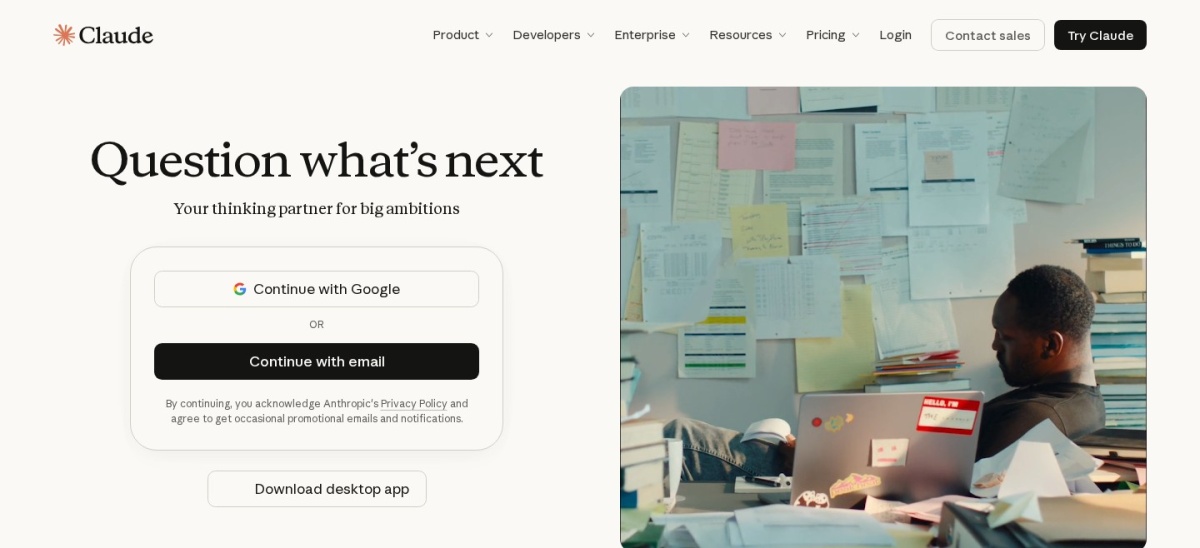
Claude homepage, captured Nov 2026.
Claude is an AI assistant for discussing documents, understanding challenging academic concepts and developing written arguments. Its free subscription supports conversational assistance, web searches and code execution, and its G2 profile records a 4.7/5 rating from 2,240 reviews.
The trade off is that free usage is restricted across recurring usage periods, which can interrupt extended study sessions. Pro costs $20 per month or $200 when paid annually. It suits university students working through lengthy readings, programming exercises and complex theoretical subjects.
Pro expands usage allowances and adds Projects and additional model access.Visit claude.ai
03
Perplexity
4.4/5on G2 (378 reviews, checked Nov 2026)
Paid from$10/mo
Best for academic research with citations
Free Pro searches3 per day
Free Research queries1 per month
Source citationsIncluded
Student planEducation Pro
perplexity.ai
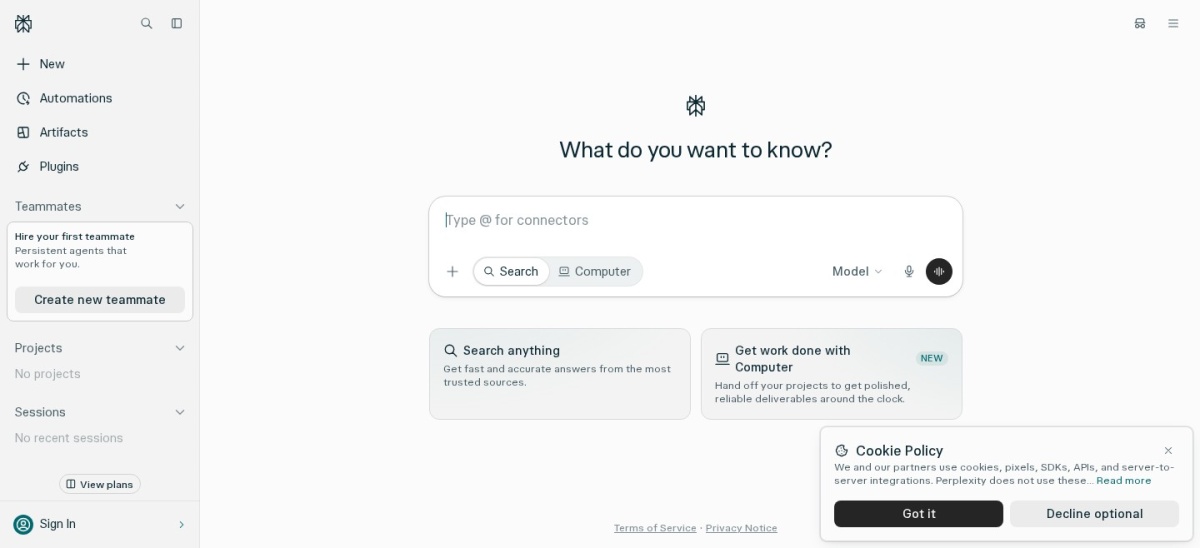
Perplexity homepage, captured Nov 2026.
Perplexity is an AI search assistant that helps students investigate academic topics and discover relevant publications. Its free subscription includes basic searches, 3 daily Pro searches and 1 monthly Research query, with citations that help learners identify original information sources.
The trade off is that advanced research and document analysis have usage limits, and cited sources still require evaluation. Education Pro costs $10 per month for verified students and educators. It suits students researching essays, preparing literature reviews and investigating unfamiliar subjects.
Education Pro expands research access, model selection and learning features.Visit perplexity.ai
04
Otter
4.4/5on G2 (554 reviews, checked Nov 2026)
Paid from$16.99/mo
Best for recording and reviewing lectures
Free transcription300 minutes/month
Pro recording allowance1,200 minutes
Pro session duration90 minutes
Pro file imports10 per month
otter.ai
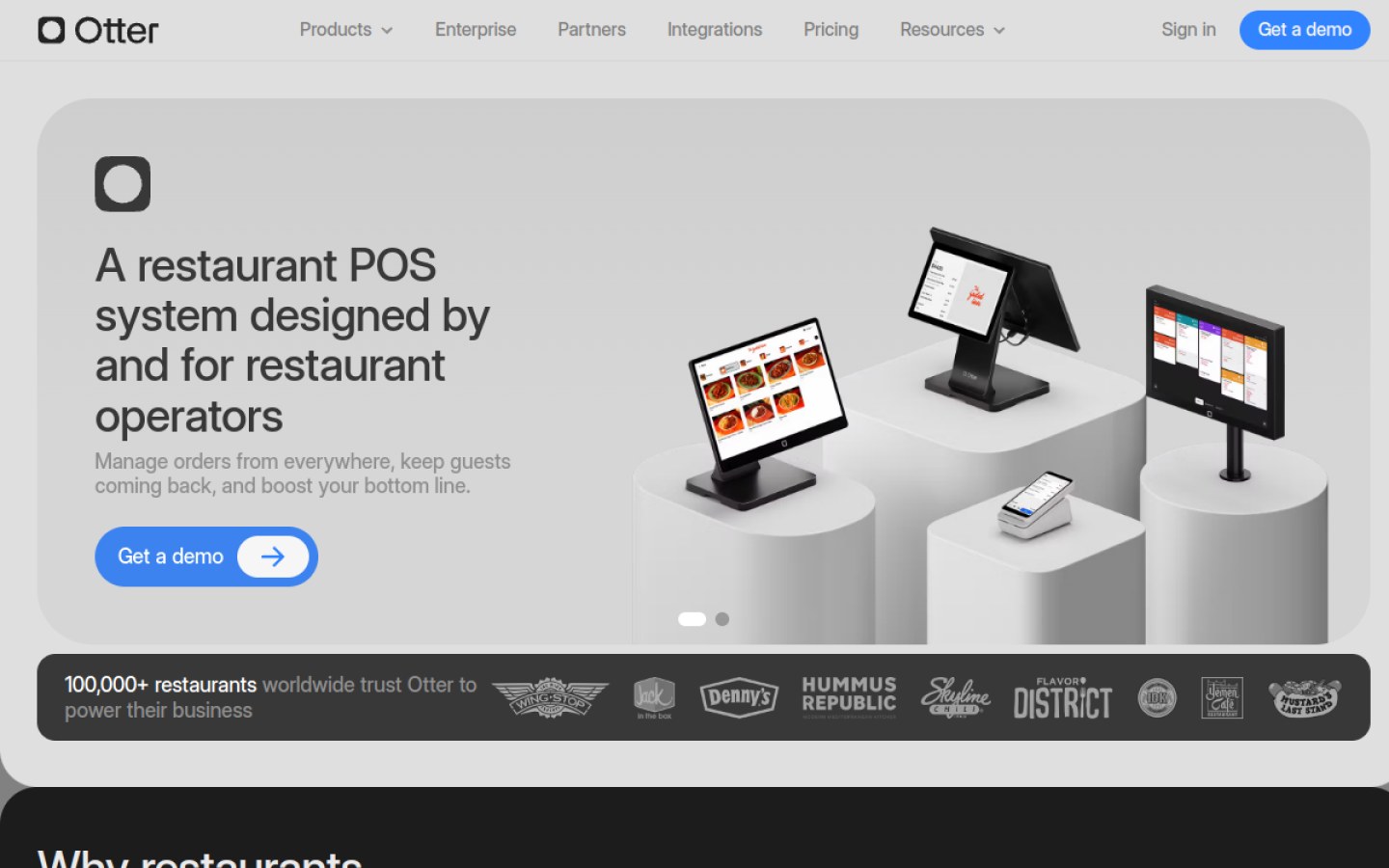
Otter homepage, captured Nov 2026.
Otter is an AI transcription and note-taking platform that converts spoken discussions into searchable text. Its free Basic subscription includes 300 monthly transcription minutes, speaker identification, recording playback and AI chat for reviewing captured information.
The trade off is that transcription accuracy depends on audio quality, terminology and speaker clarity. Pro costs $16.99 per month and includes sessions lasting up to 90 minutes. It suits students who want searchable lecture notes and summaries, provided recording is permitted.
What we like
Generous free transcription allowance
Searchable lecture transcripts
AI-assisted discussion summaries
Audio playback for checking notes
Supports uploaded recordings
Watch out for
Lecture recording may require permission
Technical vocabulary can produce transcription errors
Recording duration depends on the subscription
Pro increases recording capacity and adds expanded file imports, storage and export options.Visit otter.ai
05
Grammarly
4.7/5on G2 (14,155 reviews, checked Nov 2026)
Paid from$30/mo
Best for improving academic writing clarity
Free grammar checkingIncluded
Writing feedbackAvailable
Regular monthly plan$30
Annual Pro subscription$144
grammarly.com
Grammarly homepage, captured Nov 2026.
Grammarly is an AI writing assistant that identifies grammar problems, awkward wording and opportunities to improve written communication. Its free subscription provides basic writing corrections, and its established G2 profile has a 4.7/5 rating from 14,155 reviews.
The trade off is that advanced rewriting and expanded AI assistance require Pro, which costs $30 per month or $144 annually. Suggestions can also change the intended meaning of academic statements. It suits students improving essays, research reports and written assignments.
What we like
Real-time grammar and spelling feedback
Supports academic writing revision
Free browser and desktop writing assistance
Helps identify unclear sentences
Large public review sample
Watch out for
Advanced writing features require payment
Suggestions may alter the intended academic meaning
Generated text may conflict with assignment policies
Pro adds advanced rewriting, tone adjustments and expanded generative AI access.Visit grammarly.com
06
QuillBot
4.4/5on G2 (80 reviews, checked Nov 2026)
Paid from$8.33/mo
Best for paraphrasing and summarizing study materials
Free paraphrasing limit125 words
Free paraphrasing modes2
Basic summarizationFree
Premium billing shownAnnual
quillbot.com
QuillBot homepage, captured Nov 2026.
QuillBot is an AI writing and summarization platform that helps students understand dense passages and revise their own writing. Its free subscription supports paraphrasing up to 125 words at a time across 2 modes, alongside basic grammar checking and summarization.
The trade off is that longer paraphrasing tasks and customized summaries require Premium, regularly advertised at $8.33 per month with annual billing. The pricing page also displays a temporary $5 monthly promotional equivalent. It suits students reviewing complex readings and improving their original academic writing.
Paraphrasing can alter important technical meanings
Rewriting does not remove citation requirements
Premium expands paraphrasing, grammar recommendations, summarization and plagiarism checking.Visit quillbot.com
07
Knowt
2.6/5on Trustpilot (34 reviews, checked Nov 2026)
Paid from$24.99/mo
Best for flashcards and AI exam preparation
Free file creationUnlimited
Study resource library5 million
AI voice tutorUltra
Annual Ultra subscription$95.99
knowt.com
Knowt homepage, captured Nov 2026.
Knowt is an AI study platform focused on flashcards, examination preparation and reviewing learning materials. Its Basic subscription supports unlimited file creation, collaboration and storage, with access to a library of 5 million study resources.
The trade off is that expanded AI summarization and voice tutoring require Ultra at $24.99 per month or $95.99 annually. Its legacy-domain Trustpilot profile has a relatively low 2.6/5 rating from 34 reviews. It suits students who prioritize flashcard-based revision but should evaluate the free experience before subscribing.
What we like
Unlimited free study file creation
Extensive shared learning resource library
AI summaries of lecture recordings and documents
Voice-based AI tutoring on Ultra
Annual subscription costs less than monthly billing
Watch out for
Low Trustpilot rating
Free experience includes advertising
Expanded AI study capabilities require payment
Monthly billing is considerably more expensive
Ultra removes advertisements and adds AI summaries, podcasts, voice tutoring and expanded exam preparation.Visit knowt.com
How to use AI tools for studying effectively
Start by identifying what you need to understand before opening an AI assistant. Review the relevant textbook chapter or lecture notes and write down specific questions about concepts that remain unclear.
Use ChatGPT or Claude to explain challenging material in simpler language. Ask for examples, alternative explanations and guided practice questions rather than requesting complete answers to assessed assignments.
Turn your notes into active recall exercises using a study platform such as Knowt. Try answering each question without looking at the explanation, then review mistakes and repeat difficult material during later study sessions.
Use Perplexity to locate supporting publications when researching academic topics. Open the original sources, verify their conclusions and record citation details for any information included in your assignments.
Finish by explaining the material independently. If you cannot describe the concept without AI assistance, return to the course material and practice until you can demonstrate your understanding.
How students can use AI without compromising academic integrity
Educational institutions have different rules concerning AI assistance. Before using AI on coursework, check whether your instructor permits brainstorming, grammar correction, research assistance or generated text.
There is an important distinction between receiving feedback and submitting work produced by an AI assistant. Asking for an explanation can support learning, while presenting generated answers as your independent work may violate academic requirements.
Writing assistants such as Grammarly and QuillBot can help identify unclear language. However, students remain responsible for their arguments, research, citations and final submissions.
Do not assume that paraphrasing an academic source removes the need to cite it. Ideas and findings taken from another author still require acknowledgment, even when expressed using different wording.
Protect personal information and confidential educational materials when uploading documents. Obtain permission before recording lectures, and avoid sharing classmates' personal information with external AI services.
How we chose
We selected established AI assistants, writing applications, transcription platforms and dedicated study tools that address common student learning needs. Our comparison considers tutoring, research support, lecture review, academic writing, free access and published customer ratings.
Official pricing pages and public ratings were checked on 24 Nov 2026, while the assigned editorial date remains 22 Nov 2026. Annual price figures use regular monthly rates multiplied by twelve, including annual-billed monthly equivalents where specified. Education-specific eligibility and temporary promotions are identified separately.
We excluded products without confirmable paid pricing, sufficient public review evidence or clear educational applications. Knowt remains included for its dedicated study functionality, although its low customer rating warrants caution. No vendor paid for a place, and we do not claim testing for this list.
How to choose the best AI study tool for students
Identify your learning objectives, subject requirements, institutional policies and available budget before choosing an AI study application.
**Identify your main learning challenge.** Choose an interactive tutor if you struggle to understand concepts, a flashcard platform for memorization or a transcription application for reviewing lectures. Avoid purchasing several overlapping subscriptions when a single free tool meets your needs.
**Evaluate the reliability of educational explanations.** Look for tools that explain reasoning, identify information sources and support follow-up questions. Compare generated answers with your textbooks, instructor guidance and other reliable educational resources.
**Check subscription limits and billing commitments.** Compare document allowances, AI usage limits, transcription capacity and premium study features. Review annual billing requirements and automatic renewal terms before purchasing a subscription, especially if you only need assistance during examinations.
**Follow academic integrity and privacy requirements.** Confirm that your institution permits the intended AI use. Choose tools that support independent learning, protect sensitive educational information and allow you to remain responsible for the accuracy and originality of your assignments.
FAQ
What is the best AI tool for studying in 2026?
ChatGPT is our top recommendation because its free Study Mode supports interactive explanations and guided learning across different subjects. Claude is particularly useful for discussing complex readings, while Perplexity helps students discover and verify academic information sources.
What is the best free AI tool for students?
ChatGPT offers a useful free starting point for tutoring and practice questions. Perplexity supports free source-backed searches, while Knowt provides unlimited study file creation. Students should evaluate these free options before purchasing a subscription.
Can AI help students prepare for examinations?
Yes. AI tools can generate practice questions, explain difficult concepts, organize revision materials and help identify areas that need further study. Students should verify generated content against their course syllabus and practice answering questions independently.
Which AI tool is best for university students?
Claude is useful for discussing lengthy academic readings and understanding complex theoretical concepts. Perplexity supports research with citations, while ChatGPT provides interactive tutoring across subjects. The most suitable choice depends on the student's coursework and learning requirements.
How much do AI study tools cost?
ChatGPT Go costs $8 per month, Perplexity Education Pro costs $10 per month for eligible users, and Claude Pro costs $20 per month. All the products in this comparison provide free access, although premium capabilities have additional costs.
Which AI tool can summarize lecture recordings?
Otter converts recorded lectures into searchable transcripts and provides AI-assisted review features. Its free subscription includes 300 monthly transcription minutes. Knowt Ultra also supports AI lecture summaries, making it another option for students organizing recorded course materials.
Can AI tools help students improve their writing?
Grammarly provides grammar, spelling and writing clarity feedback, while QuillBot helps revise wording and summarize reading materials. Students should use these applications to improve their own work and follow their institution's rules regarding AI-assisted academic writing.
Are AI study tools always accurate?
No. AI assistants can generate incorrect explanations, misunderstand questions or provide misleading references. Students should compare important information with trusted textbooks, original academic publications and instructor guidance, particularly when studying technical subjects or preparing assessed assignments.
Can students use AI tools without cheating?
Students can use AI responsibly for concept explanations, revision planning, practice exercises and permitted writing feedback. Whether a particular use is acceptable depends on institutional policies and assignment instructions. Students should disclose AI assistance whenever required.