Best Accounts Receivable Management Software in 2026: 8 Tools Compared
WLWPLegible EditorsLast verified 22 Nov 2026How we rank14 min read
★ Short answer
Paidnice is our #1 pick for dedicated accounts receivable management, pairing automated reminders, statements, and late fees with a 5.0/5 rating on the Xero App Store. Small businesses wanting full accounting plus receivables should look at Zoho Books (free tier, paid from $20/mo) or QuickBooks Online ($38/mo).
How we make this list: we compare pricing pages, product documentation and public user reviews, then re-check every price before each update. No product paid for a place. Disclosure.
Paidnice starts at $69/mo for 150 invoices and holds a 5.0/5 rating across 85 Xero App Store reviews.
Zoho Books offers a $0/mo plan for up to 1,000 invoices per year, with paid plans starting at $20/mo billed monthly.
Wave provides unlimited invoicing and bookkeeping at $0/mo, while Pro ($19/mo) unlocks automated late-payment reminders.
Invoice Ninja includes a forever-free plan for 5 clients and scales to unlimited clients on Ninja Pro for $14/mo.
Dedicated credit-control suites cost more: Chaser starts at $259/mo and Chargezoom starts at $200/mo per agent.
What to look for in accounts receivable management software
Accounts receivable (AR) software falls into two camps: full cloud accounting platforms with built-in invoicing and aging reports, and dedicated credit-control layers that plug into your existing ledger. If your current accounting tool already tracks invoices well, a dedicated AR add-on saves you from migrating your general ledger.
Look closely at how each vendor meters usage. Some platforms charge per seat, which gets expensive when sales reps and account managers need visibility into unpaid balances. Others price by monthly invoice volume or annual revenue bands, letting your whole team collaborate without extra user fees.
Automated payment reminders are standard, but serious receivables tools go further by sending consolidated customer statements, calculating late fees or interest, and offering self-service portals where buyers can pay by ACH or card. Check whether those features sit on the entry tier or require an upgrade.
Finally, check regular subscription prices rather than introductory promos. Several accounting vendors advertise steep 3-to-6-month discounts before renewing at full list rates.
For mid-sized teams wanting multi-channel credit control
$259/mo
No free plan
4.3/5
Price ladder: cheapest paid plan per year
List prices, USD, checked Nov 2026
InvoiceNinjaFREE$168
WaveFREE$228
Zoho BooksFREE$240
FreshBooks$276
Xero$324
QuickBooksFREE$456
Paidnice$828
Chaser$3,108
The 8 best accounts receivable management software
01
Paidnice
5/5on Xero App Store (85 reviews, checked Nov 2026)
Starts at$69/mo
Best for automated AR chasing on Xero and QuickBooks
Entry planEssentials ($69/mo, 150 invoices)
Users included2 on Essentials, unlimited on Pro
Key AR toolsLate fees, statements, payment portal
Core integrationsXero, QuickBooks Online, Stripe
paidnice.com
Paidnice homepage, captured Nov 2026.
Paidnice is a dedicated accounts receivable automation layer built for Xero, QuickBooks Online, and Stripe. Its Essentials plan covers up to 150 monitored invoices and 600 emails per month for 2 team members, automating payment reminders, consolidated statements, prompt-payment discounts, and late fees alongside a customer payment portal.
The trade off is that Essentials starts at $69/mo ($828/yr) without a permanent free tier, and SMS reminders cost $0.10 per message on top. It suits established SMBs on Xero or QuickBooks that want strict, automated credit control without replacing their accounting ledger.
What we like
Automates late fees, interest rules, and consolidated customer statements
Groups parent-child customer accounts onto one statement and payment portal
Priced by invoice volume rather than per user on Pro tiers
Includes 20 free actions with no time limit to test live workflows
Watch out for
No forever-free plan after the 20-action trial
SMS reminders cost $0.10 each on top of the monthly base fee
NetSuite, Dynamics, and Sage integrations require Custom plans
Pro ($99/mo+) adds unlimited users, custom email domains, payment plans, and recorded calls.Visit paidnice.com
02
Zoho Books
4.4/5on G2 (333 reviews, checked Nov 2026)
Paid from$20/mo
Best for low-cost full accounting and automated reminders
Free plan$0/mo (up to 1,000 invoices/yr)
Cheapest paidStandard at $20/mo ($15/mo annual)
Key AR toolsClient portal, recurring bills, reminders
EcosystemZoho CRM, Zoho Payments, Stripe
zoho.com
Zoho Books homepage, captured Nov 2026.
Zoho Books is a cloud accounting platform with built-in invoicing, aging reports, and a self-service client portal. Its Free plan covers solopreneurs and micro-businesses sending up to 1,000 invoices per year, while Standard ($20/mo billed monthly, or $15/mo billed annually) adds progress invoicing, automated bank feeds, and sales tax tracking.
The trade off is that Zoho meters invoice volume and user seats across tiers, so growing teams can hit ceilings that force upgrades to Professional ($50/mo) or Premium ($70/mo). It suits budget-conscious small businesses already using Zoho apps or needing multi-currency invoicing.
What we like
Generous free tier supports up to 1,000 invoices annually
Includes a client portal for viewing statements and paying online
Strong automated payment reminders and workflow rules
Watch out for
Annual invoice caps and seat limits push growing teams into higher tiers
Third-party integrations outside the Zoho suite are narrower than QuickBooks
Standard ($20/mo monthly) unlocks automated bank feeds, progress invoicing, and 5,000 annual invoices.Visit zoho.com
03
QuickBooks Online
4.3/5on Capterra (8,498 reviews, checked Nov 2026)
Paid from$38/mo
Best for US SMBs wanting all-in-one books and receivables
Free plan$0/mo (2 custom invoices/mo)
Cheapest paidSimple Start at $38/mo regular
Users included1 user + 2 accountants on Simple Start
AR reportingAR aging reports on Essentials ($85/mo)
quickbooks.intuit.com
QuickBooks Online homepage, captured Nov 2026.
QuickBooks Online pairs double-entry accounting with online invoicing, automated reminders, and ACH or card collection. QuickBooks Free ($0/mo) allows up to 2 custom invoices per month, while Simple Start ($38/mo regular list price, often discounted 50% for the first 3 months) unlocks unlimited invoicing and real-time profit and loss reporting.
The trade off is steep tier jumps: full accounts receivable aging reports and multi-user access require Essentials at $85/mo ($1,020/yr), and each company entity needs a separate subscription. It suits single-entity small businesses whose external accountant already works inside QuickBooks.
What we like
Widest accountant adoption and third-party app ecosystem
Supports card, ACH, and buy-now-pay-later links directly on invoices
Massive library of specialized AR add-ons when you outgrow native tools
Watch out for
Full AR aging reports and extra user seats require Essentials at $85/mo
Regular renewal rates rose significantly in 2026
Simple Start ($38/mo) removes the 2-invoice cap; Essentials ($85/mo) adds full AR/AP aging reports.Visit quickbooks.intuit.com
04
Xero
4.4/5on G2 (1,863 reviews, checked Nov 2026)
Starts at$27/mo
Best for growing teams needing unlimited user seats
Entry planEarly at $27/mo regular (20 invoices)
Unlimited invoicesGrowing plan at $55/mo regular
Users includedUnlimited users on every plan
App ecosystemNative sync with Paidnice & Chaser
xero.com
Xero homepage, captured Nov 2026.
Xero is a cloud accounting system that includes unlimited user logins on every plan, letting sales and finance staff check invoice statuses without per-seat fees. Its Early plan ($27/mo regular US list price, with frequent introductory discounts) covers up to 20 invoices and 5 bills per month alongside bank reconciliation and online invoice payments.
The trade off is that sending more than 20 invoices a month forces an upgrade to Growing at $55/mo ($660/yr), and native chasing lacks automated late-fee rules. It suits multi-user service teams and international businesses that want clean books plus easy add-on integrations.
What we like
Unlimited users included at no extra per-seat cost on all plans
Clean interface with automated invoice reminders and short-payment tracking
Multi-currency support on Established ($90/mo)
Watch out for
Early plan caps invoicing at 20 per month
No built-in statutory late-fee or interest automation without an add-on
Early ($27/mo) caps at 20 invoices/mo; Growing ($55/mo) unlocks unlimited invoicing and bulk reconciliation.Visit xero.com
05
Invoice Ninja
4.7/5on Capterra (167 reviews, checked Nov 2026)
Paid from$14/mo
Best budget invoicing and client portal for freelancers
Free plan$0/mo (5 clients, unlimited invoices)
Cheapest paidNinja Pro at $14/mo ($140/yr annual)
Key AR toolsClient portal, deposits, auto-billing
DeploymentCloud SaaS or open-source self-hosted
invoiceninja.com
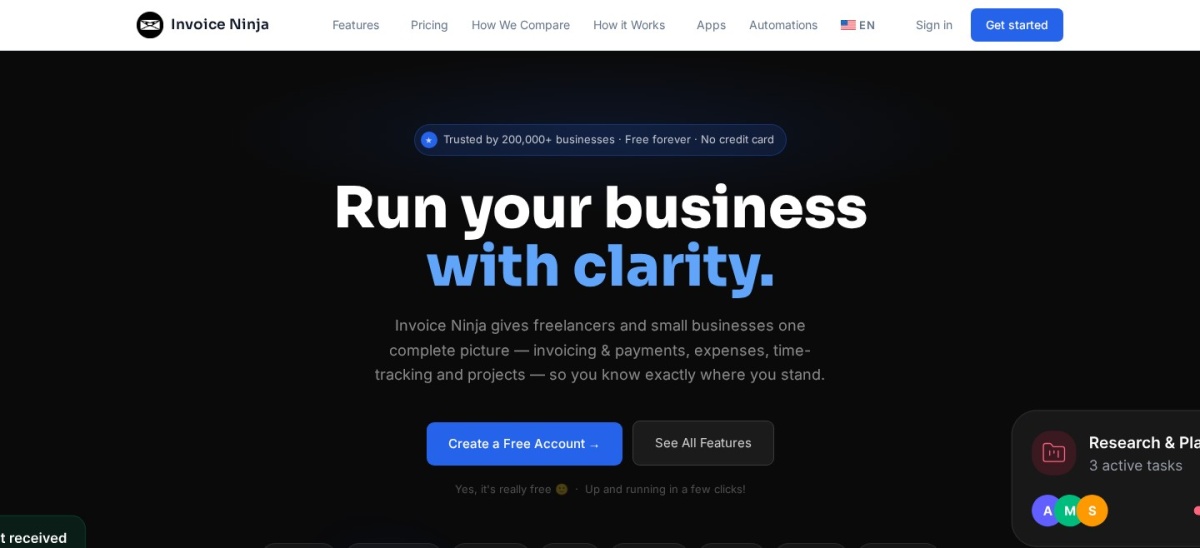
Invoice Ninja homepage, captured Nov 2026.
Invoice Ninja is an open-source invoicing and receivables platform available as a hosted cloud app or self-hosted installation. Its Free plan supports up to 5 clients with unlimited invoices, partial payments, deposits, and a client-side payment portal, while Ninja Pro ($14/mo billed monthly, or $140/yr billed annually) unlocks unlimited clients and removes Invoice Ninja branding.
The trade off is that it focuses on billing and collections rather than full double-entry general ledger accounting, and multi-user access starts on Enterprise at $18/mo for 2 users. It suits freelancers, agencies, and technical teams wanting low-cost receivables or self-hosting.
What we like
Forever-free plan includes unlimited invoices and a client payment portal
Cheapest paid upgrade on this list at $14/mo ($140/yr paid annually)
Open-source option lets technical teams self-host on their own server
Watch out for
Free plan limits you to 5 active clients
Not a full double-entry accounting replacement for complex tax reporting
Ninja Pro ($14/mo) removes the 5-client cap and branding; Enterprise ($18/mo) adds 2+ users and bank sync.Visit invoiceninja.com
06
Wave
4.3/5on G2 (328 reviews, checked Nov 2026)
Paid from$19/mo
Best forever-free invoicing for solo operators
Free plan$0/mo (unlimited invoices & bills)
Cheapest paidPro at $19/mo ($190/yr annual)
Key AR toolsAuto late reminders & bank feeds on Pro
Payment fees2.9% + $0.60 card; 1% ACH
waveapps.com
Wave homepage, captured Nov 2026.
Wave combines basic double-entry accounting with unlimited invoicing on its $0/mo Starter plan, making it an accessible entry point for solo service providers. Upgrading to the Pro plan ($19/mo billed monthly, or $190/yr billed annually) unlocks automated late-payment reminders, automatic bank transaction imports, unlimited receipt scanning, and unlimited collaborators.
The trade off is that automated payment reminders and live bank feeds are locked behind the Pro subscription, and Wave lacks advanced credit control like aging workflows or dispute tracking. It suits freelancers and micro-businesses sending straightforward invoices.
What we like
Starter plan allows unlimited invoices and customers at $0/mo
Pro plan includes unlimited collaborators with no per-user fee
Simple dashboard with built-in card and ACH invoice payment links
Watch out for
Automated late-payment reminders require upgrading to Pro ($19/mo)
Limited reporting depth and no complex credit-control workflows
Pro ($19/mo) unlocks automated overdue reminders, live bank feeds, and unlimited team collaborators.Visit waveapps.com
07
FreshBooks
4.5/5on G2 (982 reviews, checked Nov 2026)
Starts at$23/mo
Best for service businesses billing time and retainers
Entry planLite at $23/mo regular (5 clients)
Mid-tier planPlus at $43/mo regular (50 clients)
Extra seats$11/mo per additional team member
Key AR toolsRetainers, recurring billing, reminders
freshbooks.com
FreshBooks homepage, captured Nov 2026.
FreshBooks is billing and accounting software designed around service businesses that convert tracked hours, estimates, and retainers into invoices. Its Lite plan ($23/mo regular list price, often discounted for the first few months) covers unlimited invoices and time tracking for up to 5 billable clients, while Plus ($43/mo) raises the cap to 50 clients and adds automated late-payment reminders.
The trade off is that Lite caps you at 5 billable clients and omits automated overdue reminders, while extra team members cost $11/mo each on every tier. It suits solo consultants and small agencies billing for time rather than physical inventory.
What we like
Converts tracked project hours and retainers directly into client invoices
Supports deposits, recurring auto-billing, and client proposals
Free accountant access on Plus ($43/mo) and above
Watch out for
Lite ($23/mo) limits you to 5 billable clients and lacks auto-reminders
Adding team members costs $11/mo per person across all plans
Plus ($43/mo) raises the limit to 50 clients and unlocks automated late-payment reminders and bank reconciliation.Visit freshbooks.com
08
Chaser
4.3/5on G2 (71 reviews, checked Nov 2026)
Starts at$259/mo
Best for mid-sized teams wanting multi-channel credit control
Entry planCompact at $259/mo ($233/mo annual)
Revenue limitUp to $5M annual revenue on Compact
Users included4 users on Compact, unlimited on Core
Core integrationsXero, QuickBooks, Sage, NetSuite
chaserhq.com
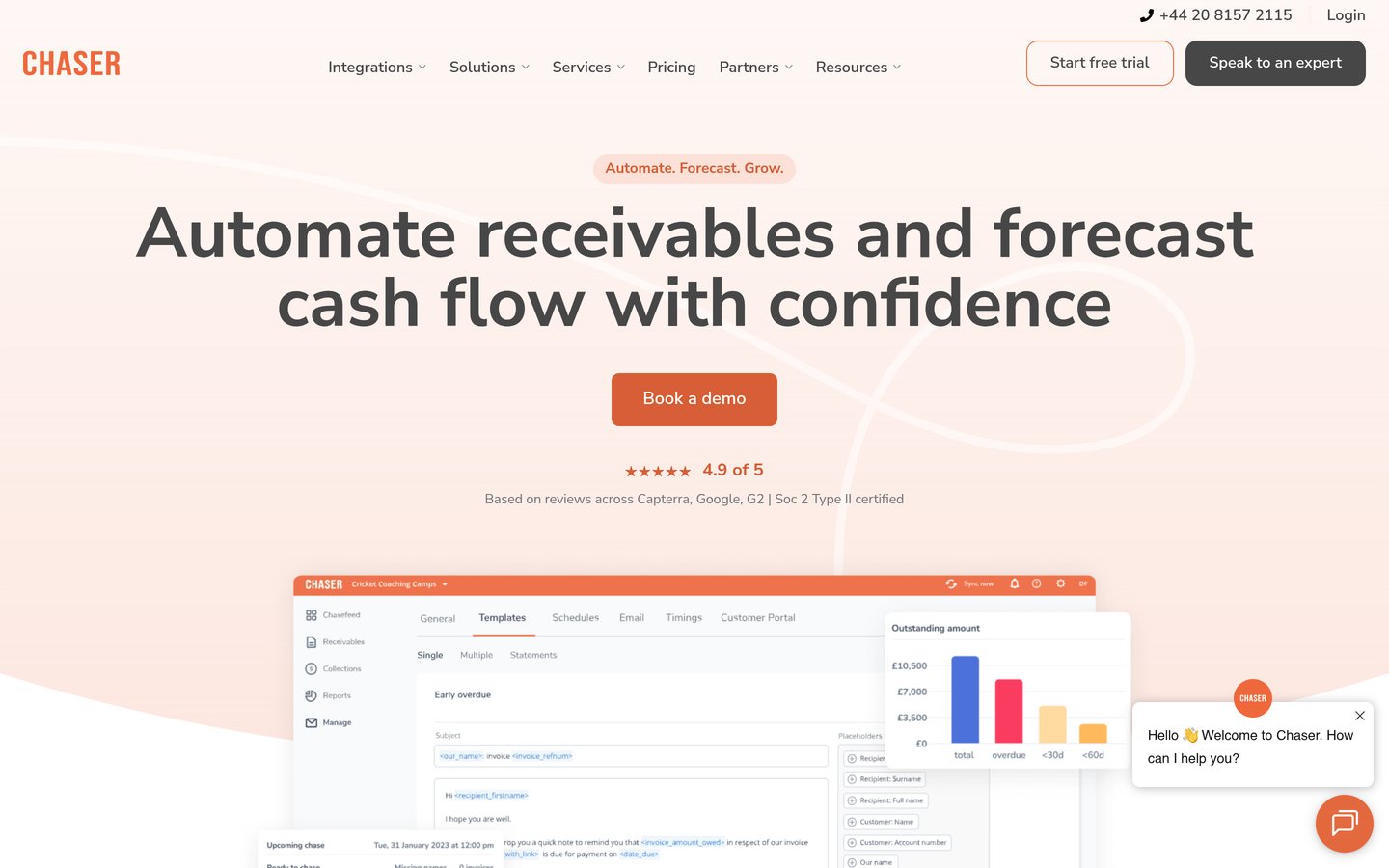
Chaser homepage, captured Nov 2026.
Chaser is a dedicated credit-control platform that connects to Xero, QuickBooks, Sage, and NetSuite to automate multi-channel invoice chasing. Its Compact plan ($259/mo billed monthly, or $233/mo billed annually) supports businesses with up to $5M in annual revenue and 4 users, providing 30 follow-up templates, 4 automated workflows, SMS reminders, and a self-service payer portal.
The trade off is its high entry price of $259/mo ($3,108/yr) and revenue-banded tiers that jump to $779/mo on Core once you pass $5M in turnover. It suits mid-sized B2B companies with high invoice balances that need structured credit checks and escalation.
What we like
Combines email, SMS, and automated call reminders in one schedule
Includes a dedicated payer portal plus optional debt-collection services
Connects with major SMB and mid-market ledgers including Sage and NetSuite
Watch out for
High $259/mo starting price puts it out of reach for micro-businesses
Pricing scales steeply by annual revenue band
Core ($779/mo) unlocks unlimited users, unlimited workflows, and multi-entity support up to $13M revenue.Visit chaserhq.com
Dedicated AR tools vs. built-in accounting receivables
Most small businesses start by sending invoices inside QuickBooks Online, Xero, or Zoho Books. That works well when you send fewer than 50 invoices a month and customers pay by card or ACH on time, because your general ledger and receivables stay in one database without sync delays.
Dedicated AR software like Paidnice or Chaser becomes worth the extra subscription once overdue invoices pile up. Those tools add features standard ledgers skip, such as parent-child customer grouping, automated late fees, multi-channel SMS follow-ups, and full communication audit trails for disputed bills.
How we chose
We built this comparison by reviewing both standalone accounts receivable automation platforms and cloud accounting suites with strong native receivables modules. We focused on tools with transparent, published pricing and verified user review profiles so buyers can budget accurately before booking a sales demo.
All regular subscription prices, user limits, invoice caps, and review ratings were verified on 22 Nov 2026 directly from official vendor pricing pages and public review listings on G2, Capterra, and the Xero App Store. Where vendors advertise short-term introductory discounts, we listed the standard ongoing rate.
We excluded enterprise-only order-to-cash platforms that hide all pricing behind custom quotes (such as HighRadius, Esker, Sidetrade, and Upflow) as well as tools with fewer than 20 verified reviews. No vendor paid for a place, and we do not claim testing for this list.
How to choose accounts receivable management software
Follow these four steps to match an accounts receivable platform to your invoice volume and accounting stack:
Decide whether you need an add-on or a full ledger. If you already run Xero or QuickBooks Online and want better collections, pick an AR layer like Paidnice or Chaser rather than migrating your books.
Check monthly invoice and client caps on the entry tier. Entry plans often restrict volume—such as 5 clients on FreshBooks Lite or 20 invoices on Xero Early—so price the tier that covers your next 12 months.
Count how many team members need access. Per-user tools like FreshBooks ($11/extra user) add up quickly, whereas Xero and Wave Pro include unlimited users on their paid plans.
Verify payment methods and late-fee automation. Confirm the platform supports low-cost ACH bank transfers alongside credit cards, and check whether it can automatically apply late fees or consolidated statements.
FAQ
What is the best accounts receivable software for small businesses?
Paidnice is our top pick if you already use Xero or QuickBooks Online and want automated reminders, statements, and late fees starting at $69/mo. If you need full accounting and invoicing in one place, Zoho Books and QuickBooks Online are strong all-in-one options.
Is there free accounts receivable management software?
Yes. Wave offers unlimited invoicing at $0/mo on its Starter plan, Invoice Ninja includes a forever-free plan for up to 5 clients, and Zoho Books has a $0/mo tier for businesses sending up to 1,000 invoices per year.
How much does accounts receivable automation cost?
Accounting platforms with built-in invoicing cost $14/mo to $38/mo at regular list rates. Dedicated credit-control add-ons start around $69/mo for SMB tools like Paidnice and $259/mo or more for mid-market platforms like Chaser.
Should I buy a standalone AR tool or use QuickBooks or Xero?
Start with QuickBooks Online or Xero if your invoicing workflow is straightforward and you mainly need online payment links and basic reminders. Add a standalone AR tool once chasing overdue accounts, sending consolidated statements, or calculating late fees takes hours each week.
Do these tools support ACH and credit card payments?
Yes. Every platform on this list lets customers pay invoices online via credit card or ACH bank transfer, though per-transaction processing fees (typically around 1% for ACH and 2.9% plus a flat fee for cards) apply on top of your subscription.
Why are enterprise AR platforms like HighRadius not ranked here?
Enterprise order-to-cash vendors like HighRadius, Esker, and Billtrust do not publish standard pricing and require custom enterprise implementations. This guide focuses on tools with transparent, verifiable pricing for small and mid-sized businesses.