Best Accounting Workflow Automation Software in 2026: 7 Tools Compared
WLWPLegible EditorsLast verified 22 Nov 2026How we rank5 min read
★ Short answer
Xero is the best accounting workflow automation software overall, with 5.1 million customers and automated bank feeds and rules across its plans. Zoho Books fits budget-conscious teams with a free tier for businesses under $50,000 annual revenue, while BILL suits dedicated bill approvals and vendor payments.
How we make this list: we compare pricing pages, product documentation and public user reviews, then re-check every price before each update. No product paid for a place. Disclosure.
Xero serves 5.1 million customers with paid plans starting at $27/mo for Early at the regular rate.
Zoho Books offers a free plan under $50,000 yearly revenue and paid plans starting at $15/mo billed annually.
BILL starts at $49/user/mo on Essentials for automated invoice approvals, reminders, and multi-rail payments.
Wave provides a $0 Starter plan with unlimited bookkeeping records and charges $19/mo for Pro bank feeds.
Expensify starts at $5/member/mo on Collect for receipt scanning, approvals, and general ledger exports.
What to look for in accounting workflow automation
Automated bank feeds and rule-based categorization remove repetitive data entry between bank statements, credit cards, and your ledger. Look for tools that handle recurring invoices, payment reminders, and bill coding without manual re-keying.
Check whether a tool acts as a full system of record or a specialist layer on top of one. General ledgers cover day-to-day bookkeeping and reporting, while accounts payable and expense tools focus on invoice approvals, vendor payouts, and receipt capture.
Watch out for introductory discounts that jump to standard monthly rates after three or six months. Also check per-user charges, transaction or client caps, and add-on fees for payroll or bank feeds before committing.
The 7 best accounting workflow automation software
01
Xero
4.4/5on G2 (1,863 reviews, checked Nov 2026)
Starts at$27/mo
Best for automated bank reconciliation
Entry planEarly, $27/mo regular
Invoice cap20 on Early
Cash forecast30 to 180 days by tier
Ecosystem1,000+ connected apps
xero.com
Xero homepage, captured Nov 2026.
Xero is a cloud accounting platform used by 5.1 million customers worldwide for invoicing, bank reconciliation, and automated bookkeeping workflows. Regular monthly pricing starts at $27 for Early (20 invoices and 5 bills), with promotional discounts sometimes offered for the first months.
The trade off is plan caps and add-on pricing, as the Early plan limits invoice and bill volume and some extras are paid add-ons. It suits small businesses and advisors that want clean bank feeds and broad app integrations.
What we like
Clear bank reconciliation and transaction matching workflows
Large ecosystem of over 1,000 third-party business apps
Multi-currency support available on the Premium tier
Zoho Books is cloud accounting software for automated invoicing, payment reminders, expense tracking, and bank reconciliation. Its Free plan costs $0 for businesses with annual revenue under $50,000, covering up to 1,000 invoices a year, 1 user plus 1 accountant, and 50 receipt autoscans a month.
The trade off is feature gating and annual billing for the lowest paid rate, as Standard starts at $15/mo billed annually ($20/mo monthly) and adds bank feeds and 1099 e-filing. It suits startups and small teams that want low entry costs and Zoho app connections.
What we like
Generous $0 entry tier for qualifying small businesses
Built-in recurring invoices, payment reminders, and bank rules
Lower paid starting price than many small-business ledgers
Watch out for
Free plan caps annual invoices and expenses at 1,000 each
Some reviewers report slow support responses on billing issues
Paid tiers raise user and transaction limits and add bank feeds, inventory, and multi-currency.Visit zoho.com
03
BILL
4.4/5on G2 (1,828 reviews, checked Nov 2026)
Starts at$49/mo
Best for AP and AR approval workflows
Entry planEssentials, $49/user/mo
Payment railsACH, check, card, wire
W-9 workflowAutomated collection
2-way syncTeam plan ($65/user/mo)
bill.com
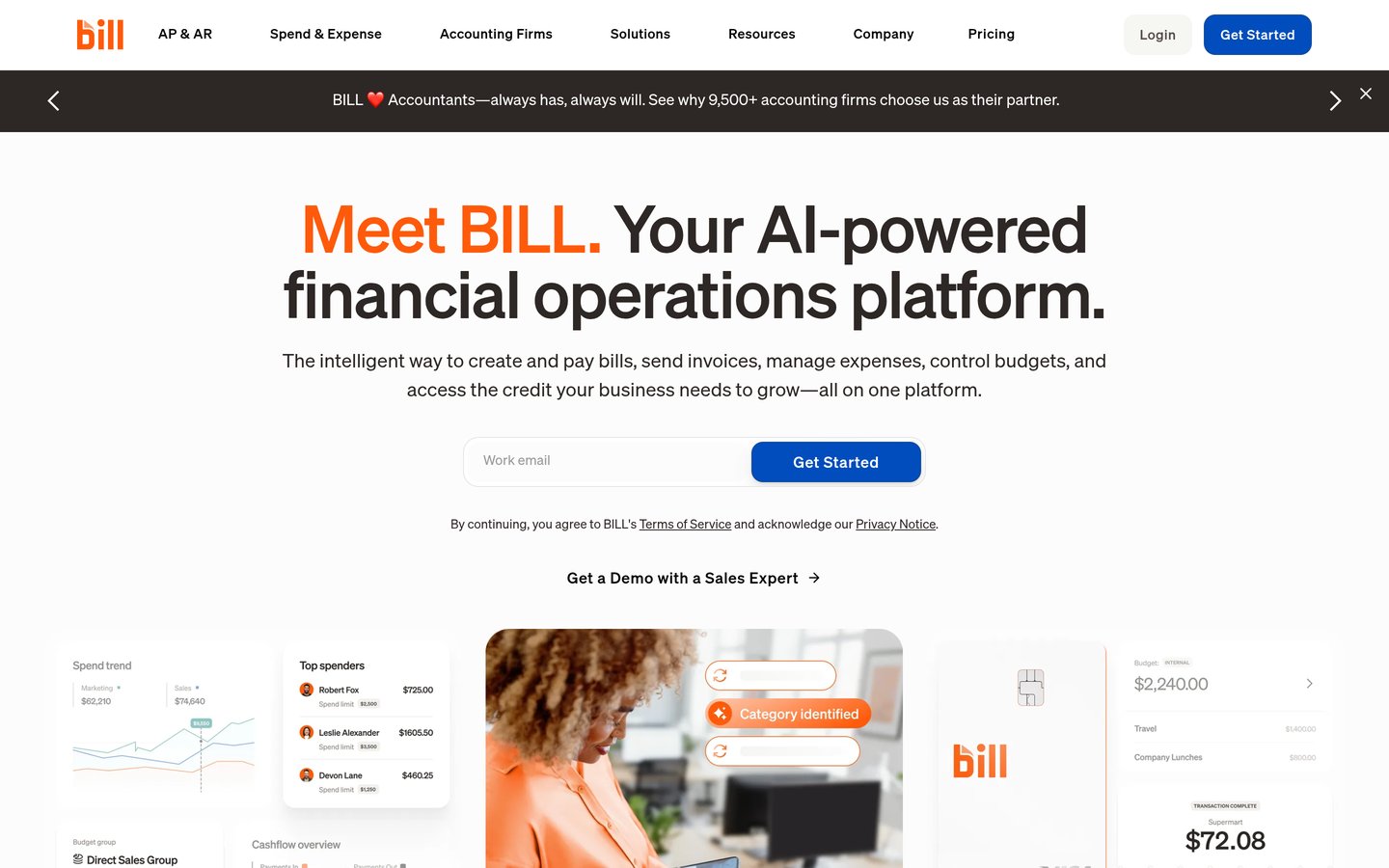
BILL homepage, captured Nov 2026.
BILL is a financial operations platform focused on automating accounts payable and accounts receivable workflows, from bill intake to approval routing and vendor payouts. Paid AP and AR plans start at $49 per user per month on Essentials, while BILL Spend & Expense has a $0/user/mo option.
The trade off is per-user pricing plus payment and filing fees, and automatic two-way accounting sync starts on the $65/user/mo Team tier rather than Essentials. It suits finance teams and accounting firms managing structured invoice approvals and frequent vendor payments.
What we like
Centralized bill inbox, approval policies, and automated reminders
Supports ACH, check, card, virtual card, and wire disbursements
Automated W-9 collection and verification on Essentials
Watch out for
Essentials uses manual CSV import/export rather than two-way sync
Per-user charges and transaction fees add up with volume
Team and Corporate tiers add two-way ledger sync, AI multi-line coding, and custom roles.Visit bill.com
04
FreshBooks
4.5/5on G2 (982 reviews, checked Nov 2026)
Starts at$23/mo
Best for client billing and time workflows
Entry planLite, $23/mo regular
Client limit5 on Lite, 50 on Plus
Billing toolsRecurring & late reminders
Team add-on$11/mo per user
freshbooks.com
FreshBooks homepage, captured Nov 2026.
FreshBooks is cloud accounting software built around service billing, automating recurring invoices, scheduled late fees, payment reminders, and expense tracking. Regular monthly pricing starts at $23 for Lite (up to 5 billable clients), with 90% off promotional offers sometimes running for four months.
The trade off is client caps on lower plans and extra charges for team seats, as Plus covers 50 clients at $43/mo and extra team members cost $11/mo each. It suits freelancers, agencies, and consultants whose main workflow centers on client billing and time tracking.
What we like
Straightforward interface for client invoices, retainers, and reminders
Includes expense tracking, mileage, and tax-time reporting on Lite
Supports online card, ACH, wallet, and installment payment options
Watch out for
Lite caps billable clients at 5 and team users cost extra
Less suited to heavy inventory or complex multi-entity accounting
Higher plans expand client limits, add project profitability tracking, and include advanced payments.Visit freshbooks.com
05
QuickBooks Online
4/5on G2 (3,913 reviews, checked Nov 2026)
Starts at$38/mo
Best for broad small-business ledger coverage
Entry planSimple Start, $38/mo regular
User limit1 user + 2 accounting firms
Bank syncAutomated feeds & rules
Top tierAdvanced, up to 25 users
quickbooks.intuit.com
QuickBooks Online homepage, captured Nov 2026.
QuickBooks Online is a widely used small-business accounting platform that automates bank transaction imports, expense categorization, sales tax calculations, and recurring entries. Regular pricing starts at $38/mo for Simple Start, with multi-month promotional discounts occasionally available.
The trade off is rising subscription prices and extra add-on costs as your needs grow, with Essentials ($85/mo regular) and Plus ($140/mo regular) adding more users and inventory. It suits small businesses that want wide accountant familiarity and deep app support.
What we like
Broad compatibility with accountants and third-party finance apps
Automates bank feeds, receipt capture, and recurring transactions
Scales from solo operators up to 25 users on Advanced
Watch out for
No free plan and regular monthly prices climb across tiers
Users frequently note AI categorization still needs manual review
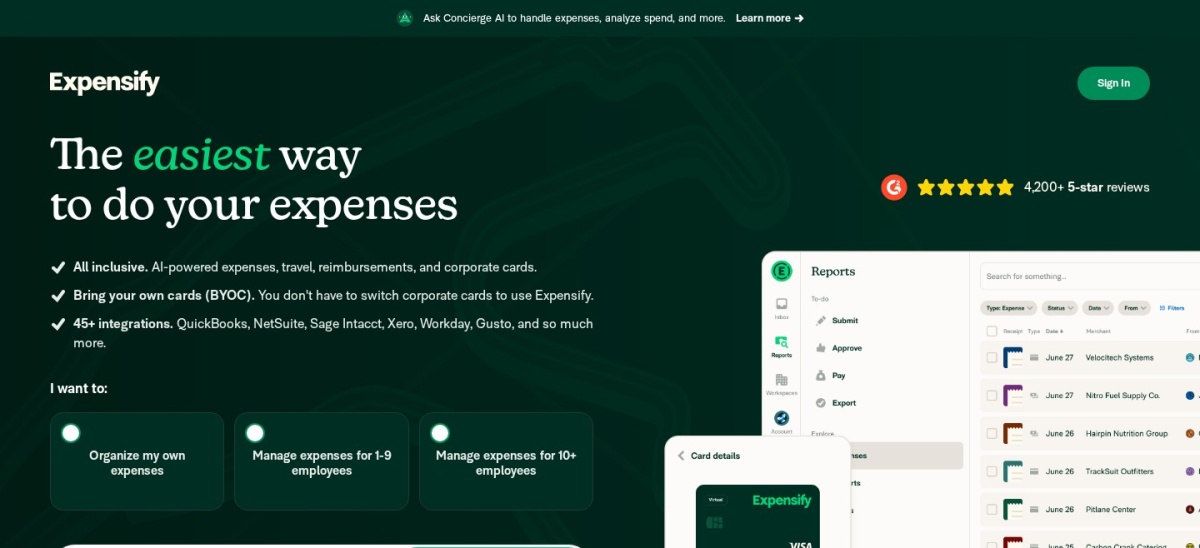
Expensify is an expense and spend workflow tool that automates receipt data extraction, expense report routing, reimbursements, and accounting exports. Individuals can start on the free Submit plan, while business workspaces on Collect start at $5 per member per month.
The trade off is that it manages expenses and spend rather than acting as a full general ledger, and Control-tier ERP rules are custom-priced. It suits teams that want fast mobile receipt capture and approval flows synced to their accounting software.
What we like
Fast receipt scanning and mobile expense submission workflows
Free Submit option for individual receipt scanning and chat
Connects with QuickBooks Online, Xero, NetSuite, and Sage Intacct
Watch out for
Requires a separate general ledger for full accounting books
Higher Control workspace pricing is custom rather than self-serve
Control adds multi-step approvals, custom expense rules, SSO, and deeper ERP integrations.Visit expensify.com
07
Wave
4.3/5on G2 (328 reviews, checked Nov 2026)
Paid from$19/mo
Best free ledger for simple bookkeeping
Free planStarter, $0/mo
Paid planPro, $19/mo ($190/yr)
Bank syncAutomated on Pro plan
ReceiptsIncluded on Pro plan
waveapps.com
Wave homepage, captured Nov 2026.
Wave is small-business accounting software offering a $0 Starter plan with unlimited invoices, estimates, bills, and bookkeeping records. Upgrading to Pro costs $19/mo ($190/yr) and adds automated bank transaction imports, auto-categorization, receipt capture, and late payment reminders.
The trade off is that automated bank feeds and receipt scanning moved behind the Pro tier, and payment processing carries per-transaction fees. It suits micro-businesses and service owners starting with free invoicing who can upgrade later for bank automation.
What we like
Starter plan is $0 with unlimited invoices and bookkeeping records
Pro unlocks automated bank imports, auto-categorization, and reminders
Annual billing lowers Pro to $190/yr
Watch out for
Free Starter plan requires manual bank transaction imports
Lacks built-in inventory tracking for product-heavy stores
Pro adds automated bank feeds, receipt OCR capture, automated reminders, and lower card rates.Visit waveapps.com
General ledgers vs. AP and expense tools
Full accounting platforms such as Xero, Zoho Books, QuickBooks Online, and Wave serve as your core ledger. They automate bank feeds, recurring billing, financial statements, and tax summaries in one system.
Specialist workflow tools such as BILL and Expensify focus on specific bottlenecks like bill approvals, vendor payouts, and receipt capture. Many teams pair a core ledger with one specialist tool when approval rules or expense volume outgrow basic ledger features.
How we chose
This list brings together established cloud accounting ledgers and finance workflow tools that automate recurring bookkeeping, invoicing, approvals, or expense capture.
Every price, plan detail, and G2 rating was checked on 22 Nov 2026 from vendor pricing pages and public review listings.
Tools without clear self-serve starting prices or those focused strictly on heavy enterprise ERP close were left out so the comparison stays practical for growing teams. No vendor paid for a place, and we do not claim testing for this list.
How to choose your accounting automation stack
Follow four practical steps to match a tool to your team's bookkeeping volume and approval needs.
Start with your core ledger needs. Decide whether you need full bookkeeping, invoicing, and financial reports or an add-on workflow for bills and expenses.
Check automation limits on lower tiers. Verify invoice caps, user counts, and whether bank feeds or two-way ledger sync require a higher plan.
Calculate regular post-promo pricing. Look past short introductory discounts and factor in annual billing options, seat add-ons, and payment processing fees.
Review integration fit with your accountant. Confirm smooth data export or direct sync with your existing banking, payroll, and tax workflow before switching.
FAQ
What is the best accounting workflow automation software overall?
Xero is our top pick overall, serving 5.1 million customers with automated bank reconciliation, invoicing, and over 1,000 app integrations. Regular monthly plans start at $27 on Early.
Which tool has a free plan for small businesses?
Zoho Books offers a free plan for businesses under $50,000 annual revenue, and Wave offers a $0 Starter plan with unlimited bookkeeping records. Expensify also provides a free Submit option for individual receipt scanning.
Should I pick an all-in-one ledger or a dedicated AP/expense tool?
Pick a core ledger like Xero, Zoho Books, QuickBooks Online, or Wave if you need full books and financial statements. Pick BILL or Expensify if your main bottleneck is multi-step bill approvals, vendor payouts, or receipt capture.
Do accounting automation tools still need human review?
Yes. Automated bank rules, invoice extraction, and categorization speed up routine work, but teams still review exceptions, reconcile accounts, and verify tax coding before closing books.
Why do advertised monthly prices look lower than regular rates?
Several vendors run temporary introductory discounts for the first few months or lower prices for annual billing. Always check the standard renewal rate and any per-user or add-on charges.