Best Accounts Receivable Automation Software in 2026: 7 Tools Compared
WLWPLegible EditorsLast verified 22 Nov 2026How we rank12 min read
★ Short answer
Chaser is our top accounts receivable automation pick for dedicated collections workflows, starting at $259 per month with 4 automated workflows and 4 users. BILL is better for businesses combining invoicing and payments, while Kolleno suits finance teams needing broader collections management, payment portals and advanced automation.
How we make this list: we compare pricing pages, product documentation and public user reviews, then re-check every price before each update. No product paid for a place. Disclosure.
Chaser Compact starts at $259/month and includes 4 users, 30 follow-up templates and 4 automated receivables workflows.
BILL Essentials costs $49/user/month and includes automated payment reminders, invoice tracking and ACH or card collections.
Kolleno Business Pay costs $650/user/month with monthly billing, while Business Plus adds workflow automation and AI support.
Plooto Grow starts at $32/month and includes accounting synchronization, unlimited connected bank accounts and payment workflows.
Melio offers a free Go plan; Core costs $25/month and includes 20 free ACH payments monthly plus accounting synchronization.
FreshBooks Lite costs $23/month for invoicing up to 5 clients, while QuickBooks Online Simple Start costs $38/month.
What accounts receivable automation software should handle
Accounts receivable automation software helps businesses manage outstanding invoices, reduce manual payment follow-ups and track money owed by customers. Its main purpose is to make collections more organized and predictable.
The most useful systems combine automated payment reminders, invoice tracking, payment links and accounting synchronization. Dedicated AR platforms may also provide customer risk scoring, collections workflows, payment forecasting and dispute management.
Consider whether you need a complete AR collections platform or basic invoicing automation. Smaller businesses may only need reminders and online payments, while larger finance departments often require customer segmentation, collection assignments and account-level reporting.
Pricing models differ considerably. Some platforms charge per user, others by business revenue or subscription tier, and payment-processing fees can apply separately. Compare recurring subscription costs alongside transaction limits and the automation features included.
The 7 best accounts receivable automation software tools
01
Chaser
4.3/5on G2 (71 reviews, checked Nov 2026)
Starts at$259/mo
Best overall for automated invoice collections
Entry planCompact
Included users4
Follow-up templates30
Automated workflows4
chaserhq.com
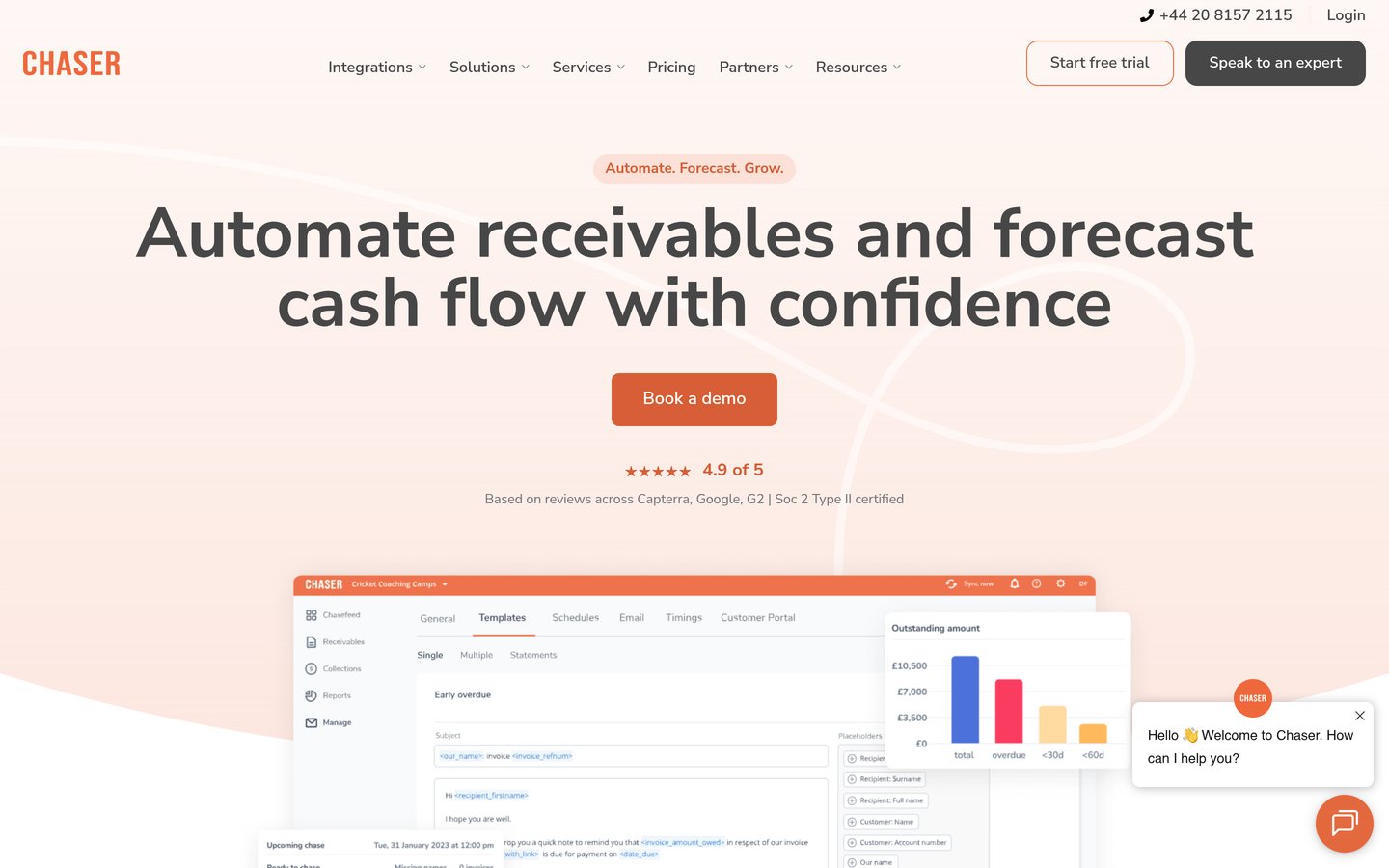
Chaser homepage, captured Nov 2026.
Chaser is dedicated accounts receivable software that automates invoice chasing, collections communication and payment follow-ups. Its Compact plan includes 4 users, 30 follow-up templates and 4 automated receivables workflows. Businesses can manage overdue invoices, communicate with customers and monitor collections activity from a centralized system.
The trade off is the starting subscription price of $259/month, or $3,108 annually with monthly billing. Compact also limits automation workflows and user access, while higher tiers expand those allowances. It suits businesses with recurring overdue invoices that need dedicated collections management rather than basic invoicing software.
What we like
Purpose-built invoice collection workflows
Automated email reminders and follow-up scheduling
30 templates included with Compact
Collections visibility and forecasting tools
Integrates with accounting systems
Watch out for
Higher entry cost than general invoicing software
Compact limits users and automated workflows
Advanced features and greater capacity require higher plans
Core adds unlimited users, templates, workflows and multi-entity support.Visit chaserhq.com
02
BILL
4.4/5on G2 (1,828 reviews, checked Nov 2026)
Starts at$49/mo
Best for integrated invoicing and payment automation
Entry planEssentials
Subscription$49/user/mo
Payment remindersAutomated
Payment methodsACH and cards
bill.com
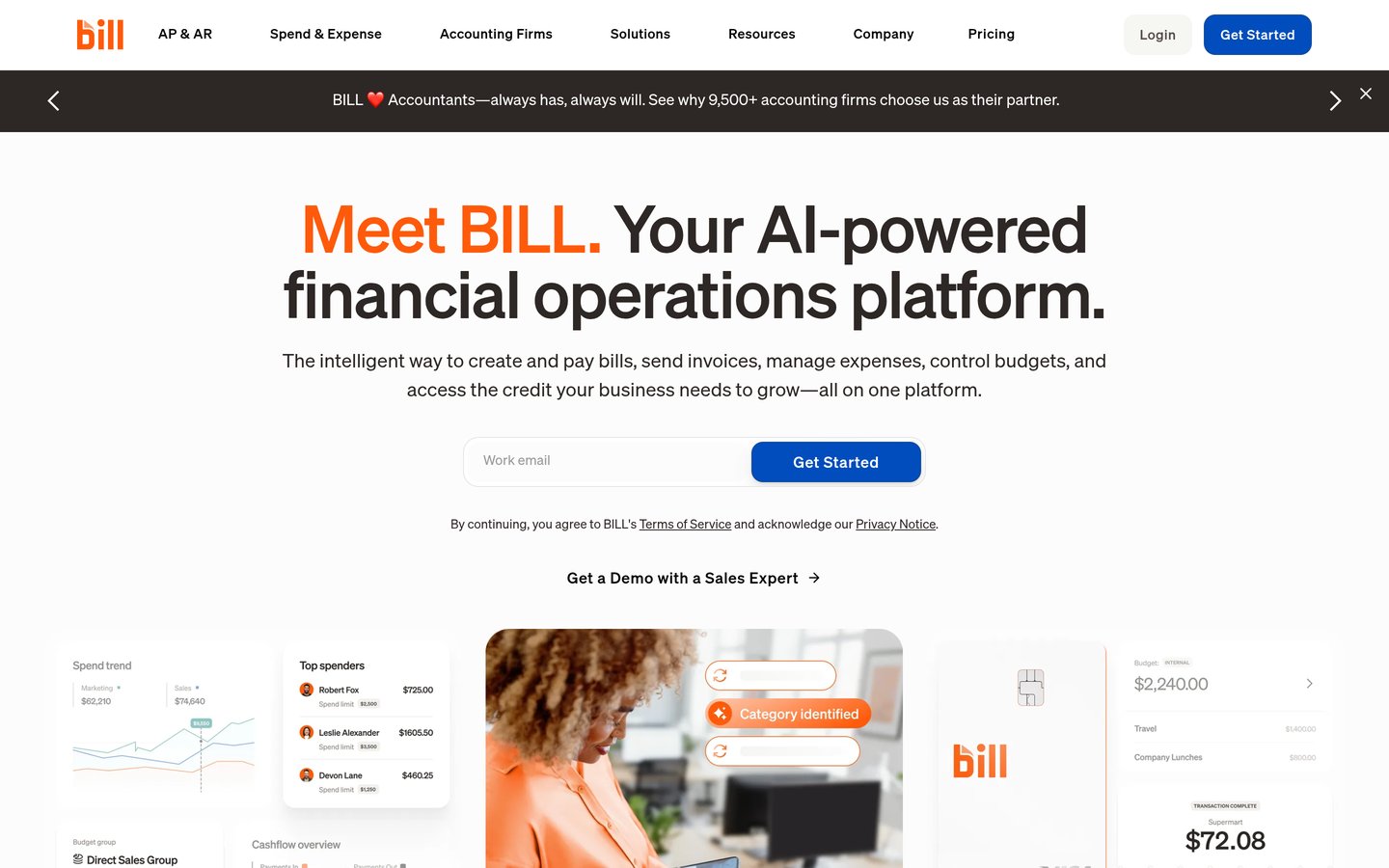
BILL homepage, captured Nov 2026.
BILL is a financial operations platform combining accounts receivable and payable automation. Its Essentials plan costs $49 per user monthly and includes professional invoicing, automated payment reminders, invoice tracking and customer payments through ACH and credit cards. Businesses can also configure automatic charging and payment arrangements.
The trade off is per-user subscription pricing and additional payment-processing fees. Essentials costs $588 annually per user, and its accounting integration relies on CSV import and export rather than automatic synchronization. It suits businesses that want invoicing and payment automation alongside broader financial operations.
What we like
Combines accounts payable and receivable workflows
Automated invoice reminders
ACH and credit card payment collection
Invoice tracking and recurring payment options
Established platform with extensive public reviews
Watch out for
Subscription cost increases with user count
Automatic accounting synchronization requires Team or higher
Additional transaction fees can increase total costs
Team adds automatic accounting synchronization and more detailed financial controls.Visit bill.com
03
Kolleno
4.9/5on G2 (118 reviews, checked Nov 2026)
Starts at$650/mo
Best for advanced finance team collections
Entry planBusiness Pay
Monthly price$650/user
Annual billing rate$545/user/mo
Entry integrationsXero, QuickBooks, Sage Intacct
kolleno.com
Kolleno homepage, captured Nov 2026.
Kolleno is an accounts receivable management platform covering payment collection, customer communication and financial workflows. Business Pay includes a customizable payment portal, payment links, multiple payment options, a customer dashboard and collections inbox management. Its published monthly subscription starts at $650 per user.
The trade off is its substantial per-user cost and the separation of advanced automation into higher tiers. Business Pay costs $7,800 annually with monthly billing, while Business Plus adds workflow automation, reporting and AI agent support. It suits established finance teams managing more complex receivables processes.
What we like
Dedicated receivables and collections management
Customizable customer payment portal
Centralized collections inbox
Multiple payment options and accounting integrations
Business Plus adds workflow automation, analytics, team collaboration and AI agent support.Visit kolleno.com
04
Plooto
4.4/5on G2 (91 reviews, checked Nov 2026)
Starts at$32/mo
Best for payment operations and reconciliation
Business entry planGrow
Starting price$32/mo
Bank accountsUnlimited on Grow
Accounting syncQuickBooks and Xero
plooto.com
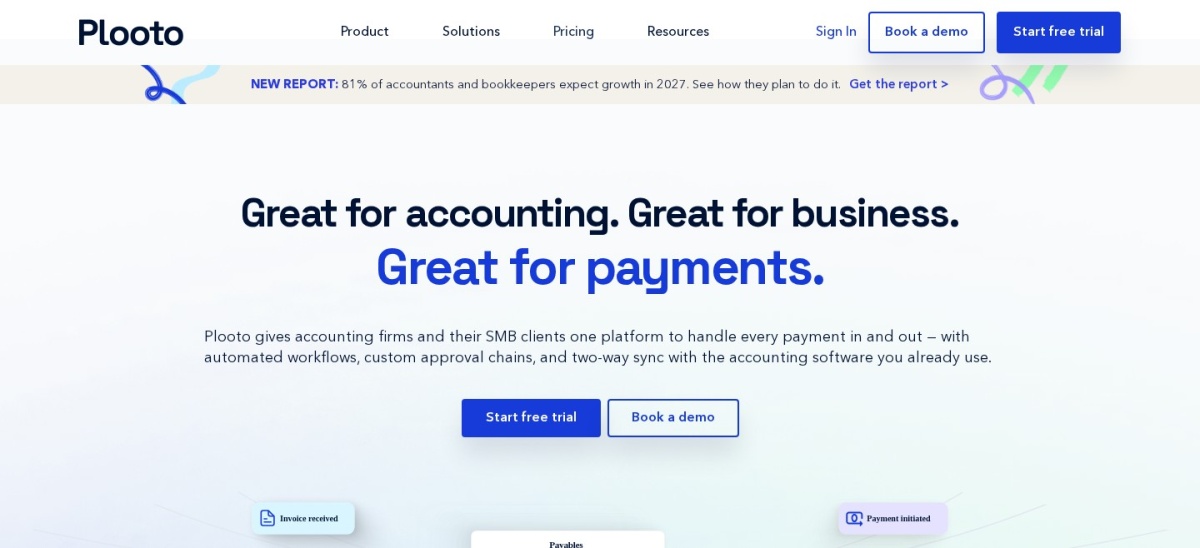
Plooto homepage, captured Nov 2026.
Plooto is a payment automation platform for managing accounts payable, receivable and accounting synchronization. Its Grow plan starts at $32/month and includes unlimited connected bank accounts, customizable approval workflows and automatic two-way synchronization with QuickBooks and Xero. Businesses can accept customer payments through supported payment methods.
The trade off is that Plooto emphasizes payment operations rather than advanced collections campaigns. Grow starts at $384 annually before transaction fees and optional payment packages, while its cheaper Go plan is restricted to clients. It suits accounting teams focused on controlling payments and reducing reconciliation work.
What we like
Accounts payable and receivable in one system
Automatic two-way accounting synchronization
Unlimited bank accounts on Grow
Custom approval workflows
Customer payment acceptance options
Watch out for
Transaction charges can increase overall costs
Advanced ERP integration requires Pro
Less focused on overdue invoice chasing than specialist AR tools
Pro adds advanced payment controls and NetSuite integration.Visit plooto.com
05
Melio
4.4/5on G2 (248 reviews, checked Nov 2026)
Paid from$25/mo
Best for affordable invoicing and payment collection
Free planGo
Entry paid planCore
Core price$25/mo
Core ACH allowance20 free monthly
melio.com
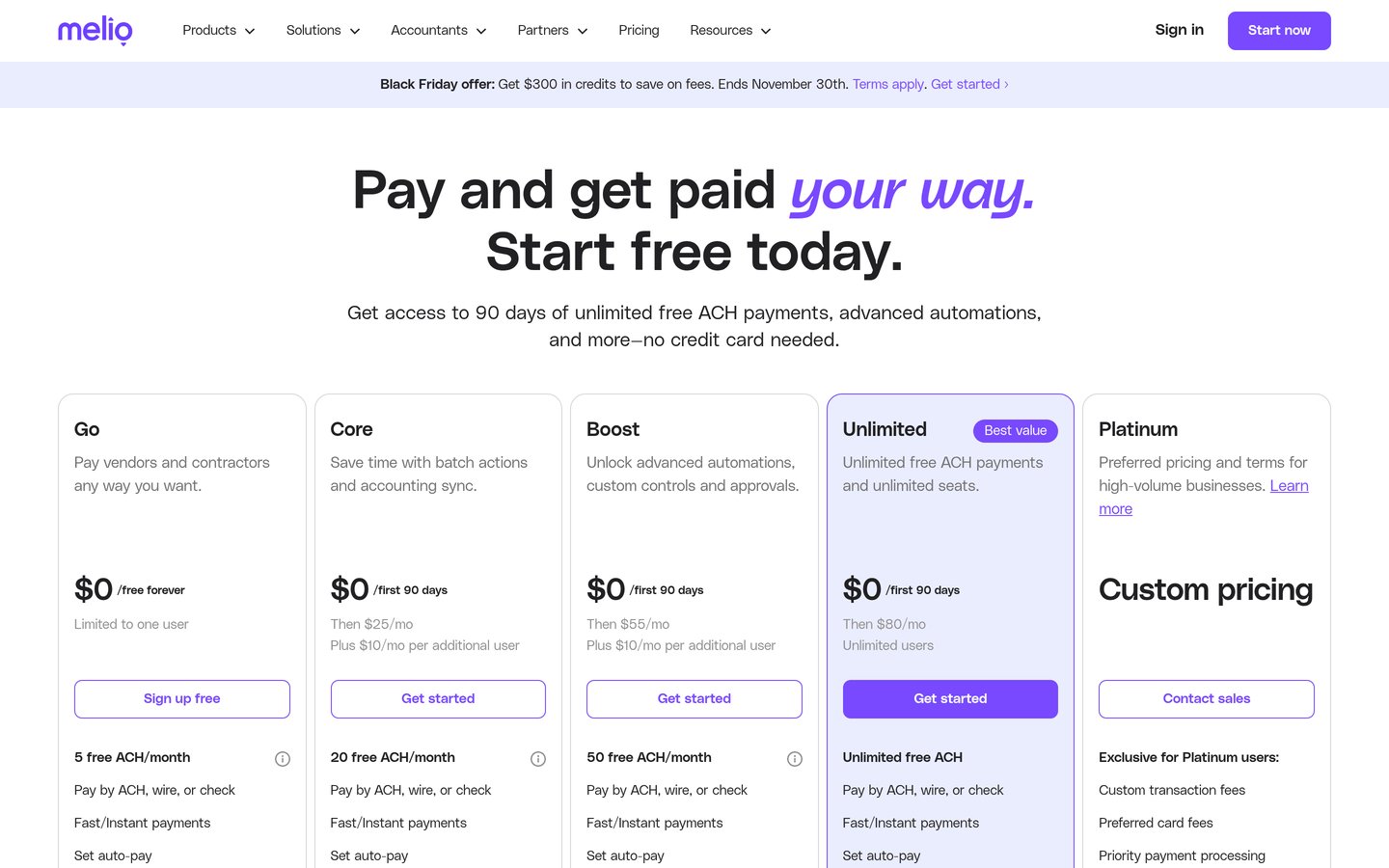
Melio homepage, captured Nov 2026.
Melio is a business payment platform with invoicing, payment links and accounting connections. Its free Go plan supports basic invoicing and payment collection, while Core costs $25/month and includes 20 free ACH payments monthly, accounting synchronization and batch payment tools. Customers can pay invoices through supported bank and card payment methods.
The trade off is that Melio concentrates on payment execution rather than advanced overdue account management. Core costs $300 annually with monthly billing, excluding payment fees and additional user charges, after any introductory offer. It suits smaller businesses seeking affordable payment automation without a dedicated collections platform.
What we like
Permanent free entry plan
Invoice creation and payment links
Bank and card payment options
Accounting software synchronization
Affordable Core subscription
Watch out for
Limited specialist collections functionality
Payment transaction fees can apply
Additional users increase paid subscription costs
Advanced controls require higher plans
Core adds expanded ACH allowances, accounting sync and batch payment workflows.Visit melio.com
06
FreshBooks
4.5/5on G2 (983 reviews, checked Nov 2026)
Starts at$23/mo
Best for freelancer and service business invoicing
Entry planLite
Regular price$23/mo
Billable clients5
Payment methodsCards and ACH
freshbooks.com
FreshBooks homepage, captured Nov 2026.
FreshBooks is invoicing and accounting software designed for freelancers and service businesses. Its Lite plan costs $23/month and supports invoices for up to 5 clients, expense tracking, estimates and online payment acceptance. Businesses can track outstanding invoices and offer customers digital payment options.
The trade off is that Lite restricts billable client capacity and is not a complete specialist collections platform. Its regular annualized cost is $276 with monthly billing, excluding optional services and payment fees. It suits freelancers and small service companies that need straightforward invoicing rather than complex collections automation.
What we like
Easy-to-manage client invoicing
Online card and bank payment acceptance
Estimates and expense tracking
Clear visibility into outstanding invoices
Suitable for service-based billing
Watch out for
Lite limits invoicing to 5 clients
More advanced billing features require higher plans
Limited dedicated collections and credit management tools
Plus expands client capacity and adds retainers, proposals and additional accounting features.Visit freshbooks.com
07
QuickBooks Online
4/5on G2 (3,913 reviews, checked Nov 2026)
Paid from$38/mo
Best for receivables inside general accounting
Free planYes
Paid entry planSimple Start
Regular price$38/mo
Business users1 on Simple Start
quickbooks.intuit.com
QuickBooks Online homepage, captured Nov 2026.
QuickBooks Online is cloud accounting software with invoicing, payment tracking, bookkeeping and financial reporting. Its free plan provides limited invoicing and basic accounting capabilities, while Simple Start costs $38/month and includes expanded invoicing, expense categorization and automated bookkeeping. Businesses can manage receivables alongside their accounting records.
The trade off is that QuickBooks Online is primarily an accounting platform, not a dedicated collections management system. Simple Start costs $456 annually at regular monthly pricing and supports 1 business user, with advanced features requiring upgrades. It suits businesses that prefer handling receivables within their existing accounting workflow.
What we like
Accounting and invoicing in one platform
Free entry plan available
Automated bookkeeping capabilities
Customer payment tracking
Broad financial reporting options
Watch out for
Limited dedicated collections functionality
Simple Start supports only 1 business user
Advanced features require higher tiers
Specialist AR workflows may require additional software
Dedicated AR automation vs general invoicing software
Dedicated accounts receivable automation software focuses on collecting money after invoices are issued. Chaser and Kolleno provide collections-oriented workflows, customer communication and tools for managing overdue receivables.
General accounting and payment platforms approach receivables differently. BILL, Plooto and Melio combine invoicing or payment operations with financial workflows, while FreshBooks and QuickBooks Online handle receivables within broader accounting systems.
The distinction matters when invoices become overdue. A business with occasional late payments may only need invoice reminders and payment links. A finance team managing many outstanding customer accounts may need structured escalation and collections assignments.
Choose a specialist platform when debt collection workflows and receivables visibility are central requirements. Choose a general accounting platform when invoice creation, payment acceptance and bookkeeping are the main priorities.
What can increase AR automation software costs?
Subscription fees are only part of accounts receivable automation costs. Payment processing, transaction limits, extra users and premium integrations may add to the total expense.
BILL uses a per-user subscription model, so adding finance team members increases the recurring cost. Kolleno also publishes per-user pricing, making team size important when calculating annual budgets.
Plooto and Melio combine subscriptions with payment transaction charges. Chaser uses subscription tiers with differences in workflow and user allowances. Businesses should review what is included before choosing a plan based solely on its advertised starting price.
The lowest subscription price does not guarantee the lowest operating cost. Compare the monthly invoice volume, collection workload, processing fees and employee time associated with each system.
How we chose
We compared established accounts receivable, financial operations and accounting software using official product documentation, published pricing pages and public G2 reviews. The shortlist includes dedicated collections platforms alongside broader invoicing and payment tools that can automate parts of the receivables process.
Pricing and ratings were compared for the November 22, 2026 reference date, with source pages reviewed on November 24, 2026. We used publicly displayed regular subscription prices rather than temporary promotional discounts and calculated annual equivalents from the stated billing terms.
We excluded specialist products without confirmable public subscription pricing, along with products lacking sufficient public review evidence. We distinguished dedicated collections features from general invoicing capabilities and did not assume that payment automation includes advanced collections management. No vendor paid for a place, and we do not claim testing for this list.
How to choose accounts receivable automation software
Identify your collection workload and compare the automation capabilities that will reduce manual effort.
Identify where receivables work slows down. Review whether your biggest problem is sending reminders, collecting payments, matching transactions or tracking overdue accounts. Prioritize software designed to solve that specific issue rather than paying for features your team will rarely use.
Check accounting and payment integrations. Confirm that the platform connects to your accounting system and supports your preferred customer payment methods. Examine whether synchronization happens automatically and whether invoice balances update correctly after payments.
Compare collection workflows and controls. Evaluate reminder scheduling, customer segmentation, escalation rules, collections assignments and reporting. Dedicated AR platforms generally offer more collections management options than standard invoicing applications.
Calculate the total recurring expense. Include software subscriptions, user seats, payment-processing fees, optional automation modules and implementation requirements. Compare costs against the number of invoices and customers your business manages.
FAQ
What is the best accounts receivable automation software in 2026?
Chaser is our top pick for businesses that need dedicated automated collections, invoice follow-ups and receivables workflows. Its Compact plan starts at $259 monthly. BILL is a strong alternative for integrated invoicing and payments, while Kolleno is suitable for finance teams requiring broader collections management.
What does accounts receivable automation software do?
Accounts receivable automation software reduces manual work involved in collecting customer payments. Depending on the platform, it can send invoice reminders, provide payment links, track overdue balances, organize customer communication and assist with reconciliation. More advanced systems support collections workflows, forecasting and account prioritization.
How much does accounts receivable automation software cost?
Pricing varies by the scope of automation and the billing model. Melio Core costs $25 monthly, BILL Essentials costs $49 per user monthly and Chaser Compact starts at $259 monthly. Kolleno Business Pay costs $650 per user monthly. Transaction fees and extra users can increase the total.
Is there free accounts receivable automation software?
Some financial platforms offer free invoicing and payment features. Melio Go has a permanent free plan, while QuickBooks Online also offers a restricted free accounting plan. However, free invoicing should not be confused with a complete collections automation system, which may require paid specialist software.
Which accounts receivable software is best for small businesses?
BILL and Melio are worth considering for smaller businesses that want digital invoicing and payments. FreshBooks can fit freelancers managing client invoices, while QuickBooks Online combines receivables with general accounting. Chaser becomes more relevant when overdue invoice collections require a structured workflow.
Can AR automation software reduce overdue invoices?
AR automation can reduce missed follow-ups by sending reminders according to predefined schedules and keeping outstanding balances visible. Some systems also support customer segmentation and escalation. Actual improvements depend on customer payment behavior, invoice accuracy, collection policies and how consistently the business uses the workflows.
What is the difference between AR automation and accounting software?
Accounting software records financial transactions, creates invoices and produces financial statements. Dedicated AR automation focuses more directly on collecting unpaid invoices through reminders, customer communication, payment portals and collection workflows. The systems often work together, with accounting software maintaining the ledger and AR tools supporting collections.
Does accounts receivable automation replace a collections team?
AR automation can handle repetitive reminders, invoice tracking and routine payment communication, but human oversight remains important. Finance teams still need to resolve disputes, review unusual customer circumstances, negotiate payment arrangements and manage sensitive collection situations. Automation primarily reduces administrative work rather than replacing financial judgment.
What features should an AR automation platform include?
Prioritize automated reminders, accounting synchronization, payment links, outstanding invoice reports and configurable collection workflows. Larger teams may also need customer segmentation, dispute tracking, assignments, forecasting and payment matching. Check which features are included in the entry plan because advanced automation often requires a higher subscription tier.