Figma is the best overall balsamiq alternative, rated 4.7/5 on G2 from 1,599 reviews, with a free Starter plan and Professional at $16 an editor a month. Whimsical is the closest match for simple lo-fi wireframes at $10 a month, while Miro is the cheapest paid option at $8 a month.
How we make this list: we compare pricing pages, product documentation and public user reviews, then re-check every price before each update. No product paid for a place. Disclosure.
Figma is the best overall balsamiq alternative, rated 4.7/5 on G2 from 1,599 reviews, with a free Starter plan.
Whimsical is the closest match to Balsamiq's simple lo-fi style, at $10 an editor a month.
Miro and Moqups are the cheapest paid options at $8 a month, and both have free plans.
Axure RP is the most powerful and the priciest, at $29 a month, for teams that need logic-rich prototypes.
All 9 tools have a free plan or a trial; paid plans run from $8 to $29 a month.
How do you choose among balsamiq alternatives?
Balsamiq's strength is deliberate simplicity. Its hand-drawn style keeps stakeholders focused on layout, not fonts and colours, so the best alternative depends on whether you want to keep that simplicity or outgrow it.
Price spreads widely in this list. Paid plans run from $8 a month for Miro and Moqups to $29 a month for Axure RP, and every tool except Axure RP has a free plan, so start free before paying.
Fidelity is the real fork in the road. Whimsical, Moqups and MockFlow stay close to Balsamiq's low-fidelity sketching, while Figma and Uizard carry wireframes into polished UI and prototypes. Our guide on importing Figma designs into WordPress shows where that path ends for WordPress sites.
Collaboration matters more than features for most teams. Miro and Figma let whole teams edit together in the browser, while Axure RP and Justinmind are desktop apps with slower, file-based sharing.
Figma is a browser-based design tool where wireframes, UI design and prototypes live in one file. The free Starter plan covers 3 design files with unlimited viewers, and Professional costs $16 an editor a month on annual billing, with unlimited files, shared libraries and advanced prototyping.
The trade off is that it is far bigger than Balsamiq. Every editor needs a paid seat, so costs grow with the team, and the sketch-first simplicity of Balsamiq is gone. It suits teams that want wireframes to grow into finished UI without switching tools.
What we like
Real-time multiplayer editing in the browser
Components and shared libraries keep designs consistent
Free Starter plan for trying it properly
Dev Mode handoff gives developers inspectable specs
Watch out for
Per-editor pricing adds up for large teams
Steeper learning curve than Balsamiq
No offline desktop app for editing
Professional adds unlimited files, team libraries and branchingVisit figma.com
02
Whimsical
4.6/5on G2 (189 reviews, checked Nov 2026)
Paid from$10/mo
Best for simple lo-fi wireframes
Free plan50 board objects/mo
Paid planPro, $10/mo
G2 rating4.6/5 (189 reviews)
Wireframe libraryBuilt-in UI components
whimsical.com
Whimsical homepage, captured Nov 2026.
Whimsical is a visual workspace for flowcharts, wireframes, mind maps and docs, built for speed. Its free plan covers up to 50 board objects a month, and Pro costs $10 an editor a month on annual billing, with unlimited boards, no export watermark and 90-day version history.
The trade off is that wireframes stay low fidelity. Whimsical has no path to polished UI design, so finished screens need another tool. It suits product managers and small teams who want Balsamiq-style speed with modern collaboration.
Miro is an online whiteboard where teams sketch wireframes on an infinite canvas beside sticky notes, diagrams and user flows. The free plan covers 3 editable boards, and Starter costs $8 a member a month on annual billing, with unlimited boards, private boards and high-resolution exports.
The trade off is that Miro is a whiteboard first, not a wireframe tool. It has no dedicated UI component library like Balsamiq, so frames take more manual work. It suits workshops and teams that wireframe as part of wider planning sessions.
What we like
Largest template library in this list
Strongest real-time collaboration for workshops
Free plan for trying it out
13,566 G2 reviews, the largest base here
Watch out for
No dedicated wireframe component library
Free plan keeps only 3 boards editable
Per-member pricing adds up for large teams
Starter adds unlimited boards and private sharingVisit miro.com
04
Lucidchart
4.5/5on G2 (9,107 reviews, checked Nov 2026)
Paid from$9/mo
Best for diagrams beside wireframes
Free plan3 editable documents
Paid planIndividual, $9/mo
G2 rating4.5/5 (9,107 reviews)
Visio supportImport and export
lucidchart.com
Lucidchart homepage, captured Nov 2026.
Lucidchart is a browser-based diagramming tool for flowcharts, process maps and wireframes that teams edit together. The free plan covers 3 editable documents with about 60 shapes each, and Individual costs $9 a month on annual billing, with unlimited documents, shapes and premium templates.
The trade off is the free plan's size cap. A detailed wireframe set soon needs Individual at $9 a month, and Lucidchart has no interactive prototyping. It suits teams that need diagrams and wireframes in one tidy, professional tool.
Uizard is an AI design tool that turns hand-drawn sketches, screenshots and text prompts into editable wireframes and prototypes. The free plan covers 2 projects with 3 AI generations a month, and Pro costs $12 a creator a month on annual billing, with unlimited projects and 500 AI generations a month.
The trade off is AI quality. Generated screens still need manual fixes, and the free plan's 3 generations a month run out fast. It suits founders and non-designers who want a first draft of a screen in minutes rather than hours.
What we like
Fastest first draft from a sketch or prompt
Drag-and-drop editor is easy to learn
Screenshot-to-editable-design conversion
Free plan to try the AI features
Watch out for
AI output needs manual cleanup
Only 45 G2 reviews, a thin rating base
Free plan allows just 3 AI generations a month
Pro adds 500 AI generations a month and unlimited projectsVisit uizard.io
06
Moqups
4.2/5on G2 (91 reviews, checked Nov 2026)
Paid from$8/mo
Best all-in-one wireframe and diagram tool
Free plan1 seat, 2 projects
Paid planStarter, $8/mo
G2 rating4.2/5 (91 reviews)
Diagram typesWireframes, flows, UML
moqups.com
Moqups homepage, captured Nov 2026.
Moqups is a browser app for wireframes, mockups, diagrams and interactive prototypes in one place. The free plan covers 1 seat and 2 projects with 400 objects each, and Starter costs $8 a month, with unlimited projects and objects, unlimited guests and premium templates.
The trade off is polish. Reviewers say styling and prototyping are less flexible than in full design tools, and free exports carry a watermark. It suits small teams and non-designers who want one simple tool for wireframes, diagrams and prototypes.
MockFlow is a dedicated wireframing tool with ready-made UI kits for web, iOS and Android, plus sitemaps and design specs. The free Basic plan covers 3 projects, and Wireframing costs $14 a user a month, with unlimited wireframes, AI wireframe generation and code handoff.
The trade off is scope. MockFlow has no interactive prototypes or user testing, so it covers wireframes only, and reviewers flag slow support. It suits designers who want a focused wireframe tool with strong UI kits.
Axure RP is a desktop UX tool for building realistic, logic-rich prototypes with conditional flows, dynamic data and detailed specifications. There is no free plan, only a 30-day trial, and Pro costs $29 a user a month on annual billing, with Axure Cloud sharing and team projects.
The trade off is price and learning curve. At $29 a month it is the priciest tool here, and reviewers call the interface dated and hard to learn. It suits UX teams that must validate complex interactions before development.
What we like
Deepest interaction logic in this list
Conditional flows and data-driven prototypes
Built-in specs and documentation
Long track record with UX teams
Watch out for
$29 a month, the highest price here
Dated interface with a steep learning curve
Desktop app, no browser editor
Pro adds team projects and Axure Cloud publishingVisit axure.com
09
Justinmind
4/5on G2 (55 reviews, checked Nov 2026)
Paid from$19/mo
Best for interactive wireframes without code
Free plan1 project, UI wireframing
Paid planStandard, $19/mo
G2 rating4.0/5 (55 reviews)
PlatformWindows and Mac app
justinmind.com
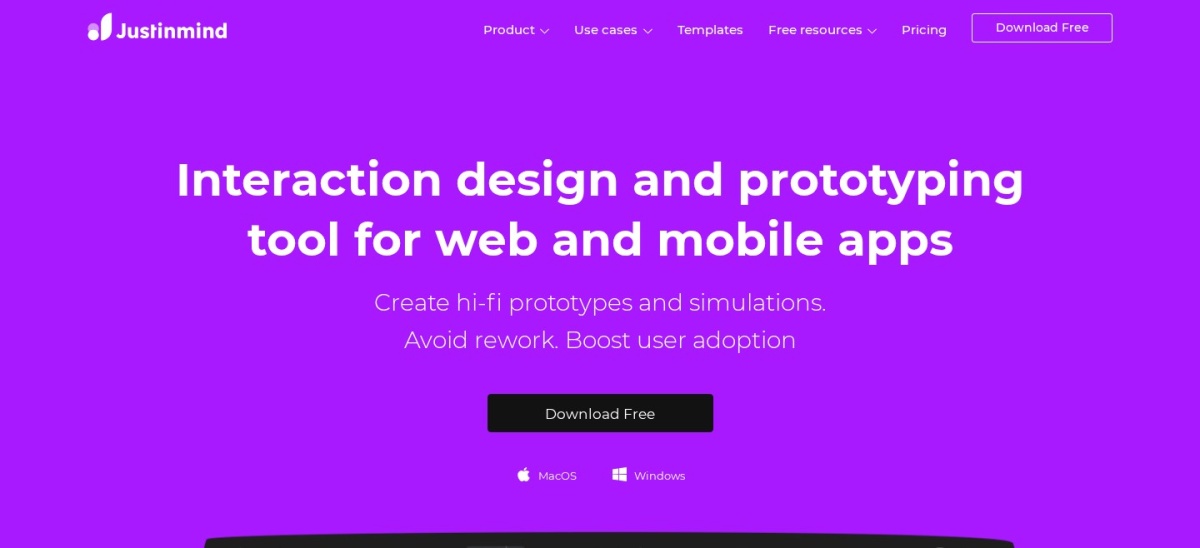
Justinmind homepage, captured Nov 2026.
Justinmind is a prototyping tool for interactive wireframes and high-fidelity prototypes for web and mobile apps, without code. The free plan covers unlimited UI design in 1 project, and Standard costs $19 an editor a month, with team management, shared UI libraries and custom branding.
The trade off is that the free plan is narrow, and the desktop app feels heavier than browser tools. Advanced prototyping and user testing need Professional at $29 a month. It suits designers who want clickable, data-driven wireframes on desktop.
Free plans cover early wireframing well. Most include enough projects and objects for a solo designer to sketch a full flow.
Paid plans mostly add room and sharing. You get unlimited projects, more editors, no watermarks and longer version history.
Axure RP is the exception: it has no free plan, only a 30-day trial, so budget for $29 a month from the start if you pick it.
If wireframing is occasional work, a free plan plus an $8-a-month tool covers most needs. Pay more only when the team, not the tool, is the limit.
How we chose
We started from the wireframing tools most often named as Balsamiq replacements, then kept 9 established tools with public pricing and a public rating.
Prices come from each vendor's pricing page, checked on 29 November 2026, using the regular annual-billing price, not a sale price. Ratings come from G2 on the same day.
We left out tools with no public price and tools with no public rating. No vendor paid for a place, and we do not claim to have used these tools ourselves.
How to choose a balsamiq alternative
Start with how faithful you want wireframes to stay, then check price and free limits.
Decide how lo-fi you want to stay. If stakeholders should judge layout only, pick Whimsical, Moqups or MockFlow. If wireframes should grow into finished UI, pick Figma or Uizard.
Try the free plan on a real project. Sketch one full user flow before paying. Free caps on projects, objects and AI generations show up fast on real work.
Count the seats, not the headline price. Per-editor pricing at $8 to $29 a month adds up with a team, so multiply before you commit. See how to use Figma with WordPress if the design ends up on a site.
Check the export and handoff. Make sure the tool exports what developers and clients need, from PNGs to specs and code, before the first paid month.
FAQ
What is the best balsamiq alternative?
Figma is the best overall balsamiq alternative. It is rated 4.7 out of 5 on G2 from 1,599 reviews, has a free Starter plan, and carries wireframes through to finished UI and prototypes in one tool.
What is the cheapest balsamiq alternative?
Miro and Moqups are the cheapest paid options at $8 a month. Both have free plans, so most solo users can start free and pay only when they need unlimited boards or projects.
Is there a free alternative to Balsamiq?
Yes. Eight of the nine tools here have a free plan, including Figma, Whimsical, Miro and Lucidchart. Only Axure RP has no free plan, offering a 30-day trial instead.
Which balsamiq alternative is best for beginners?
Whimsical is the best pick for beginners. Its lo-fi wireframe library and drag-and-drop boards are the closest to Balsamiq's simplicity, and the free plan covers up to 50 board objects a month.
Figma vs Whimsical: which is better for wireframing?
Whimsical is better for quick lo-fi wireframes, because its simple boards and UI library keep the focus on layout. Figma is better when wireframes must grow into polished UI, prototypes and developer handoff.
Do balsamiq alternatives include interactive prototypes?
Yes, some do. Figma, Axure RP, Justinmind and Uizard all build clickable prototypes, while Whimsical, Miro and Lucidchart stay closer to static wireframes and diagrams.
SaaS SEO and WordPress specialist with about 8 years of experience. Rakib compares WordPress plugins, themes, hosting and software using public pricing, documentation and user reviews. See how we rank.