Canva is the best Animoto alternative for most people, rated 4.7 out of 5 on G2 from 7,945 reviews, with a free plan and Pro at $120 a year. Animaker suits animated explainers at 4.7 out of 5, while Renderforest is the cheapest all-in-one at $15 a month.
How we make this list: we compare pricing pages, product documentation and public user reviews, then re-check every price before each update. No product paid for a place. Disclosure.
Canva is the top pick: 4.7/5 on G2 from 7,945 reviews, with a free plan and Pro at $120 a year.
Animaker is the best animated alternative at 4.7/5 from 1,081 G2 reviews, but its free plan allows only 3 downloads a month.
The cheapest paid plans are Adobe Express at $99.99 a year and InVideo at $10 a month billed yearly.
Pictory and Biteable have no free plan, only trials, while the other eight tools all offer one.
AI video runs on credits everywhere: check the allowance before paying, especially on InVideo and Renderforest.
What should you look for in Animoto alternatives?
Animoto is a template slideshow maker, so the closest alternatives are template-led too. Animoto itself is rated 4.3 out of 5 on G2 from 95 reviews, with Basic at $16 a month, and reviewers call it expensive for its feature set with limited customisation at lower tiers.
Price is the first filter, because the spread is wide. Entry paid plans in this list run from $99.99 a year for Adobe Express to $300 a year for Animaker and Pictory, and Animoto Basic at $16 a month costs $192 a year, so most alternatives undercut it.
Free plans are not equal. Canva, FlexClip and VEED all export watermarked video for free, while Pictory offers only a 14-day trial and Biteable only a 7-day trial, so a free test is not possible with every tool here.
Ratings need a second look before you trust them. G2 snapshots of InVideo disagree with each other, and CapCut was left out because it publishes no pricing page and holds a 1.2 out of 5 Trustpilot score driven by billing complaints.
Think about where the video will live. A clip made for social feeds needs vertical sizes and captions, while one for a website needs a clean embed, and our guide on how to embed a video in WordPress covers the second case.
Canva is a browser design platform that also edits video, so one subscription covers social posts, slides and short videos. Start from a video template, drop in clips and photos, and the Brand Kit applies the logo, colours and fonts, with sizes preset for every feed. The free plan covers the core editor and thousands of templates, with 5 GB of storage.
The trade off is depth. Canva edits short, template-led clips well but has no real timeline, multicam or pro colour tools, so long or complex videos belong in a dedicated editor. Pro costs $120 a year and adds premium templates, 1 TB of storage, Magic Resize and a background remover. It suits businesses that publish graphics and short video from one place.
What we like
Largest review base in this list, 4.7/5 from 7,945 G2 reviews
One subscription covers graphics, slides and video
Free plan covers the core editor and thousands of templates
Brand Kit keeps logos, colours and fonts consistent
Watch out for
No real timeline for longer or layered edits
Best templates and the Brand Kit need Pro
Video is template-led, not a full editor
Pro adds premium templates, 1 TB storage and Magic ResizeVisit canva.com
02
Animaker
4.7/5on G2 (1,081 reviews, checked Nov 2026)
Paid from$25/mo
Best for animated explainers
Free planYes, 3 downloads/mo
Animated charactersYes, with actions
Video length2 min on free
Paid planStarter, $25/mo
animaker.com
Animaker homepage, captured Nov 2026.
Animaker is a browser tool for animated marketing and explainer videos, built around characters, props and scene templates. Pick a character, choose its actions and expressions, add voiceover and music, and export in Full HD. The free plan allows 3 downloads a month, with a watermark and a 2-minute video limit.
The trade off is the free plan's limits. The watermark, download cap and short length push regular makers to Starter at $25 a month, which adds Full HD export, AI subtitles, premium music and commercial rights. It suits marketers and teachers who want animated explainers without learning animation software.
What we like
4.7/5 on G2 from 1,081 reviews, the second-largest base here
Characters with actions and expressions, no animation skill needed
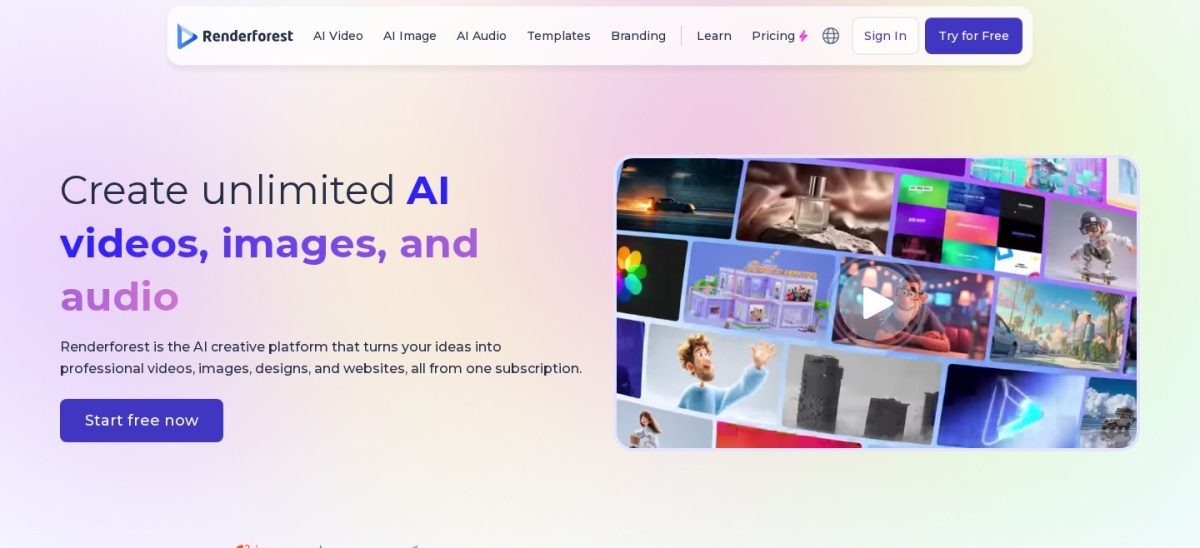
Renderforest is an all-in-one creative platform for videos, logos, mockups and websites, with more than 1,200 video templates. Its AI tools turn text or images into video, and the editor covers intros, explainers, slideshows and social clips. The free plan exports watermarked HD720 videos up to 3 minutes long.
The trade off is credits. AI generation runs on a credit allowance, with Lite at $15 a month including 9,600 credits a year, and heavier AI use needs Pro at $39 a month. It suits small businesses that want branded video, a logo and a landing page under one subscription.
What we like
4.7/5 on G2 from 447 reviews
Video, logo, mockup and website tools in one subscription
1,200+ templates cover intros, explainers and slideshows
Commercial usage rights on paid plans
Watch out for
AI features run on credits, not unlimited use
Lite exports top out at HD720
Template-based, so highly custom designs are limited
VEED is a browser video editor built for social and marketing video, with auto subtitles, translation, AI voices and avatars beside a timeline editor. Record a clip, cut filler words, add captions and resize it for each feed in the same workspace. The free plan exports 720p video with a watermark.
The trade off is seats and credits. Plans are priced per editor seat, and AI generation draws on a monthly credit pool that resets, with Creator at $12.25 a month billed yearly including 500 credits. It suits creators who publish captioned short video every week.
What we like
4.6/5 on G2 from 1,776 reviews
Auto subtitles, translation and AI dubbing built in
Real timeline editor, not templates only
Free plan with no card required
Watch out for
Priced per editor seat, so teams pay more
AI credits reset monthly and do not roll over
Self-serve plans stop at 3 editors
Creator adds 1080p, no watermark and 500 AI credits a monthVisit veed.io
05
Pictory
4.6/5on G2 (81 reviews, checked Nov 2026)
Starts at$25/mo
Best for turning articles into video
Free planNo, 14-day trial
Script to videoYes
Stock footageYes, with voiceover
Paid planStarter, $25/mo
pictory.ai
Pictory homepage, captured Nov 2026.
Pictory is an AI tool that turns scripts, blog posts and long videos into short captioned clips. Paste an article and it picks key sentences, matches stock footage, adds captions and a voiceover, or cuts highlights from a long recording. A 14-day trial includes 300 credits, about 10 minutes of video.
The trade off is the look. Stock-footage videos read as promos rather than filmed tours, and there is no permanent free plan, with Starter at $25 a month billed yearly. It suits marketers repurposing written content into social video at volume.
What we like
4.6/5 on G2, and 4.8/5 on Capterra from 163 reviews
Fastest route from a blog post to a captioned video
Cuts highlights from long recordings
Trial needs no card
Watch out for
No permanent free plan, trial only
Stock footage looks generic beside filmed video
Small G2 review base of 81 reviews
Starter adds more video minutes and AI voice optionsVisit pictory.ai
06
FlexClip
4.6/5on G2 (68 reviews, checked Nov 2026)
Paid from$11.99/mo
Best budget template video maker
Free planYes, 720p watermarked
Templates6,000+
Stock assets4M+
Paid planPlus, $11.99/mo
flexclip.com
FlexClip homepage, captured Nov 2026.
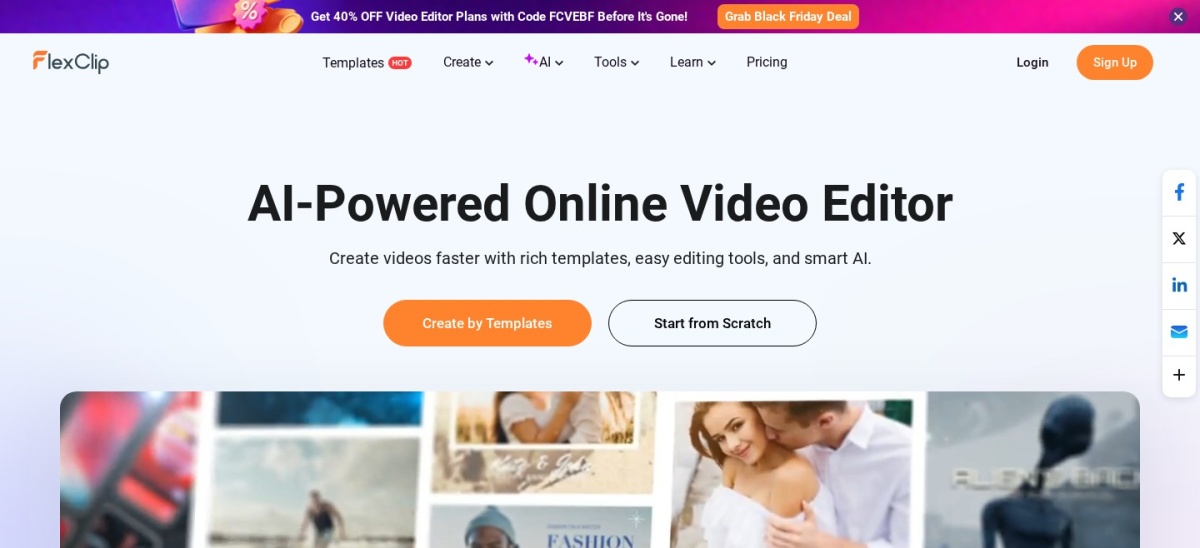
FlexClip is a browser video editor with more than 6,000 templates and 4 million stock assets, aimed at quick marketing and social videos. Its AI tools cover text-to-video, auto subtitles, voice cloning and scriptwriting, beside a drag-and-drop timeline. The free plan exports 720p video with a watermark, capped at 12 projects.
The trade off is the single-track timeline. Complex edits with layered tracks still need a desktop editor, and Plus at $11.99 a month billed yearly is the cheapest way to remove the watermark and export in 1080p. It suits solo creators making short social videos fast.
InVideo is an AI video maker that builds a first cut from a text prompt, script or link, then lets the user refine it on a timeline. It adds stock or AI-generated visuals, voiceover, subtitles and music, with multiplayer editing on paid plans. The free plan gives 10 AI minutes a week and 4 exports a week, watermarked.
The trade off is credits. AI generation draws on a monthly credit pool, and Pro-mode generative video costs far more credits per minute than stock compilation, so heavy users outgrow Starter at $10 a month billed yearly fast. It suits marketers who want a prompt-to-video starting point.
What we like
Prompt-to-video with stock and AI-generated visuals
Cheapest entry plan in this list at $10 a month billed yearly
Timeline editing after the AI first cut
iStock assets included
Watch out for
Credit system burns fast on generative video
Free plan caps exports at 4 a week
Refund window is 7 days and needs unused credits
Starter adds more credits, storage and iStock assetsVisit invideo.io
08
Lumen5
4.5/5on G2 (69 reviews, checked Nov 2026)
Paid from$19/mo
Best for blog-to-video teams
Free planYes, 5 videos/mo
Article to videoYes
Export on Basic720p
Paid planBasic, $19/mo
lumen5.com
Lumen5 homepage, captured Nov 2026.
Lumen5 turns blog posts, scripts and documents into video, building a first cut with stock photos and clips, text overlays and an AI voice. The free plan allows 5 videos a month, each up to 2 minutes, with a Lumen5 outro. Paid plans add brand kits, more stock and longer voice minutes.
The trade off is resolution and price jumps. Basic at $19 a month billed yearly caps exports at 720p, and 1080p needs Starter at $59 a month. It suits content teams turning written articles into social video every week.
What we like
4.5/5 on G2 from 69 reviews
Builds a first cut straight from a link or document
Free plan allows 5 videos a month
Brand kit and large stock library on Starter
Watch out for
Basic caps exports at 720p
1080p needs Starter at $59 a month
Creative control is limited beside a timeline editor
Adobe Express is Adobe's browser and mobile design app for social posts, flyers and short videos, with templates, quick actions and Firefly AI generation. The free plan includes more than 1 million Adobe Stock assets and hundreds of thousands of templates. Premium adds 430 million assets, one-click resize and brand kits.
The trade off is credits and cancellation terms. Premium at $99.99 a year includes 250 generative credits a month, and reviewers note leaving mid-subscription can mean paying the remainder of the year. It suits teams already in the Adobe ecosystem.
What we like
4.4/5 on G2 from 1,109 reviews
Cheapest paid plan in this list at $99.99 a year
Firefly AI generation designed to be commercially safe
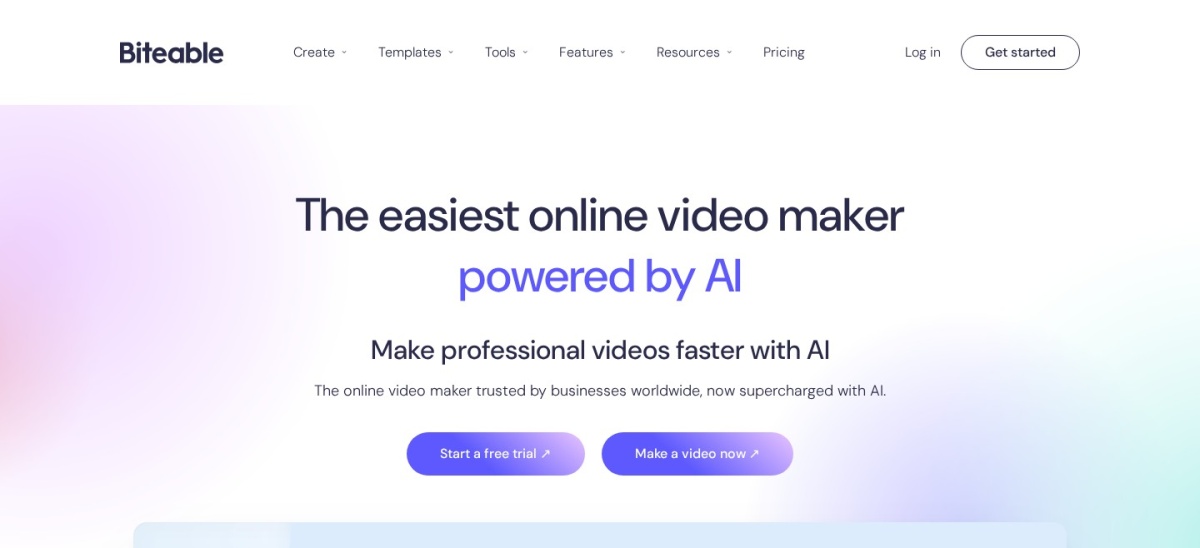
Biteable is an online video maker built around templates, stock clips and animations for work videos, ads and explainers. An AI builder drafts a video from a short brief, and the editor adds screen recordings, text and music. There is no free plan, only a 7-day trial of Pro and Premium features.
The trade off is price for what is included. Pro at $15 a month billed yearly covers one user with unlimited HD exports, while 4K export, captions and translation need Premium at $49 a month. It suits small teams that want fast template videos and video analytics.
What we like
4.4/5 on G2 from 26 reviews
AI builder drafts a video from a short brief
Unlimited HD exports on Pro
Video analytics on paid plans
Watch out for
No free plan, only a 7-day trial
4K, captions and translation need Premium at $49 a month
Animoto Basic costs $16 a month, or $192 a year, and Professional costs $29 a month. Eight of the ten tools in this list undercut Basic on their cheapest paid plan; Animaker and Pictory start higher, at $25 a month.
The biggest saving is Adobe Express at $99.99 a year, then InVideo at $120 a year and Canva at $120 a year. FlexClip at $11.99 a month billed yearly and VEED at $12.25 a month billed yearly also come in below Animoto Basic.
Animoto still has a case for pure slideshows. Its drag-and-drop templates and licensed music library are built for photo stories, and none of the alternatives is a slideshow-only tool, so buyers who only make slideshows should weigh simplicity against the saving.
Watch the renewal price, not the first-year price. Several tools in this list show a sale price beside a higher regular price, and the figures here are the regular prices checked on 29 November 2026.
How we chose
We started from the tools G2 lists as Animoto alternatives and the video makers marketers actually compare with it, then kept ten with a public numeric rating and a published price.
Prices come from each vendor's pricing page or a comparison that read it, checked on 29 November 2026. Ratings and review counts come from G2 on the same day. Where a vendor shows a sale price, the list shows the regular price.
We left out CapCut, which publishes no pricing page and holds a 1.2 out of 5 Trustpilot score driven by billing complaints, and Promo.com, whose Basic plan at $29 a month includes no AI videos. No vendor paid for a place, and we do not claim hands-on testing for this list.
How to choose an Animoto alternative
Start with what you make most, then check the free plan and the credit limits before paying.
Decide what you are replacing. If it is Animoto slideshows, a template tool such as Renderforest or Biteable fits. If it is full editing, VEED or FlexClip fits better.
Try the free plan first. Canva, FlexClip and VEED all export watermarked video for free, so check the templates and export quality before paying.
Check the credit limits. AI tools sell minutes or credits, not unlimited video. Read how many AI minutes or credits the entry plan includes and what a minute costs.
Add up the yearly cost. Monthly prices hide the annual bill. The cheapest paid plan here is Adobe Express at $99.99 a year, and the dearest entry plans reach $300 a year.
FAQ
What is the best Animoto alternative in 2026?
Canva is the best Animoto alternative for most people. It is rated 4.7 out of 5 on G2 from 7,945 reviews, has a free plan, and Pro costs $120 a year, covering video, graphics and slides in one subscription.
What is the best free alternative to Animoto?
Canva has the strongest free plan, covering the core editor and thousands of templates with 5 GB of storage. FlexClip and VEED also export watermarked 720p video for free, while Pictory and Biteable offer only trials.
How much does an Animoto alternative cost?
Entry paid plans in this list run from $99.99 a year for Adobe Express to $300 a year for Animaker and Pictory. Most sit between $120 and $180 a year, below Animoto Basic at $192 a year, while Animaker and Pictory sit above it.
Canva vs Animaker: which is the better Animoto alternative?
Canva wins for most buyers, with a 4.7 out of 5 G2 rating from 7,945 reviews and video plus graphics for $120 a year. Animaker wins for animated explainers, with characters and scene templates, but costs $25 a month.
Which Animoto alternative is best for slideshows from photos?
Renderforest and Biteable are the closest slideshow matches, with templates built for photo stories and intros. Canva also handles photo slideshows well, with templates and a Brand Kit on Pro.
Is there an Animoto alternative with AI video generation?
Yes. InVideo builds a first cut from a prompt, Pictory turns scripts into video, Lumen5 turns articles into video, and Renderforest generates video from text or images. All four run on monthly credits, so check the allowance first.
Do any Animoto alternatives work without a subscription?
Eight of the ten tools here have a free plan, including Canva, FlexClip, VEED, Animaker and Lumen5. Pictory offers only a 14-day trial and Biteable only a 7-day trial, so neither works free long term.
SaaS SEO and WordPress specialist with about 8 years of experience. Rakib compares WordPress plugins, themes, hosting and software using public pricing, documentation and user reviews. See how we rank.