Admin Columns Alternatives in 2026: 7 Best Tools Compared
WLWPLegible EditorsLast verified 22 Nov 2026How we rank10 min read
★ Short answer
WP Adminify is the best broad Admin Columns alternative, combining admin column customization with menu and dashboard controls, with Pro starting at $79 a year. Choose WP Sheet Editor for spreadsheet-based content editing or Smart Manager for WooCommerce inventory and bulk updates. These alternatives serve different workflows rather than matching every Admin Columns Pro feature.
How we make this list: we compare pricing pages, product documentation and public user reviews, then re-check every price before each update. No product paid for a place. Disclosure.
WP Adminify is the closest broad alternative, with admin column editing and a $79/year regular Pro price.
WP Sheet Editor has a 4.8/5 WordPress.org rating from 217 reviews and starts at $99.98/year for its posts spreadsheet.
Smart Manager supports WooCommerce products, orders and custom fields, with Pro priced at $199/year.
ASE costs $39/year for one site and has 200,000+ active installations, making it a value option for wider admin improvements.
Admin Menu Editor serves a narrower purpose at $49/year for Pro, while Meta Box starts at $49/year for custom-field development.
ACF has 2M+ active installations and costs $49/year for Pro, but custom list-table columns require additional implementation.
What matters when replacing Admin Columns
Admin Columns makes WordPress list tables more useful by letting administrators display custom fields, change column layouts and manage content without opening every record. Its Pro features extend into sorting, filtering, inline editing and bulk operations.
The first question is whether you need custom admin columns or a different way to edit content. WP Adminify works with native admin screens, while WP Sheet Editor and Smart Manager provide spreadsheet-style interfaces.
Custom field support matters when your site uses Advanced Custom Fields, Meta Box, Pods or WooCommerce. Confirm that a replacement can display the fields you need and whether it also supports editing, sorting and filtering them.
Consider the regular renewal price, not a temporary promotion. A cheaper plugin that only changes admin menus is not a substitute for editing custom field values directly from list tables.
4.3/5on WordPress.org (109 reviews, checked Nov 2026)
Paid from$79/yr
Best broad Admin Columns alternative
Column managementAdmin Columns Editor
Admin customizationMenus and dashboard
Custom fieldsAdvanced editor in Pro
Paid planPersonal, 1 site
wpadminify.com
WP Adminify homepage, captured Nov 2026.
WP Adminify is a WordPress administration toolkit with 6,000+ active installations and a 4.3/5 rating. Its free version offers basic dashboard and menu customization, while Pro includes an Admin Columns Editor with sortable columns, filtering and integrations for custom fields and WooCommerce.
The trade off is that advanced column editing requires Pro at the regular price of $79 a year, while a Black Friday promotion currently reduces the first purchase price. It suits administrators who want column management alongside broader dashboard customization.
What we like
Direct admin column editing functionality
Supports custom fields and WooCommerce workflows
Includes dashboard and menu customization
Regular entry price under $100/year
Watch out for
Advanced column capabilities require Pro
More modules than a column-only setup needs
Some administrative features have separate add-ons
Pro adds advanced columns, integrations and administrative controls.Visit wpadminify.com
02
WP Sheet Editor
4.8/5on WordPress.org (217 reviews, checked Nov 2026)
Paid from$99.98/yr
Best for spreadsheet-based content editing
Editing interfaceSpreadsheet
Free editingPosts and pages
Custom fieldsPremium integration
Paid planPosts spreadsheet
wpsheeteditor.com
WP Sheet Editor homepage, captured Nov 2026.
WP Sheet Editor is a spreadsheet-based WordPress content manager with 7,000+ active installations. The free plugin lets you edit posts, pages and limited WooCommerce product fields in a grid, while its paid posts spreadsheet supports custom post types, custom fields and advanced editing operations.
The trade off is that it replaces the native list-table editing workflow with a separate spreadsheet interface. The posts and custom post types extension lists a $99.98 annual price, alongside a Black Friday promotion. It suits editorial teams managing large collections of content.
What we like
Spreadsheet view for many content records
Edit multiple values without opening each post
Custom field editing through paid extensions
CSV import and export workflows
Watch out for
Not a direct native admin column replacement
Different data types may require separate extensions
4.4/5on WordPress.org (289 reviews, checked Nov 2026)
Paid from$199/yr
Best for WooCommerce data management
Primary interfaceSpreadsheet grid
WooCommerceProducts and orders
Free inline editing3 edits per save
Paid planSingle Annual, 1 site
storeapps.org
Smart Manager homepage, captured Nov 2026.
Smart Manager is a spreadsheet editor for WordPress and WooCommerce with 10,000+ active installations. Its free version supports products, variations, orders, coupons, posts and custom fields, with inline editing limited to 3 edits per save. It automatically recognizes compatible fields from ACF, Pods and Meta Box.
The trade off is that bulk updates, scheduling and advanced editing history require Smart Manager Pro, priced at $199 a year for one site. It suits WooCommerce stores that manage frequent stock changes, product pricing and order information.
What we like
Dedicated WooCommerce inventory workflows
Supports products, orders and coupons
Recognizes compatible third-party custom fields
Bulk editing and undo capabilities in Pro
Watch out for
Higher entry price than general admin tools
Free version limits edits per save
Spreadsheet interface differs from native list tables
Pro adds bulk updates, scheduling, advanced export and edit history.Visit storeapps.org
04
ASE
5/5on WordPress.org (423 reviews, checked Nov 2026)
Paid from$39/yr
Best value for wider admin improvements
Plugin approachModular enhancements
Admin controlsMenus and workflows
Native column editorNot equivalent to Admin Columns
Paid planSolo, 1 site
wpase.com
ASE homepage, captured Nov 2026.
ASE is a modular WordPress management plugin with more than 200,000 active installations and a 5.0/5 rating. The free version combines admin interface changes, content management options and site settings in one plugin, while Pro expands its administration and developer features.
The trade off is that ASE does not provide the same comprehensive custom column configuration, sorting and inline editing workflow as Admin Columns Pro. Its regular Solo license costs $39 a year, with a separate promotional discount currently advertised. It suits administrators primarily looking to simplify WordPress management.
What we like
Large active WordPress user base
Low regular annual entry price
Many administration improvements in one plugin
Free version offers useful administrative features
Watch out for
Not a complete Admin Columns replacement
Advanced column editing needs another solution
Broad feature scope may be unnecessary
Pro adds more admin, content and site management modules.Visit wpase.com
05
Admin Menu Editor
4.6/5on WordPress.org (312 reviews, checked Nov 2026)
Paid from$49/yr
Best for reorganizing admin navigation
Primary featureAdmin menu editing
Free functionalityReorder and rename
User accessAdvanced Pro controls
Paid planPersonal, 1 site
adminmenueditor.com
Admin Menu Editor homepage, captured Nov 2026.
Admin Menu Editor is a WordPress administration plugin with more than 300,000 active installations. Its free version helps you reorganize, rename and hide dashboard menu items, while Pro provides more detailed access rules, custom menu entries and configuration options.
The trade off is that it edits navigation rather than the columns inside post, user or product list tables. The Personal Pro license costs $49 a year under the vendor's updated 2026 pricing. It suits agencies that need clearer client dashboards rather than custom data columns.
4.8/5on WordPress.org (165 reviews, checked Nov 2026)
Paid from$49/yr
Best for developer-controlled custom fields
Core fields40+ field types
Free frameworkCode-based configuration
Admin columnsPremium extension support
Paid planBasic Bundle, 1 site
metabox.io
Meta Box homepage, captured Nov 2026.
Meta Box is a custom-field framework with 500,000+ active installations and more than 40 field types. The free plugin lets developers register fields through code, while its free Meta Box Lite interface supports creating custom content structures without coding.
The trade off is that matching Admin Columns requires configuring relevant Meta Box extensions rather than installing a complete list-table editor. The Basic Bundle starts at $49 a year for one site and includes 12 Pro extensions. It suits developers building custom content management systems.
What we like
Extensive custom field framework
Supports custom content structures
Admin column display through premium functionality
Modular extensions for developer workflows
Watch out for
More setup than a dedicated column editor
Basic framework uses code configuration
Advanced functionality depends on extensions
Basic Bundle adds premium extensions and custom-field management features.Visit metabox.io
07
ACF
4.5/5on WordPress.org (1,440 reviews, checked Nov 2026)
Paid from$49/yr
Best for custom field content modeling
Custom fieldsField groups
Content modelingPost types and taxonomies
Native column editingRequires integration
Paid planPersonal, 1 site
advancedcustomfields.com
ACF homepage, captured Nov 2026.
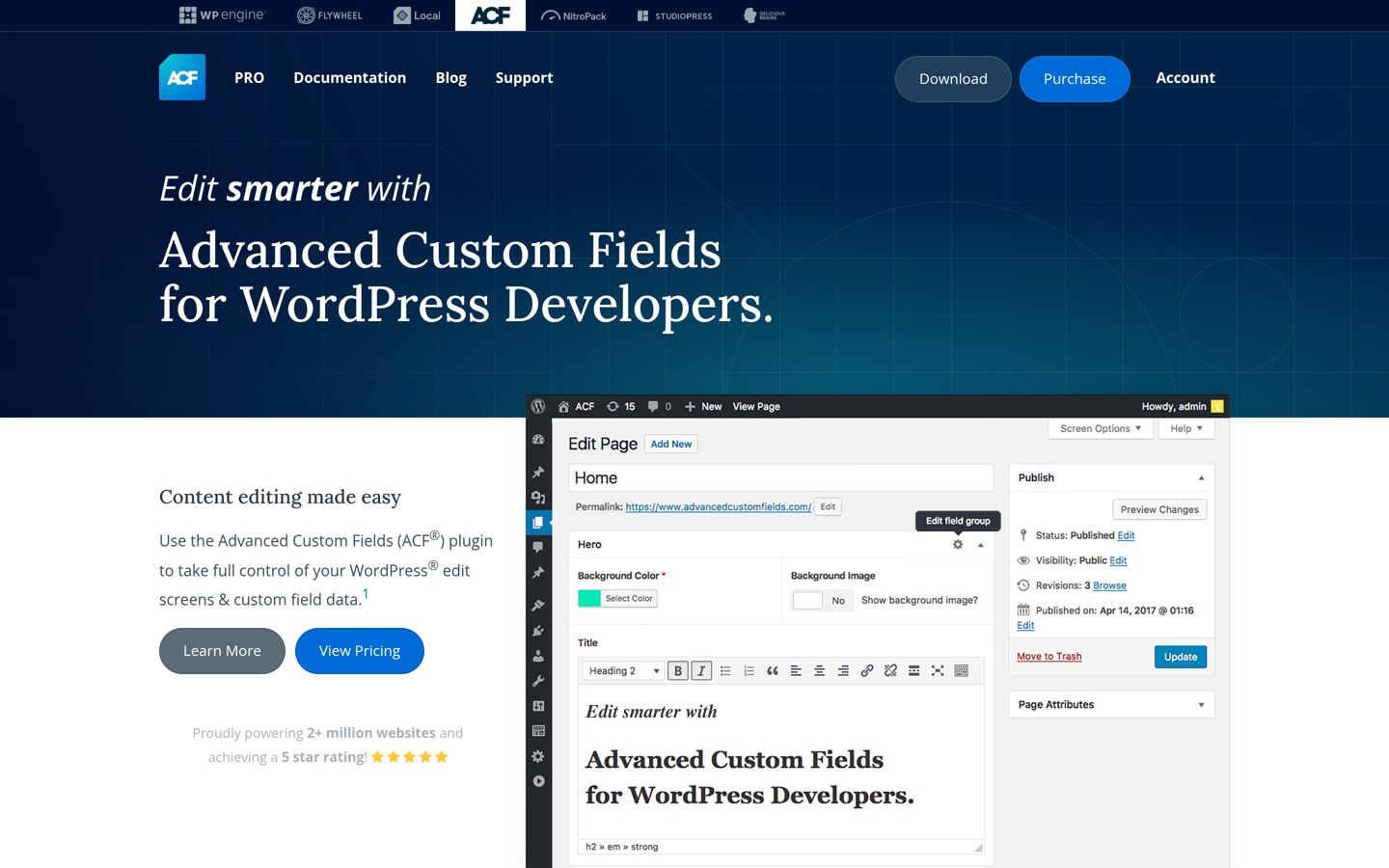
ACF is a custom-field and content modeling plugin with more than 2 million active installations. Its free version supports field groups, custom fields, custom post types and taxonomies, giving developers structured data that can be displayed in WordPress templates and administrative interfaces.
The trade off is that ACF does not independently replace Admin Columns sorting, filtering and inline editing. ACF Pro costs $49 a year for one website and adds Repeater, Gallery and Flexible Content fields, among other features. It suits developers who need to model custom data before choosing how to display it.
What we like
Established custom field ecosystem
Flexible content modeling capabilities
Free field groups and custom post types
Works with compatible column editing extensions
Watch out for
Not a standalone admin column manager
Custom list-table editing requires additional work
Native admin column tools improve WordPress's existing Posts, Pages, Users and other list screens. They make it easier to inspect additional data without introducing a completely different editing interface.
Spreadsheet editors prioritize updating data across multiple records. WP Sheet Editor and Smart Manager display editable fields in grids and offer advanced operations for larger content collections.
Choose native column editing when users mainly browse, sort and inspect records. Choose a spreadsheet when the main task involves changing many values regularly.
What to check before removing Admin Columns
Review existing column configurations and identify custom fields, taxonomies, sorting rules, filters and editable columns that staff currently use.
Check whether the replacement supports those same data types. A plugin that displays custom fields may not also let users edit or filter them.
Set up the replacement on a staging copy first. Confirm that critical workflows still work before removing Admin Columns from a production site.
How we chose
We reviewed established WordPress plugins that overlap with Admin Columns in native list-table customization, spreadsheet editing, custom field management or administration workflows. We prioritized maintained products with established installation bases and documented functionality.
On 22 Nov 2026, we checked WordPress.org ratings, rating counts, active installations and update activity, along with official product and pricing pages. We use regular entry prices where available and distinguish discounted promotional prices from standard pricing.
We excluded closed or outdated plugins, offerings without sufficiently verifiable regular pricing, and very small plugins without an established review or installation history. We also distinguished partial alternatives from direct column management replacements.
How to choose an Admin Columns alternative
Identify the administrative tasks you need to improve before comparing plugin features and annual pricing.
Decide whether native columns are essential. If your team relies on existing WordPress list screens, prioritize a plugin that modifies those tables. If editing many records is more important, consider a spreadsheet-based manager.
Check custom field compatibility. List the fields and taxonomies your site uses. Confirm which are visible, sortable, filterable and editable in each candidate, since these capabilities are not interchangeable.
Match the tool to your content type. WooCommerce stores may benefit from Smart Manager, while editorial sites may prefer WP Sheet Editor. Developers building custom content structures may need Meta Box or ACF alongside a separate admin column solution.
Compare regular prices and upgrade limits. Check renewal costs, site allowances and features restricted to paid licenses. Review promotional pricing separately and verify that your most important workflows are included in the entry plan.
FAQ
What is the best alternative to Admin Columns?
WP Adminify is the strongest broad alternative in this comparison because its Pro package includes a dedicated Admin Columns Editor alongside other administration features. However, it is not necessarily a feature-for-feature replacement. WP Sheet Editor may be more suitable when bulk content editing matters more than native list-table customization.
Is there a free alternative to Admin Columns?
Yes. WP Adminify, WP Sheet Editor, Smart Manager, ASE and Admin Menu Editor all provide free versions. Their capabilities differ considerably, and the free versions do not necessarily include advanced column sorting, custom-field filtering or bulk editing. Check the specific feature before replacing your existing setup.
Can WP Adminify replace Admin Columns Pro?
WP Adminify Pro includes column editing, sorting, filtering and integrations with custom fields and WooCommerce. That makes it a relevant substitute for many administrative workflows. However, you should compare your current column types, editable fields and integrations individually because feature coverage may differ.
What is the difference between Admin Columns and WP Sheet Editor?
Admin Columns customizes the native WordPress list tables, while WP Sheet Editor provides a separate spreadsheet-like interface. Both can help administrators work with content data, but WP Sheet Editor focuses more directly on editing many records and custom field values in a grid.
Which alternative works best for WooCommerce?
Smart Manager is a strong option for managing products, variations, stock, orders and coupons from a spreadsheet. WP Adminify offers admin column customization with WooCommerce integration. Choose Smart Manager for bulk data updates and WP Adminify when the existing WooCommerce list screens are the main priority.
Can Advanced Custom Fields replace Admin Columns?
Not by itself. ACF creates and manages custom field data, while Admin Columns controls how information appears and can be edited in native administrative lists. Developers can combine ACF with suitable column editing plugins or custom code, but installing ACF alone does not reproduce Admin Columns Pro.
Is Meta Box a direct Admin Columns competitor?
Meta Box focuses on building custom content structures and fields rather than general-purpose list-table management. Its premium ecosystem includes functionality for displaying fields in admin columns, which can cover certain custom-field use cases. It is better suited to developers than administrators seeking an immediate replacement.
What is the cheapest paid alternative in this comparison?
ASE has the lowest listed regular annual entry price at $39 for one site, followed by Admin Menu Editor, Meta Box and ACF at $49. However, these are not equivalent substitutes. For dedicated admin column customization in this selection, WP Adminify Pro starts at $79 annually.