GitHub is the best software dev team collaboration app for most engineering teams, with pull requests, code review and issue tracking in one place and a free plan for unlimited public and private repos. Slack fits teams that live in chat, while GitLab suits teams that want code, CI and planning in a single platform.
How we make this list: we compare pricing pages, product documentation and public user reviews, then re-check every price before each update. No product paid for a place. Disclosure.
GitHub is the cheapest paid start here at $4 a user a month, with code review and issue tracking built in.
GitLab is the only tool that covers code, CI, planning and security in one platform, but Premium costs $29 a user a month.
Slack is the most reviewed chat tool in this list at 4.5 out of 5 from more than 39,000 G2 reviews.
Jira remains the standard for agile planning, though its 4.3 G2 rating is the lowest of the nine.
Every tool here has a free plan, and paid plans run from $4 to $29 a user a month.
What should software dev team collaboration apps cover?
A dev team needs three things in one flow: talk about the work, review the code and track what ships. When those live in separate tools, updates get lost between chat threads and pull requests.
Code review is the heart of it. A good app shows the diff, lets reviewers comment on exact lines and blocks a merge until the checks pass.
Planning matters just as much. Issues, sprints and roadmaps should link straight to the pull request that closes them, so nobody retypes status updates.
Chat is the glue, not the work itself. Our guide on team collaboration software shows how chat-first teams keep decisions searchable instead of buried in threads.
Price scales with seats, so a $4 tool and a $29 tool differ by thousands a year at 20 engineers. Start from the workflow, then check the per-seat maths.
GitHub is where most software teams host code, review pull requests and track issues in one place. The free plan covers unlimited public and private repositories, 2,000 Actions minutes a month and community support, while Team adds protected branches, code owners, required reviewers and draft pull requests.
The trade off is that planning stays light. GitHub Projects covers boards and roadmaps, but teams that need full agile reporting usually pair it with Jira or Linear. It suits engineering teams of any size that want code review at the centre of collaboration.
What we like
Largest developer community, so hiring and help are easy
Strongest code review flow in this list
Cheapest paid plan here at $4 a user a month
Watch out for
Planning and roadmaps are lighter than Jira
Advanced security costs extra on top of Team
Team adds protected branches, code owners and required reviewersVisit github.com
02
GitLab
4.6/5on Capterra (1,231 reviews, checked Nov 2026)
Paid from$29/mo
Best all-in-one DevOps platform
Code reviewMerge requests with approval rules
Built-in CI10,000 compute minutes on Premium
Free plan limit5 users per top-level group
Paid planPremium, $29 per user a month
about.gitlab.com
GitLab homepage, captured Nov 2026.
GitLab is a single platform for the full software lifecycle, with source control, merge requests, CI, security scanning and planning inside one app. The free plan covers small groups of up to 5 users, while Premium adds unlimited users, 10,000 compute minutes a month and priority support.
The trade off is price. Premium costs $29 per user a month billed yearly, more than seven times GitHub Team, and the free plan caps groups at 5 users. It suits teams that want one platform instead of five tools and are willing to pay for it.
Slack is the chat layer most dev teams already live in, with channels per project, threads, huddles and more than 2,600 integrations including GitHub, Jira and Google Drive. The free plan covers 90 days of message history and 10 apps, while Pro adds unlimited history, unlimited apps and group huddles.
The trade off is that chat is not planning. Work discussed in Slack still needs an issue tracker, and the free plan deletes history after 90 days. It suits teams that want fast daily communication around their code and planning tools.
What we like
Most reviewed tool here, with 39,000-plus G2 reviews
Huge integration library for dev workflows
Unlimited history on Pro from $7.25 a user a month
Watch out for
Free plan keeps only 90 days of history
Per-seat cost climbs fast on large teams
No built-in issue tracking or code review
Pro adds unlimited history and unlimited app integrationsVisit slack.com
04
Jira
4.3/5on G2 (7,964 reviews, checked Nov 2026)
Paid from$9.70/mo
Best for agile planning at scale
Agile boardsScrum and Kanban included
RoadmapsTimeline and dependency views
Free planUp to 10 users
Paid planStandard, $9.70 per user a month
atlassian.com
Jira homepage, captured Nov 2026.
Jira is the standard issue tracker for agile software teams, with scrum and Kanban boards, backlogs, sprints and roadmaps that link work to releases. The free plan covers up to 10 users, while Standard adds automations, audit logs and more storage.
The trade off is complexity. New users often find the setup heavy, and its 4.3 G2 rating is the lowest in this list. It suits engineering teams that run formal sprints and need reporting across many projects.
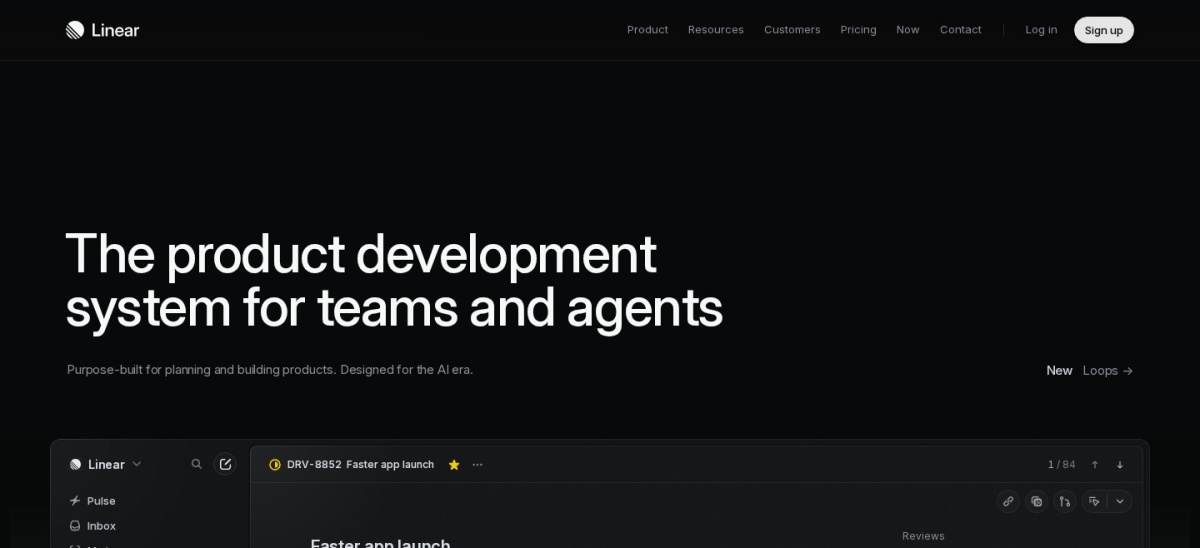
Linear is a fast issue tracker built for product and engineering teams that want speed over setup. The free plan covers unlimited members, 2 teams and 250 issues, while Basic adds unlimited issues, 5 teams and GitHub sync.
The trade off is proof. Its 4.6 G2 rating rests on only 125 reviews, far fewer than Jira or ClickUp, and it lacks Jira depth for large programs. It suits small and mid-size product teams that value a quick, clean workflow.
ClickUp is one workspace for tasks, docs, goals and chat, with sprints, dependencies and Gantt charts on every plan. The free plan covers unlimited tasks and members with 100 MB of storage, while Core adds unlimited storage, custom fields and more automations.
The trade off is setup. ClickUp can do almost anything, which means teams spend real time configuring it before it feels simple. It suits teams that want to replace several apps with one workspace.
Asana is a work management platform with list, board, timeline and Gantt views that whole teams can follow. The free plan covers up to 10 teammates, while Starter adds timeline view, dashboards and 250 automations a month.
The trade off is that it is built for general work, not code. Dev teams still need GitHub or GitLab beside it for pull requests. It suits teams that coordinate engineering with marketing, design and operations.
Microsoft Teams is the chat and meeting hub for Microsoft 365, with channels, video calls, file sharing and app tabs in one place. The free version covers group chat and meetings, while Essentials adds unlimited group meetings up to 30 hours and 10 GB of cloud storage per user.
The trade off is that it is strongest inside the Microsoft world. Teams outside it get less value, and issue tracking still needs Jira or GitHub. It suits dev teams already paying for Microsoft 365.
Notion is a docs-first workspace where dev teams keep specs, wikis and project boards in the same pages. The free plan covers unlimited pages for individuals, while Plus adds unlimited file uploads, 30-day page history and larger team workspaces.
The trade off is that it is a docs tool first. Issue tracking works, but it lacks the sprint depth of Jira or Linear. It suits teams that want specs and project tracking in one searchable place.
Chat is for quick questions and decisions. Code review is for the work itself. When a decision lives only in chat, the next developer cannot find it.
Put the decision in the pull request or the issue. Link the chat thread to it, so the record survives after the chat scrolls away.
Most teams in this list use two tools: one for code and planning, one for chat. GitHub plus Slack is the most common pair, and it works because each tool does one job well.
How we chose
We started from the tools dev teams actually use together: code hosts, chat apps and issue trackers with large review bases on G2 and Capterra.
Prices come from each vendor pricing page, checked on 30 November 2026 for the top three tools. Ratings and review counts come from G2 and Capterra on the same day. Where a vendor shows a sale, the list shows the regular price.
We left out tools with no public aggregator rating and tools built only for chat without a dev workflow. No vendor paid for a place, and we do not claim hands-on testing for this list.
How to choose software dev team collaboration apps
Start from where your code lives, then add chat and planning around it.
Pick the code home first. GitHub or GitLab sets the review flow. Everything else should connect to it, not replace it.
Match planning to your process. Pick Jira for formal sprints, Linear for fast cycles, or ClickUp if you want docs and tasks together.
Add chat that your tools already talk to. Slack and Teams both integrate with GitHub and Jira. Check the integration list before you pay.
Do the per-seat maths for a year. A $4 tool and a $29 tool differ by $300 per engineer a year. Multiply by headcount before you commit.
FAQ
What is the best software dev team collaboration app in 2026?
GitHub is the best software dev team collaboration app for most engineering teams. It combines code hosting, pull request review and issue tracking in one place, is rated 4.7 out of 5 on G2, and its Team plan costs $4 a user a month.
How much do software dev team collaboration apps cost?
Paid plans in this list run from $4 to $29 a user a month. GitHub Team and Microsoft Teams Essentials both cost $4, Slack Pro costs $7.25 on annual billing, and GitLab Premium is the most expensive at $29 a user a month.
Is there a free software dev team collaboration app?
Yes, every tool in this list has a free plan. GitHub is free for unlimited public and private repositories, Slack keeps 90 days of history free, and Jira is free for up to 10 users.
Which is best for small dev teams?
GitHub fits small dev teams best because its free plan is generous and Team costs only $4 a user a month. Linear is a strong second for teams that want a fast issue tracker without Jira setup.
GitHub or GitLab: which is better for dev teams?
GitHub is better for most dev teams because it is cheaper, has the largest community and the strongest code review flow. GitLab wins when a team wants code, CI, security and planning in one platform and can pay $29 a user a month.
Do I still need Slack if I use GitHub?
Most teams do, because GitHub covers code and issues but not daily chat. Slack adds channels, huddles and alerts from GitHub, so the team talks in one place while the work stays in the repo.
SaaS SEO and WordPress specialist with about 8 years of experience. Rakib compares WordPress plugins, themes, hosting and software using public pricing, documentation and user reviews. See how we rank.