monday.com is the best Smartsheet alternative for most teams, rated 4.7 out of 5 on G2 from 17,990 reviews, with paid plans from $9 a seat a month. Asana suits teams that want simple task tracking at $10.99 a user a month, while Trello is the cheapest simple board at $5 a user a month.
How we make this list: we compare pricing pages, product documentation and public user reviews, then re-check every price before each update. No product paid for a place. Disclosure.
monday.com is the top pick: 4.7/5 on G2 from 17,990 reviews, with paid plans from $9 a seat a month.
ClickUp Core lists a regular price of $12 a user a month, currently $9 on sale, the same as monday.com Basic.
Trello Standard at $5 and Zoho Projects Premium at $4 a user a month are the cheapest paid plans here.
Airtable is the closest spreadsheet-style match to Smartsheet, but Team costs $20 a user a month.
Every tool here has a free plan, so you can try the layout before paying.
How do you pick the right Smartsheet alternative?
Smartsheet works because it looks like a spreadsheet. Any replacement should keep that grid feel or give you a clear reason to leave it behind.
Price is the first filter. Paid plans here run from $4 to $20 a user a month, and most teams only need the entry tier. Check what the entry plan leaves out: monday.com Basic has no automations, while ClickUp Core includes 1,000 a month.
Ratings help, but read them beside the price. monday.com leads this list at 4.7 out of 5 on G2, while Wrike trails at 4.2, yet Wrike is the stronger pick for Gantt charts and workload views.
Free plans are real trials here. Our guide on planning a content calendar shows how a board or grid can run a publishing schedule before you pay for anything.
monday.com is a visual work platform built around boards, with columns for people, dates and status. The free plan covers up to 2 seats, and the Basic plan at $9 a seat a month billed annually adds unlimited items, unlimited free viewers and 5 GB of storage.
The trade off is automation. Basic lists no automation or integration actions, so teams that want rules and syncs need Standard at $12 a seat a month. It suits teams that want a clear, colourful board and a low entry price.
What we like
Highest G2 rating in this list at 4.7/5
Free viewers mean stakeholders cost nothing
Unlimited items even on the Basic plan
Watch out for
No automations on the Basic plan
Paid plans start at 3 seats, so small teams pay for 3
Gantt and timeline views need Standard
Standard adds timeline, Gantt and 250 automations a monthVisit monday.com
02
Asana
4.4/5on G2 (14,159 reviews, checked Nov 2026)
Paid from$10.99/mo
Best for simple team task tracking
Free plan2 users
Paid planStarter, $10.99/user/mo
ViewsList, board, timeline, Gantt
AutomationsUnlimited on Starter
asana.com
Asana homepage, captured Nov 2026.
Asana is a work-management tool for tracking tasks, owners and deadlines across projects. The free Personal plan covers 2 users with unlimited tasks and projects, while Starter at $10.99 a user a month billed annually adds Timeline and Gantt views, dashboards and custom fields.
The trade off is depth. Asana keeps tasks simple, so teams that need budgets, time tracking or workload views must step up to Advanced at $24.99 a user a month. It suits teams that want a clean task list without a long setup.
What we like
Clean task list that new teams learn fast
Unlimited automations on the Starter plan
Unlimited free guests on paid plans
Watch out for
Free plan is limited to 2 users
Time tracking and budgets need Advanced
Lower G2 rating than monday.com
Advanced adds goals, portfolios and time trackingVisit asana.com
03
ClickUp
4.6/5on G2 (16,019 reviews, checked Nov 2026)
Paid from$12/mo
Best all-in-one value
Free planYes, unlimited tasks
Paid planCore, $12/user/mo
ViewsList, board, Gantt, calendar
Automations1,000 a month on Core
clickup.com
ClickUp homepage, captured Nov 2026.
ClickUp is an all-in-one workspace that combines tasks, docs, whiteboards, goals and chat in one place. The free plan covers unlimited tasks and members, and Core lists a regular price of $12 a user a month, currently $9 on sale, with custom fields, Gantt charts and 1,000 automations a month.
The trade off is setup. ClickUp packs in so many views and options that a new team needs time to settle on a structure, and the interface can feel busy for simple boards. It suits teams that want to replace several tools with one workspace.
Airtable is a relational database that looks and feels like a spreadsheet, with grid, kanban, calendar and Gantt views on the same data. The free plan covers the basics for a small team, and Team costs $20 a user a month billed annually, with only editors billed.
The trade off is price. Airtable is the dearest entry plan in this list, and Gantt charts and timeline views sit on the paid tiers. It suits teams that run linked data, such as content, inventory or CRM rows, and want spreadsheet habits without the sheet.
Wrike is a project-management platform built around Gantt charts, workload views and request forms. The free plan covers unlimited users with 200 active tasks, and Team costs $10 a user a month billed annually for 2 to 15 users, with interactive Gantt charts and shareable dashboards.
The trade off is the seat cap. Team stops at 15 users, so the 16th person moves the whole team to Business at $25 a user a month. It suits growing teams that plan on Gantt charts and want workload views without enterprise pricing.
Notion is a workspace that combines docs, wikis and project databases in one place. The free plan includes 10 guests and 7 days of page history, and Plus costs $10 a user a month billed annually, with 30-day history, larger file uploads and database automations.
The trade off is structure. Notion is flexible to a fault, so a team must design its own project setup instead of getting one ready-made. It suits teams that already write in Notion and want projects beside their docs.
What we like
Docs, wikis and projects in one workspace
Guests are free, only members are billed
Rated 4.6/5 from 14,032 G2 reviews
Watch out for
No ready-made project setup out of the box
Databases take time to design well
Offline use is limited to chosen pages
Business adds advanced permissions and more AI creditsVisit notion.com
07
Trello
4.4/5on G2 (14,081 reviews, checked Nov 2026)
Paid from$5/mo
Best for simple kanban boards
Free plan10 collaborators
Paid planStandard, $5/user/mo
BoardsUnlimited on Standard
ViewsBoard, calendar, timeline
trello.com
Trello homepage, captured Nov 2026.
Trello is a simple kanban tool from Atlassian, with boards, lists and cards for tracking work. The free plan covers up to 10 collaborators per workspace, and Standard costs $5 a user a month billed annually, adding unlimited boards, card mirroring and advanced checklists.
The trade off is depth. Trello has no built-in Gantt chart or workload view on Standard, so planning beyond a board needs Premium at $10 a user a month. It suits small teams and solo users who want the lightest possible tool.
Teamwork.com is a client-work platform that combines projects, time tracking and billing. The free plan covers 5 projects and 5 users, and Basics costs $9.99 a user a month billed yearly, with up to 300 projects, billable time tracking and 5,000 automations a month.
The trade off is focus. Teamwork.com is built for agencies and client work, so internal teams may find its billing and retainer features in the way. It suits service teams that bill by the hour and need margins beside their tasks.
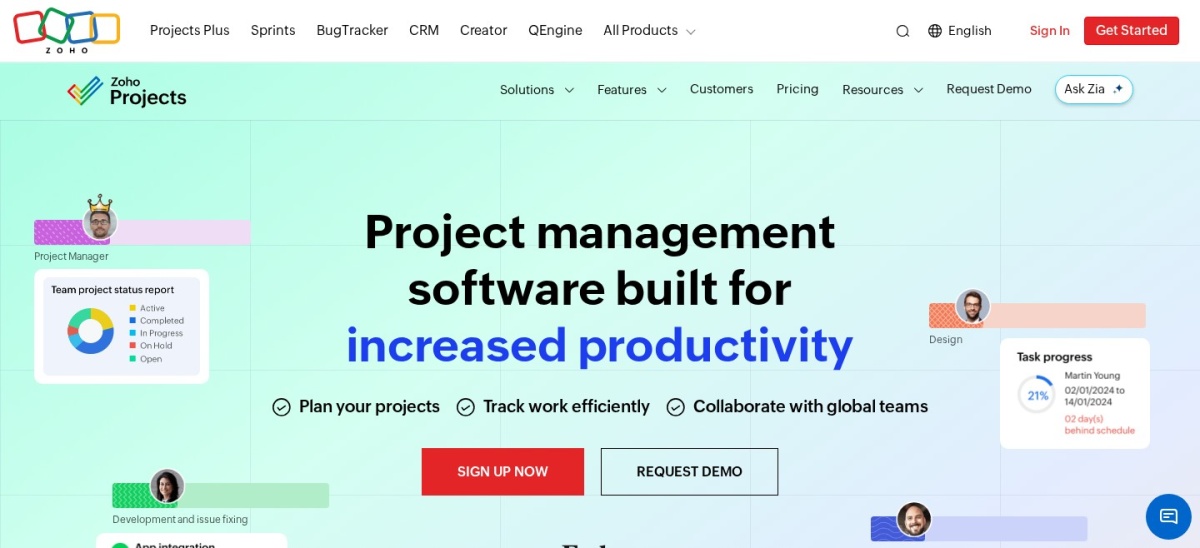
Zoho Projects is a project-management tool with Gantt charts, task dependencies and time logs. The free plan covers 3 projects with 5 GB of storage, and Premium costs $4 a user a month billed annually, adding unlimited projects, budgets and timesheets.
The trade off is polish. Zoho Projects costs the least here, but its interface feels dated beside monday.com and Asana, and the best reports sit on higher tiers. It suits budget-conscious teams already using Zoho apps.
What we like
Cheapest paid plan in this list at $4 a user a month
Gantt charts and time logs on Premium
Works beside Zoho CRM, Books and Desk
Watch out for
Interface feels dated beside the leaders
Advanced reports need the Enterprise plan
Smallest G2 review count here at 598
Enterprise adds critical path, baselines and SSOVisit zoho.com
Free vs paid: what you give up
Free plans cover the basics well. Every tool in this list has one, and Trello, ClickUp and Wrike all let a small team run real work without paying.
Paid plans mostly add views and limits. Gantt charts, automations and time tracking are the features that usually sit behind the paywall.
The cheapest paid plan is not always the cheapest bill. Airtable bills editors only, while monday.com bills every seat from a 3-seat minimum, so count who pays before you compare prices.
How we chose
We started from the tools most often named as Smartsheet replacements in project-management comparisons, then kept the nine with a free plan and a published entry price.
Prices come from each vendor's pricing page, checked on 29 November 2026. Ratings and review counts come from G2 on the same day. Where a vendor shows a sale price, the list shows the regular price.
We left out tools with no public rating and tools sold only by quote. No vendor paid for a place, and we do not claim to have used these tools ourselves.
How to choose a Smartsheet alternative
Start with what Smartsheet does for you now, then test the closest match on its free plan.
List what Smartsheet does for you now. If it is mostly grid tracking, Airtable or monday.com's table view is the closest fit. If it is deadlines and owners, Asana or Trello may be enough.
Try the free plan with a real project. Copy one live sheet into the free plan and run it for a week. That shows whether the views and limits work before you pay.
Count seats, not users. Airtable bills editors only, while monday.com bills every seat from a 3-seat minimum. A team of 10 costs $1,080 a year on monday.com Basic and $2,400 on Airtable Team.
Check the entry plan's missing pieces. Gantt charts, automations and time tracking often sit one tier up. Make sure the plan you pay for includes the feature that made you leave Smartsheet.
FAQ
What is the best alternative to Smartsheet in 2026?
monday.com is the best Smartsheet alternative for most teams. It is rated 4.7 out of 5 on G2 from 17,990 reviews, and paid plans start at $9 a seat a month billed annually, with a free plan for up to 2 seats.
How much does a Smartsheet alternative cost?
Paid plans in this list run from $4 to $20 a user a month billed annually. Zoho Projects Premium is the cheapest at $4, Trello Standard is $5, and Airtable Team is the dearest at $20. Every tool here also has a free plan.
Is there a free alternative to Smartsheet?
Yes. All nine tools in this list have a free plan. Trello's free plan covers up to 10 collaborators, Asana's covers 2 users, and ClickUp's free plan includes unlimited tasks and members with limits on storage.
Which Smartsheet alternative is best for small teams?
Trello is the simplest pick for a small team, with Standard at $5 a user a month and a free plan for up to 10 collaborators. Asana Starter at $10.99 a user a month adds Timeline and Gantt views when a small team outgrows boards.
monday.com vs Asana: which is the better Smartsheet alternative?
monday.com wins on rating and price: 4.7 out of 5 on G2 against Asana's 4.4, and $9 a seat a month against $10.99. Asana wins on simplicity, with a cleaner task list and unlimited automations on its Starter plan.
Which alternative feels most like a spreadsheet?
Airtable is the closest spreadsheet-style match, with grid views, linked records and formulas. It costs $20 a user a month on Team, and only editors are billed, so read-only teammates cost nothing.
Can I move my Smartsheet data to another tool?
Yes, most of these tools import CSV files, which Smartsheet can export. monday.com, Asana, ClickUp and Airtable all accept CSV imports, so sheets, owners and dates usually carry over with light cleanup.
SaaS SEO and WordPress specialist with about 8 years of experience. Rakib compares WordPress plugins, themes, hosting and software using public pricing, documentation and user reviews. See how we rank.