Affinity is the best of the Photoshop alternatives for Mac, now free with a Canva account and rated highly by hundreds of reviewers. Pixelmator Pro is the best buy-once Mac editor, while GIMP is the strongest fully free open-source pick.
How we make this list: we compare pricing pages, product documentation and public user reviews, then re-check every price before each update. No product paid for a place. Disclosure.
Affinity is now free with a Canva account, with layers, masks, RAW developing and HDR merge at no cost.
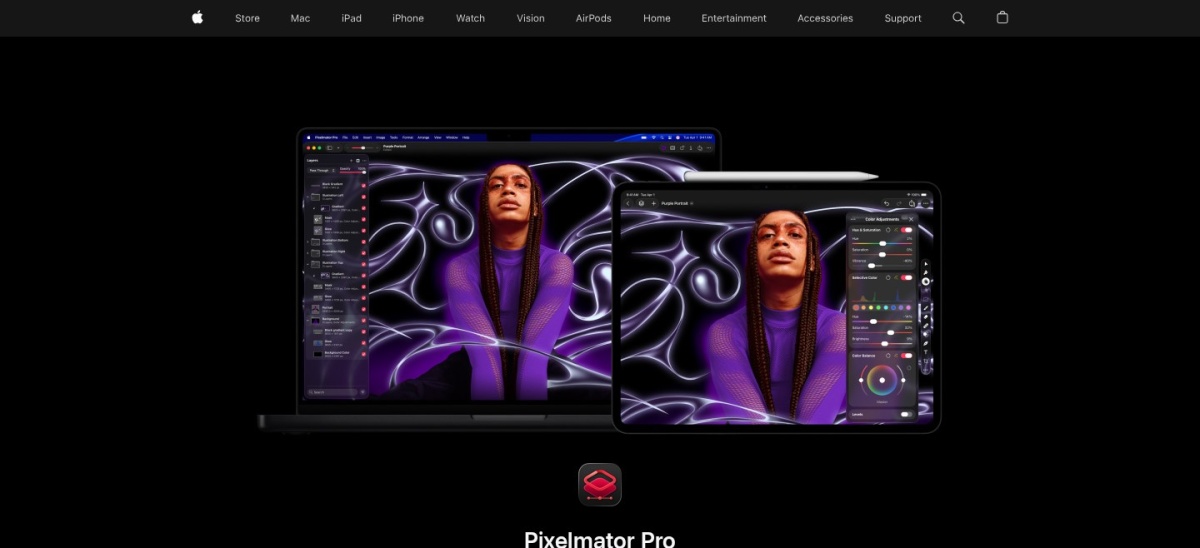
Pixelmator Pro costs $49.99 once and is the most Mac-native editor here, with machine-learning tools built in.
GIMP and Krita are free and open source, and GIMP has the largest review base of any free editor here.
Photopea is the only editor here that runs fully in a browser and opens PSD files for free.
Capture One is the priciest pick at $26.25 a month billed yearly, but it leads for studio tethering and color.
What are the best Photoshop alternatives Mac users can buy in 2026?
A Mac Photoshop alternative has to run natively on macOS and handle the files you already own. Layers, masks and PSD support are the baseline, and anything without them is a different kind of tool.
Price models split this list in two. Some editors are free or a single one-time payment, while others charge every month or every year, so work out the three-year cost before you pick.
RAW editing matters if you shoot with a camera. Affinity, Pixelmator Pro, Capture One and DxO PhotoLab all develop RAW files, while Canva and Photopea are stronger for graphics and quick edits.
AI tools are the new dividing line. Luminar Neo automates skies, portraits and relighting in one click, while Affinity and GIMP leave that work to you.
Affinity is the unified photo, vector and layout app from Canva, and its core tools are now free with a free Canva account. It covers layers, masks, live filters, RAW developing, panorama stitching, HDR merge and focus stacking, which is the full Photoshop-style toolkit at $0.
The trade off is the AI tools. Generative Fill, Expand and Remove Background need a paid Canva plan, and the old $69.99 Photo 2 license is no longer sold. It suits Mac owners who want the deepest free editor without a subscription.
Pixelmator Pro is a Mac-native image editor with layers, masking, RAW editing and machine-learning tools such as Super Resolution, background removal and auto enhance. It costs $49.99 once on the Mac App Store, with no subscription and no renewal.
The trade off is that it runs only on Mac, and the current release needs a recent macOS, so an older Mac cannot install it. It suits Mac owners who want a fast native editor for retouching, layers and RAW files without a monthly bill.
GIMP is the GNU Image Manipulation Program, and it has been the free answer to Photoshop since the late nineties. It runs on macOS, Windows and Linux, opens and edits the formats that matter, and handles serious work: photo retouching, compositing, color correction and scripted batch processing.
The trade off is the interface, which feels dated next to Affinity or Pixelmator Pro, and RAW editing needs a plug-in rather than working out of the box. It suits anyone who wants a powerful free editor and can live with a learning curve.
Photopea is a free browser-based editor that mirrors Photoshop, with layers, masks, blending modes and full PSD file support, and nothing is paywalled. It opens PSD, AI, Sketch and XD files without an install, so it works on any Mac with a browser.
The trade off is display ads on the free tier and a $50 per year Premium plan to remove ads and expand storage. It suits Mac owners who need a quick Photoshop-style edit on a machine that cannot install anything.
Canva is a browser design tool with thousands of templates, drag-and-drop editing, stock photos and brand kits. The free plan covers everyday graphics, and Pro costs $144 a year with premium templates, 1 TB of storage, Magic Resize and a background remover.
The trade off is photo editing depth. Canva crops, filters and removes backgrounds well, but it cannot match Affinity or Pixelmator Pro for layers, masks and RAW work. It suits Mac owners who mostly make social posts, posters and presentations.
Krita is a free, open-source digital painting and illustration app from the Krita Foundation, with a huge brush library, layer management and animation tools. It runs on macOS, Windows and Linux, and it handles photo retouching alongside drawing and painting.
The trade off is that it is built for painters first, so photo workflows such as RAW developing and batch processing are thinner than in GIMP. It suits Mac owners who draw, paint or illustrate and want a free tool that rivals paid painting apps.
Capture One is a RAW photo editor and tethering app focused on color grading, masking and structured studio session workflows. Pro costs $26.25 a month billed yearly, with live view tethering, custom color profiles per camera and precise skin-tone tools.
The trade off is price and patience. Pro is the priciest subscription here, the perpetual license now lists at $508, and portrait retouching is less automated than in Luminar Neo. It suits studio photographers who shoot tethered and need exact color.
Luminar Neo is an AI-first photo editor from Skylum that automates sky replacement, portrait retouching, relighting and background removal in one click. The Desktop Only perpetual license lists at $417 one-time, with AI tools included for a year and a 7-day free trial.
The trade off is the price rise and performance. The old $99 to $119 one-time tiers are gone, and stacking AI tools can lag on older Macs. It suits photographers who want fast AI edits without learning Photoshop-level masking.
DxO PhotoLab is a RAW editor built on lab-measured camera and lens profiles, with DeepPRIME noise reduction that reviewers call the benchmark for high-ISO files. Essential costs $149.99 one-time, and Elite costs $239.99 once with the full DeepPRIME XD engine.
The trade off is scope. There are no layers, library management and tethering are weaker than rivals, and most professionals need Elite rather than Essential. It suits photographers who shoot at high ISO and want the cleanest RAW files.
Free editors cover the core well. Affinity, GIMP, Krita and Photopea all offer layers, masks and selection tools at no cost.
Paid editors mostly add speed and polish. You get faster RAW processing, smarter AI tools, better color management and support when something breaks.
One-time purchases sit in the middle. Pixelmator Pro at $49.99 once and DxO PhotoLab from $149.99 once cost less over three years than any subscription here.
If you edit photos for paying clients, a paid editor usually pays for itself in a single job. For hobby edits, the free picks are hard to beat.
How we chose
We started from the photo editors Mac owners actually use, then kept the nine with a verifiable rating on G2 or Capterra and a real Mac version, from free open-source editors to pro RAW tools.
Prices come from each vendor's pricing page or a November 2026 pricing check of that page, checked on 29 November 2026. Affinity is free with a Canva account, Pixelmator Pro costs $49.99 once and Capture One Pro costs $26.25 a month billed yearly. Ratings and review counts come from G2 and Capterra on the same day.
We left out Windows-only editors such as PaintShop Pro and Corel products. No vendor paid for a place, and we do not claim hands-on testing for this list.
How to choose a Photoshop alternative for Mac
Start with the files you edit most, then match the editor to that work.
Check your file formats first. If you open PSD files or shoot RAW, pick an editor that handles both natively, because conversion loses layer effects and smart objects.
Decide how you want to pay. Free editors cost nothing, one-time purchases cost once, and subscriptions add up, so compare the three-year cost, not the headline price.
Try the free version on a real photo. Use the free plan or trial on one of your own images, because a demo photo hides the slowdowns and missing tools that matter.
Check the macOS version you run. Some current releases need a recent macOS, so confirm the editor installs on your Mac before you pay for it.
FAQ
What is the best Photoshop alternative for Mac in 2026?
Affinity is the best Photoshop alternative for Mac in 2026. It is now free with a Canva account, covers layers, masks, RAW developing and HDR merge, and it is rated 4.5 out of 5 on G2 from 234 reviews.
Which Photoshop alternative for Mac is cheapest?
Affinity, GIMP and Krita are all free on Mac, so they cost nothing. The cheapest paid editor is Pixelmator Pro at $49.99 once, with no subscription and no renewal.
Is there a free Photoshop alternative for Mac?
Yes, several. Affinity is free with a Canva account, GIMP and Krita are free and open source, and Photopea runs free in a browser with ads. All four open PSD files.
Which Photoshop alternative for Mac is best for beginners?
Canva is the easiest for beginners who mostly make graphics and social posts. For real photo editing, Pixelmator Pro is the friendliest buy-once Mac editor, with a clean native interface.
Affinity vs Pixelmator Pro: which is better on Mac?
Affinity is better for deep Photoshop-style work, with more tools and a larger review base, and it is free. Pixelmator Pro is better for a fast native Mac feel and machine-learning tools like Super Resolution.
Do Photoshop alternatives for Mac open PSD files?
Yes. Affinity, Pixelmator Pro, GIMP, Photopea and Krita all open PSD files, and Photopea also saves them. Layer effects and smart objects do not always transfer perfectly, so check a real file first.
SaaS SEO and WordPress specialist with about 8 years of experience. Rakib compares WordPress plugins, themes, hosting and software using public pricing, documentation and user reviews. See how we rank.