Adobe Lightroom is the best professional photo editing software for most photographers. Its $11.99-a-month plan pairs a catalog, RAW editing and 1TB of cloud storage, and it is rated 4.6 out of 5 on G2. Pick Photoshop for layered retouching and Capture One for tethered studio work.
How we make this list: we compare pricing pages, product documentation and public user reviews, then re-check every price before each update. No product paid for a place. Disclosure.
Lightroom pairs a catalog, RAW editing and 1TB of cloud storage for $11.99 a month, with Lightroom Classic included.
Photoshop is the only pick here built for layered retouching and compositing, at $22.99 a month.
Affinity Photo is now free for personal use, and the commercial licence costs $69.99 once.
DxO PhotoLab 10 has the strongest RAW noise reduction in this list, but the full DeepPRIME tools need the $249.99 Elite edition.
GIMP is the only free, open-source editor here, rated 4.3 out of 5 from 1,484 G2 reviews.
What makes a photo editor professional
Professional editing starts with RAW files. A pro editor should read your camera's RAW files without damage, apply lens corrections and keep every edit non-destructive, so you can return to the original at any time.
Catalog tools matter as much as editing tools. Photographers who shoot thousands of frames need search, ratings and batch exports, which is why Lightroom and Capture One lead this list.
Subscriptions are now the norm for Adobe and Capture One, while Affinity, DxO, Luminar, Pixelmator and PaintShop Pro still sell one-time licences. A one-time licence covers one version only, so factor in paid upgrades.
The 9 best professional photo editing software tools
01
Adobe Lightroom
4.6/5on G2 (3,298 reviews, checked Nov 2026)
Starts at$11.99/mo
Best photo editor overall
Cloud storage1TB
Lightroom ClassicIncluded
Free trial7 days
Paid planLightroom, $11.99/mo
adobe.com
Adobe Lightroom homepage, captured Nov 2026.
Adobe Lightroom is a catalog-first photo editor built around RAW files, presets and batch editing. The $11.99-a-month plan includes Lightroom on desktop, mobile and web, plus Lightroom Classic and 1TB of cloud storage, so edits sync across devices.
The trade off is the subscription. There is no way to buy Lightroom outright, and the 1TB storage cap pushes heavy shooters to a higher plan. It suits photographers who shoot in volume and want one place to organize, edit and sync every photo.
What we like
Catalog, RAW editing and cloud sync in one plan
Lightroom Classic included at no extra cost
Rated 4.6 out of 5 from 3,298 G2 reviews
Watch out for
Subscription only, with no one-time licence
1TB storage cap on the entry plan
The Photography plan adds Photoshop for $19.99 a monthVisit adobe.com
02
Adobe Photoshop
4.6/5on G2 (13,409 reviews, checked Nov 2026)
Starts at$22.99/mo
Best for layered retouching
Generative FillYes, 25 credits/mo
Cloud storage100GB
Free trial7 days
Paid planSingle app, $22.99/mo
adobe.com
Adobe Photoshop homepage, captured Nov 2026.
Adobe Photoshop is the industry standard for layered retouching, compositing and pixel-level editing. The single-app plan costs $22.99 a month on an annual plan and includes Photoshop on desktop, web and mobile, plus Adobe Express Premium and 100GB of cloud storage.
The trade off is price. Photoshop alone costs more per month than the Photography plan, which pairs it with Lightroom and 1TB of storage for $19.99. It suits retouchers, designers and anyone whose work depends on layers, masks and PSD files.
What we like
Deepest layer, mask and retouching tools in this list
Generative Fill and Content-Aware Fill built in
Rated 4.6 out of 5 from 13,409 G2 reviews
Watch out for
Most expensive subscription in this list
No catalog or photo organization tools
The Photography plan bundles Photoshop and Lightroom for lessVisit adobe.com
03
Capture One Pro
4.5/5on G2 (79 reviews, checked Nov 2026)
Starts at$18/mo
Best for tethered studio work
Tethered shootingYes
Supported cameras550+
Perpetual licence$349
Paid planPro, $18/mo
captureone.com
Capture One Pro homepage, captured Nov 2026.
Capture One Pro is a RAW editor built for studio and tethered shooting, with precise color control and live capture. The Pro subscription costs $18 a month on an annual plan and supports more than 550 cameras, with a perpetual licence available for $349.
The trade off is the learning curve and the price. The interface assumes studio habits, and the perpetual licence covers one version only, with no new features after that release. It suits studio photographers and anyone who shoots tethered to a computer.
What we like
Best-in-class color accuracy and tethered shooting
Supports 550+ cameras
Perpetual licence option for $349
Watch out for
Steep learning curve for beginners
Only 79 G2 reviews, a thin rating base
All in One adds mobile apps and collaboration for $24.67 a monthVisit captureone.com
04
Affinity Photo
4.5/5on G2 (234 reviews, checked Nov 2026)
Paid from$69.99/once
Best one-time purchase editor
Free for personal useYes
Commercial licence$69.99 once
PlatformsMac, Windows, iPad
SubscriptionNone
affinity.serif.com
Affinity Photo homepage, captured Nov 2026.
Affinity Photo is a full layer-based editor with RAW develop, masks, frequency-separation retouching and panorama stitching. Since 2026 the unified Affinity app is free for personal use with a Canva account, and the commercial licence costs $69.99 once.
The trade off is the missing catalog. There is no Lightroom-style library, so organizing thousands of photos needs another tool. It suits photographers and designers who want Photoshop-style editing with no subscription.
What we like
Free for personal use, $69.99 once for commercial use
DxO PhotoLab 10 is a RAW editor built around image quality, with DeepPRIME noise reduction and lens modules measured for each camera and lens pair. Essential costs $159.99 once and covers two computers, with a 30-day free trial.
The trade off is the edition split. The full DeepPRIME XD denoising and Fujifilm X-Trans support need the Elite edition at $249.99, and the library tools are thin next to Lightroom. It suits photographers who shoot high-ISO RAW files and care most about clean output.
What we like
Best noise reduction in this list
Lens corrections from lab-measured modules
One-time licence, no subscription
Watch out for
Full denoise tools need the $249.99 Elite edition
Thin catalog and only 14 Capterra reviews
Elite adds DeepPRIME XD and X-Trans support for $249.99Visit dxo.com
06
Luminar Neo
4.4/5on G2 (116 reviews, checked Nov 2026)
Starts at$129/once
Best for fast AI edits
AI sky replacementYes
Free trial7 days
PlatformsMac, Windows, mobile
Paid planDesktop Only, $129 once
skylum.com
Luminar Neo homepage, captured Nov 2026.
Luminar Neo, now sold simply as Luminar, is an AI-led photo editor from Skylum for Mac and Windows. Desktop Only costs $129 once and includes SkyAI, RelightAI, GenErase and other AI tools for one year, plus a 7-day free trial.
The trade off is the AI time limit. The generative tools stop after a year unless you renew Luminar Prime, which costs $33 a year on Desktop Only. It suits photographers who want fast AI edits and one-click looks without learning layers.
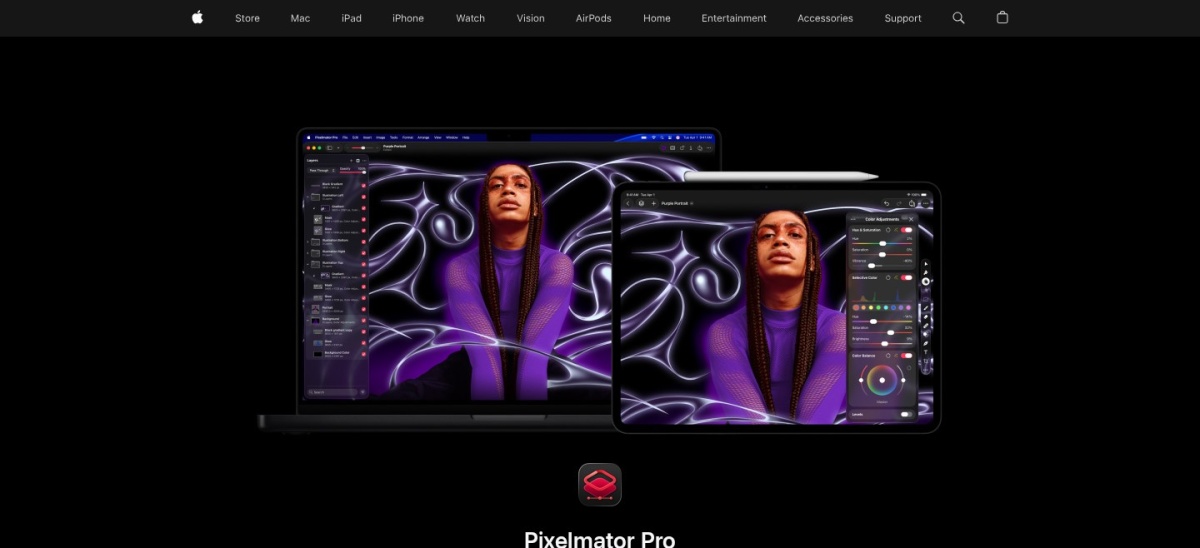
Pixelmator Pro is a Mac-native editor with layers, RAW support, masking and machine-learning tools such as Super Resolution and Denoise. It costs $49.99 once on the Mac App Store, with no subscription.
The trade off is the platform. It runs on Mac only, and the newest features, including the Warp tool and the iPad app, live in the Apple Creator Studio subscription instead. It suits Mac owners who want a fast native editor they pay for once.
What we like
Fast native Mac app with Apple Silicon support
$49.99 once, the cheapest paid editor here
Machine-learning upscaling and denoise included
Watch out for
Mac only, with no Windows version
Newest features need the Creator Studio subscription
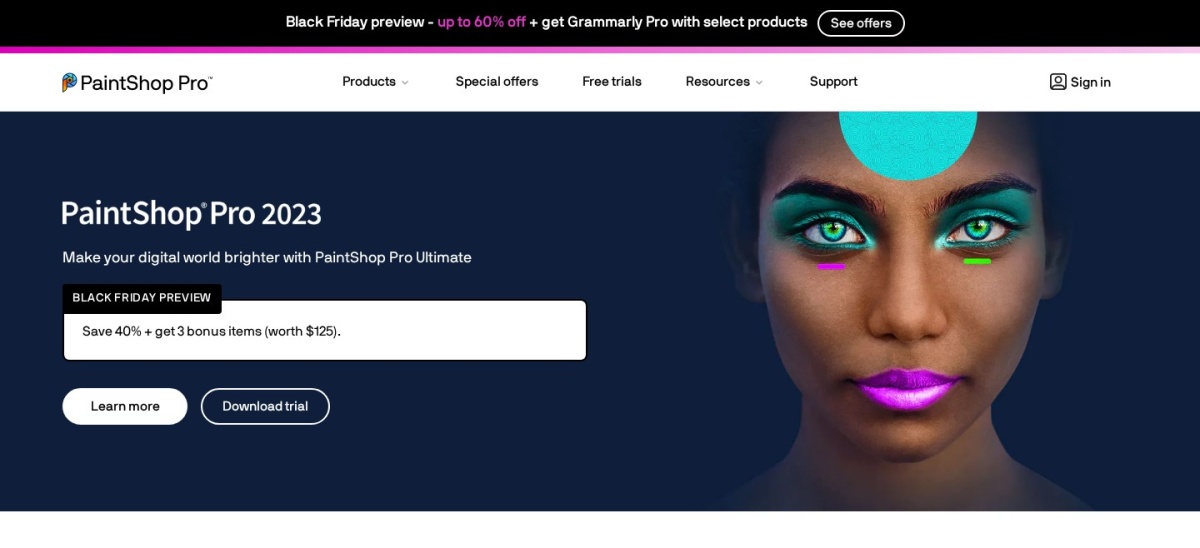
Corel PaintShop Pro 2023 is a Windows photo editor with layers, masks, RAW editing in AfterShot Lab and AI tools for denoise and background replacement. The Standard edition costs $79.99 once, with a 30-day free trial.
The trade off is age. The current release still carries the 2023 name and gets compatibility updates rather than major new versions. It suits Windows photographers who want a one-time purchase with Photoshop-style layers.
GIMP is a free, open-source image editor for Windows, Mac and Linux, now at version 3.2.8. It covers layers, masks, RAW editing through plug-ins and a large library of community scripts, with no account or payment needed.
The trade off is polish. The interface is less refined than paid editors, and RAW editing depends on plug-ins rather than built-in tools. It suits anyone who wants a capable free editor and does not mind a steeper learning curve.
What we like
Free and open source on every desktop platform
Layers, masks and a huge plug-in library
Rated 4.3 out of 5 from 1,484 G2 reviews
Watch out for
Interface feels dated next to paid editors
RAW editing needs plug-ins
No paid version exists; donations fund developmentVisit gimp.org
Subscription vs one-time purchase: what it costs over three years
Three years of Lightroom costs $431.64, while Photoshop costs $827.64 and Capture One Pro costs $648 on annual plans.
A one-time licence looks cheaper at first. Affinity costs $69.99 once for commercial use, Pixelmator Pro $49.99 and PaintShop Pro $79.99, and none of them charge again unless you buy a new version.
The catch is upgrades. A one-time licence covers one version, so a new camera or operating system can force a paid upgrade, while subscriptions always include the latest version.
If you edit every week, a subscription usually wins on features. If you edit a few times a year, a one-time licence or a free editor costs less over time.
How we chose
We started from the photo editors photographers and studios mention most, then kept the nine with a current desktop version, a published price and a public rating.
Prices come from each vendor's pricing page, checked on 26 November 2026. Ratings and review counts come from G2 on the same day, except DxO PhotoLab, which uses Capterra. Where a vendor shows a sale, the list shows the regular price.
We left out editors with no public rating and web-only tools that cannot open RAW files. No vendor paid for a place, and we do not claim to have used these tools ourselves.
How to choose professional photo editing software
Start with how you shoot, then match the editor to that workflow.
Count how many photos you edit each month. High volume points to Lightroom or Capture One, with catalogs and batch tools. Occasional editing fits a one-time licence or a free editor.
Decide whether you need layers. Layered retouching and compositing need Photoshop, Affinity or Pixelmator Pro. RAW-only work does not, so Lightroom or DxO may be enough.
Check your camera is supported. DxO and Capture One publish camera lists, and older or unusual bodies can be missing. Confirm support for your exact model before you pay.
Try the free trial first. Every paid tool in this list offers a trial of 7 to 30 days. Edit a real shoot in it before you commit to a subscription or a licence.
FAQ
What is the best professional photo editing software?
Adobe Lightroom is the best pick for most professional photographers, with a catalog, RAW editing and 1TB of cloud storage for $11.99 a month. Photoshop is the better choice for layered retouching, and Capture One leads for tethered studio work.
Is Photoshop or Lightroom better for photographers?
Lightroom is better for organizing and editing large batches of RAW photos, while Photoshop is better for detailed retouching, compositing and graphic work. Most working photographers use both, and the Photography plan bundles them for $19.99 a month.
Can I buy photo editing software without a subscription?
Yes. Affinity Photo is free for personal use and $69.99 once for commercial use, DxO PhotoLab 10 starts at $159.99 once, Pixelmator Pro costs $49.99 once on Mac, and PaintShop Pro costs $79.99 once on Windows. GIMP is free.
What is the best free professional photo editor?
GIMP is the best free professional editor, with layers, masks and plug-in RAW support on Windows, Mac and Linux. Affinity Photo is also free for personal use and feels closer to Photoshop, but commercial work needs the $69.99 licence.
Which photo editor is best for RAW files?
DxO PhotoLab 10 gives the cleanest RAW output in this list thanks to DeepPRIME noise reduction and lab-measured lens modules. Lightroom and Capture One are close behind and add catalogs, tethered shooting and batch tools that DxO lacks.
Do I need Photoshop if I have Lightroom?
Not for most photo work. Lightroom covers exposure, color, presets, masking and batch exports. You need Photoshop only for layered compositing, heavy retouching, text and graphic design, or files that must stay in PSD format.
SaaS SEO and WordPress specialist with about 8 years of experience. Rakib compares WordPress plugins, themes, hosting and software using public pricing, documentation and user reviews. See how we rank.