Redactable is the best legal redaction software for estate planning firms, with AI detection of Social Security numbers and account details from $19 a month and a certificate for every job. iDox suits firms that want page-based pricing, while Adobe answers what a full PDF editor costs for occasional redaction.
How we make this list: we compare pricing pages, product documentation and public user reviews, then re-check every price before each update. No product paid for a place. Disclosure.
Redactable is the best pick for estate planning firms, with AI detection and a certificate per job from $19 a month.
iDox.ai Suite suits steady page volumes at $39 a month, with a certificate and a legal-basis note on every redaction.
Adobe Acrobat Pro is the safe default at $19.99 a month, but its redaction is manual pattern search, not AI.
pdfFiller is the cheapest way to redact at $8 a month, with manual blackout and no certificate.
CaseGuard Studio costs $279 a user a month and its Capterra rating of 3.0 rests on only 2 reviews.
What should legal redaction software do for an estate planning firm?
An estate planning firm redacts what a will, trust or probate file must never show. Social Security numbers, account numbers, dates of birth and addresses appear on almost every page, and a single missed number in a file shared with beneficiaries or filed with a court is a privacy breach with real consequences.
Blacking out text is not enough. A redaction must remove the text and the hidden metadata underneath it, or the number stays recoverable in the file. Tools that only draw a black box over text leave the data in place, which is why this list only includes tools that remove content for good.
Proof matters as much as the redaction itself. A certificate records what was removed, when and by whom, and an audit log shows the whole history of a file. Redactable and iDox.ai Suite issue a certificate for every job, while the general PDF editors in this list do not.
Where the file is processed decides whether a tool fits at all. Cloud tools send client files to a vendor server, desktop tools keep them on the firm's own computers, and CaseGuard runs even on air-gapped machines. Firms with strict confidentiality rules should check this before they check the price.
The best legal redaction software for estate planning firms
01
Redactable
4.7/5on G2 (3 reviews, checked Nov 2026)
Paid from$19/mo
Best legal redaction software for estate planning firms overall
Cheapest planStarter, $19/mo
Pro Plus$79/mo, 150 docs
Pay as you go$7.50 per document
Free tier3 documents free
redactable.com
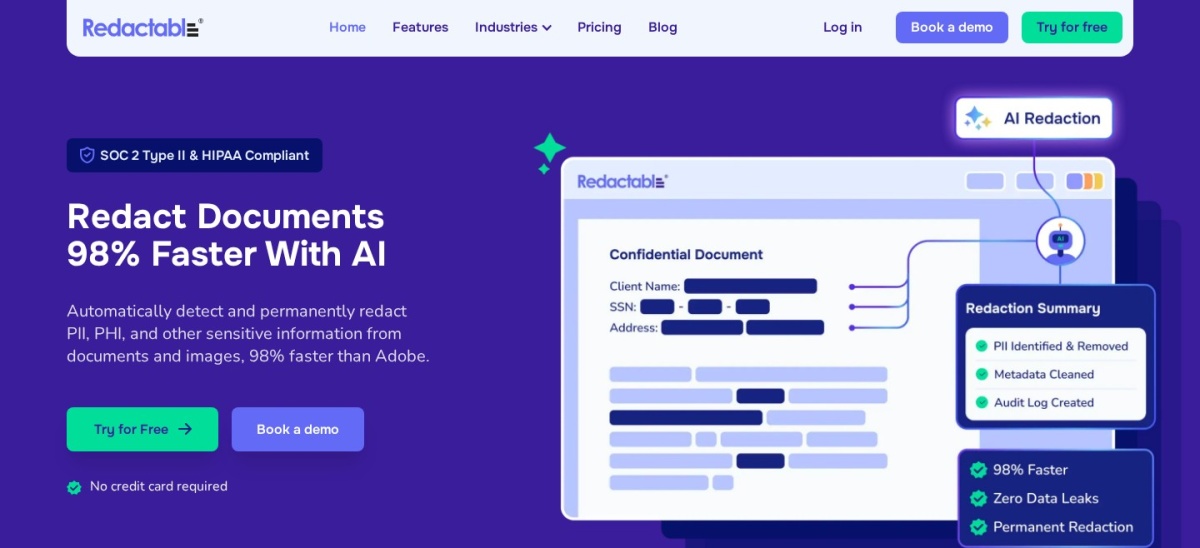
Redactable homepage, captured Nov 2026.
Redactable is the purpose-built pick in this list, a cloud app that finds Social Security numbers, account numbers and signatures with AI, then strips the metadata and issues a redaction certificate for every job. Starter costs $19 a month billed annually for 15 documents, Pro Plus at $79 covers 150, and the first 3 documents are free.
The trade off is the thin review base. Its G2 rating of 4.7 rests on only 3 reviews, and the Starter cap of 15 documents a month pushes a busy estate practice to Pro Plus fast. It suits firms that want a certificate for every redaction they share.
What we like
AI finds SSNs, accounts and signatures automatically
iDox.ai Suite is the cloud suite pick, redacting 47 file formats with AI that fills in the legal basis for each redaction, such as a FOIA exemption, and issues a certificate per job. Starter costs $39 a month billed monthly for 5,000 pages a year, Premium at $89 covers 50,000 pages with co-review for up to 5 users.
The trade off is the page cap and the trial. Starter stops at 5,000 pages a year, so a firm over about 400 pages a month needs Premium, and the 7-day trial processes only the first 2 pages of each document. It suits firms with a steady, bounded redaction volume.
What we like
AI fills in the legal basis for each redaction
Certificate per job with compliance check
47 file formats with OCR included
SOC 2 and ISO 27001 certified
Watch out for
Starter caps at 5,000 pages a year
Trial processes only 2 pages per document
Co-review needs Premium at $89
Premium adds co-review and 50,000 pages for $89 a month.Visit idox.ai
03
Adobe Acrobat Pro
4.5/5on G2 (5,336 reviews, checked Nov 2026)
Starts at$19.99/mo
Best for firms already working in PDF
Cheapest planPro, $19.99/mo
Standard$14.99/mo, no redaction
Teams$23.99/seat/mo
Free trial7 days
adobe.com
Adobe Acrobat Pro homepage, captured Nov 2026.
Adobe Acrobat Pro is the safe default in this list, the PDF editor every court, bank and title company already accepts. Pro costs $19.99 a month on an annual plan and adds redaction, OCR, compare and e-signatures to everything in Standard, with a 7-day free trial and 100GB of cloud storage.
The trade off is that redaction is manual pattern search, not AI detection. Acrobat finds what you tell it to find, so a missed account number stays in the file, and the subscription never ends. It suits firms that redact occasionally inside a tool they already pay for.
What we like
Largest G2 review base here, 4.5 from 5,336 reviews
Every recipient can open the finished PDF
Redaction, OCR, compare and e-signatures in one tool
Action Wizard automates batch redaction
Watch out for
No AI detection of sensitive data
Subscription only, no perpetual licence
$29.99 a month without the annual plan
Acrobat Pro 2024 costs $324 once for 3 years of desktop access.Visit adobe.com
04
Foxit PDF Editor+
4.6/5on G2 (3,784 reviews, checked Nov 2026)
Starts at$13.99/mo
Best low-cost PDF editor with smart redaction
Cheapest planEditor, $10.99/mo
Editor+$13.99/mo, Smart Redact
Annual option$159.99/yr, Editor+
Free trial14 days, no card
foxit.com
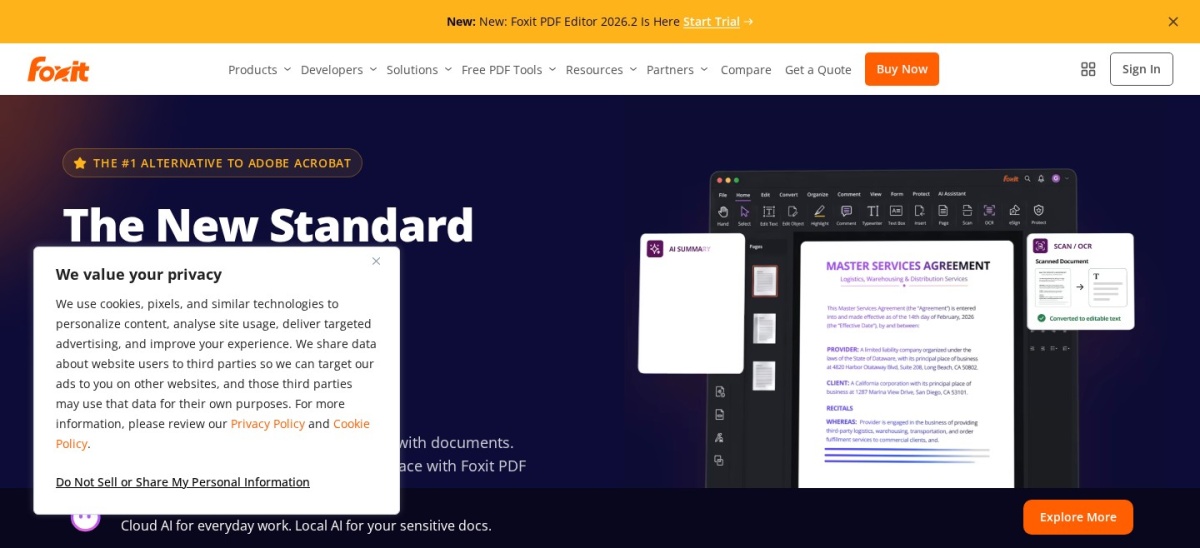
Foxit PDF Editor+ homepage, captured Nov 2026.
Foxit PDF Editor+ is the budget pick, a full PDF editor with Smart Redact that finds sensitive data and cleans metadata, plus eSign built in. Editor+ costs $13.99 per user a month, or $159.99 a year, while the base Editor at $10.99 covers manual redaction without the smart detection.
The trade off is the cloud step. Smart Redact processes through Foxit cloud on Azure, so files leave the desktop, and support draws the most complaints on G2. It suits small firms that want Acrobat-style editing at two thirds of the price.
What we like
Rated 4.6 from 3,784 reviews on G2
Smart Redact finds data and cleans metadata
eSign included at no extra cost
Cheapest smart redaction here
Watch out for
Smart Redact runs through Foxit cloud
Support draws the most G2 complaints
No redaction certificate or audit log
Editor+ at $159.99 a year is the cheapest smart redaction here.Visit foxit.com
05
Nitro PDF Pro
4.4/5on G2 (389 reviews, checked Nov 2026)
Starts at$15/mo
Best for firms that want redaction plus Bates numbering
Cheapest planStandard, $15/user/mo
Classic$270 once, 3 years
PlusCustom, SSO and analytics
Free trial14 days, no card
gonitro.com
Nitro PDF Pro homepage, captured Nov 2026.
Nitro PDF Pro is the Windows-first pick, with redaction, Bates numbering, OCR and AI tools in a Microsoft Office-style interface. Standard costs $15 per user a month billed annually, Classic is a $270 one-time licence for three years of Windows use, and Plus adds SSO and analytics on quote.
The trade off is that Smart Redact is a separate add-on, not part of Standard. Standard redaction is manual, e-signature costs extra, and there is no month-to-month billing. It suits firms that want a one-time licence and Bates numbering for court filings.
What we like
Redaction and Bates numbering built in
One-time Classic licence for 3 years
Rated 4.4 from 389 reviews on G2
Office-style interface, easy to learn
Watch out for
Smart Redact is a separate add-on
E-signature costs extra
No month-to-month billing on Standard
Classic at $270 once suits firms that avoid subscriptions.Visit gonitro.com
06
pdfFiller
4.6/5on G2 (938 reviews, checked Nov 2026)
Starts at$8/mo
Best cheapest way to redact a PDF
Cheapest planBasic, $8/mo
Plus$12/mo, templates
Premium$15/mo, e-signatures
Free trial30 days
pdffiller.com
pdfFiller homepage, captured Nov 2026.
pdfFiller is the cheapest pick in this list, a web PDF editor with blackout redaction from $8 a month. Basic covers fill, edit and merge, Plus at $12 adds reusable templates and version history, and Premium at $15 adds e-signature workflows, with a 30-day free trial on every plan.
The trade off is depth. Redaction is manual blackout with no AI detection, no certificate and no audit log, so it fits occasional redaction, not filing-ready work. It suits a small firm that redacts a few documents a month and wants the lowest bill.
PDFelement is the value editor in this list, an Acrobat-style desktop app with redaction, OCR, Bates numbering and forms. The yearly plan lists at $129 a year, the perpetual licence costs $129.99 once, and the vendor page currently shows $79.99 a year as a sale price, so the real cost is often lower than list.
The trade off is the trial. Free exports carry a watermark, AI beyond 50 uses is a $3.99 a month add-on, and the yearly plan covers one platform only, so Windows and Mac together cost more. It suits firms that want a desktop editor without a monthly bill.
What we like
Rated 4.5 from 1,071 reviews on G2
Perpetual licence avoids a subscription
Redaction, OCR and Bates numbering included
Works on Windows, Mac, iOS and Android
Watch out for
Free trial exports carry a watermark
AI beyond 50 uses costs extra
Yearly plan covers one platform only
The perpetual licence at $129.99 once suits firms that avoid subscriptions.Visit wondershare.com
08
CaseGuard Studio
3/5on Capterra (2 reviews, checked Nov 2026)
Starts at$279/mo
Best for high-volume document and media redaction
Cheapest planDoc Suite, $279/user/mo
Media Suite$299/user/mo
Ultimate Suite$379/user/mo
Free trial7 days, watermark
caseguard.com
CaseGuard Studio homepage, captured Nov 2026.
CaseGuard Studio is the heavy-volume pick, an installed suite that redacts documents, emails, scans and images on your own computers, with video and audio on the Media and Ultimate suites. Doc Suite costs $279 per user a month billed annually, Media at $299 adds video and audio, and Ultimate at $379 combines both.
The trade off is price and proof. It is the most expensive tool here, it runs on Windows only, and its Capterra rating of 3.0 rests on only 2 reviews, one of them a law practice that reported failed batches and refused refunds. It suits firms with very high volume and strict on-premise rules.
What we like
Redacts documents, email, video and audio in one suite
Runs on your own computers, even air-gapped
Bulk redaction across thousands of files
Trusted by 1,000+ companies
Watch out for
Capterra rating 3.0 from only 2 reviews
Most expensive tool here at $279 a user
Windows only, no Mac or cloud version
Ultimate Suite combines documents and media for $379 a user a month.Visit caseguard.com
AI detection vs manual blackout: what estate firms should know
The tools in this list split into two kinds. Redactable, iDox.ai Suite and Foxit Editor+ use AI to find sensitive data for you, while Acrobat, Nitro, pdfFiller and PDFelement mostly redact what you point at. AI detection catches numbers a tired reviewer misses, but it also flags things that are not sensitive, so every AI job still needs a human review before the file goes out.
Manual blackout is cheaper and keeps files on the desktop, but it depends entirely on the person doing it. A firm that redacts a few documents a month can manage with manual tools, while a firm that shares files with beneficiaries every week should pay for AI detection and a certificate.
How we chose
We started from the redaction tools that appear in 2026 roundups for law firms and estate planning practices, then kept the eight with a rating on G2, Capterra or Trustpilot. Two of the eight, Redactable and CaseGuard, rest on very thin review bases, and the list says so plainly.
Prices come from each vendor pricing page, checked on 30 November 2026. Ratings and review counts come from the review site with the most reviews for each tool on the same day. Where a vendor page showed no figures in the crawl, the list uses agreeing November 2026 reads of the same page and notes it.
We left out tools with no aggregator rating, including Kofax Power PDF, Objective Redact and VIDIZMO Redactor, and tools with no published price. No vendor paid for a place, and we do not claim hands-on testing for this list.
How to choose legal redaction software for an estate planning firm
Start with proof and processing location, then check the price.
Check whether it issues a certificate. A certificate proves what was removed, when and by whom. If your files go to court or to beneficiaries, pick a tool that issues one for every job, such as Redactable or iDox.ai Suite.
Check where files are processed. Cloud tools send client files to a vendor server, desktop tools keep them in the office. If your firm cannot send client files out, pick a desktop tool such as CaseGuard Studio or Nitro PDF Pro.
Test it on a real estate file. Run the free trial on a scanned will or trust with Social Security numbers, account numbers and dates of birth. That is the fastest way to see whether detection catches everything that matters.
Count documents, not seats. Redactable and iDox charge by documents or pages, while PDF editors charge per user. Work out your monthly document count first, then pick the pricing model that fits it.
FAQ
What is the best legal redaction software for estate planning firms?
Redactable is the best legal redaction software for estate planning firms for most practices, because it finds Social Security numbers and account details with AI and issues a certificate for every job from $19 a month. Firms with steady page volume should also look at iDox.ai Suite.
How much does legal redaction software cost?
Prices run from $8 to $279 per user a month in this list. pdfFiller starts at $8, Redactable at $19, Adobe Acrobat Pro at $19.99 and iDox.ai Suite at $39, while CaseGuard Studio starts at $279 a user a month for high-volume work.
Do estate planning firms need a redaction certificate?
Yes, if the redacted file goes to a court, a beneficiary or another firm. A certificate records what was removed, when and by whom, so the firm can prove the file was handled properly. Redactable and iDox.ai Suite issue one for every job.
Can Adobe Acrobat Pro redact legal documents?
Yes. Acrobat Pro redacts sensitive information, removes metadata and runs batch redaction through the Action Wizard, all for $19.99 a month on an annual plan. The catch is that detection is manual pattern search, not AI, so a missed number stays in the file.
What is the cheapest legal redaction software?
pdfFiller is the cheapest in this list at $8 a month, with manual blackout redaction in the browser. Foxit PDF Editor+ is the cheapest smart redaction at $13.99 a month, and Redactable is the cheapest dedicated redaction tool with certificates at $19 a month.
Is CaseGuard worth $279 a month for a small firm?
Usually not. CaseGuard suits high-volume teams that redact documents, video and audio together on their own computers, and its Capterra rating of 3.0 rests on only 2 reviews. A small estate practice gets certificates and AI detection from Redactable at $19 a month instead.
What should estate planning firms check before buying?
Check whether redaction is AI detection or manual blackout, whether the tool issues a certificate and keeps an audit log, and where files are processed. Firms that cannot send client files to the cloud should pick a desktop tool such as CaseGuard Studio or Nitro PDF Pro.
SaaS SEO and WordPress specialist with about 8 years of experience. Rakib compares WordPress plugins, themes, hosting and software using public pricing, documentation and user reviews. See how we rank.