Trello is the best kanban software for marketing teams that want simple visual boards, with a free plan for up to ten collaborators and paid plans from five dollars per user a month. Asana suits larger cross-team campaigns, while ClickUp fits teams that want docs and boards in one place.
How we make this list: we compare pricing pages, product documentation and public user reviews, then re-check every price before each update. No product paid for a place. Disclosure.
Trello gives up to ten collaborators ten boards for free, and its Standard plan starts at $5 per user a month billed annually.
Asana Starter costs $10.99 per user a month billed annually, while its free Personal tier caps collaboration at two users.
ClickUp includes unlimited members and tasks on its Free Forever plan, with Core starting at $9 per user a month billed annually.
monday.com starts at $9 a seat a month with a three-seat minimum, so a solo marketer pays for three seats.
Jira Standard is $7.91 per user a month, though monthly billing for small teams is higher at $9.70.
What makes kanban software work for marketing teams?
Marketing work is a pipeline, not a pile. Campaigns, content and launches move through stages, and a kanban board shows every stage at a glance.
The best kanban tools for marketing add calendars, due dates and campaign views. A board alone is not enough when a launch has a dozen moving parts and one deadline.
Free plans cover small teams well. Trello is free for up to ten collaborators, ClickUp is free for unlimited members, and Asana is free for up to two users, so try the board before paying. Our best collaborative project management tools compare the same tools on wider teamwork.
Automations save the most time. Rules that move a card when a review is done, or remind an owner when a due date nears, matter more than another view.
4.5/5on Capterra (23,603 reviews, checked Nov 2026)
Paid from$5/mo
Best kanban software for marketing teams overall
Free plan10 collaborators, 10 boards
Cheapest planStandard, $5/user/mo annual
Premium plan$10/user/mo annual
Power-Ups200+ integrations
trello.com
Trello homepage, captured Nov 2026.
Trello is a visual task manager organised around Kanban boards, lists and drag-and-drop cards. The free plan supports up to ten collaborators and ten boards per Workspace, including unlimited cards, checklists, due dates, built-in automation and 200+ Power-Up integrations.
The trade off is scale. Standard costs $5 per user a month billed annually, or $6 month to month, to unlock unlimited boards, custom fields and card mirroring, while timeline and calendar views require Premium at $10 per user a month. It suits small marketing teams that want a board today.
4.5/5on Capterra (13,795 reviews, checked Nov 2026)
Paid from$10.99/mo
Best for structured cross-team campaigns
Free planUp to 2 users
Cheapest planStarter, $10.99/user/mo annual
Billed monthly$13.49/user/mo
ViewsList, board, timeline, calendar
asana.com
Asana homepage, captured Nov 2026.
Asana is a structured work and task management platform built to track projects across departments. Its free Personal plan covers up to two users with unlimited tasks, unlimited projects, and list, board and calendar views alongside 100+ app integrations.
The trade off is price. Starter costs $10.99 a user a month billed annually, or $13.49 month to month, and the free plan caps at two users, so a marketing team of five pays from day one. It suits larger campaigns across teams.
What we like
Strong timeline and portfolio views
Workflow rules and forms included
100+ integrations on every plan
Best for cross-team campaigns
Watch out for
Free plan caps at two users
Higher entry price than Trello or ClickUp
Takes longer to set up than Trello
Starter adds timeline and Gantt views, custom fieldsVisit asana.com
03
ClickUp
4.6/5on Capterra (4,993 reviews, checked Nov 2026)
Paid from$9/mo
Best all-in-one workspace for growing teams
Free planUnlimited users, 60 MB storage
Cheapest planCore, $9/user/mo annual
Automations1,000/mo on Core
ViewsBoard, list, calendar, Gantt
clickup.com
ClickUp homepage, captured Nov 2026.
ClickUp is a customisable work platform that combines tasks, collaborative docs, chat, whiteboards and time tracking in one workspace. The Free Forever plan covers unlimited members and tasks, and Core starts at $9 a user a month with unlimited storage, 1,000 monthly automations and more views.
The trade off is setup time. ClickUp does so much that a marketing team needs a day to configure it, and the page shows a $12 regular price behind the $9 rate. It suits growing teams that want docs and boards in one place.
4.6/5on Capterra (6,158 reviews, checked Nov 2026)
Paid from$9/mo
Best for visual cross-department tracking
Free planUp to 2 seats
Cheapest planBasic, $9/seat/mo annual
Seat minimum3 seats
Storage5 GB on Basic
monday.com
monday.com homepage, captured Nov 2026.
monday.com is a visual work management platform built around colourful boards that teams reshape into anything from a campaign tracker to a content calendar. The free plan covers up to two seats, and Basic starts at $9 a seat a month billed annually with unlimited boards, unlimited items and 5 GB storage.
The trade off is the seat minimum. Basic needs at least three seats, so a solo marketer pays $27 a month, and automations and timeline views sit on Standard at $12. It suits mid-size teams that value visual dashboards.
4.4/5on Capterra (15,476 reviews, checked Nov 2026)
Paid from$7.91/mo
Best for agile marketing sprints
Free planUp to 10 users
Cheapest planStandard, $7.91/user/mo
Storage250 GB on Standard
Automations400 steps/user/mo
atlassian.com
Jira homepage, captured Nov 2026.
Jira is a project management tool for agile teams to plan, track and release work, with kanban boards, sprints and automation rules. The free plan covers up to ten users, and Standard costs $7.91 a user a month with 250 GB storage, permissions, external collaboration and 400 automation steps a user a month.
The trade off is complexity. Jira is built for software teams, so marketing teams face a steeper learning curve, and monthly billing for small teams runs $9.70 a user a month. It suits marketing teams that run sprints like a product team.
4.7/5on Capterra (2,900 reviews, checked Nov 2026)
Paid from$10/mo
Best for combining tasks with team wikis
Free planYes, for individuals
Cheapest planPlus, $10/seat/mo
Guests100 on Plus
Page history30 days on Plus
notion.com
Notion homepage, captured Nov 2026.
Notion is a workspace that pairs docs and wikis with tasks, databases and kanban boards. The free plan covers unlimited pages and blocks for individuals, and Plus costs $10 a seat a month with unlimited file uploads, 30-day page history and 100 guests.
The trade off is speed. Large databases can feel slower on mobile devices, and Notion is a docs tool first, so its boards lack the workflow depth of Asana. It suits marketing teams that live in docs and briefs.
4.6/5on Capterra (2,679 reviews, checked Nov 2026)
Paid from$5/mo
Best for fast daily task capture
Free plan5 active projects
Cheapest planPro, $5/user/mo
Projects on Pro300
ViewsList, board, calendar
todoist.com
Todoist homepage, captured Nov 2026.
Todoist is a fast task manager with list, board and calendar views, natural-language due dates and reminders. The free plan covers five active projects, and Pro costs $5 a user a month with 300 projects, calendar layout, custom reminders and filters.
The trade off is depth. Todoist is a personal task tool first, so it lacks the campaign dashboards and team reporting of Asana or monday.com. It suits marketers who want a fast board for their own work.
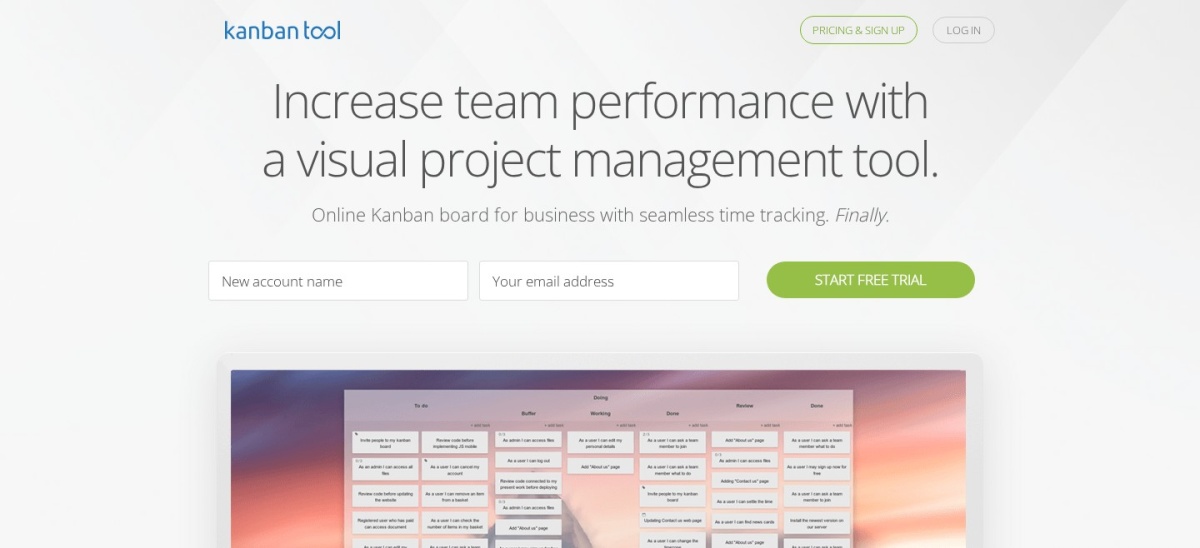
Kanban Tool is a lightweight kanban board with built-in time tracking, WIP limits and analytics. The free plan covers two boards, and Team costs $6 a user a month with unlimited boards, file attachments, user groups and process automation.
The trade off is size. Kanban Tool suits small teams, and it lacks the docs, chat and campaign templates of the bigger platforms. It suits small marketing teams that want time tracking on the board.
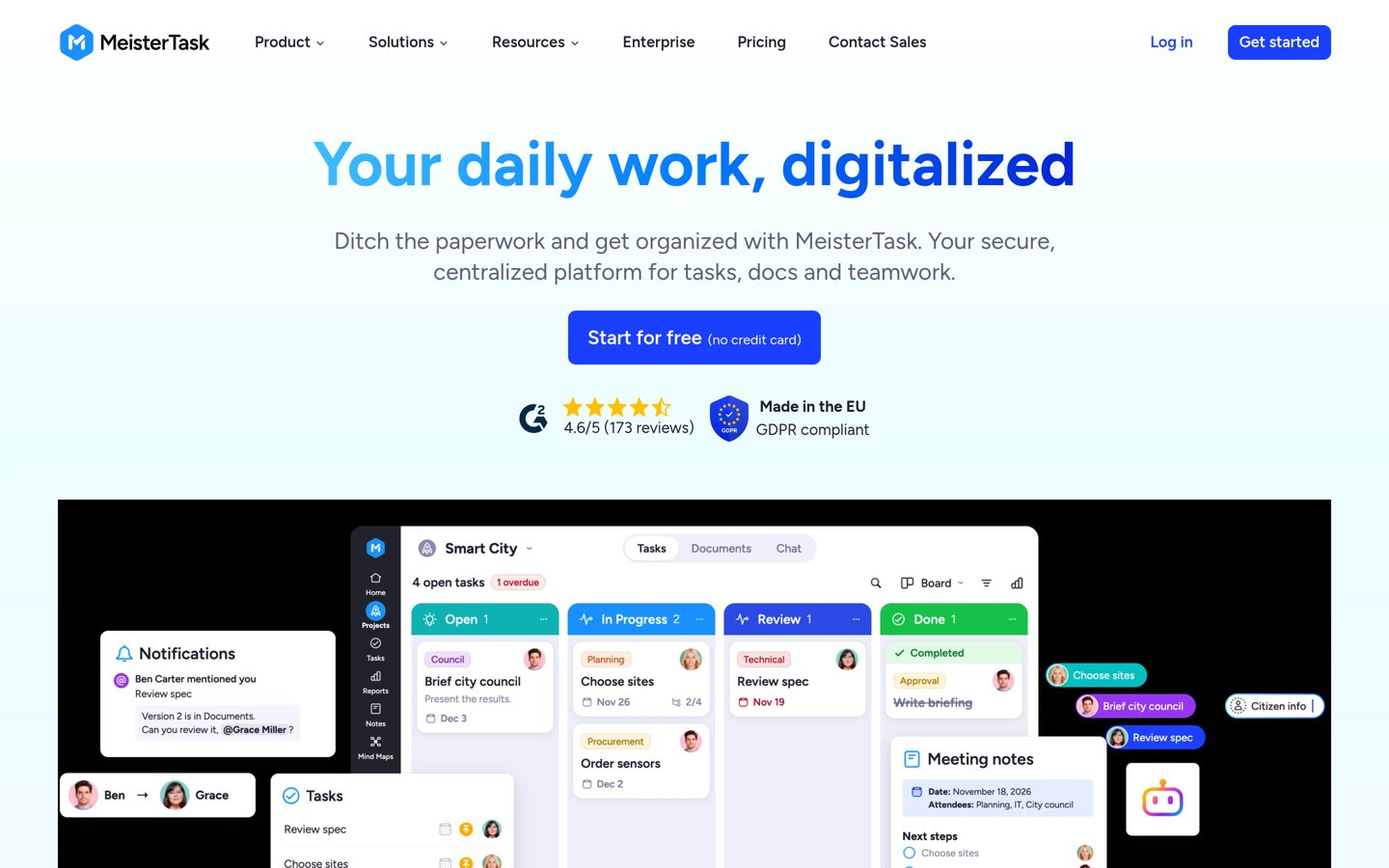
MeisterTask is a task and project platform built around kanban boards, with automations, timelines and integrations for teams. The free Basic plan covers unlimited members but caps projects at three, and Pro costs $13 a user a month with unlimited projects and 75 AI prompts a month.
The trade off is price. Pro rose to $13 a user a month, above the $9 plans here, and Business at $25 adds timelines and roles. It suits teams that want smart automations without a heavy setup.
Boards vs timelines: what marketing actually needs
Boards show the state of work right now. A card in review is visible to everyone, which is why marketing teams run daily stand-ups around a board.
Timelines show the plan over weeks. Asana, monday.com and ClickUp add timeline and Gantt views on paid plans, which matter when a launch has dependencies.
Pick the tool that does both well. Trello is the purest board, while Asana and ClickUp pair boards with timelines, so growing teams usually end up with one of those.
How we chose
We started from the task and project tools with the largest Capterra review bases, then kept those with a real kanban board view and marketing templates.
Prices come from each vendor's pricing page, checked on 30 November 2026. Ratings and review counts come from Capterra on the same day. Where a vendor shows a sale, the list shows the regular price.
We left out tools with no board view and no published price. No vendor paid for a place, and we do not claim hands-on testing for this list.
How to choose kanban software for marketing teams
Map one real campaign first, then pick the tool that fits it.
Map one real campaign on a board. List the stages from idea to published, then check the tool handles WIP limits, due dates and owners at each stage.
Check the calendar view. A board shows today, but a launch needs dates, so make sure the calendar view is on the plan you would actually buy.
Count the free plan limits. Trello caps free boards at ten, Asana caps free users at two, and ClickUp is free for unlimited members, so the cheapest plan depends on team size.
Test automations with a real task. Move a card to done and check the next owner is notified, because that rule saves more time than any extra view.
FAQ
What is the best kanban software for marketing teams in 2026?
Trello is the best kanban software for most marketing teams, with the simplest visual boards, a free plan for up to ten collaborators and Standard at $5 per user a month. Asana suits larger campaigns, and ClickUp fits teams that want docs and boards together.
How much does kanban software for marketing teams cost?
Most kanban tools cost $5 to $11 per user a month. Trello Standard is $5, ClickUp Core and monday.com Basic are $9, and Asana Starter is $10.99, all billed annually, with free plans on every tool here.
Is there free kanban software for marketing teams?
Yes. Trello is free for up to ten collaborators and ten boards, ClickUp is free for unlimited members, and Asana, monday.com, Notion and Todoist all have free plans. Paid plans add unlimited boards, timelines and automations.
Which is better for marketing, Trello or Asana?
Trello is better for small marketing teams that want a simple board today, at $5 per user a month. Asana is better for larger campaigns across teams, with timelines, portfolios and workflow rules from $10.99 per user a month.
Can kanban software handle a content calendar?
Yes. Trello, Asana, ClickUp and monday.com all offer calendar views, due dates and campaign templates. Trello needs Premium for calendar view, while ClickUp includes it on cheaper plans.
What is the cheapest kanban software for a marketing team?
Trello is the cheapest paid route at $5 per user a month, with a generous free plan. Todoist Pro is also $5, and Kanban Tool Team is $6, so a small team can run a real board for the price of one lunch a month.
SaaS SEO and WordPress specialist with about 8 years of experience. Rakib compares WordPress plugins, themes, hosting and software using public pricing, documentation and user reviews. See how we rank.