Best WordPress Private Content Plugins in 2026: 7 Tools Compared
WLWPLegible EditorsLast verified 22 Nov 2026How we rank12 min read
★ Short answer
Content Control is the best WordPress private content plugin for most websites, with 40,000+ active installations, a 4.9/5 rating and free rules for restricting pages and blocks. Members is better for role-based permissions, while WP-Members suits websites requiring private content alongside frontend registration.
How we make this list: we compare pricing pages, product documentation and public user reviews, then re-check every price before each update. No product paid for a place. Disclosure.
Content Control leads for flexible restrictions, with 40,000+ installs, a 4.9/5 rating and a regular Pro price of $99/year.
Members is completely free, with 300,000+ active installs and a 4.9/5 rating from 1,285 reviews.
WP-Members combines free content restriction and registration, with 50,000+ installs and optional priority support at $59/year.
Restrict User Access supports custom membership levels for free, with 10,000+ installs and premium bundles normally starting at $117/year.
Password Protected has 300,000+ installations and offers sitewide password protection free, with paid plans starting at $59.99/year.
Ultimate Member supports private community websites, with 200,000+ installs and a Standard plan at $276/year.
What to look for in a WordPress private content plugin
WordPress includes basic private and password-protected post settings, but these do not cover every situation. A membership website, client portal or internal resource library often needs more control over who can access specific content.
A private content plugin can restrict entire pages, individual blocks, categories or sections of a post. Some plugins check user roles or login status, while others use passwords, membership levels or subscription plans.
Choose the access method before comparing features. Password protection works well for temporary sharing, while registered-user permissions are usually better for recurring access to private resources.
Look closely at file protection. Hiding a page does not automatically prevent visitors from opening an uploaded PDF, image or document through its direct URL. Check whether the plugin protects the actual file or only the page containing it.
Also review caching compatibility, login redirects, registration options and pricing. A lightweight restriction plugin may be enough for a private blog, while a full membership system is more appropriate when users need individual accounts and personalized content.
4.9/5on WordPress.org (576 reviews, checked Nov 2026)
Paid from$99/yr
Best WordPress private content plugin overall
Free restrictionsPages, posts and blocks
Access conditionsLogin status and user roles
Block editorConditional visibility rules
Paid planPersonal, $99/year regular
contentcontrolplugin.com
Content Control homepage, captured Nov 2026.
Content Control is a WordPress content restriction plugin with 40,000+ active installations and a 4.9/5 rating from 576 reviews. Its free version lets administrators restrict posts, pages and individual blocks based on login status, user roles and access conditions, making it suitable for private resources and members-only content.
The trade off is that advanced block scheduling, expanded rule controls and ecommerce conditions require Personal at a regular $99 per year, although a discounted offer is advertised. It suits website owners who want flexible content restrictions without installing an entire membership management platform.
What we like
Free page, post and block restrictions
Conditional access based on logged-in status
Works with Gutenberg and the Site Editor
Strong WordPress.org rating and review history
Advanced WooCommerce rules available in Pro
Watch out for
Complex conditional rules take time to configure
Scheduled block restrictions require Pro
Does not independently protect direct media file URLs
4.9/5on WordPress.org (1,285 reviews, checked Nov 2026)
PriceFree
Best completely free role-based access plugin
Core pluginCompletely free
Role managementCustom roles and capabilities
Private contentRole-based permissions
Paid upgradeNo paid Members plan
memberpress.com
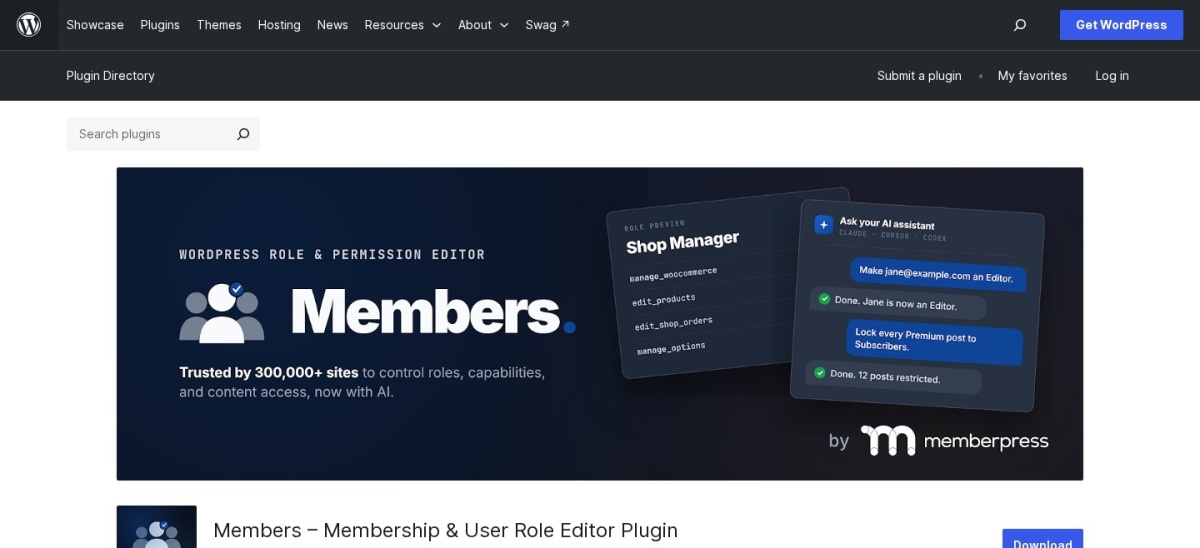
Members homepage, captured Nov 2026.
Members is a free WordPress roles and capabilities plugin with 300,000+ active installations and a 4.9/5 rating from 1,285 reviews. It lets administrators create custom roles, adjust permissions, restrict posts and pages, and control access to private areas through WordPress's existing user management system.
The trade off is that Members does not include a built-in paid subscription business platform, although its developer offers the separate MemberPress product. It suits companies, publishers and private websites that need precise user permissions without paying for membership features they do not use.
What we like
Completely free role and capability management
Large installation base and extensive reviews
Restricts content using existing user roles
Supports custom roles and dashboard permissions
Works with the WordPress block editor
Watch out for
No built-in paid membership checkout
Requires understanding WordPress capabilities
Not designed for individual password sharing
File-level protection requires another solution
Members has no paid plan; MemberPress is a separate membership product.Visit memberpress.com
03
WP-Members
4.6/5on WordPress.org (272 reviews, checked Nov 2026)
Paid from$59/yr
Best for private content with user registration
Free restrictionsPosts and pages
RegistrationFrontend forms
Access controlsRegistered users
Paid optionPriority support, $59/year
rocketgeek.com
WP-Members homepage, captured Nov 2026.
WP-Members is a WordPress membership and content restriction plugin with 50,000+ active installations and a 4.6/5 rating from 272 reviews. Its free version provides frontend login and registration forms, restricts content for registered users, and allows administrators to manage access without relying entirely on the default WordPress login screen.
The trade off is that advanced extensions such as download protection and additional registration controls are sold separately, while priority support costs $59 per year. It suits associations, business resource libraries and membership websites that need registration and private content without a complicated subscription platform.
What we like
Free content restriction and registration
Frontend login and registration forms
Works with existing WordPress users
Customizable registration fields
Optional extensions for advanced requirements
Watch out for
Some advanced features require separate extensions
Default form appearance may need customization
Priority support does not include premium extensions
More configuration than simple password protection
The $59 annual support plan adds priority assistance; premium extensions are purchased separately.Visit rocketgeek.com
04
Restrict User Access
4.3/5on WordPress.org (94 reviews, checked Nov 2026)
Paid from$117/yr
Best for custom membership access levels
Free access levelsCustom membership levels
RestrictionsPages, posts and partial content
User accessRoles and membership levels
Paid bundleEssentials, $117/year regular
dev.institute
Restrict User Access homepage, captured Nov 2026.
Restrict User Access is a WordPress membership access plugin with 10,000+ active installations and a 4.3/5 rating from 94 reviews. The free version supports custom access levels, content restrictions, user assignments, shortcodes and conditional access rules for posts, pages and selected content sections.
The trade off is that advanced date restrictions, timed access and URL-based controls require premium add-ons, with the Essentials bundle normally priced at $117 per year and advertised at $99. It suits websites that need multiple permission levels without replacing WordPress's existing user accounts.
What we like
Custom membership access levels
Free restrictions on pages and posts
Supports partial content restrictions
Uses existing WordPress user accounts
Premium options for timed and URL-based access
Watch out for
Advanced restrictions require premium add-ons
Access level combinations can become complicated
Not a complete subscription checkout system
Premium bundles are more expensive than basic access tools
Essentials adds date restrictions, timed access, URL restrictions and premium support.Visit dev.institute
05
Password Protected
4.4/5on WordPress.org (143 reviews, checked Nov 2026)
Paid from$59.99/yr
Best for protecting an entire WordPress website
Free protectionEntire website
Visitor controlsIP allowlisting and CAPTCHA
Access reportingPassword attempt activity
Paid planBasic, $59.99/year
passwordprotectedwp.com
Password Protected homepage, captured Nov 2026.
Password Protected is a WordPress password protection plugin with 300,000+ active installations and a 4.4/5 rating from 143 reviews. Its free version locks an entire website behind a shared password and includes IP allowlisting, Google reCAPTCHA, administrator bypass and monitoring of password attempts.
The trade off is that Basic costs $59.99 per year but individual page protection requires the $79.99 Professional plan, while partial content protection needs the $99.99 Business plan. It suits staging websites, temporary private projects and organizations that want a shared password rather than individual member accounts.
What we like
Free sitewide password protection
Large established installation base
IP-based access exceptions
Login attempt monitoring
Additional post and page restrictions in paid plans
Watch out for
Free version focuses on entire-site protection
Individual page protection requires Professional
Partial content protection requires Business
Shared passwords provide less individual accountability
4.7/5on WordPress.org (272 reviews, checked Nov 2026)
Paid from$179/yr
Best for individual password-protected pages
Free protectionPages and posts
Password rulesMultiple passwords per page
Role accessRole-specific passwords
Paid planPersonal, $179/year
passwordprotectwp.com
PPWP homepage, captured Nov 2026.
PPWP is a WordPress page and post password protection plugin with 30,000+ active installations and a 4.7/5 rating from 272 reviews. Its free version extends WordPress's default password feature with multiple passwords per page, role-based password options, automatic password generation and CAPTCHA support.
The trade off is that advanced options such as partial content protection, master passwords and expiring access require Personal at $179 per year for 3 websites. It suits businesses sharing private articles, training materials or restricted pages with visitors who do not need full membership accounts.
What we like
Multiple passwords for individual pages
Role-based password options
Automatic password generation
Free protection for posts and pages
Premium access expiration and master passwords
Watch out for
Premium pricing is relatively high for simple protection
Uploaded files are not protected from direct URL access
Some specialized integrations cost extra
Password sharing is harder to audit than individual logins
Personal adds partial protection, master passwords, password expiration and 3-site licensing.Visit passwordprotectwp.com
07
Ultimate Member
4.4/5on WordPress.org (1,445 reviews, checked Nov 2026)
Paid from$276/yr
Best for private communities and user profiles
Free content rulesRole and login restrictions
Member featuresProfiles and directories
Private contentPer-user module in paid plans
Paid planStandard, $276/year
ultimatemember.com
Ultimate Member homepage, captured Nov 2026.
Ultimate Member is a WordPress membership and community plugin with 200,000+ active installations and a 4.4/5 rating from 1,445 reviews. Its free version includes user registration, frontend profiles, member directories, account management and content restrictions based on user roles and login status.
The trade off is that advanced community features and the dedicated Private Content extension require Standard at $276 per year, which includes 21 standard extensions for 1 site. It suits membership communities and client-facing websites where private content must work alongside user profiles and personalized account areas.
What we like
Free user profiles and frontend registration
Role-based content restrictions
Member directories and account pages
Dedicated private content extension
Large user community and extensive reviews
Watch out for
Advanced private content requires a paid plan
Higher cost than dedicated restriction plugins
More features than simple private websites need
Member data and permissions require careful configuration
Standard adds 21 extensions, including private content tools, updates and email support.Visit ultimatemember.com
Password protection vs member-only access: which is better?
Password protection is the simpler option when everyone receiving a resource can use the same password. It works for temporary website previews, draft materials, shared resources and small private projects.
Member-only access is better when different people need different permissions. A registered-user system can identify the visitor, assign an access level and remove permissions without changing a shared password.
Content Control and Members are suitable for role-based restrictions, while Ultimate Member adds profiles and community functionality. Password Protected and PPWP focus more directly on access through passwords.
For sensitive information, consider individual accounts, appropriate user permissions and secure file storage. A protected webpage should not be treated as proof that its linked documents are inaccessible.
Why protecting a page does not always protect its files
WordPress stores uploaded files in its media system, where many assets have publicly accessible URLs. Restricting the page containing a PDF or image does not necessarily prevent someone from opening that file directly.
Several content restriction plugins primarily control access to rendered pages and posts. Content Control explicitly distinguishes page-level media restrictions from direct server-level file protection, while PPWP documents a similar limitation for uploaded files.
If your website distributes confidential PDFs, paid downloads or private client documents, check whether the plugin includes actual file access enforcement. Otherwise, consider a dedicated private download system or protected storage configuration.
Check caching and indexing behavior as well. Publicly cached content, previously indexed pages and externally shared file URLs can create unexpected exposure when restrictions are applied without reviewing the surrounding setup.
How we chose
We selected established WordPress private content plugins from WordPress.org, including access control tools, membership systems and password protection plugins. We compared their documented restriction methods, installation bases, update activity, customer feedback and the requirements of different private website workflows.
We checked WordPress.org ratings, review counts, active installations and official vendor pricing on 22 Nov 2026. We used regular paid prices rather than promotional offers, and distinguished paid support subscriptions from functional upgrades. Products without a paid plan are labeled as free.
We excluded closed or outdated WordPress.org listings, products with unverifiable prices and plugins focused only on unrelated security features. Paid Memberships Pro's permanently closed legacy listing was excluded, and products without clear content restriction functionality were not considered. No vendor paid for a place, and we do not claim testing for this list.
How to choose a WordPress private content plugin
Identify who needs access to your content, then match the restriction method to your website's privacy and account requirements.
Choose between passwords and user accounts. Use password protection for temporary sharing or general private access. Choose registered-user restrictions when different visitors require individual permissions, account management or personalized content.
Match the restriction level to your content. Decide whether you need to protect an entire website, individual pages, categories, posts or selected blocks. Check if your plugin supports the exact content types and conditions involved.
Verify file protection and privacy. If you share PDFs, downloads or confidential documents, make sure direct file URLs are protected. Also review caching, search indexing, access removal and administrator permissions.
Compare free features with paid upgrades. Check which restrictions work without payment, whether you need registration or membership features, and what the cheapest relevant paid plan actually includes. Include recurring renewal costs when comparing options.
FAQ
What is the best WordPress private content plugin?
Content Control is our top choice for most websites because it supports flexible page, post and block restrictions through its free version. It has 40,000+ active installations and a 4.9/5 WordPress.org rating. Members is another strong option when role and capability management matters most.
Can I make WordPress pages private without a plugin?
Yes. WordPress has built-in Private and Password Protected visibility options. Private posts are generally accessible to users with appropriate editing permissions, while password-protected posts require a password. A dedicated plugin becomes useful when you need custom roles, multiple membership levels, conditional rules or frontend registration.
What is the best free plugin for restricting WordPress content?
Members is an excellent completely free option for controlling access through user roles and capabilities. Content Control offers free content and block restrictions, while WP-Members combines private content with registration forms. Choose according to whether your priority is permissions, conditional display or member registration.
How do I show private content only to logged-in users?
Install a content restriction plugin and create a rule that allows access only to authenticated visitors. Apply the rule to the appropriate pages, posts or blocks. You can then configure a login prompt or redirect for visitors who are not signed in.
Can I restrict WordPress content by user role?
Yes. Members, Content Control, Restrict User Access and Ultimate Member support role-based or level-based restrictions. You can grant access to selected users while hiding resources from others. Some plugins also allow custom roles, which provide more precise control than the default WordPress permissions.
Can a WordPress private content plugin protect PDFs?
Not necessarily. Many plugins restrict the page where a PDF appears without protecting the document's direct URL. Check whether the plugin includes actual file protection before storing private documents. For confidential downloads, a dedicated protected-file system may be necessary.
Which WordPress private content plugin is best for a client portal?
For a basic client portal, Members or Restrict User Access can provide role-based access to private pages. Ultimate Member is more suitable when clients need frontend accounts, profiles or personalized areas. Choose a separate protected storage solution if you need confidential file delivery.
Can I create paid members-only content in WordPress?
Yes, but not every private content plugin handles payments. Access restriction tools generally control visibility, while membership platforms can add checkout, subscription billing and account management. Ultimate Member offers additional paid functionality, and dedicated membership products may be preferable for recurring subscriptions.
Will private WordPress content appear in Google?
Properly restricted content should not be publicly readable, but hiding a page does not automatically remove previously indexed information or publicly accessible media files. Review indexing settings, public previews, caches and direct file URLs. Verify that visitors without permission cannot retrieve protected material.