Best WordPress Minify Plugins in 2026: 7 Tools Compared
WLWPLegible EditorsLast verified 22 Nov 2026How we rank12 min read
★ Short answer
Autoptimize is the best WordPress minify plugin for most websites, with 800,000+ active installations, a 4.7-star rating and free CSS, JavaScript and HTML optimization. Fast Velocity Minify is better for dedicated file minification, while WP Fastest Cache combines minification with straightforward page caching.
How we make this list: we compare pricing pages, product documentation and public user reviews, then re-check every price before each update. No product paid for a place. Disclosure.
Autoptimize has 800,000+ active installations and a 4.7-star rating from 1,429 reviews. CSS, JavaScript and HTML optimization are free, while Pro costs $89 yearly.
Fast Velocity Minify has 30,000+ active installations and a 4.6-star rating from 195 reviews. Its minification and aggregation features are completely free.
WP Fastest Cache has 1M+ active installations and a 4.9-star rating from 4,235 reviews. Its premium Bronze license costs $49 one-time.
LiteSpeed Cache has 7M+ active installations and provides free CSS, JavaScript and HTML optimization, although its server-level caching requires compatible infrastructure.
WP-Optimize combines free minification, caching and database optimization. It has 1M+ active installations and a $49 yearly Premium Starter plan.
W3 Total Cache offers detailed minification and caching controls, with 800,000+ active installations and a $99 yearly Pro license.
What to look for in a WordPress minify plugin
Minification removes unnecessary characters from website code, including whitespace, comments and formatting that browsers do not need. WordPress minify plugins commonly process CSS, JavaScript and HTML to reduce file sizes and improve resource delivery.
Start with file compatibility. A good plugin should optimize CSS and JavaScript without breaking interactive elements, page builder layouts or third-party scripts. HTML minification is useful too, but its impact is often smaller than reducing large CSS and JavaScript resources.
Next, distinguish minification from aggregation. Minification reduces the size of individual files, while aggregation combines files to reduce requests. Combining every asset is not always beneficial on websites using modern HTTP connections, so flexible configuration matters.
Finally, check caching compatibility and exclusions. Some plugins focus on minification alone, while others also provide page caching, image optimization and database cleanup. Avoid enabling overlapping optimizations in several plugins simultaneously, and confirm that important scripts can be excluded when necessary.
4.7/5on WordPress.org (1,429 reviews, checked Nov 2026)
Paid from$89/yr
Best WordPress minify plugin overall
Free minificationCSS, JavaScript, HTML
Asset aggregationOptional
Free optimizationCSS delivery and fonts
Paid planPro, 1 site
autoptimize.com
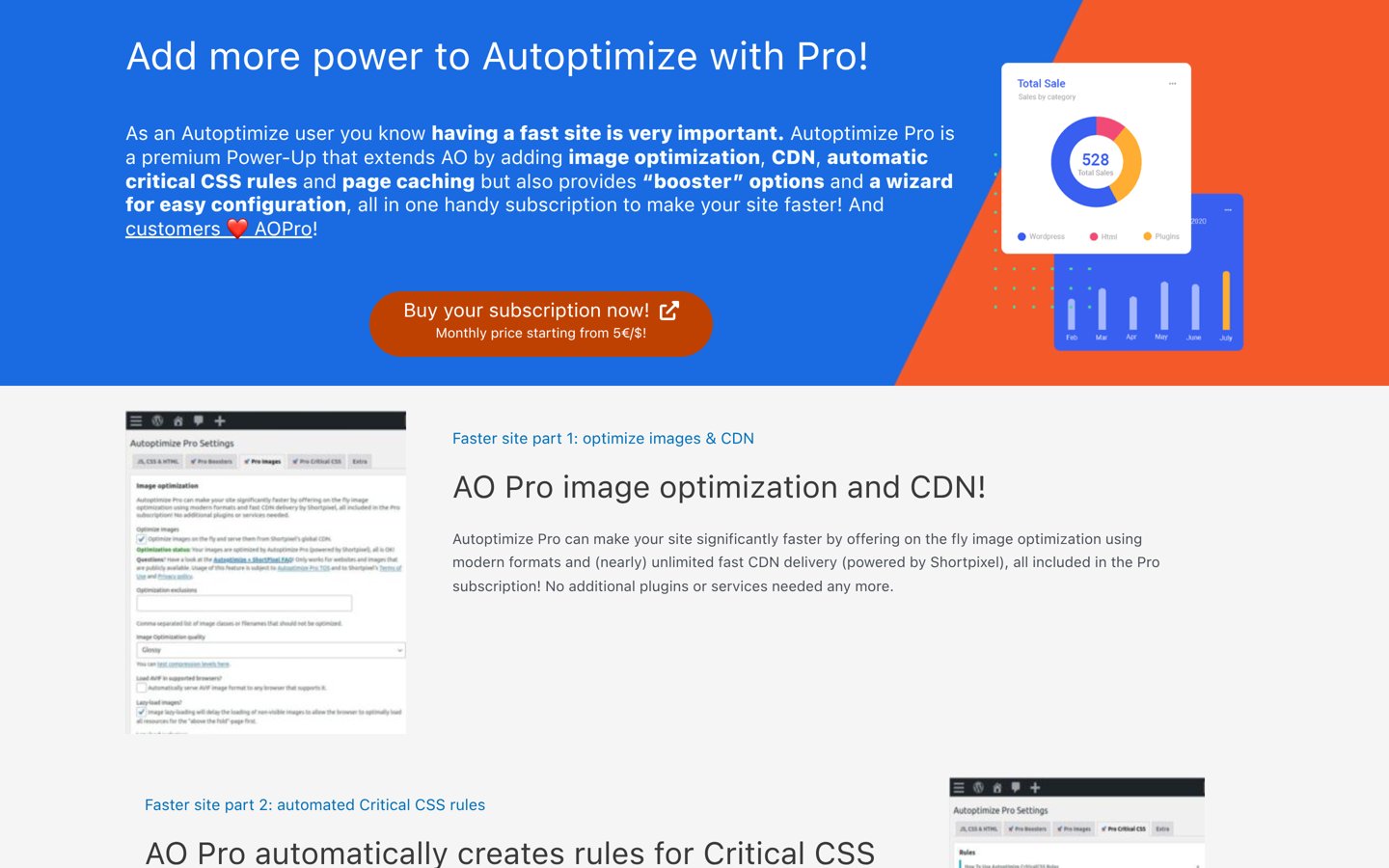
Autoptimize homepage, captured Nov 2026.
Autoptimize is a WordPress code optimization plugin with 800,000+ active installations and a 4.7-star WordPress.org rating. Its free version minifies CSS, JavaScript and HTML, supports optional file aggregation, optimizes font loading and provides configurable script exclusions. It can work alongside a separate page caching plugin.
The trade off is that automatic critical CSS generation, image CDN delivery, page caching and advanced script delay controls require Pro at $89 a year for one website. It suits blogs, business websites and publishers that need focused code optimization without replacing their existing caching setup.
What we like
Free CSS, JavaScript and HTML minification
Optional aggregation and script exclusions
Compatible with separate caching plugins
Google Fonts and CSS delivery optimization
Premium offers automatic critical CSS and CDN features
Watch out for
Advanced JavaScript delay requires Pro
Page caching is not part of the free version
Aggressive optimization can break theme or plugin scripts
Pro adds page caching, automatic critical CSS, image CDN delivery and advanced script delayVisit autoptimize.com
02
Fast Velocity Minify
4.6/5on WordPress.org (195 reviews, checked Nov 2026)
PriceFree
Best dedicated free CSS and JavaScript minifier
Core optimizationCSS and JavaScript
File aggregationSupported
Cache managementAutomatic cleanup
Paid planNo paid upgrade
wordpress.org
Fast Velocity Minify homepage, captured Nov 2026.
Fast Velocity Minify is a free WordPress optimization plugin with 30,000+ active installations and a 4.6-star rating from 195 reviews. It reduces CSS and JavaScript file sizes, combines eligible resources and stores optimized files in a managed cache directory. Administrators can configure processing options and exclude resources that cause compatibility problems.
The trade off is that the interface offers more technical controls than basic caching plugins, and combining files may create problems with scripts that depend on specific loading orders. The plugin has no paid upgrade. It suits developers and site administrators who want dedicated file optimization without an ongoing subscription.
What we like
Completely free with no premium upgrade
CSS and JavaScript minification
Optional file aggregation
Automatic management of generated cache files
Works alongside compatible page caching solutions
Watch out for
No built-in full-page caching
Technical settings require some familiarity
File combination can create script compatibility issues
Not a complete image or database optimizer
No paid upgrade; minification, aggregation and cache management are included freeVisit wordpress.org
03
WP Fastest Cache
4.9/5on WordPress.org (4,235 reviews, checked Nov 2026)
Paid from$49 one-time
Best for simple minification and page caching
Free minificationHTML and CSS
Free cachingStatic page cache
Premium optimizationAdvanced minify and delay
Paid licenseBronze, 1 site
wpfastestcache.com
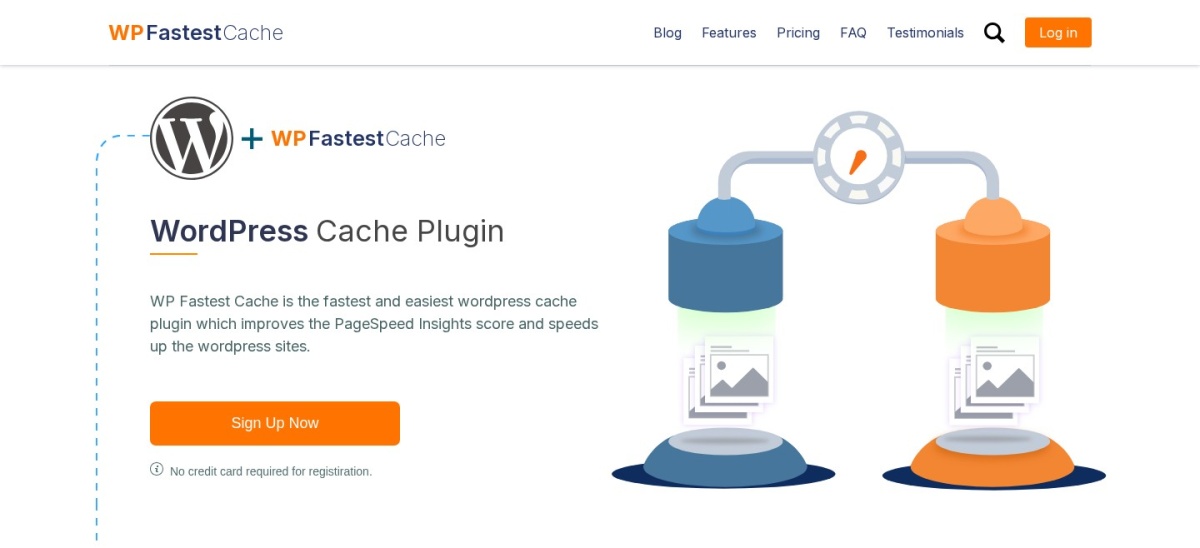
WP Fastest Cache homepage, captured Nov 2026.
WP Fastest Cache is a WordPress caching and minification plugin with 1M+ active installations and a 4.9-star WordPress.org rating. Its free version provides page caching, HTML and CSS minification, CSS combination and browser caching controls. Settings are organized around individual optimization options rather than complex configuration panels.
The trade off is that advanced CSS and JavaScript optimization, JavaScript delay, mobile caching and additional performance features require Premium. The Bronze license costs $49 one-time for one website. It suits beginners and small businesses wanting straightforward caching and minification from the same plugin.
What we like
4.9-star rating from 4,235 reviews
Simple optimization settings
Free HTML and CSS minification
Built-in page and browser caching
One-time premium license
Watch out for
Advanced JavaScript optimization requires Premium
JavaScript delay is a paid feature
Overlaps with other full-page caching plugins
Less granular than specialist script management tools
Premium adds advanced CSS and JS minification, JavaScript delay, mobile caching and image optimizationVisit wpfastestcache.com
04
LiteSpeed Cache
4.8/5on WordPress.org (2,784 reviews, checked Nov 2026)
PriceFree
Best for WordPress websites using LiteSpeed servers
MinificationCSS, JavaScript, HTML
CSS optimizationCombine, async, critical CSS
Page cachingRequires compatible server
Plugin licenseFree and open source
litespeedtech.com
LiteSpeed Cache homepage, captured Nov 2026.
LiteSpeed Cache is a WordPress performance plugin with 7M+ active installations and a 4.8-star WordPress.org rating. Its free plugin includes CSS, JavaScript and HTML minification, optional asset combination, lazy loading and extensive optimization controls. Compatible LiteSpeed servers also provide integrated server-level page caching.
The trade off is that server-level caching requires LiteSpeed-compatible hosting or a supported QUIC.cloud setup. Some cloud optimization services also have separate usage limits or charges, although the plugin itself is free. It suits websites already using LiteSpeed infrastructure that want minification and caching managed together.
What we like
Free CSS, JavaScript and HTML minification
7M+ active installations
Server-level caching on compatible hosting
Extensive CSS and JavaScript loading controls
Compatible with optional QUIC.cloud services
Watch out for
Server-level caching depends on hosting technology
Some cloud services have separate charges
Extensive settings can be confusing
Duplicate optimization features can conflict with other plugins
No paid plugin plan; optional QUIC.cloud services can add cloud optimization and delivery featuresVisit litespeedtech.com
05
WP-Optimize
4.8/5on WordPress.org (2,617 reviews, checked Nov 2026)
Paid from$49/yr
Best for minification with database optimization
Code minificationHTML, CSS, JavaScript
Free cachingPage cache and preloading
Other toolsImages and database cleanup
Paid planStarter, up to 2 sites
teamupdraft.com
WP-Optimize homepage, captured Nov 2026.
WP-Optimize is a WordPress performance plugin with 1M+ active installations and a 4.8-star WordPress.org rating. Its free version includes HTML, CSS and JavaScript minification alongside page caching, image compression and database cleanup. The plugin is designed to manage several common WordPress optimization tasks from one dashboard.
The trade off is that advanced image features, flexible cleanup scheduling, additional preload controls and premium support require Starter at $49 a year for up to two sites. It suits website owners who want code minification together with database maintenance and caching rather than installing separate tools.
What we like
Free HTML, CSS and JavaScript minification
Built-in page caching
Database cleanup and image compression
Premium Starter covers up to two websites
More than 2,600 WordPress.org reviews
Watch out for
Advanced scheduling requires Premium
Some image and preload features are paid
Broader settings than a dedicated minifier
Caching features can overlap with hosting-level solutions
4.4/5on WordPress.org (5,420 reviews, checked Nov 2026)
Paid from$99/yr
Best for advanced minification and caching configuration
MinificationHTML, CSS, JavaScript
Minify modesAutomatic and manual
CachingPage, browser, object
Paid planPro, 1 site
w3-edge.com
W3 Total Cache homepage, captured Nov 2026.
W3 Total Cache is a WordPress performance plugin with 800,000+ active installations and a 4.4-star rating from 5,420 reviews. Its free version includes configurable HTML, CSS and JavaScript minification, page caching, browser caching and CDN integration. Both automatic and manual minification configurations are available.
The trade off is that its extensive settings can be difficult for beginners, particularly when optimizing script loading and caching simultaneously. Pro costs $99 a year for one website and adds advanced caching and optimization features. It suits developers and administrators who need detailed control over how resources are processed.
What we like
Detailed HTML, CSS and JavaScript minification
Automatic and manual minify configuration
Multiple caching methods
CDN integration and browser caching
Premium advanced caching options
Watch out for
Complex settings compared with simpler plugins
Incorrect minification settings can affect functionality
Advanced caching features require Pro
Requires careful configuration on dynamic websites
Pro adds advanced caching, extended optimization controls and additional performance featuresVisit w3-edge.com
07
Merge Minify Refresh
4.2/5on WordPress.org (68 reviews, checked Nov 2026)
PriceFree
Best free plugin for automatic file aggregation
File processingCSS and JavaScript
AggregationAutomatic
Cache refreshManaged
Paid planNo paid upgrade
wordpress.org
Merge Minify Refresh homepage, captured Nov 2026.
Merge Minify Refresh is a free WordPress optimization plugin with 3,000+ active installations and a 4.2-star rating from 68 reviews. It combines and minifies CSS and JavaScript resources, generates optimized files and refreshes the output when source files change. Its settings also allow administrators to inspect processed resources.
The trade off is that combining resources can affect scripts or styles that depend on particular loading behavior, and some server configurations require troubleshooting. The plugin has no paid plan. It suits technically comfortable site owners who want straightforward automatic asset aggregation without a commercial subscription.
What we like
Completely free
Automatic CSS and JavaScript aggregation
Minifies generated asset files
Refreshes optimized files after changes
Recently maintained WordPress.org listing
Watch out for
Smaller installation base than leading alternatives
No built-in full-page caching
File merging can create compatibility issues
Limited visual optimization controls
No paid upgrade; CSS and JavaScript merging, minification and cache refresh are freeVisit wordpress.org
WordPress minification vs caching: what is the difference?
Minification and caching improve different parts of website performance. Minification removes unnecessary formatting from HTML, CSS and JavaScript, reducing the amount of code transferred to visitors.
Page caching saves a generated version of a page so the server does not need to rebuild the same content for every request. Browser caching allows visitors to reuse previously downloaded resources.
Plugins such as Autoptimize and Fast Velocity Minify focus on processing assets. WP Fastest Cache, LiteSpeed Cache, WP-Optimize and W3 Total Cache combine minification with broader caching features.
A website may benefit from both methods, but it does not need multiple plugins performing the same minification operation. Choose one primary asset optimizer and configure any additional caching solution to avoid overlapping transformations.
Why CSS and JavaScript minification can break WordPress websites
Most minification is intended to preserve code behavior, but problems can occur when scripts are combined, deferred, delayed or loaded in a different order. Dependencies between JavaScript files are a common source of errors.
CSS optimization can also cause layout problems when stylesheets are combined incorrectly or critical styles load too late. These issues are more likely on websites using complex themes, page builders and interactive plugins.
Enable optimization options gradually rather than activating every available feature simultaneously. Inspect menus, contact forms, shopping carts, checkout pages and mobile layouts after each major change.
When a feature stops working, temporarily disable the relevant optimization or exclude the affected file. Clear generated caches after changing settings, and use a staging environment before making aggressive changes to a production website.
How we chose
We compared established WordPress minification and performance plugins using their WordPress.org listings and official developer documentation. Selection criteria included CSS, JavaScript and HTML minification, asset aggregation, caching compatibility, exclusions, maintenance activity, installation numbers and public ratings.
WordPress.org ratings, review counts, active installation figures and recent update information were checked on 22 Nov 2026. Official vendor pricing and documentation pages were reviewed on the same date. We used regular paid prices, distinguished one-time licenses from annual subscriptions and identified tools without paid plugin upgrades.
We excluded closed or outdated plugins, products with insufficient adoption or review evidence, and commercial tools whose regular prices could not be confirmed. We prioritized maintained plugins offering meaningful code minification rather than caching alone.
How to choose the best WordPress minify plugin
Identify your current caching setup, then compare minification controls, resource exclusions, compatibility and upgrade costs.
Check your existing caching and hosting setup. If your hosting already provides page caching, Autoptimize or Fast Velocity Minify may be sufficient. LiteSpeed Cache is especially relevant when your website uses compatible LiteSpeed infrastructure.
Choose which resources need optimization. Start with CSS and JavaScript minification, then consider HTML processing. Use optional file aggregation only when it benefits your setup. Avoid assuming that combining all files will improve performance.
Prioritize compatibility and exclusions. Look for settings that exclude problematic scripts and styles. Test navigation, forms, page builder elements and ecommerce functionality after enabling minification, especially when script deferral or delay is involved.
Compare free features and regular prices. Dedicated free minifiers may provide everything required. Premium caching suites become more useful when you need page caching, image optimization, critical CSS generation or advanced script controls. Compare recurring licenses with one-time purchases.
FAQ
What is the best WordPress minify plugin?
Autoptimize is our top recommendation for most WordPress websites because it provides free CSS, JavaScript and HTML optimization, optional aggregation and configurable exclusions. Fast Velocity Minify is a strong dedicated alternative, while WP Fastest Cache combines minification with easy-to-configure page caching.
Is there a free WordPress minify plugin?
Yes. Autoptimize, Fast Velocity Minify, LiteSpeed Cache, WP Fastest Cache, WP-Optimize, W3 Total Cache and Merge Minify Refresh all offer free minification capabilities. Some include additional caching and image optimization, while others focus specifically on CSS and JavaScript processing.
Does minifying CSS and JavaScript improve WordPress speed?
Minification reduces unnecessary characters in source files, which can decrease transfer sizes. The actual improvement depends on the original code, compression, caching and network conditions. Minifying already compressed or optimized files may deliver smaller benefits than removing unnecessary scripts or reducing image sizes.
What is the difference between minifying and combining files?
Minification removes unnecessary characters from individual CSS or JavaScript files. Combining, also called aggregation, merges multiple files into fewer resources. Both can affect delivery, but combining is not automatically beneficial with modern HTTP connections and may complicate dependency handling.
Can minification break a WordPress website?
Yes, particularly when it is combined with script deferral, delayed execution or aggressive file aggregation. Problems may affect menus, forms, layouts and checkout interactions. Enable settings gradually, clear caches after changes and exclude problematic resources instead of disabling all optimization immediately.
Should I use Autoptimize and LiteSpeed Cache together?
They can coexist, but overlapping CSS, JavaScript and HTML optimization should not run simultaneously. Choose one plugin to perform each type of transformation. If LiteSpeed Cache already manages minification, adding Autoptimize may be unnecessary unless you specifically need its additional controls.
Is JavaScript minification the same as delaying JavaScript?
No. JavaScript minification reduces code size, while delaying JavaScript postpones execution until a condition is met, such as a user interaction. Delaying scripts can affect functionality, particularly when essential interactions depend on code that has not yet executed.
Do I need a paid WordPress minify plugin?
Not necessarily. Most of the plugins in this comparison provide useful minification features free. Paid plans are more relevant when you need automatic critical CSS generation, advanced caching, image CDN delivery, detailed script controls or bundled performance tools.
How can I tell whether WordPress minification is working?
Inspect the CSS and JavaScript files served to visitors and check whether unnecessary formatting has been removed. Review the plugin's generated files and settings, then compare page loading behavior before and after configuration. Also verify that interactive elements continue functioning correctly.