Best WordPress Countdown Plugins in 2026: 7 Tools Compared
WLWPLegible EditorsLast verified 22 Nov 2026How we rank5 min read
★ Short answer
HurryTimer is our top pick with 20,000+ active installs and a 4.8 out of 5 rating on WordPress.org, offering evergreen and fixed-date timers in its free version. Countix Sales Countdown Timer fits WooCommerce product and checkout deadlines, while Bulletin suits sticky header and footer announcement bars.
How we make this list: we compare pricing pages, product documentation and public user reviews, then re-check every price before each update. No product paid for a place. Disclosure.
HurryTimer holds 20,000+ active installs and a 4.8 out of 5 rating on WordPress.org, starting at $39/yr for Pro.
Countdown Builder has 10,000+ active installs and 183 reviews on WordPress.org, with a 4.7 out of 5 rating.
Countix Sales Countdown Timer targets WooCommerce stores with 5,000+ active installs and a 12-month license at $49 ($29 for 6 months).
Uji Countdown runs on 4,000+ active sites with a 3.2 out of 5 rating across 54 reviews on WordPress.org.
Bulletin offers sticky header and footer timers with 2,000+ active installs and a regular $29/yr Pro plan.
What matters when choosing a WordPress countdown plugin
Countdown timers work best when the deadline is real. Fixed-date timers fit shared launches, event cutoffs, and storewide promotions, while evergreen timers count down per visitor using cookies or IP tracking.
Placement matters as much as clock design. A timer embedded next to an Add to Cart button behaves differently from a sticky top bar or an event countdown tied to a calendar plugin.
Check how a plugin handles caching and expiry actions before publishing. A timer should hide, show a message, or redirect cleanly when it reaches zero rather than sitting at all zeros.
4.8/5on WordPress.org (171 reviews, checked Nov 2026)
Paid from$39/yr
Best overall countdown timer for campaigns and stores
Timer modesOne-time, evergreen, recurring
Active installs20,000+
WordPress rating4.8 / 5 (171 reviews)
Regular Pro price$39/yr (1 site)
hurrytimer.com
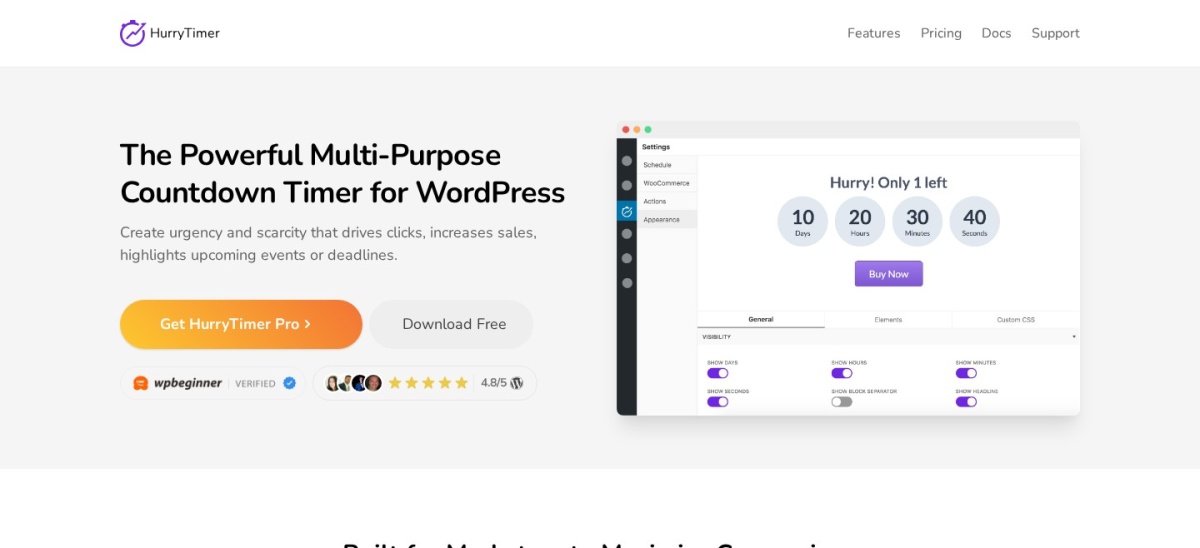
HurryTimer homepage, captured Nov 2026.
HurryTimer is a countdown timer plugin for WordPress and WooCommerce with 20,000+ active installs and a 4.8 out of 5 rating from 171 reviews on WordPress.org. Its free version covers cookie and IP-based evergreen timers, one-time deadlines, expiry actions, and basic WooCommerce product placement.
The trade off is that recurring schedules, sticky countdown bars, and automatic WooCommerce coupon expiration sit behind HurryTimer Pro at $39/yr for one site. It suits marketers and store owners who want evergreen timers without paying upfront.
What we like
Includes evergreen timers with cookie and IP tracking in the free version
Supports expiry actions such as hiding the timer, showing text, or redirecting
Maintained with recent updates and 20,000+ active installations
Clear $39/yr single-site Pro pricing with lifetime options also listed
Watch out for
Recurring timers require upgrading to Pro
Sticky countdown bars are locked to paid plans
Pro at $39/yr adds recurring timers, multiple deadlines, sticky bars, and coupon expiry.Visit hurrytimer.com
02
Countdown Builder
4.7/5on WordPress.org (183 reviews, checked Nov 2026)
Paid from$49.90/yr
Best for clock styles and shortcode placement
PlacementShortcodes across posts and pages
Active installs10,000+
WordPress rating4.7 / 5 (183 reviews)
Yearly plan$49.90/yr (monthly from $4.99/mo)
countdownbuilder.com
Countdown Builder homepage, captured Nov 2026.
Countdown Builder is a WordPress countdown timer plugin with 10,000+ active installs and a 4.7 out of 5 rating across 183 reviews on WordPress.org. It lets you build timers and embed them via shortcodes, with a free tier available for basic website and email timers.
The trade off is that paid plans start at $49.90/yr (or $4.99/mo billed monthly) for unlimited watermark-free views, custom colors, and evergreen countdowns. It suits site owners who prefer shortcode embedding and multiple clock styles.
What we like
10,000+ active installations and 183 reviews on WordPress.org
Free tier available to test timer setup before upgrading
Supports shortcode placement inside posts and pages
Watch out for
Evergreen timers and full style controls sit on paid plans
Shortcode workflow feels less visual than block-first builders
Paid plans from $49.90/yr unlock unlimited views, custom colors, and evergreen timers.Visit countdownbuilder.com
03
Countix Sales Countdown Timer
4.4/5on WordPress.org (22 reviews, checked Nov 2026)
Paid from$49/yr
Best for WooCommerce product and checkout timers
Store focusWooCommerce products and checkout
Active installs5,000+
WordPress rating4.4 / 5
12-month license$49 (1 website)
villatheme.com
Countix Sales Countdown Timer homepage, captured Nov 2026.
Countix Sales Countdown Timer is a WooCommerce countdown plugin by VillaTheme with 5,000+ active installs and a 4.4 out of 5 rating on WordPress.org. Its free version displays sale countdown timers on product and shop pages using scheduled dates and shortcodes.
The trade off is that checkout page countdown timers and milestone offers require a paid license starting at $49 for 12 months on one website. It suits WooCommerce stores running timed product discounts and checkout deadlines.
What we like
Built around WooCommerce product, shop, and checkout placements
Supports a sales progress bar showing remaining stock
Budget-friendly $49 single-site 12-month license
Watch out for
Checkout countdown timers require the paid license
Focused on store promotions rather than general site widgets
Paid license at $49 for 12 months adds checkout countdown timers and milestone offers.Visit villatheme.com
04
Uji Countdown
3.2/5on WordPress.org (54 reviews, checked Nov 2026)
PriceFree
Best lightweight block and shortcode countdown
Editor supportCountdown block and shortcodes
Active installs4,000+
WordPress rating3.2 / 5 (54 reviews)
Directory listingFree on WordPress.org
wordpress.org
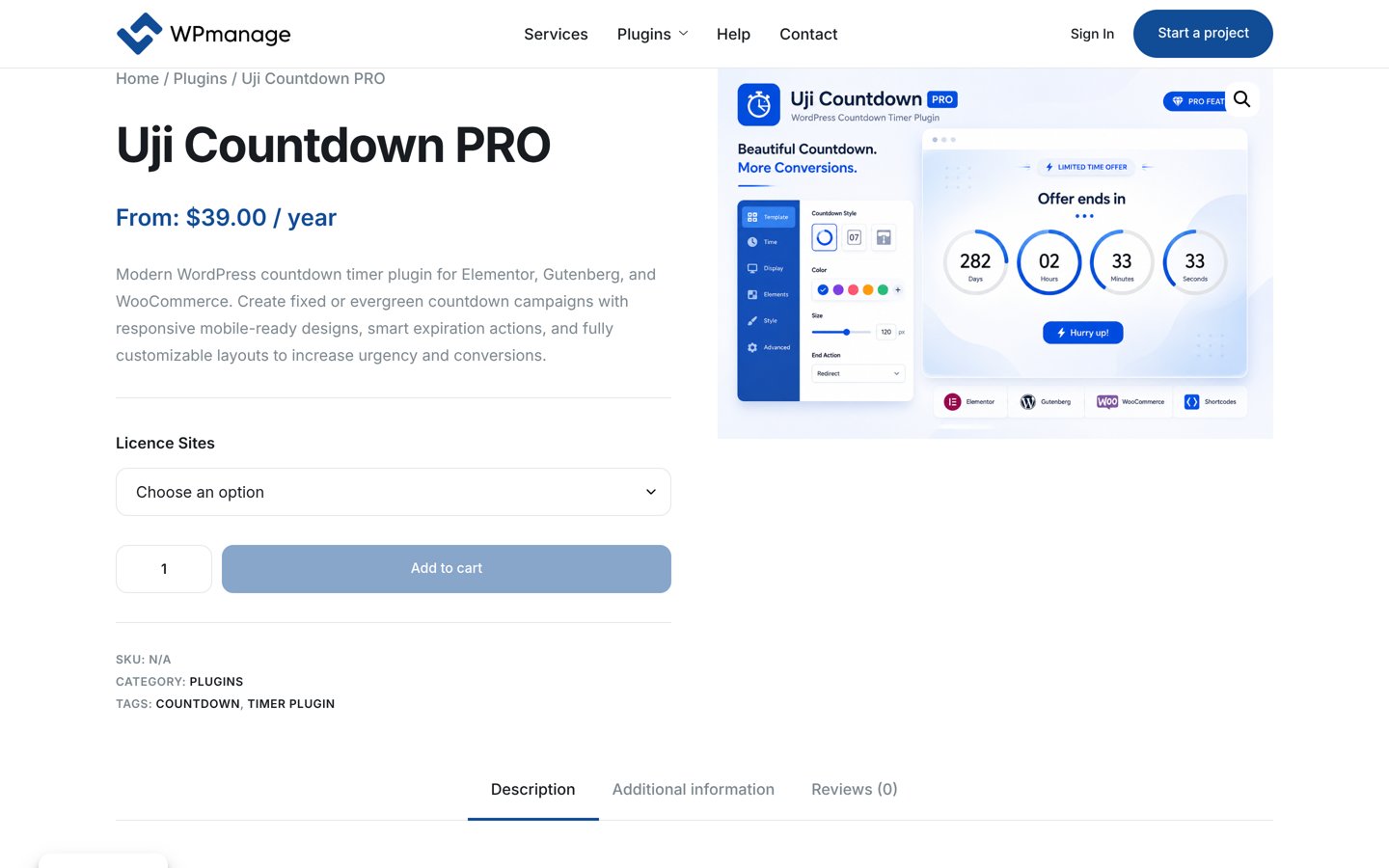
Uji Countdown homepage, captured Nov 2026.
Uji Countdown is a countdown timer plugin with 4,000+ active installs and a 3.2 out of 5 rating across 54 reviews on WordPress.org. It supports a Gutenberg block, shortcodes, server or visitor time, and post-expiry redirects in its free directory release.
The trade off is a lower 3.2 out of 5 rating on WordPress.org and no standalone vendor pricing page verified for a separate paid tier. It suits site owners who want a straightforward block or shortcode timer for launches and events.
What we like
Includes a WordPress Block Editor block and shortcode generator
Supports choosing between server time and visitor time
4,000+ active installations with updates in 2026
Watch out for
3.2 out of 5 rating across 54 reviews on WordPress.org
Some advanced layout and multi-timer options are marked for Pro
Free core plugin on WordPress.org covers block and shortcode timers with redirect options.Visit wordpress.org
05
Event Countdown for The Events Calendar
4.6/5on WordPress.org (48 reviews, checked Nov 2026)
PriceFree
Best add-on for The Events Calendar sites
RequirementThe Events Calendar plugin
Active installs3,000+
WordPress rating4.6 / 5 (48 reviews)
Directory listingFree add-on on WordPress.org
coolplugins.net
Event Countdown for The Events Calendar homepage, captured Nov 2026.
Event Countdown for The Events Calendar is a countdown add-on with 3,000+ active installs and a 4.6 out of 5 rating from 48 reviews on WordPress.org. It pulls upcoming event dates from The Events Calendar and displays countdowns via shortcodes, blocks, Elementor widgets, or floating bars.
The trade off is that it only works alongside The Events Calendar and does not act as a general countdown timer for standalone sales pages. It suits event organizers who want timers to roll over to the next scheduled event automatically.
What we like
Automatically detects and rolls over to the next upcoming event
4.6 out of 5 rating across 48 reviews on WordPress.org
Supports shortcodes, Gutenberg blocks, Elementor widgets, and floating bars
Watch out for
Requires The Events Calendar plugin to be installed and active
Not built for general product discounts or evergreen funnels
Free add-on on WordPress.org for sites already using The Events Calendar.Visit coolplugins.net
06
Bulletin
4.6/5on WordPress.org (20 reviews, checked Nov 2026)
Paid from$29/yr
Best for sticky header and footer countdown bars
Display styleHeader, floating bar, and sticky footer
Active installs2,000+
WordPress rating4.6 / 5 (20 reviews)
Regular Pro price$29/yr (30% off first year listed)
rocksolidplugins.com
Bulletin homepage, captured Nov 2026.
Bulletin is an announcement and notification bar plugin with 2,000+ active installs and a 4.6 out of 5 rating on WordPress.org. It places sale banners, shop notices, and countdowns in top headers, floating bottom bars, or sticky footers.
The trade off is that its regular Pro price is $29/yr (with a first-year discount noted on the vendor page) and it focuses on sitewide or targeted bars rather than inline page widgets. It suits stores and sites that want a clean top or bottom banner timer.
What we like
2,000+ active installations and a 4.6 out of 5 rating on WordPress.org
Supports top header, floating bottom, and sticky footer banners
Low $29/yr regular Pro pricing with a discount noted on the vendor page
Watch out for
Built for banner bars rather than general inline countdown blocks
Smaller review count on WordPress.org than larger timer plugins
4.5/5on WordPress.org (3 reviews, checked Nov 2026)
Paid from$29/yr
Best for simple product archive and single-page timers
Store placementShop archive and single product pages
Active installs1,000+
WordPress rating4.5 / 5
Single-site license$29 (up to 5 sites $59)
wpclever.net
WPC Countdown Timer for WooCommerce homepage, captured Nov 2026.
WPC Countdown Timer for WooCommerce is a product timer plugin by WPClever with 1,000+ active installs and a 4.5 out of 5 rating on WordPress.org. It adds start and end dates, ending text, and five timer styles on WooCommerce archive and single product pages.
The trade off is that it displays timers on the front end without changing product prices or stock status on its own, and custom shortcode building sits in the paid license starting at $29. It suits WooCommerce stores that want a light product-level clock.
What we like
Five built-in timer styles including flat, square, rounded, and flipper options
Works on both shop archive and single product pages
Single-site license listed at $29 on WPClever
Watch out for
Does not alter product prices or stock status by itself
Small public review count on WordPress.org
Paid license from $29 adds a custom shortcode builder for flexible placement.Visit wpclever.net
When to use fixed-date vs. evergreen countdowns
Fixed-date timers count down to one shared timestamp for every visitor. Use them for real-world cutoffs such as seasonal sales, ticket drops, webinars, or site launches.
Evergreen timers start a personal clock when each visitor lands on a page. If you use evergreen timers, rely on cookie or IP tracking so a simple page refresh does not reset the clock immediately.
How we chose
We assembled this shortlist from WordPress.org directory listings, vendor pricing pages, and established WordPress plugin comparisons. Every included plugin has at least 1,000 active installations on WordPress.org and recent maintenance within the past year.
Ratings, review counts, active install tiers, and pricing were checked on 22 Nov 2026 across WordPress.org plugin pages and official vendor pages. Where a vendor page showed a promotional discount, we noted the discount while recording the regular plan price.
We skipped plugins closed on WordPress.org, abandoned for more than a year, below 1,000 active installs, or lacking a verified pricing page. No vendor paid for a place, and we do not claim testing for this list.
How to pick the right countdown plugin in four steps
Follow these four steps before installing a countdown plugin on a live site.
Match the timer type to your offer. Pick a fixed-date timer for real deadlines and an evergreen timer only when a visitor-specific window makes sense.
Choose where the timer needs to appear. Decide between product pages, sticky header or footer bars, event pages, or general blocks and shortcodes.
Test behavior after the timer hits zero. Set the plugin to hide the timer, display a message, or redirect visitors so expired offers do not linger.
Check page caching and multi-site limits. Verify that your timer stays accurate with caching enabled and check whether a single-site or multi-site license fits your setup.
FAQ
Which free WordPress countdown plugin is best to start with?
HurryTimer is a strong starting point because its free version includes both one-time and evergreen timers using cookie or IP tracking, plus basic WooCommerce placement and expiry actions.
What is the difference between a fixed timer and an evergreen timer?
A fixed timer counts down to one shared date and time for everyone. An evergreen timer starts a separate countdown for each visitor based on when they first view the page.
Do countdown timer plugins hurt WordPress page speed?
Lightweight countdown scripts have minimal impact on their own, though adding heavy animations, extra popups, or large page builders can add overhead. Keep styling focused and test pages with your active theme.
Can I show a countdown timer only on specific WooCommerce products?
Yes, plugins such as HurryTimer, Countix Sales Countdown Timer, and WPC Countdown Timer for WooCommerce support product-level placement, though checkout or archive options can depend on the version.
What should happen when a countdown timer reaches zero?
Most countdown plugins let you hide the timer, show a custom message, or redirect visitors to another URL. Picking an expiry action prevents visitors from seeing a stalled zero clock.
Why do some countdown timers reset when a user refreshes the page?
If an evergreen timer does not track visitors via cookies or IP addresses, a page reload can restart the countdown. Check your tracking settings if per-visitor consistency matters.