Best WordPress Knowledge Base Plugins in 2026: 7 Tools Compared
WLWPLegible EditorsLast verified 22 Nov 2026How we rank6 min read
★ Short answer
BetterDocs leads for most sites with 30,000+ active installs and a 4.8 out of 5 rating across 515 reviews, offering a free core plugin and paid plans from $69/yr. Echo Knowledge Base suits budget teams with 10,000+ installs and a 4.9 rating, while Heroic KB fits teams wanting a dedicated theme from $169/yr regular price.
How we make this list: we compare pricing pages, product documentation and public user reviews, then re-check every price before each update. No product paid for a place. Disclosure.
BetterDocs holds 30,000+ active installs and a 4.8 out of 5 rating from 515 WordPress.org reviews.
Echo Knowledge Base earns a 4.9 out of 5 rating across 10,000+ active installations.
weDocs starts free on WordPress.org with 5,000+ active installs and paid plans from $39/yr regular price.
EazyDocs carries a 4.7 rating across 98 reviews with paid plans starting at $49/yr.
Helpie WP pairs a knowledge base and FAQ workflow with paid plans starting at $59/yr.
What to look for in a WordPress knowledge base plugin
A strong WordPress knowledge base plugin organizes articles into clear categories, supports fast search, and pairs cleanly with your theme or page builder. Self-hosting your documentation inside WordPress keeps articles on your own domain and avoids per-seat SaaS fees.
Check how a plugin handles layout templates, table of contents navigation, and reader feedback before committing. Many free versions cover basic documentation and search, while multi-knowledge-base setups, role permissions, or analytics often sit behind paid licenses.
Pay close attention to add-on pricing and promotional discounts when comparing plans. Some plugins price AI chat or extra add-ons separately from the base license, and seasonal sales can lower first-year checkouts below regular renewal rates.
The 7 best wordpress knowledge base plugin options
01
BetterDocs
4.8/5on WordPress.org (515 reviews, checked Nov 2026)
Paid from$69/yr
Best overall documentation and knowledge base plugin
Free pluginYes, on WordPress.org
Active installs30,000+
Rating4.8/5 (515 reviews)
Entry paid tier$69/yr regular (1 site)
betterdocs.co
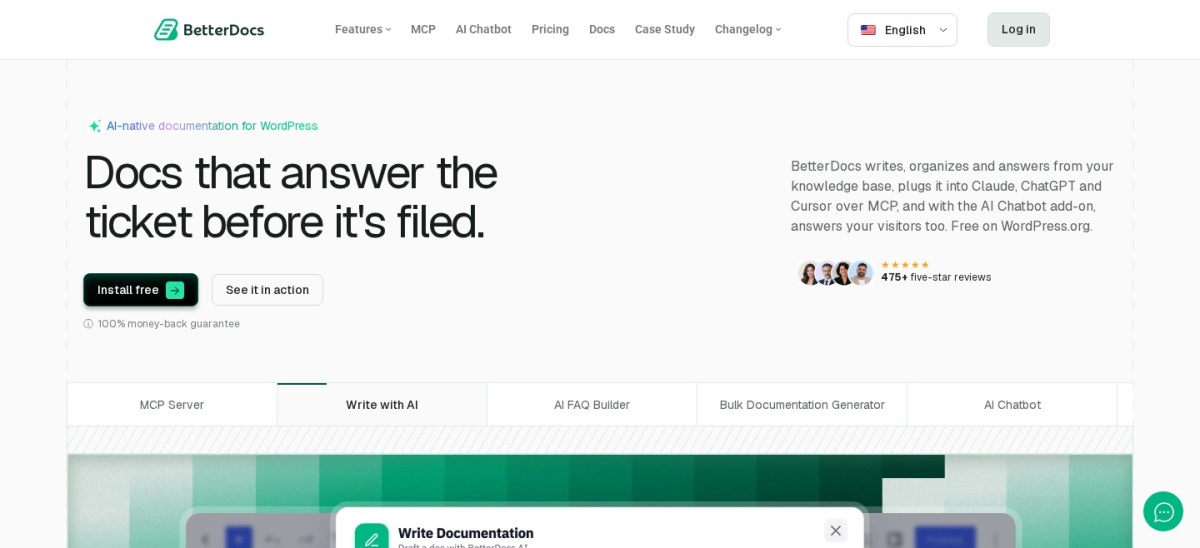
BetterDocs homepage, captured Nov 2026.
BetterDocs is a WordPress documentation and knowledge base plugin with 30,000+ active installs and a 4.8 rating across 515 WordPress.org reviews. The free plugin includes ready layouts, Gutenberg blocks, Elementor widgets, live search, and MCP support.
The trade off is that multiple knowledge bases, role controls, and the AI Chatbot add-on cost extra beyond the $69/yr regular Starter plan. It suits teams wanting pre-built documentation layouts and strong editor flexibility.
What we like
Includes ready-made doc layouts, Gutenberg blocks, and Elementor widgets
Free version covers core knowledge base setup and live search
Supports FAQ sections, table of contents, and CSV/XML import/export
Watch out for
AI Chatbot is sold as a separate add-on
Starter paid plan covers one active site
Paid plans add multiple knowledge bases, role permissions, analytics, and optional add-ons.Visit betterdocs.co
02
Echo Knowledge Base
4.9/5on WordPress.org (124 reviews, checked Nov 2026)
Paid from$105/yr
Best for flexible layouts and value add-on bundles
Free pluginYes, on WordPress.org
Active installs10,000+
Rating4.9/5 (124 reviews)
Regular bundle$105/yr (1 site)
echoknowledgebase.com
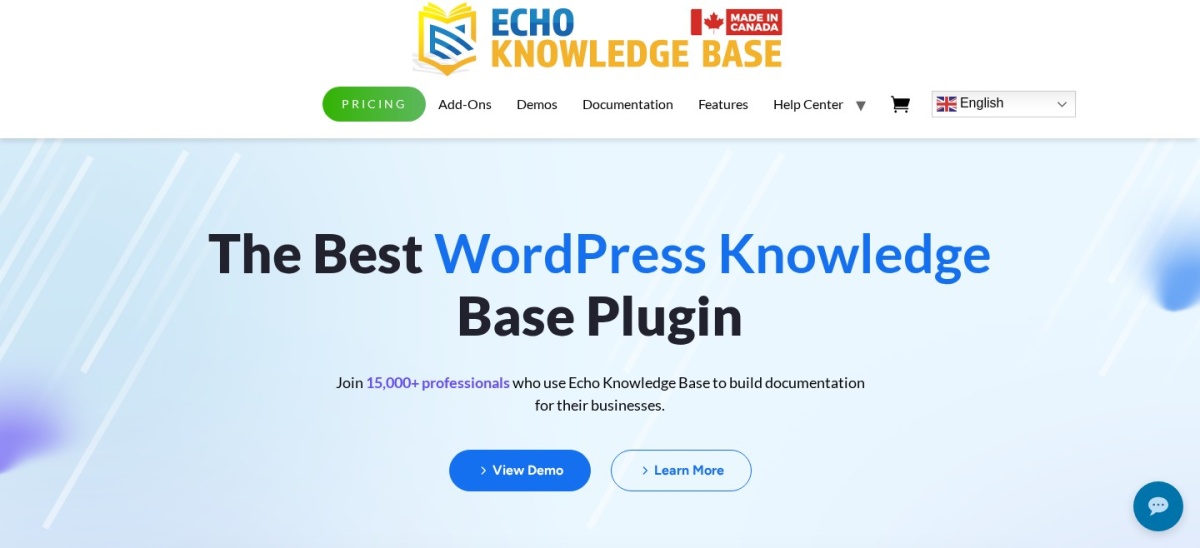
Echo Knowledge Base homepage, captured Nov 2026.
Echo Knowledge Base is a documentation, FAQ, and search plugin with 10,000+ active installs and a 4.9 rating on WordPress.org. The free version includes a setup wizard, multiple layouts, search, and AI chat or search options using your own API key.
The trade off is that its 1-website bundle lists a $105/yr regular price, even when promotional discounts lower the first year. It suits site owners who want a free core plugin with room to add bundle extensions later.
What we like
Strong 4.9 out of 5 rating across 10,000+ active installs
Free version supports setup wizard, layouts, search, and AI API keys
Bundle licenses cover both live and staging/test sites
Watch out for
Regular 1-site bundle price is $105/yr
Some advanced features require separate add-ons or bundles
5/5on WordPress.org (69 reviews, checked Nov 2026)
Paid from$39/yr
Best low-cost entry plan for clean hierarchical docs
Free pluginYes, on WordPress.org
Active installs5,000+
Rating5.0/5 (69 reviews)
Entry paid tier$39/yr regular (1 site)
wedocs.co
weDocs homepage, captured Nov 2026.
weDocs is a documentation and knowledge base plugin from weDevs with 5,000+ active installs and 69 WordPress.org ratings. The free version supports unlimited docs, nested sections, drag-and-drop ordering, live search, and an FAQ accordion.
The trade off is that its entry Starter plan starts at $39/yr regular price for 1 site, and the AI Chatbot is a separate monthly add-on. It suits small teams and product makers who want straightforward nested documentation at a low starting price.
What we like
Low $39/yr regular starting price for a 1-site paid plan
Free version includes unlimited docs, drag-and-drop ordering, and FAQs
Supports both Gutenberg blocks and Elementor widgets
Watch out for
AI Chatbot add-on costs extra per month
Smaller install base than BetterDocs and Echo Knowledge Base
Paid plans add privacy and permission controls, analytics, and Pro styling options.Visit wedocs.co
04
EazyDocs
4.7/5on WordPress.org (98 reviews, checked Nov 2026)
Paid from$49/yr
Best for modern docs layouts and sidebar navigation
Free pluginYes, on WordPress.org
Active installs2,000+
Rating4.7/5 (98 reviews)
Entry paid tier$49/yr (1 site)
eazydocs.spider-themes.net
EazyDocs homepage, captured Nov 2026.
EazyDocs is a documentation and knowledge base builder by Spider Themes with 2,000+ active installs and a 4.7 rating across 98 reviews. The free plugin lets you build unlimited docs and knowledge bases with live search and Gutenberg support.
The trade off is a smaller install base than top-ranked rivals, with paid plans starting at $49/yr for a single site. It suits software and plugin creators who want structured sidebars and clean documentation pages.
What we like
Paid plans start at $49/yr for a single site
Works with Gutenberg without requiring a page builder
Supports unlimited knowledge bases, wikis, and FAQs
Watch out for
Fewer active installs than BetterDocs and weDocs
Some advanced features and AI workflows sit in paid or companion tiers
4.8/5on WordPress.org (75 reviews, checked Nov 2026)
Paid from$89/yr
Best for multi-knowledge-base setups and wikis
Free pluginYes, on WordPress.org
Active installs2,000+
Rating4.8/5 (75 reviews)
Entry paid tier$89/yr (1 site)
basepresskb.com
BasePress homepage, captured Nov 2026.
BasePress is a knowledge base and wiki plugin with 2,000+ active installs and a 4.8 rating from 75 WordPress.org reviews. Its free version includes a setup wizard, multiple knowledge base support, live search, and built-in themes.
The trade off is a higher entry price at $89/yr for a single site compared to several budget competitors. It suits businesses separating help content by product, service, or internal team.
What we like
Supports multiple independent knowledge bases out of the box
4.8 out of 5 rating across 75 reviews on WordPress.org
Works with or without Gutenberg and includes built-in themes
Watch out for
Higher single-site starting price at $89/yr
WPML multilingual support requires upgrading to premium
Paid licenses add content restriction, article voting with reCAPTCHA, analytics, and WPML support.Visit basepresskb.com
06
Helpie WP
4.5/5on WordPress.org (80 reviews, checked Nov 2026)
Paid from$59/yr
Best for FAQ accordions and collaborative KB workflows
Free pluginYes, Helpie FAQ on WP.org
Active installs8,000+ (Helpie FAQ)
Rating4.5/5 (80 reviews)
Entry paid tier$59/yr (1 site, Helpie KB)
helpiewp.com
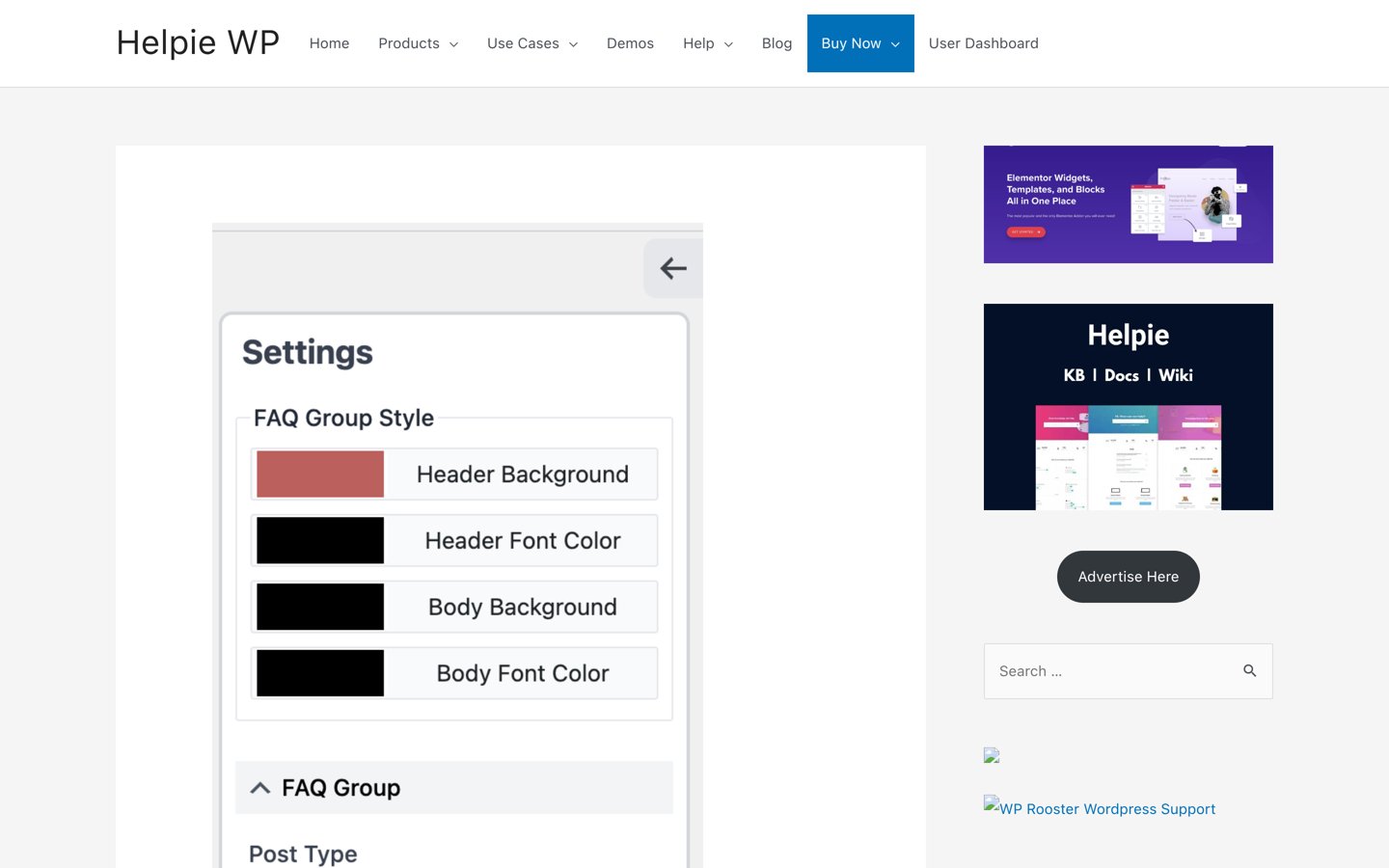
Helpie WP homepage, captured Nov 2026.
Helpie WP offers knowledge base and FAQ tools for WordPress, with Helpie FAQ holding 8,000+ active installs and a 4.5 rating across 80 reviews. The free FAQ plugin supports accordions, search, shortcodes, Elementor widgets, and WooCommerce product tabs.
The trade off is that Helpie KB paid plans start at $59/yr for one site after a 7-day trial. It suits teams that want FAQ accordions alongside approval workflows and article revision tracking.
What we like
8,000+ active installs on the WordPress.org Helpie FAQ plugin
Supports Elementor widgets and WooCommerce product FAQ integration
Paid KB tier starts at $59/yr for a single site
Watch out for
4.5 out of 5 rating is lower than several competing plugins
7-day free trial requires a payment card at checkout
Paid Helpie KB plans unlock full knowledge base features, editing controls, and 1 year of updates and support.Visit helpiewp.com
07
Heroic KB
4.9/5on HeroThemes (32,190 reviews, checked Nov 2026)
Starts at$169/yr
Best paid all-in-one KB with a bundled theme
Free pluginNo, paid plugin only
Customer base32,190+ customers
RatingNot on WordPress.org
Entry paid tier$169/yr regular (1 site)
herothemes.com
Heroic KB homepage, captured Nov 2026.
Heroic KB is a commercial WordPress knowledge base plugin from HeroThemes used by 32,190+ customers. Every plan includes the KnowAll theme, unlimited users, instant search, FAQs, glossaries, and article attachments.
The trade off is that there is no free plugin tier and Essential lists a $169/yr regular price for one site. It suits businesses that want a dedicated help-center theme and flat annual pricing without per-seat fees.
What we like
Includes the KnowAll theme, FAQ builder, and glossary tools on every plan
Flat annual pricing with unlimited users and no per-seat charges
Supports importing content from BetterDocs and Echo Knowledge Base
Watch out for
No free version available
Highest regular entry price on this list at $169/yr
Higher tiers expand site limits, analytics, access control, and AI assistant features.Visit herothemes.com
How we chose
We started with established WordPress knowledge base and documentation plugins listed on WordPress.org and official vendor sites, focusing on tools with active maintenance and clear pricing.
All ratings, review counts, active install figures, and pricing tiers were checked on 22 Nov 2026 directly from WordPress.org plugin pages and official product pricing pages.
We excluded plugins with low adoption, unverified pricing, or outdated maintenance, and used regular entry pricing where promotional discounts applied. No vendor paid for a place, and we do not claim testing for this list.
How to choose the right knowledge base plugin
Follow these four checks before installing a knowledge base plugin on your site.
Start with your content structure. Decide whether you need a single help center, multiple product knowledge bases, or nested wiki sections.
Test the free version first. Install the free plugin on a staging site to check search speed, category layouts, and theme compatibility.
Check license limits and add-ons. Compare single-site versus multi-site pricing and check if features like analytics or AI chat cost extra.
Plan for future exports. Make sure your articles stay in standard WordPress posts or custom post types so you can migrate later if needed.
FAQ
Do I need a paid knowledge base plugin for a small site?
Not always. Free WordPress plugins like BetterDocs, Echo Knowledge Base, weDocs, EazyDocs, and BasePress cover basic article organization and search for many small documentation hubs.
Why do some knowledge base plugins charge extra for AI chat?
Running AI search or chatbots often involves third-party API usage or separate hosting and indexing overhead, so several vendors sell AI features as separate add-ons or higher tiers.
Can I switch knowledge base plugins later without losing articles?
Most WordPress knowledge base plugins store articles as custom post types or standard posts, and several include importers or export tools, though layout settings usually need reconfiguring.
Should I host my knowledge base on WordPress or use a SaaS tool?
Hosting on WordPress keeps content on your own domain and avoids per-seat monthly fees, while SaaS tools handle external hosting and support workflows on their own infrastructure.
What is the difference between a knowledge base plugin and an FAQ plugin?
An FAQ plugin focuses on short questions and expandable answers, whereas a full knowledge base plugin structures longer guides across categories, sidebars, and search.