Best Filter Plugins for WordPress in 2026: 7 Tools Compared
WLWPLegible EditorsLast verified 22 Nov 2026How we rank11 min read
★ Short answer
Filter Everything is the best filter plugin for WordPress overall, with 50,000+ active installs and AJAX filtering for posts, products, and custom fields. Search & Filter is a good alternative for content-heavy websites, while Product Filter by WBW suits WooCommerce stores that need detailed product filtering.
How we make this list: we compare pricing pages, product documentation and public user reviews, then re-check every price before each update. No product paid for a place. Disclosure.
Filter Everything leads for mixed-content filtering, with 50,000+ active installs, a 4.6/5 rating, and Pro starting at $69 per year.
Search & Filter has 40,000+ active installs and costs $49 per year for advanced content queries and integrations.
Product Filter by WBW holds a 4.8/5 WordPress.org rating from 325 reviews and offers Pro from $59 per year.
HUSKY supports WooCommerce product filtering, with 80,000+ active installs and Premium starting at $49 per year.
Blog Filter is rated 4.9/5 from 81 reviews, with a $39 one-time upgrade for additional layouts and filtering options.
Premmerce adds SEO-focused WooCommerce filtering for $69.99 per year at its regular price.
What matters when choosing a WordPress filter plugin
A filter plugin lets visitors narrow a list of posts, products, or other content without scrolling through every item. Common filtering criteria include categories, tags, prices, attributes, and custom fields.
Start with the content you need to filter. A blogging website may only need category buttons, while a product catalog often benefits from AJAX filtering, price sliders, stock availability, and attribute combinations.
Check how the plugin handles filtered URLs. Search engines can discover large numbers of near-duplicate pages when every filter combination creates another URL. Some paid tools provide dedicated SEO rules, clean URLs, and indexing controls.
Finally, consider your existing theme, page builder, and database size. A filter that works with native WordPress archives may not automatically work with a custom Elementor grid or an independently configured query.
4.6/5on WordPress.org (154 reviews, checked Nov 2026)
Paid from$69/yr
Best WordPress filter plugin overall
Content typesPosts, products, custom post types
AJAX filteringYes
Free filter sets2 per post type
Paid planPersonal, 1 website
filtereverything.pro
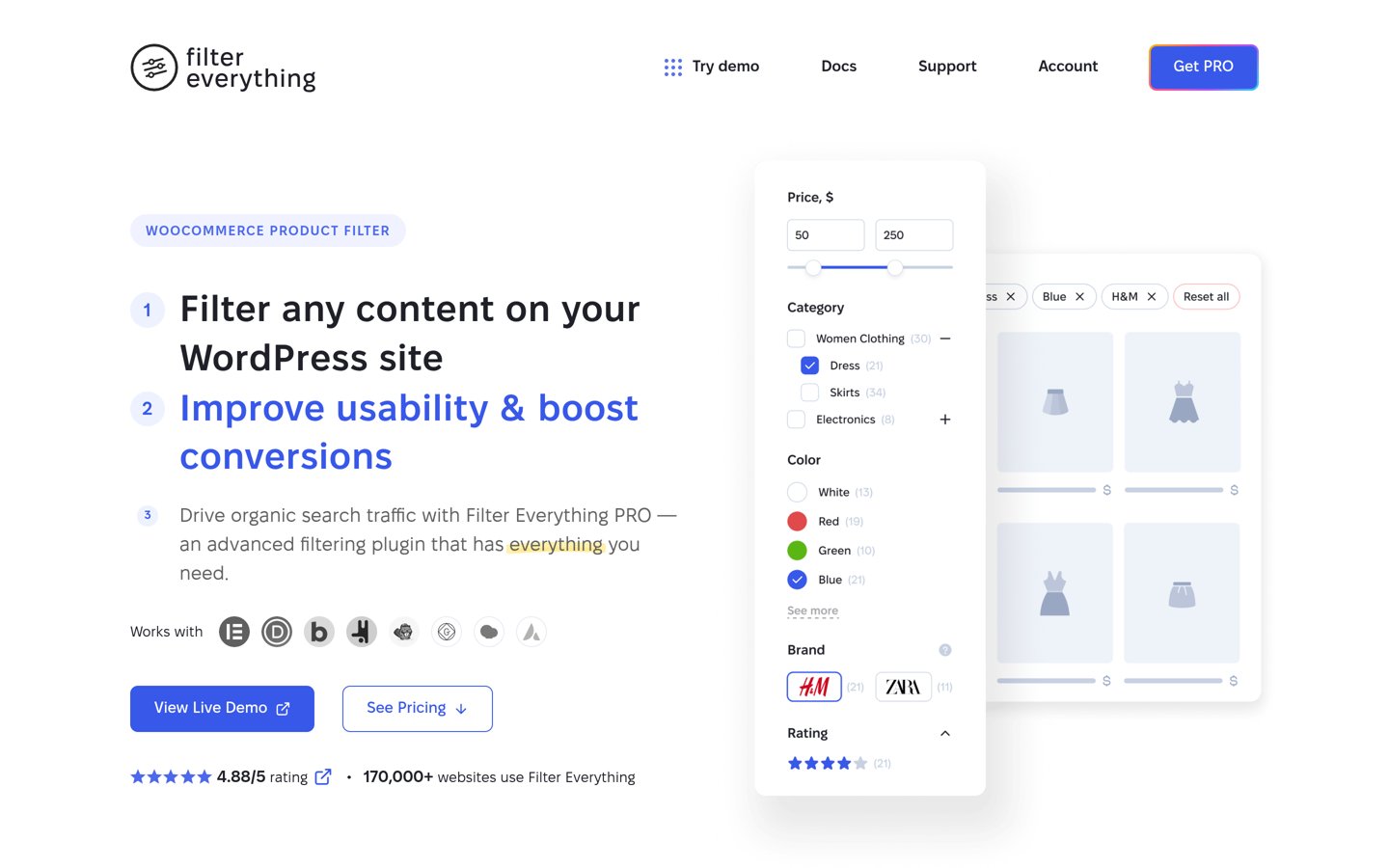
Filter Everything homepage, captured Nov 2026.
Filter Everything is a WordPress filtering plugin with 50,000+ active installations and a 4.6/5 rating from 154 reviews. Its free version filters posts, WooCommerce products, taxonomies, attributes, and custom fields using AJAX, with two filter sets available per post type.
The trade off is that advanced builder compatibility, unlimited filter sets, clean URLs, and detailed SEO controls require the $69-per-year Personal plan. It suits websites mixing blog posts, directories, custom content, and WooCommerce products.
What we like
Filters standard posts, custom post types, and WooCommerce products
4.5/5on WordPress.org (175 reviews, checked Nov 2026)
Paid from$49/yr
Best for filtering WordPress content
Content typesPosts and custom post types
Free filtersCategories, tags, taxonomies
Builder integrationsPro
Paid planStarter, 1 site
searchandfilter.com
Search & Filter homepage, captured Nov 2026.
Search & Filter is a WordPress search and taxonomy filtering plugin with 40,000+ active installations and a 4.5/5 rating from 175 reviews. Its free version adds search fields alongside category, tag, taxonomy, and post-type filters, making it useful for content archives.
The trade off is that advanced query building, custom field integration, styling controls, and specialized page builder support require Starter at $49 per year. It suits publishers, directories, and content-heavy websites that need visitors to narrow articles or listings.
What we like
Combines keyword search with taxonomy filtering
Works with standard and custom post types
Free version supports several input styles
Pro integrates with ACF, Pods, and Meta Box
Competitive annual entry price
Watch out for
Advanced filtering workflows require Pro
Custom layouts may need extra configuration
Free version has fewer integrations
Starter adds the query builder, styling editor, integrations, and annual updates.Visit searchandfilter.com
03
Product Filter by WBW
4.8/5on WordPress.org (325 reviews, checked Nov 2026)
Paid from$59/yr
Best for WooCommerce product discovery
Content typesWooCommerce products
Filter criteriaPrice, attributes, stock, rating
Mobile filtersDrawer interface
Paid planPro, 1 site
woobewoo.com
Product Filter by WBW homepage, captured Nov 2026.
Product Filter by WBW is a WooCommerce filtering plugin with 50,000+ active installations and a 4.8/5 rating from 325 reviews. Its free version supports price, category, tag, attribute, rating, and stock filters, plus AJAX results and a mobile filter drawer.
The trade off is that advanced capabilities such as saved searches, custom field ranges, merchandising controls, and analytics are reserved for Pro at $59 per year. It suits WooCommerce merchants who want detailed product navigation without building every filter manually.
What we like
Broad selection of free WooCommerce filters
AJAX updates and mobile filter controls
Supports common page builders
Strong WordPress.org user rating
Offers annual and lifetime licenses
Watch out for
Designed primarily for WooCommerce products
Advanced merchandising requires Pro
Larger configuration area than basic filters
Pro adds saved searches, advanced field filters, merchandising, and reporting.Visit woobewoo.com
04
HUSKY
4.6/5on WordPress.org (337 reviews, checked Nov 2026)
Paid from$49/yr
Best for customizable WooCommerce filters
Content typesWooCommerce products
Search optionsText, attributes, price
AJAX modeAvailable
Paid planProfessional, 1 site
products-filter.com
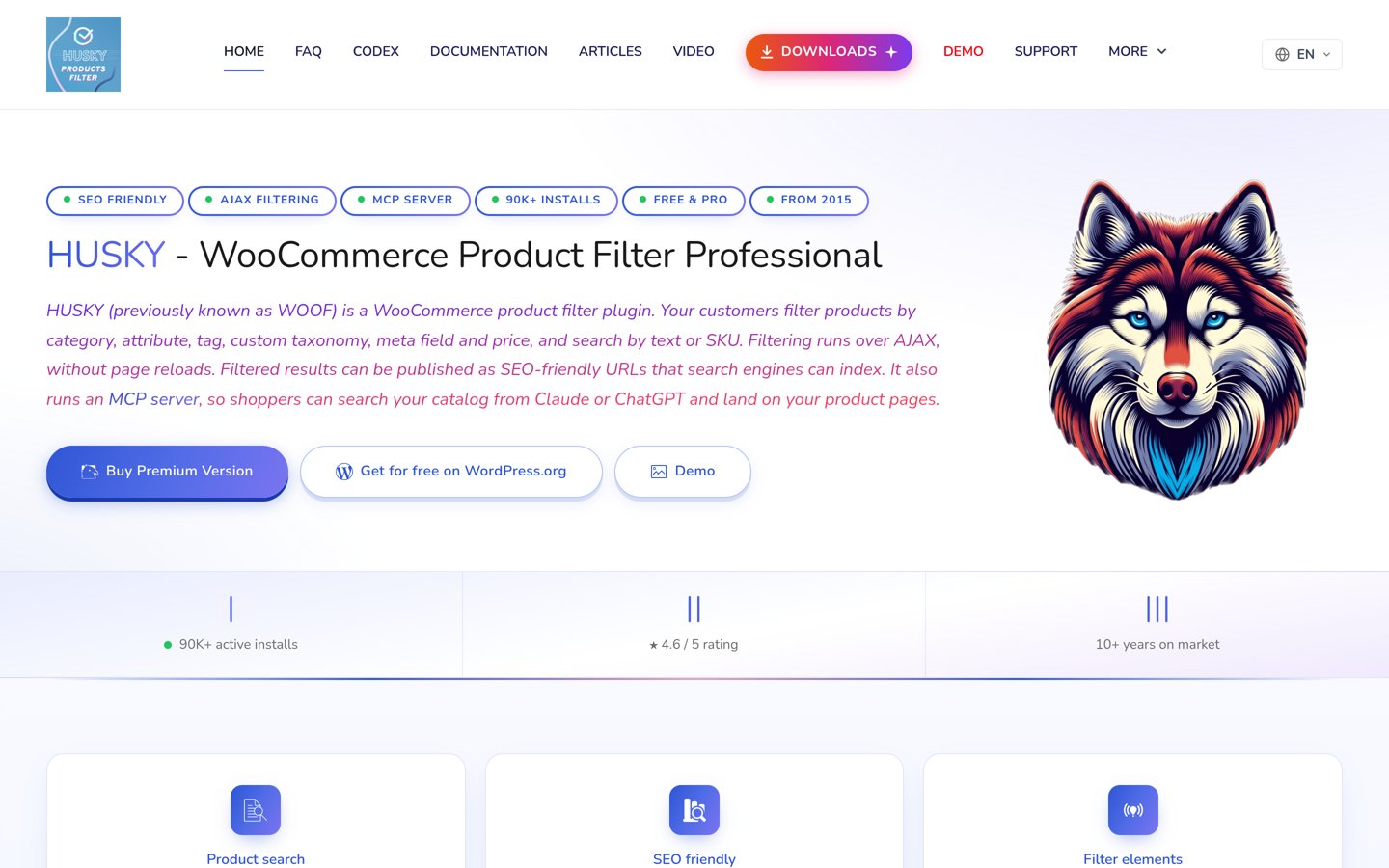
HUSKY homepage, captured Nov 2026.
HUSKY is a WooCommerce product filtering plugin formerly called WOOF, with 80,000+ active installations and a 4.6/5 rating from 337 reviews. Its free version supports filtering by categories, attributes, tags, taxonomies, and prices, alongside AJAX updates and product search features.
The trade off is that advanced extensions, unrestricted metadata filters, SKU searching, and visual filter options require Professional at $49 per year. It suits established WooCommerce stores that need flexible filter configuration and control over how visitors browse products.
4.9/5on WordPress.org (81 reviews, checked Nov 2026)
Paid from$39 one-time
Best for filterable blog post grids
Content typesPosts and custom post types
Filter criteriaCategories and tags
DisplayFilterable post grid
Paid planPremium, one-time
awplife.com
Blog Filter homepage, captured Nov 2026.
Blog Filter is a WordPress post grid and category filtering plugin with 7,000+ active installations and a 4.9/5 rating from 81 reviews. Its free version displays blog posts in responsive grids and lets visitors narrow the results by categories or tags using filter buttons.
The trade off is that advanced layouts, multilevel category filtering, extra styling, and more extensive display controls require Premium at a one-time price of $39. It suits blogs, magazines, and portfolio-style websites that want visual post navigation rather than complex database filtering.
3.4/5on WordPress.org (22 reviews, checked Nov 2026)
Paid from$69.99/yr
Best for SEO-focused WooCommerce filters
Content typesWooCommerce products
AJAX filteringYes
SEO featuresPremium
Paid planSingle Site
premmerce.com
Premmerce Product Filter homepage, captured Nov 2026.
Premmerce Product Filter is a WooCommerce filtering plugin with 2,000+ active installations and a 3.4/5 rating from 22 reviews. Its free version provides AJAX product filtering, a unified filter widget, category and attribute controls, and caching designed to reduce repetitive filter queries.
The trade off is that advanced SEO landing pages, unique filtered URLs, and related optimization controls require the Single Site plan at its regular $69.99 annual price, although a first-year discount is advertised. It suits stores where filter landing pages are part of an organic search strategy.
What we like
Supports AJAX product filtering
Caching system for filter requests
Premium provides SEO-friendly filtered pages
Customizable filter locations
Works with common WooCommerce integrations
Watch out for
Lower public rating than several competitors
Advanced SEO functionality requires Premium
Limited use outside WooCommerce
Premium adds SEO landing pages, filtered URL controls, and advanced filter options.Visit premmerce.com
07
Themify Product Filter
3.5/5on WordPress.org (72 reviews, checked Nov 2026)
Themify Product Filter homepage, captured Nov 2026.
Themify Product Filter is a free WooCommerce filter plugin with 20,000+ active installations and a 3.5/5 rating from 72 reviews. It lets shoppers filter products by price, categories, tags, and attributes, with live results and support for combining multiple filter selections.
The trade off is a narrower feature set than the specialist paid products, with fewer advanced SEO, search, and customization controls. The official product page offers a free download without a separate paid upgrade, making it suitable for smaller stores needing basic catalog navigation.
What we like
Free product filtering
Live results without complicated setup
Supports multiple filter combinations
Works with standard WooCommerce attributes
Watch out for
Limited advanced SEO controls
Fewer specialized filtering features
Lower WordPress.org rating than leading alternatives
No separate paid upgrade is listed on the official product page.Visit themify.me
How WordPress filters affect SEO
Filtering makes content easier to explore, but each filter combination can introduce another URL. A WooCommerce store might generate separate results for categories, colors, sizes, and price ranges.
Not every combination deserves a place in search results. Indexing numerous similar pages can waste crawling resources and create overlapping content. Plugins with dedicated SEO controls let you decide which filtered pages deserve unique URLs, titles, and metadata.
Filter Everything and Premmerce provide paid features for managing SEO-focused filtering. Before enabling indexable filter pages, identify combinations with meaningful search demand and ensure each page presents useful products or content.
Category filters vs faceted filters: which do you need?
A category filter narrows content using an existing taxonomy. It works well for blogs, portfolios, and websites with a straightforward content hierarchy.
A faceted filter combines independent criteria such as brand, price, size, rating, and availability. It is especially useful for stores and directories where visitors need to apply multiple conditions together.
For basic blog browsing, Search & Filter or Blog Filter may be sufficient. For detailed WooCommerce catalogs or mixed custom content, Filter Everything, Product Filter by WBW, and HUSKY provide broader filtering capabilities.
How we chose
We built this shortlist from established WordPress.org filter plugins, their official feature documentation, and vendor-maintained product pages. The comparison prioritizes content coverage, usability, WooCommerce compatibility, filtering controls, and public user feedback.
Prices, ratings, review totals, active installation counts, and update activity were checked on 22 Nov 2026. Pricing reflects the cheapest available paid plan at its regular listed price, excluding temporary discounts. One-time purchases are identified separately from annual subscriptions.
We excluded plugins without adequate maintenance, products with closed listings, and paid products whose official pricing could not be reliably confirmed. No vendor paid for a place, and this comparison does not represent direct product testing.
How to choose the right WordPress filter plugin
Identify what visitors need to find, then match the plugin to your content structure, theme, and filtering requirements.
Start with your content type. Choose a plugin built for the content you display. Blogs mainly need categories, tags, and search, while WooCommerce stores benefit from product attributes, stock status, and pricing filters.
Check your required filter fields. List the actual fields visitors will select. Make sure the plugin supports the taxonomies, custom fields, numerical ranges, and combined conditions you need without requiring unnecessary upgrades.
Review compatibility and URL behavior. Confirm the plugin works with your theme, page builder, and archive templates. Decide whether filtered URLs should be indexed, redirected, or excluded from search engines.
Compare the full cost of ownership. Check regular renewal prices, license limits, updates, and premium-only features. A cheaper entry plan may be insufficient if your site needs custom queries, SEO controls, or advanced integrations.
FAQ
What is the best filter plugin for WordPress?
Filter Everything is our top overall pick because it supports posts, custom post types, WooCommerce products, taxonomies, and custom fields. Its free version includes AJAX filtering, while the $69 annual Pro plan adds more flexible filtering and SEO controls. Search & Filter is another good choice for content-focused websites.
Can I add filters to WordPress without paying?
Yes. Filter Everything, Search & Filter, Product Filter by WBW, HUSKY, and Blog Filter all offer free versions. The right choice depends on your content. Some provide category and tag filtering, while others include product attributes, price controls, or AJAX updates.
What is the difference between WordPress search and filtering?
Search usually matches text entered by a visitor, such as a product name or article topic. Filtering narrows an existing collection using structured criteria such as category, price, size, or rating. Many WordPress filter plugins combine both features to help visitors find relevant results faster.
Which WordPress plugin is best for WooCommerce product filters?
Product Filter by WBW and HUSKY are strong WooCommerce-focused options. WBW offers a broad free filter selection and Pro from $59 annually. HUSKY starts at $49 annually for Premium and includes additional extensions for advanced product searches and filter displays.
Can WordPress filter plugins work with custom post types?
Yes, but support varies. Filter Everything handles custom post types and custom fields, while Search & Filter provides taxonomy-based content filtering and advanced integrations through Pro. Check that the plugin can target your actual content query, particularly when custom post types appear inside page builder layouts.
Do AJAX filters make a WordPress website faster?
AJAX allows results to update without refreshing the entire page, which can make browsing feel quicker. However, actual speed depends on database queries, caching, hosting resources, and catalog size. A poorly optimized filter can still create expensive requests, so performance depends on implementation.
Are WordPress filter plugins bad for SEO?
Not inherently. Filters can improve navigation and help visitors find useful content. Problems occur when many low-value filter combinations become indexable URLs. Choose plugins with suitable URL controls, avoid unnecessary indexed combinations, and create dedicated landing pages only when the filtered results provide distinct value.
What is the cheapest paid WordPress filter plugin in this comparison?
Blog Filter offers a $39 one-time Premium upgrade. Among the annual plans listed here, Search & Filter and HUSKY both start at $49 per year. These products serve different needs, so compare their filtering capabilities rather than choosing on price alone.