DaVinci Resolve is the best video editor for most small businesses because its free version covers 4K export with no watermark. Pick Filmora for the cheapest paid plan, Premiere Pro for professional work, and Canva when video sits beside design.
How we make this list: we compare pricing pages, product documentation and public user reviews, then re-check every price before each update. No product paid for a place. Disclosure.
DaVinci Resolve is free with 4K export and no watermark, and Studio costs $295 once.
Filmora is the cheapest paid desktop editor at $49.99 a year.
Premiere Pro costs $22.99 a month and remains the industry standard for client work.
Canva Pro costs $120 a year and pairs light video editing with design, templates and brand kits.
CapCut is free to start, but its Trustpilot rating is 1.2 out of 5 from 1,414 reviews, so read the billing complaints first.
What a small business video editor should cover
A small business rarely needs a film-studio tool. It needs clean cuts, captions, a logo sting and an export that looks right on a phone, without a week of learning.
Free plans matter more here than in most categories. DaVinci Resolve, CapCut and Canva all offer usable free tiers, but check the export limits before you commit: watermarks, resolution caps and monthly minute limits are the usual catches.
Price is the second filter. Subscriptions in this list run from $49.99 a year to $22.99 a month, and one-time licences run from $295 to $299.99. Our guide to software to edit YouTube videos compares the same editors for a channel-first workflow.
Ratings come from G2, except CapCut, where Trustpilot has the larger review base. A high score with few reviews means less than a slightly lower score from thousands of reviewers.
The 10 best video editing software for small business
01
DaVinci Resolve
4.7/5on G2 (221 reviews, checked Nov 2026)
Paid from$295 (one-time)
Best video editor overall
Free 4K exportYes, no watermark
PlatformsWindows, Mac, Linux
Multicam editingYes
Paid planStudio, $295 once
blackmagicdesign.com
DaVinci Resolve homepage, captured Nov 2026.
DaVinci Resolve is a full professional editor from Blackmagic Design, and its free version is the most capable free editor in this list. It includes the cut and edit pages, multicam editing, Fusion effects, Fairlight audio and colour tools, with 4K export and no watermark.
The trade off is the learning curve. The interface packs in pro tools that take time to learn, and the free version leaves out some AI features and higher-end effects. Studio costs $295 once and adds those extras. It suits small businesses that want pro quality without a subscription.
Adobe Premiere Pro is the industry-standard editor for professional video work, and it is the safest pick when clients or collaborators already use Adobe tools. It covers editing, captions, audio mixing and colour, and it works with After Effects, Photoshop and Audition in one subscription.
The trade off is price and the lack of a free plan. The single-app plan costs $22.99 a month on annual billing, and there is only a seven-day trial before paying. It suits businesses that edit every week and need the Adobe workflow.
What we like
Industry standard with the widest plugin support
Strong captions, audio and colour tools
Works with the full Adobe Creative Cloud
Watch out for
No free plan, only a short trial
Subscription cost adds up over a year
Single-app plan costs $22.99 a month on annual billingVisit adobe.com
03
Wondershare Filmora
4.4/5on G2 (613 reviews, checked Nov 2026)
Paid from$49.99/yr
Best value for beginners
Free planYes, watermarked
PlatformsWindows, Mac
AI toolsYes, captions and effects
Paid plan$49.99 a year
filmora.wondershare.com
Wondershare Filmora homepage, captured Nov 2026.
Wondershare Filmora is a template-led editor built for speed, with drag-and-drop effects, titles, transitions and AI tools on a simple timeline. It suits small businesses that need a finished social clip or product video the same day, without learning a pro interface.
The trade off is depth. Advanced colour work, multicam and detailed audio mixing are thinner than in DaVinci Resolve or Premiere Pro, and the free version watermarks exports. The paid plan costs $49.99 a year. It suits beginners who value speed over control.
Camtasia is a screen recorder and video editor from TechSmith, built for tutorials, demos and training videos. It records screen, webcam and microphone on separate tracks, then edits them with zooms, callouts, captions and quizzes in the same app.
The trade off is price and scope. Essentials costs $179.88 a year, and a cheaper $39 Starter plan keeps a watermark on exports, so the real starting price is higher. It suits businesses that record software demos or staff training every week.
Canva is a design platform that also edits video, and it is the broadest tool in this list. Start from a template, drop in clips and photos, and the Brand Kit applies the logo, colours and fonts, with sizes preset for every feed.
The trade off is depth. Canva edits short clips well but lacks a real timeline, multicam and pro colour tools, so long or complex videos belong elsewhere. Pro costs $120 a year. It suits businesses that publish graphics and short video from one place.
What we like
Design, video and brand kit in one tool
Templates for every social format
Rated 4.7 out of 5 on G2
Watch out for
No pro timeline or multicam
Video tools are basic beside editors
Pro adds Brand Kit, 1 TB storage and premium assetsVisit canva.com
06
Final Cut Pro
4.4/5on G2 (374 reviews, checked Nov 2026)
Starts at$299.99 (one-time)
Best one-time purchase for Mac
Free planNo, 90-day trial
PlatformsMac only
One-time price$299.99
Paid planOne-time licence
apple.com
Final Cut Pro homepage, captured Nov 2026.
Final Cut Pro is Apple's professional editor for the Mac, and it is the fastest option here on Apple hardware. It uses a magnetic timeline, handles 4K and 8K footage well, and costs $299.99 once, with no subscription.
The trade off is the platform lock-in. It runs only on Mac, there is no Windows version, and the one-time price is high for occasional use. It suits Mac-based businesses that edit often and want to pay once.
Descript is a video and audio editor that works through the transcript. Delete a word in the text and the video cuts with it, which makes trimming interviews and talking-head clips far faster than a normal timeline.
The trade off is the monthly limit. The free plan allows 60 media minutes a month with a watermark, and the Hobbyist plan costs $16 a month billed annually. It suits businesses that publish interviews, podcasts or talking-head videos.
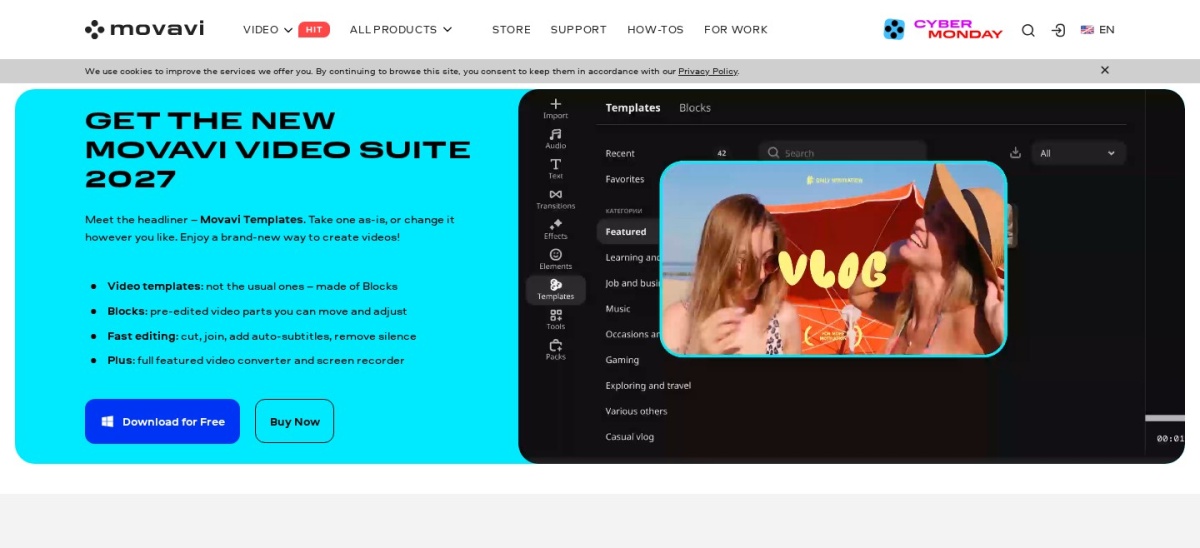
Movavi Video Editor is a simple desktop editor for Windows and Mac, with a clean timeline, templates, one-click AI tools and hundreds of drag-and-drop effects. It is built for people who do not think of themselves as editors.
The trade off is price honesty. The store lists $54.95 a year as a sale against a regular $79.95, so the renewal can be higher, and free exports stop at 60 seconds with a watermark. It suits quick family-style and product videos.
CyberLink PowerDirector homepage, captured Nov 2026.
CyberLink PowerDirector is a Windows and Mac editor that packs multicam, motion tracking, AI audio denoise and chroma key into an easy timeline. The free Essential version lets you try the workflow before paying.
The trade off is the busy interface and the promo pricing. The 365 subscription lists at $79.99 a year, with discounts shown often, so the price you see can change. It suits Windows editors who want pro features at a budget price.
1.2/5on Trustpilot (1,414 reviews, checked Nov 2026)
Paid from$19.99/mo
Best for short-form social video
Free planYes, 1080p export
PlatformsWeb, Windows, Mac, mobile
Auto-captionsYes
Paid planPro, $19.99 a month
capcut.com
CapCut homepage, captured Nov 2026.
CapCut is a mobile-first editor built for short-form social video, with auto-captions, trending effects and templates for Reels, TikTok and Shorts. It is the fastest route from a phone clip to a finished vertical video.
The trade off is trust. CapCut rates 1.2 out of 5 on Trustpilot from 1,414 reviews, with recent reviewers complaining about Pro paywalls, billing and cancellation. Pro costs $19.99 a month. It suits short-form creators who test the free export first.
Free plans in this list cover real work. DaVinci Resolve exports 4K with no watermark, CapCut exports 1080p free, and Canva covers short clips with no time limit.
Paid plans mostly remove watermarks and caps, and add AI tools, stock assets and cloud storage. The cheapest paid plan here is Filmora at $49.99 a year.
If video earns money for the business, a paid plan usually pays for itself in saved time. If it does not, start free and upgrade only when a cap or watermark blocks a real job.
How we chose
We started from the best-known video editors for small business, then kept those with a useful free plan or a clear paid starting price and a public rating.
Prices come from each vendor's pricing page or a comparison that read it, checked on 25 November 2026. Ratings and review counts come from G2 and Trustpilot on the same day. Where a vendor shows a sale, the list shows the regular price.
We left out editors with no public rating and those aimed only at film studios. No vendor paid for a place, and we do not claim hands-on testing for this list.
How to choose video editing software for a small business
Start with the videos you actually publish each week, then match the tool to that job.
List the videos you publish each week. Short social clips, tutorials and product demos need different tools. A template editor covers the first, a screen recorder covers the second.
Try the free plan first. Export a real video and check the watermark, resolution and time limits before you pay. DaVinci Resolve and CapCut export free without a watermark on many plans.
Check the renewal price, not the sale price. Several vendors show a discount against a higher regular price. Read the renewal terms at checkout so the second year holds no surprise.
Pick one main editor. Two editors split your templates and muscle memory. Choose one, learn it well, and add a second only for a job it cannot do.
FAQ
What is the best video editing software for a small business?
DaVinci Resolve is the best pick for most small businesses. Its free version includes a professional timeline, multicam editing and 4K export with no watermark, and the Studio upgrade costs $295 once, so there is no subscription to manage.
What is the cheapest paid video editor?
Filmora is the cheapest paid desktop editor in this list at $49.99 a year. It includes templates, AI effects and a simple timeline, and the paid plan removes the watermark that free exports carry.
Is there a good free video editor for business?
Yes. DaVinci Resolve is free with 4K export and no watermark, CapCut exports 1080p free, and Canva covers short clips with no time limit. Check each free plan for watermark and export limits before you commit.
Is Premiere Pro worth it for a small business?
It is worth it if you edit every week and work with clients or collaborators who use Adobe tools. At $22.99 a month it is the most expensive subscription here, so occasional editors should start with a free tool instead.
Can I edit videos on a Mac without paying monthly?
Yes. Final Cut Pro costs $299.99 once and runs only on Mac, while DaVinci Resolve is free with 4K export. Both avoid subscriptions, though Final Cut Pro needs a Mac and a larger one-time payment.
Why is CapCut rated so low on Trustpilot?
CapCut rates 1.2 out of 5 on Trustpilot from 1,414 reviews, with recent reviewers complaining about Pro paywalls, billing and cancellation. The editor itself is fast and free to start, so test a free export before paying for Pro.
SaaS SEO and WordPress specialist with about 8 years of experience. Rakib compares WordPress plugins, themes, hosting and software using public pricing, documentation and user reviews. See how we rank.