Best Software to Edit YouTube Videos in 2026: 9 Tools Compared
WLWPLegible EditorsLast verified 24 Nov 2026How we rank13 min read
★ Short answer
DaVinci Resolve is the best software to edit YouTube videos for most creators. The free version exports up to 4K without a watermark, and Studio costs $295 once. Pick Adobe Premiere Pro for agency work, and CapCut for Shorts.
How we make this list: we compare pricing pages, product documentation and public user reviews, then re-check every price before each update. No product paid for a place. Disclosure.
DaVinci Resolve is free with 4K export and no watermark, holds a 4.7/5 G2 rating from 221 reviews, and Studio costs $295 once.
Adobe Premiere Pro costs $22.99 a month and holds a 4.5/5 G2 rating from 1,675 reviews, the industry standard for professional channels.
Final Cut Pro costs $299.99 once and is the fastest editor on a Mac, with a 4.4/5 G2 rating from 87 reviews.
Filmora costs $49.99 a year with a 4.4/5 G2 rating from 613 reviews, the cheapest paid desktop editor here.
CapCut is free with Pro at $19.99 a month, the fastest pick for Shorts, though Trustpilot scores it 1.3 from billing complaints.
What YouTube editing software should cover
YouTube editing splits in two: long-form videos that need a real timeline, color and audio, and Shorts that need templates, captions and speed. DaVinci Resolve, Premiere Pro and Final Cut Pro serve the first group, while CapCut and Descript serve the second.
The features that matter most are export resolution, auto-captions and the free tier's limits. A free editor that watermarks exports or caps video length is a trial, not a tool, so check the export rules before you commit to a workflow.
Pricing runs from free for DaVinci Resolve and CapCut to $299.99 once for Final Cut Pro, with subscriptions from $49.99 a year for Filmora to $22.99 a month for Premiere Pro. One-time licenses beat subscriptions over three years for most solo creators.
Captions and Shorts workflows decide the pick for many channels. Descript cuts talking-head video from the transcript, CapCut auto-captions Shorts in seconds, and Premiere Pro's text-based editing covers both.
DaVinci Resolve is the strongest free editor for YouTube, with a professional timeline, multicam editing, Fusion visual effects and Fairlight audio in one download. The free version exports up to 4K without a watermark, and the color grading tools are the same ones used on feature films. Studio costs $295 once and adds AI tools, noise reduction and 8K export.
The trade off is the learning curve. The interface packs four full post-production pages into one app, so beginners face more panels and settings than in a simple editor. It also wants a strong computer, especially for Fusion effects and noise reduction. It suits creators who want professional depth without a subscription.
Best software to edit YouTube videos for professionals
Single App$22.99/mo, annual billing
All Apps$59.99/mo
CaptionsText-based editing, auto-captions
Paid planSingle App, $22.99/mo
adobe.com
Adobe Premiere Pro homepage, captured Nov 2026.
Adobe Premiere Pro is the industry standard for professional YouTube production, with text-based editing, strong auto-captions and a straight line into After Effects, Photoshop and Audition. Multi-cam, proxy workflows and Team Projects cover everything from solo vlogs to agency channels. The single-app plan costs $22.99 a month on an annual commitment.
The trade off is the subscription and the hardware it wants. The monthly cost never stops, and Premiere runs best on a fast machine with plenty of RAM and storage. Stability complaints still surface on large projects, and the generative AI credits on the single-app plan are limited. It suits channels that earn from video and need the Adobe ecosystem.
Final Cut Pro is the fastest editor on a Mac, with a magnetic timeline, background rendering and deep Apple Silicon optimization. It handles 4K and 8K smoothly on hardware that makes other editors stutter, and the $299.99 one-time purchase includes free updates. A 90-day free trial lets a channel test it properly.
The trade off is Mac-only lock-in. There is no Windows version, and projects do not move cleanly to Premiere or Resolve when a collaborator uses another editor. The magnetic timeline divides opinion, and some editors miss the track-based layout. It suits Mac creators who edit alone and value speed over cross-platform flexibility.
Best software to edit YouTube videos for beginners
Basic$49.99/yr, 4K export
Perpetual$79.99 one-time
AIAuto-captions, effects library
Paid planBasic, $49.99/yr
filmora.wondershare.com
Wondershare Filmora homepage, captured Nov 2026.
Wondershare Filmora is the friendliest desktop editor for YouTubers who want templates and AI tools without a pro learning curve. The timeline is simple, 4K export is included, and the effects library, titles and auto-captions cover most channel formats. The Basic annual plan costs $49.99 a year, the cheapest paid desktop entry here.
The trade off is the credit system. AI tools on Basic run on credits bought separately, and the full stock library is a $19.99 monthly add-on, so the real cost climbs for heavy AI users. The free version watermarks exports. It suits hobbyists and small channels that want a gentle editor with a low yearly price.
Best software to edit YouTube videos for tutorials
Essentials$179.88/yr
Starter$39/yr
CaptureScreen, webcam, system audio
Paid planEssentials, $179.88/yr
techsmith.com
Camtasia homepage, captured Nov 2026.
Camtasia is the standard for tutorial and software-review channels, combining screen recording and editing in one app. It captures screen, webcam, system audio and cursor in a single pass, then adds zoom-and-pan, callouts and interactive quizzes. The Essentials tier starts at $179.88 a year.
The trade off is the price for a YouTuber who never records a screen. At $179.88 a year it costs more than Filmora or PowerDirector, and its effects library is thinner than a general editor's. AI voiceover and avatars wait for the higher tiers. It suits how-to channels where screen capture is the core of every video.
Best software to edit YouTube videos from a transcript
Hobbyist$16/mo billed annually, 10 media hours
Creator$24/mo billed annually, 30 media hours
AIStudio Sound, 800 credits on Creator
Paid planHobbyist, $16/mo
descript.com
Descript homepage, captured Nov 2026.
Descript edits video by editing the transcript, which makes it the fastest way to cut talking-head YouTube videos. Delete a word and the clip follows, filler words vanish in one click, and Studio Sound cleans up rough audio. The Hobbyist plan costs $16 a month billed annually, with 10 media hours included.
The trade off is the metered model. Every uploaded file counts toward media minutes, and AI tools draw on a separate credit pool that heavy users can burn through quickly. It is also weaker for cinematic or effects-heavy editing than a timeline editor. It suits talking-head, tutorial and podcast-style channels.
Best software to edit YouTube videos for quick results
Full version$19.95/mo or $54.95/yr
Free60-second cap, watermark
AIAuto subtitles, background removal
Paid planFull version, $19.95/mo
movavi.com
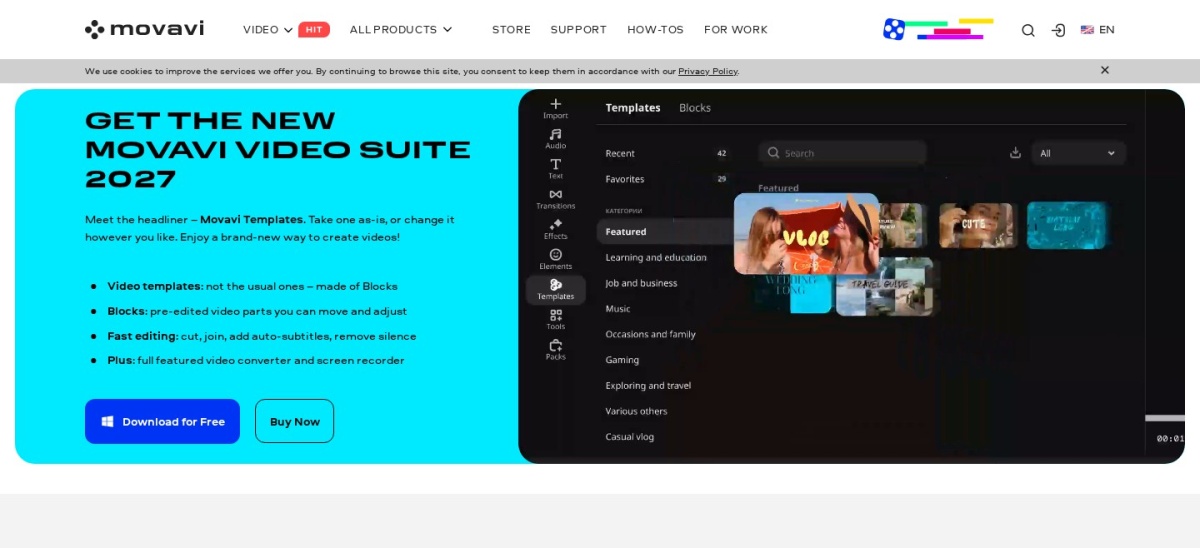
Movavi Video Editor homepage, captured Nov 2026.
Movavi Video Editor is built for people who do not think of themselves as editors, with a simple timeline, customizable templates, one-click AI tools and hundreds of drag-and-drop effects. Marketing managers and teachers can finish a polished video in an afternoon. The full version costs $19.95 a month or $54.95 a year.
The trade off is the free version's limits. Exports are capped at 60 seconds with a watermark and no 4K, so the free tier is a trial in practice. Some effects and music are add-on subscriptions, and the editor lacks the depth of Resolve or Premiere. It suits creators who want a fast, easy desktop editor.
CyberLink PowerDirector homepage, captured Nov 2026.
CyberLink PowerDirector 365 packs an unusual amount of capability into $79.99 a year, with multi-cam, motion tracking, AI audio denoise and chroma key on an easy timeline. It renders fast and the effects library is deep for the price. A free Essential version lets a creator test the interface before paying.
The trade off is a busy interface. The sheer number of options can overwhelm a first-time editor, and the free version stamps a watermark on exports. The $59.99 price seen at checkout is a promotion, so the regular $79.99 yearly rate is the honest comparison. It suits Windows creators who want pro features at a mid-range price.
1.3/5on Trustpilot (471 reviews, checked Nov 2026)
Paid from$19.99/mo
Best software to edit YouTube videos for Shorts
FreeFull timeline, 1080p export
Pro$19.99/mo or $179.99/yr
Storage1TB cloud on Pro
Paid planPro, $19.99/mo
capcut.com
CapCut homepage, captured Nov 2026.
CapCut is the editor most YouTube Shorts and TikTok creators actually finish videos in, with templates, auto-captions, effects and a music library built for short-form. The free editor covers the full timeline and exports up to 1080p, syncing projects across phone, desktop and browser. Pro costs $19.99 a month or $179.99 a year.
The trade off is the paywall creep. Templates and effects marked Pro stay locked, advanced AI tools need the Pro plan, and the price varies by region, platform and promotion, so checkout can differ from the listed rate. Trustpilot scores it 1.3 from billing complaints. It suits short-form creators who publish daily.
Short-form creators should start with CapCut. Templates, auto-captions and a music library built for vertical video turn phone footage into a finished Short faster than any desktop timeline.
Long-form channels get more from DaVinci Resolve or Premiere Pro, where multicam, color grading and audio mixing matter. Descript sits in between for talking-head videos that live on the transcript.
How we chose
We started from the video editors most often named in 2026 YouTube editing comparisons, then kept those with a real timeline, 4K export and captions for YouTube publishing.
Prices come from each vendor's pricing page and vendor-supplied listings, checked on 24 November 2026. Ratings and review counts come from G2 and Trustpilot on the same day. Where a vendor shows a sale, the list shows the regular price.
We left out tools with no verifiable rating and tools built only for screen recording with no real editor. No vendor paid for a place, and we do not claim hands-on testing for this list.
How to choose software to edit YouTube videos
Start with your video format, then check export limits, captions and the real yearly cost.
Match the editor to your format. Shorts need templates and captions, while long-form needs multicam, color and audio. Pick the format first, then the tool.
Check the free tier's export rules. Watermarks, resolution caps and length limits turn a free editor into a trial. DaVinci Resolve and CapCut export clean at 1080p or better.
Test captions and Shorts workflows. Auto-captions and transcript editing save more time than any timeline trick for talking-head and Shorts channels.
Compare the three-year cost. One-time licenses such as DaVinci Resolve Studio at $295 or Final Cut Pro at $299.99 cost less over three years than a monthly subscription.
FAQ
What is the best software to edit YouTube videos?
DaVinci Resolve is the best pick for most creators. The free version exports up to 4K without a watermark, and Studio costs $295 once for the AI tools and 8K export.
How much does YouTube video editing software cost?
DaVinci Resolve and CapCut are free to start, Filmora costs $49.99 a year, PowerDirector $79.99 a year, Descript $16 a month, Premiere Pro $22.99 a month, and Final Cut Pro $299.99 once.
What is the best free video editor for YouTube?
DaVinci Resolve is the best free editor. It exports up to 4K with no watermark and includes professional color grading, multicam editing and Fairlight audio at no cost.
Is CapCut good for YouTube?
CapCut is the fastest editor for YouTube Shorts, with templates, auto-captions and a music library built for vertical video. The free tier exports up to 1080p, and Pro costs $19.99 a month.
Do I need Premiere Pro for YouTube?
No. Premiere Pro suits channels that earn from video and need the Adobe ecosystem, After Effects and team collaboration. Most solo creators get everything they need from DaVinci Resolve or Filmora.
What software do YouTubers use to edit?
Most YouTubers use DaVinci Resolve, Adobe Premiere Pro, Final Cut Pro or CapCut. Talking-head channels often use Descript, and tutorial channels use Camtasia for screen recording.