Best AI Tools for Creating YouTube Videos in 2026: 9 Tools Compared
WLWPLegible EditorsLast verified 22 Nov 2026How we rank14 min read
★ Short answer
Descript is the best AI tool for creating YouTube videos for most creators. Its Creator plan costs $24 a month on annual billing and covers 30 media hours, 800 AI credits and watermark-free 4K export, rated 4.6 out of 5 on G2; pick Pictory to turn scripts into video, or Opus Clip for Shorts.
How we make this list: we compare pricing pages, product documentation and public user reviews, then re-check every price before each update. No product paid for a place. Disclosure.
Descript Creator is $24 a month on annual billing for 30 media hours, 800 AI credits and 4K export.
Pictory Starter is $25 a month on annual billing and turns scripts and blog posts into captioned video.
HeyGen Creator is $24 a month on annual billing and leads this list on G2 at 4.8 out of 5.
Opus Clip Starter is $15 a month and turns long videos into scored, captioned Shorts.
VEED Lite is $12 a month on annual billing, the cheapest paid plan here, with fast auto captions.
What to look for in an AI YouTube tool
Making YouTube videos with AI splits into four jobs: editing footage you shot, generating video from a script, cutting long videos into Shorts, and designing thumbnails. No single tool does all four well.
Start with the job you repeat. Weekly editors need Descript or VEED, script-first channels need Pictory or Synthesia, and repurposers need Opus Clip. Our guide on WooCommerce product video plugins covers video on the store side.
Watch the meter behind the price. Media hours, video credits and clip counts decide the real monthly cost, and a cheap plan with a low cap costs more than a dearer plan with room.
Thumbnails deserve a tool of their own. Canva Pro at $144 a year covers every thumbnail format, and it is the cheapest design pick in this list.
Descript is a video and audio editor that works like a word processor: delete a word in the transcript and the matching clip is cut. The free plan covers 1 media hour a month, and Creator costs $24 a month on annual billing with 30 media hours, 800 AI credits and watermark-free 4K export.
The trade off is the media-hour meter. Long recordings eat the allowance fast, and extra hours cost more. It suits YouTubers who record weekly and want editing without a timeline.
What we like
Transcript editing is fast to learn
Studio Sound and Overdub clean up audio
Free plan lets you try real projects
Watch out for
Media hours cap every plan
Free export is watermarked 720p
Heavy edits still need a timeline editor
Creator adds 4K export, more hours and full Underlord accessVisit descript.com
02
Pictory
4.6/5on G2 (81 reviews, checked Nov 2026)
Starts at$25/mo
Best for turning scripts into video
Free planNo, 3-video trial
Cheapest paid planStarter, $25/mo annual
Video minutes200 on Starter
Stock mediaGetty and Storyblocks
pictory.ai
Pictory homepage, captured Nov 2026.
Pictory is a cloud video tool that turns scripts, blog posts and long recordings into captioned videos with stock footage, voiceovers and music. The trial covers 3 videos, and Starter costs $25 a month on annual billing, or $29 month to month, with text-to-video, auto captions and premium stock footage.
The trade off is the credit cap. The minute allowance runs out fast for daily publishers, and Professional at $35 a month on annual billing is the next step. It suits faceless channels and creators who repurpose written content into video.
Synthesia is a video tool that turns a script into a video with an AI avatar presenter speaking in one of 140 languages. The free plan is watermarked, and Starter costs $14 a month on annual billing, or $19 month to month, with 125 avatars, voice cloning and an AI playground for generated footage.
The trade off is the format. Avatar videos suit training and explainers, but they feel flat for vlogs and personality-led channels. It suits creators who script everything and want a presenter without a camera.
HeyGen is an AI video platform for presenter-led videos, avatars and translation into 175 languages. The free plan covers 3 videos a month, and Creator costs $24 a month on annual billing with 600 credits a month at 1080p, voice cloning and generative B-roll from Sora, Veo and Kling.
The trade off is the credit meter. Heavy generation burns credits fast, and 4K needs a higher plan. It suits creators who film themselves and want translation and B-roll without extra shoots.
InVideo AI is a prompt-to-video tool that turns a text prompt into a finished video with UGC avatars, voiceover and stock footage. The free plan is watermarked, and Plus costs $20 a seat a month on annual billing, or $28 month to month, with 50 AI videos a month at 1080p and voice cloning.
The trade off is control. Prompt-to-video is fast, but the result needs review and often a re-render to match the script. It suits creators who publish short social videos at volume and value speed over fine control.
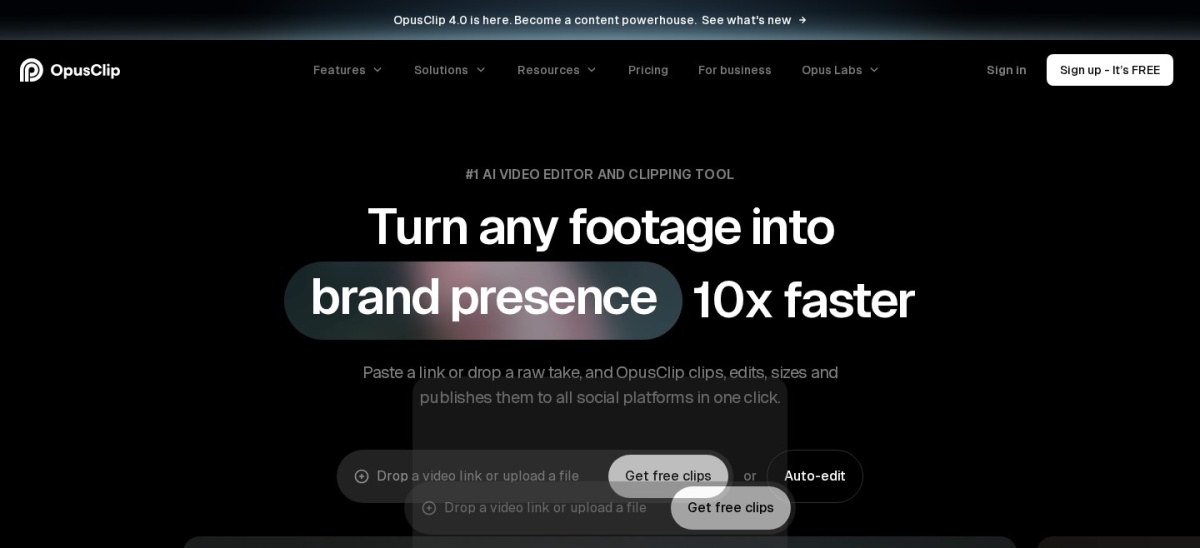
Opus Clip is a clipping tool that takes a long video, such as a podcast or stream, and cuts it into short captioned clips with a virality score for each one. The free plan covers 60 minutes of processing a month with a watermark, and Starter costs $15 a month with 150 credits, no watermark, animated captions and direct posting to Shorts, TikTok and Reels.
The trade off is that Starter is monthly billing only, with no annual discount, and exports are 9:16 only. It suits YouTubers who publish long videos weekly and need a steady supply of Shorts.
What we like
Virality Score ranks the best moments
Posts straight to Shorts, TikTok and Reels
Free plan covers 60 minutes a month
Watch out for
Starter has no annual discount
Free clips stop being exportable after 3 days
No scheduler or LinkedIn posting on Starter
Pro adds scheduling, more ratios and credit rolloverVisit opus.pro
07
VEED
4.6/5on G2 (2,100+ reviews, checked Nov 2026)
Paid from$12/mo
Best for fast captions and browser editing
Free planYes, watermarked 720p
Cheapest paid planLite, $12/mo annual
Export on Lite1080p, no watermark
Subtitle minutes120 a year on Lite
veed.io
VEED homepage, captured Nov 2026.
VEED is a browser video editor with an auto-caption engine that is fast and accurate, plus AI avatars, voiceover and text-to-video. The free plan is watermarked with 720p export, and Lite costs $12 a month on annual billing, or $24 month to month, with 1080p export, no watermark and 120 subtitle minutes a year.
The trade off is the subtitle meter. Lite includes only 120 subtitling minutes a year, so weekly captioning needs Pro at $24 a month on annual billing. It suits creators who edit in the browser and lean on captions.
What we like
Fastest auto captions in this list
No install, runs in the browser
Cheapest paid plan in this list
Watch out for
Lite subtitle minutes run out fast
Browser editing can lag on long timelines
Pro is double the Lite price
Pro adds 4K, 1,440 subtitle minutes and stock libraryVisit veed.io
08
Canva
4.7/5on G2 (7,678 reviews, checked Nov 2026)
Paid from$144/yr
Best for thumbnails and channel design
Free planYes, no time limit
Cheapest paid planPro, $144/yr
Brand Kits5 on Pro
AI credits500 a month on Pro
canva.com
Canva homepage, captured Nov 2026.
Canva is a design platform with an AI layer, Magic Studio, that writes, resizes and removes backgrounds inside the editor. The free plan has no time limit, and Pro costs $12 a month on annual billing ($144 a year), with a brand kit, premium templates and assets, background remover and 500 AI credits a month.
The trade off is depth. It covers thumbnails, end screens and channel art well, but it is not a video editor. It suits YouTubers who design thumbnails every week and want one place for every format.
What we like
Free plan is genuinely usable
Brand Kit keeps thumbnails consistent
Cheapest design pick in this list
Watch out for
AI credits cap at 500 a month on Pro
Not a replacement for a full photo editor
Prices vary by region, so check the local page
Teams adds shared brand controls from $10 a person a monthVisit canva.com
09
Riverside
4.8/5on G2 (1,758 reviews, checked Nov 2026)
Starts at$29/mo
Best for remote recording in 4K
Free planNo, 14-day trial
Cheapest paid planPro, $29/mo annual
Recording hours15 a month on Pro
Video quality4K local recording
riverside.fm
Riverside homepage, captured Nov 2026.
Riverside is a remote recording studio that captures local 4K video and uncompressed 48 kHz audio from each guest separately, so quality does not depend on the internet connection. The 14-day trial covers 2 hours of multi-track recording, and Pro costs $29 a month on annual billing, or $39 month to month, with 15 hours a month, AI Magic Clips and a teleprompter.
The trade off is the 2026 price rise. Riverside retired its $15 Standard plan and its permanent free tier, so the entry price is now $29 a month. It suits interview and podcast channels that record remote guests.
What we like
Local 4K recording per guest
AI Magic Clips included on Pro
Rated 4.8 out of 5 on G2
Watch out for
No free plan, only a 14-day trial
Entry price rose from $15 to $29 in 2026
Local recordings need upload time after each session
Descript, HeyGen, InVideo, Opus Clip, VEED and Canva all have free plans. Descript gives 1 media hour a month, HeyGen gives 3 videos a month, and Opus Clip gives 60 minutes of processing.
Free exports carry watermarks on most tools, and free plans cap resolution: Descript free exports at 720p with a watermark.
Pictory and Riverside have no free plan, only a trial. Pictory gives 3 videos, and Riverside gives a 14-day trial.
How we chose
We started from the AI video tools YouTube creators name most often for editing, generation, clips and thumbnails, then kept those with a live pricing page and a public G2 rating.
Prices come from each vendor's pricing page, checked on 22 November 2026. Ratings come from G2 on the same day. Where a vendor shows a sale, the list shows the regular price.
We left out tools with no public pricing and tools with no G2 rating, including CapCut and TubeBuddy, whose ratings could not be verified. No vendor paid for a place. This list is based on pricing, docs and reviews, not on using the tools ourselves.
How to choose an AI tool for YouTube videos
Start with the video job you repeat every week, then match the tool to it.
Name your main video job. Editing, generating, clipping and thumbnails are four jobs. Pick the one you repeat weekly and buy for that first.
Use the free plan on a real video. Edit and export one full video before paying. Judge the captions, the export quality and the watermark rules.
Check the meter, not just the price. Media hours, video credits and clip counts decide the real cost. A cheap plan with a low cap costs more than a dearer plan with room.
Add a clipper once the long videos work. Opus Clip pays for itself only when long videos publish weekly. Get the main edit right first, then add Shorts.
FAQ
What is the best AI tool for creating YouTube videos?
Descript is the best overall pick for creators who edit their own footage, at $24 a month on annual billing with 30 media hours and 4K export. Pictory is the best pick for turning scripts into video, and Opus Clip is the best pick for Shorts.
Can AI make a full YouTube video from a script?
Yes, for simple formats. Pictory and Synthesia turn a script into a captioned video with stock footage or an avatar presenter. The result suits explainers and faceless channels, but it still needs a human pass for pacing and facts.
Which AI tool is best for YouTube Shorts?
Opus Clip is the best pick. It cuts long videos into captioned vertical clips with a virality score, from $15 a month, and posts straight to Shorts, TikTok and Reels.
Is there a free AI tool for YouTube videos?
Yes. Descript, HeyGen, InVideo, Opus Clip, VEED and Canva all have free plans. Free exports usually carry a watermark and cap resolution, so budget a paid plan for published videos.
How much does AI video editing cost?
Entry paid plans run $12 to $29 a month on annual billing. A common stack is Descript Creator at $24 a month plus Opus Clip Starter at $15 a month, which lands near $39 a month.
Do AI video tools replace a human editor?
No. They speed up first cuts, captions and clip selection, but pacing, story and sound still need a human. Use them to cut editing time, not to skip editing.