Best One-Time Purchase Video Editing Software in 2026: 9 Tools Compared
WLWPLegible EditorsLast verified 23 Nov 2026How we rank12 min read
★ Short answer
DaVinci Resolve Studio is the best one-time purchase video editing software: the free version is a full professional editor, and Studio costs $295 once for the AI tools, noise reduction and higher resolutions. Final Cut Pro is the best Mac pick at $299.99 once, and Filmora is the cheapest way to own an editor at $79.99.
How we make this list: we compare pricing pages, product documentation and public user reviews, then re-check every price before each update. No product paid for a place. Disclosure.
#2 Best for Mac
Final Cut Pro
The fastest editor on a Mac, bought once for $299.99.
DaVinci Resolve Studio is the best value: a full pro editor free, and $295 once for Studio.
Final Cut Pro costs $299.99 once and is the fastest editor on a Mac.
Filmora's perpetual licence at $79.99 is the cheapest way to own a capable editor.
PowerDirector's perpetual edition at $139.99 pins you to the 2026 release.
VEGAS Pro's perpetual licence is around $219 under Boris FX, up from $199 under MAGIX.
Perpetual licences cover the version you buy, not future major versions.
What to look for in one-time purchase video editing software
One-time purchase video editing software means you pay once and keep the editor, instead of losing access when a subscription lapses. The catch is that a perpetual licence usually covers the version you buy, not every future version, so the real question is what the licence includes.
Only two professional-grade editors offer genuine one-time pricing with no meaningful subscription pressure: DaVinci Resolve Studio at $295 and Final Cut Pro at $299.99. Resolve runs on Windows, Mac and Linux with a generous free version, while Final Cut Pro is Mac-only and the fastest editor on Apple silicon.
Budget buyers have real choice too: Filmora's perpetual licence at $79.99 and Movavi's lifetime licence at $99.95 are the cheapest ways to own an editor. For beginners comparing options, our Best Cheap Video Editing Software list covers the lowest-cost editors of every kind.
This list is based on pricing, docs and reviews, not on using the tools ourselves. Every rating comes from G2 or Capterra pages opened on 23 November 2026, and every price is the regular one-time list price checked in November 2026. For AI-assisted editing, see our Best AI Video Editing Software comparison.
One-time purchase editor with no subscription option
$129.99one-time
No free plan
4/5
Price ladder: cheapest paid plan per year
List prices, USD, checked Nov 2026
FilmoraFREE$80
MovaviFREE$100
VideoStudio$100
Premiere Elements$100
Pinnacle Studio$130
PowerDirector$140
VEGAS Pro$219
DaVinci ResolveFREE$295
Final Cut Pro$300
The 9 best one-time purchase video editing software tools
01
DaVinci Resolve Studio
4.7/5on G2 (221 reviews, checked Nov 2026)
Paid from$295one-time
Best one-time purchase video editing software overall
PlatformsWindows, Mac, Linux, iPad
Free versionFull editor, no watermark
AINeural Engine: Magic Mask, voice isolation
Max resolutionUp to 32K in Studio
blackmagicdesign.com
DaVinci Resolve Studio homepage, captured Nov 2026.
DaVinci Resolve Studio is the strongest argument for buying instead of renting: the free version covers editing, color grading, Fusion effects and Fairlight audio with no watermark, and the Studio upgrade costs $295 once. It adds noise reduction, stereoscopic tools and the full AI feature set.
The trade off is time, not money: Resolve asks you to learn its page-based workflow, and it wants a capable GPU for smooth 4K work. Once you are comfortable, you own a professional post-production suite outright, with no monthly bill ever again.
Final Cut Pro is the fastest editor on a Mac by a wide margin, bought once for $299.99 on the Mac App Store, with a 90-day free trial. Its magnetic timeline and background rendering keep playback smooth, and one payment has covered updates since 2011.
The trade off is the platform: there is no Windows version, and the one-time purchase excludes some premium content reserved for Apple Creator Studio subscribers at $12.99 a month. For Mac-based creators who want a pro editor they pay for once, this is the obvious choice.
What we like
Fastest 4K exports on Apple silicon
One-time purchase still available
Magnetic timeline speeds up assembly
90-day free trial
Watch out for
Mac only
Some premium content needs Creator Studio
Ecosystem lock-in
$299.99 once; also in Apple Creator Studio at $12.99 a month.Visit apple.com
03
Wondershare Filmora
4.4/5on G2 (612 reviews, checked Nov 2026)
Paid from$79.99one-time
Best one-time purchase editor for beginners
PlatformsWindows, Mac, iOS, Android
Perpetual$79.99, current major version
AIAuto captions, background removal
TrialFree with watermark
wondershare.com
Wondershare Filmora homepage, captured Nov 2026.
Wondershare Filmora is the friendliest full editor here: drag-and-drop templates, one-click AI tools and a perpetual licence for $79.99 make it the cheapest way to own a capable editor. The interface is built for speed, with auto-reframe for social formats and a large template library.
The trade off is the fine print: the perpetual plan covers updates to the current major version only, and its 1,000 AI credits are a lifetime allocation that never refreshes. If you lean heavily on AI features, the subscription may actually cost less over time.
Best feature-rich one-time purchase editor for Windows
PlatformsWindows, Mac
Perpetual$139.99, 2026 edition
FeaturesMotion tracking, multicam, keyframing
TrialFree Essential version
cyberlink.com
CyberLink PowerDirector homepage, captured Nov 2026.
CyberLink PowerDirector has long been the Windows enthusiast's answer to Premiere, and the perpetual edition at $139.99 for the 2026 release keeps it in the buy-once camp. You get motion tracking, multicam editing, keyframing, screen recording and a solid audio editor.
The trade off is that the perpetual licence pins you to the 2026 edition, with more limited access to AI credits than the 365 subscription gets. If you want every new feature the moment it ships, CyberLink would rather sell you the subscription.
What we like
Deep feature set with motion tracking and multicam
In-app tutorials help beginners
Strong AI-assisted tools
Fast rendering
Watch out for
Perpetual is the fixed 2026 release
Windows only for the full version
Subscription pushes are prominent on the site
Perpetual edition $139.99; PowerDirector 365 is $59.99 a year.Visit cyberlink.com
05
VEGAS Pro
4.3/5on G2 (107 reviews, checked Nov 2026)
Starts at$219one-time
Best one-time purchase editor for audio-forward editing
PlatformsWindows
Perpetual$219 for the core edition
AudioDeep audio editing heritage
Trial15 days free
vegascreativesoftware.com
VEGAS Pro homepage, captured Nov 2026.
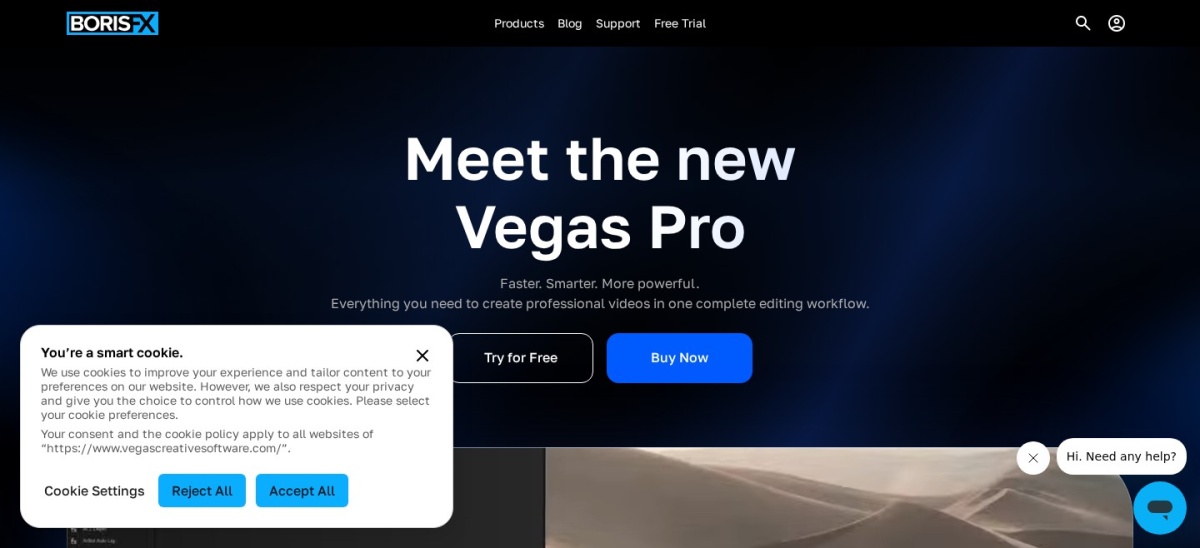
VEGAS Pro, now part of Boris FX, still offers a perpetual licence, with the current full price around $219 for the core edition. Its roots are in audio, and that shows: the timeline and audio tooling are among the fastest and most flexible on Windows.
The trade off is pricing complexity: under Boris FX, subscription tiers, upgrade-and-support extensions and frequent promotions make the real price a moving target. Check the live perpetual price at checkout, and confirm it is the one-time option before you pay.
What we like
Excellent audio editing heritage
Fast, flexible timeline
Perpetual licence available alongside subscriptions
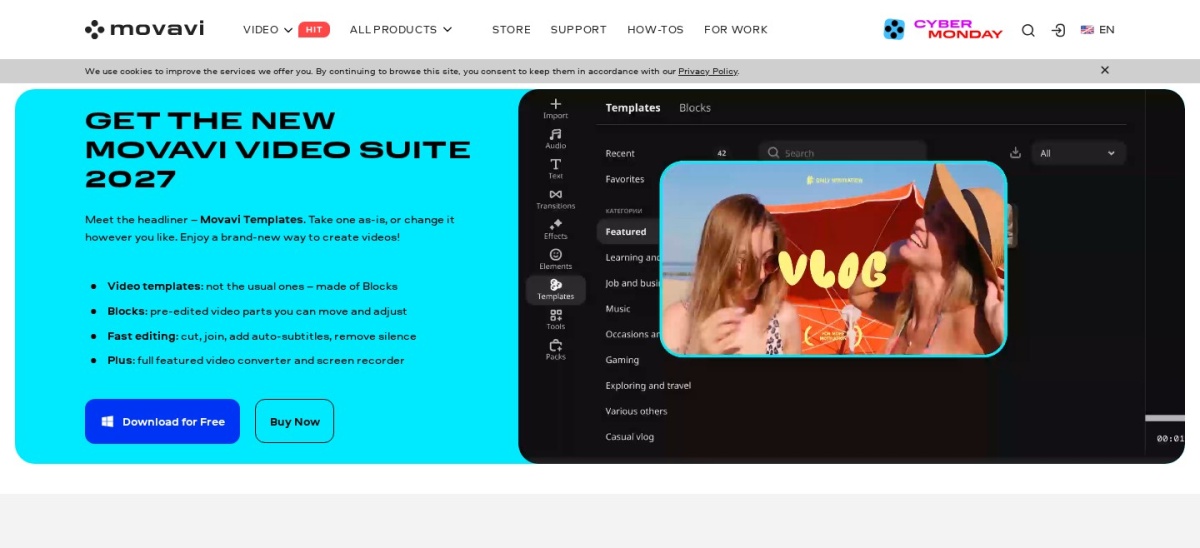
Movavi Video Editor is built for speed: AI auto-subtitles, silence removal, noise reduction and motion tracking are all one click away, and reviewers praise how fast beginners go from install to finished video. The lifetime licence costs $99.95, and a subscription is also sold.
The trade off is that the lifetime licence freezes you at the version's toolset, so new tools and effects packs cost extra or require the subscription. Effects packs cost extra too, and the free trial is watermarked and time-limited.
Lifetime licence $99.95; Steam lists the 2026 edition at $79.99.Visit movavi.com
07
Corel VideoStudio Ultimate
4.2/5on G2 (25 reviews, checked Nov 2026)
Starts at$99.99one-time
Best budget one-time purchase editor for Windows
PlatformsWindows
Perpetual$99.99 one-time
FeaturesMulticam, motion tracking, 360-degree
FormatsAV1 and 8K support
videostudiopro.com
Corel VideoStudio Ultimate homepage, captured Nov 2026.
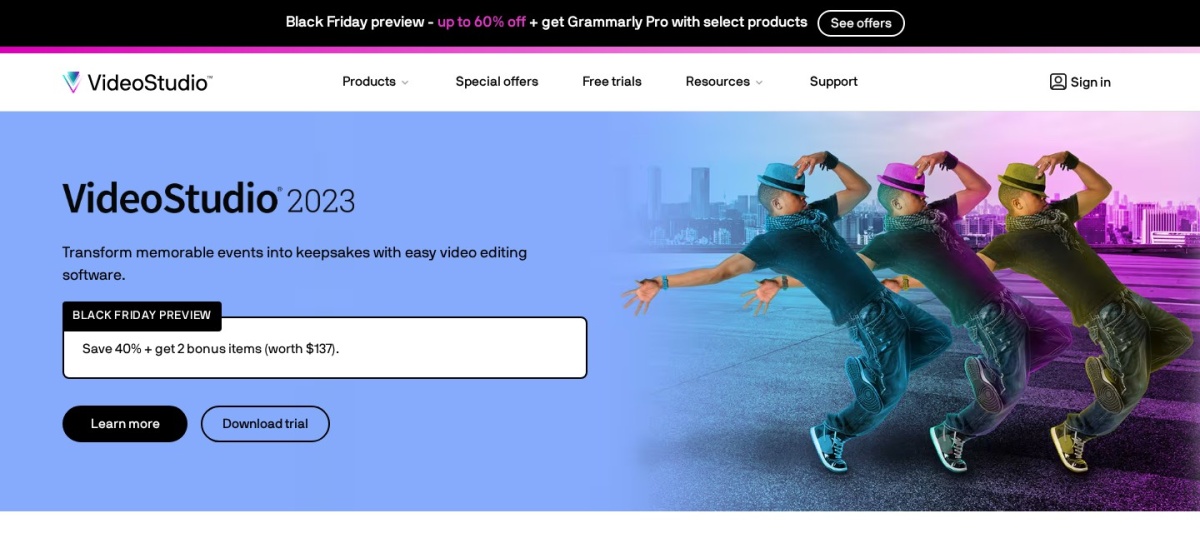
Corel VideoStudio Ultimate lists at $99.99 as a perpetual licence, and it regularly sells below that, which makes it the budget pick of the Corel family. It covers the enthusiast essentials: multi-track timeline, multicam editing, motion tracking, color grading and support for AV1 and 8K.
The trade off is freshness: the current release is still the 2023 version, and Corel's own pricing pages layer standing discount codes over list prices in ways that confuse even careful buyers. If you want the newest features, look at Resolve or PowerDirector instead.
Adobe Premiere Elements homepage, captured Nov 2026.
Adobe Premiere Elements is Adobe's beginner editor, sold as a one-time $99.99 purchase with guided edits that walk new users through polished results step by step. It is simple, friendly and quick to set up, with enough effects and templates for home movies and small-business videos.
The trade off is depth: it lacks advanced tools for color grading and effects, and customization is limited. It is not suitable for advanced or professional workflows, but as a first editor you own outright, it is a fair deal.
What we like
One-time purchase affordability
Guided edits for beginners
Simple and friendly interface
Quick setup
Watch out for
Lacks advanced color grading tools
Limited customization
Not suitable for professional workflows
$99.99 once; Adobe also sells it bundled with Photoshop Elements.Visit adobe.com
09
Pinnacle Studio Ultimate
4/5on G2 (12 reviews, checked Nov 2026)
Starts at$129.99one-time
Best one-time purchase editor with no subscription option
PlatformsWindows
Price$129.99 one-time
Max resolutionUp to 8K footage
AudioStrong audio tools included
pinnaclesys.com
Pinnacle Studio Ultimate homepage, captured Nov 2026.
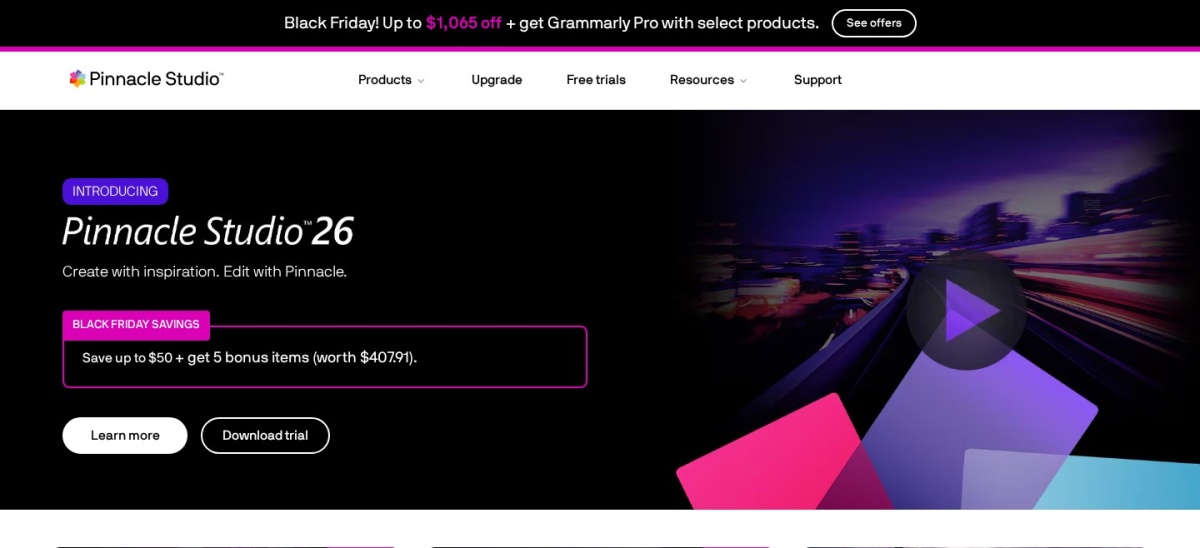
Pinnacle Studio Ultimate, owned by Corel, is one of the few editors with no subscription option at all: the Ultimate edition lists at $129.99 as a straight one-time purchase. You pay once, you keep it, with support for up to 8K footage, motion tracking, blend modes and masking.
The trade off is stability and polish: importing media can be slower and glitchier than in better-funded rivals, and reviewers report crashes. The interface also feels less refined than PowerDirector or Resolve, and its G2 rating rests on only 12 reviews.
What the fine print actually says on perpetual licences
A perpetual licence means you own the version you bought, not every future version. Filmora's perpetual plan covers the current major release only, PowerDirector's perpetual edition is the fixed 2026 release, and Movavi's lifetime version will not receive new tools.
Before paying, check what 'lifetime' or 'perpetual' includes: some vendors include minor updates for the purchased version, while major upgrades always cost extra. VEGAS Pro charges $149 to $199 for version upgrades on perpetual licences.
Also check the checkout page carefully. Most of these editors also sell subscriptions, and the perpetual option is sometimes a toggle or a separate store listing rather than the default choice.
How we chose
We looked for video editors with a real perpetual or lifetime purchase option still sold on the vendor's own site in 2026, not legacy licences or grey-market keys. Every tool here lists a one-time price, and we favored editors where the perpetual option is a first-class choice rather than a hidden checkout toggle. Subscription-only editors were left out regardless of quality.
Prices come from vendor pricing pages and pricing checks dated November 2026, and ratings come from G2 and Capterra pages opened on 23 November 2026. Where sources disagreed, the list shows the current regular price: VEGAS Pro is $219 under Boris FX, not the old MAGIX $199, and DaVinci Resolve Studio is $295, not a $236 sale price seen in one roundup.
Two ratings rest on thin review bases: Pinnacle Studio at 4.0 from 12 G2 reviews, and VideoStudio at 4.2 from 25. Final Cut Pro's review count also differs by source: 374 on the G2 page opened for this list, against 87 in one October roundup. This list is based on pricing, docs and reviews, not on using the tools ourselves.
How to choose one-time purchase video editing software
Start with your computer and your skill level, then check what the licence actually covers.
Match the editor to your computer. Mac-only buyers should start with Final Cut Pro. Windows buyers have the most choice, including PowerDirector, VEGAS Pro, VideoStudio and Pinnacle. Resolve runs on Windows, Mac and Linux.
Be honest about your skill level. Beginners should pick Filmora, Movavi or Premiere Elements. Professionals who grade color or mix audio need Resolve, Final Cut Pro or VEGAS Pro.
Read the licence before you pay. Perpetual usually means the version you buy, not future major versions. Check upgrade prices: VEGAS Pro charges $149 to $199 for version upgrades, and Filmora's perpetual plan covers the current major release only.
Try the free version first. Resolve, Filmora and Movavi all offer free versions, and Final Cut Pro has a 90-day trial. Cut a real project before you pay, and check the export for watermarks.
FAQ
What is the best one-time purchase video editing software?
DaVinci Resolve Studio is the best pick. The free version is a full professional editor, and Studio costs $295 once for the AI tools, noise reduction and higher resolutions. It is rated 4.7 out of 5 on G2 from 221 reviews.
Is DaVinci Resolve really free?
Yes. The free version of DaVinci Resolve is a full editor with color grading, Fusion effects and Fairlight audio, and exports carry no watermark. Studio costs $295 once and adds AI tools, noise reduction and higher resolutions.
Can I still buy Final Cut Pro outright?
Yes. Apple sells Final Cut Pro as a one-time $299.99 purchase on the Mac App Store, with a 90-day free trial. Apple also offers it inside the Creator Studio subscription at $12.99 a month, which adds premium content the one-time version lacks.
What does a Filmora perpetual licence cover?
The $79.99 perpetual licence covers updates to the current major version only, not future major versions. It also includes 1,000 AI credits as a one-time lifetime allocation that never refreshes, unlike the monthly credits on subscription plans.
Is there a one-time purchase video editor for beginners?
Yes. Filmora at $79.99 perpetual and Movavi at $99.95 lifetime are the simplest to learn, and Adobe Premiere Elements at $99.99 adds guided edits that walk you through each step. All three run on Windows and Mac.
Do perpetual licences include future updates?
Usually only minor updates for the version you bought. Major version upgrades cost extra: VEGAS Pro charges $149 to $199 for upgrades, and Filmora and PowerDirector perpetual plans cover the current release only. DaVinci Resolve Studio and Final Cut Pro include free updates.