DaVinci Resolve leads for podcasts over 2 hours because local editing handles long multi-camera sessions without monthly hour caps, with a free edition and a one-time Studio license at $295. Descript suits fast transcript cuts on plans starting at $16/mo billed yearly, while Riverside fits remote guest capture with separate tracks.
How we make this list: we compare pricing pages, product documentation and public user reviews, then re-check every price before each update. No product paid for a place. Disclosure.
DaVinci Resolve edits up to 3840x2160 at 60fps for free, while Studio costs $295 one-time.
Descript starts at $16/mo billed yearly for 10 media hours per month and 400 AI credits.
Riverside starts at $24/mo billed annually on Pro for up to 4K local recording and 15 hours of separate track downloads.
Adobe Premiere Pro starts at $22.99/mo on an annual plan billed monthly with 100GB cloud storage.
Final Cut Pro is $299.99 one-time on Mac or $129/yr in Apple Creator Studio.
CapCut Pro costs $19.99/mo or $179.99/yr with 1,200 monthly AI credits and 1TB storage.
What to look for in video editors for podcasts over 2 hours
Episodes longer than 2 hours stress both computer hardware and subscription hour limits. A single 2-hour multi-camera recording in high resolution generates large files that can slow browser editors or fill up monthly media allowances quickly.
Hosts who record remote guests need separate audio and video tracks per speaker so a cough, echo, or connection dip on one feed does not ruin the whole show. Local desktop editors handle long multi-track timelines reliably once files are on disk, while cloud studios speed up browser recording and clip extraction.
Check monthly processing caps and export limits before committing to a subscription. A weekly show with four 2.5-hour episodes can pass 10 media hours in a single week, making local editing or higher-tier plans essential.
Audio cleanup, transcript alignment, and multi-cam switching matter more on long talks than heavy motion graphics. Look for tools that keep spoken-word cuts fast without forcing manual frame-by-frame nudges across a 120-minute timeline.
For browser guest recording and all-in-one podcast production
$20/mo
No free plan
3.7/5
Price ladder: cheapest paid plan per year
List prices, USD, checked Nov 2026
DescriptFREE$192
CapCutFREE$240
Zencastr$240
Premiere Pro$276
RiversideFREE$288
ResolveFREE$295
Final Cut Pro$300
The 7 best video editing platforms for podcasts over 2 hours
01
DaVinci Resolve
4.7/5on G2 (223 reviews, checked Nov 2026)
Paid from$295 one-time
Best for long local multi-cam episodes without recurring fees
LicenseFree or $295 one-time
Free export capUp to 3840x2160 at 60fps
Studio export capUp to 32K at 120fps
BillingNo subscription
blackmagicdesign.com
DaVinci Resolve homepage, captured Nov 2026.
DaVinci Resolve is a desktop editing, color, and audio suite that runs locally without monthly hour meters, and its free edition exports up to 3840x2160 at 60fps with no watermark. It includes multi-cam editing and audio mixing tools suited to long conversational recordings.
The trade off is a steeper learning curve and no built-in noise reduction in the free tier, while DaVinci Resolve Studio costs $295 one-time. It suits podcasters who edit long episodes locally and want to avoid ongoing subscription bills.
What we like
Free edition has no watermark and supports multi-cam timelines
One-time $295 Studio purchase avoids recurring monthly fees
Strong local performance on long multi-track sessions with capable hardware
Watch out for
Steeper learning curve than text-based or browser editors
Noise reduction requires the paid Studio version
No native browser guest recording built in
DaVinci Resolve Studio ($295 one-time) adds noise reduction, neural engine tools, and higher export ceilings.Visit blackmagicdesign.com
02
Descript
4.6/5on G2 (940 reviews, checked Nov 2026)
Paid from$16/mo
Best for cutting long dialogue by editing the transcript
Entry paid plan$16/mo billed yearly ($24 monthly)
Hobbyist media10 media hours/mo
Hobbyist AI credits400 AI credits/mo
Hobbyist export1080p watermark-free
descript.com
Descript homepage, captured Nov 2026.
Descript is a transcript-based audio and video editor that lets you trim spoken sections by editing text, backed by a free plan with 60 media minutes per month and 100 one-time AI credits. Hobbyist starts at $16/mo billed yearly ($24 monthly) with 10 media hours and 400 AI credits per month.
The trade off is monthly media-hour and AI-credit limits that a single 2-hour show can dent quickly, plus less fine-grained timeline control than a traditional NLE. It suits solo hosts and small teams who prioritize fast dialogue cuts over complex visual effects.
What we like
Transcript editing speeds up trimming long interviews and tangents
Includes filler word removal, Studio Sound, and remote recording
Free plan lets you test the workflow before paying
Watch out for
10 media hours per month on Hobbyist fills up fast with long episodes
AI features draw from monthly credit allowances
Less precise timeline control than dedicated desktop NLEs
Hobbyist ($16/mo billed yearly) raises limits to 10 media hours/mo and 1080p watermark-free export; Creator ($24/mo yearly) adds 30 media hours/mo and 4K export.Visit descript.com
03
Riverside
4.8/5on G2 (1,761 reviews, checked Nov 2026)
Paid from$24/mo
Best for recording remote guests on separate tracks and clipping episodes
Pro plan$24/mo billed yearly ($35 monthly)
Track downloads15 hrs/mo separate tracks on Pro
Video qualityUp to 4K local recording
Audio quality44.1 & 48 kHz
riverside.com
Riverside homepage, captured Nov 2026.
Riverside is a browser recording studio and editor that captures separate audio and video tracks locally for each participant, with a free tier that includes 2 hours of multi-track recordings and single-track editing. Pro starts at $24/mo billed annually ($35 monthly) with up to 4K video and 15 hours of separate track downloads per month.
The trade off is a monthly cap on separate track downloads and cloud-hosted media management rather than deep offline timeline finishing. It suits remote interview shows that need clean individual tracks and quick highlight clips.
What we like
Records separate audio and video tracks locally for each speaker
Combines browser guest capture, transcript edits, and clip creation
Supports up to 4K video and 48kHz audio on Pro
Watch out for
Separate track downloads cap at 15 hours/mo on the Pro tier
Less suited to heavy multi-layer timeline finishing than desktop NLEs
Cloud workflow relies on stable uploads and browser sessions
Pro ($24/mo billed annually) adds 4K video, watermark-free exports, and 15 hours/mo of separate track downloads.Visit riverside.com
04
Adobe Premiere Pro
4.6/5on G2 (1,800 reviews, checked Nov 2026)
Starts at$22.99/mo
Best for multi-cam timelines and Creative Cloud team workflows
Entry plan$22.99/mo (annual, billed monthly)
Cloud storage100GB
Generative credits25 monthly
Review toolFrame.io included
adobe.com
Adobe Premiere Pro homepage, captured Nov 2026.
Adobe Premiere Pro is a desktop timeline video editor for Windows and macOS that handles long multi-camera sequences, auto-transcription, and audio cleanup without per-episode hour caps. Its individual plan starts at $22.99/mo on an annual plan billed monthly with 100GB of cloud storage and Frame.io review access.
The trade off is no permanent free tier, ongoing subscription costs, and heavy memory use on long 4K timelines. It suits editors and production teams already working with Premiere Pro, After Effects, or Audition.
What we like
Handles complex multi-cam timelines and long-form sequences reliably
Includes auto-transcription, Frame.io review, and 100GB cloud storage
Connects directly with After Effects, Photoshop, and Audition
Watch out for
Subscription-only pricing with no free plan after trial
High system resource demand on long high-resolution projects
Steeper setup and learning curve for casual podcasters
Premiere ($22.99/mo annual billed monthly) includes 100GB storage, 25 monthly generative credits, and Frame.io.Visit adobe.com
05
Final Cut Pro
4.4/5on G2 (375 reviews, checked Nov 2026)
Starts at$299.99 one-time
Best for Mac hosts wanting fast rendering and a one-time license
Mac license$299.99 one-time
Creator Studio$12.99/mo or $129/yr
Timeline modelMagnetic trackless timeline
PlatformMac (and iPad via subscription)
apple.com
Final Cut Pro homepage, captured Nov 2026.
Final Cut Pro is Apple's non-linear video editor for Mac, built around a magnetic timeline and fast hardware-accelerated rendering on Apple silicon. It costs $299.99 as a one-time purchase for Mac or $129/yr via Apple Creator Studio.
The trade off is strict Apple-ecosystem lock-in—it does not run natively on Windows—and limited built-in effects without third-party plugins. It suits Mac-based podcasters who edit long episodes regularly and prefer a single upfront payment.
What we like
Fast rendering and smooth playback on Apple silicon Macs
One-time $299.99 Mac license avoids monthly subscription fees
Magnetic timeline keeps long multi-clip edits aligned
Watch out for
No Windows version available
Fewer out-of-the-box effects than some rival NLEs
iPad editing is priced separately as a subscription
The $299.99 one-time Mac purchase unlocks Final Cut Pro without ongoing monthly fees; Creator Studio ($129/yr) bundles Mac, iPad, and companion apps.Visit apple.com
06
CapCut
4.6/5on Apple App Store (1,100,000 reviews, checked Nov 2026)
Paid from$19.99/mo
Best for fast auto-captions and turning long episodes into short clips
Pro monthly$19.99/mo
Pro annual$179.99/yr
Pro AI credits1,200 credits/mo
Pro storage1TB
capcut.com
CapCut homepage, captured Nov 2026.
CapCut is a timeline video editor across desktop, web, and mobile that offers a free tier with basic editing tools and templates alongside paid plans. CapCut Pro costs $19.99/mo or $179.99/yr and includes 1,200 monthly AI credits and 1TB of storage.
The trade off is credit-metered AI features, 4K export gated behind Pro, and less depth for complex multi-cam post-production than full desktop NLEs. It suits creators who want quick captions and short social cutdowns from long recordings.
What we like
Quick auto-captions, templates, and social clip workflows
Free plan lets you start editing before upgrading
Pro includes 1TB storage and 1,200 monthly AI credits
Watch out for
4K export and many AI tools require a paid plan
Monthly AI credit limits can run out during heavy batches
Less suited to deep multi-track audio and color finishing
CapCut Pro ($19.99/mo or $179.99/yr) unlocks 4K and HDR export, 1TB storage, and 1,200 monthly AI credits.Visit capcut.com
07
Zencastr
3.7/5on G2 (30 reviews, checked Nov 2026)
Starts at$20/mo
Best for browser guest recording and all-in-one podcast production
Starting price$20/user/mo
Recording modeBrowser-based separate tracks
Audio formatUp to 16-bit 48kHz WAV
Video supportUp to 4K recording
zencastr.com
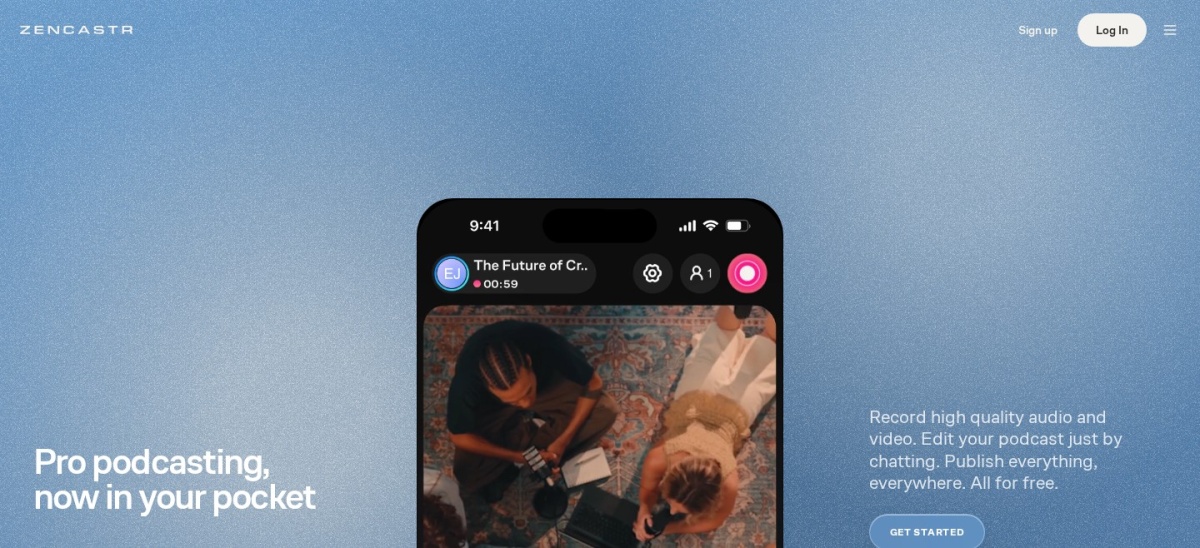
Zencastr homepage, captured Nov 2026.
Zencastr is a browser-based podcast recording and production platform that captures separate audio and video tracks for remote guests without requiring guest downloads. Public Capterra pricing lists plans starting at $20 per user per month.
The trade off is lighter timeline editing than dedicated desktop NLEs and mixed user reviews around support and occasional browser glitches. It suits hosts who want remote guest capture and basic episode assembly in one browser workspace.
What we like
Browser recording captures separate tracks per guest with no software install
Supports up to 4K video and 48kHz audio capture
Keeps recording and post-production steps in one place
Watch out for
Smaller timeline and finishing toolkit than desktop video editors
Lower G2 rating (3.7/5) than several competing tools
Relies on browser sessions and guest connection stability
Paid plans starting at $20/user/mo support multi-track remote recording and post-production workflows.Visit zencastr.com
Local vs. cloud for long shows
Long episodes over 2 hours often run better on local desktop software such as DaVinci Resolve, Adobe Premiere Pro, or Final Cut Pro because media stays on your drive and playback does not depend on browser memory or upload queues.
Cloud and transcript-first tools such as Riverside, Descript, and Zencastr shine when recording remote guests or pulling short clips from a long conversation, though long high-resolution exports and monthly caps require closer planning.
How we chose
We selected well-known video editing and podcast production platforms that support multi-hour recordings, multi-track dialogue, or remote podcast workflows.
Pricing and review ratings were checked on 22 Nov 2026 from official vendor pages and public review directories including G2, Capterra, and the Apple App Store.
We excluded discontinued tools, audio-only editors that lack video timelines, and products whose pricing could not be verified on an official or current directory page. No vendor paid for a place, and we do not claim testing for this list.
How to choose a video editor for podcasts over 2 hours
Follow these four steps before committing to a long-form podcast workflow.
Estimate your monthly recording and editing hours first. Multiply your average episode length by your monthly output so you do not outgrow a 10-hour monthly cap in one week.
Decide how you capture remote guests. If guests join from different locations, prioritize separate local or browser tracks so you can fix volume or noise on one speaker.
Match the editor to your computer and operating system. Check whether your machine handles long 4K timelines locally or whether you need a cross-platform or browser workflow.
Compare recurring subscriptions against one-time licenses. If you edit long episodes year-round, a one-time license or annual plan can cost less over time than month-to-month billing.
FAQ
What is the best video editor for a podcast over 2 hours?
DaVinci Resolve is a strong fit for long local episodes because it runs on your computer without monthly hour meters and offers a free edition plus a $295 one-time Studio license. For transcript-driven dialogue cuts, Descript starts at $16/mo billed yearly.
Why do long podcast videos slow down some editors?
Two-hour recordings generate large video and multi-track audio files that consume RAM, disk space, or browser memory. Long timelines also increase rendering times and can exhaust monthly cloud processing caps.
Do I need separate tracks for a 2-hour video podcast?
Separate tracks are helpful whenever two or more people speak remotely or use different microphones. Having individual audio and video tracks lets you balance levels or cut around one speaker without affecting the rest of the recording.
Is a free video editor enough for long-form podcasts?
A free tier can work if your show stays within export resolution and monthly hour limits. DaVinci Resolve offers a free edition up to 3840x2160 at 60fps, while Descript and Riverside provide free tiers with tighter usage limits.
Should I pick a transcript editor or a traditional timeline editor?
Transcript editors such as Descript speed up cutting spoken words and filler phrases in long conversations. Traditional timeline editors such as DaVinci Resolve, Premiere Pro, and Final Cut Pro give finer control over multi-cam switches, audio mixing, and exports.
How much does a paid plan cost for these tools?
Entry paid options in this list range from $16/mo billed yearly on Descript and $19.99/mo on CapCut Pro to $22.99/mo on Adobe Premiere Pro and $24/mo billed annually on Riverside Pro. DaVinci Resolve Studio is $295 one-time and Final Cut Pro is $299.99 one-time on Mac.
SaaS SEO and WordPress specialist with about 8 years of experience. Rakib compares WordPress plugins, themes, hosting and software using public pricing, documentation and user reviews. See how we rank.