TradingView is the best trading software for PC for most traders, starting free and scaling to $155.40/yr billed annually ($12.95/mo) for multi-chart desktop layouts and 5 indicators per chart. For futures order flow, pick NinjaTrader; for $0-commission US stock and options execution, pick thinkorswim or TradeStation.
How we make this list: we compare pricing pages, product documentation and public user reviews, then re-check every price before each update. No product paid for a place. Disclosure.
TradingView's desktop app starts free forever and costs $155.40/yr ($12.95/mo billed annually) for the ad-free Essential plan.
Broker-tied PC terminals like thinkorswim, TradeStation, and MetaTrader 5 charge $0 software fees for funded accounts, shifting costs to commissions or inactivity rules.
NinjaTrader offers free futures charting and simulation, while its Monthly plan is $99/mo ($1,188/yr) and its Lifetime license is $1,499 one-time.
Order-flow terminals Sierra Chart ($26/mo, or $202.80/yr with the 12-month 35% discount) and ATAS (€19.95/mo billed annually on Plus) require separate market data subscriptions.
Always budget exchange data feeds separately—real-time CME or US equity bundles add $6/mo to $48/mo on top of desktop software fees.
How do you choose the best trading software for PC?
PC trading software splits into two billing models: broker-sponsored terminals that waive platform fees when you fund an account, and standalone charting platforms that charge monthly or annual subscriptions.
Broker terminals such as thinkorswim, TradeStation, and NinjaTrader bundle order routing, Level 2 depth, and options chains at $0 software cost, though real-time exchange data or inactivity fees can still apply.
Independent charting and order-flow tools—including TradingView, Sierra Chart, ATAS, and TrendSpider—let you connect multiple brokers or prop-firm feeds, giving you consistent workspaces even if you switch brokerage accounts.
MarketsStocks, ETFs, futures, forex, crypto, indices
tradingview.com
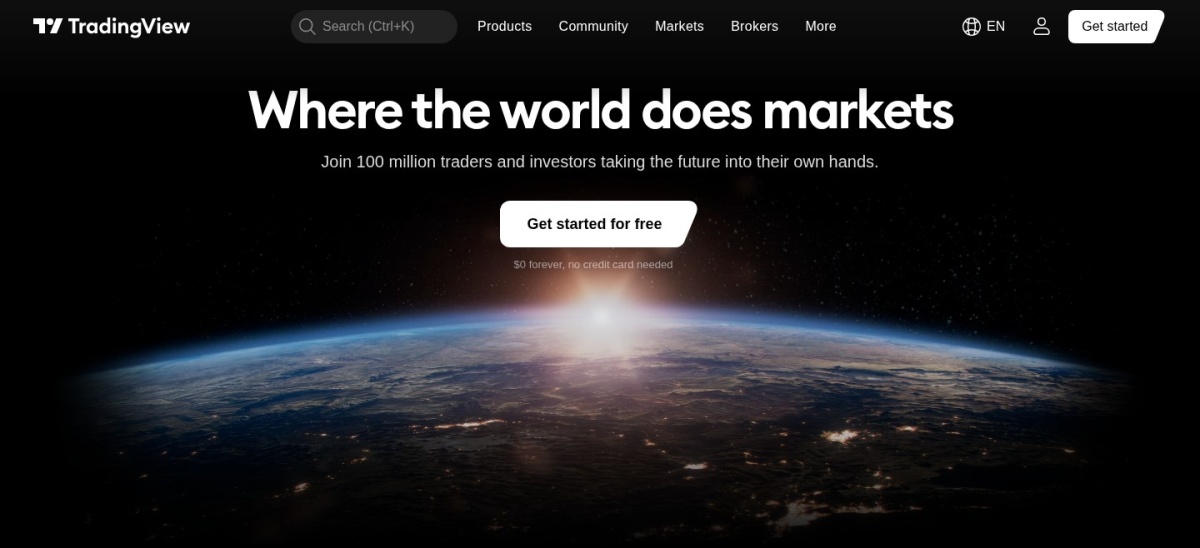
TradingView homepage, captured Nov 2026.
TradingView is a multi-asset charting and trade-execution desktop platform for Windows, macOS, and Linux. Its free Basic tier includes 1 chart per tab, 2 indicators per chart, 3 price alerts, and paper trading, while the Essential plan ($12.95/mo billed annually, or $155.40/yr; regular monthly rate $14.95/mo) removes ads and unlocks 2 charts per tab, 5 indicators per chart, Volume Profile, and 20 technical alerts.
The trade off is that real-time exchange data is billed separately—such as $9.95/mo for the US Stock Markets bundle or $7/mo for CME Group—and broker support depends on supported partners. It suits discretionary stock, forex, futures, and crypto traders who want fast multi-monitor desktop layouts without steep setup.
What we like
Native desktop app for Windows, macOS, and Linux with multi-monitor tab linking
Free Basic plan includes paper trading and 400+ built-in indicators
Pine Script engine supports custom indicators and strategy backtesting
Direct order execution with dozens of integrated stock, forex, and futures brokers
Watch out for
Real-time US stock, options, and futures exchange feeds cost extra per month
Free Basic plan displays ads and caps layouts at 1 chart and 2 indicators
Automated webhook alerts require upgrading to Plus ($29.95/mo billed annually)
Essential ($155.40/yr billed annually) removes ads and adds 2 charts per tab, 5 indicators, Volume Profile, and 40 total alerts.Visit tradingview.com
02
NinjaTrader
4.5/5on BrokerChooser (20+ reviews, checked Nov 2026)
Paid from$99/mo
Best for futures order flow and DOM trading
Entry paid planMonthly at $99/mo ($1,188/yr) or $1,499 Lifetime
Free tier$0/mo plan ($0.39/side micro, $1.29/side standard)
OS supportWindows desktop (NinjaTrader 8) + web & mobile
MarketsCME, CBOT, NYMEX, COMEX, Eurex futures
ninjatrader.com
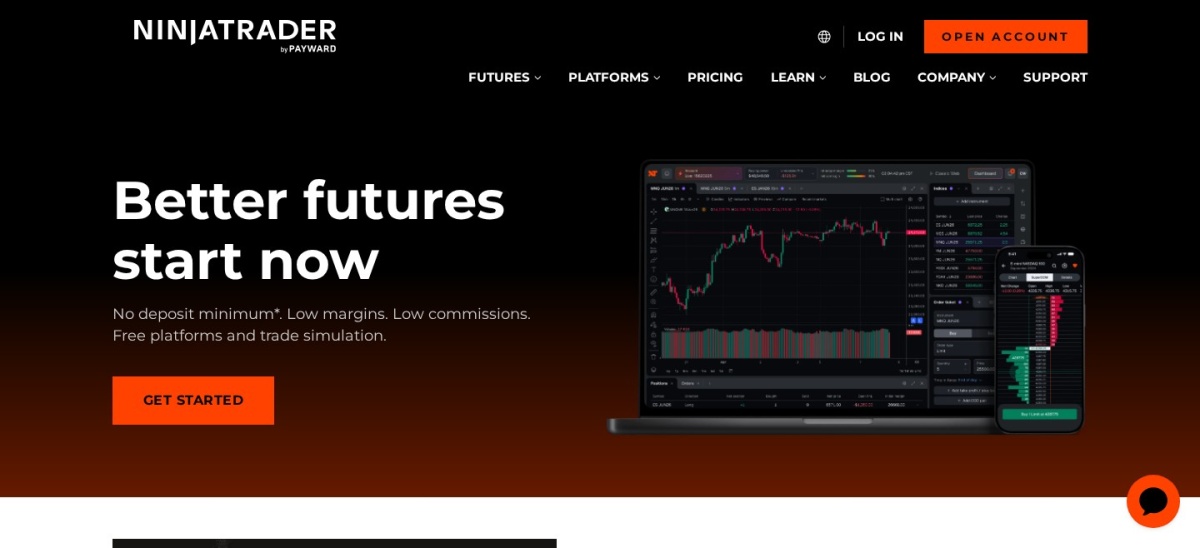
NinjaTrader homepage, captured Nov 2026.
NinjaTrader is a dedicated futures brokerage and Windows desktop trading terminal built around its SuperDOM ladder, C# strategy automation, and tick-by-tick Market Replay. Its Free plan charges $0/mo for software access with unlimited simulated trading and live commissions of $0.39 per micro contract and $1.29 per standard contract, while the Monthly plan ($99/mo, or $1,188/yr) cuts commissions to $0.29 micro and $0.99 standard.
The trade off is asset specialization and extra fees: NinjaTrader focuses on futures rather than stocks, requires a $1,499 Lifetime license to unlock Order Flow+ volumetric bars natively, and charges a $35/mo inactivity fee if you log in without placing live trades. It suits active futures scalpers and automated C# system builders.
What we like
$0/mo software access with unlimited simulation and $50 intraday micro margins
Fast SuperDOM order entry and tick-accurate Market Replay backtesting
C# NinjaScript framework and a large ecosystem of third-party add-ons
CME Group Level 1 top-of-book data included free with a funded account
Watch out for
Desktop client runs natively on Windows only
$35/mo minimum activity fee applies to Free accounts that log in without trading
Level 2 full market depth ($48/mo) and Order Flow+ tools cost extra unless on Lifetime
Monthly ($99/mo) lowers futures commissions, while the $1,499 Lifetime license drops micro rates to $0.09/side and includes Order Flow+.Visit ninjatrader.com
03
TradeStation
4.2/5on Trustpilot (1,484 reviews, checked Nov 2026)
Paid from$10/mo
Best for EasyLanguage backtesting and options
Entry paid cost$0 with active account; $10/mo inactivity fee otherwise
Free tier$0 desktop platform + $0 US stock/ETF commissions
TradeStation is a self-clearing brokerage and Windows desktop suite featuring RadarScreen real-time scanning, OptionStation Pro, and EasyLanguage strategy backtesting. Funded US retail accounts get the desktop software free along with $0 commissions on stocks and ETFs (up to 10,000 shares per trade), while options run $0.50–$0.60 per contract and futures start at $0.85–$1.75 per side.
The trade off is account activity rules and platform licensing: accounts under a $5,000 average balance that place fewer than 10 trades in 90 days pay a $10/mo ($120/yr) inactivity fee, and leasing the software without a funded brokerage account costs $99.99/mo. It suits systematic stock, options, and futures traders who want built-in backtesting.
What we like
No monthly platform fee for funded TradeStation brokerage accounts
EasyLanguage lets non-programmers write and backtest automated strategies
RadarScreen monitors hundreds of symbols in real time with custom indicators
OptionStation Pro visualizes multi-leg options payoff graphs and Greeks
Watch out for
$10/mo inactivity fee unless you hold $5,000+ or place 10 trades per 90 days
Native desktop client requires Windows (Mac users must use web or virtualization)
Non-brokerage software leases start at $99.99/mo before exchange data
Maintaining a $5,000+ balance or 10 trades per quarter waives the $10/mo inactivity fee and unlocks full desktop tools.Visit tradestation.com
04
thinkorswim
4/5on G2 (31 reviews, checked Nov 2026)
PriceFree
Best free desktop terminal for US stocks and options
Platform fee$0/mo with a Charles Schwab brokerage account
Commissions$0 online US stocks/ETFs; $0.65/contract options
OS supportWindows, macOS, Linux desktop + web & mobile
MarketsUS stocks, ETFs, options, futures, forex
schwab.com
thinkorswim homepage, captured Nov 2026.
thinkorswim is Charles Schwab's flagship desktop trading terminal for Windows, macOS, and Linux, offered with $0 software fees and no recurring subscription tiers. It includes real-time streaming Level 2 quotes, thinkScript custom indicators, multi-leg options risk-profile modeling, economic data overlays, and PaperMoney virtual trading with $0 online US equity commissions and $0.65 per options contract.
The trade off is a dense interface that takes time to configure and higher futures commissions ($2.25 per contract per side) than futures-first brokers. It suits US stock and options traders who want institutional-style analytics and native Mac/Windows support without paying a monthly software bill.
What we like
Completely free desktop software with no monthly tiers or inactivity fees
Native installers for Windows, macOS, and Linux with detachable windows
Deep options analytics including probability cones, Greeks, and spread builders
PaperMoney simulator mirrors live market data for risk-free strategy testing
Watch out for
Steep learning curve with dozens of nested menus for beginners
Futures commissions ($2.25/side) are higher than NinjaTrader or Sierra Chart
Requires opening a Charles Schwab brokerage account for full live access
There is no paid software tier; opening and funding a Schwab brokerage account unlocks live execution and streaming data.Visit schwab.com
05
Sierra Chart
3.3/5on Trustpilot (25 reviews, checked Nov 2026)
Starts at$26/mo
Best low-latency C++ terminal for futures
Entry paid planPackage 3 at $26/mo ($202.80/yr with 35% 12-mo discount)
Free tier21-day free trial (no permanent free tier)
OS supportWindows native C++ application
MarketsFutures, stocks, forex, CFDs, crypto
sierrachart.com
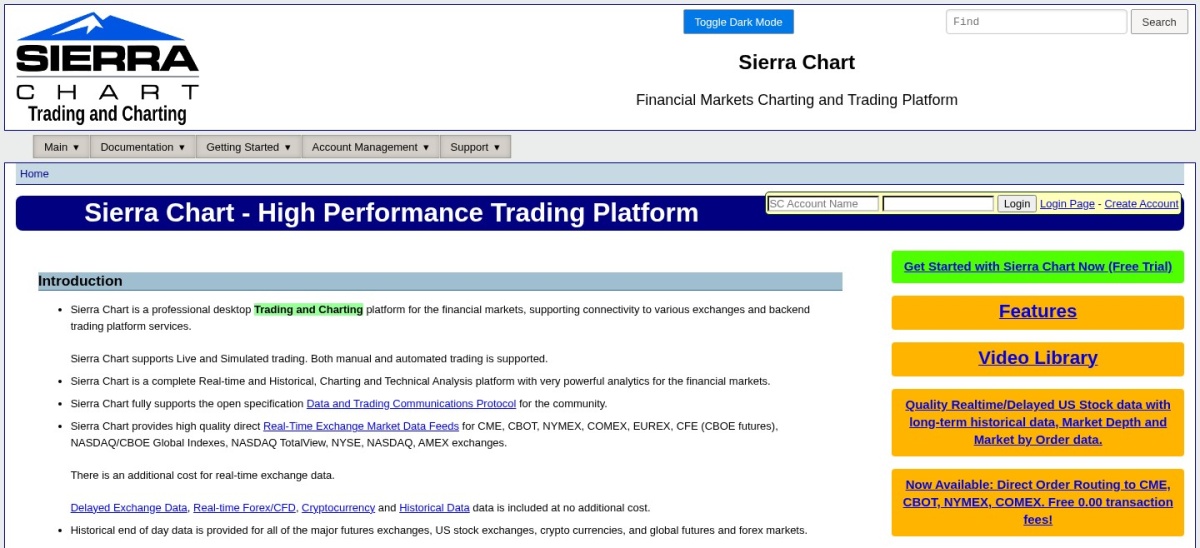
Sierra Chart homepage, captured Nov 2026.
Sierra Chart is a C++ desktop trading and market-data platform built for ultra-low CPU usage and high-speed futures execution. After a 21-day trial, Package 3 starts at $26/mo—or $202.80/yr ($16.90/mo) with the 35% 12-month prepayment discount—while Package 10 ($36/mo) adds external broker connectivity and Package 11 ($46/mo) unlocks Numbers Bars footprint charts and TPO Market Profile studies.
The trade off is a utilitarian 1990s-style interface, ticket-only support, and mandatory add-on fees for live CME Group data ($6/mo top-of-book or $40.50/mo market depth via Denali). It suits speed-obsessed futures scalpers and algorithmic traders who prioritize stability over visual polish.
What we like
Native C++ engine handles dozens of tick and footprint charts with minimal RAM
35% multi-month prepayment discount brings annual software costs under $205/yr
Granular Numbers Bars, TPO profiles, and Market by Order (MBO) tools
Direct Teton CME order routing without third-party bridge latency
Watch out for
No permanent free plan after the 21-day trial expires
Dated, menu-heavy UI with a steep configuration learning curve
No phone or live chat support; assistance runs via public support board tickets
Package 11 ($46/mo, or $358.80/yr prepaid) unlocks external broker connections plus Numbers Bars and TPO Market Profile studies.Visit sierrachart.com
06
ATAS
4.7/5on G2 (9 reviews, checked Nov 2026)
Paid from$23/mo
Best visual order-flow and footprint software
Entry paid planPlus at €19.95/mo billed annually (~$259/yr; €24.95/mo monthly)
Free tierStart plan (€0): real-time crypto, 15-min delayed futures
OS supportWindows desktop
MarketsFutures, stocks, cryptocurrencies
atas.net
ATAS homepage, captured Nov 2026.
ATAS (Advanced Time And Sales) is a Windows desktop terminal built for institutional-style volume and order-flow visualization. Its free Start tier provides real-time crypto charts and 15-minute delayed futures data across 2 instruments with 3 indicators, while the paid Plus plan (€19.95/mo billed annually, roughly $259/yr; €24.95/mo monthly) unlocks 6 instruments, Big Trades detection, CVD Pro, and Market Replay.
The trade off is that real-time futures and equity connections require stepping up to the Pro tier (€39.95/mo billed annually, or €69.95/mo monthly) plus exchange data feeds. It suits intraday futures and crypto traders who rely on footprint clusters, Smart Tape, and DOM heatmaps.
What we like
Free Start plan includes live cryptocurrency order-flow charts and simulator
240+ volume and microstructure indicators including Big Trades and Smart Tape
14-day full-feature trial lets you test real-time futures tools before paying
Connects directly to major futures brokers, prop firms, and crypto exchanges
Watch out for
Real-time stock and futures data require the Pro tier (€39.95/mo billed annually)
Native desktop client runs on Windows only
Pricing is billed in euros, so USD totals fluctuate slightly with exchange rates
Pro (€39.95/mo billed annually) unlocks real-time futures and stock connections, 20 instruments, and 3 simultaneous broker feeds.Visit atas.net
07
TrendSpider
4.6/5on Trustpilot (984 reviews, checked Nov 2026)
Starts at$32.94/mo
Best for automated trendlines and AI scanning
Entry paid planStandard from $32.94/mo first yr ($395.28/yr; $82/mo regular)
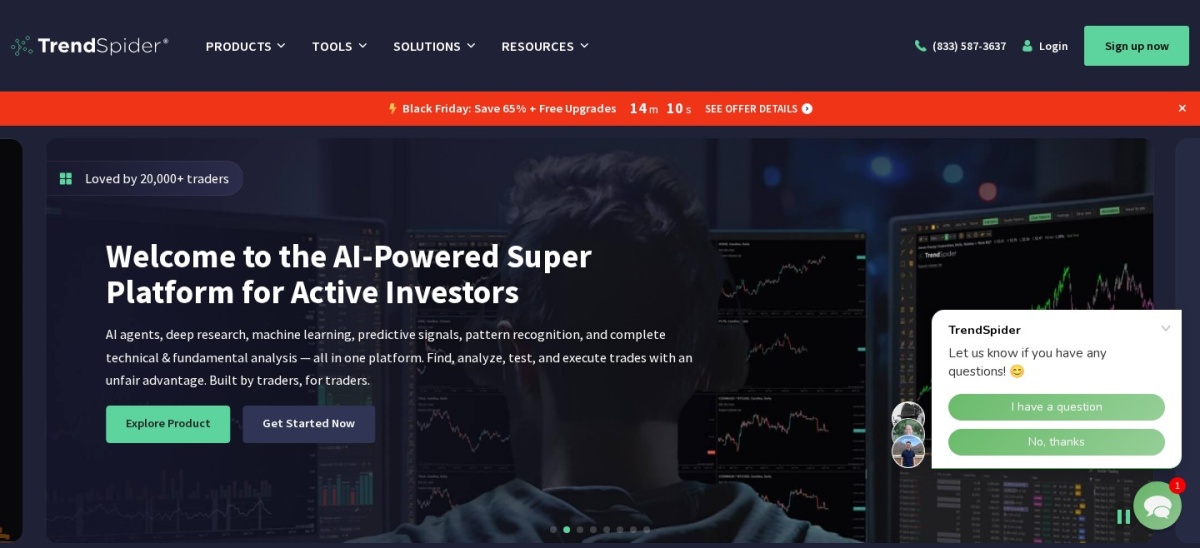
TrendSpider is an automated technical analysis and strategy-testing platform available as a desktop app for Windows and macOS. Its entry Standard plan starts at $32.94/mo billed annually ($395.28/yr promotional first-year rate; regular monthly rate $82/mo) and includes real-time non-pro US stock and ETF data, automated trendlines, Raindrop volume charts, no-code strategy backtesting, and TrendSpider Sidekick AI assistance.
The trade off is the lack of a free tier—even the 7-day trial costs $19—and promotional first-year discounts renew at higher standard rates unless renewed on sale. It suits swing and intraday equity traders who want automated pattern recognition and multi-timeframe alerts.
What we like
Real-time non-professional US equities and ETF data included at no extra fee
Automated trendlines, Fibonacci levels, and candlestick pattern recognition
No-code visual strategy backtester with variance testing and slippage modeling
Dynamic alerts trigger when price interacts with moving trendlines
Watch out for
No free forever plan; 7-day trial requires a $19–$49 payment
First-year promotional pricing ($32.94/mo) steps up upon renewal
Real-time CME futures ($7.50/mo) and OPRA options ($9.50/mo) cost extra
Premium ($45.50/mo first yr; $137/mo regular) increases alert, bot, and multi-symbol backtesting capacity for active traders.Visit trendspider.com
Watch out for separate exchange market data fees
Desktop trading software prices rarely include live exchange feeds. Even when a platform advertises a $0 software fee or a $155/yr charting subscription, exchanges like NYSE, Nasdaq, OPRA, and CME Group charge monthly subscriber fees for real-time Level 1 or Level 2 quotes.
On TradingView, adding the US Stock Markets bundle ($9.95/mo) and OPRA options data ($4.95/mo) adds $178.80/yr to your subscription. Similarly, NinjaTrader and Sierra Chart include CME Level 1 data free or for $6–$12/mo on funded non-professional accounts, but full Level 2 market depth runs $40.50–$48/mo.
How we chose
We shortlisted desktop trading software platforms for Windows and macOS that are actively maintained in 2026 and widely used by retail and independent traders across stocks, options, futures, and forex.
All subscription prices, commission schedules, and user review scores were verified on 29 Nov 2026 directly from official vendor pricing pages and public review profiles on G2, Trustpilot, and BrokerChooser.
We excluded mobile-only brokerage apps, discontinued legacy clients, and platforms that hide software pricing behind institutional sales quotes. No vendor paid for a place, and we do not claim testing for this list.
How to pick the right PC trading software
Match your primary asset class and execution workflow before paying for a subscription.
Start with the asset class you trade most. Stock and multi-leg options traders get the deepest chains and $0 commissions on thinkorswim or TradeStation, whereas futures scalpers need the tick-level DOM and order-flow tools in NinjaTrader, Sierra Chart, or ATAS.
Check your operating system compatibility. TradingView, thinkorswim, and TrendSpider offer native desktop builds for both Windows and macOS, while NinjaTrader, TradeStation, Sierra Chart, and ATAS run natively on Windows only.
Calculate all-in annual software plus data costs. Add mandatory exchange feeds (typically $6/mo to $48/mo) and potential inactivity fees ($10/mo at TradeStation or $35/mo at NinjaTrader) to the base subscription before comparing two platforms.
Test your workspace in a paper-trading simulator first. Use TradingView Basic, thinkorswim PaperMoney, or NinjaTrader's free simulator to verify multi-monitor performance and hotkey execution before funding a live account.
FAQ
What is the best trading software for PC in 2026?
TradingView is the best overall trading software for PC in 2026 because its native Windows, macOS, and Linux desktop app combines 400+ indicators, paper trading, and multi-broker execution starting at $0 on Basic or $155.40/yr billed annually on Essential.
What is the best free trading software for PC?
thinkorswim and TradingView Basic are the top free PC trading platforms. thinkorswim charges $0 software fees and $0 online US stock commissions for Schwab account holders, while TradingView Basic provides free forever charting and paper trading without requiring a brokerage account.
Which PC trading software is best for futures trading?
NinjaTrader and Sierra Chart lead for PC futures trading. NinjaTrader offers $0/mo software access with its SuperDOM ladder and $50 intraday micro margins, while Sierra Chart delivers a fast C++ engine with Numbers Bars and TPO profiles starting at $26/mo.
Does TradingView or NinjaTrader cost more per year?
NinjaTrader costs less for basic futures execution because its Free plan has a $0 monthly software fee and includes CME Level 1 data once funded. TradingView's entry Essential plan costs $155.40/yr billed annually plus $84/yr ($7/mo) for real-time CME futures data.
Which desktop trading platforms work natively on macOS?
TradingView, thinkorswim, and TrendSpider provide native desktop applications for macOS. Windows-only terminals like NinjaTrader, TradeStation, Sierra Chart, and ATAS require a Windows PC or virtual machine software on a Mac.
Are there hidden fees with free broker trading platforms?
Yes, free broker platforms often carry inactivity or market-data fees. TradeStation charges $10/mo if your balance is under $5,000 and you place fewer than 10 trades in 90 days, while NinjaTrader charges $35/mo if you log in on the Free plan without placing a live trade.
SaaS SEO and WordPress specialist with about 8 years of experience. Rakib compares WordPress plugins, themes, hosting and software using public pricing, documentation and user reviews. See how we rank.