Homebase is the best time clock software for small hourly teams, with free scheduling and time tracking for one location. Pick Connecteam for field crews on phones, Deputy for compliance-heavy shifts, and Jibble when you want verified clock-ins free.
How we make this list: we compare pricing pages, product documentation and public user reviews, then re-check every price before each update. No product paid for a place. Disclosure.
Homebase is genuinely free for one location with up to ten employees, covering scheduling, time tracking and messaging.
Connecteam holds the largest G2 base here at 4.6 out of 5 from more than 3,500 reviews.
Buddy Punch holds the highest G2 rating here at 4.8 out of 5, with GPS and facial recognition on punches.
When I Work is the cheapest per-user option at $2.50 a user a month, though time tracking can cost extra.
Jibble offers verified clock-ins free at any team size, including facial recognition and GPS tracking.
What to look for in time clock software
A time clock has one job: prove who worked when. GPS stamps, geofencing and facial recognition decide how much proof you get, and they matter most for field and hourly teams.
Pricing models differ sharply. Some tools charge per user, some per location and some a flat monthly fee, so a $2.50 per-user rate can cost more than a $29 flat fee for a large crew.
Scheduling often comes bundled. Homebase, Deputy and Connecteam combine the clock with rosters, which removes a second subscription; see our leave management software guide for absence tools.
Free plans are real here. Homebase, Connecteam, Jibble and Clockify all offer free tiers, so small teams should not pay until they outgrow them.
Homebase is built for hourly teams in restaurants, retail and other shift-based businesses. The free Basic plan covers one location and up to ten employees with scheduling, time tracking and team messaging. Paid plans charge per location, starting at $24 a month billed annually for Essentials.
The trade off is that payroll is an add-on at $49 a month plus $6 per person, and the free plan covers only one location. It suits small businesses with hourly teams that want scheduling and time tracking together.
Connecteam is an employee app for deskless workers with scheduling, communication, forms and training beside time tracking. Field crews clock in from a phone with a GPS location stamp, see schedules and message the team in one app. The free plan covers up to ten users, and Basic starts at $29 a month for the first thirty users.
The trade off is that it is a whole employee app, not just a clock, so teams that only need punches pay for more. It suits mobile and deskless teams that need more than a time clock.
Deputy is the scheduling-first answer to time and attendance, built for hospitality and retail teams with compliance requirements. The Lite plan at $5 per user a month covers scheduling or time tracking, while Core adds both plus biometric clock-ins and demand forecasting.
The trade off is that the cheapest plan covers only one side of the job, so most teams need Core at $6.50 to $7.20 a user a month. It suits shift businesses needing scheduling plus compliance.
4.8/5on G2 (Not published reviews, checked Nov 2026)
Starts at$4.99/user/mo
Best at stopping buddy punching
Cheapest planStarter, $4.99/user/mo
Free planNo, 14-day trial
Base fee$19 a month
Facial recognitionYes
buddypunch.com
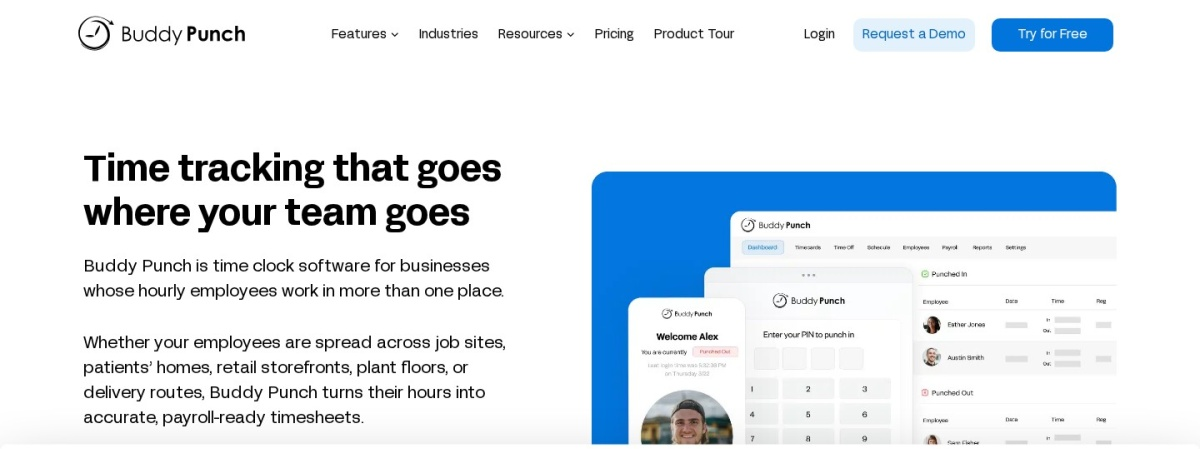
Buddy Punch homepage, captured Nov 2026.
Buddy Punch is a time clock built to stop buddy punching, with GPS location on every punch and facial recognition options. It adds reporting per employee and native integrations with scheduling and payroll systems. Starter costs $4.99 per user a month plus a $19 monthly base fee.
The trade off is the base fee, which lifts the real cost for tiny teams, and there is no free plan. Its G2 review count could not be confirmed today. It suits remote and field teams that need proof of presence.
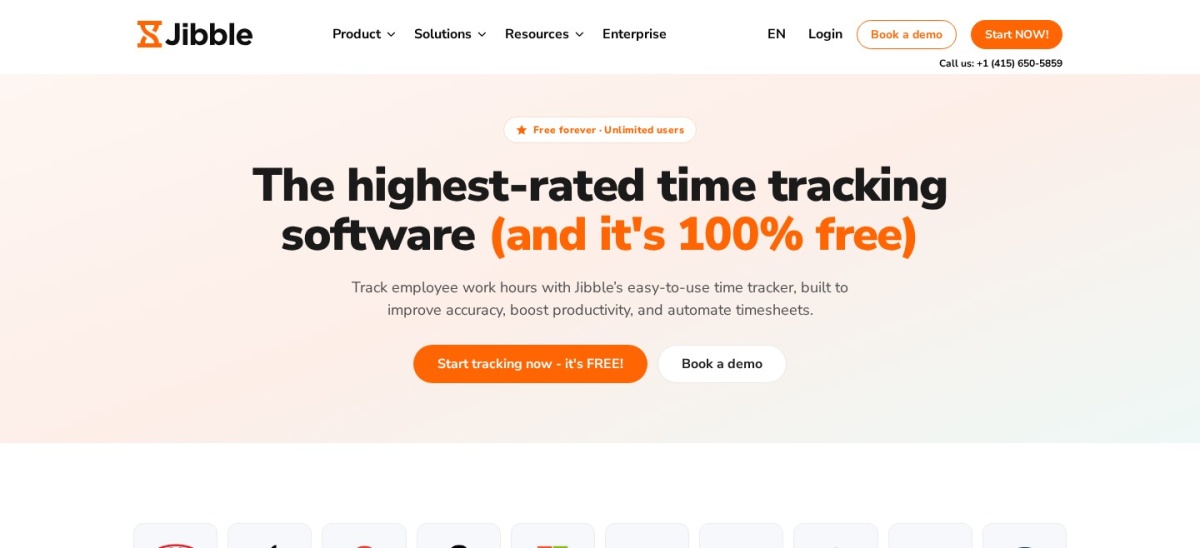
Jibble is a time clock with verified clock-ins free at any team size, including facial recognition and GPS tracking on the free plan. It covers attendance, time tracking, leave and payroll exports without a per-user charge to start. Premium costs $4.99 per user a month.
The trade off is that advanced reporting and integrations sit on paid plans, and the brand is less known than Homebase. It suits teams that want verified clock-ins free before they pay anything.
4.3/5on G2 (Not published reviews, checked Nov 2026)
Starts at$2.50/user/mo
Best cheapest per-user scheduling option
Cheapest planEssentials, $2.50/user/mo
Free planNo, 14-day trial
SchedulingCore strength
Time trackingAdd-on on some plans
wheniwork.com
When I Work homepage, captured Nov 2026.
When I Work is a simple shift scheduling tool for hourly teams, with team messaging and time tracking beside the schedule. Essentials costs $2.50 per user a month, the cheapest per-user rate in this list, though time tracking can cost extra depending on the plan.
The trade off is that time tracking is not always included at the entry price, and its G2 review count could not be confirmed today. It suits mid-size hourly teams that want simple, affordable shift scheduling.
4.5/5on G2 (Not published reviews, checked Nov 2026)
Starts at$20/mo
Best time clock for QuickBooks payroll users
Cheapest plan$20/mo + $10/user/mo
Free planNo, 30-day trial
QuickBooks syncNative
GPS trackingYes
quickbooks.intuit.com
QuickBooks Time homepage, captured Nov 2026.
QuickBooks Time is the obvious time clock for the QuickBooks shop. Formerly TSheets, it sends hours natively into QuickBooks Payroll and into invoices, which removes the export step that causes most payroll errors. GPS tracking and geofencing are included. It costs $20 a month plus $10 per user a month.
The trade off is the two-part price, which grows fast with headcount, and it needs QuickBooks to shine. Its G2 review count could not be confirmed today. It suits businesses already running QuickBooks payroll.
4.7/5on G2 (Not published reviews, checked Nov 2026)
Paid from$4.99/user/mo
Best free-first time tracking by project
Cheapest planBasic, $4.99/user/mo
Free planYes, unlimited users
Kiosk modeYes
Project trackingCore strength
clockify.me
Clockify homepage, captured Nov 2026.
Clockify is a free-first time tracker for teams that track time by project rather than by shift, with a kiosk mode for shared clock-ins. The free plan covers unlimited users, and paid plans start at $4.99 per user a month, though some listings show $6.99 for newer plans.
The trade off is that it is a time tracker first, with scheduling lighter than Deputy or Homebase, and its G2 review count could not be confirmed today. It suits teams that want free time tracking with a kiosk option.
We started from the established tools in this category, then kept those with a verifiable rating on G2, Capterra or Trustpilot and a published price or fee.
Prices and fees come from vendor pricing pages and public comparisons checked on 26 November 2026, with ratings and review counts from G2, Capterra or Trustpilot on the same day. Where a vendor shows a sale, the list shows the regular price.
We left out tools with no verifiable rating on any of the three review sites. No vendor paid for a place, and we do not claim hands-on testing for this list.
How to choose time clock software
Start with the job you need done every week, then match the tool to that job.
Decide how much proof you need. GPS stamps and facial recognition matter for field teams; a simple clock is enough for office staff.
Compare pricing models, not just rates. Per-user, per-location and flat fees behave differently as headcount grows, so model your real team size.
Check scheduling is included. A clock with rosters replaces two tools, but confirm the roster covers your shift patterns.
Trial it with real staff. Run a week of real shifts to test clock-ins, approvals and payroll exports before committing.
FAQ
What is the best time clock software?
Homebase is the best time clock software for small hourly teams, with free scheduling and time tracking for one location. Connecteam suits field crews, Deputy suits compliance-heavy shifts, and Jibble suits teams that want verified clock-ins free.
Is there a free time clock app?
Yes. Homebase is free for one location with up to ten employees, Connecteam is free for up to ten users, and Jibble and Clockify offer free plans for unlimited users. Paid plans start once you outgrow those limits.
What is the cheapest time clock software?
When I Work is the cheapest per-user option at $2.50 a user a month. Homebase and Connecteam are free to start, while Buddy Punch and Jibble cost $4.99 a user a month with a base fee on Buddy Punch.
Do time clock apps track GPS location?
Most do. Connecteam, Buddy Punch, Jibble and QuickBooks Time stamp GPS locations on clock-ins, with geofencing on several plans. Buddy Punch and Jibble also offer facial recognition to stop buddy punching.
Does time clock software work with payroll?
Yes, on most tools. QuickBooks Time syncs natively with QuickBooks Payroll, Homebase offers payroll as an add-on, and Deputy, Buddy Punch and Connecteam export hours to payroll systems.
What is the best time clock for restaurants?
Homebase is the best fit for restaurants, with free scheduling and time tracking for one location. Deputy suits restaurants with compliance needs, while 7shifts is a restaurant specialist worth shortlisting beside these picks.
SaaS SEO and WordPress specialist with about 8 years of experience. Rakib compares WordPress plugins, themes, hosting and software using public pricing, documentation and user reviews. See how we rank.