WLWPLegible EditorsLast verified 22 Nov 2026How we rank12 min read
★ Short answer
Connecteam is our top HR software pick for teams managing employee records, time off, onboarding and training, with a free plan for up to 30 users and paid HR plans starting at $29 per month billed annually. Gusto suits payroll-focused employers, while Homebase is better for managing hourly teams and shift schedules.
How we make this list: we compare pricing pages, product documentation and public user reviews, then re-check every price before each update. No product paid for a place. Disclosure.
Connecteam is our overall pick for team HR, with HR & Skills Basic starting at $29/month billed annually for up to 30 users and a 4.6/5 G2 rating from 3,506 reviews.
Gusto combines payroll and HR administration. Simple costs $49/month plus $6 per person, with a 4.6/5 G2 rating from 14,231 reviews.
Homebase offers free basic scheduling and time tracking for one location with up to 10 employees. Essentials costs $30/month per location.
Deputy starts at $5/user/month on annual billing and has a 4.5/5 G2 rating from 974 reviews.
When I Work starts at $2.50/user/month for single-location scheduling, while Breezy HR starts at $157/month billed annually for recruitment workflows.
Workable starts at $299/month for Standard, combining applicant tracking with HR capabilities, while advanced hiring add-ons cost extra.
What to look for in HR software
HR software helps businesses organize employee information, manage leave, coordinate onboarding and reduce repetitive administration. Some products also include payroll, recruitment, scheduling, training and performance management.
Start with the work your team needs to handle. An office-based business may prioritize employee records, document management and leave approvals. An hourly workforce often needs shift scheduling, time clocks and attendance records before advanced HR features.
Pricing deserves close attention. Vendors charge per employee, per location or per organization, and some combine a fixed monthly fee with a per-person charge. Compare the full cost for your headcount rather than the headline subscription price.
Check which features belong to the entry plan. Payroll, recruiting, advanced reporting, performance reviews and HR support may require upgrades or separate add-ons. Also examine data export options, access permissions and integrations before committing.
Core focusTime off, training, documents and onboarding
connecteam.com
Connecteam homepage, captured Nov 2026.
Connecteam is a mobile-focused workforce management platform with separate operations, communications and HR hubs. Its HR & Skills Hub includes time-off management, courses, quizzes, documents, recognition, hiring and onboarding, while its free Limited plan supports up to 30 users.
The trade off is that each hub has its own pricing, so purchasing several feature groups increases the total. HR & Skills Basic costs $29/month billed annually for the first 30 users, with additional-user charges above that allowance. It suits teams that need accessible employee administration and training without adopting a traditional enterprise HR system.
What we like
Free Limited plan supports up to 30 users
Dedicated HR hub for employee development and administration
Mobile-friendly tools for distributed and frontline teams
Predictable base pricing for the included user allowance
Watch out for
Separate hubs can increase subscription costs
Advanced workflows and permissions require higher tiers
Not a complete payroll processing replacement
Paid HR plans add expanded leave controls, training capabilities, documents and workflow features.Visit connecteam.com
02
Gusto
4.6/5on G2 (14,231 reviews, checked Nov 2026)
Starts at$49 + $6/person/mo
Best for payroll and HR administration
Entry paid planSimple
Base subscription$49/month
Employee charge$6/person/month
Core focusPayroll, taxes and basic PTO
gusto.com
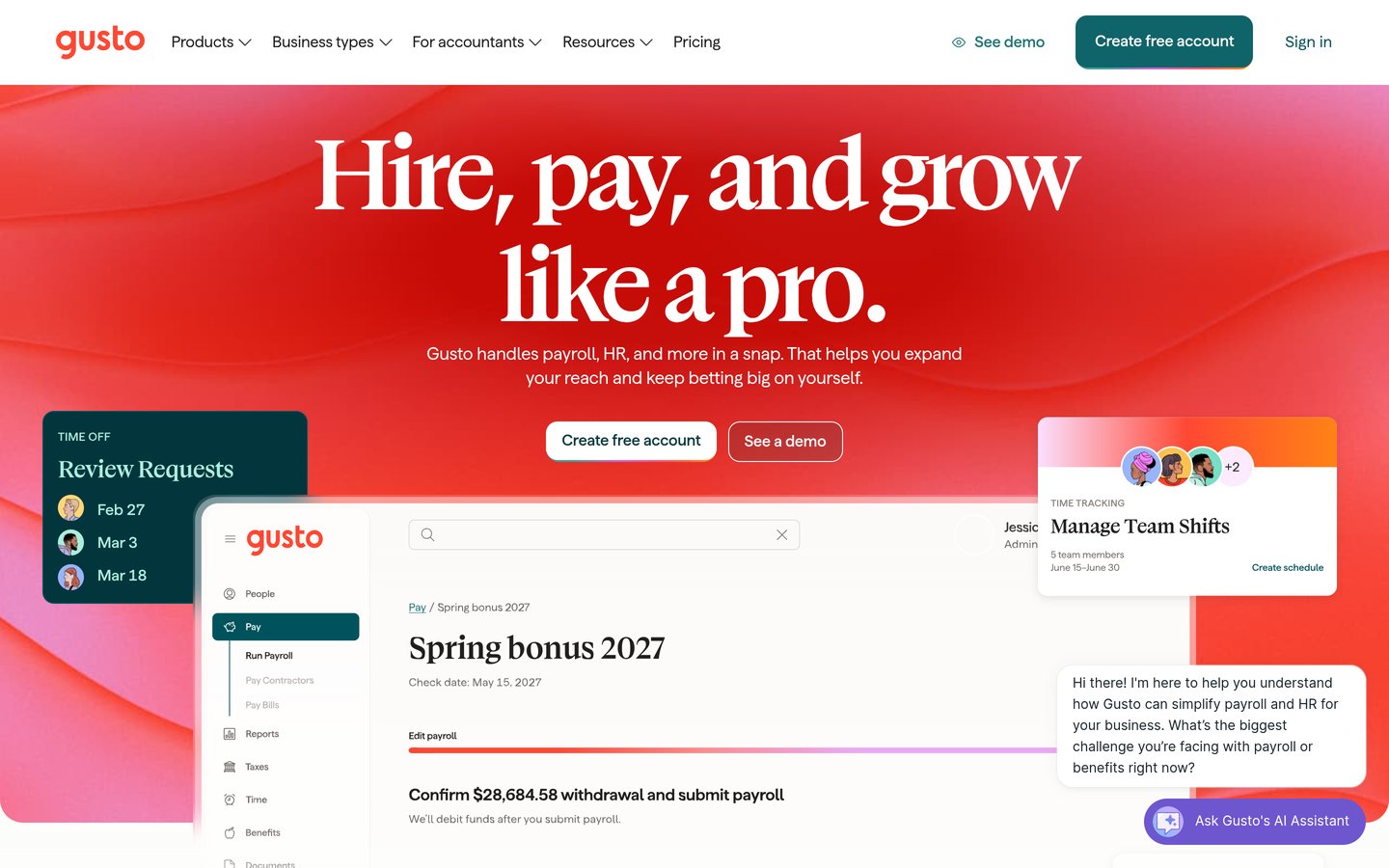
Gusto homepage, captured Nov 2026.
Gusto is a payroll and HR platform that brings employee payments, tax administration and basic people management into one system. Its Simple plan includes unlimited payroll runs, tax filings and payments, basic PTO policies and holiday pay, with a subscription based on a monthly platform fee and employee charges.
The trade off is that its $49/month base fee is only part of the cost, with another $6/person/month added for paid employees. Time tracking, scheduling and broader HR functions are associated with higher plans, so costs increase as requirements grow. It suits employers whose main priority is dependable payroll administration linked to employee records.
What we like
Unlimited payroll runs included in Simple
Payroll tax filing and payment capabilities
Employee information and basic time-off policies together
Clearly published base and per-person pricing
Watch out for
Per-person charges increase monthly spending
Advanced HR tools require more expensive plans
Less suitable for organizations primarily seeking recruitment software
Plus adds time tracking, scheduling, multi-state payroll and additional workforce tools.Visit gusto.com
03
Homebase
4.6/5on G2 (664 reviews, checked Nov 2026)
Paid from$30/mo
Best for managing hourly employees
Free planOne location, up to 10 employees
Entry paid planEssentials, $30/location/month
Paid employee limitUnlimited employees per location
Payroll add-on$49 base + $6/employee monthly
joinhomebase.com
Homebase homepage, captured Nov 2026.
Homebase is an employee management platform built around hourly work, scheduling and time tracking. Its Basic plan provides free scheduling, time tracking and point-of-sale integration for one location with up to 10 employees, while payroll is available as an optional add-on.
The trade off is that Essentials costs $30/month per location and provides advanced scheduling, time tracking and communication rather than every HR feature. Payroll normally adds a $49 monthly base fee plus $6 per paid employee, and fuller HR functions sit in higher tiers. It suits retail, hospitality and service teams managing hourly schedules.
What we like
Free entry plan for small single-location teams
Paid Essentials supports unlimited employees per location
Scheduling, time tracking and communication in one system
Optional payroll integration
Watch out for
Charges are based on locations
Payroll requires an additional subscription
Employee onboarding and broader HR compliance tools need higher tiers
Essentials adds advanced scheduling, advanced time tracking and team communication.Visit joinhomebase.com
04
Deputy
4.5/5on G2 (974 reviews, checked Nov 2026)
Starts at$5/mo
Best for shift scheduling and attendance
Entry paid planLite, $5/user/month annually
Monthly minimum$30 on monthly plans
HR add-on$2/user/month
Core focusScheduling, timesheets and attendance
deputy.com
Deputy homepage, captured Nov 2026.
Deputy is workforce management software for scheduling employees, tracking attendance and organizing timesheets. Its Lite plan includes basic scheduling, time clocks, leave and availability management, shift swaps, reporting, messaging and payroll integrations, while the vendor reports more than 390,000 workplaces using its platform.
The trade off is that Lite starts at $5/user/month on annual billing, while HR tools cost an additional $2/user/month and advanced scheduling requires Core or Pro. Monthly plans also have a $30 minimum invoice. It suits shift-based teams that need attendance controls and payroll-ready timesheets more than a full HR information system.
When I Work is employee scheduling software focused on shift planning, availability and staff communication. Its Essentials plan starts at $2.50/user/month for single-location teams and includes automated scheduling, multi-week schedules, templates, messaging, open shifts, shift swapping and payroll integrations.
The trade off is that When I Work concentrates on workforce scheduling instead of comprehensive HR administration, with multi-location pricing starting at $5/user/month and attendance features requiring careful plan review. It suits smaller shift-based organizations that want scheduling and employee communication without paying for a broader HR suite.
What we like
Low starting per-user subscription
Automated scheduling and reusable templates
In-app staff messaging
Open-shift management and shift swapping
Watch out for
Not a complete payroll or benefits platform
Multi-location pricing starts higher
Limited traditional HR information management
Higher plans add more advanced scheduling and workforce management capabilities.Visit wheniwork.com
06
Breezy HR
4.4/5on G2 (701 reviews, checked Nov 2026)
Starts at$157/mo
Best for recruitment and applicant tracking
Entry paid planStartup
Annual billing$157/month
Monthly billing$189/month
Included capacityUnlimited users and positions
breezy.hr
Breezy HR homepage, captured Nov 2026.
Breezy HR is applicant tracking software designed to organize recruiting pipelines and coordinate candidate communication. Its Startup plan includes unlimited users and positions, a branded career site, background screening integrations, candidate questionnaires, bulk actions and automated actions when applicants change hiring stages.
The trade off is that Breezy HR focuses on recruiting rather than payroll or complete employee administration, and Startup costs $157/month billed annually or $189 on monthly billing. The vendor offers a free trial but no permanent free plan. It suits growing recruiting teams that need structured hiring workflows and shared candidate records.
What we like
Unlimited users and positions on Startup
Branded career site included
Candidate questionnaires and pipeline automation
Integrations for background screening
Watch out for
No permanent free plan
Payroll and broad HR administration are outside its main focus
Higher starting cost than basic scheduling products
Growth adds additional recruiting automation and candidate engagement capabilities.Visit breezy.hr
07
Workable
4.4/5on G2 (715 reviews, checked Nov 2026)
Starts at$299/mo
Best for combining recruitment with HR
Entry paid planStandard
Listed starting price$299/month
Annual equivalent$3,588/year
Core focusRecruiting, employee records and onboarding
workable.com
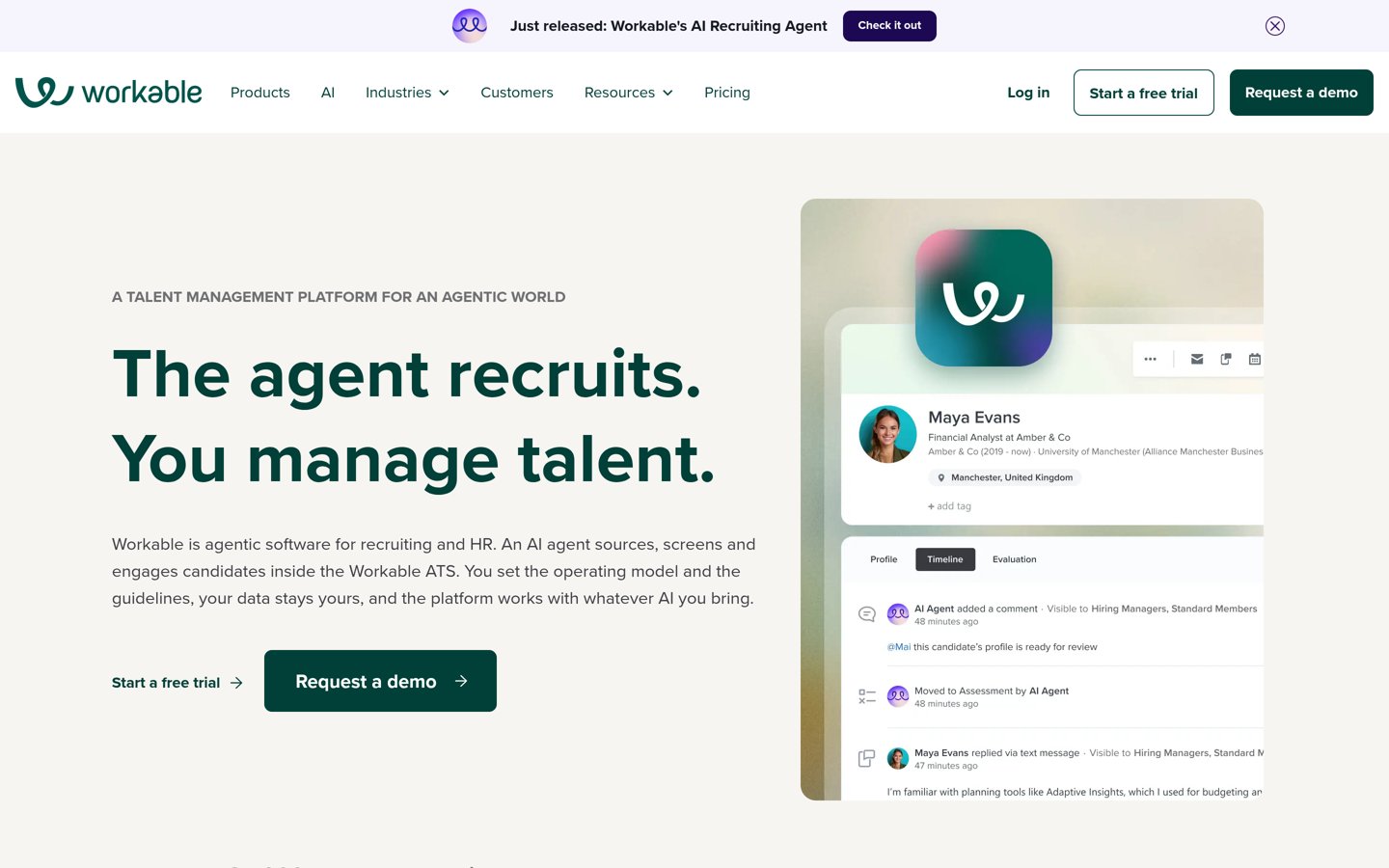
Workable homepage, captured Nov 2026.
Workable is a recruiting and HR platform combining applicant tracking, candidate sourcing and employee management capabilities. Its Standard offering lists recruiting tools, unlimited active jobs subject to fair-use limits, hiring plans and optional HR functionality covering employee records, onboarding, time off, time tracking and payroll preparation.
The trade off is that Standard starts at $299/month for the smallest listed company-size band, while optional features and HR packaging can increase costs. Video interviewing, assessments and some performance capabilities carry additional charges. It suits organizations that want coordinated hiring processes alongside employee administration rather than separate disconnected systems.
What we like
Applicant tracking and candidate sourcing together
HR information and onboarding options
Unlimited active jobs subject to fair-use limits
Reporting and payroll integration capabilities
Watch out for
Higher entry cost than lightweight HR tools
Some hiring and HR features require add-ons
Pricing varies with organizational size and configuration
Higher plans add expanded recruiting services, priority support and additional advanced capabilities.Visit workable.com
How HR software pricing models compare
HR vendors calculate subscription fees differently. Per-user pricing is straightforward for small teams, but spending grows with headcount. Deputy and When I Work use employee-based pricing, while Gusto combines a base subscription with an additional charge per person.
Location-based pricing can benefit businesses with many employees working at the same site. Homebase charges per location, while Connecteam includes a defined user allowance within its entry hub subscriptions.
Recruiting-focused platforms may charge by organization size or subscription tier instead of each employee. Breezy HR includes unlimited users and positions in its Startup plan, while Workable's published pricing varies by company-size band.
The annual figures in the price ladder represent the lowest stated paid subscription or unit price, not an identical team-wide quote. Before purchasing, calculate your actual headcount, location count, add-ons, billing commitment and minimum charges.
Match the HR platform to your main workflow
Core HR management: Prioritize organized employee records, document access, time-off approvals, onboarding and appropriate access permissions. Connecteam covers several of these functions through its HR-focused hub.
Payroll administration: Choose software that handles payroll calculations, payments and tax workflows. Gusto focuses on these activities, while Homebase and Deputy provide payroll features or integrations alongside workforce tools.
Shift-based operations: Scheduling products help managers publish shifts, track attendance and handle employee availability. Homebase, Deputy and When I Work are particularly relevant when schedules change frequently.
Recruiting and hiring: Applicant tracking systems centralize job openings, candidate profiles, communication and hiring stages. Breezy HR emphasizes recruiting workflows, while Workable combines recruiting features with broader HR options.
How we chose
We built this comparison from established HR, payroll, workforce management and recruiting products with publicly documented features and substantial independent review histories. We considered each product's primary purpose, entry-plan capabilities, pricing model and suitability for different business workflows.
Prices and ratings were checked on 22 Nov 2026 using official vendor pricing pages and G2 review listings. The comparison uses published USD entry prices, distinguishes annual and monthly billing where necessary, and notes separate add-ons or variable per-person charges.
We excluded discontinued products, products without a confirmable public entry price, and options without enough public review evidence for a useful comparison. We also avoided treating free trials as permanent free plans or assuming that every HR feature comes with the lowest subscription tier. No vendor paid for a place, and we do not claim testing for this list.
How to choose the right HR software
Identify the HR tasks that consume the most time, then compare the plans that actually cover those needs. Use these steps to narrow the field.
**Start with the primary HR workflow.** Decide whether employee records, payroll, scheduling, onboarding or recruiting creates the biggest administrative burden. Choose a product designed around that workflow instead of paying for a large collection of features your team may rarely use.
**Calculate the total subscription cost.** Use your employee count, locations and required add-ons to estimate spending. Include base fees, per-person charges, minimum invoices and billing commitments. Compare annual costs using the same staffing assumptions across vendors.
**Check entry-plan feature limits.** Verify whether leave approvals, onboarding, payroll, time tracking, reporting and hiring workflows are available at the advertised price. Also examine user roles, security settings, document storage and integrations with your existing applications.
**Evaluate setup, support and future growth.** Review import options, employee self-service features, available support and data export procedures. Consider whether the platform can accommodate more employees, departments or locations without forcing an expensive or disruptive migration.
FAQ
What is the best HR software for small businesses?
Connecteam is our leading choice for small teams that need employee administration, onboarding, training and time-off tools. Its free Limited plan supports up to 30 users, while its HR & Skills Basic tier starts at $29/month billed annually. Businesses focused on payroll may find Gusto more appropriate.
Is there free HR software?
Yes. Connecteam has a free Limited plan for up to 30 users, and Homebase offers free basic scheduling and time tracking for one location with up to 10 employees. These plans do not include every paid HR capability, so confirm whether the free feature limits cover your actual needs.
How much does HR software cost?
Pricing depends on the vendor's billing model. When I Work starts at $2.50/user/month, Deputy starts at $5/user/month with annual billing, and Connecteam HR & Skills Basic costs $29/month annually for its included user allowance. Payroll-focused and recruiting platforms often charge higher fixed fees or separate employee charges.
What is the difference between HR software and payroll software?
HR software primarily manages employee information, leave, onboarding, documents and people-related workflows. Payroll software calculates compensation, handles payments and supports related tax processes. Some platforms combine both areas, such as Gusto, while others emphasize HR administration and integrate with separate payroll systems.
Which HR software is best for employee scheduling?
Homebase, Deputy and When I Work are suitable scheduling-focused options. Homebase combines scheduling with hourly workforce administration, Deputy adds timesheet and attendance tools, and When I Work focuses on publishing shifts and team communication. The strongest choice depends on staffing patterns, locations and reporting needs.
Which HR software is best for recruiting?
Breezy HR and Workable are recruiting-focused choices. Breezy HR offers applicant tracking, candidate questionnaires and recruiting automation, with Startup starting at $157/month billed annually. Workable includes candidate sourcing and applicant tracking, with options for employee administration after hiring. Neither should be selected solely for basic payroll.
Can HR software handle employee onboarding?
Yes. Several products support onboarding activities such as organizing employee information, distributing documents and coordinating introductory tasks. Connecteam includes hiring and onboarding within its HR hub, while Workable offers employee onboarding as part of its HR capabilities. Check the exact plan because advanced workflows may require additional payment.
Should a business choose all-in-one HR software or separate tools?
An integrated platform can reduce duplicate records and simplify employee administration when its included functions match business needs. Separate tools may work better when an organization has specialized scheduling, payroll or recruitment requirements. Compare integration quality, data access, overall subscription cost and the effort required to maintain each approach.