Best Software Testing Tools in 2026: 7 Tools Compared
WLWPLegible EditorsLast verified 22 Nov 2026How we rank5 min read
★ Short answer
Playwright leads for cross-browser web testing with an open-source Apache 2.0 core and built-in tracing, while BrowserStack suits real-device cloud testing starting at $12.50/mo billed annually. Postman fits API test suites from $9/mo billed annually, and TestRail organizes QA test cases from $22/user/mo billed annually.
How we make this list: we compare pricing pages, product documentation and public user reviews, then re-check every price before each update. No product paid for a place. Disclosure.
Playwright is free and open source under Apache 2.0, holding a 4.8/5 rating on G2.
BrowserStack lists a Freelancer plan from $12.50/mo billed annually with a 4.4/5 rating across 3,366 G2 reviews.
Postman starts at $9/mo billed annually on Solo with a 4.6/5 rating across 1,802 G2 reviews.
BugBug offers a free local tier and a Core cloud plan from $99/mo billed annually, rated 4.7/5 across 31 G2 reviews.
Katalon starts at $1,800/seat/yr billed annually on Professional with a 4.4/5 rating across 235 G2 reviews.
What to look for when choosing software testing tools
Software testing spans unit, end-to-end browser, API, load, and test-case management workflows. Matching a tool to your primary bottleneck saves engineering hours and avoids paying for unused cloud minutes or seat tiers.
Code-first frameworks give developers version control and local speed, while no-code recorders and cloud grids reduce setup time for smaller teams or broad device coverage. Always check whether cloud runners, parallel sessions, or test-management seats bill separately from test authoring.
Teams also weigh open-source ownership against hosted dashboards and reporting. A free runner can still carry infrastructure and maintenance costs once suites run on every pull request.
Playwright is a browser testing and automation framework licensed under Apache 2.0 at no cost. It supports Chromium, Firefox, and WebKit with auto-waiting locators, network interception, and a trace viewer for debugging failures.
The trade off is that there is no commercial license fee, so your team absorbs test authoring, selector maintenance, and CI runner setup in engineering time. It suits developer teams writing automated end-to-end web tests across multiple browser engines.
What we like
Free open-source framework with no licensing fee
Tests Chromium, Firefox, and WebKit from one API
Built-in trace viewer and auto-waiting reduce flake debugging
Supports API testing and network response mocking
Watch out for
Requires coding skills and ongoing selector upkeep
Emulates mobile browsers rather than running native mobile apps
Postman is an API development and testing platform offering a Free tier for one user with unlimited collection runs and mock servers, plus 50 monthly AI credits. The Solo plan starts at $9/mo billed annually with 400 AI credits per month and expanded API monitoring.
The trade off is that the Free and Solo tiers are single-user plans, so shared team workspaces require the $19/user/mo annual Team tier. It suits developers and QA engineers building, automating, and monitoring API test suites.
What we like
Free plan includes unlimited collection runs and mock servers for one user
Low $9/mo annual entry price on the Solo tier
Large user base with 1,802 reviews on G2
Watch out for
Free tier does not include shared team workspaces
Desktop app can use heavy memory on large collections
Solo at $9/mo billed annually adds 400 AI credits/mo, data-driven exports, and expanded monitoring.Visit postman.com
03
BrowserStack
4.4/5on G2 (3,366 reviews, checked Nov 2026)
Starts at$12.50/mo
Best for real-device and browser testing
Entry paid plan$12.50/mo billed annually
Device coverage35,000+ real devices
G2 rating4.4/5 (3,366 reviews)
Live Desktop$29/mo billed annually
browserstack.com
BrowserStack homepage, captured Nov 2026.
BrowserStack is a cloud testing platform providing access to real mobile devices and desktop browsers without maintaining local hardware. Its Freelancer plan starts at $12.50/mo billed annually for a single account with 100 minutes of Live desktop and mobile testing.
The trade off is that entry minutes are capped on the $12.50/mo Freelancer tier, while broader parallel and team plans cost noticeably more. It suits teams verifying layout, geolocation, and real-device behavior across browsers and phones.
What we like
Broad real-device and desktop browser catalog in the cloud
Low $12.50/mo annual starting point for single-user testing
Supports geolocation, network throttling, and localhost testing
Watch out for
No permanently free tier for ongoing testing
Costs scale quickly with parallel sessions and team seats
Higher plans unlock unlimited testing minutes, parallel automation, and multi-user team seats.Visit browserstack.com
04
TestRail
4.4/5on G2 (611 reviews, checked Nov 2026)
Starts at$22/mo
Best for structured test case management
Entry paid plan$22/user/mo annually
User limitUp to 5 users on entry
G2 rating4.4/5 (611 reviews)
Professional$39/user/mo annually
testrail.com
TestRail homepage, captured Nov 2026.
TestRail is a test management platform for organizing test cases, test plans, runs, and defect traceability across QA releases. The Essentials cloud plan starts at $22/user/mo billed annually for teams of up to five users.
The trade off is that Essentials caps out at five users, requiring a move to Professional at $39/user/mo annually for larger teams or on-premise hosting. It suits QA teams tracking manual and automated test results alongside issue trackers like Jira.
What we like
Dedicated test plans, milestones, and defect traceability reports
Integrates with Jira, GitHub, GitLab, and Azure DevOps
Includes AI test generation and CLI automation reporting
Watch out for
No permanently free plan
Entry Essentials plan is capped at five users
Professional at $39/user/mo billed annually removes the five-user cap and adds role controls and on-premise options.Visit testrail.com
05
Cypress
4.7/5on G2 (108 reviews, checked Nov 2026)
Paid from$67/mo
Best for frontend end-to-end test replay
Entry paid plan$67/mo ($799/yr)
Free tierUp to 10 users, 500 results/mo
G2 rating4.7/5 (108 reviews)
Business plan$267/mo ($3,199/yr)
cypress.io
Cypress homepage, captured Nov 2026.
Cypress is a web testing framework paired with Cypress Cloud, which offers a Free tier for up to 10 users and 500 monthly test results. The Team plan starts at $67/mo ($799 billed annually) for up to 50 users and 120,000 test results per year.
The trade off is that high test-result volume or flake analytics pushes costs up quickly on paid cloud tiers. It suits frontend engineering teams wanting fast local debugging and recorded test replays.
What we like
Strong interactive runner and Test Replay debugging in the cloud
Free cloud tier supports up to 10 users and 500 test results/mo
High 4.7/5 satisfaction score across 108 G2 reviews
Watch out for
Paid cloud plans start at $799/yr with test-result quotas
Less suited for non-browser desktop or native mobile apps
Team at $799/yr billed annually adds 120k yearly test results, flake detection, and Jira integration.Visit cypress.io
06
BugBug
4.7/5on G2 (31 reviews, checked Nov 2026)
Paid from$99/mo
Best for no-code browser test recording
Entry paid plan$99/mo billed annually
Free tier1 user, local tests only
G2 rating4.7/5 (31 reviews)
Pro plan$189/mo billed annually
bugbug.io
BugBug homepage, captured Nov 2026.
BugBug is a browser test recorder for web apps with a Free plan for one user running tests locally across up to 15 tests and 4 suites. The Core plan starts at $99/mo billed annually for up to 3 users, 50 tests, and scheduled cloud runs.
The trade off is that the free tier is local-only and Core caps test count at 50 before Pro at $189/mo annually. It suits non-coders and small product teams recording critical web user flows quickly.
What we like
Straightforward recorder for building web tests without heavy code
Free plan lets solo users run local browser tests before upgrading
Rated 4.7/5 across 31 reviews on G2
Watch out for
Free plan does not run scheduled or cloud tests
Less flexible for complex custom test logic than code frameworks
Core at $99/mo billed annually adds cloud runs, schedules, alerts, and up to 3 users.Visit bugbug.io
07
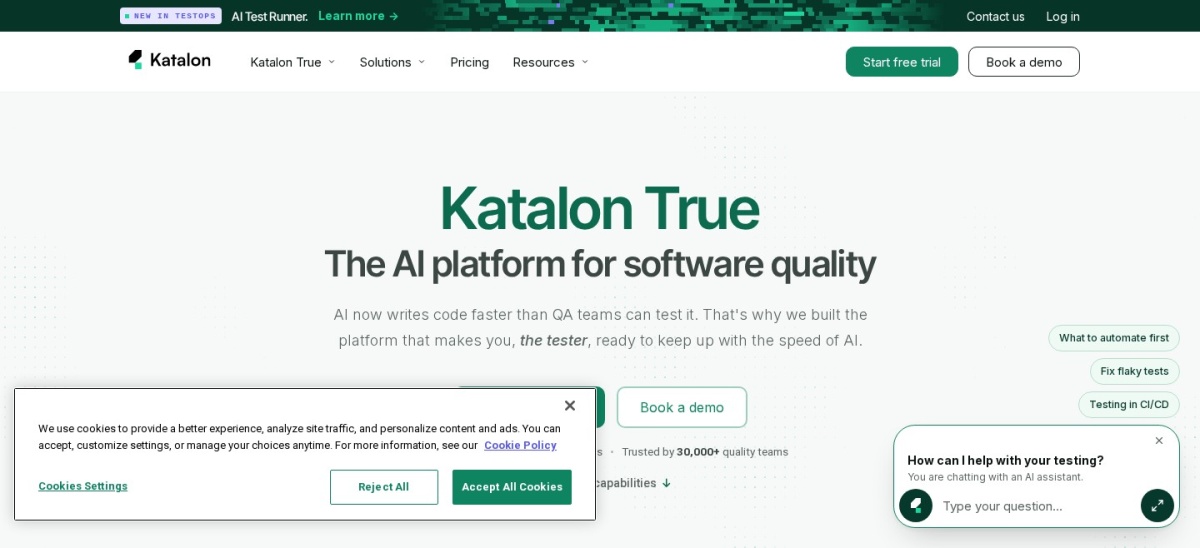
Katalon
4.4/5on G2 (235 reviews, checked Nov 2026)
Paid from$1,800/yr
Best for multi-platform low-code suites
Entry paid plan$1,800/seat/yr annually
Free tierFree Studio local authoring
G2 rating4.4/5 (235 reviews)
EnterpriseCustom ($20K+ orders)
katalon.com
Katalon homepage, captured Nov 2026.
Katalon offers a free Studio tier for local record-and-playback authoring across web and mobile tests. Its Professional plan starts at $1,800/seat/yr billed annually (listed at $2,199 before discount) with desktop testing, AI agents, and standard support.
The trade off is a higher annual seat price and separate execution add-ons for CI runtime or cloud grids. It suits QA teams consolidating web, API, mobile, and desktop test authoring in one IDE.
What we like
Covers web, API, mobile, and desktop testing in a single platform
Free local Studio option available for getting started
Combines low-code authoring with scripting support
Watch out for
Entry Professional seat costs $1,800/yr billed annually
CI and cloud execution add-ons can increase total annual cost
Professional at $1,800/seat/yr billed annually adds desktop testing, AI authoring, and standard support.Visit katalon.com
Code-first frameworks vs. low-code recorders
Code-first tools like Playwright and Cypress store tests alongside application code, making code review, assertions, and custom helpers straightforward for engineers. They take longer to adopt if your team lacks test automation engineers.
Low-code tools such as BugBug and Katalon speed up initial test creation through visual recording and built-in steps. Teams still need clear naming and maintenance habits so suites stay reliable as interfaces change.
How we chose
We built this shortlist around widely used software testing tools covering browser automation, API testing, real-device cloud grids, test management, and low-code suites.
All pricing figures and G2 ratings in this guide were checked on 22 Nov 2026 using published vendor pricing pages and G2 product listings.
We excluded products without public entry pricing or active listings we could verify today, as well as tools focused purely on infrastructure observability rather than software testing. No vendor paid for a place, and we do not claim testing for this list.
How to choose the right testing tool in 4 steps
Follow these four steps before committing budget or engineering time:
Start with your main test layer. Decide whether you need end-to-end browser checks, API assertions, real mobile devices, or test-case tracking.
Match authoring to team skills. Pick code-based frameworks when developers write and review tests, or low-code recorders when non-coders build suites.
Check seat and execution limits. Review user caps, parallel run limits, and cloud test quotas against your expected release frequency.
Verify CI and bug-tracker fit. Confirm the tool integrates cleanly with your repository, CI runner, and issue tracker before rolling it out.
FAQ
Which software testing tool is best if I want a free start?
Playwright is free and open source under Apache 2.0 with no paid vendor tier. Postman also offers a free single-user plan for API testing, while Cypress and BugBug provide free entry tiers with usage limits.
Do I need a cloud device platform if I already use Playwright or Cypress?
Local and CI browser runs cover core functional checks well, but a cloud platform like BrowserStack helps when you need real mobile hardware, carrier or geolocation checks, or wide OS combinations without managing devices yourself.
What is the difference between a test runner and a test management tool?
A test runner executes automated browser or API checks, while a test management tool like TestRail tracks test cases, release runs, and defect links across manual and automated QA work.
Why do cloud testing tools often cost more than their entry price?
Entry plans frequently limit team seats, parallel runs, or monthly test executions. Adding teammates, faster parallel runners, or extra test volume usually moves accounts into higher tiers.
Are low-code testing tools better than writing test code?
Low-code tools help teams create basic browser tests faster without deep programming knowledge. Code-based tools usually offer tighter version control and flexibility for complex assertions and large engineering teams.
Should small teams start with an all-in-one suite or specialized tools?
Small teams often start with focused tools like Playwright for browser checks and Postman for APIs to keep costs low. Larger or multi-platform QA teams sometimes prefer an all-in-one suite like Katalon.