Best IT Management Software in 2026: 8 Tools Compared
WLWPLegible EditorsLast verified 22 Nov 2026How we rank9 min read
★ Short answer
Freshservice is our top pick for IT management software in 2026, pairing ITIL-aligned ticketing and asset discovery at $19 per agent per month. ManageEngine ServiceDesk Plus is the best budget option with a permanent free tier for 5 technicians, while Atera suits lean teams managing unlimited devices per technician.
How we make this list: we compare pricing pages, product documentation and public user reviews, then re-check every price before each update. No product paid for a place. Disclosure.
Entry paid plans range from $13/technician/month (ManageEngine ServiceDesk Plus) to $149/technician/month (Atera) when billed annually.
ManageEngine ServiceDesk Plus and Jira Service Management offer permanent free tiers for up to 5 technicians and 3 agents respectively.
Per-technician RMM platforms like Atera ($149/mo) and Syncro ($159/mo) include unlimited endpoints, avoiding per-device price spikes.
AI copilots frequently carry separate fees, such as Freshservice's Freddy AI Copilot at $29/agent/month on top of base seats.
All eight tools maintain active 2026 releases and G2 ratings between 4.2 and 4.7 out of 5 across 20 to 1,387 verified reviews.
What to look for in IT management software
IT management software spans two overlapping categories: IT Service Management (ITSM) platforms that handle employee tickets, change approvals, and asset inventories, and Remote Monitoring and Management (RMM) tools that patch endpoints and run scripts remotely. Buying the wrong half leaves technicians either manually remoting into machines or tracking requests in shared inboxes.
Licensing models dictate your three-year total cost far more than headline entry rates. Per-agent pricing works best when a few technicians support thousands of employees, whereas per-asset or flat-workspace pricing prevents bill shock when non-IT staff need occasional portal access.
Check where core modules sit on the pricing ladder before committing. Many vendors advertise entry rates under $25 per seat while gating automated asset discovery, CMDB relationship maps, change management, and AI ticket triage behind mid-tier plans or $29 to $50 monthly add-ons.
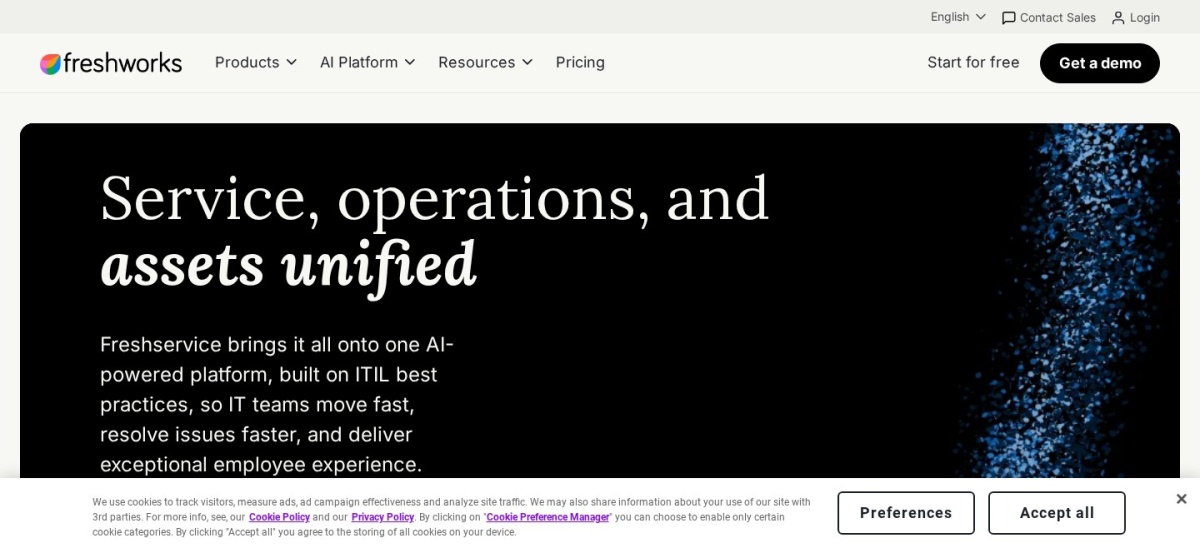
Freshservice is a cloud ITSM platform built around incident, problem, change, and asset management. Its Starter plan ($19/agent/month billed annually) includes multi-channel ticketing, an employee self-service portal, a knowledge base, SLA policies, and 1,000 workflow automation transactions per month.
The trade off is that CMDB dependency mapping, SaaS management, and problem or change workflows require Growth ($49/agent/mo) or Pro ($99/agent/mo), and Freddy AI Copilot costs an extra $29/agent/month. It suits mid-sized internal IT departments that want fast cloud setup without enterprise consulting fees.
What we like
Clear four-tier published pricing from $19 to $99 per agent per month
Fast deployment with an intuitive interface and native Slack and Microsoft Teams portals
Includes 3 free occasional-agent Day Passes at sign-up
Watch out for
No permanent free tier beyond the 14-day trial
Freddy AI Copilot adds $29/agent/month on top of base seats
Starter ($228/yr per agent) unlocks full ticketing, SLAs, and 1,000 monthly automation runs.Visit freshworks.com
02
ManageEngine ServiceDesk Plus
4.2/5on G2 (256 reviews, checked Nov 2026)
Paid from$13/mo
Best for budget-conscious and on-prem teams
Billing modelPer technician/month (annual)
Free tierUp to 5 technicians (Standard)
DeploymentCloud or On-Premises
Asset bundle250+ IT assets on paid tiers
manageengine.com
ManageEngine ServiceDesk Plus homepage, captured Nov 2026.
ManageEngine ServiceDesk Plus is a full-stack ITIL service desk available in both cloud and self-hosted on-premises editions. Its Standard Edition is permanently free for up to 5 technicians with incident management, SLA rules, self-service portal, and knowledge base included.
The trade off is a denser interface and modular add-on pricing where CMDB costs $1,595/year and change management costs $3,195/year unless you upgrade to Enterprise ($67/technician/month). Paid Standard plans start at $13/technician/month ($1,545/year for 10 technicians). It suits budget-focused teams or regulated organizations needing on-premises hosting.
What we like
Permanent free Standard edition covering up to 5 technicians
Lowest published paid seat rate at $13/technician/month
Available as both cloud SaaS and on-premises software
Watch out for
Interface feels dated compared to newer cloud-native competitors
CMDB and change management require costly add-ons or the $67/mo Enterprise tier
Paid Standard ($156/yr per tech) scales beyond 5 technicians with unlimited end-user requesters.Visit manageengine.com
03
Jira Service Management
4.3/5on G2 (1,018 reviews, checked Nov 2026)
Paid from$25/mo
Best for IT teams working alongside developers
Billing modelPer agent/month (tiered bands)
Free tierUp to 3 agents permanently
DeploymentCloud or Data Center
Asset objects5,000 included on Standard
atlassian.com
Jira Service Management homepage, captured Nov 2026.
Jira Service Management is Atlassian's ITSM platform connecting IT support queues directly to engineering issues and Confluence documentation. Its Free plan supports up to 3 agents with unlimited end-user requestors, custom portals, email ticketing, and 2 GB of file storage.
The trade off is graduated seat pricing ($25/agent/month for the first 15 agents, or $750/year for 1–3 agents) plus usage meters on Assets and AI virtual agent conversations. Full CMDB and virtual agent features sit on Premium ($57.30/agent/mo for 1–15 agents). It suits engineering-heavy companies already standardized on Jira.
What we like
Permanent free plan for up to 3 agents with unlimited requestors
Direct linking between IT incidents, change approvals, and Jira engineering tickets
Includes 5,000 asset objects on the Standard tier
Watch out for
First-tier rate is $25/agent/month for small teams despite lower high-volume averages
Virtual service agent and full asset dependency mapping require Premium
Standard ($300/yr per seat at 1–15 agents) adds 250 GB storage, audit logs, and custom domains.Visit atlassian.com
04
SolarWinds Service Desk
4.3/5on G2 (796 reviews, checked Nov 2026)
Starts at$39/mo
Best for simple per-tech pricing with unlimited users
Billing modelPer technician/month (annual)
Free tier30-day free trial only
DeploymentCloud SaaS
End usersUnlimited requestors on all plans
solarwinds.com
SolarWinds Service Desk homepage, captured Nov 2026.
SolarWinds Service Desk is a cloud ITSM and asset management platform designed around predictable per-technician licensing. Its Essentials plan ($39/technician/month billed annually) covers incident management, service catalog, knowledge base, basic asset inventory, and unlimited employee requestors.
The trade off is that advanced workflow automations and custom fields require Advanced ($99/technician/month), while AI anomaly detection and visual dependency mapping sit on Premier ($124/technician/month), with managed asset packs quoted separately. It suits mid-sized IT teams that want straightforward technician seat math.
What we like
Unlimited employee requestors included on every subscription tier
30-day full-featured trial with transparent published technician rates
Integrates directly with SolarWinds infrastructure monitoring tools
Watch out for
Asset discovery and higher asset counts require separate custom quotes
AI-assisted ticket insights are restricted to higher tiers
Essentials ($468/yr per technician) covers core ticketing, service catalog, and unlimited requestors.Visit solarwinds.com
05
InvGate Service Management
4.6/5on G2 (20 reviews, checked Nov 2026)
Starts at$1,499/yr
Best for no-code workflow automation and fast setup
Billing modelAnnual bundle / per-agent
Free tier30-day free trial only
DeploymentCloud or On-Premises
Entry bundle5 agents included ($24.98/agent/mo)
invgate.com
InvGate Service Management homepage, captured Nov 2026.
InvGate Service Management is an ITIL-aligned service desk built with a visual no-code workflow builder and integrated AI capabilities. Its Starter bundle costs $1,499/year for up to 5 agents ($24.98/agent/month) and includes unlimited end-users, SSO integration, SLA tracking, and AI knowledge discovery.
The trade off is a 5-agent minimum entry commitment on Starter and a jump to $500/agent/year on Pro for the conversational Virtual Service Agent and cross-department Enterprise Service Management templates. It suits mid-market IT teams wanting fast deployment without custom coding.
What we like
AI Hub capabilities included in the base Starter bundle rather than sold separately
Visual drag-and-drop workflow builder reduces admin setup time
Supports SSO (Microsoft, Google, LDAP/SAML) even on the entry plan
Watch out for
Requires an annual 5-agent minimum purchase ($1,499/year)
Conversational virtual agent requires upgrading to the Pro tier
Starter ($1,499/yr for 5 agents) unlocks SSO, unlimited approvers, and core AI Hub features.Visit invgate.com
06
Atera
4.6/5on G2 (1,288 reviews, checked Nov 2026)
Starts at$149/mo
Best for lean IT teams managing large device fleets
Billing modelPer technician/month (annual)
Free tier30-day trial (no credit card)
EndpointsUnlimited devices per technician
AI add-onAI Copilot ($95/technician/mo)
atera.com
Atera homepage, captured Nov 2026.
Atera combines Remote Monitoring and Management (RMM), automated OS and third-party patching, remote access, and IT helpdesk ticketing in one cloud console. Its IT Department Professional plan ($149/technician/month billed annually, or $169 monthly) covers unlimited endpoints per technician.
The trade off is a steep per-seat entry price if each technician manages fewer than 50 devices, plus an optional $95/technician/month add-on for full Action AI Copilot diagnostics. It suits lean internal IT teams or MSPs where a few technicians oversee hundreds of computers.
What we like
Unlimited managed endpoints included on every per-technician plan
Combines RMM, patch automation, remote desktop, and ticketing in one login
30-day free trial available without entering a credit card
Watch out for
High entry seat cost ($149/mo annual) for small device counts
Advanced AI Copilot automation adds $95/technician/month
Professional ($1,788/yr per technician) unlocks unlimited endpoints, patching, and helpdesk ticketing.Visit atera.com
07
Syncro
4.5/5on G2 (572 reviews, checked Nov 2026)
Starts at$129/mo
Best for MSPs wanting RMM, PSA, and billing combined
Billing modelPer user/month (annual)
Free tier14-day trial (no credit card)
EndpointsUnlimited endpoints per technician
ComplianceSOC 2 Type II certified
syncrosecure.com
Syncro homepage, captured Nov 2026.
Syncro is a combined RMM, Professional Services Automation (PSA), and remote support platform built primarily for managed service providers. Its Core plan ($129/user/month billed annually, or $159 monthly) includes unlimited endpoints, automated scripting, patch management, ticketing, and recurring client invoicing.
The trade off is that Microsoft 365 multi-tenant management, AI-assisted ticket summarization, and advanced automation require the Team plan ($179/user/month billed annually, or $209 monthly). It suits small to mid-sized MSPs that want one flat per-technician bill without endpoint overages.
What we like
Unlimited endpoints included on every user license with no contracts
Unifies RMM monitoring, scripting, helpdesk ticketing, and client billing
Includes 24/5 live support and SOC 2 Type II certification
Watch out for
Geared toward MSP workflows rather than pure internal corporate IT
AI ticketing features and Microsoft 365 management require the $179/mo Team tier
Core ($1,548/yr per user) includes RMM, PSA ticketing, invoicing, and unlimited endpoints.Visit syncrosecure.com
08
BlueTally
4.7/5on Capterra (139 reviews, checked Nov 2026)
Paid from$199/mo
Best for dedicated hardware and license asset tracking
Billing modelFlat workspace rate (annual)
Free tierUp to 50 assets permanently
UsersUnlimited admins and users
MDM syncIntune, Jamf, Okta, Entra ID
bluetally.com
BlueTally homepage, captured Nov 2026.
BlueTally is a cloud IT Asset Management (ITAM) platform focused on tracking laptops, accessories, warranties, and software licenses across employee lifecycles. Its free tier tracks up to 50 assets permanently with unlimited users, barcode generation, depreciation tracking, and custody history.
The trade off is a jump to $199/month billed annually ($232 monthly) for the Core plan covering 250 assets, and it does not include an IT helpdesk or remote patching engine. It suits growing companies that already have ticketing and want automated MDM hardware sync.
What we like
Permanent free tier for up to 50 assets with full core features
Flat workspace pricing with unlimited users and no per-seat fees
Automatic device and user sync via Intune, Jamf, Okta, and Entra ID
Watch out for
No built-in ticketing helpdesk or remote RMM patching
Paid plans jump from free (50 assets) directly to $199/month (250 assets)
Core ($2,388/yr flat) expands capacity to 250 assets with automated MDM and SCIM syncing.Visit bluetally.com
Per-agent vs. per-endpoint vs. flat-rate licensing
Most ITSM service desks charge per technician or agent seat while allowing unlimited employees to submit tickets for free. For a 5-person IT team supporting 600 employees, Freshservice Starter ($19/agent/mo) costs $1,140 per year, whereas charging per employee would cost several times more.
RMM platforms flip that math when device counts explode. Per-technician RMM tools like Atera ($149/tech/mo) and Syncro ($129/user/mo) include unlimited endpoints, making them far cheaper than per-device tools once each technician manages more than 75 computers.
How we chose
We built this list by comparing established IT service management (ITSM), remote monitoring and management (RMM), and IT asset management (ITAM) platforms with transparent, publicly verifiable pricing pages.
All prices, free tier limits, G2 ratings, and Capterra review counts were verified on 22 Nov 2026 directly from vendor pricing pages and review directories. Annual billing rates are converted to yearly USD equivalents using regular list prices rather than temporary promotional discounts.
We excluded enterprise-only suites that hide all pricing behind mandatory sales quotes—such as ServiceNow, Ivanti, BMC Helix, and NinjaOne—as well as legacy tools with unverified 2026 pricing pages. No vendor paid for a place, and we do not claim testing for this list.
How to choose IT management software
Follow four practical steps to match your team size and device count to the right IT platform.
Separate ticketing needs from endpoint control. Pick an ITSM platform like Freshservice or Jira Service Management if you primarily track employee requests and approvals, or an RMM tool like Atera if you need automated OS patching and remote desktop access.
Model your technician-to-device ratio. Divide your total laptops and servers by your technician headcount; if each technician manages over 75 endpoints, per-technician RMM pricing beats per-device billing.
Check which tier holds CMDB and change workflows. Verify whether change management, automated asset discovery, and SSO sit on the entry plan or require upgrading to a $49 to $99 mid-tier subscription.
Calculate AI add-ons before signing an annual contract. Factor in separate copilot seat fees ($29 to $95/agent/month) or per-conversation virtual agent overages so renewal bills stay predictable.
FAQ
What is the best free IT management software?
ManageEngine ServiceDesk Plus offers the most generous permanent free tier for internal IT desks, covering up to 5 technicians with incident ticketing and SLAs. Jira Service Management is free for up to 3 agents, while BlueTally tracks up to 50 hardware assets for free.
How much does IT management software cost per month?
Published entry plans for ITSM helpdesks run from $13 to $39 per technician per month when billed annually. All-in-one RMM platforms with unlimited endpoints start higher at $129 to $149 per technician per month.
What is the difference between ITSM and RMM software?
ITSM software manages employee support tickets, service catalogs, change approvals, and asset records. RMM software installs agents on computers and servers to monitor uptime, deploy patches, run scripts, and launch remote control sessions.
Do employees submitting IT tickets need paid licenses?
No. Every ITSM tool on this list—including Freshservice, ManageEngine ServiceDesk Plus, Jira Service Management, SolarWinds Service Desk, and InvGate—allows unlimited employee end-users to submit requests at no extra seat cost.
Why are ServiceNow and NinjaOne not priced on this list?
Both platforms require custom enterprise quotes and do not publish standard list prices on their public websites. We restricted this comparison to established IT management vendors with verifiable 2026 regular pricing.