Best Social Media Scheduling Platforms in 2026: 7 Tools Compared
WLWPLegible EditorsLast verified 22 Nov 2026How we rank11 min read
★ Short answer
Buffer is the best social media scheduling platform for most creators and small teams, offering a permanent 3-channel free plan and $5 per channel monthly billing on annual plans. Metricool is the strongest pick for cross-network analytics, while Planable suits teams needing post approvals.
How we make this list: we compare pricing pages, product documentation and public user reviews, then re-check every price before each update. No product paid for a place. Disclosure.
Buffer starts free for 3 channels (10 queued posts each) and scales at $5/channel/month billed yearly ($60/year per channel).
Publer matches Buffer's $5/month starting rate for 1 account and includes a 3-account free plan (excluding X).
Later begins at $18.75/month billed yearly ($225/year) for 1 social set of 8 profiles, capped at 30 posts per profile.
Metricool offers a 1-brand free tier (20 posts/month) and unlocks 5 brands plus LinkedIn on Starter at $20/month billed yearly ($240/year).
SocialBee starts at $24.20/month billed yearly ($290/year) for 5 profiles and focuses on category-based evergreen post recycling.
Planable provides 50 free total posts, then charges $33/workspace/month billed yearly ($396/year) with unlimited team seats.
What to look for in a social media scheduling platform
Pricing structure shapes your long-term bill more than the headline sticker price. Per-channel tools like Buffer and Publer keep costs low when you manage two or three profiles, while flat-tier platforms like Metricool and SocialBee become cheaper once you connect five to ten accounts. Per-seat tools such as Sprout Social multiply rapidly when multiple teammates need logins.
Network coverage and add-on fees also vary widely across schedulers. Most platforms cover Instagram, Facebook, TikTok, LinkedIn, YouTube, Pinterest, Threads, and Bluesky, though X (Twitter) support often sits behind paid tiers or separate per-account surcharges due to API access costs.
Match the workflow features to your actual bottleneck. Solo creators usually benefit most from a clean queue, AI caption assistance, and a generous free tier, whereas agencies and multi-person marketing teams need feed previews, multi-step approval gates, and client-ready analytics exports.
Supported networks12 networks including Bluesky, Threads, and X
Team seats1 on Essentials; unlimited on Team ($10/channel/mo)
buffer.com
Buffer homepage, captured Nov 2026.
Buffer is a queue-based social media scheduler built around fast drafting, multi-network publishing, and an unlimited AI Assistant on every tier. Its forever-free plan supports 1 user across 3 channels with 10 refillable scheduled posts per channel, basic analytics, API access, and a community comment inbox.
The trade off is per-channel billing that adds up as you connect more accounts, alongside lighter analytics and no social listening. Essentials costs $5 per channel monthly on annual billing ($60 per year for 1 channel, or $6 monthly). It suits creators and small teams wanting an uncomplicated scheduler.
What we like
Permanent free plan covers 3 channels with AI Assistant and API access
Supports 12 networks including X, Bluesky, Threads, and Mastodon
Team tier includes unlimited user seats at $10/channel/month billed yearly
Clean calendar, ideas board, and first-comment scheduling
Watch out for
Per-channel pricing gets expensive beyond 8 to 10 accounts
No social listening or direct message inbox support
X / TwitterPaid add-on ($10 to $12/mo per account)
Analytics history30 days on Free; unlimited on paid plans
metricool.com
Metricool homepage, captured Nov 2026.
Metricool is an analytics and scheduling platform that pairs a visual content calendar with cross-channel reporting, competitor tracking, and a unified inbox. Its free plan covers 1 brand, 20 scheduled posts per month, 5 competitor profiles, and 30 days of analytics history, excluding LinkedIn and X.
The trade off is extra add-on fees for X accounts and capped monthly AI text credits across plans. Starter costs $20 per month billed yearly ($240 per year, or $25 monthly) for up to 5 brands and unlimited scheduled posts. It suits marketers who prioritize reporting alongside scheduling.
What we like
Starter plan covers up to 5 brands with unlimited scheduled posts
Tracks up to 100 competitor profiles with downloadable PDF and PPT reports
Includes unified comment and DM inbox across supported networks
Free plan includes MCP server access for AI workflow integrations
Watch out for
Free tier excludes LinkedIn and X scheduling
Connecting X accounts requires an extra monthly add-on on paid tiers
Post approval workflows require upgrading to Advanced ($53/mo yearly)
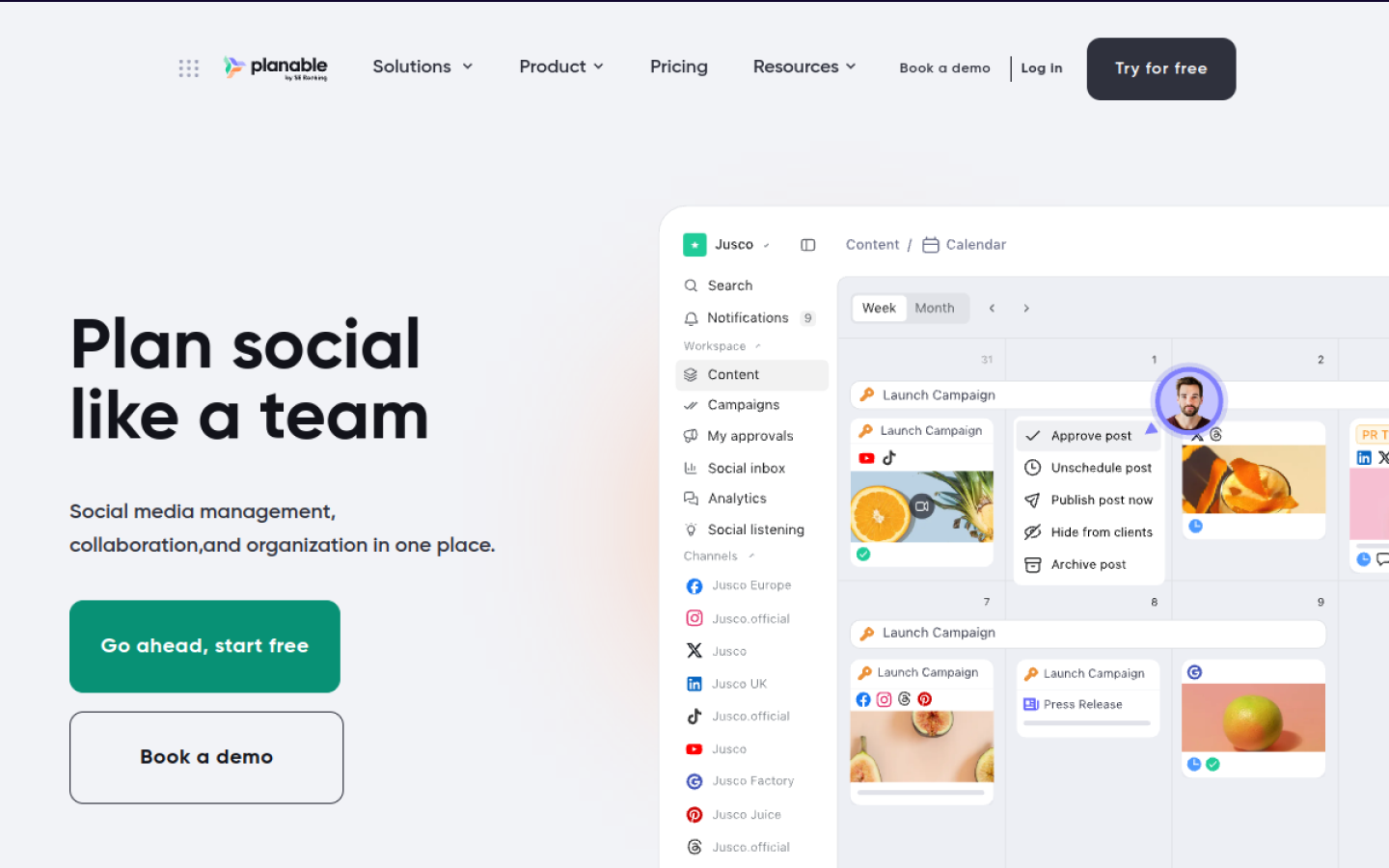
Planable is a collaboration-first social media scheduler designed around pixel-accurate feed, calendar, and grid previews with in-context comments. Rather than a recurring free tier, it offers a 50-post free trial with no time limit and unlimited user seats so teams can test approval workflows.
The trade off is per-workspace pricing, strict monthly post caps on lower tiers, and separate paid add-ons for analytics and inbox tools. Basic costs $33 per workspace monthly on annual billing ($396 per year, or $39 monthly) for 4 social pages and 60 monthly posts. It suits agencies reviewing content with clients.
What we like
Unlimited team members and external reviewers on every plan
Real-time feed, calendar, and Instagram grid previews reduce formatting errors
Flexible approval settings from optional sign-off to multi-level chains
Includes MCP connector for AI-assisted content workflows
Watch out for
No ongoing free plan once the initial 50-post allowance runs out
Analytics and social inbox cost extra per workspace per month
Basic tier limits workspaces to 4 social pages and 60 posts monthly
Basic ($33/workspace/mo yearly) unlocks 60 monthly posts across 4 pages, unlimited users, and optional approval flows.Visit planable.io
04
Publer
4.7/5on G2 (554 reviews, checked Nov 2026)
Paid from$5/mo
Best for bulk scheduling and multi-account value
Entry pricing$5/mo for 1 account ($4/mo billed yearly)
Free tier3 social accounts (excludes X), 10 posts/account
Team seats1 user included; extra seats billed separately
publer.com
Publer homepage, captured Nov 2026.
Publer is a multi-network scheduling tool built for fast bulk publishing, RSS feed automation, and separate client workspaces. Its forever-free plan covers 1 user, 1 workspace, and 3 social accounts (excluding X) with up to 10 scheduled posts per account and 25 saved drafts.
The trade off is per-account and per-seat billing, plus locking analytics, post recycling, and approvals behind the higher Business tier. Professional starts at $5 per month for 1 account ($48 per year with the 20% annual discount). It suits freelancers and creators batch-scheduling posts across networks.
What we like
Very low $5/month entry price with a 20% annual discount and every 10th account free
Strong bulk scheduling via CSV uploads, media library, and RSS feeds
Supports platform-specific post customization on a single screen
High 4.7/5 G2 rating across 554 user reviews
Watch out for
Analytics, best-time-to-post, and approvals require the Business plan ($10+/mo)
X (Twitter) support is excluded from the free plan
Adding extra team members increases the monthly bill
Professional ($5/mo monthly, $4/mo yearly) adds X support, unlimited scheduled posts, bulk CSV uploads, and RSS automation.Visit publer.com
05
Later
4.5/5on G2 (389 reviews, checked Nov 2026)
Starts at$18.75/mo
Best for visual Instagram and TikTok feed planning
Free tier14-day free trial only (no permanent free plan)
Social set1 set of 8 profiles (1 per supported platform)
Post limit30 posts per profile/month on Starter
later.com
Later homepage, captured Nov 2026.
Later is a visual-first social media scheduler tailored to Instagram, TikTok, Facebook, Pinterest, LinkedIn, YouTube, Threads, and Snapchat. Instead of a free tier, it offers a 14-day free trial and bundles a drag-and-drop grid previewer, Link in Bio page builder, and best-time-to-post recommendations.
The trade off is no permanent free plan, strict monthly post limits on lower tiers, and zero support for X (Twitter). Starter costs $18.75 per month billed yearly ($225 per year, or $25 monthly) for 1 user, 8 profiles, and 30 posts per profile. It suits visual brands focused on Instagram.
What we like
Drag-and-drop visual planner previews Instagram grids before publishing
Bundles a customizable Link in Bio landing page on all paid tiers
Includes 1 profile across each of 8 supported networks in 1 Social Set
Growth tier adds UGC discovery via tags, mentions, and hashtags
Watch out for
No forever-free plan after the 14-day trial ends
Starter caps publishing at 30 posts per profile per month
Does not support X (Twitter) scheduling
Starter ($18.75/mo yearly) covers 1 social set (8 profiles), 30 posts per profile/month, 3 months of analytics, and Link in Bio.Visit later.com
06
SocialBee
4.7/5on G2 (479 reviews, checked Nov 2026)
Starts at$24.20/mo
Best for evergreen content recycling and category queues
Free tier14-day free trial only (no permanent free plan)
Profiles & users5 social profiles and 1 user on Bootstrap
Core workflowEvergreen category queues with auto-expiration
socialbee.com
SocialBee homepage, captured Nov 2026.
SocialBee is a content-categorization scheduler built to organize posts into topic queues and automatically recycle evergreen updates. It offers a 14-day free trial rather than a free tier, and integrates Canva, Unsplash, and GIPHY alongside an AI Copilot that drafts captions and posting schedules.
The trade off is upfront setup time to populate content categories and no permanent free plan. Bootstrap costs $29 per month or $290 per year ($24.20 per month billed yearly; seasonal promo codes occasionally discount checkout) for 5 profiles and 1 user. It suits solopreneurs repurposing evergreen libraries.
What we like
Category-based queues automatically recycle or expire evergreen posts
Includes Canva, Unsplash, and GIPHY integrations inside the post editor
Supports 10+ platforms including Bluesky, Threads, X, and Google Business Profile
4.7/5 G2 rating across 479 reviews
Watch out for
No forever-free plan beyond the 14-day trial
Requires upfront work to configure categories and posting schedules
Team collaboration and approval workflows require Accelerate ($49/mo monthly)
Bootstrap ($290/yr or $29/mo) includes 5 social profiles, 1 user, category queues, evergreen recycling, and AI Copilot.Visit socialbee.com
07
Sprout Social
4.4/5on G2 (7,591 reviews, checked Nov 2026)
Starts at$79/mo
Best for larger teams needing enterprise reporting and inbox tools
Free tier30-day free trial (no credit card required)
Profiles & seats5 social profiles and 1 seat on Essentials
AI toolsTrellis AI agent (100 credits/seat/mo) + Optimal Send Times
sproutsocial.com
Sprout Social homepage, captured Nov 2026.
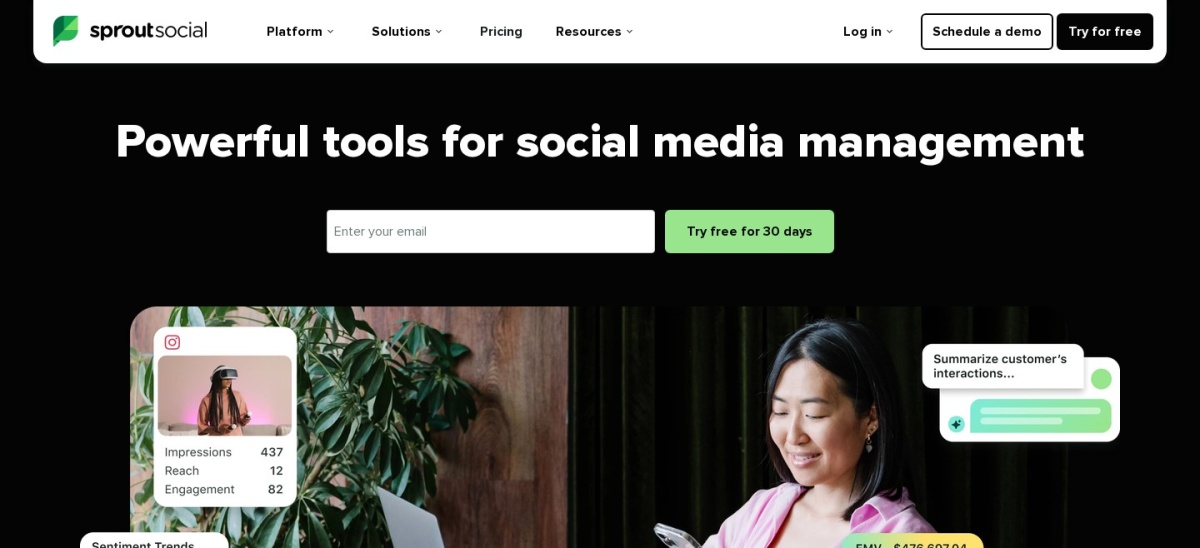
Sprout Social is an enterprise social media management suite combining multi-network publishing, optimal send-time automation, a consolidated Smart Inbox, and deep reporting. It provides a 30-day free trial with no credit card required and includes 100 monthly Trellis AI agent credits per seat on every tier.
The trade off is steep per-seat pricing that quickly becomes prohibitive for small businesses, with approval workflows locked behind higher tiers. Essentials costs $79 per seat monthly billed yearly ($948 per year, or $99 monthly) for 5 profiles. It suits established marketing departments.
What we like
Mature scheduling calendar with AI-powered Optimal Send Times
Presentation-ready profile and post-level analytics reports
Supports 11 major networks including Reddit, Bluesky, Threads, and X
Backed by 7,591 G2 reviews with strong enterprise reliability
Watch out for
Per-seat pricing ($79 to $399/seat/mo yearly) scales steeply for teams
Consolidated Smart Inbox requires Standard ($199/seat/mo yearly)
Approval workflows require Professional ($299/seat/mo yearly)
Essentials ($79/seat/mo yearly) covers 1 user, 5 social profiles, Optimal Send Times, SproutLink, and post-level reporting.Visit sproutsocial.com
How social scheduler pricing models scale
Choosing between per-channel, per-workspace, and per-seat billing matters as much as the feature list. If you are a solo creator managing three profiles across Instagram, LinkedIn, and X, Buffer Essentials costs $15/month billed yearly ($5 per channel), while Metricool Starter costs $20/month plus $10 to $12/month for the X add-on.
Once a three-person team manages eight channels, the math flips. Buffer Team charges $10/channel/month billed yearly ($80/month total with unlimited users), Planable Basic charges $33/workspace/month for up to four pages with unlimited users, and Sprout Social Essentials charges $237/month for three seats before unlocking team approvals.
How we chose
We built this shortlist by evaluating established social media scheduling platforms with verified public user reviews on G2 and transparent, self-serve pricing pages. We prioritized tools that support modern publishing workflows across major networks including Instagram, TikTok, LinkedIn, Facebook, YouTube, Threads, Bluesky, and X.
All prices, plan limits, review counts, and ratings were checked directly on vendor pricing pages and G2 profiles on 22 Nov 2026. Where vendors discount annual billing, we list the regular annualized monthly rate alongside standard monthly billing so you can compare true yearly commitments.
We excluded enterprise-only suites that hide entry pricing behind custom sales quotes, discontinued schedulers, and niche single-network tools that lack cross-platform calendars. No vendor paid for a place, and we do not claim testing for this list.
How to choose the right social media scheduler
Follow four practical checks before committing to an annual subscription.
Count your active channels and team seats first. Multiply your connected profiles by per-channel rates on Buffer or Publer, then compare that total against flat multi-brand tiers on Metricool or SocialBee so you do not overpay as you grow.
Verify X (Twitter) and short-form video support. Check whether X publishing is included in the base plan or billed as an add-on, and confirm direct publishing for Instagram Reels, TikTok, and YouTube Shorts.
Check where post approvals and analytics sit. Many entry tiers omit client approval gates or cap analytics history at 30 to 90 days, forcing an upgrade if stakeholders need sign-off links or annual PDF reports.
Test your real publishing queue on a free plan or trial. Connect your primary accounts during a free plan or 14-day trial to verify that tagging, first-comment scheduling, and link previews work cleanly before paying.
FAQ
Which social media scheduling platform has the best free plan?
Buffer offers the most practical forever-free plan for most individuals, covering 3 social channels, 10 refillable queued posts per channel, basic analytics, API access, and an unlimited AI Assistant. Metricool also offers a free tier for 1 brand and 20 monthly posts, though it excludes LinkedIn and X.
Why do some schedulers charge extra for X (Twitter)?
Because X charges third-party developers substantial fees for API access, several scheduling platforms pass that cost along separately. Metricool charges an extra $10 to $12 per month per connected X account, and Publer restricts X publishing to its paid tiers starting at $5 per month.
What is the cheapest social media scheduler for agencies?
For agencies with multiple team members, Buffer Team ($10/channel/month billed yearly) and Planable Basic ($33/workspace/month billed yearly) both include unlimited user seats. Publer also keeps multi-account costs low at $5/month per account with every tenth account free, though extra team seats cost extra.
Do social media schedulers hurt organic reach?
Official scheduling tools use approved platform APIs from Meta, LinkedIn, TikTok, YouTube, and X, so scheduled posts receive the same distribution as native posts. Reach typically only drops when users cross-post identical, unformatted text and broken tags across every network simultaneously.
Should I choose per-channel or flat-rate pricing?
Per-channel pricing (like Buffer or Publer) saves money when you manage one to four profiles. Flat-rate plans (like Metricool Starter at $20/month yearly for 5 brands or SocialBee Bootstrap at $24.20/month yearly for 5 profiles) become more economical once you manage five or more accounts.