Best Social Media Planning Platforms in 2026: 7 Tools Compared
WLWPLegible EditorsLast verified 22 Nov 2026How we rank6 min read
★ Short answer
Buffer is the best social media planning platform for most teams, pairing visual calendars and idea boards with a free tier for up to 3 channels and a 4.3/5 rating across 1,043 G2 reviews. Choose Planable for client approval workflows or Metricool for built-in analytics and multi-brand calendars.
How we make this list: we compare pricing pages, product documentation and public user reviews, then re-check every price before each update. No product paid for a place. Disclosure.
Buffer starts with a free tier for 3 channels and scales from $6/mo per channel on Essentials, with 1,043 reviews on G2.
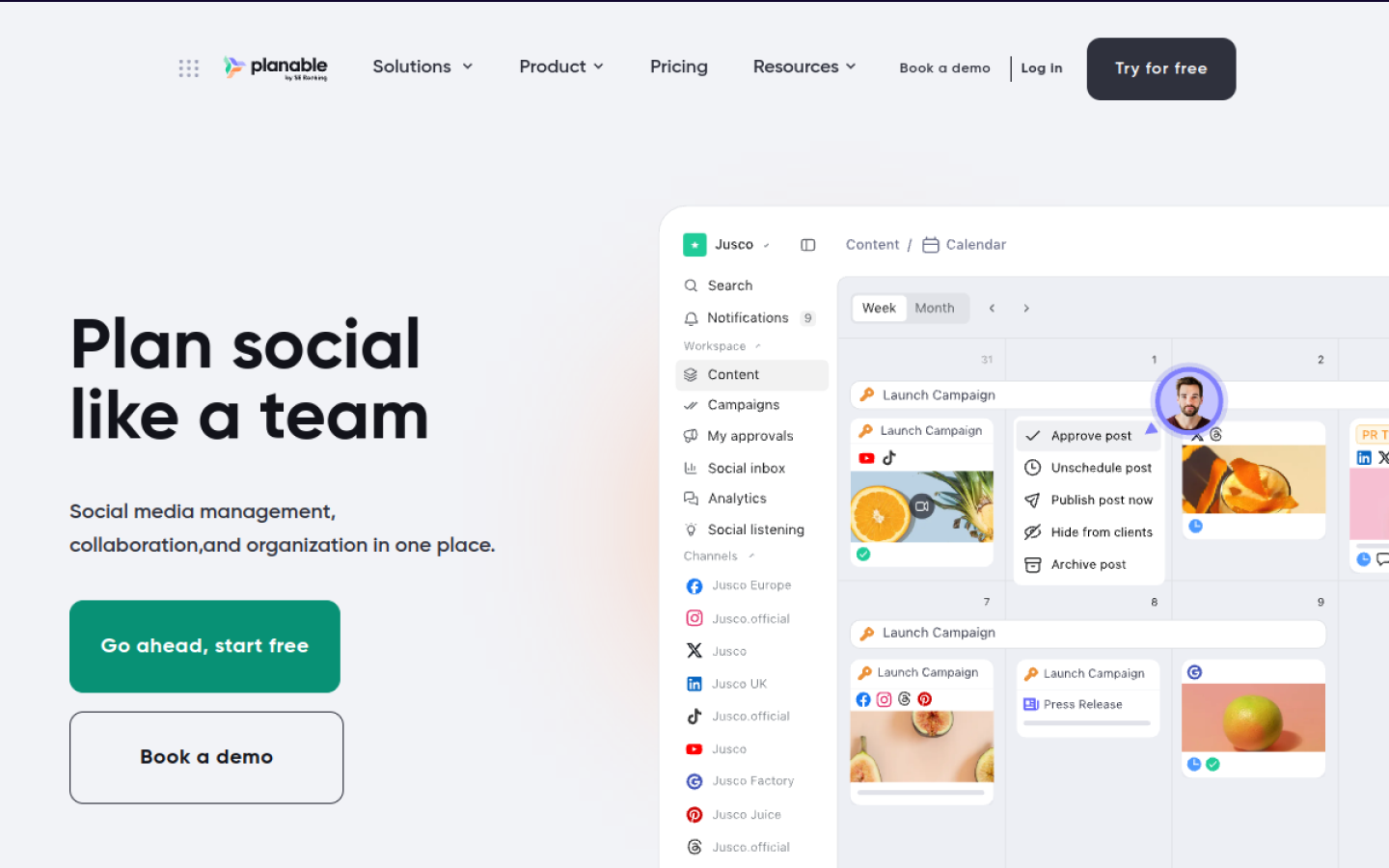
Planable centers on collaborative drafts and approval steps, starting at $39/mo per workspace or $33/mo billed yearly.
Metricool combines a free 1-brand tier with Starter plans from $25/mo ($20/mo yearly) for multi-brand planning and reporting.
Publer starts free for 3 non-X accounts and offers per-account paid plans from $5/mo on Professional.
Sendible and SocialPilot start at $35/mo and $30/mo respectively with no free tier, while Hootsuite starts at $99/user/mo billed yearly.
What to look for in a social media planning platform
A strong planning platform keeps ideas, drafts, and scheduled posts visible on a calendar or board view before anything goes live. Look at how each tool handles platform-specific formatting, queues, and bulk scheduling so you can batch work without manual rework.
Pricing structure matters just as much as features. Some tools charge per social channel or account, others bill per workspace or brand, and enterprise-leaning suites charge per user seat.
If multiple teammates or external clients review content, check whether approval workflows are included on entry tiers or locked behind higher plans. Also verify whether analytics, social inbox replies, and X or LinkedIn connections sit inside the base price or require add-ons.
Free tierUp to 3 channels, 10 scheduled posts each
Entry paid planEssentials at $6/mo per channel ($5/mo yearly)
Calendar viewVisual calendar, queue and kanban board
G2 rating4.3/5 across 1,043 reviews
buffer.com
Buffer homepage, captured Nov 2026.
Buffer is a social media planning and publishing tool built around visual calendars, posting queues, and idea boards. Its free plan includes 1 user, up to 3 channels, 100 post ideas, and 10 scheduled posts per channel.
The trade off is per-channel billing, which starts at $6 per channel per month on Essentials ($72 per year for one channel) and adds up as you connect more profiles. It suits solo creators, startups, and small teams that want straightforward scheduling without clutter.
What we like
Free plan covers up to 3 channels with no time limit
Clear visual calendar, queue and idea board views
Pay only for the channels you connect
Watch out for
Per-channel pricing rises quickly with many accounts
Approval workflows require the Team tier at $12/mo per channel
Entry paid planBasic at $39/workspace/mo ($33/mo yearly)
Users includedUnlimited users per workspace
Planning viewsFeed, Calendar, Grid and List views
G2 rating4.6/5 across 1,137 reviews
planable.io
Planable homepage, captured Nov 2026.
Planable is a content planning and approval workspace where teams draft, preview, and sign off on posts together. It offers a free trial limited to 50 posts total rather than an ongoing free plan, with Basic starting at $39 per workspace per month ($468 per year).
The trade off is workspace pricing and monthly post caps—60 posts per workspace on Basic—while analytics and social inbox features cost extra per workspace. It suits marketing teams and agencies that prioritize structured reviews and sign-offs before publishing.
What we like
Unlimited users per workspace on paid plans
Clear post previews across feed, calendar and grid views
Structured approval options for teams and clients
Watch out for
No ongoing free plan beyond a 50-post trial limit
Analytics and social inbox require paid workspace add-ons
Basic covers 1 workspace, unlimited users, 4 social pages and 60 posts per month.Visit planable.io
03
Metricool
4.4/5on G2 (112 reviews, checked Nov 2026)
Paid from$25/mo
Best for calendar planning paired with analytics
Free tier1 brand, up to 20 scheduled posts per month
Entry paid planStarter from $25/mo ($20/mo yearly) for 5 brands
Analytics history30 days on Free, unlimited on paid plans
G2 rating4.4/5 across 112 reviews
metricool.com
Metricool homepage, captured Nov 2026.
Metricool is a social media planner and analytics suite that groups channels by brand on a visual calendar. Its free plan supports 1 brand, up to 20 scheduled posts per month, and 30 days of analytics, excluding LinkedIn and X.
The trade off is that Starter begins at $25 per month ($300 per year) for up to 5 brands, while X and certain extras carry add-ons. It suits creators, freelancers, and small teams that want scheduling and performance reports in one place.
What we like
Free plan includes 1 brand and 20 scheduled posts per month
Built-in analytics, competitor tracking and report exports
Canva and Google Drive integrations on paid tiers
Watch out for
Free plan omits LinkedIn and X connections
Post approval workflows start on the higher Advanced tier
Starter expands to up to 5 brands, unlimited scheduled posts and LinkedIn access.Visit metricool.com
04
Publer
4.7/5on G2 (554 reviews, checked Nov 2026)
Paid from$5/mo
Best for bulk scheduling and low-cost accounts
Free tier3 social accounts (not X), 10 scheduled posts each
Entry paid planProfessional from $5/mo for 1 account ($4/mo for 3+)
Bulk schedulingSupported on paid plans including CSV bulk upload
G2 rating4.7/5 across 554 reviews
publer.com
Publer homepage, captured Nov 2026.
Publer is a social media scheduler with visual calendars, bulk scheduling, and multi-brand workspaces. Its free plan includes 1 user, 1 workspace, up to 3 non-X social accounts, and 10 scheduled posts per account at a time.
The trade off is per-account and per-extra-member billing, starting at $5 per month for 1 account on Professional ($60 per year), while analytics and API access sit on Business. It suits freelancers, creators, and small teams that schedule posts in batches.
What we like
Low entry price with a free tier for 3 non-X accounts
Supports CSV bulk scheduling, RSS feeds and workspaces
Every tenth account and extra member is free
Watch out for
X accounts are not supported on the free plan
Costs scale steadily as you add accounts and extra seats
Professional removes the 10-post queue cap and adds unlimited drafts, workspaces and X support.Visit publer.com
05
SocialBee
4.7/5on G2 (479 reviews, checked Nov 2026)
Starts at$29/mo
Best for content categories and evergreen queues
Free tierNone (14-day free trial available)
Entry paid planBootstrap at $29/mo ($24.2/mo billed yearly)
Core workflowCategory schedules and evergreen post recycling
G2 rating4.7/5 across 479 reviews
socialbee.com
SocialBee homepage, captured Nov 2026.
SocialBee is a social media planning platform organized around content categories and recurring evergreen queues. It offers a 14-day trial rather than a free plan, with Bootstrap starting at $29 per month ($348 per year).
The trade off is no free tier and a steeper setup curve if you only want a simple one-off post calendar. It suits coaches, consultants, and businesses that rotate durable posts across topics over time.
Category setup takes longer than basic drag-and-drop queues
Bootstrap starts category-based scheduling and evergreen queues with annual billing discounts.Visit socialbee.com
06
Sendible
4.5/5on G2 (905 reviews, checked Nov 2026)
Starts at$35/mo
Best for unlimited users on agency plans
Free tierNone (14-day free trial available)
Entry paid planCore at $35/mo (6 social profiles, 1 workspace)
User seatsUnlimited users on every plan
G2 rating4.5/5 across 905 reviews
sendible.com
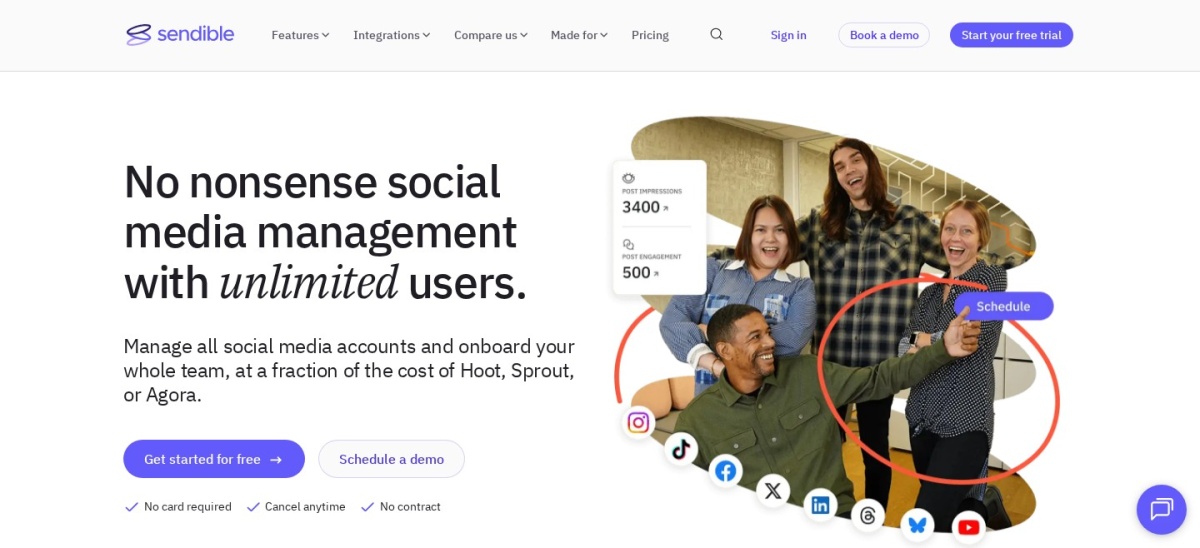
Sendible homepage, captured Nov 2026.
Sendible is a social media planning and client management platform with shared calendars, queues, and reporting. It offers a 14-day trial rather than a free plan, with Core starting at $35 per month ($420 per year) for 6 social profiles and 1 workspace.
The trade off is that Core covers just 1 workspace, while adding multiple client workspaces pushes you to Plus at $99 per month or higher. It suits teams and agencies that want unlimited user seats without per-seat fees.
What we like
Unlimited users included across all paid plans
Visual calendar with per-network customization and previews
Canva, Google Drive and Pexels integrations built in
Best for larger teams with inbox and monitoring needs
Free tierNone (14-day free trial available)
Entry paid planStandard at $99/user/mo billed yearly ($1,188/yr)
Account capUp to 10 social accounts on Standard
G2 rating4.3/5 across 7,758 reviews
hootsuite.com
Hootsuite homepage, captured Nov 2026.
Hootsuite is a social media planning and management platform combining a shared content calendar with inbox monitoring and analytics. It has no free plan—only a 14-day trial—with Standard starting at $99 per user per month billed yearly ($1,188 per year) for up to 10 accounts.
The trade off is per-user pricing and a 10-account cap on Standard, while team review and approval workflows sit on Advanced at $399 per user per month yearly. It suits larger organizations that need unified publishing, monitoring, and multi-seat governance.
What we like
Large review footprint with 7,758 reviews on G2
Combines calendar planning with inbox and competitor monitoring
Best-time-to-post recommendations across major networks
Watch out for
No free plan and high per-user pricing
Standard caps accounts at 10 and omits approval workflows
Professional and Advanced add unlimited accounts, workflow automation and team approvals.Visit hootsuite.com
How social media planning pricing models compare
Per-channel and per-account pricing—used by Buffer and Publer—works well when you manage a small number of profiles and want low starting costs. Once you add many accounts or extra seats, the monthly total rises with every addition.
Workspace and brand pricing—used by Planable, Metricool, and Sendible—groups channels under a client, brand, or location. That structure is easier to budget for agencies and multi-brand teams, though higher brand counts or extra add-ons can still push costs up.
How we chose
We built this shortlist from established social media planning platforms with active 2026 product updates, clear documentation, and public user review profiles on G2.
All pricing figures, free-tier limits, and review counts were checked on 22 Nov 2026 from vendor pricing pages, help documentation, and G2 listings, using regular annual or standard entry rates.
We excluded platforms without transparent entry pricing or those geared strictly to narrow single-channel tasks when broader planning fit the keyword better. No vendor paid for a place, and we do not claim testing for this list.
How to choose the right social media planning platform
Follow four practical steps to match a planner to your workflow and budget.
Count your active channels and brands first. List every profile, page, and client brand you plan to schedule in the next six months so you can compare per-channel tools against workspace or brand tiers.
Decide who needs to review drafts before posting. If multiple teammates or clients must approve posts, check which tier includes approval steps rather than assuming they are on the entry plan.
Check how much analytics and inbox work you want inside the planner. Some tools focus on calendars, queues, and bulk scheduling, while others bundle analytics, competitor tracking, or unified inboxes.
Compare annual versus monthly billing before committing. Most platforms discount annual billing compared with month-to-month rates, so check the regular annual cost alongside flexibility needs.
FAQ
Which social media planning platform has the best free plan?
Buffer offers a free plan for up to 3 channels with 10 scheduled posts per channel, 100 ideas, and 1 user. Publer also has a free tier for up to 3 non-X social accounts, and Metricool includes 1 brand with up to 20 scheduled posts per month.
Are there planning tools that do not charge per user seat?
Yes. Planable prices by workspace with unlimited users included on paid plans, and Sendible includes unlimited users across its paid tiers, starting at $39/workspace/mo and $35/mo respectively.
Why do some tools exclude X or LinkedIn on free plans?
Platform API rules and access costs lead several tools to restrict certain networks on free tiers. For example, Metricool's free plan excludes LinkedIn and X, and Publer's free plan excludes X accounts.
What is the difference between a queue and a content calendar?
A content calendar shows posts laid out on specific dates and times, while a queue or category schedule slots posts into predefined time windows automatically. Many tools let you switch between calendar, list, and queue views.
When should a team move from a free plan to a paid plan?
Upgrade when you hit channel or brand limits, need higher scheduled post caps, want bulk scheduling or approval workflows, or need longer analytics history.
Do social media planning tools replace native platform apps?
Not completely. While many schedulers auto-publish posts, Reels, and stories, certain platform-specific features or mobile reminders may still require checking the native app.